Copilot Memory Now Uses Edge Bing MSN Data by Default — How to Manage Privacy

  • Thread Author
Microsoft’s Copilot has quietly widened the scope of what it can remember about you: the assistant can now draw on activity signals from other Microsoft services — explicitly calling out Edge, Bing and MSN — to personalize responses via its Memory feature, and that sharing appears to be enabled by default for many users. (pcworld.com)

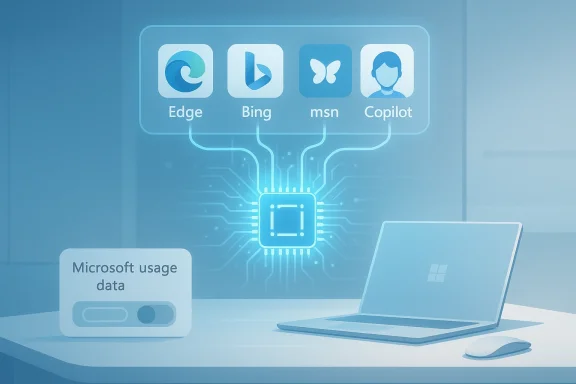
Blue tech scene of a laptop connected to app icons Edge, Bing, msn, and Copilot via a central microchip.Background​

Microsoft has split the Copilot family across several fronts — a consumer-facing Copilot app and web experience, and a set of enterprise Copilot features woven into Microsoft 365. Each variant exposes different controls, retention rules and guarantees, but the underlying idea is the same: Copilot stores contextual signals and user preferences in order to supply more relevant, persistent answers over time. Microsoft’s public privacy material and product guidance emphasize user control (you can delete memories and opt out of personalization), and they repeatedly draw a line between “service personalization” and “model training” to reassure users and enterprises.
What changed this week is less about a new API and more about a small, consequential toggle that surfaced in the Copilot Settings UI: a control labeled along the lines of “Microsoft usage data” inside the Memory/Personalization area. That control is described in the interface as allowing Copilot to “use data from Bing, MSN, Edge and other Microsoft products you’ve used,” and several news outlets doing hands‑on checks report that it is switched on by default.

What exactly the new setting does (and what we know)​

The narrow, documented description​

In the hands-on coverage that first flagged the change, the new memory setting appears to act as a cross‑product signal gate: when enabled, Copilot can ingest product-usage signals from Microsoft properties to seed or augment the assistant’s memory about you — things like inferred preferences, browsing patterns or topical interests that Copilot can use to bias answers and proactively recall context. The UI language seen by reporters — “Let Copilot use data from Bing, MSN, Edge, and other Microsoft products you’ve used” — is explicit about the sources.

Enabled by default — the practical consequence​

Multiple outlets reporting hands‑on checks found the toggle enabled for accounts they inspected, meaning many users who’ve never opened the Memory tab are likely sharing product usage signals with Copilot unless they change the setting. That is a critical operational detail: default-on settings dramatically increase the number of users who will be included in any personalization pipeline unless the vendor makes the toggle exceptionally prominent and discoverable.

Deleting or stopping the flow of signals​

Turning the toggle off will stop future product‑usage signals from being used for Copilot personalization, but reports and UI notes indicate that turning it off does not automatically erase previously collected memory. To remove what’s already been stored, users must explicitly use the “Delete all memory” action in Copilot’s settings. That two-step sequence (disable sharing + delete stored memories) is what the reporting and UI cues recommend. (pcworld.com)

Microsoft’s stated limits: personalization, not model training​

Microsoft’s public statements and the product text captured in reporting emphasize that these product usage signals are intended for personalization and are not used to train the company’s foundation models. That distinction — personalization for an individual user versus contributing examples to generalized model training — is foundational to Microsoft’s privacy messaging for Copilot products and appears in recent guidance. Still, wording alone is not a technical guarantee: users and administrators should map those statements back to contracts, tenant controls and observable behaviors. (pcworld.com)

Why this matters: the benefits​

Personalization and memory are powerful features when implemented well. Here’s why Microsoft’s cross‑product memory could be useful:
  • Better context in conversations: Copilot can recall your preferences or prior instructions and reduce repetitive explanation.
  • Cross‑device continuity: signals across browser (Edge) and search (Bing) can let Copilot surface relevant results more quickly or suggest actions aligned to your habits.
  • Faster productivity: remembering how you prefer answers formatted, or which news topics you follow, saves keystrokes and time.
  • Useful proactive assistance: Copilot can offer reminders, contextual nudges or personalized summaries that feel more relevant because they are seeded by previous activity.
Those are real, tangible UX wins. For many users the convenience tradeoff will seem well worth a few additional stored preferences.

Why this matters: the risks and tradeoffs​

Personalization features come with privacy, compliance and safety tradeoffs that are often subtle and cumulative. Below I unpack the most important concerns and what to watch for.

1) Default‑on nudges and inadvertent sharing​

Defaulting the toggle on effectively moves the burden to the user to find and disable the setting. Many users never visit deeper privacy menus; default-on personalization increases the number of people exposing cross‑product signals without explicit, recent consent. That’s a classic consent friction problem: the UI choice — where the toggle is situated and how visible it is — matters.

2) Ambiguity about what “usage data” includes​

The phrase “Microsoft usage data” is broad. In practical terms it may include:
  • Search queries, visited pages or click patterns in Bing and MSN
  • Browsing history or site metadata from Edge (to the extent Edge sync is enabled)
  • Signals of interest (topics you research frequently, news you consume)
The reporting shows the product list (Edge, Bing, MSN), but there is no public, granular mapping of telemetry fields visible in the UI that tells users exactly what fields — URLs, titles, search terms, timestamps, aggregate topics — are shared. That lack of granularity raises legitimate questions for privacy teams and regulators.

3) Health data and other sensitive categories​

Separate reporting and UI hints suggest Microsoft is testing integrations where Copilot can use health app context for personalization (e.g., “Copilot Health Records” experiments). If product‑usage sharing extends to health app signals or wearable data, the sensitivity of the stored memory increases dramatically. Health, finance, political interests and other sensitive categories deserve stricter defaults and clearer opt‑ins. Early tests referenced in reporting show Microsoft is aware of these sensitivities — but users should be cautious about linking health or other sensitive apps until the controls are exhaustively documented.

4) Enterprise discoverability and compliance boundaries​

For Microsoft 365 Copilot and tenant‑managed environments, Copilot memory can be stored in tenant spaces that administrators can discover and delete via eDiscovery or Microsoft Purview tools. That architectural choice helps compliance teams, but it also means “private” Copilot memories may be visible to administrators in organizational contexts — an important nuance for employees assuming their memories are only visible to them. Enterprises must update policies and communications accordingly.

5) The trust question: “Not used to train models” requires scrutiny​

Microsoft’s claim that user product‑usage signals are only used for personalization and not for training foundation models is material, and enterprises will demand contractual guarantees and technical artifacts (audit logs, DPA language) to back it up. Product statements are necessary but not sufficient — independent audits, contractual clauses and tenant‑level assurances are the mechanisms that make such commitments enforceable. Until those artifacts are visible or contractually embedded, prudent teams will treat the statement as policy rather than incontrovertible proof. (pcworld.com)

Practical steps: what individual users should do now​

If you want to limit or control Copilot’s use of cross‑product activity signals, follow these steps. The exact menu wording and location can vary slightly by client (web, Edge sidebar, Windows app), but the logic is consistent.
  • Open Copilot (web at Copilot sign‑in, or via the Copilot UI in Edge/Windows).
  • Click your account/profile avatar → Settings → Memory or Personalization.
  • Locate the toggle marked “Microsoft usage data” (or wording similar to “Let Copilot use data from Bing, MSN, Edge, and other Microsoft products you’ve used”) and switch it off to stop new product usage signals flowing into Copilot memory. (pcworld.com)
  • To remove stored signals gathered before you changed the toggle, use the “Delete all memory” (or “Delete memory”) control in the same Memory area. Confirm the deletion. Turning the toggle off alone does not erase existing memories. (pcworld.com)
  • Review other personalization settings (e.g., conversation history, model training opt‑outs) in your Microsoft account privacy pages and the Copilot settings pane. Microsoft provides user controls for several downstream uses; review those while you’re in the privacy menu.
Short checklist for privacy‑minded users:
  • Turn the Microsoft usage data toggle off if you don’t want cross‑product signals used.
  • Delete all memory to purge previously stored information.
  • Avoid linking sensitive health apps until you’re comfortable with the documented controls.

Practical steps: what IT admins and privacy teams should do​

Administrators have stronger levers in enterprise tenants and should act quickly to reconcile Copilot personalization behavior with organizational policy.
  • Decide an organizational posture: permit enhanced personalization, allow it but with constraints, or disable it tenant‑wide. Microsoft provides tenant controls to turn off enhanced personalization for all users; use that if compliance requires it.
  • Map Copilot memory location and retention to your data governance model. If Copilot stores memories in mailbox items or other tenant resources, ensure retention policies and eDiscovery rules capture and treat those items correctly. (Reporting indicates memories can be discovered via Purview/eDiscovery — verify the exact storage and retrieval paths in your tenant.)
  • Update acceptable‑use policies and employee guidance. Explain discoverability: memories created in a work account may be accessible to administrators. Train employees on how to disable personalization and delete memory if appropriate.
  • Audit and log: monitor Copilot setting changes, memory deletion actions and any new connectors (health apps, third‑party integrations) that might expand the data surface. Require documentation and legal/Privacy Impact Assessment (PIA) for any new integration that increases sensitivity.

How regulators and privacy teams should think about it​

From a regulatory standpoint, the change raises several points of interest:
  • Consent and transparency: default‑on personalization where activity signals cross products can present a transparency gap; organizations operating in strict privacy jurisdictions will need clear disclosures and documented user consent flows.
  • Data minimization and purpose limitation: product usage signals used for personalization should be scoped, time‑limited and deleted when no longer needed. Default retention windows and deletion controls should be clear and auditable.
  • Sensitive categories: if integration surfaces health or other sensitive signals, additional safeguards (explicit opt‑in, Data Protection Impact Assessments, technical segregation) will be required under many privacy regimes.
Legal teams should ensure contractual commitments, data processing addenda (DPAs) and technical evidence (audit logs, deletion confirmations) align with Microsoft’s public statements about model training and personalization.

Open questions and unverifiable items to watch​

While the reporting and UI captures provide a strong directional picture, a few technical details remain less than fully transparent in the public record and should be treated as unverified until Microsoft documents them explicitly:
  • Exact telemetry fields: the public UI and press screenshots show the sources (Edge/Bing/MSN) but not the precise telemetry schema (which URLs, query strings, or metadata fields are collected).
  • Storage format and locations: some reporting claims memory items are stored in Exchange mailboxes in hidden items (IPM‑type items) that administrators can discover; that architectural detail is plausible and useful for compliance teams, but it should be verified directly with Microsoft documentation or tenant inspections before being relied upon for legal processes.
  • Real‑world training boundaries: Microsoft states that personalization signals are not used to train foundation models. Enterprises should request contractual and technical attestations (and, where necessary, audit evidence) that production training pipelines are logically and physically segregated from any data used for personalization. Treat vendor statements as the starting point for verification, not the endpoint. (pcworld.com)

Balanced assessment: strengths and shortcomings​

Strengths​

  • Personalization can materially improve the Copilot experience: fewer repeated prompts, better format matching and helpful proactive suggestions can all save users time and frustration.
  • Microsoft has built a reasonably complete control surface: toggles exist to disable personalization, delete stored memories and control training participation — all of which are necessary ingredients for a privacy‑respectful product. (pcworld.com)
  • Enterprise discoverability of memories is a double‑edged win: it supports compliance and eDiscovery, but it also undermines assumed personal privacy for employees if not communicated clearly.

Shortcomings / Risks​

  • Default‑on settings increase the likelihood of unnoticed data sharing; the UI placement of the toggle under Memory means many users will not see it during normal use.
  • Lack of granular, public telemetry documentation leaves a transparency gap that privacy teams and regulators will want closed.
  • Any expansion into health or similarly sensitive datasets raises consequential legal and ethical questions about consent, storage and secondary uses. Early signs of health integration tests make this a high‑stakes vector to watch.

Bottom line and practical recommendations​

Microsoft’s cross‑product memory toggle is an important UX and privacy inflection point for Copilot. The company’s approach — enabling personalization by default but exposing opt‑outs and deletion controls — is consistent with many consumer AI product patterns. However, the default choice and the lack of easily discoverable, field‑level documentation means users and administrators should act deliberately.
  • If you prioritize convenience: keep personalization on but periodically review what memories are stored and keep an eye on new integrations (especially health).
  • If you prioritize privacy: disable the Microsoft usage data toggle and use “Delete all memory” to purge what’s been collected; verify other training opt‑outs in your account privacy settings. (pcworld.com)
  • If you manage an organization: take a cautious posture until you can map Copilot memory to your data governance processes; consider disabling enhanced personalization tenant‑wide if your compliance needs are strict and communicate clearly with employees about discoverability and retention.
Microsoft’s framing that these signals are used solely for personalization and not for training is meaningful — but it places the burden on reviewers and auditors to validate that promise. For now, users should treat the new toggle as an active privacy control rather than a background detail, and administrators should fold its behavior into their ongoing AI governance programs. (pcworld.com)

The change is an instructive reminder of a broader shift in personal computing: assistants that live across apps and services will increasingly stitch together signals to create a persistent, personalized experience. That power will prove useful — and it will require better, clearer controls and documentation to make the tradeoffs acceptable for everyone.

Source: PCWorld Copilot uses your Microsoft activity data to personalize its responses
 

Microsoft’s Copilot is now quietly drawing on your activity across other Microsoft services — Edge, Bing, MSN and more — to “seed” its memory and personalize conversations, and that collection is controlled by a new, buried toggle you should know how to find and turn off. ([windowslatest.com]test.com/2026/02/19/copilot-quietly-pulls-your-data-from-other-microsoft-products-including-edge-and-msn-but-you-can-opt-out/)

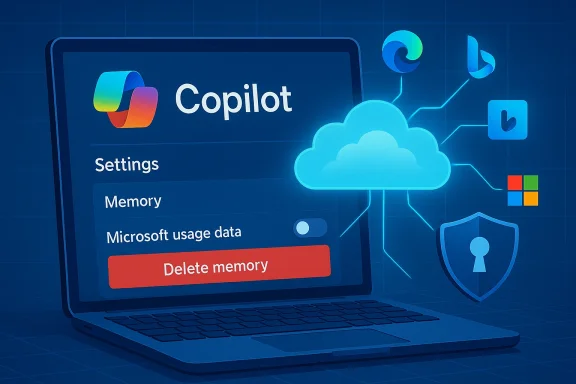
Laptop screen shows Copilot settings with a prominent Delete memory button beside cloud and security icons.Background / Overview​

Microsoft built Copilot to be more than a one‑off chat window: the assistant uses memory and personalization to remember preferences, facts you’ve explicitly shared, and contextual signals so subsequent conversations feel coherent and tailored. That memory feature has long been configurable, but recent hands‑on reporting and product checks found a new setting — commonly presented as “Microsoft usage data” — under Copilot’s Memory or Personalization controls that lets Copilot reference usage signals from other Microsoft properties such as Edge, Bing and MSN. Multiple outlets doing independent checks reported the control and found it enabled by default for many accounts.
Why this matters: assistants that stitch together signals from search, browsing and other products can dramatically reduce friction — remembering your preferred coding language, the way you like output formatted, or topics you return to — but that same cross‑product stitching raises real privacy, compliance and security questions when it happens without a clearly visible, affirmative choice.

What changed — a practical summary​

  • A new toggle labelled along the lines of “Microsoft usage data” appears inside Copilot’s Settings → Memory (or Manage personalization and memory) and says something like “Let Copilot use data from Bing, MSN, Edge, and other Microsoft products you’ve used.” Reporters found the toggle in the Copilot web UI, Edge Copilot settings, and mobile clients.
  • The toggle is reported to be on by default for many users. That default‑on state means a large number of users who never inspect deep privacy menus may already have product usage signals seeding their Copilot memory.
  • Disabling the toggle stops future product usage signals from being used to personalize Copilot, but turning it off does not always erase what Copilot already learned — for that you must also use the Delete all memory or equivalent control. In other words, opt‑out is typically a two‑step process: stop new ingestion, then purge existing memory if you want a clean slate.
These are practical product changes you can act on today, but several deeper technical and governance questions remain partially opaque — notably precisely which telemetry fields are included under “usage data,” and whether that phrase covers any Windows‑level telemetry beyond Edge/Bing/MSN. Multiple reports call out that the UI lists product names but doesn’t publish a fine‑grained telemetry map. Treat that opacity as a real, material gap for privacy reviewers.

How Copilot’s memory and cross‑product signals work (what’s public)​

Memory basics​

Copilot’s memory aims to reduce repetition and make conversations contextual over time. The memory surface includes:
  • Facts you’ve explicitly shared (for example, “I prefer concise bullets”).
  • Conversation history and relevant context pulled from past chats.
  • Inferred signals that Copilot derives from your behavior and usage across products when the Microsoft usage data toggle is enabled.
Microsoft’s public materials and product descriptions emphasize user controls: you can turn personalization off, edit or remove saved facts, and delete saved memories. Enterprises have additional tenant‑level controls and discovery tools; this is significant because Copilot memory items may be treated as tenant content in managed environments.

Sources named in the UI​

The product wording shown to reporters explicitly calls out: Bing, MSN, Edge and “other Microsoft products you’ve used.” That phrasing is explicit on the surface but deliberately broad underneath — reporters and community analysts have noted there is no published, field‑level telemetry catalog that maps the exact items Copilot will draw from (for example: search query text, clicked URLs, Edge history titles, timestamps, or aggregated topic signals). That lack of a granular public mapping is a transparency shortfall.

What Microsoft says (and the limits of those assurances)​

Microsoft’s public position — reiterated in reporting — draws a distinction between personalization/service delivery and model training. The company states that conversation content, Graph‑accessed data and tenant data are not used to train public/foundation models, and provides controls to opt out of model training for text and voice where applicable. At the same time, Microsoft retains diagnostic and telemetry signals for service quality, troubleshooting and product improvement under its privacy rules.
Reality check: vendor claims about "not used for model training" are important assurances, especially for enterprise customers, but they are also assertions you should verify contractually. For regulated environments, legal and privacy teams should request written DPA language, segregation attestations, and evidence that training pipelines are isolated from personalization telemetry. Several community and industry writeups urge precisely this: treat product documentation as the starting point and ask for contractual controls and audit evidence where it matters.

Step‑by‑step: how to opt out (consumer and edge clients)​

If you prefer Copilot not to draw on your activity across Microsoft services, follow these steps. Exact wording and menu placement vary slightly by client, but the logic is consistent.
  • Open Copilot in your browser at copilot.microsoft.com (or open the Copilot app on Windows or the Copilot panel in Edge). Sign in with your Microsoft account if you aren’t already.
  • Click your account avatar (bottom of the left pane on web or the hamburger/profile menu on mobile), then choose SettingsMemory (or Manage personalization and memory in Edge).
  • Under Personalization and memory, toggle Microsoft usage data to Off to stop Copilot ingesting future signals from Bing, MSN, Edge and other Microsoft products.
  • If you want to stop Copilot from saving new memories entirely, toggle Personalization and memory to Off. Note: turning off personalization will reduce Copilot’s ability to remember preferences and context across sessions.
  • To remove previously collected memories, select Delete all memory (or Delete memory) and confirm. If you prefer surgical removal, choose Edit next to Facts you've shared and delete individual items. Turning the Microsoft usage data toggle off alone does not erase what has already been stored.
These steps were validated by hands‑on checks and community guides; screenshots and walkthroughs exist in multiple forums and tutorials documenting the exact clicks. If you manage devices centrally, administrators should also check tenant settings because some enterprise controls can prevent end‑user opt‑ins or force different defaults.

Why this isn’t just a cosmetic toggle — risks and tradeoffs​

Turning personalization on is valuable: personalized assistants reduce repetition, surface relevant shortcuts, and can speed routine tasks. But the new cross‑product ingestion raises several categories of risk and governance friction:

1) Default‑on consent friction​

Research into privacy UX shows that defaults matter. A default‑on toggle buried under Memory or Privacy pushes responsibility onto the user to find and opt out, and many users never do. That pattern materially increases the number of people whose cross‑product usage signals are included without a recent, explicinews checks found the Microsoft usage data toggle on by default.

2) Ambiguity about what “usage data” includes​

“Microsoft usage data” is a broad bucket. Does it include full search queries? Clicked URLs? Edge browsing history titles? Aggregated topic signals? The public UI lists product names but does not publish a field‑level telemetry map. That opacity complicates privacy assessments, DPIAs (Data Protection Impact Assessments) and regulator inquiries.

3) Sensitive categories and connectors​

Reporting and product experiments suggest Copilot may be tested with health app integrations and other more sensitive connectors. If product usage sharing surfaces health, finance, or medical signals — even in inferred form — the legal and ethical stakes change dramatically. Those integrations should default to explicit opt‑in and must be accompanied by clear retention and access rules.

4) Enterprise discoverability and compliance paradox​

For tenant‑managed accounts, Copilot memory items may be stored in tenant resources (for instance, hidden mailbox items accessible via eDiscovery). That design supports compliance and administrator oversight but also means that memories users assume are “private” are discoverable by IT and legal teams, creating a mismatch between user expectations and enterprise reality. Organizations must update policies and communications to reflect this.

5) Security and attack surface​

Any assistant that can recall account context and accept prefilled prompts or deep links becomes a potential exfiltration vector. Researchers have shown that small convenience features can be chained into practical dates against authenticated assistant sessions; these incidents highlight how memory + deep‑linking + product context can be exploited. Treat personalization plus web deep‑links as a nontrivial attack surface and harden session protections accordingly.

Case study: practical security incident patterns​

Security researchers have demonstrated how UX conveniences can be weaponized. One proof‑of‑concept exploit showed how a prefilled prompt in a URL could be used to coax Copilot to leak profile details, file summaries and conversational memory from authenticated sessions — an exploitation chain given the lab name “Reprompt.” Microsoft and vendors moved quickly to mitigate the specific vector, but the episode underscores the systemic trade‑offs when assistants are allowed to accept external, prefilled inputs while also holding persistent memory. This is not theoretical; it has happened in the wild and should inform governance choices.
Separately, the Gaming Copilot rollout triggered community backlash when hands‑on testers and packet captures showed the assistant could take screenshots, run OCR, and — depending on training toggles — send captures back to Microsoft for model improvements. That case shows how a focused use case (game help and HUD analysis) exposes the same capture → telemetry → training choices found in the broader Copilot memory story. For gamers, streamers and regulated environments the immediate guidance is identical: check capture, training and personalization toggles before streaming or running Copilot in public sessions.

Recommendations — for individual users, streamers, and IT teams​

For individual users (quick privacy triage)​

  • Turn off Microsoft usage data if you don’t want cross‑product signals used.
  • After turning the toggle off, use Delete all memory to remove previously collected facts and inferred signals if you want a clean slate.
  • Verify the Model training toggles (text and voice) if you don’t want conversations used to improve Microsoft models; turn them off where offered.
  • Avoid pasting or revealing sensitive personal data into Copilot chats regardless of settings — product controls reduce but don’t eliminate risk.

For streamers, content creators, and gamers​

  • Check Game Bar / Gaming Copilot privacy controls before streaming. Disable automated screenshot or OCR capture and turn off model training toggles to reduce the chance private overlays or chats are captured and sent.

For IT, security and privacy teams (enterprise)​

  • Decide a firm organizational posture: allow personalization, allow with constraints, or disable enhanced personalization tenant‑wide. Microsoft exposes tenant controls to block enhanced personalization for users; consider that for regulated or high‑risk environments.
  • Map Copilot memory items into your existing data governance model: identify where memory is stored, update retention labels if needed, and ensure eDiscovery coverage includes memory items.
  • Require contractual assurances: for regulated data, insist on DPA language, training‑pipeline segregation evidence, and audit logs showing opt‑outs were honored. Vendor statements are a start; contractual evidence is the baseline for compliance.
  • Update acceptable use and training: inform employees that Copilot memory may be discoverable by admins and provide concrete steps on disabling personalization and deleting memory.

Strengths and the product case for personalization​

It’s important to be balanced. Copilot’s memory and cross‑product signals can produce real user benefits:
  • Faster workflows: fewer repeated explanations; the assistant remembers context across tasks.
  • Better relevance: Copilot can bias format and recommendations to match a user’s habits or prior instructions.
  • Productivity boosts: users who rely on Copilot for repeated tasks (drafting emails, summarizing projects) see smoother interactions.
Those benefits are genuine and explain why Microsoft is pushing the feature set forward — but they are conditional on trust, transparency and clear controls. When the control surface is visible and defaults are explicit, personalization is a straightforward convenience; when toggles are buried or on by default, the trade‑offs shift away from informed consent.

What we still don’t know (and what to watch)​

  • Exact telemetry schema: Microsoft names product sources but does not publish a field‑level list mapping precisely which telemetry attributes are included under “Microsoft usage data.” That lack of granularity complicates DPIAs and regulator reviews. Treat claims about scope as partially unverifiable until Microsoft publishes field‑level documentation.
  • Windows signals: reporting explicitly listed Edge, Bing and MSN; whether other Windows OS telemetry is included was unclear in public reporting. If you rely on Windows‑level privacy isolation, don’t assume Windows itself is excluded until Microsoft documents the scope explicitly.
  • Regional differences and contractual carve‑outs: Microsoft has historically applied different defaults in the European Economic Area and enterprise tenants. Expect differences by account type and region; verify per tenant.
If you require absolute guarantees for regulated data, the prudent course is to disable enhanced personalization for work accounts, insist on written contractual attestations, and route sensitive work to environments that exclude personal Copilot features.

Final assessment — a practical, risk‑aware stance​

Microsoft’s new cross‑product memory toggle is an important inflection point in the Copilot experience: it promises convenience and continuity, but it also amplifies the usual assistant trade‑offs — convenience versus privacy and governance. The product already provides the required controls (toggles, memory deletion and training opt‑outs), and those are the correct building blocks. The problem today is more about discoverability, defaults and telemetry transparency than about raw capability.
Short‑term, do these three things:
  • Inspect your Copilot settings now: turn off Microsoft usage data if you’re uncomfortable, and then delete memory if you want nothing retained.
  • For work accounts, coordinate with IT to confirm tenant posture and, where necessary, apply tenant‑wide controls or policy guidance.
  • For high‑risk scenarios (health, finance, legal), avoid linking sensitive apps or data until Microsoft publishes more granular telemetry documentation and you secure contractual assurances.
Personalization is a powerful capability — but trust depends on clarity, visible defaults and auditable promises. Until vendors publish finer‑grained telemetry mappings and make opt‑outs truly discoverable, treat default‑on personalization features as something worth checking and, if needed, switching off.

Conclusion: Copilot’s cross‑product memory can make the assistant noticeably smarter, but that intelligence comes from stitching your signals together. You don’t have to accept that trade‑off by default — find the Memory settings in Copilot, flip off Microsoft usage data, and delete stored memories if you want to retain privacy without sacrificing access to the assistant entirely.

Source: ZDNET Copilot quietly grabs your data from other Microsoft products now - here's how to opt out
 

Microsoft’s Copilot has quietly begun pulling usage signals from other Microsoft services — including Bing, MSN and Edge — to feed its Memory and personalization features, and that change is enabled by default for many users unless they actively switch it off.
This isn’t a new Copilot capability in the sense of introducing a novel data source; it’s a reclassification and visible toggle that makes explicit what many users suspected: Copilot can leverage cross‑product activity to build context and reduce the need to repeat preferences or background information. What’s new is the explicit “Microsoft usage data” control tucked under Copilot’s Memory settings, the fact that the switch appears to be on by default for many accounts, and the cascading privacy implications that follow if you don’t review your settings. This feature can be useful, but it also raises legitimate questions about transparency, user consent, and operational boundaries — particularly for people who use Copilot with sensitive information or under workplace accounts with different retention rules.

Background​

Microsoft has positioned Copilot as an assistant that becomes more useful when it remembers context: who you are, what you like, and the work you do. That “memory” model improves convenience — fewer repeated instructions, more tailored suggestions, and an assistant that can pick up conversations where you left off. Copilot’s personalization and data‑use controls have always existed, however the product team has been layering in finer controls and clarifications as features mature and user expectations evolve.
The recent UI change exposes a distinct control labeled “Microsoft usage data” inside Copilot’s Memory settings. When enabled, the control allows Copilot to use signals from other Microsoft properties — most explicitly Bing, MSN and Edge — to augment what it already knows from direct chat interactions. Microsoft’s documentation frames this activity as personalization for service quality and convenience, and it repeats the long‑standing line that conversation content is not used to train foundation models by default. At the same time, Microsoft still offers an explicit model‑training opt‑out, and the company documents different behavior for enterprise/tenant environments where compliance, discovery and retention rules apply.

What changed in Copilot’s Memory and Personalization​

  • Copilot’s Memory area now surfaces three clear controls: a master toggle for Personalization and memory, a Facts you’ve shared area for things you explicitly told Copilot, and the new Microsoft usage data toggle that governs cross‑product usage signals.
  • The new toggle’s description makes clear it permits Copilot to “use data from Bing, MSN, Edge and other Microsoft products you’ve used,” effectively seeding Copilot’s memory with non‑chat signals.
  • Observers who discovered the change report the option is turned on by default for many accounts; the practical outcome is that users who haven’t reviewed Copilot’s Memory settings may already have product usage signals feeding personalization.
  • Turning the toggle off prevents new usage signals from being used, but it does not automatically purge previously collected signals — a separate Delete all memory action is required to clear stored memories.
Put bluntly: the scope of what informs Copilot’s answers just widened, and the control over that scope is now easier to find — but only if you go looking in Memory.

What “Microsoft usage data” likely includes — and what it might not​

Microsoft’s public materials do not publish a detailed, item‑by‑item inventory of every signal included under the label “usage data.” That omission is meaningful: the term is intentionally broad and can cover a wide variety of behavioral signals. Based on product descriptions and practical tests, usage data could reasonably include:
  • Search queries and topics from Bing, which reveal recent interests and intent.
  • Browsing behavior and open tabs or contextual page information from Edge, depending on which features and sync settings you’ve enabled.
  • Feed or interest signals surfaced through MSN or Microsoft news and content‑curation services.
  • Possibly other cross‑product signals tied to your Microsoft account activity.
What it probably does not include — at least according to Microsoft’s own public privacy guidance — is unredacted personal files used in chats or content explicitly marked private without consent being granted. Microsoft also distinguishes between personalization data and ad profiling: ad personalization is controlled separately through your Microsoft Account privacy controls. Importantly, Microsoft has not published a guaranteed, exhaustive list for the “usage data” bucket; where there are gaps or uncertain boundaries, users should assume a conservative interpretation: if the activity happens while you’re signed in to your Microsoft account and interacts with Microsoft services, it can potentially be used to build personalization signals.

How to opt out: step‑by‑step controls you should check now​

If you’re privacy‑minded or simply prefer to keep Copilot’s knowledge limited to what you explicitly tell it, adjust these settings now. The exact UI text can vary across Copilot clients, but the control path is consistent.
  1. Open Copilot (web or app) and sign in with your Microsoft account.
  2. Click or tap your profile account name or avatar in the Copilot UI.
  3. Select Settings, then open the Memory or Personalization tab.
  4. Switch off the Microsoft usage data toggle to stop new cross‑product signals from being used.
  5. If you want to remove what Copilot already stored, use Delete all memory to purge existing memory entries.
  6. Review Facts you’ve shared and use Edit to remove any specific stored facts (job titles, preferences, etc.).
  7. Return to Privacy settings and explicitly review Model training options if you want to opt out of your conversations being used for model improvement.
  8. Separately, visit your Microsoft Account privacy dashboard and disable Personalized ads & offers if you also want to limit ad personalization.
Turning off the usage data toggle is immediate for future signals; purging past stored memory requires the explicit delete action. Also note the model training opt‑out and ad personalization settings are separate controls — turning off Memory does not automatically disable model training or ad personalization unless you alter those settings explicitly.

Model training, ad personalization, and the separate buckets​

Microsoft draws firm lines between three different downstream uses of your data:
  • Personalization/Memory: data used to tailor Copilot’s responses to you, which is now explicitly seeded by product usage signals if the usage toggle is on.
  • Model training and product improvement: an optional setting that controls whether your conversations (and associated content) may be used to train Microsoft’s AI models. You can opt out of this independently, and Microsoft indicates that opting out will exclude your past and future conversations from training within 30 days.
  • Advertising personalization: handled separately in your Microsoft Account’s privacy controls. Disabling ad personalization does not affect Copilot Memory — you must change both if you want to eliminate all cross‑product personalization.
Understanding these distinctions matters. You may be comfortable with more tailored answers from Copilot but still want to prevent your conversations from being used to train AI models or your activity from being used to personalize ads. Microsoft’s control model permits mixed settings — for example, personalization on but model training off — but mixed settings can create surprising outcomes if you don’t know the distinctions.

Enterprise and education accounts: trust but verify with your IT admin​

If you use a work or school account, be aware that tenant policies can override personal toggles. Microsoft’s enterprise offerings (Microsoft 365 Copilot, Copilot for Microsoft 365) operate under organizational compliance, retention, and discovery rules. In enterprise contexts:
  • Prompts and responses may be logged for audit, eDiscovery and compliance depending on tenant policies.
  • Enterprise data protection controls can prevent prompts and responses from being used to train public foundation models.
  • Administrators may have visibility into Copilot memory and may be able to discover, retain or delete stored prompts and responses under corporate policy.
If you’re uncertain how Memory or usage data behaves under your tenant, check with your IT or compliance team. Do not assume consumer defaults apply to work accounts.

Privacy analysis: benefits weighed against risks​

There are real benefits to cross‑product personalization. Copilot that knows your preferred news topics can summarize updates quickly; an assistant that remembers your common workflows can streamline repetitive tasks; a search‑aware Copilot can turn prior Bing queries into richer, context‑aware answers. For many users these conveniences will be net positive.
However, there are also clear risks:
  • Default‑on drift: Features enabled by default are effectively opt‑out, which places the burden on users to discover and change settings. When the control is buried in Memory, it can remain unseen by the average user.
  • Scope creep: “Usage data” is intentionally broad. Without explicit itemized lists, users can’t fully evaluate the sensitivity of the signals being shared.
  • False sense of control: Switching off the toggle prevents new signals but does not automatically delete prior memories. Users who assume “off” means “gone” could be mistaken.
  • Cross‑context leakage: Personal preferences or inferred identity signals could unintentionally bleed into contexts where they don’t belong — for example, using a home account for both personal and side‑business activity.
  • Enterprise complexity: Work accounts are subject to different rules; users may inadvertently expose organizational prompts to admin discovery or retention.
These are not theoretical concerns. Previous product rollouts across the industry have shown how defaults, buried settings and semantic ambiguity about “usage” or “activity” can lead to misaligned expectations and privacy incidents. Transparency about what is collected, how long it is kept and how it is used matters — and the current messaging leaves critical gaps that users should address proactively.

Practical recommendations for safer Copilot use​

Make these checks part of your Copilot hygiene routine:
  • Review Memory settings now. Turn off Microsoft usage data if you want to restrict cross‑product signals.
  • Purge stored memory if you want a fresh start — use Delete all memory and double‑check “Facts you’ve shared.”
  • Opt out of model training if you don’t want your conversations used for improving models.
  • Disable personalized ads in your Microsoft Account if you want to minimize ad‑driven profiling across Microsoft products.
  • Avoid pasting or uploading highly sensitive personal data into Copilot conversations — assume that anything you enter may be retained in chat transcripts unless you delete it.
  • Use separate accounts for personal and work activities when possible to limit cross‑context leakage.
  • If you use Copilot on employer accounts, consult your IT or compliance team to understand organizational retention and discovery policies.
  • Periodically audit connected apps and data sources in your Microsoft Account so you know what external signals could be available to Copilot.
These are immediate, actionable steps anyone can take in minutes that materially reduce exposure without losing basic functionality.

Why Microsoft’s approach is understandable — but not unproblematic​

From a product design standpoint, Microsoft’s decision to integrate product usage signals into Copilot’s Memory is consistent with the mainstream AI narrative: personalization increases utility. Companies that offer multi‑product ecosystems are incentivized to let signals flow between products to deliver more cohesive experiences. It’s a familiar tradeoff: convenience vs. compartmentalization.
However, the problem in practice is not the design choice itself but the way it was surfaced: a buried toggle, a broad label, default‑on behavior and limited, non‑exhaustive public documentation about exactly what’s included. For many users, the experience will be that Copilot “just knows” things without a clear audit trail explaining where certain facts came from. That ambiguity is where privacy concerns intensify.
Microsoft has provided controls — and those controls work — but the current implementation places the onus on users to discover them and take action. Better defaults (e.g., “off” for cross‑product memory), clearer in‑UI explanations, and a short, plain‑language inventory of the types of signals included would materially improve the trust posture.

Risks that deserve special attention​

  • Health and financial data: Microsoft has separate messaging about health integrations and file retention. If you link health apps or paste medical or financial documents into Copilot, treat those as sensitive and remove or disconnect them unless you are comfortable with documented retention policies.
  • Family and shared devices: If you share a device or a Microsoft account with family members, personalized memory can cause unintended sharing of inferred preferences or reminders.
  • Legal and compliance exposure: In regulated industries, even seemingly innocuous usage signals could create compliance headaches. Organizations should treat Copilot Memory like any other system that ingests and stores operational context — with clear governance.
  • Long tail of inference: Even when explicit identifiers are removed, aggregated signals can still reconstruct personal preferences. Be mindful of cumulative inference risk.
Microsoft’s controls mitigate many of these risks when used correctly, but they are not a substitute for cautious behavior and periodic audits.

The bottom line​

Copilot’s new “Microsoft usage data” toggle makes explicit a capability that has long been plausible in ecosystems where services share signals: the assistant can be more useful when it learns from activity across products. That convenience comes with tradeoffs. A feature that is enabled by default and described with broad language will inevitably test user expectations about privacy and consent.
If you care about limiting Copilot’s knowledge to what you explicitly tell it, spending two minutes in Copilot’s Settings — switching off Microsoft usage data, reviewing Facts you’ve shared, deleting stored memory, and opting out of model training — is a sensible privacy hygiene step. If you manage Copilot in a work environment, talk to your IT or compliance team so the organizational rules and tenant settings align with business needs.
Personalization should be an intentional benefit, not a surprise. Copilot can be a powerful assistant — but only when the user remains in control of the data that powers it.

Source: findarticles.com Microsoft Copilot Now Pulls Data From Other Services
 

Microsoft's Copilot now draws on activity from Bing, Edge, MSN and other Microsoft services by default — and that broadened access is switched on in many accounts unless users explicitly opt out. The change is small in interface — a buried toggle under Copilot's Memory settings labeled "Microsoft usage data" — but large in consequence: Copilot can seed its personalization and memory with cross‑product signals, and the setting appears to be enabled by default for many users.

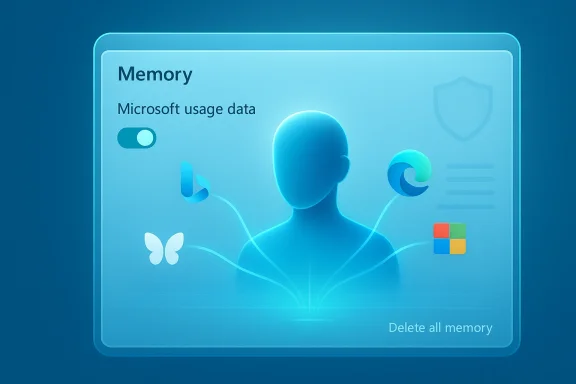
Blue holographic memory screen featuring a user silhouette, data icons, and a Delete all memory option.Background​

Microsoft has been driving Copilot into the corners of Windows, Edge and Microsoft 365 for the last two years, promising smoother workflows, contextual answers and cross‑app productivity. To deliver personalization at scale, Copilot implements a memory model — saved facts, inferred preferences and conversation history — that can make the assistant feel less repetitive and more helpful over time.
This week’s reporting reveals a new, explicit control that extends what "memory" can ingest: a toggle that allows Copilot to use signals from other Microsoft services — including Bing search history and browsing data from Microsoft Edge — to inform responses. Early reporting and community testing show the toggle is often on by default, and the patign into Copilot, open Settings, then the Memory (or Personalization) tab. From there, users can switch off Microsoft usage data and optionally choose Delete all memory to purge what has already been stored.

What the setting actually does (and what Microsoft says about it)​

The user‑facing description and the practical effect​

The in‑app text that accompanies the toggle is direct: "Let Copilot use data from Bing, MSN, Edge, and other Microsoft products you’ve used." In practice, when enabled, Copilot may refine or reframe answers using behavioral signals and activity traces from across the Microsoft account linked to the user. That can include:
  • Recent Bing searches and search history.
  • Browsing activity and context from Microsoft Edge (tab history, Journeys, site visits — depending on what’s recorded).
  • Signals surfaced by MSN (news interests, topics).
  • Other product usage signals tied to the signed‑in Microsoft account.
Multiple independent outlets and hands‑on tests have observed the toggle and verified it can be turned off at the Memory/Personalization settings page. Microsoft has stated that this usage data is used for personalization, and that product usage signals are not used to train foundational AI models. Those company statements are explicit in public commentary accompanying the settings.

What Microsoft’s documentation adds​

Microsoft’s technical documentation for Copilot memory — especially for Microsoft 365 Copilot — clarifies some critical governance points in enterprise contexts: memories are stored in the user’s Exchange mailbox in a hidden folder, and administrators can discover and delete memory items via Purview eDiscovery and other admin tooling. The docs also note that turning memory off at the admin level prevents application of personalization but does not automatically remove previously stored memories unless explicitly deleted. Those implementation details have immediate implications for privacy, discoverability and legal compliance.

Why this matters: the benefits and trade‑offs​

Benefits — why Microsoft is making this default​

AI systems gain effectiveness from context. For typical consumer scenarios, cross‑product signals can:
  • Produce faster, more relevant replies without repetitive prompts.
  • Surface suggestions that align with your browsing interests and recent searches.
  • Reduce friction across devices and apps (ask once, follow‑up questions already carry context).
For teams and businesses, a contextual Copilot can summarize recent threads, combine calendar context, and answer questions grounded in documents the user already touched. That can improve productivity and reduce the time spent repeating context.

Trade‑offs — privacy, discoverability and surprise​

The convenience comes with trade‑offs that are not merely theoretical:
  • Default‑on risk: Many users never visit privacy pages. If a setting that expands what an assistant can remember is enabled by default, users may be surprised that non‑chat activity is being used to personalize AI responses. Multiple outlets observed the toggle was enabled by default in their tests.
  • Lack of granular transparency: Reporting shows Microsoft’s user‑facing description is broad; it does not publish a fully itemized list of which telemetry categories or specific Edge artifacts are included. That gap makes it hard for users to make informed, contextual decisions.
  • Discoverability and enterprise implications: For corporate customers, Copilot memories are discoverable by admins through eDiscovery tools; turning the toggle off for future signals does not necessarily delete historical data. That has implications for confidentiality and data subject requests.
  • Sensitive data leakage risk: Users commonly use search and browser sessions for benign but sensitive matters (medical, financial, legal research). Those activity signals — if captured and indexed into memory — create additional places where sensitive context may surface in the assistant’s responses or be discoverable later. Industry testers also flagged upcoming health integrations that could increase risk if users connect health apps without fully understanding data flows.

How to check and change the setting (step‑by‑step)​

If you prefer Copilot to stay limited to what you explicitly tell it, follow these steps (the UI may differ slightly by platform and rollout state):
  • Open Copilot (web app, Windows Copilot, or mobile Copilot) and sign in with your Microsoft account.
  • Click or tap your account avatar or name and choose Settings.
  • Open the Memory (or Personalization) tab.
  • Switch off Microsoft usage data to stop new cross‑product usage signals from being used.
  • If you want to remove previously stored items, choose Delete all memory (or Delete memory) and confirm. Note: this can reduce personalization and may not remove every artifact in enterprise logs.
If you use Copilot inside a work or school account, contact your IT admin — tenant‑level enhanced personalization controls may hide or override end‑user toggles, and admins can perform eDiscovery and retention actions. Microsoft documentation explicitlcoverability and the storage location for memories.

What this doesn’t change (and what you should still check)​

  • Turning off Microsoft usage data blocks new cross‑product signals from being added to Copilot memory, but it does not automatically purge previously collected memory unless you explicitly choose Delete all memory. That distinction is critical and has been observed in multiple hands‑on reports.
  • Model training opt‑outs are separate. If you want to prevent conversational text or voice from being used to improve Microsoft’s models, you must toggle those model training controls separately in Copilot privacy settings or through your Microsoft account privacy dashboard. These are distinct from Memory/Personalization settings.
  • In enterprise (Microsoft 365) contexts, Copilot memory items are stored in mailbox data and are subject to organizational retention, discovery and admin controls; turning off memory at the admin level stops application of personalization but does not necessarily delete saved memories without explicit actions.

The technical and governance details IT teams must know​

Storage and discoverability​

For Microsoft 365 Copilot, memories are stored in a hidden Exchange mailbox folder and are discoverable by admins using Purview eDiscovery and Microsoft Graph Explorer. That means legal holds, eDiscovery requests, and compliance investigations can locate and export Copilot memory entries. Administrators can also delete entries programmatically where needed. Microsoft’s documentation is explicit about these mechanisms.

Admin controls and gaps​

Microsoft provides tenant‑level controls (Enhanced personalization and related settings) that can preclude end‑users from turning memory on, but there is no documented admin control that selectively blocks specific categories of cross‑product signals (for example, "block Edge browsing history but allow Outlook activity"). That lack of category‑level governance is a gap for high‑compliance environments, which may need more precise policy enforcement than a single master toggle provides. Community threads and administgged this governance hole and recommended Microsoft add finer granularity.

Audit logging and transparency​

Microsoft’s public guidance indicates that memory actions don’t currently produce Purview audit log entries in the same way other admin actions do. The absence of comprehensive audit trails for memory application and deletion is a legitimate governance concern for large organizationce of processing decisions. Enterprises should plan to use eDiscovery and mailbox exports to track Copilot memory artifacts.

Practical risk scenarios — short vignettes​

  • An employee searches medical symptoms using Bing while signed into their Microsoft account, then later asks Copilot for a health‑related summary. If Copilot uses cross‑product signals, the assistant might incorporate that prior search context into its reply — and the memory could be discoverable in eDiscovery. This becomes sensitive if health data is considered special category data under local laws.
  • A user researching a private acquisition looks up competitor data across Edge and Bing, then later asks Copilot for a competitive analysis. If cross‑product signals have been captured and referenced in memory, internal documents or contexts could be implicitly summarized — creating confidentiality and leakage concerns in regulated industries.
  • A family member’s shared device uses a single Microsoft account; Copilot’s personalization may aggregate signals across different household activity, producing responses that reveal other users’ interests or searches. Household contexts, unlike enterprise tenants, have limited administrative controls to separate identities.

What users and administrators should do right now — an actionable checklist​

  • For privacy‑conscious individual users:
  • Open Copilot → Settings → Memory (Personalization) and turn off Microsoft usage data.
  • Turn off Personalization and memory if yop remembering facts generally.
  • In Privacy, disable Model training on text and Model training on voice if you do not want your conversations used for model improvements.
  • Use Delete all memory to purge previously saved memories. Understand this may reduce personalized behavior and does not guarantee erasure of all server logs or enterprise records.
  • For enterprise administrators:
  • Review tenant settings for Enhanced personalization and decide whether to allow end‑user memory controls.
  • Use Microsoft Purview eDiscovery or Graph APIs to inventory and delete Copilot memory items for compliance requests.
  • Update internal policies to restrict conversational use of Copilot for highly sensitive topics where discoverability is prohibited.
  • Educate users: document the differences between memory, model training opt‑outs, and ad personalization — they are separate toggles across different settings panels.
  • Request more granular controls from vendors: demand category‑level blocking (e.g., block browser history, allow calendar context) and better audit logs for memory actions.

Policy, legal and regulatory context​

  • GDPR and data subject rights: Copilot memory content — if it contains personal data — is subject to data subject access and deletion requests. Enterprises must map where memory is stored (Exchange hidden folder) and be prepared to respond via eDiscovery. Microsoft’s documentation supports this discoverability model and guides admins on how to search and remove such data.
  • EU protections and automatic deployment: Historically, Microsoft has treated the European Economic Area differently in some rollouts (for example, opt‑out exceptions). Organizations and users inside the EEA should double‑check their local account and tenant behavior if they rely on regional protections. Community reporting has highlighted EEA carve‑outs for certain Copilot deployments.
  • Regulatory scrutiny: As governments and regulators refine AI oversight, default‑on personalization features that aggregate cross‑service activity are likely to draw attention — particularly where users were not presented a clear, explicit, informed consent choice at the point of enabling.

Strengths and weaknesses of Microsoft’s approach​

Notable strengths​

  • Integrated productivity: Cross‑product signals allow Copilot to be contextually aware across Microsoft’s stack, delivering genuinely useful, time‑saving assistance when personalization is welcome.
  • Admin discovery tools exist: For enterprises, the ability to discover and delete Copilot memory through Purview and Graph is a material governance capability that supports compliance workflows.

Key weaknesses and risks​

  • Default‑on and discoverability friction: Enabling cross‑product signals by default risks user surprise and makes it harder to guarantee that sensitive activities remain compartmentalized or private. Multiple hands‑on reports have flagged the default status and the buried nature of the control.
  • Insufficient granularity: There’s no published mechanism to allow selective categories of product data to be used for personalization; admins cannot currently block specific usage signals while permitting others. That reduces the set of viable governance postures for regulated organizations.
  • Audit trail gaps: Memory actions and personalization application currently lack the level of audit logging many compliance teams expect; this makes post‑hoc investigation and assurance more difficult.

What Microsoft should consider next (realistic product fixes)​

  • Add explicit onboarding: show a clear consent dialog that explains what categories of data Copilot will use and why before enabling cross‑product signals. Make the first‑time experience opt‑in rather than buried default.
  • Provide category‑level controls: allow blocking of browsing history, search history, or other specific signal groups independently. This would let organizations craft nuanced policies.
  • Improve auditability: log memory writes, reads and deletions centrally in Purview audit logs so compliance teams can trace when and why Copilot used a given signal.
  • Offer retention policies for memory items at tenant level, so enterprises can limit how long Copilot keeps contextual signals.

Final analysis — balancing utility and control​

Copilot’s ability to draw on cross‑product usage data is technically predictable and functionally useful: AI assistants need context to be good. But the combination of default‑on behavior, sparse transparency about exact data categories, and limited granularity of admin controls creates a meaningful governance gap. For many users the risk is primarily one of surprise and unwanted personalization; for organizations the risk extends to compliance, discoverability and confidential data leakage.
The immediate, pragmatic takeaway is simple and actionable: verify your Copilot Memory settings now, turn off Microsoft usage data if you prefer a narrower threat surface, and use Delete all memory to clear residues you don’t want the assistant to reference. Administrators should audit tenant controls, document user guidance and press vendors for finer‑grained controls and better auditability.
Personalization can be a powerful productivity multiplier — but it should be a deliberate choice, not a buried default. Until Microsoft offers clearer category disclosures, stronger audit logs and per‑category governance, users and IT teams must assume cautious defaults and take the few, quick steps available today to reclaim control.

Conclusion
Copilot’s new cross‑product memory toggle is a pivotal moment: it makes explicit a capability that many expected but few noticed was being activated by default. The feature will help Copilot feel smarter and more helpful for everyday tasks, but only if users and IT teams wrest control of the settings and Microsoft follows through on transparency and governance refinements. If you care about privacy, do not assume the assistant’s memory is inert — check your Memory and Privacy settings today, and make a deliberate, informed choice about the trade‑offs you accept.

Source: Dagens.com Microsoft Copilot Uses Your Data by Default — Unless You Turn It Off
 

Back
Top