• Thread Author
Oracle’s bold AI data‑centre sprint has collided with hard cash realities: this week multiple reports said the company is preparing to cut thousands of roles and to slow hiring as it wrestles with the up‑front costs of an unprecedented expansion of GPU‑dense infrastructure — moves that underscore both the scale of Oracle’s ambitions and the financial strain of pivoting a decades‑old software giant into a hyperscale AI supplier.

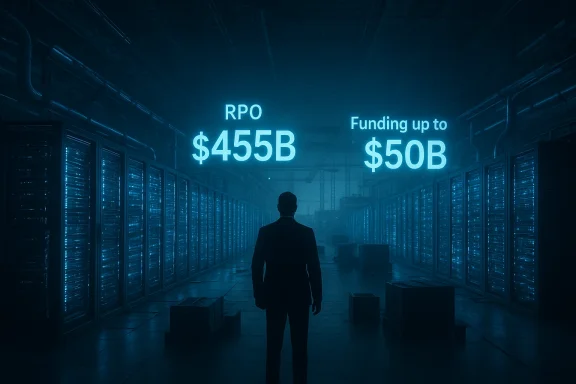
A person stands in a blue-lit data center, facing neon text: RPO $455B and Funding up to $50B.Background​

Oracle’s transformation over the past 18 months has been dramatic and highly public. Once primarily known for databases and enterprise software, the company has shifted capital and narrative toward Oracle Cloud Infrastructure (OCI) and AI‑oriented services, signing multi‑billion‑dollar arrangements that produced an eye‑popping backlog of contracted but unrecognized revenue — Oracle reported Remaining Performance Obligations (RPO) of roughly $455 billion at the end of its fiscal Q1 2026. That pany forward revenue visibility, but it also commits Oracle to massive capital expenditures to deliver the compute capacity those contracts require.
At the same time, Wall Street and analysts have flagged the near‑term cash consequences of building GPU‑heavy data centres and meeting the power, cooling, and networking demands of AI workloads. Oracle announced plans to raise a very large tranche of capital this year — up to $50 billion via debt and equity — to help fund the build‑out. The combination of aggressive capex plans and the need to conserve operating cash has coincided with reports that the company is preparing workforce reductions and reviewing open cloud‑division job listings.

What’s being reported now​

Scale and timing of the cuts​

Multiple news outlets, citing people familiar with the matter, reported that Oracle is preparing to eliminate thousandssions, with some actions possibly taking place imminently. The coverage describes a broader and faster program than Oracle’s usual incremental or office‑level reductions; companies in this position commonly execute a mix of layoffs, hiring freezes, and reallocation of roles toward new priorities. Reporters also note the company has internally begun reviewing many open listings in its cloud unit to slow hiring.
Independent analyst notes and some trade publications have floated larger scenarios — including an estimate by TD Cowen that Oracle
could* cut as many as 20,000 to 30,000 jobs to generate cash and streamline non‑strategic operations — though that specific upper‑bound has not been confirmed by Oracle itself. Those estimates are useful for sizing the potential fiscal impact, but they remain market analysis rather than company disclosure.

The corporate rationale being described​

Insiders and analysts point to a straighracle has won very large, multi‑year contracts for AI infrastructure and now needs to convert those bookings into real capacity. Building and equipping GPU‑dense facilities requires immediate cash outlay and lengthy capital cycles; in the near term those expenditures can push free cash flow negative even for profitable companies. The widely reported plan to raise up to $50 billion in 2026 is part of the financing mix to bridge the gap between capital outlays and revenue recognition. Reported workforce reductions are being framed as part of the effort to rebalance operating costs while the hardware investments come online.

Official posture and recent disclosures​

Oracle declined to comment to reporters on the specific layoff reports. The company has previously disclosed a large restructuring plan: in filings earlier the company flagged a fiscal‑year restructuring expected to cost up to $1.6 billion, largely for severance and exit costs as it reshapes operations — a disclosure that signals leadership had already planned significant workforce and operational changes. Oracle also has set a Q3 fiscal 2026 earnings date for March 10, when executives will provide updated financial detail and investor guidance. ([investor.oracle.com](Oracle Sets the Date for its Third Quarter Fiscal Year 2026 Earnings Announcement doubled down on AI — and why it’s expensive

The revenue promise (and liability)​

Oracle’s huge RPO backlog is a double‑edged sword: it demonstrates demand and contractual revenue visibility, but it also represents obligations the company must fulfill — the equipment, racks, networking, power, and colocation commitments that must be in place to run multi‑year AI training and inference workloads. The RPO number that electrified the market — $455 billion — was not conjured overnight; it followed the company’s signing of several very large agreements in 2025 and early 2026, and it has reshaped investors’ expectations for OCI’s top‑line potential.
  • Benefits of RPO: forward revenue visibility; leverage in pricing and customer lock‑in; large contract scale that supports long‑term cloud revenue targets.
  • Risks of RPO: timing mismatch between revenue recognition and upfront capex; concentration risk if large anchor customers slow demand; margin pressure while facilities are ramping.

Capital intensity: GPUs, power, and racks​

AI training clusters require the latest accelerators, dense power distribution, special cooling, and sometimes bespoke networking and interconnects. Those components are costly and in high demand, and supply‑chain constraints can extend build schedules and raise prices. Oracle’s announced capital plan and RPO imply billions of dollars of hardware purchases and substantial leasing or construction costs for data‑centre real estate. That front‑loaded investment profile means the company needs either ready cash, access to debt markets, or structural cost savings to maintain flexibility — which is the financial backdrop for considering workforce reductions.

The human and organizational angle​

What roles are likely to be affected​

Reports indicate the cuts will span multiple divisions. Some of the positions targeted are described as roles that the company expects it “will need less of due to AI” — a phrase that has become common as companies automate repeatable workflows and move toward cloud‑centric operations. In practice, that typically includes:
  • Mid‑level operational roles tied to legacy product support and field services.
  • Certain sales and administrative roles that are being rationalized or centralized.
  • Parts of professional services where standardized cloud offerings can replace bespoke implementations.
That said, other categories — particularly engineering and site‑operations roles connected to OCI and AI infrastructure — may be preserved or even expanded as the company builds out capacity. The net effect depends on Oracle’s strategic trade‑offs between human capital and capital expenditures.

Employee count and recent precedent​

Oracle reported about 162,000 employees globally as of May 2025. The company has periodically reduced staff in prior years; 2025 alone included multiple smaller rounds and targeted reductions tied to consolidation and restructuring. The new wave under discussion appears broader and faster than the routine cadence of office‑level adjustments. For employees and partners, that creates immediate uncertainty around job security, project continuity, and vendor relationships.

Financial analysis: where the cash will come from — and at what cost​

The $50 billion financing plan​

Oracle’s stated plan to raise up to $50 billion in 2026 through debt and equity sales is intended to fund the immediate data‑centre push. Financing at that scale is unusual for even large technology companies and will change Oracle’s capital structure and possibly its capital return policies. Analysts have framed the fundraise as a risk‑management move: it preserves the company’s ability to execute on large contracts while giving management sh flow turns negative in the short term. But issuing substantial new shares or debt will have dilution, interest‑cost, and rating implications that investors will weigh carefully.

The $1.6 billion restructuring charge​

Oracle disclosed a $1.6 billion restructuring plan in a prior filing — the company described it as its largest such program — and that figure primarily comprises severance and exit costs expected through the ongoing fiscal plan. The existence of a pre‑announced restructuring shows leadership has been planning organizational change, and it provides an accounting mechanism to recognize one‑time costs related to workforce reallocation. However, restructuring charges cut only one way: they book most one‑time expense now, but layoffs themselves often carry hidden costs — knowledge loss, slower product delivery, vendor renegotiations, and morale impacts — that can affect execution over quarters.

Cash‑flow timing risks​

Wall Street models cited in reporting project Oracle’s cloud‑unit expenditures could push operating cash flow negative for several years until capacity ramps and contracts monetize. That timing mismatch — invest now, monetize later — is why management is considering both large external financing and internal cost reductions. It is also why the market’s enthusiasm in 2024 and early 2025 has given way to more caution as capex estimates expanded.

Strategic trade‑offs and scenarios​

Oracle’s leadership faces three basic paths; each has plausible upside and distinct risks:
  • Accelerate with capital: raise the funds, build capacity quickly, accept near‑term cash strain for the chance of capturing outsized AI cloud share.
  • Upside: first‑mover advantage for certain enterprise AI workloads; long‑term contracts deliver profitable rek: debt or equity dilution; overcommitment if demand changes; regulatory/contract concentration risk.
  • Slow rollout and conserve cash: delay data‑centre openings, renegotiate schedules, and trim operating costs (including headcount).
  • Upside: preservesterm risk; avoids overbuilding.
  • Risk: ceding capacity windows to competitors; potential contract penalties or customer dissatisfaction.
  • Hybrid: selectively prioritize anchor customers, outsource initial capacity, and redeploy internal headcount to higher‑value engineering and sales functions.
  • Upside: smoother cash profile and preserves talent for strategic areas.
  • Risk: higher unit costs and potential margin compression in early years.
Which path Oracle chooses will determine near‑term investor reaction and longer‑term competitive positioning against AWS, Microsoft Azure, and Google Cloud. The company’s March 10 earnings call is therefore pivotal: investors will look for updated capex guidance, the company’s intended financing mix, and clarity on the size and focus of any workforce reductions.

Broader industry context: Oracle is not alone​

Large capex for AI infrastructure has driven similar moves across the industry. Microsoft cut roughly 15,000 jobs in 2025 even as it accelerated Azure and OpenAI investments; other firms have also restructured to prioritize AI. The paradox is visible: tech firms are simultaneously creating new demand for AI talent while reducing headcount in lower‑value or automatable roles to free cash for GPUs and data‑centre builds. Oracle’s actions reflect this broader market dynamic, albeit at larger scale because of the company’s sizable RPO commitments.

Risks that deserve attention — and what could go wrong​

  • Execution risk in build‑outs: data‑centre construction faces supply‑chain, permitting, and power‑availability hurdles. Delays would extend cash burn and limit revenue recoCustomer concentration**: if a substantial share of RPO ties to a small set of customers and one reduces demand, Oracle’s revenue ramp could falter. That concentration amplifies downside volatility.
  • Financing execution risk: raising tens of billions via debt and equity depends on market conditions. or weak equity demand would force tougher internal adjustments.
  • Operational costs of layoffs: severance accounting captures immediate costs, but knowledge loss, vendor churn, and program delays can depress productivity and revenue, creating a feedback loop that increases near‑term risk.
  • Regulatory and contractual complexity: multibillion‑dollar cloud contracts often contain SLAs and delivery milestones. Oconcile contractual delivery expectations with the practical realities of construction and equipment procurement.
Where public reporting has not yet been definitive, readers should treat projections and analyst‑level estimates with caution: some reported scenarios — like the upper‑bound 30,000 job cuts projected by TD Cowen — are models of corporate behavior under stress, not company confirmations. Those figures are useful to size the problem space but remain le provides firm details.

What employees, partners and customers should watch now​

  • Oracle’s official disclosures on March 10: the Q3 results and accompanying call will be the company’s chance to explain near‑term capex, the financing mix, and any planned workforce actions. Analysts expect the call to include updated guidance on OCI spending and cash flow.
  • WARN notices and regional filings: in the U.S., mass‑layoff WARN notices and similar filings in EU countries often provide early, localized confirmation of planned reductions; watch state and local labor records for concrete numbers.
  • Reclassification of open roles: Oracle’s reported internal review of open cloud‑division listings is an early operational signal; candidates and hiring managers should expect delays or re‑scopes of job openings.
  • Contract and SLA language: customers with large OCI commitments should re‑read agreements for delivery milestones, termination rights, and remedies if capacity delivery slips. These clauses will matter if build schedules lengthen.

Independent assessment: strengths and weaknesses of Oracle’s plan​

Strengths​

  • Scale of demand and bookings: Oracle’s RPO provides a rare level of forward visibility for a cloud vendor; it’s evidence that large customers are willing to sign multibillion‑dollar deals with Oracle for AI capacity. That gives Oracle negotiating leverage and potential long‑term revenue.
  • Enterprise relationships and legacy footprint: Oracle’s installed base and enterprise agreements provide routes to upsell AI services and to integrate new cloud offerings with existing enterprise deployments. That commercial channel is valuable and not easily replicated.
  • Decisive capital strategy: management’s willingness to raise large capital indicates a commitment to fulfill contracts and to prioritize OCI growth over near‑term cash flow optics — a legitimate strategic choice if the company can execute.

Weaknesses / risks​

  • Massive up‑front costs: the very nature of GPU‑centric AI infrastructure means prolonged negative cash flow risk if the revenue ramp slips or costs exceed projections.
  • Execution and supply constraints: building large clusters at global scale requires synchronizing equipment orders, regional power and real‑estate availability, and construction schedules — any single bottleneck can cascade.
  • Workforce and moral costs: fast, deep cuts can erode trust, diminish productivity, and slow product roadmaps, especially if critical institutional knowledge leaves. Booked severance expenses only tell part of the story.

Practical takeaways for WindowsForum readers (IT professionals, customers, partners)​

  • If you are a customer evaluating OCI for AI workloads: require clarity on delivery timelines, ask for written SLAs addressing phased delivery, and build contingency plans (multi‑cloud or temporary outsourcing) in case capacity is delayed.
  • If you are an Oracle employee or job candidate: expect hiring slowdowns in some cloud‑division roles; seek written status on open applications and prioritize roles tightly coupled to OCI engineering or data‑centre operations, which may be more resilient.
  • If you are an investor or analyst: March 10’s earnings release and the company’s chosen capital‑raise mechanics will be decisive. Model scenarios should include a conservative capex ramp, possible temporary negative free cash flow, and dilution or higher interest expense depending on financing choices.
  • If you are a supplier or systems integrator: prepare for renegotiations on timing and delivery; build flexibility into procurement and staffing plans in case Oracle shifts schedules to conserve cash.

Conclusion​

Oracle’s reported move to cut thousands of jobs is the most visible sign yet of a deeper bet: the company is willing to remap its balance sheet, operations, and workforce to chase a major share of the enterprise AI infrastructure market. That strategy combines a powerful advantage — large, contract‑backed RPOs — with structural financial risk from massive short‑term capital requirements and the operational complexity of building GPU‑scale data centres. The coming weeks will be crucial: Oracle has set its fiscal Q3 earnings call for March 10, which should provide concrete answers about financing, capex pacing, and the scale and focus of workforce changes. Until management lays out a clear plan that matches cash needs to build schedules and customer SLAs, stakeholders should treat reported job‑cut totals and analyst projections as working hypotheses rather than as settled fact.

Source: Hindustan Times Oracle layoffs to impact thousands in AI cash crunch
 

Google and Microsoft have moved quickly to reassure enterprise customers that Anthropic’s Claude models remain available for commercial use on their clouds, even after the Department of Defense formally labeled Anthropic a “supply‑chain risk,” a designation the Pentagon says is effective immediately and that restricts the company’s participation in DoD contracts.

Blue-lit data center with a glowing cloud logo “Claude” and Microsoft/Google branding.Background / Overview​

The dispute centers on a rare and escalating clash between national‑security authorities and a major U.S. AI startup. The Defense Department announced this week that it had notified Anthropic leadership the company is a supply‑chain risk, a move the Pentagon frames as necessary to protect mission assurance and to prevent contractual restrictions on how models are used in defense contexts. That designation directs DoD agencies and contractors to phase out or avoid Anthropic technology in defense work.
Anthropic, maker of the Claude family of large language models, publicly refused to accept DoD contract language the company says would force it to permit uses it deems unsafe — namely mass domestic surveillance and fully autonomous lethal systems. Anthropic has since said it will challenge the Pentagon’s designation in court and characterizes the DoD letter as narrower in scope than some public statements suggest. (anthropic.com
Within hours of the Pentagon’s action, Microsoft told customers that its legal team had reviewed the designation and concluded Anthropic’s models can remain available to non‑DoD customers on Microsoft surfaces — including Microsoft 365 Copilot, GitHub Copilot, and Azure AI services — while Microsoft would block use for DoD tenants and classified workloads. Google has issued similar practical reassurances, signaling a coordinated industry effort to limit downstream commercial disruption.

What the Pentagon’s “supply‑chain risk” designation actually does — and does not​

Scope and immediate effect​

  • The designation is a procurement and supply‑chain tool that the Pentagon says is effective immediately for defense contracts. In practice, it instructs DoD agencies, prime contractors, and subcontractors not to use Anthropic products in work that supports the Department of Defense.
  • Historically, this authority targeted hardware or foreign vendors; applying it to a U.S.‑based software company is legally unusual and is the subject of imminent litigation. Anthropic has publicly signaled an immediate court challenge.

Limits and real‑world nuance​

  • The designation does not automatically pull the plug on all commercial contracts or force cloud providers to remove Anthropic models from their offerings to private enterprises. The legal argument made by Anthropic and echoed by Microsoft and Google is that the DoD tool is limited to defense procurement contexts, not general commercial markets. That legal line is now the core of industry counsels’ public messaging.
  • Practical enforcement will be messy. Many defense primes have already taken conservative steps — including advising employees to avoid Claude — because compliance officers prefer to err on the side of contract safety while formal guidance and litigation unfold. The designation thus creates immediate operational ripple effects even if, on paper, it is narrow.

How Microsoft and Google have framed their response​

Microsoft: legal reading + tenant‑level controls​

Microsoft publicly informed customers that, after legal review, it believes Anthropic products “can remain available” to customers other than the Department of Defense across Microsoft’s commercial products and cloud surfaces. Microsoft emphasized existing engineering controls — tenant‑level routing, model‑choice architecture in Copilot and Foundry, and administrative opt‑outs — as mechanisms to keep Claude available for civilian customers while preventing DoD or classified use.
Key points in Microsoft’s posture:
  • Microsoft says it can continue to host and sell Anthropic‑powered features for non‑defense customers while ensuring DoD tenants are excluded.
  • The company points to built‑in product features that permit administrators to disable specific model backends for selected tenants or groups.
  • Microsoft’s position is legal and operational: it rests on a narrow statutory reading and on practical tenant isolation. ([techcrunch.com](Microsoft, Google, Amazon say Anthropic Claude remains available to non-defense customers | TechCrunch commercial availability on Vertex AI
Google has taken an operational stance consistent with its role as a cloud host and partner. Anthropic’s Claude models have been integrated into Google Cloud’s Vertex AI platform for some time, including availability for regulated workloads under prior arrangements and FedRAMP designations. Google’s public messaging — amplified by cloud‑partner posts and industry reporting — underlines that Anthropic models remain available for commercial customers on Google Cloud, subject to DoD exclusions.
Google’s capability to distinguish between DoD and commercial workloads is tied to cloud product authorizations and to the technical controls Google already maintains for regulated and fed‑cloud environments. That said, Google has not framed the issue as a purely legal claim the way Microsoft has; its response emphasizes operationercial customers.

Why hyperscalers believe they can keep Claude live for commercial customers​

  • Contractual difference: Cloud providers’ commercial terms and service agreements with enterprises differ legally from a DoD procurement contract with a vendor. That difference is central to Microsoft’s legal reading.
  • Tenant isolation features: Modern enterprise clouds enable tenacated projects/tenancies, and administrative opt‑outs so a particular model backend can be disabled for specific customers or accounts. Microsoft and Google point to these controls as evidence they can practically restrict DoD use without a global commercial blackout.
  • Operation in place for regulated workloads: Anthropic models have been offered via product paths (e.g., Vertex AI, cloud marketplaces, and Copilot surfaces) that support regulated deployments; clouds argue those existing processes and certifications make separation feasible. ([clo/cloud.google.com/blog/products/ai-machine-learning/announcing-anthropics-claude-3-models-in-google-cloud-vertex-ai)
These technical levers are real, but they are not foolproof. Shared telemetry, human operator error, misconfigured pipelines, and third‑party integrations can create leakage or compliance gray zones. Cloud vendors will need to demonstrate auditable separation to satisfy contracting officers and auditors.

Risks, edge cases, and operational realities (what IT leaders must watch)​

Even if the commercial availability message is true in principle, several concrete risks could lead to practical disruption:
  • Mixed‑use tenants and shared pipelines. Many enterprises — especially large primes — mix defense and commercial work in the same cloud tenancy. Tenant isolation is effective only when teams and pipelines are rigorously segregated; if they are not, compliance risks and inadvertent disclosures are likely.
  • Third‑party dependencies and toolchains. Enterprises that use Claude indirectly — through a packaged SaaS tool, a plugin, or a partner integration — may not control where or how models are invoked. Those downstream dependencies complicate compliance attestation and auditing.
  • Telemetry and logs. Centralized logging, telemetry collection, or shared analytics services can capture sensitive inputs or model outputs and potentially create cross‑tenant traces that worry contracting officers. Strong audit trails and scoped logging are required.
  • Reputational and political risk. Cloud vendors that publicly resist or limit government directives risk political blowback. Conversely, broad vendor compliance could prompt customer churn from enterprises that favor model‑choice and vendor neutrality. Expect sustained political theatre around any perceived friction with national security priorities.
  • Litigation or evolving guidance. Anthropic’s legal challenge could produce injunctions, clarifying guidance, or temporary stays that materially change the operational landscape. Meanwhile, DoD contracting officers may issue stricter interpretations, prompting immediate conservative actions by primes.
Where public reporting has suggested more dramatic consequences — for example, claims that the DoD is actively using Claude for ongoing operations even as it issues a designation — those points should be treated cautiously unless corroborated by primary official disclosures. Some outlets and insiders have made such assertions; they remain subject to confirmation and, in some cases, contradict the Pentagon’s public posture. Flagging uncertainty is essential.

Practical guidance for enterprise IT and compliance teams​

Enterprises should move immediately from “wait and see” to a prioritized operational plan. Below is a pragmatic checklist to prepare for the narrow legal reality and the messy operational future.
  • Map exposure now.
  • Inventory every instance where Claude (or any Anthropic model) is used directly or indirectly: SaaS vendors, plugins, Copilot features, CI/CD pipelines, SDKs, and third‑party integrations.
  • Identify mixed‑use tenants and systems.
  • Label tenancies, projects, and service principals that touch DoD contracts or classified data. Segregate them physically or logically.
  • Implement deny‑lists / blocking controls.
  • Use provider admin consoles to disable Anthropic model backends for any tenant, project, or Org Unit that touches defense work.
  • Harden audit logging and evidence.
  • Ensure you can produce an auditable trail showing that no DoD‑contract work invoked a disallowed model backend.
  • Review supplier contracts.
  • Check indemnities, flow‑down clauses, and representations in prime/subcontractor agreements. Communicate changes to procurement and legal teams.
  • Prepare migration and rollback plans.
  • Build tested migration playbooks to alternate models or on‑prem inference if necessary; extract data, save embeddings, and document interfaces to minimize downtime.
  • Stay close to vendor notices.
  • Track cloud and SaaS vendor bulletins; require vendors to certify non‑use for defense scopes if your contracts demand it.
Short, tactical wins for IT leaders: create a live “Claude exposure map,” run one‑off red team tests to confirm model‑blocking behavior, and add organizational policies that disallow ad‑hoc reuse of non‑approved model APIs in defense‑adjacent projects.

Legal outlook and timeline — what to expect next​

Anthropic has signaled it will litigate the designation. Expect a compressed legal timeline:
  • Immediate emergency filings and administrative record requests from Anthropic challenging the statutory and procedural basis for the DoD’s action.
  • Potential temporary injunctive relief or stays if a court finds procedural flaws in how the designation was applied.
  • Follow‑on agency guidance from DoD contracting authorities clarifying the letter’s scope and compliance expectations for primes and subcontractors. That guidance will materially influence whether vendors keep commercial access broadly available or narrow their posture.
The litigation will likely pivot on statutory construction, administrative procedure, and whether the supply‑chain authorities the DoD invoked were lawfully applied to a domestic software startup refusing certain usage rights. Legal scholars and industry lawyers are already describing the matter as precedent‑setting.

Strategic implications for cloud vendors and the AI ecosystem​

This episode is a stress test for three overlapping dynamics:
  • Model governance vs. market demand. Anthropic’s decision to embed safety guardrails into contractual terms collided with the DoD’s operational appetite for unrestricted use. The clash forces vendors to choose between commercial scale and principled constraints that some customers — especially governments — may find unacceptable.
  • Hyperscaler politics and market position. Microsoft and Google face competing incentives: maintain trust with enterprise customers and honor legal obligations while also navigating political pressure from federal purchasers. Their public stance to keep Claude available for commercial customers aims to minimize abrupt business disruption and to preserve model choice as a competitive differentiator.
  • Vendor consolidation and defense procurement. The Pentagon’s pivot toward vendors that accept broader contractual rights (reporting suggests OpenAI has moved to take on certain classified workloads) could reshape which model providers dominate defense contracts going forward. That shift has both commercial winners and systemic risks for the broader AI supply chain.
For enterprises, the immediate consequence is that vendor due diligence and governance now matter more than ever. Model choice and contractual protections are strategic variables that can influence procurement eligibility in sectors tied to national security.

Conclusion — a practical and guarded reading​

The Pentagon’s supply‑chain risk designation of Anthropic is an extraordinary move with ripple effects across procurement, enterprise AI governance, and cloud operations. At a technical level, Microsoft and Google are correct that clouds possess contractual and engineering levers to keep Anthropic’s Claude available for commercial customers while restricting DoD use. At a practical level, the designation has already produced operational friction: defense primes are moving conservatively, audits and attestations are multiplying, and litigation may change the landscape quickly.
For IT and security leaders, the immediate work is pragmatic: inventory, segregate, audit, and prepare tested migration plans. For policymakers and public‑interest observers, this is a watershed moment that will help define how democratic governments balance national‑security needs against corporate safety commitments in an era when AI models can be dual use. Expect more legal filings, clearer contracting guidance from the DoD, and at least several months of operational and political maneuvering before the dust settles.
Caveat: some details reported in the early press cycle — including claims that the Pentagon continued to rely on Anthropic models for active operations even after the designation — remain incompletely verified in public documents and should be treated as provisional until corroborated by official DoD disclosures or court filings.
For enterprise IT teams, the time to act is now: assume no change in commercial availability for the moment, but move decisively to map exposure and prove separation for any contract that touches the Department of Defense.

Source: The Tech Buzz https://www.techbuzz.ai/articles/google-microsoft-rally-behind-anthropic-after-pentagon-ban/
 

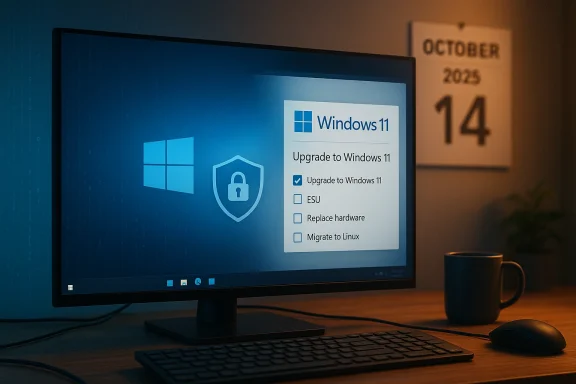
If you found a headline screaming a “final warning” for every UK household using Windows 10 and then landed on a “Sorry… We can’t find the page you requested” error, you are not alone—and that broken link is a useful place to start separating clickbait from real, time‑sensitive technical risk.

A Windows 11 upgrade prompt is displayed on a blue-lit computer monitor at a desk.Background: what actually changed and why it matters​

Microsoft set a firm lifecycle cutoff for mainstream Windows 10 support: routine security updates, quality fixes and standard technical support for mainstream consumer editions ended on October 14, 2025. This is not a recommendation or a product marketing nudge—an end‑of‑support date is a hard calendar milestone in which Microsoft stops delivering the monthly security patches that keep widely exploited vulnerabilities closed.
The practical consequence is straightforward: devices left running Windows 10 after that date will still boot and run, but they will no longer receive the steady stream of fixes that materially reduce the risk of malware, data theft, ransomware and other losses tied to unpatched systems. Cybersecurity regulators, consumer groups and national cyber authorities have emphasised that continuing to run an unsupported operating system is an increasing security hazard.
This is the core of the “final warning” message you’ve seen recycled across headlines. The alarm is valid—but the nuance matters: an unsupported OS is not an instant black hole; it’s an accelerating risk profile that requires pragmatic mitigation and a plan.

Overview: who is affected and what the options are​

Which Windows 10 editions and devices are impacted​

  • The October 14, 2025 cutoff applies to mainstream consumer and most commercial editions of Windows 10 (Home, Pro, Enterprise, Education) as Microsoft defined in its lifecycle calendar.
  • The last consumer feature release for Windows 10 was version 22H2; after support ends, that remains the final public branch for unsupported devices.

What options households and small organisations have now​

  • Upgrade eligible devices to Windows 11 (free upgrade for qualifying PCs).
  • Enrol eligible devices in an Extended Security Updates (ESU) bridge—Microsoft offered a time‑boxed consumer ESU option intended to buy extra time for transition in many markets.
  • Replace hardware that cannot meet Windows 11 requirements.
  • Migrate to an alternative operating system (commonly a Linux distribution) for older machines.
  • Isolate, reduce privileges, and harden devices if they must remain on Windows 10 temporarily.
All of these are defensible responses; the right one depends on a household’s budgets, the age and role of the device, and whether critical applications (for work, health, education) must continue to run.

Why the “final warning” tone is used — and when it’s justified​

Newsrooms and security agencies resort to stark language in lifecycle moments because the threat model changes materially after vendor patches stop.
  • Without vendor patches, attackers can weaponize newly discovered vulnerabilities and target large swaths of vulnerable machines with increasing speed. This is the core cybersecurity risk Microsoft’s lifecycle policy is designed to mitigate.
  • Consumer protections become more limited; software vendors may drop compatibility or support for older Windows builds, and third‑party security tools are increasingly the only line of defense.
That said, the “final warning” rhetoric can be misused by media outlets seeking clicks—hence the duplication of dramatic headlines that sometimes lead to removed or relocated articles (the 404 you saw). The technical reality is less cinematic but more consequential: the risk exposure increases over months and years, and prudent action now reduces cumulative danger.

What the broken Birmingham Mail page tells us about news cycles and tech reporting​

It is not unusual for local news outlets to republish syndicated copy, then revise or remove pieces after updates or legal/rights checks. A missing page can mean any of the following:
  • The publisher removed or replaced the story after correcting an error.
  • The headline was repackaged into a different article or aggregated feed.
  • A temporary CMS error or URL restructure produced the “file not found” message.
The lesson for readers is to prioritise primary technical sources (Microsoft lifecycle documentation, national cyber authorities) and independent IT reporting when acting on claims that compel immediate technical change. Forum and community threads and official lifecycle notices consistently show the October 14, 2025 end‑of‑support date and explain the available mitigation and upgrade paths.

The technical details every household should verify today​

If you are reading this and still have one or more Windows 10 devices, confirm these points now:
  • Which exact Windows 10 build and edition is installed (Settings → System → About will list edition and version).
  • Whether your PC meets Windows 11 hardware requirements (TPM 2.0, Secure Boot, CPU compatibility, minimum RAM and storage).
  • Which apps you rely on—especially older accounting, medical, or education software—and whether they explicitly support Windows 11.
  • Whether you have recovery media, a full backup, and a tested restore plan.
These checks guide whether an in‑place upgrade to Windows 11 is a good path, or whether a more cautious strategy—retiring the device, moving to Linux, or buying ESU coverage—makes sense. Community and vendor reporting shows that Microsoft offered a one‑year consumer ESU bridge to ease transitions for many households, but this was time‑boxed and conditional, so don’t assume indefinite availability.

Step‑by‑step roadmap for households: a pragmatic upgrade checklist​

Follow these sequential steps to move from uncertainty to a defensible posture.
  • Inventory your devices.
  • Record make/model, Windows edition and build, and primary use (work, school, media, IoT).
  • Back up everything critical.
  • Use an external drive or online backup. Verify restore by testing files on another device.
  • Confirm Windows 11 eligibility.
  • If eligible, plan an in‑place upgrade when you have time to troubleshoot.
  • If ineligible, evaluate options:
  • Replace the device (if budget allows).
  • Install a modern Linux distro for general web/work tasks.
  • Purchase limited ESU coverage where available while you plan.
  • Harden any device you keep on Windows 10 during transition:
  • Turn on full disk encryption, use a modern browser with automatic updates, enable multifactor authentication on accounts, minimise local admin accounts, and isolate the PC from shared drives if it handles sensitive data.
  • Update credentials and test backups once the migration is complete.
This is not theoretical: forums tracking the Windows 10 lifecycle and professional advisories are recommending these same steps to households and small organisations facing the October 2025 deadline.

The Extended Security Updates (ESU) program: what consumers should know​

Microsoft historically uses ESU programs to give enterprises and some consumers extra time after a product reaches end of support. For Windows 10:
  • Microsoft provided a narrowly scoped consumer ESU option intended as a bridge for users who could not migrate before the lifecycle cutoff; details were conditional on region and account type.
  • ESU is a temporary contract rather than a permanent safety net; it typically carries costs and administrative requirements, and it was never presented as an indefinite extension.
If you see headlines implying a permanent “paid patch” that solves the problem forever, treat that with scepticism. ESU can be the right short‑term tactic for specific situations (business-critical legacy software, budget timing), but it is not a substitute for migration.

Compatibility and application support: why Microsoft 365 and other apps matter​

Many households rely on Microsoft 365 apps for email, documents and schoolwork. Microsoft’s move to align app support with OS lifecycle means vendors sometimes end support for their applications on older OS builds after the OS reaches end of support.
  • Reporting and lifecycle notes advised that Microsoft 365 apps would cease being supported on Windows 10 after the end‑of‑support date, which affects security and functional guarantees from the vendor.
  • In practice, some apps may continue to run for a while—but unsupported app use compounds risk when the underlying OS stops receiving security updates.
Households dependent on cloud services should understand vendor support statements for their productivity apps and make migration plans that protect continuity, especially for schooling and remote work.

Common myths and dangerous shortcuts to avoid​

  • Myth: “If my antivirus is active, I’m safe on Windows 10 forever.” Antivirus helps but cannot patch unpatched OS vulnerabilities exploited through privilege escalation or kernel‑level bugs. The protection gap widens after vendor updates stop.
  • Myth: “I can just keep using Windows 10 offline and be fine.” Air‑gapped usage reduces exposure, but most households rely on web‑connected services; the offline strategy is impractical for typical modern computing needs.
  • Dangerous shortcut: following unvetted “unofficial patch” instructions or third‑party wrappers that claim to restore official support. These can introduce malware or destabilise systems and are not a safe replacement for vendor updates.
When in doubt, rely on documented vendor lifecycle policies and reputable community or technical reporting rather than social‑media chain posts promising easy fixes.

Cost, sustainability and the social dimension of a lifecycle cutoff​

The end of Windows 10 raises larger questions beyond the technical: cost for households, e‑waste, and digital inclusion.
  • Consumer advocates warned that the October 2025 end‑of‑support plan could accelerate device replacement and create financial pressure for households that use older hardware.
  • Environmental and consumer groups urged Microsoft and other tech vendors to consider longer, cheaper safety nets to reduce needless electronic waste and the social impact of forced upgrades.
For readers, this means migration decisions are not purely technical—they involve budget timing and evaluating whether a hardware refresh is necessary or whether a software‑only alternative (Linux, ChromeOS Flex, refurbished devices) is more sustainable.

How to assess upgrade eligibility without guesswork​

If you’re unsure whether your PC can move to Windows 11, follow a conservative verification path:
  • Record CPU model, RAM and storage on the Windows 10 machine.
  • Check the Trusted Platform Module (TPM) status in the BIOS/UEFI and whether Secure Boot is available.
  • If you prefer a GUI check, use the official upgrade assistant or system health checks provided by major vendors; if those tools are unavailable, consult your PC manufacturer’s support pages or community forums for your exact model.
Several community reports showed that automated tools and even Microsoft’s Media Creation Tool encountered regressions around late‑stage migrations—so be prepared for manual ISO upgrades or vendor support if the one‑click path fails.

Practical guidance for common household scenarios​

Scenario: One laptop for schoolwork and web browsing (older but still functional)​

  • Consider a fresh install of a light Linux distribution if Windows 11 is not possible; this keeps hardware usable and secure for web work and productivity.
  • If the device can upgrade, create full backups, then run the Windows 11 upgrade path during a weekend and test key apps.

Scenario: Home office PC with specialised accounting or tax software​

  • Verify vendor support for Windows 11. If the vendor only supports Windows 10, investigate ESU options or consult the vendor for supported migration paths.
  • Preserve a tested archival system for historical access to old files if migration breaks compatibility.

Scenario: Shared family PC with parental controls and legacy games​

  • Evaluate whether parental control features migrate to Windows 11 or whether third‑party tools are viable.
  • For legacy games, consider a dual‑boot arrangement or a separate device for heritage software.
These scenario pathways reflect the practical tradeoffs households face and mirror guidance circulated in technical communities and lifecycle advisories.

What to do if you can’t act immediately​

If immediate replacement or upgrade is not feasible:
  • Harden and contain: restrict that PC’s use to trusted sites, disable unnecessary services, remove admin rights for daily accounts, and avoid storing financial or highly sensitive data on it.
  • Network isolation: keep the device on a segmented network (if your router supports it) so other family devices are not exposed by a compromised Windows 10 machine.
  • Maintain strong passwords and turn on multifactor authentication for critical accounts.
These measures reduce exposure while you save or plan a full migration; they are not permanent fixes but buy time without embracing reckless shortcuts.

The role of community support and local IT resources​

Local community IT hubs, libraries, and non‑profits often offer migration assistance, refurbishers who can install modern, lightweight operating systems, or low‑cost replacement options. If budget constraints are the main barrier, explore these resources before resorting to risky workarounds.
Industry and community discussion boards tracked the lifecycle conversation closely—sharing step‑by‑step upgrade experiences, troubleshooting tips for stubborn models, and recommendations for low‑cost replacement pathways. These community resources are valuable but always verify specific technical steps before applying them to your primary device.

Final analysis: measured urgency, not panic​

The “final warning” framing is accurate in capturing the urgency of the Windows 10 lifecycle milestone: after October 14, 2025, vendor‑supplied security patches stop, increasing security risk for households that remain on the platform.
However, the broken link and sensational headlines are a reminder to act with purpose, not panic. A short, budgeted plan that includes inventory, backups, eligibility checks and either a controlled upgrade or an ESU/alternative‑OS strategy will protect most households. The most dangerous response is doing nothing while believing a single headline or an unverified forum post; the safest response is a small, documented plan executed over days to weeks.

Quick reference: critical action checklist (one page you can print)​

  • Back up all important data now.
  • Record Windows edition and build.
  • Confirm Windows 11 hardware eligibility.
  • Decide: upgrade, ESU (if available), replace, or migrate to Linux.
  • Harden any retained Windows 10 machine (reduce privileges, enable encryption, update apps and browsers).
  • Seek local community or vendor assistance if uncertain.
Follow these steps in order; each reduces risk and narrows the choices you face.

Closing thought​

The disappearance of a single news page does not change the technical reality: Microsoft’s lifecycle policy for Windows 10 reached a decisive point in October 2025, and households that delay migration without mitigation accept growing cyber risk. Treat headlines as prompts to check the facts, then act methodically using the checklist above. Bold headlines capture attention; careful action protects your data, privacy and household finances.


Source: Birmingham Live https://www.birminghammail.co.uk/news/midlands-news/final-warning-issued-uk-households-33554479/
 

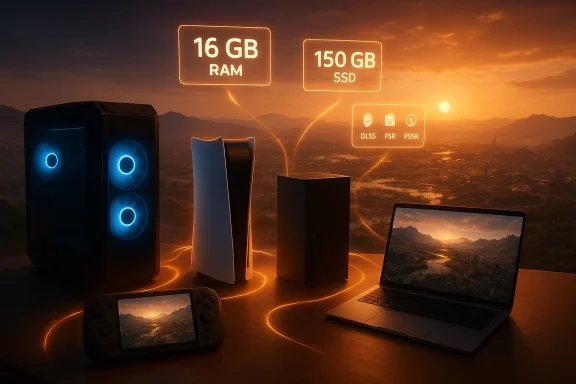
Pearl Abyss has published the hardware targets for Crimson Desert across PC, current consoles, macOS, and handheld Windows devices — and the announcement is notable for what it emphasizes and what it quietly assumes. Across every platform the studio lists a single baseline of 16 GB of system memory and a 150 GB SSD install, while the rest of the performance conversation leans heavily on upscaling technologies and platform-specific rendering modes rather than raw GPU horsepower alone. This split — conservative memory and storage demands paired with aggressive use of upscalers and multi-mode console targets — shapes how players should prepare their rigs and consoles for the game’s March launch.

Futuristic gaming setup at sunset with PC, consoles, laptop, and neon RAM/SSD specs.Background​

Crimson Desert is Pearl Abyss’s big single-player open-world action-RPG, developed separately from the studio’s long-running MMO, Black Desert. After a long development cycle, Pearl Abyss has entered the home stretch: the game is shipping in mid-March and the developer has published system-level guidance intended to cover a wide range of hardware from several years old up to bleeding edge. The official storefront pages and the publisher’s materials set out five PC presets (Minimum, Low, Recommended, High, Ultra) and multiple console performance/quality modes — plus native macOS support and explicit targets for newer handhelds such as the ROG Xbox Ally family.
This announcement matters because it tells a story about how modern AAA studios balance accessibility and visual fidelity in 2026: rather than escalating raw GPU requirements across the board, Pearl Abyss is standardizing memory and storage while leaning on upscalers, platform-specific enhancements, and optional ray tracing to hit target frame rates on each device family. The practical result is easier upgrade decisions for many players — but also a new kind of compatibility gamble centered on driver and upscaler quality.

What Pearl Abyss published: the headline specs​

Below are the most consequential figures from Pearl Abyss’s published targets (synthesizing the developer’s store listing and follow-up press materials):
  • Universal memory baseline: 16 GB RAM across every PC preset.
  • Storage: 150 GB required; SSD mandatory.
  • PC presets map to specific GPU / CPU pairings across five tiers (Minimum → Ultra). The developer lists GPUs ranging from older mainstream cards to next‑generation silicon for the Ultra preset.
  • Consoles receive performance/balanced/quality modes with explicit resolution and framerate aims; PS5 Pro gets an upgraded PSSR (PlayStation Spectral Super Resolution) upscaling target.
  • macOS is supported natively at launch with Apple Silicon guidance (M2 Pro minimum for ray tracing off; M3+/M4 recommended for ray tracing on). This is an unusual, high-profile native macOS push for a AAA open‑world title.
  • Handheld Windows devices such as the ROG Xbox Ally and ROG Xbox Ally X are explicitly called out with bespoke upscaling/FSR/Frame Generation targets.
Those headlines frame the rest of the technical analysis: Pearl Abyss expects players to shoulder a large, SSD‑resident install and to rely on their platform’s upscaling features when chasing higher frame rates.

PC system requirements — a close reading​

The five presets (what they demand)​

Pearl Abyss published five explicit PC performance presets. Combining the developer’s list with storefront confirmations gives this practical breakdown:
  • Minimum (upscaled 1080p target, 30 FPS)
  • GPU examples: Radeon RX 5500 XT / GeForce GTX 1060
  • CPU examples: Ryzen 5 2600X / Intel i5‑8500
  • RAM: 16 GB; Storage: 150 GB SSD.
  • Low (native 1080p, 30 FPS)
  • GPU examples: Radeon RX 6500 XT / GeForce GTX 1660
  • CPU: same as Minimum; RAM and storage identical.
  • Recommended (1080p 60 FPS, 4K 30 FPS)
  • GPU examples: Radeon RX 6700 XT / GeForce RTX 2080
  • CPU: Ryzen 5 5600 / Intel i5‑11600K; RAM: 16 GB.
  • High (1440p 60 FPS)
  • GPU examples: Radeon RX 7700 XT / GeForce RTX 4070
  • CPU: Ryzen 5 7600X / Intel i5‑12600K; RAM: 16 GB.
  • Ultra (4K 60 FPS)
  • GPU examples: Radeon RX 9070 XT / GeForce RTX 5070 Ti (developer lists next-generation class parts)
  • CPU: Ryzen 7 7700X / Intel i5‑13600K; RAM: 16 GB. Treat the specific “5070 Ti” naming as a forward-looking vendor target; verify with GPU vendors and driver updates.
These numbers are notable for two reasons. First, the memory requirement does not scale with preset: Pearl Abyss expects 16 GB as the constant floor. Second, Pearl Abyss pairs relatively modest CPU choices with GPU uplift for higher presets — a signal that it expects rendering load to scale with the GPU while keeping background and simulation cost reasonable.

What the numbers mean for PC buyers and upgraders​

  • If you already have 16 GB of RAM and an NVMe SSD, you may not need to upgrade immediately; a mid-range GPU bought in the last three to four years will get you into the Recommended/High range at 1080p/1440p depending on the card. The Steam listing confirms the 16 GB / 150 GB baseline.
  • The studio’s public push to rely on upscaling (both platform-native and vendor-driven tech like FSR and NVIDIA’s temporal super-resolution techniques) means a lot will hinge on driver support and the quality of the upscaler for your GPU. If you’re sensitive to artifacts, you may prefer to accept lower fidelity settings rather than aggressive upscaling. TechSpot and other outlets have noted Day‑One DLSS 4 driver support in NVIDIA’s release window for the game, which could materially benefit owners of current NVIDIA hardware.

Caveats and red flags​

  • The exact naming of next‑generation GPUs in the Ultra tier reads like early product placeholders; expect minor changes as GPU vendors refresh product names and drivers. We mark those as potentially volatile until vendors publish full compatibility notes.
  • The SSD‑first install requirement is absolute: players with spinning hard drives will face unacceptable load times and stability issues. Treat the 150 GB figure as minimum free space needed for the install and future patches — clear more than 150 GB before installing. Community posts and pre-release build reports corroborate an install size in the neighborhood of 120–150 GB in testing but recommend allowing extra headroom.

Console targets: performance modes, PSSR, and realism​

PS5 and PS5 Pro: an explicit push for PSSR on Pro hardware​

Pearl Abyss lists three console modes on PlayStation platforms: Performance, Balanced, and Quality, and specifies different resolution/upscaling targets for the PS5 and the PS5 Pro. The studio confirms the PS5 Pro will take advantage of an upgraded PlayStation Spectral Super Resolution (PSSR) pipeline to hit higher internal resolutions and frame rates on Performance mode — for example, a 4K upscaled Performance mode targeting 60 FPS on PS5 Pro. That level of ambition closely tracks Sony’s PSSR roadmap and independent previews, which show PSSR enabling higher upscaling quality on Pro-class hardware.
  • PS5 (base) targets: 1080p Performance at 60 FPS; Balanced and Quality modes that trade frame rate for ray tracing and higher visual quality.
  • PS5 Pro: Performance target moves to 4K upscaled from 1080p at 60 FPS (PSSR-enhanced); Balanced and Quality scale up resolution and ray tracing levels accordingly. This upgrade is one of the clearest examples in 2026 of developers leaning on platform-level AI upscalers to preserve frame rates while keeping fidelity high.

Xbox Series X / Series S​

Pearl Abyss’s targets for Xbox platforms are conventional but honest:
  • Xbox Series X: Performance mode targeting 1080p/60 with headroom to 60+ FPS using VRR on compatible displays; Balanced and Quality modes targeting upscaled 4K and native 4K with increased ray tracing in Quality.
  • Xbox Series S: Lower resolution aims — Performance around 720p/40 FPS and Quality at 1080p/30 FPS — reflecting the Series S’s weaker GPU and memory bandwidth.
These targets align with the current-gen generation’s practical constraints: the Series X is expected to achieve stable 60 FPS in performance mode while the Series S is a 1080p/30 candidate in quality mode.

Cross-platform takeaways​

  • Console players will get clearly labeled modes that let them choose a fidelity vs. frame-rate compromise rather than a single locked target. This is beneficial for players who prefer stable performance or maximum visual quality.
  • The biggest difference between base and pro consoles — particularly on PlayStation — will come from platform upscaling improvements (PSSR on PS5 Pro) and how well developers tune ray tracing for those modes. Expect patch-based improvements to PSSR behavior in the weeks following launch; that’s now a normal part of the console launch lifecycle.

macOS: surprising native support, with important caveats​

Pearl Abyss’s public guidance includes native macOS support — not a streaming or emulation stopgap. The published Apple Silicon guidance lists M2 Pro as the minimum for ray tracing off (and newer M3/M4 chips for ray tracing on), while recommended and high/ultra settings call for M3 Pro / M4 / M3 Max / M3 Ultra tiers depending on the target. Several outlets confirm a day‑one macOS release and mention Apple Metal features (MetalFX Upscaling / Metal ray tracing optimizations) being used to accelerate the experience on Apple Silicon.

Why this is a big deal — and why to be cautious​

  • Native macOS AAA ports remain rare; a native release suggests Pearl Abyss invested engineering resources to ship on Metal and Apple hardware families. If true in execution, that should benefit the Mac ecosystem and set a higher bar for future cross-platform releases.
  • However, real-world performance on laptops will vary dramatically. Thin-and-light MacBook Air models (fanless designs) are likely to thermally throttle under sustained load and will not deliver playable frame rates at demanding presets. Even MacBook Pro machines may need to run medium settings to keep thermals and sustained performance in check. Community testing and early previews historically show that Mac optimizations matter more than the silicon nameplate alone; check early macOS performance reports before assuming desktop‑like results on laptop hardware. We flag claims that “M1 suffices” or that Air models will run high settings as likely to be inaccurate in practice.

ROG Xbox Ally and other handhelds: bespoke modes and FSR/Frame Generation​

Pearl Abyss explicitly lists performance targets for the ROG Xbox Ally family (the ROG Xbox Ally and ROG Xbox Ally X), recognizing the new handheld Windows ecosystem as a first‑class platform. The targets rely on a mix of native resolutions, FSR 3 Super Resolution and Frame Generation, and upscaling from lower internal renders to hit framerate goals:
  • ROG Xbox Ally (base): Targets like 720p at 40 FPS for Performance with storage and memory assumptions matching the PC baseline.
  • ROG Xbox Ally X: Upscaled 1080p with FSR 3 Super Resolution + Frame Generation to hit 60 FPS in Performance mode; Balanced and Quality modes step down internal scaling or increase quality metrics.
This is consistent with how modern handhelds are being positioned: aggressive use of upscalers and frame-generation engines to approximate console performance from far smaller mobile APUs. If you own an Ally X-class device, expect the best handheld experience, but also expect battery life and heat to become primary constraints in longer sessions.

Why the baseline of 16 GB RAM matters​

At first glance, a 16 GB requirement across every preset can feel conservative — or even generous — depending on your perspective. Practically speaking:
  • 16 GB is now the de facto minimum for modern AAA titles that combine open worlds, streaming textures, and background system load. Pearl Abyss’s decision to keep RAM constant simplifies messaging and reduces the number of variables players must consider.
  • The 150 GB SSD requirement is the more disruptive constraint. That capacity requirement, plus the way large open worlds stream assets, makes NVMe SSD performance and system I/O behavior central to the live experience. Players should ensure they have not only 150 GB free but also an SSD with good sustained read performance. Community previews and internal builds suggest that the install footprint can vary between test builds and final retail, so allow headroom beyond the number listed.

Upscaling, ray tracing, and driver dependencies: a new source of fragmentation​

One of the clearest themes in Pearl Abyss’s targets is reliance on upscaling:
  • On PlayStation, Pearl Abyss is relying heavily on PSSR to enable PS5 Pro modes that would otherwise be out of reach. This keeps fidelity high at the image level while prioritizing stable frame rates.
  • On PC and handheld Windows devices, the developer calls out FSR 3 with Super Resolution and Frame Generation as a key tool for Ally-class hardware. On NVIDIA GPUs the title is expected to ship with DLSS/temporal upscaling support in driver updates. Early driver notes referenced Day‑One DLSS 4 support in the driver cycle that coincides with launch.
This model offers benefits — better awer internal resolutions and smoother framerates — but it also introduces a fragile dependency: the quality and stability of the upscaler and of GPU drivers become gameplay-critical. Upscaler artifacts, temporal instability, and driver bugs can all harm the experience in a way that would not be present if the game relied only on higher native rendering costs. That makes post‑launch drivers, hotfixes, and patches a critical part of the platform lifecycle for this title.

Practical advice for players​

If you’re planning a day‑one install or build plan, here’s pragmatic guidance based on the published targets and community reporting:
  • Desktop PC ownast 16 GB RAM and a fast NVMe SSD with >200 GB free to account for patches and saves.
  1. If you have an RX 6000 / RTX 20-series era GPU, expect to hit medium-to-high presets at 1080p; consider an RTX 30/40 or AMD RDNA 3 part for 1440p stable 60 FPS.
  2. Watch for GPU driver day‑one releases that add vendor upscaling or multi-frame generation features; enable them only after reading changelogs and early user reports if you are sensitive to visual artifacts.
  • Console owners:
  • Pick your preferred mode (Performance vs. Quality) and accept the tradeoffs. PS5 Pro owners should expect stronger visual targets thanks to PSSR, while Series X owners will find a solid 60 FPS Performance mode on many setups.
  • Mac owners:
  • Expect major variability. Use early macOS performance reports as your primary guide and be prepared to lower settings on laptop machines to preserve thermals. Do not assume a MacBook Air will deliver playable frame rates on high presets.
  • Handheld owners (ROG Xbox Ally family):
  • For the best handheld experience, the Ally X with FSR 3 + Frame Generation is the target platform. However, battery life and sustained thermals will limit lengthy sessions.

Strengths, risks, and what to watch post‑launch​

Strengths​

  • Clear packaging and messaging. Pearl Abyss gives platform owners concrete modes and numerical targets, which helps players plan purchases and settings.
  • Cross‑platform ambition. Native macOS support, Xbox/PlayStation parity in mode choices, and explicit Ally targets show a serious engineering investment to reach players across ecosystems.
  • Smart use of upscalers. Leveraging platform-level upscalers such as PSSR and vendor features (DLSS/FSR) is an efficient way to increase perceived fidelity without requiring everyone to own bleeding-edge silicon.

Risks​

  • Driver and upscaler fragility. Because the experience depends on third-party upscalers and driver support, post‑launch stability and image quality are partially out of the developer’s hands. This raises the risk of launch-day visual artifacts or performance bugs that require fast vendor cooperation to fix.
  • Mac performance variability. Native macOS support is welcome, but thermals and SoC differences mean performance will not be uniform across Apple’s laptop lineup; we flag claims of smooth high-end performance on thin laptops as optimistic.
  • Storage and patch bloat. The large SSD requirement plus the modern tendency toward day‑one and post‑launch patches means players should plan for growing storage needs. Community reporting suggests initial build sizes vary, so allow ample headroom.

What to watch after launch​

  • Early benchmarks across a range of PC GPUs and Apple chips (M2, M3, M4) to validate whether real‑world performance matches the studio’s published presets.
  • Driver releases from NVIDIA, AMD, and Apple that explicitly call out Crimson Desert optimizations or upscaling support. These drivers will materially affect the PC experience.
  • Patch notes from Pearl Abyss addressing any post‑launch bugs, especially those that impact streaming, texture pop-in, or memory usage. The game’s open world and streaming demands make patch cadence a key metric of long‑term playability.

Final assessment​

Pearl Abyss’s system requirement release for Crimson Desert is a pragmatic blend of accessibility and platform-specific ambition. By standardizing memory and storage while leaning on upscaling and mode selection, the studio makes the game reachable to a broad audience without abandoning the visual goals of a modern AAA open world. For players that value stable, native performance, the message is simple: ensure you meet the 16 GB / SSD baseline, invest in a mid-range GPU if you want 60 FPS at 1080p/1440p, and monitor driver and patch updates after launch.
At the same time, the announcement transfers a degree of responsibility to GPU vendors and platform owners: the quality of DLSS/FSR/PSSR integrations and the responsiveness of driver updates will determine whether Pearl Abyss’s ambitious visual targets translate to a smooth, artifact‑free experience for everyone. Mac owners and handheld users should be especially pragmatic: the hardware headline names (M3, M4, Ally X) are promising, but sustained performance will depend on thermals, power delivery, and software tuning.
If you plan to play Crimson Desert on day one, prioritize a fast SSD, confirm you have 16 GB RAM, and — if you care about framerate — check whether your GPU vendor has posted a driver optimized for the game. Expect the first few weeks to be a busy time for drivers and patches; in 2026, that’s just how modern AAA cross‑platform launches stabilize.

Concluding thought: Pearl Abyss has given players a clear technical roadmap and raised the stakes for driver vendors and upscaling technologies. The details released are sensible and broadly encouraging for players who already own mid‑range hardware, but the new era of AI-assisted upscaling means post‑launch stability and image quality will be the real test of whether these system requirements were the right call.

Source: EGW.News Crimson Desert System Requirements: PC, Consoles, Mac and Rog Xbox Ally
 

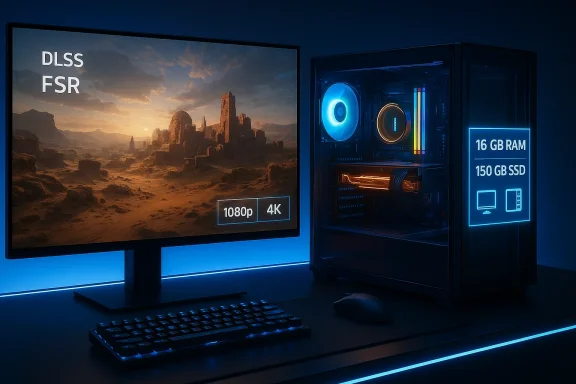
Pearl Abyss has published the most detailed PC performance targets yet for Crimson Desert, and the message is unambiguous: a modern baseline of 16 GB of system RAM and an SSD is mandatory, while the GPU you choose will determine whether you play at upscaled 1080p, buttery 60 FPS at 1080p/1440p, or native 4K at 60 FPS—with the studio explicitly pointing players to contemporary, high‑end adapters for uncompromised “Ultra” fidelity. ([store.steampoweredeampowered.com/app/3321460/Crimson_Desert/)

Blue-lit gaming PC setup with RGB lighting and a monitor displaying DLSS and FSR.Background / Overview​

Crimson Desert is Pearl Abyss’s large‑scale action RPG built to showcase an advanced rendering stack, bespoke engine work, and modern upscaling technologies. The studio’s public performance targets break PC expectations into five clear presets (Minimum, Low, Recommended, High, Ultra), and they do more than list hardware—they anchor every preset to target resolutions and frame rates that reveal how the game is designed to scale across hardware generations. That official framing has been mirrored by major outlets and the game’s storefront listings. (en.gamegpu.com)
Two technical themes stand out immediately. First, Pearl Abyss sets a consistent memory and storage floor—16 GB of RAM and 150 GB of SSD space—across all presets, making RAM and NVMe/SATA SSD readiness the first real gate for players. Second, the studio leans on GPU upscaling and platform‑specific scaling modes (DLSS, AMD’s FSR lineage and their Redstone ambitions) to stretch midrange GPUs toward higher targets, while reserving native 4K/60 with heavy ray tracing for top‑tier adapters. These design choices have direct implications for upgrade planning and expectations about visual fidelity versus frame rate.

What Pearl Abyss Published — Official PC Targets, Preset by Preset​

Below is a concise, verified breakdown of the publisher’s published PC presets and the hardware they map to. Where multiple outlets or the official storefront provide the same data, this text cites those confirmations.

Minimum (Upscaled 1080p from 900p, 30 FPS)​

  • OS: Windows 10 64‑bit (22H2 or later)
  • CPU: AMD Ryzen 5 2600X / Intel Core i5‑8500
  • RAM: 16 GB
  • GPU: AMD Radeon RX 5500 XT / NVIDIA GeForce GTX 1060
  • DirectX: 12
  • Disk: 150 GB (SSD required)
  • Notes: Target is an upscaled 1080p experience at 30 FPS, not native 1080p. This is the official baseline listed on the storefront and in press coverage. (gamespot.com)

Low (Native 1080p, 30 FPS)​

  • OS: Windows 10 64‑bit (22H2 or later)
  • CPU: AMD Ryzen 5 2600X / Intel Core i5‑8500
  • RAM: 16 GB
  • GPU: AMD Radeon RX 6500 XT / NVIDIA GeForce GTX 1660
  • Disk: 150 GB (SSD required)
  • Notes: Native 1080p at 30 FPS; still the same memory/storage floor. (gamespot.com)

Recommended (1080p 60 FPS / 4K 30 FPS)​

  • OS: Windows 10 64‑bit (22H2 or later)
  • CPU: AMD Ryzen 5 5600 / Intel Core i5‑11600K
  • RAM: 16 GB
  • GPU: AMD Radeon RX 6700 XT / NVIDIA GeForce RTX 2080
  • Disk: 150 GB (SSD required)
  • Notes: The recommended target spans 1080p/60 FPS and a lower‑frame 4K option—indicating Pearl Abyss expects upscaling/playback assistance for 4K from mid‑high class cards. (gamespot.com)

High (1440p, 60 FPS)​

  • OS: Windows 10 64‑bit (22H2 or later)
  • CPU: AMD Ryzen 5 7600X / Intel Core i5‑12600K
  • RAM: 16 GB
  • GPU: AMD Radeon RX 7700 XT / NVIDIA GeForce RTX 4070
  • Disk: 150 GB (SSD required)
  • Notes: This is the sweet spot for many modern builds: native 1440p/60 with reasonable headroom on recent‑generation GPUs. (gamespot.com)

Ultra (4K, 60 FPS)​

  • OS: Windows 10 64‑bit (22H2 or later)
  • CPU: AMD Ryzen 7 7700X / Intel Core i5‑13600K
  • RAM: 16 GB
  • GPU: AMD Radeon RX 9070 XT / NVIDIA GeForce RTX 5070 Ti
  • Disk: 150 GB (SSD required)
  • Notes: Pearl Abyss explicitly calls for top‑end, current‑generation cards for native 4K/60 with the “Ultra” preset—this is where the studio recommends the latest GeForce RTX 50 series or equivalent. (gamespot.com)
Both the Steam storefront and press coverage (GameSpot, TechSpot, and others) present the same five‑tier strategy and largely identical GPU/CPU mappings, providing cross‑confirmation of these requirements. (store.steampowered.com)

Why these requirements matter: the technical logic behind the numbers​

Pearl Abyss’s published targets reflect several engineering tradeoffs and modern trends in AAA PC development.
  • SSD & install size (150 GB): The requirement of an SSD with a large 150 GB allocation is a practical reflection of asset streaming and texture memory budgets. Large open worlds and high‑resolution texture streaming are far easier to sustain with SSD bandwidth and low seek latencies; HDDs simply cannot match that runtime throughput. Expect load/streaming behavior to noticeably improve on NVMe SSDs versus SATA drives. (gamespot.com)
  • Fixed 16 GB RAM floor: Unlike older era titles that toggled system memory requirements with presets, Crimson Desert enforces 16 GB across the board. That indicates the engine’s baseline memory usage—data structures, streaming buffers, shader caches, and system overhead—remains constant regardless of whether you select Low or Ultra. For players on 8 GB or 12 GB systems, this is a non‑starter.
  • GPU choice scales fidelity, not the memory floor: The presets show that Pearl Abyss expects GPUs to be the levers for resolution and ray‑trace detail, with modern upscalers stretching midrange cards toward higher targets. Having DLSS 4 / DLSS Frame Generation on GeForce RTX cards and AMD’s FSR Redstone family (or FSR 3/4 equivalents) will be important to reach higher fps targets without sacrificing quality. NVIDIA has publicly listed Crimson Desert among DLSS 4 titles; AMD’s FSR Redstone partnership has also been reported. This dual support gives players choice—but native 4K/60 with ray tracing is still reserved for very powerful GPUs.
  • Modern graphics APIs and ray tracing: DirectX 12 is the baseline, and path tracing/ray‑based effects are part of the game’s visual portfolio. That increases the GPU memory and RT core utilization on top of rasterization costs; thus Pearl Abyss’s Ultra recommendations skew toward cards with faster RT hardware and larger VRAM pools. (en.gamegpu.com)

Cross‑checking and verification: what independent sources show​

Pearl Abyss’s published numbers appear on the game’s official storefront and have been corroborated by independent press coverage.
  • Steam (store listing) lists the 16 GB RAM, 150 GB SSD, and the CPU/GPU tiers that map to the same performance buckets published by the developer. The Steam entry is the canonical storefront confirmation for PC requirements. (store.steampowered.com)
  • GameSpot’s article reproduces the same five‑tier mapping (Minimum → Ultra) and explicitly lists the GPUs and CPUs used as examples for each tier; their write‑up matches the developer’s published performance targets. (gamespot.com)
  • Multiple outlets reporting on the release (TechSpot, Videocardz, GameGPU) picked up the same baseline and highlighted the emphasis on an SSD, a 16 GB memory floor, and recommended support for DLSS 4 and AMD FSR Redstone. Where there are slight wordings differences in early previews versus final storefront text, the essential hardware picture is consistent across sources. (en.gamegpu.com)
Note of caution: regional previews and earlier roundups sometimes used slightly different numbers for storage (100 GB vs 150 GB) or different GPU examples; the Steam storefront and late‑breaking press articles are the authoritative version for the launch targets and should be treated as the primary reference. (en.gamegpu.com)

Strengths: What’s good about Pearl Abyss’s approach​

  • Clear, tiered guidance: Players can map their hardware directly to target resolutions/frame rates. That makes purchase and upgrade decisions straightforward.
  • Modern baseline acknowledges streaming: Requiring an SSD and 16 GB of RAM aligns the player base on a minimum platform that supports texture streaming, big open worlds, and modern CPU/GPU resource usage—fewer surprises at launch.
  • Dual upscaler support: Public confirmations that Crimson Desert will support NVIDIA’s DLSS 4 family and AMD’s FSR Redstone/FSR lineage give PC players both performance and quality options depending on GPU vendor. This is especially helpful for those who want high frame rates without upgrading to top‑tier silicon.
  • Explicit console parity targets: The fact that console modes are mapped alongside PC presets suggests Pearl Abyss has prioritized cross‑platform parity and performance targets rather than leaving PC to fend for itself. That can result in better runtime optimizations overall. (gamespot.com)

Risks, tradeoffs, and areas to watch​

  • 16 GB may become a bottleneck for future mods or background apps: While 16 GB is reasonable for modern AAA games, players running streams, capture software, or heavy background tasks may still encounter swapping/pressure. For longevity and multitasking, 32 GB remains a safer choice for many content creators. Tvant when VRAM and pagefile activity interplay with large streaming worlds. (en.gamegpu.com)
  • Wide GPU spread creates inconsistent player experience: The gap between a GTX 1060 minimum and an RTX 5070 Ti/ RX 9070 XT ultra tier is huge. Expect variance in graphical fidelity, and be prepared for vendors to implement visual presets and upscalers differently (DLSS, FSR, XeSS). That can produce divergent screenshots and perceived visual quality across machines. (gamespot.com)
  • Storage calculation friction: Early reports showed some outlets listing 100–135 GB as install size while later, authoritative storefront entries and press items list 150 GB. Players with smaller SSDs (especially older 256 GB drives) may need to free space or plan capacity upgrades to avoid install issues. Verify available free space before purchase. (en.gamegpu.com)
  • Driver and OS considerations: The OS requirement points to Windows 10 22H2 or later, but driver maturity for brand‑new GPU families (if you upgrade to RTX 50 series or RX 9000 generation equivalents) matters at launch. Keep GPU drivers up to date around release; vendor driver releases timed for Crimson Desert have already surfaced.

Practical upgrade and prep checklist (step‑by‑step)​

If you want to be ready for Crimson Desert at launch with the best balance of cost vs. experience, use this pragmatic sequence:
  • Check free disk space and drive type.
  • Confirm at least 150 GB of free space on an SSD (NVMe recommended). HDDs are not supported for acceptable performance. (store.steampowered.com)
  • Validate system memory.
  • Ensure you have 16 GB of system RAM installed. If you run OBS, browser tabs, or background apps concurrently, consider upgrading to 32 GB.
  • Match your GPU tier to your goals.
  • 1080p/30: Older midrange cards (GTX 1060 / RX 5500 XT) will function via upscaling.
  • 1080p/60 or 4K/30: RX 6700 XT / RTX 2080 class is suggested.
  • 1440p/60: RTX 4070 / RX 7700 XT class.
  • 4K/60 Ultra: RTX 5070 Ti / RX 9070 XT or better. Plan purchases accordingly. (gamespot.com)
  • Update Windows and GPU drivers.
  • Install Windows 10 22H2 or later (or a supported Windows 11 build), then update GPU drivers from NVIDIA/AMD—vendors frequently publish Game Ready drivers around major launches.
  • Plan for upscalers (optional).
  • If you have RTX 40/50 series or compatible NVIDIA cards, consider enabling DLSS 4 / Frame Generation options for higher frame rates. AMD GPU owners should check FSR Redstone or equivalent FSR updates. These features significantly change perceived performance and should be tested per system.
  • Test and tweak settings at launch.
  • Run the built‑in benchmark (if provided) or play the opening minutes and adjust particle/visual density and upscaler options before committing to long sessions. Particle toggles and ray tracing sliders are likely to be high‑impact settings. (gamespot.com)

What this means for builders, upgraders, and the wider PC ecosystem​

Crimson Desert’s specification profile is a clear example of contemporary AAA design: a fixed memory/storage baseline with GPU‑driven scaling of visuals. For PC builders and upgraders, that means a two‑pronged decision tree.
  • First, ensure the platform essentials are modern: a 64‑bit OS (Windows 10 22H2+), an NVMe SSD (or at least a fast SATA SSD) with ~150 GB free, and 16 GB of RAM. These are low‑cost, high‑impact upgrades foms.
  • Second, choose your GPU based on target resolution and whether you rely on vendor‑specific upscaling tech. Midrange cards will do well at 1080p/1440p with upscalers enabled; native 4K/60 with all effects and ray tracing comfortably enabled will require top‑tier silicon. For players on the edge, enabling FSR/DLSS variants will likely be the path to acceptable frame rates. (store.steampowered.com)
From an industry perspective, the spec sheet underlines how modern games increasingly assume an SSD and substantial memory headroom. That reduces fragmentation for developers but raises the bar for players using older laptops or budget prebuilt machines.

Final notes and caveats​

  • Authoritative sources: The Steam storefront and multiple major outlets have published and confirmed the PC presets and the 16 GB / SSD floor; those listings should be used as the canonical reference for launch. (store.steampowered.com)
  • Minor discrepancies among early reports: Early previews and some regional outlets published slightly different install sizes (100–135 GB). The most recent, authoritative storefront and late press pieces list 150 GB; treat earlier smaller numbers as superseded unless the publisher announces a change. (en.gamegpu.com)
  • GPU naming and future hardware: The Ultra tier names (e.g., AMD Radeon RX 9070 XT and NVIDIA GeForce RTX 5070 Ti) correspond to current‑generation product families from AMD and NVIDIA; vendor pages and hardware coverage confirm those cards exist and represent the performance class Pearl Abyss recommends for unattained native 4K/60 performance. Still, real‑world performance will vary by driver, system configuration, and specific workload. Buyers should consult independent benchmarks for the exact GPU model they intend to buy.
  • Feature support: NVIDIA has publicly confirmed DLSS 4 (and related features) for Crimson Desert; AMD FSR Redstone coverage suggests AMD partnership as well. Both upscaling stacks will materially change throughput and perceived quality, so expect comparisons across vendor solutions at launch.

Crimson Desert’s official PC targets give players a clear map of what hardware will be needed for different experiences: a reachable, SSD‑backed minimum for 1080p play and a steep high end for native 4K/60 with ray tracing. If you’re planning to play on release day, prioritize storage and system memory first, then pick a GPU tier that matches your resolution and frame‑rate goals—while keeping driver updates and upscaler options in mind for the best possible launch‑day experience. (gamespot.com)

Source: GameGPU https://en.gamegpu.com/news/igry/ra...aniya-crimson-desert-opublikovany-ofitsialno/
 

Back
Top