

Pasco County Schools will open limited student access to Microsoft Copilot on December 1, a move that formalizes months of teacher pilots and positions the district among a growing number of Florida systems trying to balance rapid AI adoption with strict governance and student protections.
Pasco’s decision follows a broader shift in K–12 education toward managed, vendor-backed AI assistants that promise to save teacher time and provide personalized practice for students. District teachers have already been using Microsoft Copilot to draft lesson plans and create guided tutorials; the district’s leaders say the December roll-out will extend those capabilities to high school students in a limited capacity while a final set of guidelines is completed. Superintendent Dr. John Legg has framed the policy work as iterative: the district expects to revise guidelines frequently as tool capabilities and vendor terms evolve. “The day we publish this is the day it is obsolete,” he told the school board, underscoring how quickly the product landscape is changing and why the district is emphasising review cycles and pilot data before broader student access.
If Pasco treats this rollout as a controlled experiment—measuring outcomes, protecting student data by contract, and investing in teacher training—it could produce a replicable model for other districts navigating the same trade-offs. If it treats Copilot as a plug-in convenience without the governance work, risks to privacy, equity, and academic integrity will grow as fast as the technology does. The next months will show whether Pasco’s policies and practice keep pace with both the benefits and the risks of classroom AI.
Source: Spectrum Bay News 9 Pasco Schools set to unlock AI for student use on December 1
 Background
Pasco’s decision follows a broader shift in K–12 education toward managed, vendor-backed AI assistants that promise to save teacher time and provide personalized practice for students. District teachers have already been using Microsoft Copilot to draft lesson plans and create guided tutorials; the district’s leaders say the December roll-out will extend those capabilities to high school students in a limited capacity while a final set of guidelines is completed. Superintendent Dr. John Legg has framed the policy work as iterative: the district expects to revise guidelines frequently as tool capabilities and vendor terms evolve. “The day we publish this is the day it is obsolete,” he told the school board, underscoring how quickly the product landscape is changing and why the district is emphasising review cycles and pilot data before broader student access. What Pasco is unlocking on December 1
The tool and the scope
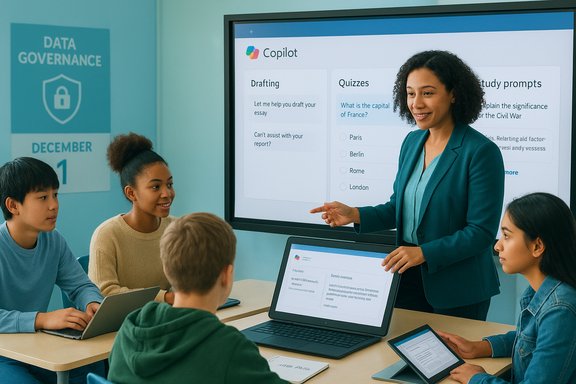
- The product being made available is Microsoft Copilot, an AI assistant embedded across Microsoft 365 apps that can draft essays, summarize materials, generate quizzes, and produce lesson scaffolds. For students, Copilot functions as an advanced, context-aware search and drafting aid.
- Access is targeted to high school students and will be limited by district policy, managed accounts, and administrative controls. Teachers will continue to control classroom-level usage and decide how Copilot may be used in assignments and formative practice.
Why the district chose this approach
Pasco’s technology leaders and instructional teams describe a pragmatic, phased rollout: begin with teacher pilots and staff deployments, open student access selectively for older learners, and keep policies and technical settings under review to respond to feature changes and legal concerns. This mirrors advice from ed‑tech analysts who recommend bounded pilots, teacher-led oversight, and assessment redesigns before scaling.Overview of Microsoft Copilot in education
How Copilot works for teachers and students
Microsoft’s education-focused Copilot offerings include workspaces and student helpers designed to reduce repetitive planning tasks and provide personalized study practice. Key features being used in K–12 pilots include:- Teach: teacher-facing workspace for lesson plans, rubrics, and differentiated materials.
- Study and Learn: a student-facing agent designed to generate quizzes, flashcards, and stepwise explanations without producing finished assignments verbatim.
- Copilot Chat & LMS integrations: embedding chat assistance inside learning platforms and apps where students already work.
Real classroom uses reported so far
Early and published pilots show teachers use Copilot to accelerate lesson preparation, generate multiple reading levels for the same text, translate instructions for English learners, and produce formative practice items. Students can use Copilot for targeted review, quick summaries before tests, and scaffolded problem-solving prompts under teacher supervision. These are promising instructional uses, but success depends heavily on teacher prompt design, moderation, and assessment changes that reward process and reasoning rather than final product alone.Regional context: what neighboring districts are doing
Pasco’s rollout happens against a backdrop of diverse approaches across Tampa Bay. Hillsborough County Public Schools has produced a detailed AI manual and has been explicit about which tools are approved and which are not; in that district, ChatGPT was notably excluded from the approved list while other vetted platforms were permitted under strict conditions. Pinellas County, in contrast, has relied on general student conduct rules and has been slower to produce standalone AI policies. Pasco officials have reviewed these neighboring plans to seek regional consistency and learn from peer approaches.Governance, privacy, and legal considerations
Data governance and procurement realities
One of the strongest pragmatic reasons districts select vendor-integrated assistants like Copilot is tenant grounding—the ability to keep interactions within the district’s managed tenancy and to negotiate contractual limits on data use. That said, the details matter: whether student prompts, conversation logs, or uploaded files are excluded from model training, the length of retention windows, and who can audit logs are all contract-level elements that vary across vendors and purchases. Districts must insist on written contractual guarantees for non‑training, retention, and audit rights before assuming safety.Age gating and consent
Microsoft’s education messaging typically sets eligibility at 13+ for student-facing Copilot features, with additional admin controls for younger users and managed accounts. Districts need to confirm how identity provisioning, parental consent, and account types are handled in the actual enrollment flow so that minors aren’t accidentally assigned consumer accounts with different privacy terms. This is frequently a source of operational confusion and must be mapped early in deployment.Accuracy, hallucinations, and academic integrity
Generative models can produce authoritative-sounding but incorrect answers—so-called hallucinations. Even when Copilot is used for study aids, districts must redesign assessments and classroom activities to preserve rigorous evaluation of student reasoning. That includes emphasizing process evidence, oral defenses, in-class demonstrations, and portfolio artifacts that demonstrate original thinking. Failure to adapt assessment design risks students outsourcing cognitive work to AI rather than learning.Equity and access
AI advantages can be amplified or curtailed by access to devices, premium features, and reliable internet. Districts must consider whether Copilot will widen disparities and plan for device parity, scheduled lab time, and alternative pathways for students who opt out or lack home connectivity. Without these measures, benefits may disproportionately accrue to better-resourced students.Practical rollout and classroom implications
What teachers should expect on December 1
- Teachers will keep primary control over how Copilot is used in their classes; district policy will define allowed and disallowed uses.
- Students likely will use Copilot on managed, district-controlled accounts with admin-enforced settings that limit certain outputs and log usage.
- The district will monitor usage patterns and evaluate whether the program should continue, expand, or require paid services after an initial review period.
Suggested teacher workflow changes
- Require draft logs: students should save prompts and AI responses plus a teacher-reviewed reflection showing how they used the output.
- Use Copilot for low-stakes formative work (practice quizzes, study flashcards) rather than summative assignments unless clear attribution and process evidence exist.
- Rework rubrics to evaluate how an answer was reached rather than just what the final answer is.
Technical and procurement notes for district IT
- Verify account types: ensure student access uses institutional/enrolled accounts with education-specific contractual protections—not consumer subscriptions with different privacy defaults.
- Audit data flows: map where conversation logs, files, and generated content are stored, and negotiate deletion/retention and export rights in vendor agreements.
- Configure admin controls: use role-based agents and Copilot Studio settings to limit capabilities (for example, disabling code-generation for certain assessments or limiting web-browsing features).
- Budget for training: include funds for short, practical teacher PD on prompt design, verification checks, and integration into curriculum.
Benefits: what Pasco stands to gain
- Teacher time savings: Drafting lesson scaffolds, example problems, and differentiated materials can be accelerated, freeing time for small-group instruction. Early pilots report measurable time savings when teachers use Copilot as a drafting aid.
- Personalized practice at scale: Students can receive targeted practice and immediate feedback when Copilot is configured to generate quizzes and spaced-repetition flashcards tied to class materials. This is particularly useful for remediation and test preparation.
- Alignment with workforce skills: Familiarity with AI tools and the ability to evaluate and edit AI outputs are increasingly relevant workplace skills; managed deployments create a supervised environment for building those competencies.
Risks and open questions Pasco must track
- Contractual ambiguity: vendor statements about data not being used to train models are meaningful only if reflected in signed contracts. These clauses should be negotiated explicitly and reviewed by legal counsel.
- Feature volatility: product roadmaps and preview timelines for student-facing features (for example, Study and Learn or LMS integrations) can shift; district guidelines must be adaptable but clear about current allowed functionality.
- Assessment integrity: detection tools for AI use are imperfect; the durable strategy is pedagogical redesign rather than cat-and-mouse detection. Districts must invest in assessment formats that require demonstration of reasoning and process.
- Equity risks: without device parity and connectivity plans, AI-supported learning can exacerbate gaps. Public evaluation metrics should include access measures as well as learning outcomes.
Recommendations for Pasco leaders, teachers, and parents
For district leaders
- Publish a clear, living AI policy that defines allowed classroom practices, parental opt-out procedures, data governance commitments, and a schedule for review. Treat the policy as an operational document that evolves with vendor changes.
- Make procurement conditional on explicit non-training and retention clauses for student data and require vendor audit rights or transparency reporting.
- Fund short PD modules and create a network of instructional “influencers” who can model best practices for teachers across schools.
For teachers
- Use Copilot as a drafting and scaffolding tool, not a shortcut for final submissions. Demand process artifacts and reflection from students who use AI in their work.
- Keep a prompt-and-output log for any student use that contributes to grades so that audit trails exist and learning progression can be assessed.
For families
- Ask whether school accounts provided to students are managed institutional accounts or consumer subscriptions, and request clarity on what data is retained and how parental consent is handled for minors.
- Encourage students to treat AI outputs as drafts and to verify claims with primary sources; reinforce digital literacy at home by having students practice citing where they got facts and how they edited generated text.
The long view: what Pasco should measure
To know whether the December rollout accomplishes its goals, the district should collect and publish short-cycle evaluation metrics:- Usage analytics (who used Copilot, for how long, and in which classes).
- Equity indicators (device access, home connectivity).
- Instructional outcomes (changes in formative practice completion, time-on-task, and teacher-reported planning time saved).
- Integrity incidents and policy exceptions (how often students used Copilot in disallowed ways and how those cases were handled).
- Teacher and student satisfaction surveys capturing qualitative feedback.
Conclusion
Pasco County Schools’ move to unlock Microsoft Copilot for high school students on December 1 is a consequential, pragmatic step into an educational future where AI is a standard classroom tool. The district’s phased approach—teacher pilots, managed student accounts, and a promise of evolving guidelines—aligns with best practices advocated by researchers and vendors alike. Yet the promise of time savings and personalized practice comes with clear responsibilities: negotiate robust contractual data protections, redesign assessments to preserve learning, ensure equitable access, and commit to transparent evaluation.If Pasco treats this rollout as a controlled experiment—measuring outcomes, protecting student data by contract, and investing in teacher training—it could produce a replicable model for other districts navigating the same trade-offs. If it treats Copilot as a plug-in convenience without the governance work, risks to privacy, equity, and academic integrity will grow as fast as the technology does. The next months will show whether Pasco’s policies and practice keep pace with both the benefits and the risks of classroom AI.
Source: Spectrum Bay News 9 Pasco Schools set to unlock AI for student use on December 1
