

Microsoft has published a security advisory for CVE-2026-21262 — an elevation-of-privilege vulnerability that affects supported releases of Microsoft SQL Server — and the immediate, practical action for every SQL Server administrator is simple and non-negotiable: identify your SQL Server build and apply the matching Microsoft security update (GDR or CU) Microsoft provides for your installed baseline. (msrc.microsoft.com)
Microsoft’s security guidance for CVE-2026-21262 identifies this issue as an elevation of privilege vulnerability in SQL Server components that could allow a user with certain access to obtain higher privileges on the server. The vendor’s fix is delivered as a set of SQL Server security updates — shipped as either GDR (General Distribution Release) packages or CU (Cumulative Update) security packages — targeted to specific build ranges for each supported SQL Server major release. The advisory explicitly instructs administrators to update the relevant version of SQL Server, and notes that driver and component fixes that are applicable are bundled into those updates. (msrc.microsoft.com)
This article is written for WindowsForum readers who manage on-premises or cloud-hosted SQL Server instances. It gives an operational checklist, explains how to choose between GDR and CU packages, highlights the important caveats and risks (including rollback limitations), and recommends testing and validation steps to minimize operational disruption.
Applying the correct security update is the only authoritative fix for CVE-2026-21262. Microsoft’s advisory and the KB-level packages are explicit about which builds are covered and how the updates are delivered; use the mapping approach outlined above, test carefully, and avoid accidental servicing-path changes that cannot be reversed. If you need help mapping versions or guidance on a staged rollout plan, create a reproducible, test-driven process and escalate to Microsoft Support for guidance on complex environments where the KB package fails or behaves unpredictably. (msrc.microsoft.com)
Conclusion
Patching CVE-2026-21262 requires disciplined version discovery, a careful servicing-path decision (GDR vs CU), and a tested deployment plan. Follow Microsoft’s KB mapping for your build, test in staging, and apply the vendor-supplied package that matches your instance. Do not delay: an elevation-of-privilege vulnerability on database hosts materially increases enterprise risk, and the vendor-supplied updates are the definitive remediation. (msrc.microsoft.com)
Source: MSRC Security Update Guide - Microsoft Security Response Center
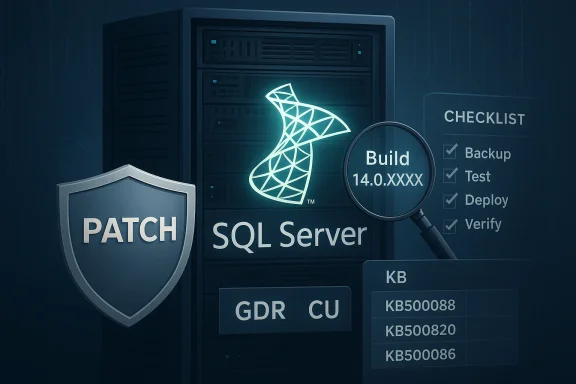 Background / Overview
Microsoft’s security guidance for CVE-2026-21262 identifies this issue as an elevation of privilege vulnerability in SQL Server components that could allow a user with certain access to obtain higher privileges on the server. The vendor’s fix is delivered as a set of SQL Server security updates — shipped as either GDR (General Distribution Release) packages or CU (Cumulative Update) security packages — targeted to specific build ranges for each supported SQL Server major release. The advisory explicitly instructs administrators to update the relevant version of SQL Server, and notes that driver and component fixes that are applicable are bundled into those updates. (msrc.microsoft.com)This article is written for WindowsForum readers who manage on-premises or cloud-hosted SQL Server instances. It gives an operational checklist, explains how to choose between GDR and CU packages, highlights the important caveats and risks (including rollback limitations), and recommends testing and validation steps to minimize operational disruption.
Why you must act now
- An elevation-of-privilege vulnerability in a database engine can be exploited by local or authenticated users to escalate privileges, access data, or change configuration. Left unpatched, it increases the blast radius of any compromised or misconfigured account on the host.
- Microsoft released targeted security updates for supported SQL Server baselines; each update includes the fix for this CVE. Applying the correct update closes the vulnerability for that specific build range. (msrc.microsoft.com)
- The fix is not global — Microsoft maps each supported SQL Server build to a specific KB/CU/GDR package. That means a one-size-fits-all “install the latest update” approach can be wrong if you don’t first confirm your exact SQL Server build and the servicing path you are on.
How to determine your installed SQL Server version (quick and authoritative)
Before downloading anything, confirm the exact product version, build, and update level for the instance(s) you maintain.- Use T-SQL on the target instance: run SELECT @@VERSION; and SELECT SERVERPROPERTY('ProductVersion'), SERVERPROPERTY('ProductLevel'), SERVERPROPERTY('Edition'); to retrieve the build and edition metadata. This is the single most reliable way to know what Microsoft will map your instance to in their KB tables.
- You can also inspect the SQL Server Errorlog (first lines show product version) or use the SQL Server Management Studio Object Explorer > Server Properties > General to read product version and patch level.
- Cross-check that number against the Microsoft SQL Server build/version tables or the legacy KB321185 guidance (Microsoft Learn pages keep a canonical mapping of version numbers to CU/GDR/KB entries). Doing this mapping is essential to pick the correct KB package to install.
GDR vs CU: which should you install?
Understanding the difference between GDR and CU patching paths is critical — choosing incorrectly can create support, compatibility, or rollback challenges.What GDR and CU mean (short)
- GDR (General Distribution Release) updates are targeted security updates that include only security (and extremely critical) fixes for a given baseline. They are conservative and small by design. (learn.microsoft.com)
- CU (Cumulative Update) updates include all fixes — security and functional/quality improvements — since a baseline release, and therefore are larger and may change behavior beyond security-only fixes. (learn.microsoft.com)
How to decide which to install
- If your SQL Server installation is running at the baseline (e.g., RTM or a Service Pack) with no prior CUs applied, you can choose either a GDR security package or the corresponding CU security package.
- If you have previously applied CUs to the instance, you must continue with the CU security update path for that baseline (i.e., install the CU security package). If you have applied only GDR updates previously, choose the GDR package. These servicing paths are mutually exclusive unless you explicitly make the one-time migration from GDR to CU described below. (learn.microsoft.com)
Which KB / update package do I need for CVE-2026-21262?
Microsoft’s advisory maps specific product-version ranges to specific security update packages. The vendor provides both GDR and CU packages for many baselines, and each mapping indicates the product-version range the update applies to.- Step 1 — identify your exact product version/build with the methods above.
- Step 2 — consult Microsoft’s advisory table for CVE-2026-21262 (the entry lists the update package title, KB number, and the specific product-version ranges each package applies to). The update you must install is the one whose "Apply if current product version is…" range includes your build. (msrc.microsoft.com)
Step-by-step remediation checklist (practical, tested)
Follow these steps for each instance you manage. Perform them in a controlled change window and test on non-production replicas first.- Inventory and Identify
- Get a list of all SQL Server instances (on-prem and cloud VMs). For each instance record: instance name, product version (SELECT @@VERSION
 , edition, OS version, and whether the instance has historically been patched with GDR or CU packages. Use automation (PowerShell + Invoke-Sqlcmd or dbatools) to scale this across an estate.
 - Map to the Microsoft advisory
- For each build number, match the version to the exact KB/CU/GDR package Microsoft lists for CVE-2026-21262. Only install the package that applies to your build range. (msrc.microsoft.com)
- Prepare: backups, change control, and test environment
- Take full backups (database + log) and, if feasible, a system state snapshot or VM snapshot prior to patching.
- Test the specific KB package in a staging environment that mirrors production configuration (same SQL Server edition, cumulative level, OS). Validate application connectivity, critical queries, and job schedules.
- Choose GDR vs CU path (if you have a choice)
- If the instance has only received GDR patches historically, apply the GDR security package unless you consciously plan to move to CU. If the instance already uses CUs, apply the CU patch. Remember: switching from GDR to CU is a one-time, non-reversible move. (learn.microsoft.com)
- Schedule maintenance and deploy
- Use Windows Update / Microsoft Update Catalog / the standalone KB package depending on your patching mechanism. Microsoft’s KB pages list the supported install methods and prerequisites. For Azure VM instances, Microsoft Update and manual offline packages are options; Amazon RDS/Azure managed services have their own release cadence and announcements. (support.microsoft.com)
- Post-patch verification
- Confirm SQL Server service starts, agent jobs run, and applications can connect. Re-run critical acceptance tests and performance checks. Monitor error logs for warning or failure events and confirm the updated build (SELECT @@VERSION.
- Check dependent components: SSRS, SSIS, linked servers, ODBC/OLE DB drivers — these can be updated as part of the KB or may require separate packages. Microsoft’s KB package descriptions show the list of component file versions the update affects. (support.microsoft.com)
- Document and schedule follow-ups
- Record whether you chose GDR or CU, the KB installed, and any observed issues. That record dictates future servicing choices and helps you avoid an accidental irreversible CU switch.
Special considerations and common risks
1) No rollback from CU to GDR
If you switch a server from the GDR path to the CU path, Microsoft’s servicing model does not allow you to revert to GDR-only updates for that instance. That is operationally significant when you manage mixed environments or rely on vendor certification that only tests the GDR path. Review compatibility matrices with downstream vendors before choosing CU.2) Patch installation may fail or cause unexpected behavior
While Microsoft’s KB packages are the official fix, real-world deployments sometimes encounter installation failures or post-patch behavior changes. Community reports show periodic package installs failing or requiring remediation steps (for example, instances where monthly OS updates interact with SQL Server updates or WSUS detection logic). Test in a lab to uncover these issues ahead of production.3) Dependent drivers/components are affected
Many SQL Server security updates also update ODBC drivers, client components, or integration services bits. That’s useful (it avoids separate ODBC CVE remediations), but it also means that client applications that bundle a specific driver version might need re-validation after the server/driver-side update. Microsoft KB pages explicitly list which components and file versions are updated; review that list and test. (support.microsoft.com)4) Cloud-hosted instances and managed services
- For IaaS (VMs in Azure, AWS, etc.), you are responsible for applying the SQL Server KB package — Microsoft Update or manual deployment are supported approaches; some cloud marketplace images receive Microsoft-supplied updates via the platform. AWS and Azure platforms publish when they enable or support GDR/CU packages for their managed offerings, so verify the cloud vendor’s guidance before forcing a manual change to a managed instance. (support.microsoft.com)
5) Unsupported versions will not receive fixes
If your SQL Server product/version is not listed under the advisory’s applicable build ranges, it likely means the product is out of support for this fix. That requires urgent planning to upgrade or obtain Extended Security Updates where applicable. Microsoft’s lifecycle and end-of-support documentation explains options and timelines.Testing checklist (pre- and post-patch)
- Pre-patch:
- Full database and log backups; test backup restores in staging.
- Snapshot or image of the VM (where allowed).
- Baseline performance metrics for critical workloads (query plans, wait stats, transaction rates).
- Run compatibility tests: application integration, linked servers, CLR assemblies, and scheduled jobs.
- Post-patch:
- Confirm build: SELECT @@VERSION; and SERVERPROPERTY values.
- Re-run performance baselines and compare query plans. Watch for plan regressions.
- Validate connectivity for all client types (ADO.NET, ODBC, JDBC).
- Check SQL Server errorlog and Windows Event Log for errors in the first 24–72 hours.
- Validate failover behavior for clusters/availability groups.
If you cannot patch immediately: mitigation and hardening steps
There is no substitute for applying the vendor fix, but if you are blocked from installing the update immediately, take these interim measures:- Reduce attack surface:
- Lock down local accounts and service account privileges on hosts running SQL Server.
- Restrict network access to the SQL Server instance with firewall rules so only application servers and DBAs can connect.
- Monitor and alert:
- Increase detection for anomalous privilege escalations, failed privilege operations, and suspicious use of elevated accounts.
- Isolate sensitive workloads:
- Consider moving the most sensitive databases to a patched host or to an Azure-managed offering until you can apply the update.
Critical analysis: strengths of Microsoft’s approach — and where practitioners should be cautious
Strengths
- Microsoft provides targeted security packages and maps them precisely to product-version ranges, enabling administrators to install the minimum required fix for their baseline. That precision reduces unnecessary change exposure for conservative environments. (msrc.microsoft.com)
- Security fixes frequently include updates to drivers and supporting components (ODBC, integration services bits), consolidating remediation for multiple CVEs into a single, supported package. This reduces the complexity of coordinating separate driver rollouts. (support.microsoft.com)
- Microsoft documents the GDR vs CU servicing model clearly, and the one-time migration allowance is explicit — allowing administrators to make an informed servicing-path decision. (learn.microsoft.com)
Risks and caveats
- The non-reversible nature of switching from the GDR path to the CU path is a serious operational risk for mixed estates and vendor-certified environments. If you manage appliances or third-party apps that require a specific servicing path, coordinate with vendors before applying CUs.
- Real-world deployment experience shows that patches occasionally fail or interact poorly with environment-specific configurations (WSUS, configuration drift, custom scripts). Community reports underscore the need for staged testing and rollback plans. Don’t deploy widely without a tested rollback path.
- In some cases, a security update will update components shared outside SQL Server (drivers, reporting bits). That can require additional validation across the application stack and may necessitate client-side updates or configuration adjustments. (support.microsoft.com)
Practical recommendations for sysadmins and DBAs
- Inventory first, patch second: start with a complete, authoritative list of instances and their exact build numbers. Use automation to avoid human error.
- Use a staging environment that mirrors production to test the specific KB/CU/GDR package before wide deployment.
- Adopt and document a servicing policy for each cluster/environment: explicitly note which instances are on the GDR path and which are on the CU path. Treat the one-time CU migration as a formal change request with stakeholder sign-off. (learn.microsoft.com)
- If you run SQL Server on cloud VMs, coordinate with your cloud team for maintenance windows and consider platform updates offered by the cloud vendor that may include these security packages. For managed database services, follow the provider’s advisory and timeline.
- Monitor after patching: verify build numbers, run health checks, and monitor performance and error logs for at least 72 hours after each update.
Final checklist (quick reference)
- [ ] Record SQL Server instance name and run SELECT @@VERSION; and SERVERPROPERTY(...) to capture product build and edition.
- [ ] Match the build to the advisory table for CVE-2026-21262 and pick the KB/CU/GDR package that explicitly applies to your build. (msrc.microsoft.com)
- [ ] Decide GDR vs CU based on your current servicing path; remember CU is a one-way migration. (learn.microsoft.com)
- [ ] Test in staging, backup everything, and schedule a maintenance window.
- [ ] Deploy via your chosen mechanism (Windows Update, Microsoft Update Catalog, or standalone KB package). (support.microsoft.com)
- [ ] Validate services, connectivity, and performance; document the outcome and update your change records.
Applying the correct security update is the only authoritative fix for CVE-2026-21262. Microsoft’s advisory and the KB-level packages are explicit about which builds are covered and how the updates are delivered; use the mapping approach outlined above, test carefully, and avoid accidental servicing-path changes that cannot be reversed. If you need help mapping versions or guidance on a staged rollout plan, create a reproducible, test-driven process and escalate to Microsoft Support for guidance on complex environments where the KB package fails or behaves unpredictably. (msrc.microsoft.com)
Conclusion
Patching CVE-2026-21262 requires disciplined version discovery, a careful servicing-path decision (GDR vs CU), and a tested deployment plan. Follow Microsoft’s KB mapping for your build, test in staging, and apply the vendor-supplied package that matches your instance. Do not delay: an elevation-of-privilege vulnerability on database hosts materially increases enterprise risk, and the vendor-supplied updates are the definitive remediation. (msrc.microsoft.com)
Source: MSRC Security Update Guide - Microsoft Security Response Center
