

Futuremark’s PCMark 10 Basic Edition arrives as a fast, modern benchmark aimed squarely at measuring real-world Windows PC performance — and it’s available as a free download via TechPowerUp’s downloads vault, packaged as the Basic Edition with the standard benchmark suite for cross-system comparison.
PCMark has been a long-running industry-standard suite for measuring whole-system performance, and PCMark 10 is the modern Windows‑focused iteration that replaces PCMark 8 with updated workloads, application-driven tests, and a restructured edition system (Basic, Advanced, Professional). The suite was publicly released in June 2017 and has since received periodic updates to improve reliability, add hardware compatibility, and refine test behavior. PCMark 10’s core design principle is to benchmark “real‑world” office and productivity scenarios rather than artificial micro‑benchmarks. That means the suite exercises the CPU, GPU, storage, memory, and I/O in combinations that reflect browsing, video‑conferencing, office productivity, photo editing, and even gaming-related workloads (via an Extended mode). These changes aim to make PCMark 10 more relevant for users choosing or upgrading Windows PC hardware today. Community reaction to the launch and subsequent availability of PCMark 10 Basic was immediate across enthusiast forums and review sites; enthusiasts highlighted the suite’s targeted workloads and the new edition split (a free Basic edition and paid Advanced/Professional tiers). Early community score posts and discussion threads confirm widespread adoption among reviewers and hobbyists.
Source: TechPowerUp Futuremark PCMark 10 Basic Edition v2.3.2909 Download
 Background
PCMark has been a long-running industry-standard suite for measuring whole-system performance, and PCMark 10 is the modern Windows‑focused iteration that replaces PCMark 8 with updated workloads, application-driven tests, and a restructured edition system (Basic, Advanced, Professional). The suite was publicly released in June 2017 and has since received periodic updates to improve reliability, add hardware compatibility, and refine test behavior. PCMark 10’s core design principle is to benchmark “real‑world” office and productivity scenarios rather than artificial micro‑benchmarks. That means the suite exercises the CPU, GPU, storage, memory, and I/O in combinations that reflect browsing, video‑conferencing, office productivity, photo editing, and even gaming-related workloads (via an Extended mode). These changes aim to make PCMark 10 more relevant for users choosing or upgrading Windows PC hardware today. Community reaction to the launch and subsequent availability of PCMark 10 Basic was immediate across enthusiast forums and review sites; enthusiasts highlighted the suite’s targeted workloads and the new edition split (a free Basic edition and paid Advanced/Professional tiers). Early community score posts and discussion threads confirm widespread adoption among reviewers and hobbyists.What’s included in PCMark 10 Basic Edition
The Basic Edition at a glance
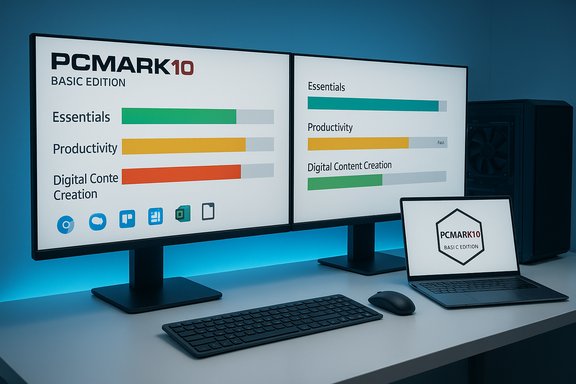
- The Basic Edition provides the main PCMark 10 benchmark run — the standard, full-suite test that returns an overall system score and three mid‑level group scores: Essentials, Productivity, and Digital Content Creation.
- Basic Edition is free for personal use and designed for simple, repeatable comparisons between systems, making it useful for enthusiasts, system builders, and reviewers who want one consistent office-focused metric.
Benchmarks and workloads you’ll run in Basic
- Essentials: web browsing, video‑conferencing, and app start‑up responsiveness.
- Productivity: common office tasks such as complex spreadsheets and writing workloads.
- Digital Content Creation (DCC): photo editing, rendering-style tasks, and scripting workflows that stress both CPU and GPU in real-world creative tasks.
Key technical claims and verification
“Twice as fast as PCMark 8”
Futuremark and many download portals state that PCMark 10’s main benchmark runs significantly faster than PCMark 8 — often described as "less than half the time of the equivalent test in PCMark 8". Multiple product pages and independent reviews corroborate that the main PCMark 10 benchmark completes in under half the runtime of PCMark 8 for equivalent workloads, thanks to redesigned workloads and more efficient third‑party components. This claim is supported by both vendor documentation and independent reviews. Caution: “twice as fast” is a generalized statement. Actual runtime reduction depends on system hardware, software configuration, and which PCMark sub‑tests are executed. Differences in underlying application versions (for example, LibreOffice vs Microsoft Office in certain workloads) and system I/O (HDD vs NVMe) can materially change runtime. Benchmarks that rely on external components or codecs may produce different runtime characteristics across platforms; therefore, the “twice as fast” figure should be treated as a rough, vendor‑level comparison rather than a guaranteed factor for every system.“Uses open‑source software”
PCMark 10 moved several workload components to use open‑source libraries and applications (for example, certain image libraries and office test components) to improve portability and long‑term maintainability. Vendor release notes and independent technical breakdowns indicate that PCMark 10 integrates open libraries and third‑party tools (such as OpenCV and LibreOffice for specific tests in some configurations), which reduces reliance on proprietary trial installs used in older versions. This shift is repeatedly referenced in the product literature. Caution: The presence of open‑source components does not make the entire benchmark open source. PCMark 10 itself remains commercial proprietary software distributed under vendor terms; Basic Edition is free to use but the application and definition files are not licensed as open source.Versioning, updates and compatibility
PCMark 10 has an active release cadence with application updates and occasional benchmark definition changes. The official release notes list application version numbers and changelogs (including updates through 2025), and the vendor emphasizes always using the latest version for accurate and compatible results. Some updates changed test internals (e.g., moving certain workloads to 64‑bit or substituting libraries), so cross‑version score comparisons may require caution.Edition comparison: Basic vs Advanced vs Professional
UL Benchmarks (formerly Futuremark) publish a clear feature‑by‑edition matrix: Basic provides the single main benchmark run; Advanced unlocks Express and Extended runs, local result saving, offline comparison tools, and hardware monitoring graphs; Professional is designed for commercial use and automation with command‑line and XML export features. If you need battery, storage, or large‑scale automation, Professional is required. Why that matters:- Basic is ideal if you need a quick, repeatable single score and you don’t require custom runs or detailed telemetry.
- Advanced suits power users who want to probe storage and gaming‑adjacent workloads or capture graphs and local history.
- Professional suits enterprise test labs and commercial reports where automation, repeatable XML results, and licensing for marketing or commercial dissemination are needed.
Installation and practical details (what you’ll see on TechPowerUp)
TechPowerUp’s download bundle for PCMark 10 Basic Edition includes the vendor-supplied ZIP with executable and supporting files. The TechPowerUp entry for the Basic Edition lists the downloadable file name, published file checksums (MD5/SHA1/SHA256), file size and an indicator of how widely the package has been distributed from that mirror. These details are useful for verifying integrity after download before running the benchmark. TechPowerUp lists the Basic edition as v2.2.2704 (as of the snapshot available on their site). Practical install notes:- Download the ZIP / installer from a reliable mirror (TechPowerUp, the vendor, or Steam for paid editions).
- Verify checksums against the published values to guard against corrupted downloads.
- Ensure OS compatibility — PCMark 10 targets recent 64‑bit Windows installs (Windows 7 SP1/8.1/10+ historically supported, with the vendor noting specific version compatibility in release notes).
- Run while ensuring background activity is minimized for consistent results.
Strengths: why PCMark 10 matters for Windows users
- Real‑world relevance: PCMark 10’s workloads are built around actual productivity and content‑creation scenarios, making the score meaningful for buyers comparing office and general‑purpose systems.
- Speed and efficiency: The main PCMark 10 benchmark runs substantially faster than its PCMark 8 counterpart on equivalent machines, enabling quicker iteration and broader test coverage when evaluating hardware changes.
- Edition model fits users: The Basic Edition gives casual users and reviewers the free baseline tool to produce comparable scores; Advanced and Professional scale up for power users and enterprises.
- Robust update and support cadence: The vendor has maintained release notes and updates that adapt workloads to new hardware, 64‑bit concerns, and cross‑platform libraries, which increases longevity of the benchmark suite.
- Community adoption and benchmarking ecosystem: PCMark 10’s scoring system and online result sharing have been embraced by reviewers and community sites, creating a large body of comparative data for hardware evaluation. Community threads from launch period corroborate rapid adoption and discussion.
Risks, limitations, and how to interpret results
Benchmarks are context-dependent
A single PCMark 10 overall score doesn’t tell the full story. Because PCMark is a weighted average of multiple workload groups, systems optimized for a particular workload (e.g., heavy GPU rendering or database/server workloads) may appear under- or over-performing relative to real‑world usage models that differ from the benchmark’s weighting.Edition restrictions and hidden comparability traps
- Scores obtained with different editions or different application versions may not be directly comparable. Some updates change internal workloads (for instance switching versions of an underlying open‑source library), leading to small score differences. Always record the PCMark 10 application and benchmark version when comparing results.
- The Basic Edition lacks storage profiling, battery life scenarios, and the Extended gaming test. If storage or battery life is a decision driver, asking for Advanced or Professional runs is necessary.
External components and environment
Workloads that rely on bundled third‑party components (LibreOffice, codecs etc. can be sensitive to the particular version installed on the test system. Differences in GPU driver behavior, OS updates, runtime libraries, and background services all affect repeatability.Score manipulation and reproducibility
Benchmarks are reproducible only if the entire environment is controlled: same drivers, OS patches, background processes, power settings, and thermal state. Any deviation can alter scores by single‑ to double‑digit percentages on some workloads.Best practices for valid PCMark 10 benchmarking
- Always run the latest PCMark 10 application version and record the application and benchmark version numbers before saving results. Vendor release notes document version histories and compatibility changes.
- Run at least three benchmark passes and report average and standard deviation to account for transient variability.
- Disable or standardize background services (antivirus scans, Windows Update, indexing) for the duration of testing.
- Use consistent power profiles (balanced vs high performance) and note any thermal throttling from inadequate cooling.
- When comparing to published scores, ensure the edition, benchmark version, and run options (Express vs Default vs Extended) match the compared scores; otherwise, comparisons are invalid.
How PCMark 10 fits into a broader benchmarking workflow
PCMark 10 is not a replacement for targeted component benchmarking, but it fills a specific role: measuring whole‑system responsiveness and productivity in a way that maps to everyday tasks. For a complete performance analysis combine:- PCMark 10 for system‑level office/content scores.
- 3DMark for targeted GPU/gaming workloads.
- Storage benchmarks (e.g., vendor NVMe tools or PCMark 10 Professional storage tests) for raw I/O characterization.
- Synthetic CPU tests for microarchitectural peak performance numbers.
Community perspective and historical notes
When PCMark 10 launched, community hubs and reviews documented both the expected improvements and transitional friction from PCMark 8. Reviewers noted that the main benchmark changed execution time and micro‑workloads, which necessitated caution when comparing historical PCMark 8 scores. The vendor published guidance on compatibility and provided a compatibility mode for comparing certain datasets. Community threads from the release period show users adapting test rigs and discussing the new edition boundaries.Practical verdict: when to use PCMark 10 Basic Edition
- Use PCMark 10 Basic Edition if you need a free, straightforward, and repeatable metric for general Windows PC performance oriented around office and creative tasks.
- Choose the Advanced Edition if you require express or extended runs, local result management, or hardware monitoring graphs for deeper diagnosis.
- Choose Professional for automated, commercial testing with command‑line control and XML/PDF exports suitable for enterprise reporting.
Final notes and caveats
- The TechPowerUp download for PCMark 10 Basic provides the convenience of a mirror and checksum metadata to validate downloads; always verify installer integrity.
- The vendor’s release notes and edition‑matrix should be your reference for edition‑specific capabilities and compatibility issues; they are updated when workloads or execution details change.
- Community posts from launch and early adoption remain useful for practical tips and observed anomalies, but they should be treated as anecdotal until corroborated by controlled tests.
Source: TechPowerUp Futuremark PCMark 10 Basic Edition v2.3.2909 Download
