

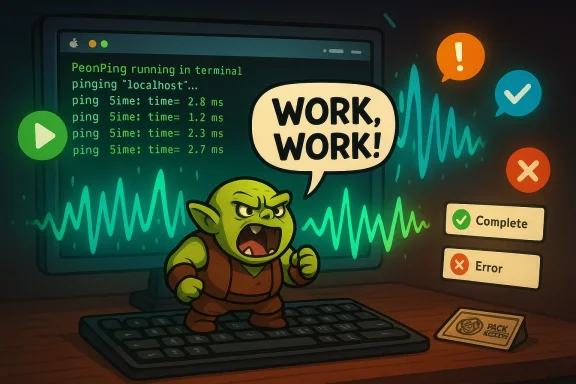
PeonPing turns your silent AI coding agent into a boisterous co‑worker, playing classic video‑game voice lines — most famously the Warcraft III “Work, work” peon — to signal status changes, permission prompts, and completed tasks so you never lose flow to a quiet terminal again.
PeonPing is an open‑source project that attaches sound packs — themed voice lines from games such as Warcraft III, StarCraft, Red Alert 2, Portal, and more — to events emitted by AI coding agents and IDE hooks. The project bills itself as a lightweight solution to a common developer friction: an AI agent running in the background that needs user permission or finishes a long task while you’ve tabbed away, costing you time and focus. By mapping agent events to short, distinctive audio cues and desktop notifications, PeonPing aims to make background automation audible and immediately actionable.
That simplicity is the product’s charm: installation can be a single command, the core is deliberately small (a hook script and a pack system), and it supports multiple agents via adapters. The creator and community contribute sound packs through a small registry model so anyone can add a character, language, or theme.
PeonPing reframes this UX failure as a sensory problem: a silent terminal is easily forgotten, but a distinctive audio cue is not. By combining audio notification, terminal tab indicators, and desktop notifications, PeonPing tries to reduce the cognitive cost of supervising background work and restore rapid context switching. Early coverage and community reactions emphasize how a playful, audible cue can be genuinely practical — not just a novelty.
Community pull requests and pack submissions are an explicit part of the project’s design: packs live in small, auditable manifests and can be reviewed by maintainers before being listed. This registry approach balances discoverability with community moderation.
That said, the project is a microcosm of modern open‑source dilemmas: convenience versus security, nostalgia versus legal clarity, and individual delight versus team consent. How teams manage those tradeoffs will determine whether PeonPing becomes an accepted office tool or remains a fun, personal hack.
At the same time, practical adoption requires attention to legal, security, and accessibility details. Enterprises and cautious teams will want to vet installers, replace or license audio assets, and select workplace‑appropriate packs. For individuals and small teams, PeonPing offers immediate, low‑friction joy — and a surprisingly practical nudge toward less context switching.
Try it as a personal experiment: listen to a peon announce a completed task, and you’ll quickly understand why a small noise can save many minutes of lost concentration. If you plan to deploy it for a team, treat the project as a prototype that needs governance: clear pack choices, vetted installers, and accessible fallbacks will keep the novelty from becoming a nuisance.
Source: Windows Central Work, work like a Warcraft Peon and never miss a terminal notifcation again
 Background / Overview
PeonPing is an open‑source project that attaches sound packs — themed voice lines from games such as Warcraft III, StarCraft, Red Alert 2, Portal, and more — to events emitted by AI coding agents and IDE hooks. The project bills itself as a lightweight solution to a common developer friction: an AI agent running in the background that needs user permission or finishes a long task while you’ve tabbed away, costing you time and focus. By mapping agent events to short, distinctive audio cues and desktop notifications, PeonPing aims to make background automation audible and immediately actionable.That simplicity is the product’s charm: installation can be a single command, the core is deliberately small (a hook script and a pack system), and it supports multiple agents via adapters. The creator and community contribute sound packs through a small registry model so anyone can add a character, language, or theme.
Why this matters: the flow problem PeonPing tries to solve
Developers and engineers increasingly use AI coding agents to scaffold, refactor, test, and even ship code. Those agents often run tasks that either ask for permission (e.g., to write files, push changes, or apply a refactor) or take time to complete. When developers tab away — to Slack, email, or documentation — the agent can sit idle, waiting for a response. The result: lost context, interrupted flow state, and the frequent 10–20 minute cost to get back into concentration.PeonPing reframes this UX failure as a sensory problem: a silent terminal is easily forgotten, but a distinctive audio cue is not. By combining audio notification, terminal tab indicators, and desktop notifications, PeonPing tries to reduce the cognitive cost of supervising background work and restore rapid context switching. Early coverage and community reactions emphasize how a playful, audible cue can be genuinely practical — not just a novelty.
What PeonPing actually does — features at a glance
- Event‑driven audio cues: Plays a short voice line when an agent session starts, needs permission, completes a task, encounters an error, or becomes “annoyed” after repeated prompts.
- Multiple sound packs: Ship with a default set (Orc Peon, Human Peasant, Battlecruiser, Kerrigan, TF2 Engineer, etc.), and community packs expand the catalog to dozens of characters and languages.
- Pack system and community contributions: Add packs by creating a small GitHub manifest and uploading audio files; many contributors already maintain packs in the public registry.
- Terminal tab and desktop notifications: Updates terminal tab titles with project status and issues a desktop notification if the terminal is not focused, providing both audio and visual cues.
- Volume and category controls: Per‑category toggles (greeting, acknowledge, complete, error, permission, annoyed) and volume settings designed to be office‑friendly.
- Cross‑platform support (macOS, WSL2/Windows): Playback techniques differ by platform (macOS uses native audio playback; WSL2 uses PowerShell media players or compatible approaches). The installer advertises both macOS and WSL2 compatibility.
- Adapters for multiple agents: Out‑of‑the‑box adapters are available for Claude Code, Cursor, and other agent environments; the hook model can be extended to others that emit lifecycle events.
Installation and day‑to‑day usage
Installing PeonPing is intentionally low friction. The project advertises a single‑line installer that fetches and executes a shell script to place hooks into your agent setup and download an initial pack catalog. A separate, small CLI exposes commands to list packs, switch active packs, pause/resume audio, and change volume. Typical interaction sequences are:- Run the installer (single curl | bash command or package manager alias).
- Start a coding agent session (Claude Code, Cursor, etc.).
- Hear a short greeting when the session starts.
- If the agent requires permission, hear a prompt line and see a desktop notification.
- On completion, hear a “complete” line and see the terminal tab update.
Integration with AI coding agents and IDEs
PeonPing’s architecture deliberately favors hooks and adapters rather than deep IDE plugins. That design choice lowers the barrier to supporting new agents: if an agent exposes session or notification events — or if a simple wrapper can pipe standard events to a hook directory — the adapter maps those events to sound categories.- Claude Code: native hooks are commonly used; PeonPing’s demo material and many early packs are described specifically for Claude Code sessions.
- Cursor/OpenCode/Codex: adapters exist or community adapters can be created to translate agent webhooks or local client events into PeonPing events.
Licensing, assets, and legal considerations
PeonPing is published under an MIT‑style project license on GitHub, but the audio content raises separate legal questions. The project and its site explicitly state that sound files are the property of their respective publishers (for example, Blizzard or EA) and that packs include those files for convenience in the repository. That disclosure is critical: the code itself can be permissively licensed, while the audio assets may remain copyrighted by third parties. This split has two practical consequences:- Contributors and pack creators should be careful when adding copyrighted audio: bundling and redistributing game audio without publisher permission can create legal exposure.
- Organizations with strict compliance or redistribution policies should audit packs and consider using self‑produced or properly licensed audio to avoid IP risk.
UX, accessibility, and workplace etiquette
PeonPing’s “novelty plus utility” appeal is obvious, but meaningful UX and accessibility design choices matter if the tool is used in professional settings.- Accessibility: audio cues help hearing users, but for colleagues who are deaf or in noisy environments, PeonPing’s visual cues (terminal tab titles and desktop notifications) must be relied upon. The project provides those visual fallbacks, but teams should consider shared settings or toggles to avoid creating accessibility gaps.
- Noise etiquette: media coverage and user reports emphasize volume controls and per‑category toggles to minimize disruption. An office that tolerates a peon shouting “Work, work” may not welcome a Duke Nukem or Tony Soprano pack with explicit language. The ability to pause and lower volume is therefore essential for real workplace usage.
- Customization: the pack system is a double‑edged sword — it allows teams to choose tasteful or branded notification sets, but it also makes it easy to introduce jarring or inappropriate lines. Admin policies or a curated internal pack registry could reduce friction for teams adopting the tool.
Security, privacy, and operational risks
PeonPing operates at the intersection of developer tooling and system integration, which raises several operational considerations:- Execution model: many installer scripts that run via a single curl | bash command are convenient but increase risk if a repository gets compromised. Best practice: review the installer script before executing it on production machines and prefer package manager installs when available.
- Data exposure: the audio system itself does not need access to source code, but adapters that integrate with agent sessions may require tokens or API keys. Those adapters need secure handling and storage of secrets; the project’s README and community guidance should be consulted before running adapters that accept credentials.
- Supply chain and package integrity: the project hosts install scripts and plays media assets from the repository. Teams with strict supply‑chain controls should vendor the code and assets and validate integrity rather than rely on remote curl installs. This is especially important in regulated environments.
Community response and momentum
PeonPing’s mixture of nostalgia and practicality has made it a fast viral hit in developer circles. The project’s demo pages and social posts show rapid star growth, incoming pull requests for new packs, and widespread sharing across platforms like Hacker News and social feeds. Media outlets from a regional tech blog to Golem.de covered the project within days, highlighting both the humor and the practical problem it addresses. That momentum matters: a spirited contributor base helps keep pack quality high, adds language support, and flags problems quickly.Community pull requests and pack submissions are an explicit part of the project’s design: packs live in small, auditable manifests and can be reviewed by maintainers before being listed. This registry approach balances discoverability with community moderation.
Critical analysis — what PeonPing gets right
- Solves a genuine friction point with small, focused UX changes. The problem (silent agents that waste developer time) is real and measurable in daily workflows. PeonPing’s event→sound mapping is a low‑cost, intuitive intervention that reduces oversight friction.
- Low barrier to adoption. A single‑line installer, CLI controls, and simple pack toggles make the tool approachable for individual developers and hobbyists.
- Modular, community‑driven pack system. Rather than hardcoding voices, the project empowers contributors to add languages and characters, increasing adoption and cultural relevance.
- Visual fallbacks and pause controls. Recognizing that audio isn’t always appropriate, PeonPing includes desktop notifications and pause functionality to fit a range of contexts.
Risks, limitations, and unanswered questions
- Copyright and licensing exposure. The code is MIT, but many included sound packs are game audio clips owned by publishers. Until rights are cleared, redistributing or bundling those files remains legally risky — especially for enterprises that redistribute tooling internally or to customers. Users should assume the audio files may not be licensed for redistribution.
- Operational hygiene with one‑line installers. The convenience of curl|bash comes with supply‑chain concerns. Organizations should vet scripts or vendor the code rather than run remote installers in sensitive environments.
- Noise and workplace appropriateness. Not every team will tolerate audible gaming lines. The potential to pick offensive or jarring packs means adoption will be cultural; default packs should be workplace‑safe and easily auditable.
- Agent integration fragility. Because PeonPing relies on adapters, its robustness depends on upstream agent event models and their stability. Changes in an agent’s event hooks could break notification reliability until adapters are updated.
- Accessibility tradeoffs. While visual fallbacks exist, the product’s playful nature could inadvertently favor certain sensory modalities over others unless teams take care to configure appropriate fallbacks.
Practical guidance for teams and individuals
If you’re curious and want to try PeonPing with minimal risk, consider this checklist:- Test locally in a personal, non‑production environment. Use the pause and volume controls to fine‑tune behavior.
- Inspect the installer script before running it. Prefer cloning the repository and reviewing code where organizational policy requires it.
- Review packs for licensing: remove or replace copyrighted game audio if you plan to redistribute the tool internally. Consider creating a small in‑house pack of original, licensed lines for teams.
- Configure per‑agent adapters with secret management best practices — do not store agent tokens in plain text or world‑readable locations.
- Start with a conservative default pack for team adoption (short, polite lines only) and pilot the tool with a small group to collect feedback.
The broader signal: playful tooling as productivity infrastructure
PeonPing illuminates a broader trend in developer tooling: small, delightful integrations can materially affect productivity. Not every ergonomics problem requires a heavy investment — sometimes a short, well‑timed audio cue and a clear desktop notification are enough to preserve a developer’s time and concentration. The community response to PeonPing — rapid pack contributions, media coverage, and social sharing — shows appetite for tooling that mixes utility with personality.That said, the project is a microcosm of modern open‑source dilemmas: convenience versus security, nostalgia versus legal clarity, and individual delight versus team consent. How teams manage those tradeoffs will determine whether PeonPing becomes an accepted office tool or remains a fun, personal hack.
Conclusion
PeonPing is a tidy example of how a narrowly scoped, well‑executed idea can bridge the gap between amusement and productivity. By converting silent agent lifecycle events into unmistakable audio and visual signals, it addresses a real developer pain point — losing context to background automation — and does so in a way that invites community creativity. The project’s design (hooks, packs, CLI controls) makes it easy to adopt and extend, while the community response demonstrates immediate resonance.At the same time, practical adoption requires attention to legal, security, and accessibility details. Enterprises and cautious teams will want to vet installers, replace or license audio assets, and select workplace‑appropriate packs. For individuals and small teams, PeonPing offers immediate, low‑friction joy — and a surprisingly practical nudge toward less context switching.
Try it as a personal experiment: listen to a peon announce a completed task, and you’ll quickly understand why a small noise can save many minutes of lost concentration. If you plan to deploy it for a team, treat the project as a prototype that needs governance: clear pack choices, vetted installers, and accessible fallbacks will keep the novelty from becoming a nuisance.
Source: Windows Central Work, work like a Warcraft Peon and never miss a terminal notifcation again
