

The Department for Business and Trade’s (DBT) recent migration from Windows 10 to Windows 11 is a useful case study in doing enterprise upgrades the right way: technical compatibility mattered, but what made the difference was a deliberately human‑centred programme of communication, flexibility, accessibility and measured support. DBT framed the work not as a systems exercise but as a people project, and the result—an upgrade programme they describe as successful—offers practical lessons for IT leaders facing the same deadline pressures and user anxieties.
DBT’s results—hub engagement, webinar attendance and positive post‑upgrade feedback—are encouraging, but they are organisational metrics rather than independently audited benchmarks. Still, when those human‑centred practices are combined with thorough technical validation (pilot rings, firmware and driver coordination, rollback plans), they create a robust, repeatable migration pattern that other public‑sector and enterprise teams can adopt with confidence.
Practical checklist (one‑page summary)
Source: UKAuthority Human-centric Windows 11 upgrade lessons from DBT | UKAuthority
 Background
Why the push to Windows 11 accelerated
Microsoft ended standard support for Windows 10 on October 14, 2025, forcing organisations that rely on monthly security servicing to choose between upgrading, enrolling in an Extended Security Updates (ESU) programme, or accepting elevated risk on unsupported devices. That transition created a hard deadline for many public‑sector and corporate IT teams and turned what might otherwise have been a multi‑year migration into a concentrated programme of work. Windows 11 itself brings a number of security and productivity enhancements that make the migration compelling for modern organisations: hardware‑backed security primitives (TPM 2.0, Secure Boot, virtualization‑based protections), integrated identity and ransomware mitigations, and productivity features such as Snap Layouts and built‑in AI assistance that organisations are packaging into modern workplace strategies. Microsoft documents these capabilities as core benefits of moving to Windows 11.The people problem, not the technical problem
DBT’s account underscores an important truth: while IT will often focus on images, driver packs and compatibility matrices, the main friction point in real‑world migrations tends to be user uncertainty—habit disruption, fear of data loss, and anxiety about losing familiar workflows. DBT’s senior engagement manager framed the challenge around emotional reactions to change: people form habits and routines, and disruption to those routines creates legitimate worry that must be addressed as part of the upgrade plan.What DBT did — a pragmatic, human‑centred playbook
DBT’s blog sets out a compact, repeatable model that other organisations can adopt. The programme comprises five interlocking components: clear early communication, user segmentation, an accessible single‑source hub, flexible delivery options, and targeted accessibility support. Each element is simple individually; combined they substantially reduced friction.1) Early, targeted communication
DBT started by making why the upgrade mattered explicit and by reassuring colleagues that Windows 11 would feel familiar in many ways. Communications explained the reasons (security lifecycle), the benefits (security, efficiency), and what would remain the same—reducing the cognitive load of the move. The team also used a dashboard to let colleagues see whether their device needed upgrading and what to expect, which gave people agency and reduced uncertainty. Why this works: early, targeted information reduces perceived risk. When people know the timeline and the likely changes to their day‑to‑day tools they are more likely to engage positively.2) Segment users by disposition
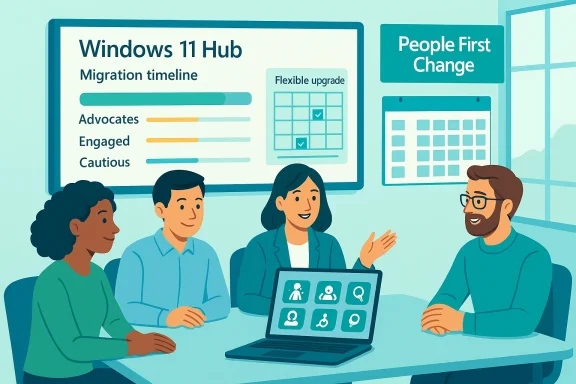
Rather than a one‑size‑fits‑all approach, DBT identified three broad cohorts:- Advocates — users who welcomed the upgrade and needed minimal support.
- Engaged — users willing to upgrade but cautious.
- Cautious — users worried about loss of usability, data or accessibility.
3) A single, plain‑language resource: the Windows 11 Hub
DBT created a central “Windows 11 Hub” with step‑by‑step guidance written in non‑technical language. The Hub consolidated the timeline, checklists, FAQs, and troubleshooting steps in one place; DBT reports the Hub received over 2,000 unique views and that colleagues valued its clarity. That Hub became the authoritative place for both self‑service and helpdesk staff. (Note: the Hub metrics and survey figures are DBT’s internal measures reported in their blog and repeated in coverage; they are the organisation’s own figures and not independently audited.4) Flexibility in when and where upgrades occurred
DBT anticipated that physical upgrade work, reconfiguration and sign‑in could take up to two hours, so they offered multiple times and locations and allowed people to reschedule. The mobility and flexibility reduced the practical barriers to participation and communicated respect for users’ calendars. A simple accommodation—more appointment slots—translated into materially better uptake and less disruption.5) Accessibility first
DBT worked with specialist accessibility teams to ensure assistive technologies (screen readers, alternative input methods) were pre‑installed and validated on replacement machines and offered tailored support for colleagues who couldn’t attend in person. Accessibility was treated not as an afterthought but as a delivery requirement. Colleagues with assistive tech reported that the Hub and support channels worked well with their needs.Reinforcement: webinars and follow‑up
To build confidence, DBT ran webinars showcasing Windows 11 features; over 500 colleagues attended these sessions, according to DBT’s report. The post‑upgrade survey showed 70% of respondents said the migration “worked as expected.” Again, these are DBT’s internal evaluation metrics but they are consistent across DBT’s blog and secondary reporting.Why DBT’s approach matters: analysis and verification
DBT’s results align with established best practice from enterprise upgrades and change management. Independent practitioner guidance highlights the same themes: pilot and validate on representative hardware, use phased rollouts and pilot rings, maintain backups and rollback plans, and treat UI changes as UX projects that require pilot testing and help‑desk playbooks. These community recommendations mirror DBT’s approach and provide a complementary validation of the model.Strengths: what DBT did well
- User‑centred communications removed ambiguity and gave colleagues an expectation map.
- Segmentation ensured resources were directed to the highest‑value targets.
- Single‑source hub reduced the cognitive overhead of hunting for guidance.
- Operational flexibility respected users’ time and reduced business disruption.
- Accessibility integration ensured compliance and maintained inclusion rather than retrofitting it.
Risks and caveats
- Metric provenance: Turnkey metrics such as “2,000 unique Hub views” and “70% satisfaction” are internally reported. While they are useful signals, they should be treated as organisational outcomes rather than independently audited benchmarks. Public coverage repeats DBT’s numbers but does not independently validate them. Flagging this maintains rigour: internal survey results can be skewed by response bias and the timing of measurement.
- Hidden technical debt: DBT’s narrative focuses on human outcomes, but platforms often hide edge‑case driver, firmware or middleware problems that appear only after broad rollout. This is why pilot rings and staged deployments remain essential—community guidance underscores that driver mismatches, third‑party middleware, and OEM firmware are frequent sources of regressions.
- Perception of coercion: When vendors or platform owners use automated background downloads or enablement packages to accelerate upgrades, users sometimes perceive the move as forced. Clear messaging about control and fallback options is essential to preserve trust; DBT’s emphasis on explaining the choice helps mitigate this. Microsoft’s formal end‑of‑support messaging also frames the upgrade as a security imperative, which changes the tone of the conversation in practice.
A practical playbook: steps to run a human‑centred Windows 11 migration
Below is a condensed, actionable playbook distilled from DBT’s approach and corroborated by independent practitioner guidance. These steps are written for an IT leader planning an organisation‑wide migration.- Create a clear policy baseline and timeline
- Confirm end‑of‑support dates, ESU options and any regulatory obligations.
- Publish a timeline with milestones and rollback points.
- Run a compatibility inventory and pilot
- Use asset discovery to classify devices by upgradeability (eligible, upgradable with firmware, incompatible).
- Pilot on representative hardware and user personas before broad rollout. Community best practice emphasises representative test matrices across hardware classes.
- Segment users and tailor comms
- Identify advocates, engaged and cautious cohorts.
- Create targeted comms (what it means for you, how long it will take, where to get help). DBT’s segmentation improved uptake and reduced anxiety.
- Build a single, plain‑language hub
- Consolidate guidance, troubleshooting, appointment booking and recovery instructions in one place.
- Keep language non‑technical and provide multiple formats (downloadable docs, short videos, transcripts).
- Offer flexible upgrade windows and locations
- Allow users to book slots that fit their schedules, and enable onsite or remote upgrade support for those who cannot attend in person. DBT’s flexible scheduling lowered the practical friction of upgrade appointments.
- Prioritise accessibility and reasonable adjustments
- Pre‑install and validate assistive tech, and ensure staff are ready to support screen readers and other accommodations from day one.
- Provide remote support paths for colleagues who cannot come onsite.
- Provide live reinforcement (webinars, demos)
- Use short, feature‑focused sessions to show how Windows 11 saves time (Snap Layouts, File Explorer recommendations, Copilot when applicable).
- Record webinars and index clips in the Hub for just‑in‑time learning. DBT’s webinars were a successful confidence builder.
- Measure, iterate, and report
- Track hub usage, appointment uptake, helpdesk tickets by cohort, and a brief post‑upgrade survey about experience.
- Treat early adoption as a learning wave: refine communications and troubleshooting scripts for subsequent waves.
Technical checklist for IT teams
- Validate firmware and driver readiness with OEMs; ensure BIOS and chipset updates are staged as needed.
- Maintain an image and rollback strategy; verify recovery media and test restores for representative devices.
- Use staged deployment tools (Windows Update for Business, Intune, WSUS) and create pilot/prod rings to limit blast radius. Community guidance repeatedly stresses pilot rings and phased rollouts as core mitigations.
- Protect metered connections by providing ISOs or alternative distribution mechanisms for users with constrained bandwidth.
- Document helpdesk scripts for common post‑upgrade tasks (re‑registering apps, credential reconnection, assistive tech validation).
Accessibility: practical steps and common pitfalls
DBT’s example shows the payoff of prity early. Specific actions to replicate:- Pre‑install screen readers and test with real users prior to handing over devices.
- Provide documentation in multiple formats (Word/PDF transcripts, captioned video, simple one‑page checklists).
- Ensure remote support channels can handle assistive tech troubleshooting (trained agents, escalation path to accessibility specialists).
- Allow extended appointment slots for users who require more time to configure assistive tech.
- Treating accessibility as an afterthought (leading to last‑minute workarounds).
- Assuming vendor defaults will satisfy all assistive‑tech workflows—test with real assistive tech on target hardware.
Measuring success—and recognising limits
DBT reports clear positive signals: Hub traffic, webinar attendance, and a 70% post‑upgrade “worked as expected” score. Those metrics are valuable, but they carry typical limitations: internal survey bias, the timing of measurement, and the absence of independent audits. Public coverage (e.g., trade press) repeated DBT’s numbers, providing some corroboration of the programme’s outcomes while still relying on DBT’s internal reporting. Treat these figures as credible organisational outcomes rather than universal benchmarks. From a technical perspective, success should also be measured using operational indicators:- Reduction in helpdesk escalations for specific apps or drivers.
- Percentage of devices with secure configuration (TPM, BitLocker enabled).
- Patch compliance and vulnerability exposure reduction post‑upgrade.
Final assessment — what other organisations should b migration is not unique in its components, but it is noteworthy in how deliberately it treated the human factors. Key, transferable lessons:
- Start with empathy: system upgrades create emotional as well as technical friction.
- Make the migration intelligible: single‑source hubs, dashboards and plain language reduce anxiety.
- Segment users and match resources: targeted support is ce humane.
- Design for accessibility: inclusion reduces rework and demonstrates organisational values.
- Pilot, measure, iterate: combine qualitative user feedback with objective technical KPIs.
Conclusion
Upgrades are inevitable; how organisations manage them determines whether the experience is disruptive or enabling. DBT’s Windows 11 migration demonstrates that technical success is necessary but not sufficient: the real success factor is how people are supported through change. Clear early communication, empathetic segmentation, a plain‑language hub, flexible logistics and genuine accessibility commitments combine to produce faster adoption, lower support demand and better outcomes.DBT’s results—hub engagement, webinar attendance and positive post‑upgrade feedback—are encouraging, but they are organisational metrics rather than independently audited benchmarks. Still, when those human‑centred practices are combined with thorough technical validation (pilot rings, firmware and driver coordination, rollback plans), they create a robust, repeatable migration pattern that other public‑sector and enterprise teams can adopt with confidence.
Practical checklist (one‑page summary)
- Confirm lifecycle deadlines and ESU options.
- Inventory devices and run a representative pilot matrix.
- Create a single, plain‑language Hub and dashboard.
- Segment users (advocate / engaged / cautious) and tailor comms.
- Offer flexible upgrade windows and remote support.
- Pre‑validate assistive tech and offer reasonable adjustments.
- Maintain image/rollback plans and pilot rings; monitor technical KPIs.
Source: UKAuthority Human-centric Windows 11 upgrade lessons from DBT | UKAuthority
