

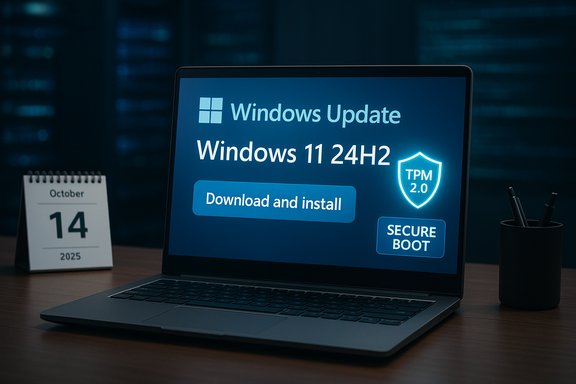
Microsoft’s push to move the Windows ecosystem forward has shifted into high gear: with Windows 10’s official end-of-support date now passed and a targeted, server-side campaign nudging millions toward Windows 11, the company is making the upgrade as visible — and as time-sensitive — as possible for consumers and organizations alike.
Background
Microsoft formally set October 14, 2025 as the end-of-support date for Windows 10, and the company’s guidance is unequivocal: devices running Windows 10 will no longer receive feature updates, security patches, or standard technical assistance after that date. For users who can’t or won’t move immediately to Windows 11, Microsoft has published options — including a consumer Extended Security Updates (ESU) program and guidance to purchase a Windows 11-capable PC — but the vendor’s message is clear: staying on Windows 10 long-term is increasingly risky. At the same time, Microsoft has used a combination of interface changes, a phased rollout of Windows 11 24H2, and background Windows Update component updates to ramp up visibility for the upgrade offer. That orchestration has included a banner in the Windows Update settings encouraging eligible Windows 10 devices to “Download and install” Windows 11 24H2 directly, a change that has been observed across multiple device cohorts during late 2024 and into 2025.Why this matters now
The practical stakes are simple: without security updates you run greater risk of exploitation, and many enterprise compliance regimes require supported operating systems. Microsoft’s recommendation to upgrade to Windows 11 is more than a marketing pitch; it’s designed to preserve the security posture and functional compatibility of billions of devices. The official guidance reiterates that Microsoft 365 apps and other Microsoft services will not be supported on unsupported Windows versions indefinitely, and the vendor is prioritizing Windows 11 as the supported client for its evolving productivity and AI features. At a product level, Windows 11 brings a stack of modern security controls — TPM 2.0 requirements, Secure Boot, virtualization-based security defaults in some configurations — and performance and usability investments that Microsoft argues justify moving to the newer OS. For many users the calculus is simple: keep receiving patches and new features, or accept a progressive decline in support and, potentially, reliability and security.What Microsoft changed in practice: banners, updates and KB5001716
A quieter-but-persistent nudge
The mechanism for nudging users is not a single dramatic change but a layered strategy: server-side banner promotions inside the Windows Update settings, a phased ability to install Windows 11, and updates to Windows Update service components. Observers and multiple outlets have called particular attention to KB5001716, an update that modifies Windows Update behavior and can enable more proactive offering of feature updates as device support windows close. This update is framed by Microsoft as “new user interface functionality” for Windows Update, but its practical impact has been to enable periodic reminders and an upgrade workflow that is harder to ignore.Direct 24H2 offer from Windows Update
Rather than having Windows 10 users install an intermediate Windows 11 build and await further updates, Microsoft began offering Windows 11, version 24H2, as a direct optional upgrade in the Windows Update flow. When eligible devices click “Download and install” on the banner, the workflow can begin installing 24H2 directly, simplifying the upgrade path and reducing friction. Microsoft’s rollout has been phased and conditional — not every device sees the option immediately — but customers are reporting the offer appearing in progressively broader waves.What KB5001716 does (and what it doesn’t)
KB5001716 is a Windows Update components update that has reappeared and been updated since late 2023 and 2024. Officially described as enhancing Windows Update UI and service behaviors, the update’s observable effects include:- Periodic banners and reminders about reaching end-of-support or available feature updates.
- Logic that can prioritize or facilitate the download and offer of newer feature updates (including Windows 11) as older versions approach end-of-support.
- Changes in how upgrade eligibility and “what needs your attention” dialogues surface to end users.
The eligibility and hardware reality: who can upgrade?
Windows 11 retains stricter minimum hardware requirements than Windows 10. The baseline checks remain:- A supported 64-bit processor (with particular generation and model lists maintained by Microsoft).
- TPM 2.0 and UEFI with Secure Boot enabled.
- 4 GB RAM and 64 GB storage minimum (practical usage generally expects more RAM for a responsive experience).
- DirectX 12-capable graphics and a modern display.
Extended Security Updates (ESU): a stopgap with a price
Microsoft has published a consumer-level ESU program intended to buy time for customers who can’t move immediately to Windows 11. The company’s official guidance notes that consumer ESU protection can extend security coverage for up to one year after October 14, 2025. Enterprise ESU programs historically allow for longer-term, paid coverage (multiple years) and are priced differently depending on volume and licensing agreements. Multiple media reports and industry write-ups during the 2024–2025 period referenced proposed or observed ESU pricing bands — including headlines suggesting consumer ESU pricing of roughly $30 per device for one year and escalating enterprise tiers — but the precise tiered prices for business multi-year ESUs can vary by offering and region and should be verified through Microsoft’s commercial channels when planning procurement. Where media outlets reported figures such as $61 for the first enterprise year and higher fees for later years, those figures reflected specific program proposals and reporting at the time; they are useful as planning signals but not a substitute for direct Microsoft commercial pricing confirmation. Readers deciding on ESU purchases should treat these reported amounts as indicative and confirm exact pricing with Microsoft or authorized resellers. Caution: ESU pricing and availability have changed across different Microsoft programs historically; always verify price and licensing terms through official procurement channels before committing.What users and IT teams need to know: practical steps
For consumers and single-device owners
- Run the PC Health Check to confirm Windows 11 eligibility.
- Back up all important files to cloud or external storage before attempting any major upgrade.
- If eligible and ready, check Settings > Windows Update to see if the Windows 11 24H2 offer appears, then follow the upgrade workflow.
- If not eligible or uncertain, consider ESU for temporary protection or plan a hardware refresh.
For IT administrators and organizations
- Inventory: identify devices that do not meet Windows 11 hardware requirements and categorize by business-criticality.
- Pilot: test Windows 11 24H2 in a staged environment with representative hardware and applications before broad deployment.
- Manage Update Behavior: use Group Policy, Intune configuration profiles, or other management tooling to control feature update offers and the visibility of upgrade prompts, particularly for KB5001716-driven behaviors.
- App Compatibility: validate legacy, line-of-business, or custom applications using compatibility tools or sandbox tests. Rewrites, containerization, or virtualization may be required for some legacy software.
- Procurement Planning: if hardware refreshes are necessary, align procurement cycles and trade-in or recycling programs to manage costs and minimize operational disruptions.
Risks, trade-offs and the human factor
Compatibility and workflow friction
Upgrading an entire fleet isn’t risk-free. Legacy apps, aging peripherals, and specialized workflows can fail in surprising ways when the OS changes. The 24H2 direct-offer model reduces update steps but does not remove compatibility testing requirements. IT teams that skip validation risk downtime and user pushback, especially where older applications are business-critical.Perception and consent
Microsoft’s more visible upgrade banners and KB-driven reminders have rekindled memory of previous controversial update campaigns. The line between helpful nudges and perceived coercion is thin; when Windows Update components begin surfacing frequent reminders or upgrade options by default, users who value control over their environment can react negatively. Administrators will need to balance the security imperative against user autonomy, using management tooling to retain user choice where appropriate.Cost and procurement dynamics
For many organizations, the primary cost driver will be hardware refresh cycles rather than the OS itself. Where devices are not eligible, budgets must cover either ESU fees for temporary protection or procurement of new Windows 11-capable devices. For small businesses and consumers, Microsoft’s consumer ESU option offers short-term protection; for enterprises, multi-year ESU contracts can be negotiated but must be weighed against migration and replacement costs. Public pricing reported in the trade press can give a planning sense but should not substitute direct vendor negotiation.The adoption picture: are people moving?
Migration to Windows 11 has been steady but slower than Microsoft expected, largely due to hardware-blocking requirements and user reluctance to change familiar interfaces. Post-EOL telemetry and platform market-share snapshots (for example, Steam hardware surveys and other usage indices) show a persistent Windows 10 presence among certain user groups — notably gamers and users of older hardware — even after October 14, 2025. Migration will continue, but it will not be instantaneous. Organizations should plan for a phased, multi-quarter migration cadence rather than a single “big bang.”Strengths of Microsoft’s approach
- Security-first framing is appropriate: insisting on supported, patched systems reduces the attack surface for all users.
- Streamlined upgrade path (24H2 direct offer) reduces friction for users who are ready and eligible.
- Management hooks (Group Policy, Intune) remain available to administrators who need control.
- The combination of in-place upgrades and ESU provides multiple transition paths for different risk profiles and budgets.
Weaknesses and risks
- Hardware prerequisites lock out a significant installed base, creating political and practical friction.
- The KB5001716-driven nudging can be perceived as intrusive and may increase helpdesk load if users click the offers unintentionally.
- Reported ESU pricing and multi-year enterprise fees are a cost burden for some customers; pricing signals in the press should be verified with Microsoft for procurement accuracy.
Recommendations — a pragmatic migration checklist
- Immediate inventory: run hardware and app inventories to quantify upgradeable devices.
- Prioritize: classify devices into “Upgrade in-place,” “Replace,” and “ESU candidate.”
- Pilot early: deploy 24H2 to a controlled pilot group to validate app and device behavior.
- Communicate: prepare user-facing guidance explaining upgrade benefits, backup steps, and support channels.
- Control rollout: use management tooling to prevent unwanted auto-offers and to schedule upgrades during off-hours.
- Budget and timeline: map procurement cycles and ESU windows to a multi-quarter migration plan.
Final analysis: what this means for Windows users
Microsoft’s “open the door wide” approach toward Windows 11 adoption is a predictable consequence of a software vendor moving its ecosystem forward: end-of-support dates force choices. The company has provided a multi-path migration architecture — free upgrade for eligible devices, ESU for short-term protection, and tooling for IT control — while also using more visible messaging tactics and Windows Update component changes to accelerate adoption.For individual users with compatible hardware, the path is clear and low friction: back up and upgrade to Windows 11 24H2 while the process is streamlined and supported. For enterprises, the decision requires careful planning, app validation and staged rollouts.
Microsoft’s strategy balances product modernization and ecosystem unity against the real-world friction of diverse hardware and legacy software. The result is a near-term push that will accelerate migrations, but one that will require disciplined planning from IT teams and vigilance from consumers as banners and updates continue to appear in the Windows Update experience.
Microsoft’s upgrade agenda is no longer optional for the majority of users who want to remain fully supported and secure; it’s now a planning exercise, a procurement discussion, and, for many, a practical reality. The choice is binary in security terms — remain on an unsupported OS and accept risk, or move to Windows 11 (or a supported alternative) and regain Microsoft’s protective updates and feature roadmap. The banners may be persistent, but the decision should be deliberate: plan, test, and then move.
Source: عالم تسعة https://www.tesaaworld.com/en/news/...es-the-transition-before-a-critical-deadline/
