

Microsoft has set a firm deadline: support for Windows 10 ended on October 14, 2025 — and that change has immediate security, compatibility and cost implications for millions of PCs worldwide.
Windows 10 arrived in July 2015 and became the dominant desktop operating system for a decade. Microsoft always published lifecycle timelines for its Windows releases, and the company formally announced that Windows 10 (version 22H2 and related mainstream SKUs) reached end of support on October 14, 2025. That vendor-declared milestone means Microsoft ceased routine OS servicing — no more monthly cumulative security rollups, feature updates, or standard technical assistance for systems that are not enrolled in a qualifying Extended Security Updates (ESU) program. This is not a “hard shutoff” — PCs running Windows 10 will still boot and run after the date — but the maintenance layer that patches kernel, driver and platform vulnerabilities has stopped for unenrolled devices. Over time, that gap increases the attack surface for malware, ransomware, privilege escalation exploits and other high‑impact threats. Independent press coverage and vendor pages reiterated the same calendar and guidance, so the date and the practical consequences are widely corroborated.
This ambiguity matters for planning: enterprises must rely on their own asset inventories; consumers should use PC Health Check to determine upgrade eligibility for individual machines.
Recommended immediate actions (summary):
Microsoft’s own lifecycle pages and detailed guidance remain the authoritative references for dates, enrollment mechanics and system requirements; corroborating industry coverage explains the wider implications and practical tradeoffs. If procurement or compliance decisions depend on precise numbers, rely on direct inventory and multiple independent vendor analyses before committing significant budgets.
The Windows 10 era was long and consequential; its formal retirement clears the way for a new phase of desktop computing, with modern security baselines and AI‑driven features. The immediate task for users and IT teams is straightforward: inventory, assess, and move deliberately so the transition is managed and secure — not rushed and regretful.
Source: Il Sole 24 ORE https://en.ilsole24ore.com/art/microsoft-pulls-the-plug-on-windows-10-heres-what-to-know-AHWGXWeD/
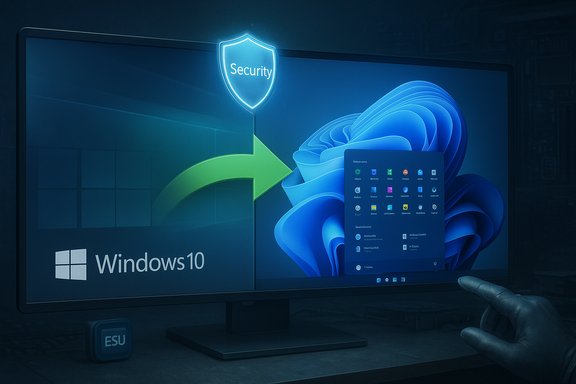 Background / Overview
Windows 10 arrived in July 2015 and became the dominant desktop operating system for a decade. Microsoft always published lifecycle timelines for its Windows releases, and the company formally announced that Windows 10 (version 22H2 and related mainstream SKUs) reached end of support on October 14, 2025. That vendor-declared milestone means Microsoft ceased routine OS servicing — no more monthly cumulative security rollups, feature updates, or standard technical assistance for systems that are not enrolled in a qualifying Extended Security Updates (ESU) program. This is not a “hard shutoff” — PCs running Windows 10 will still boot and run after the date — but the maintenance layer that patches kernel, driver and platform vulnerabilities has stopped for unenrolled devices. Over time, that gap increases the attack surface for malware, ransomware, privilege escalation exploits and other high‑impact threats. Independent press coverage and vendor pages reiterated the same calendar and guidance, so the date and the practical consequences are widely corroborated. What exactly ends — and what continues
Microsoft’s lifecycle and support pages make precise distinctions about what stops and what is preserved after October 14, 2025:- What stops for unenrolled Windows 10 devices:
- Routine OS security updates (monthly cumulative rollups that patch kernel, driver and platform vulnerabilities).
- Feature updates and non‑security quality fixes.
- Standard Microsoft technical support for the retired SKUs.
- What continues in a limited form:
- Application-level servicing: Microsoft committed to continued security updates for Microsoft 365 Apps running on Windows 10 for a limited window beyond the OS cutoff. Microsoft explicitly said security updates for Microsoft 365 Apps on Windows 10 will continue through October 10, 2028, even though the OS itself is out of mainstream support. That is an application‑level exception and does not replace OS‑level patching.
- Microsoft Defender threat intelligence/signature updates and some application updates may continue for a limited period, but these do not remediate unpatched kernel or driver vulnerabilities.
The official escape routes Microsoft offers
Microsoft published three pragmatic options for users and organizations affected by the Windows 10 end of support:- Upgrade to Windows 11 (free for eligible Windows 10 devices running version 22H2 and meeting Windows 11 hardware requirements). Microsoft recommends this as the primary path for staying fully supported and secure. Minimum requirements include a supported 64‑bit CPU, UEFI with Secure Boot, TPM 2.0, at least 4 GB RAM and 64 GB storage. Use the Microsoft PC Health Check tool to verify eligibility.
- Enroll in Consumer Extended Security Updates (ESU) for Windows 10 — a short, time‑boxed security-only bridge that protects eligible consumer devices for one year after the EOS date (the consumer ESU window runs from October 15, 2025 through October 13, 2026). Enrollment routes include a free opt‑in linked to syncing Windows Backup settings to a Microsoft account, redeeming 1,000 Microsoft Rewards points, or a one‑time paid purchase of $30 USD (or local equivalent), which can cover up to 10 devices tied to the same Microsoft account. ESU delivers security-only fixes (Critical and Important) and no new features or broad technical assistance.
- For organizations, Volume Licensing ESU options are available for up to three years (with escalating per‑device pricing). Enterprises can purchase multi‑year ESU contracts through Microsoft’s commercial channels, but those are expressly a migration bridge — not a long‑term support plan. Industry reporting and vendor summaries documented enterprise ESU pricing and year‑by‑year escalations.
Who is affected — and how many machines are we talking about?
Exact, global counts are hard to pin down without access to private telemetry. Multiple independent trackers placed Windows 10’s share of the Windows desktop install base in the mid‑40% range during 2025, which translates into hundreds of millions of PCs affected. Advocacy groups and some research estimates suggested that a substantial portion of those devices might be unable to upgrade to Windows 11 because of Microsoft’s hardware baseline (TPM 2.0 and UEFI/Secure Boot requirements), but these are estimates rather than audited Microsoft inventories. Treat headline totals (e.g., “X hundred million PCs”) as scale indicators, not exact censuses.This ambiguity matters for planning: enterprises must rely on their own asset inventories; consumers should use PC Health Check to determine upgrade eligibility for individual machines.
The technical risks of staying on Windows 10 (unenrolled)
Running an unsupported OS increases risk over time. Key technical consequences:- Unpatched kernel/driver vulnerabilities: Attackers often target unpatched platforms because exploit development against a fixed, unpatched target is easier to scale. Kernel-level bugs enable privilege escalation and remote code execution; without vendor patches, these issues remain exploitable indefinitely on unenrolled systems.
- Compatibility drift: Third‑party software vendors and hardware manufacturers will progressively stop testing and certifying on an unsupported OS. Over months and years that can translate into broken drivers, unreliable peripherals, and applications that no longer function properly.
- Compliance and insurance exposure: Organizations with regulatory obligations (e.g., health, finance, government) may breach requirements that mandate running supported software. Cyber‑insurance policies may also exclude incidents arising on unsupported systems.
- False safety from app updates: Continued updates for Microsoft 365 Apps or antivirus signatures reduce some risk, but they do not close platform-level holes. Microsoft’s own guidance emphasizes that application updates are not a substitute for OS security servicing.
Practical options and step‑by‑step guidance
Below is a prioritized framework for consumers and IT teams to manage the post‑Windows‑10 transition. Think in terms of inventory, protect, migrate.- Inventory everything now
- Create a hardware and software inventory: model, CPU, RAM, storage, TPM status, peripherals, and critical apps. For organizations, feed this into your asset management system. Consumer users should at least note the device make/model and run the PC Health Check app.
- Prioritize risk: remote endpoints and sensitive hosts first
- Identify devices that access sensitive data, remote access tools, VPN endpoints, or host privileged services; move them to supported platforms immediately.
- Check Windows 11 eligibility
- Use PC Health Check or review the Windows 11 system requirements: TPM 2.0, Secure Boot (UEFI), supported 64‑bit CPU, 4 GB RAM, 64 GB storage. If eligible, test the upgrade path on non‑critical devices first.
- If ineligible, plan a mitigation and replacement roadmap
- Short runway: use Consumer ESU for personal devices if you need one year of security-only coverage while you procure replacements or migrate workloads. Enroll via Settings > Update & Security > Windows Update when the enrollment link appears. Note the requirement to sign in with a Microsoft account for some enrollment paths.
- Test application compatibility on Windows 11
- Confirm key productivity suites, line‑of‑business apps, and peripherals on a Windows 11 pilot image. For enterprises, stage testing in lab and pilot groups.
- Hardening and isolation as stopgaps
- Where immediate migration is impossible, harden endpoints: enable multi‑factor authentication (MFA), reduce admin privileges, segment networks, deploy modern Endpoint Detection and Response (EDR), keep browsers and applications updated, and restrict internet exposure. These mitigations reduce but do not eliminate the lack of OS patches.
- Consider alternative OSes for unsupported hardware
- If hardware is permanently incompatible with Windows 11 and replacement is not feasible, investigate secure Linux distributions (Ubuntu, Fedora) or ChromeOS Flex where appropriate, especially for web‑centric workflows. These options require migration testing and user training. Independent coverage recommended Linux/ChromeOS as pragmatic fallbacks for many consumers.
Cost and procurement considerations
- Consumer ESU is inexpensive as a bridge ($30 covers up to 10 devices tied to a Microsoft account, or redeemable via 1,000 Rewards points, and there’s a free opt‑in for certain settings backups), but it’s strictly a one‑year safety valve — not a long‑term plan. Businesses should budget for enterprise ESU if they need more runway; that cost is per‑device and typically escalates year over year. Treat ESU as insurance to buy time, not as a replacement for migration planning.
- Replacing hardware is the long‑term solution. Microsoft and OEM partners are marketing new Windows 11 (Copilot+ and AI-enabled) PCs aggressively, and many retailers are offering trade-in, recycling and financing options. When budgeting, compare total cost of ownership: keep‑and‑ESU vs. upgrade hardware vs. migrate to an alternative OS. Environmental and equity costs — e‑waste, device affordability for lower-income households — are significant considerations that consumer groups raised during the lifecycle debate.
Enterprise-specific guidance
For IT organizations the clock is different but the actions are the same: inventory, test, schedule, and execute.- Quantify the fleet: vendor telemetry is not a substitute for your asset register. Use discovery tools and rebuild inventories where necessary.
- Decide on ESU for critical legacy systems: ESU via Volume Licensing can be purchased for up to three years in enterprise contexts, but the per‑device price is typically higher than the consumer option and will step up each renewal year. Use ESU to keep mission‑critical devices secure while you validate replacements or application refactors.
- Prioritize remediation: replace or upgrade internet‑facing servers and admin workstations first. Enforce conditional access, zero‑trust segmentation, and least privilege for accounts.
- Regulatory and procurement impact: map regulatory obligations to supported‑software requirements; plan procurement windows so replacements are acquired before compliance deadlines and budget cycles.
Myths, misreads and claims that need cautious treatment
- “Microsoft will remotely disable Windows 10 on October 14, 2025.” False. Microsoft explicitly clarified that devices will continue to boot and run; only vendor support and updates cease for unenrolled systems. The change is a vendor lifecycle cutoff, not a kill switch.
- “All Office apps will stop working on Oct 14, 2025.” Not accurate. Microsoft 365 apps will continue to run but will see reduced support on Windows 10; Microsoft will continue delivering security updates for Microsoft 365 Apps on Windows 10 through October 10, 2028. This is an application‑level exception and does not substitute OS patching.
- “Exactly X million PCs are stranded and cannot upgrade to Windows 11.” Numbers circulating in the press vary and are estimates based on market‑share trackers and compatibility analyses. Use these as scale indicators; rely on local inventories for procurement and compliance planning.
What to watch in the months ahead
- ESU enrollment windows and regional policy updates. Microsoft’s consumer ESU program has multiple enrollment options and regional nuances; verify the mechanics in your region and watch for changes to the free opt‑in flows and Microsoft account requirements. Recent reporting flagged that some enrollment paths require linking devices to a Microsoft account.
- Microsoft 365 app servicing schedules. Microsoft published Version 2608 and gave staggered timelines for feature updates across channels; security updates for Microsoft 365 Apps on Windows 10 will continue into 2028. If your workflows rely heavily on Office, understand the channel timelines to avoid surprises.
- Third‑party vendor announcements. Many ISVs will publish compatibility or end‑of‑support notices tied to Windows 10 EOS. Track vendors for mission‑critical software and device drivers.
Bottom line and recommended next steps
The Windows 10 end-of-support milestone is a vendor‑policy inflection point with real operational consequences. The safest path is to migrate to a supported platform — typically Windows 11 on eligible hardware — but Microsoft’s consumer and enterprise ESU programs provide time‑boxed options for households and organizations that need a bridge.Recommended immediate actions (summary):
- Inventory every Windows 10 device now and tag eligibility for Windows 11.
- For eligible devices, schedule staged Windows 11 upgrades. Test apps and drivers first.
- For ineligible or legacy devices, plan replacement, migration to alternative OSes, or enroll in ESU as a strict temporary measure.
- Harden and isolate high‑risk endpoints while migration proceeds: apply network segmentation, MFA, EDR, and least‑privilege principles.
Microsoft’s own lifecycle pages and detailed guidance remain the authoritative references for dates, enrollment mechanics and system requirements; corroborating industry coverage explains the wider implications and practical tradeoffs. If procurement or compliance decisions depend on precise numbers, rely on direct inventory and multiple independent vendor analyses before committing significant budgets.
The Windows 10 era was long and consequential; its formal retirement clears the way for a new phase of desktop computing, with modern security baselines and AI‑driven features. The immediate task for users and IT teams is straightforward: inventory, assess, and move deliberately so the transition is managed and secure — not rushed and regretful.
Source: Il Sole 24 ORE https://en.ilsole24ore.com/art/microsoft-pulls-the-plug-on-windows-10-heres-what-to-know-AHWGXWeD/
