

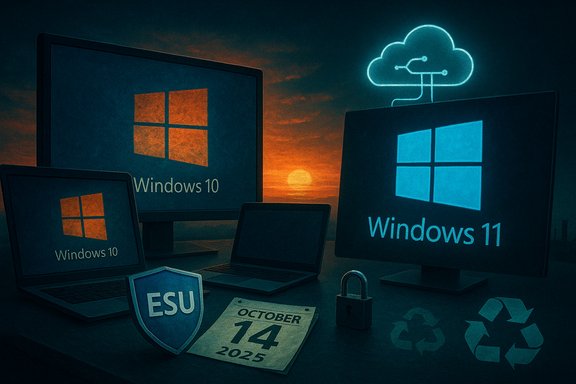
Windows 10’s formal, calendar-driven life ended with a quiet inevitability: Microsoft pulled the plug on routine, free OS servicing on October 14, 2025, but the platform’s influence — and the messy legacy it leaves behind — continues to shape Windows’ future and how millions of people use their PCs. What began in 2015 as Microsoft’s “last” major Windows release evolved into a decade-long experiment in continuous delivery, compatibility-first engineering, and gradual consumer conditioning for cloud and security-driven defaults. In its final year Windows 10’s retirement crystallized three realities: Microsoft’s business and engineering priorities have shifted decisively to Windows 11 and new devices; large portions of the install base remain on older hardware that may never meet Windows 11’s gatekeeping requirements; and the technical, environmental, and policy consequences of a mass migration are now unavoidable. This piece looks back at what Windows 10 got right, what it broke or baked into Windows’ future, and what the immediate fallout has been in the year Microsoft technically “died.”
Background / Overview
Windows 10 launched as a course correction from the missteps of Windows 8: it restored a familiar desktop experience, reintroduced a usable Start menu, and embraced a cadence of frequent feature and security updates. For ten years it was Microsoft’s flagship desktop platform and, by many measures, the company’s most successful modern OS release. Microsoft’s lifecycle policy was always finite: after years of public reminders the company set a hard, non-negotiable end-of-support date of October 14, 2025. That date means Microsoft stopped providing routine OS-level feature and quality updates to ordinary Windows 10 installations; a narrowly scoped Extended Security Updates (ESU) program was published to give consumers and organizations a time‑boxed runway for selected security fixes. Microsoft’s lifecycle pages and associated ESU documentation lay out those mechanics and enrollment paths in plain terms. At the same time, the practical picture is more complex than the words “end of support” imply. Microsoft extended signature and application-level protections beyond October 2025 — Microsoft Defender intelligence updates, Microsoft Edge and WebView2 servicing, and Microsoft 365 Apps security servicing continue on separate timelines — but these are application-layer continuations, not substitutes for OS-level kernel and driver fixes. For many users those continuing protections reduce short-term risk, but they do not make an unsupported OS safe indefinitely.What Windows 10 got right — the high points
Windows 10 is widely regarded as a major success for several practical and structural reasons. These are the achievements that shaped modern Windows and continue to inform Microsoft’s platform strategy.1. Compatibility and gradualism: an enterprise-friendly model
Windows 10’s core promise was compatibility: it kept legacy API behaviors while layering modern features on top, and Microsoft invested heavily in long-term stability. That made Windows 10 the safe choice for enterprises and software vendors, and it underpinned a decade of slow-but-steady modernization without forcing wholesale rewrites. The decade-long lifecycle and broad driver and app compatibility are what allowed companies to adopt Windows 10 at scale and avoid costly forklift upgrades.2. The developer renaissance: WSL, Terminal, and better tooling
Few things changed Windows’ developer perception more than the Windows Subsystem for Linux (WSL) and the new Windows Terminal. WSL reintroduced a viable, first-class Unix-compatible development environment on Windows, dramatically reducing the friction for devs who previously favored macOS or Linux. Windows Terminal modernized shell interaction and set a new baseline for terminal experiences on Windows. Those tools helped keep the platform relevant to contemporary developer workflows.3. Improved core user experience
Windows 10 gradually matured into a polished desktop: improved DPI scaling, Snap assist and window management refinements, and accessibility improvements made it a broadly usable system on varied hardware. The update-driven model also enabled Microsoft to deploy incremental UX and performance improvements without waiting years for a large release.4. Security architecture improvements
Over the Windows 10 era Microsoft raised the baseline security posture of the OS — virtualization-based protections, memory integrity features, and tighter default policies began to reduce attack surface in meaningful ways. Those investments set the stage for stronger security assumptions that Microsoft made explicit with Windows 11.What Windows 10 planted that later became complaints in Windows 11
Windows 10’s decade of iterative improvements also normalized patterns and trade-offs that later hardened into user complaints: telemetry by default, tighter integration with Microsoft services, and an update-first attitude that sometimes prioritized platform-wide consistency over user control.1. Telemetry and diminishing user agency
Windows 10 introduced a much more prominent telemetry and diagnostics pipeline, and while enterprise SKUs offered more control, home and Pro users often felt ownership slipping away. That baseline assumption — that a level of telemetry is necessary to secure and service the OS — became a continuing source of friction for privacy-minded users and has been amplified in later Windows versions. Evidence of this erosion of perceived control is present across community reporting and echoed in the migration debates that followed the 2025 cutoff.2. Update policies that reduced local control
The move to a continuous-servicing model made security faster but also introduced “update fatigue”: forced restarts, occasional regressions after feature updates, and opaque retry cycles left many users frustrated. The expectation that Microsoft’s servers will push changes to a broad population — and that users should accept them — fed into a narrative that Microsoft controls user machines in ways some users dislike.3. Defaulting to Microsoft services
Windows 10 normalized the use of OneDrive, Microsoft accounts, and Edge defaults. For many users these conveniences were welcome, but for others they felt like an erosion of local-first workflows. These patterns became more visible and more criticized when Microsoft tied certain post‑EOL benefits (such as a free year of ESU in some enrollment paths) to account- and cloud-based enrollment mechanisms.The migration: market signals and timing
The final year of Windows 10’s servicing life was a turning point. Two pieces of market telemetry matter because they capture different slices of the installed base: StatCounter’s worldwide web-activity tracking and Valve’s Steam Hardware & Software Survey (which reflects the PC-gaming segment).- StatCounter’s July 2025 data showed Windows 11 overtaking Windows 10 globally — a milestone that marked Windows 11’s first lead in the broader desktop market. The shift was the product of steady Windows 11 growth paired with declines in Windows 10 usage as vendors and enterprises accelerated migrations ahead of October 2025. Multiple press outlets reported StatCounter figures placing Windows 11 above Windows 10 in July 2025.
- In gaming telemetry the shift was even starker. Valve’s Steam survey — a monthly, opt-in snapshot of the PC gaming population — documented a fall in the Windows 10 share from roughly the mid‑40s percentage range into the low‑30s by late 2025 (Windows 11 became the clear majority on Steam by mid‑2025 and continued to rise). That movement matters because game developers and anti‑cheat vendors often prioritize the dominant platform inside that ecosystem, which in turn influences official testing and driver support decisions. Valve’s own public survey pages showed Windows 10 at just over 31% in October 2025 and Windows 11 well above 60% in the same snapshot.
The ESU lifeline, free-year mechanics, and the account trade-off
Microsoft did not simply cut off users — it offered a structured bridge and explicit enrollment paths, but those choices came with important caveats.What ESU actually is
- The consumer Extended Security Updates (ESU) program provides security-only patches classified by Microsoft’s Security Response Center (MSRC) for eligible Windows 10 version 22H2 devices.
- Consumer ESU coverage is time‑boxed: Microsoft’s consumer ESU window runs through October 13, 2026. Commercial/enterprise ESU arrangements remain available under separate licensing terms for longer windows and with commercial pricing nuances. Microsoft’s lifecycle pages and ESU documentation are explicit on these points.
The “free year” and the cost of account linkage
To reduce friction for home users, Microsoft provided routes to receive that extra year of security updates without a direct wallet payment: signing in with a Microsoft account and enabling Windows Backup (and certain cloud sync behaviors) could qualify devices for the consumer ESU pathway. In other markets or under other enrollment scenarios Microsoft allowed redemption via Microsoft Rewards or a modest one‑time fee. That trade — file-and-settings sync and account linkage in exchange for short-term security coverage — was contentious for privacy-focused users because it explicitly ties continued vendor servicing to cloud participation. Tom’s Hardware and other outlets documented how ESU enrollment mechanics required account linkage for many eligibility paths.What ESU does not give you
ESU is a bridge, not a full-service renewal: it does not include new features, does not restore full technical support, and does not substitute for long-term platform migration. Organizations and consumers should treat ESU as breathing room to plan upgrades, not as an alternative to migrating to supported platforms.Ecosystem consequences: drivers, games, and app support
The retirement of a major consumer OS is never only a Microsoft problem — hardware vendors, game publishers, and enterprise software vendors must decide where to invest testing and support.Drivers and hardware vendor policies
GPU and peripheral vendors are pragmatic: where there’s a meaningful base of users on an older OS they will often extend driver support, at least for a time. In 2025 we saw vendor-level accommodations (announced driver support extensions) that explicitly recognized the migration timeline and the market realities for gamers and productivity users. Those vendor-backed windows matter because they can blunt the immediate impact of an OS reaching vendor EOL, but they are temporary and frequently tied to specific product families and release cadences.Game publishers and anti-cheat
Game developers and anti‑cheat vendors face a test-and-verify problem: supporting older OS branches imposes QA and operations costs. As Steam’s survey moved decisively toward Windows 11, some publishers began to de-emphasize Windows 10 within their test matrices, which raises practical compatibility questions for titles that ship new anti‑cheat measures or low-level drivers expecting modern kernel features. Valve’s shifting survey numbers were a clear signal to publishers about where the majority of gamers were moving.Apps and cloud services
Microsoft wisely separated application servicing from OS servicing earlier in the decade: Microsoft 365 Apps security updates and Defender definitions continued past Windows 10’s OS lifecycle. That divergence prevented a wholesale collapse of productivity tooling on older devices, but it also highlighted the difference between application-level protection and platform-level patching. Application updates can mitigate some threats, but they cannot fix kernel or driver vulnerabilities.The policy and environmental angle: obsolescence, e‑waste, and equity
A software sunset has consequences that go beyond security headlines: it feeds procurement cycles and consumer behavior that affect device longevity and disposal.- When an OS reaches end-of-support, many organizations — particularly in regulated industries — must migrate to remain compliant. That can accelerate device replacement.
- Repair and refurbish communities responded by advocating reuse and providing migration paths for budget-constrained institutions and households. Those programs help but don’t fully close the gap created by hardware-requirement gates in Windows 11.
- There’s a legitimate debate about whether platform vendors should tie device lifetimes to software-support windows in ways that make hardware replacement a likely outcome. Windows 10’s retirement exposed those tensions and renewed calls for policy considerations that better align software lifetimes with device durability and recycling capacity. Community briefing and forum reporting captured the debate and the practical responses.
What went wrong: notable design mistakes and missed opportunities
Windows 10’s run was not flawless. The platform’s weak spots are instructive because they informed later policy and design choices.1. Feature overreach and flaky experiments
Several of Microsoft’s ambitious platform efforts during the Windows 10 era — universal app promises, phone‑PC convergence, and consumer-facing “creator” features — often failed to attract developer or partner momentum. Features such as Timeline, My People, or Mixer (the latter an entirely separate product that Microsoft ultimately shuttered) were good ideas that lacked ecosystem buy-in and durable investment. The result was a pattern of frequent pivots that eroded user trust in long-term platform commitments.2. Update regressions and operational trust
The continuous-update model brought speed but also occasional high-impact regressions. When update telemetry and delivery are opaque, even a small UI regression — such as a “Your version of Windows has reached the end of support” message appearing incorrectly — can trigger outsized user and admin reactions. The October 2025 servicing wave included UI noise of that sort, underscoring that lifecycle communications must be robust and trusted to avoid unnecessary panic.3. The hardware-gate controversy
Windows 11’s hardware requirements (TPM 2.0, UEFI Secure Boot, and Microsoft’s supported CPU lists) are defensible on security grounds, but they excluded a sizable population of otherwise serviceable PCs. That hard gate created a political and social problem: who absorbs the upgrade cost? The debate over whether security-by-hardware gatekeeping is worth the environmental cost of accelerated replacement remains unresolved and is one of the defining legacies of the Windows 10→11 transition.Practical guidance distilled from the Windows 10 finale
- If a device is still running Windows 10 and is critical to your work, enrollment in ESU (consumer or commercial as appropriate) is a practical, short-term risk mitigation strategy. Treat it as a transition tactic, not a long-term plan.
- For consumer devices that can upgrade to Windows 11, perform hardware and app compatibility checks, back up data, and plan a staged migration rather than a last‑minute rush. Modern hardware also unlocks new Windows 11 features and on-device AI in Copilot‑enabled devices.
- For older devices that cannot meet the Windows 11 gates, consider secure alternatives: a managed Linux desktop, ChromeOS Flex on compatible hardware, or a migration to a cloud PC service where the host OS is kept current. Those choices trade local feature parity for longer-term security and lower replacement costs.
- For enterprises and IT pros: prioritize assets by business impact, automate the inventory and readiness checks, and validate driver pipelines with vendors that have committed to extended Windows 10 servicing if physical replacements are constrained. Vendor promises to extend drivers are helpful but time‑boxed.
Final assessment: Windows 10’s legacy is mixed but durable
Windows 10 is rightly remembered as a pragmatic, broadly successful release that stabilized Microsoft’s desktop platform and made key investments in developer tooling, compatibility, and security. Its rolling update model modernized how Windows evolves, and innovations like WSL and the Terminal are enduring wins.But those same choices introduced a new set of trade-offs: reduced local control for some users, an update-driven servicing posture that sometimes created disruption, and patterns of product experimentation that left orphaned features. When Microsoft finally drew a line under Windows 10, those design and policy choices shaped both the migration experience and the political economy of obsolescence.
Technically, Windows 10 did not die overnight. Microsoft’s ESU program, coupled with continued app- and signature-level updates, turned the October 14, 2025 cutoff into a managed transition for many users. Practically, though, the EoS date marked a clear inflection point: vendor priorities shifted, market telemetry favored Windows 11 in both StatCounter and Steam slices, and the software‑ecosystem began re-aligning its testing and support posture around the newer baseline. Those outcomes were predictable — but predictable does not mean painless.
Windows 10’s decade shows the value of steady iteration and the perils of platform pivoting without durable ecosystem buy‑in. Its final act should force a sober conversation about software lifetimes, sustainability, and what it means for users when an OS vendor decides its era is over. The OS may be “technically” dead on a lifecycle calendar, but its lessons — and the millions of machines it still powers — will be with us for years to come.
Source: Ars Technica Remembering what Windows 10 did right—and how it made modern Windows more annoying
