

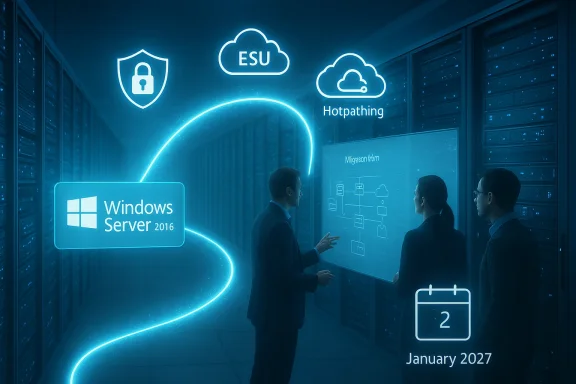
Microsoft has set a firm deadline: extended support for Windows Server 2016 ends on January 12, 2027, and organizations still running that platform need a concrete, time‑bound migration and risk‑mitigation plan now. ([techcommunity.micrchcommunity.microsoft.com/blog/windows-itpro-blog/plan-for-windows-server-2016-and-windows-10-2016-ltsb-end-of-support/4496136)
Background
Windows Server 2016 shipped in 2016 and has been a backbone for countless datacenter and on‑premises workloads ever since. As with all Microsoft fixed‑lifecycle products, it moves through mainstream and extended support phases; once extended support ends, Microsoft stops delivering security updates, non‑fficial support channels. That final extended‑support cutoff for Windows Server 2016 is January 12, 2027.Microsoft’s public guidance explicitly recommends upgrading to a later Windows Server LTSC release—most prominently Windows Server 2025—and it has published migration suggestions and a short‑term safety valve in the form of an Extended Security Updates (ESU) offering for customers who cannot finish migrations before the deadline. Pricing details for ESUs across specific SKUs were promised to follow; the company said ESUs would be purchasable through Volume Licensing and Cloud Solution Providers beginning in Q2 2026.
What this change means — the immediate, concrete impacts
- Security updates stop. After January 12, 2027, Windows Server 2016 will no longer receive monthly security through Windows Update or other standard channels. This raises immediate exposure to both newly discovered and previously unknown vulnerabilities.
- Compliance and audit risk increases. Regulatory regimes that require vendor‑supplied security patches or supported software will treat servers running an out‑of‑support OS as non‑compliant. This can affect PCI, HIPAA, SOC audits, and public‑sector requirements.
- Support lifelines will be time‑limited and costly. Microsoft’s ESU program has historically been available as a temporary measure, and the company is signaling the same approach for these 2016 products: a limited, paid bridge that’s intentionally priced to encourage migration. Expect escalation in ESU fees over successive years if your organization relies on them. Coverage and pricing for Server 2016 ESUs were to be announced separately; until those prices are confirmed, treat ESU as a temporary and potentially expensive stopgap.
- Operational friction. A mix of older hardware, legacy drivers, and outdated third‑party apps commonly paired with Server 2016 can make in‑place upgrades risky. In many cases, a lift‑and‑shift to newer hosts or a controlled rep will be the safer option.
Why the January 12, 2027 date matters — timing and planning calculus
Start with the calendar: today’s date and the deadline make migration a medium‑term project with immediate subtasks. For most organizatiog hundreds or thousands of server instances off Server 2016 requires 9–18 months of coordinated work across app owners, security, operations, procurement, and compliance.Key planning anchors:
- Inventory and prioritization should start immediately. Identify every Server 2016 instance, including test/dev hosts, domain controllers (special care required), backup servers, appliance‑style deployments, and embedded systems. Don’t forget shadow or forgotten VMs.
- Application compatibility testing must run early. Some line‑of‑business applications were tied to older APIs or drivers; testing early exposes blockers that determine whether an in‑place upgrade, rehost, or application refactor is needed.
- Hardware lifecycle alignment. If servers are near end‑of‑life for hardware, factor in refresh costs. Newer Windows Server releases (2025 and later) also assume modern firmware features such as UEFI/Secure Boot and Virtualization‑Based Security (VBS) when using advanced features like hotpatching.
Upgrade and migration alternatives — pros, cons, and practical fit
- Upgrade in place to Windows Server 2025 (or later LTSC)
- Pros: Preserves server identity, reduces migration of applications, maintains on‑premises control, access to modern security features (VBS, improved threat mitigations).
- Cons: Compatibility problems with legacy drivers and applications; time required for validation and rollback planning. This route is practical for homogeneous environments where apps have known compatibility paths.
- Guidance: Follow Microsoft’s documented upgrade matrices and test critical workloads in a staging environment.
- Replatform to newer OS on the same hardware or on refreshed hardware
- Pros: Cleaner environment, fewer legacy artifacts, opportunity to modernize firmware and drivers.
- Cons: Hardware refresh capital spend and migration labor.
- Guidance: Use vendor‑supported firmware, validate UEFI/Secure Boot and enable VBS where feasible for improved security posture.
- Rehost to cloud (IaaS) or to Azure Managed options
- Pros: Offloads infrastructure lifecycle, gives options like Windows Server Datacenter: Azure Edition (which includes hotpatching for VMs in Azure) and may simplify licensing in some cases.
- Cons: Potentially higher ongoing OpEx, network egress and latency considerations, and cloud governance implications.
- Guidance: Migrate stateful workloads carefully, and factor in Azure Arc if you need hybrid management or Arc‑enabled hotpatching. ([micromicrosoft.com/en-us/windows-server/blog/2024/11/04/windows-server-2025-now-generally-available-with-advanced-security-improved-performance-and-cloud-agility/?msockid=2bb0edbd548a69ad26f2fbfc555e6858&utm_source=openai))
- Containerize or refactor to PaaS
- Pros: Long‑term operational agility, faster deployment and scaling, separation of application lifecycle from OS lifecycle.
- Cons: Higher engineering investment and possible redesign of legacy applications.
- Guidance: Evaluate containerization for stateless services first; databases and stateful apps typically need more careful treatment.
- Buy Extended Security Updates (ESU)
- Pros: Short breathing room to buy migration time while preserving security patches for critical vulnerabilities.
- Cons: Time‑limited and typically priced to escalate across years; ESU does not include feature updates or ordinary support, and it can leave you with compliance headaches if considered permanent. Server 2016 ESU pricing was to be announced and should be treated as a temporary, contingency budget item.
- Third‑party micropatching and virtual patching
- Pros: For some vulnerabilities, vendors like micropatching providers can issue targeted fixes when vendor patches are unavailable.
- Cons: Third‑party patches are an operational dependency, may not cover all classes of bugs, and do not replace vendor security updates or compliance assurances. Treat as last‑resort mitigation only.
Windows Server 2025: what you get (and what it costs)
Windows Server 2025 is Microsoft’s promoted migration target. Its headline capabilities matter to the migration decision:- Cloud‑grade security hardening and improved virtualization security features such as Virtualization‑Based Security (VBS) are central to Microsoft’s pitch. These reduce attack surface and enable new management scenarios for hybrid customers.
- Hotpatching: arguablly impactful feature for uptime‑sensitive customers. Hotpatching enables applying security fixes without requiring server reboots by patching in‑memory processes. Microsoft has brought hotpatching to on‑premises and multicloud Windows Server 2025 through Azure Arc, but it’s offered as a paid subscription for Arc‑connected on‑prem servers at a published list price of approximately $1.50 USD per CPU core per month (Azure VM and Azure Edition lanes may differ). Hotpatching remains included at no additional charge for Windows Server Datacenter: Azure Edition VMs running in Azure.
- Centralized hybrid management via Azure Arc and simplified onboarding processes are designed to provide the same management plane for on‑prem, edge, and multicloud servers. That centralization has clear operational benefits, but it also increases dependency on Azure control planes for orchestration and billing.
Practical migration playbook — a phased, accountable path
Below is a practical, prioritized playbook you can adopt and adapt. Treat this as a minimum viable program to move from assessment to execution within the time available.- Inventory & discovery (Weeks 0–4)
- Catalog every Server 2016 instance, its role, installed applications, dependencies, IPs, owners, and SLAs.
- Map domain controllers, certificate authorities, backup servers, and appliances; these require specific handling.
- Risk classification & prioritization (Weeks 2–6)
- Rank systems by public exposure (internet‑facing first), compliance scope, business criticality, and attack surface.
- Assign gration windows.
- Compatibility testing & pilot (Weeks 4–12)
- Create a representative test environment for each workload type.
- Run in‑place upgrade pilots and rehost pilots; record blockers and rollback plans.
- Decide migration modes (Weeks 6–14)
- For each workload decide: in‑place upgrade, replatform to new hardware, rehost to cloud, refactor/containerize, or ESU+mitigation for temporary hold.
- Secure temporary hold (if necessary) (Ongoing)
- If ESU is purchased, harden the environment: network segmentation, strict access controls, EDR and IDS, timely backups, and increased logging.
- Deploy compensating controls for internet‑facing services: WAFs, reverse proxies, and microsegmentation.
- Execute migrations (Quarterly cadence)
- Use a rolling migration strategy with a validated backout plan.
- Migrate or reconfigure upstream infrastructure (load balancers, DNS records) and downstream dependencies (backup, monitoring, HA suits).
- Post‑migration verification & decommissioning
- Validate performance, backups, and monitoring.
- Decommission Server 2016 hosts and remove admin credentials and service accounts associated with retired systems.
- Governance and reporting (Continuous)
- Maintain a migration dashboard with ownership, progress, remaining servers, and estimated completion date relative to January 12, 2027.
Short‑term mitigations if you cannot migrate before the deadline
- Purchase ESU only as a last‑resort bridge and budget for yearly escalations. ESUs provide critical security updates only and no feature updates. Pricing for Server 2016 ESUs was to be announced at the time Microsoft posted migration guidance; do not assume ESUs will be cheap.
- Harden and isolate. Place legacy servers behind strict segmentation, apply least‑privilege access, and limit management interfaces to jump hosts. Increase monitoring and retention of logs.
- Compensating third‑party controls. Use host‑based EDR, network IDS/IPS, and application‑level proxies to reduce the risk surface.
- Consider third‑party micropatching where available for specific CVEs, but remember these are tactical patches and do not buy compliance or long‑term vendor support.
Licensing, procurement, and budget considerations
- Licensing models vary by migration path. Moving to Azure IaaS may change licensing costs and entitlements; Windows Server Datacenter: Azure Edition has different entitlements than Standard/Datacenter on‑prem. Model ongoing OpEx against one‑time capital expenditures for hardware.
- Hotpatch subscription adds recurring per‑core cost for Arc‑connected on‑prem servers. For large core counts, this cost should be included in total cost of ownership analyses. Microsoft’s published list price is a practical planning number, but procurement teams should confirm discounts and enterprise agreements.
- ESU costs should be treated conservatively: Microsoft’s approach has been to price ESUs in a way that encourages migration rather than indefinite extension. Budget committees should view ESU as a one‑ to three‑year contingency cost, not a permanent solution.
Critical analysis — strengths, risks, and strategy
Strengths- Microsoft gives customers clear dates and an explicit migration path: the predictability helps enterprise planning and allows vendor neutrality for migration archifeatures in Windows Server 2025—particularly hotpatching and tighter Azure Arc integration—do provide genuine operational value for uptime‑sensitive services.
- The hybrid management story (Azure Arc) is functionally strong: centralized inventory, policy enforcement, and the ability to apply cloud operational practices to on‑premise or multicloud servers can reduce fragmentation and operational cost over time.
- Commercialization of previously platform‑level features. Offering hotpatching as a subscription for Arc‑connected on‑prem servers is a clear shift to subscriptioning operational features. While the engineering is useful, the per‑core cost model deepens recurring vendor dependency and raises total cost of ownership for large fleets. IT leaders should evaluate whether the uptime gains justify perpetual monthly fees.
- Vendor lock‑in pressure. The easiest path to “modern security” is increasingly through Azure tooling (Arc, Update Manager, hotpatching). For organizations seeking to maintain cloud‑agnostic flexibility, this creates a tension between operational convenience and strategic independence.
- ESU dependence. Overreliance on ESUs risks becoming a cost center and a compliance headache. ESUs were designed as a bridge; treating them as a stopgap for indefinite delay is both costly and strategically fragile.
- Unverifiable or changing elements. Pricing and exact terms for Server 2016 ESUs, and enterprise discount arrangements for hotpatching, can vary and were not always publicly final at the time of Microsoft’s announcement; customers must confirm with their licensing representatives. Treat any unconfirmed pricing as provisional until you receive vendor documentation.
Migration decision checklist — a one‑page executive view
- Do you have a complete inventory of Server 2016 instances (Yes / No)? If No — stop; begin discovery now.
- Are any Server 2016 instances internet‑facing or in scope for compliance (PCI, HIPAA, FedRAMP)? If Yes — these become high priority.
- Can critical applications run on Windows Server 2025 without modification? If No — plan for refactor or application vendor consultation.
- Is ESU procurement needed as a contingency? If Yes — budget and procurement approvals should be sought now.
- Will you use Azure Arc / hotpatching? If Yes — ensure hardware meets VBS/UEFI requirements and model per‑core costs in OPEX.
- Do you have a rollback and backup test plan? If No — build one immediately.
Final recommendations — an urgent, pragmatic set of actions
- Start an enterprise‑level migration program today. The January 12, 2027 deadline may feel distant in calendar terms, but the discovery, testing, procurement, and migration work typically takes months—or longer for complex estates.
- Treat ESU as a contingency budget only. Use ESUs to buy measured time for complex migrations, not to defer modernization indefinitely. Confirm ESU availability, pricing, and enrollment windows with Microsoft or your CSP.
- Pilot Windows Server 2025 in a representative workload, and measure both technical compatibility and total cost of ownership, including any hotpatch or Azure Arc subscription costs. Use pilot outcomes to refine the enterprise migration strategy.
- Harden any remaining Server 2016 hosts immediately: reduce exposure, enforce strict network segmentation, enable robust logging and EDR, and test backups and incident response runbooks.
- Build a cross‑functional migration governance board that meets weekly and publishes a migration dashboard against the January 12, 2027 target. Assign owners, budget accountability, and timing for procurement and contract signoffs.
Microsoft’s announcement is simple to state and hard to ignore: Windows Server 2016 will stop receiving security updates after January 12, 2027. That reality forces a set of clear choices—migrate to Windows Server 2025 or later, move workloads to cloud platforms that include managed update capabilities, or buy time with ESU while hardening and refactoring applications. The good news is that modern Windows Server releases offer operational features (hotpatching, Azure Arc, stronger virtualization security) that materially reduce downtime and simplify hybrid management. The trade‑offs are real: subscriptioned features and Azure‑centric tooling shift operational economics and vendor dependence. For IT leaders the imperative is the same: treat this as a program, not a project—start discovery, prioritize by exposure and compliance, pilot early, and budget realistically for both migration and any interim subscription costs. The calendar is fixed; the actions executives take now will determine whether January 12, 2027 is a managed milestone—or a disruptive emergency.
Source: Microsoft Planning ahead for Windows Server 2016 end of support
