

Microsoft’s Planetary Computer has quietly moved from a research playground into a production-ready scaffold for enterprise geospatial AI — and the change matters because it alters how organizations access, process, and operationalize multi-petabyte Earth-observation datasets at global scale.
Microsoft’s curiosity about mapping, scaling and serving geospatial data is not new. Two decades ago the TerraServer experiment proved the viability of serving large tile-based imagery from relational databases and demonstrated that geographic data could be delivered to millions of users over the web. That early research seeded techniques and tooling that later evolved into modern cloud GIS, and traces of that lineage are visible in today’s Planetary Computer platform.
Planetary Computer began as part of Microsoft’s broader AI for Earth initiative: an open research platform exposing curated, analysis-ready environmental datasets alongside a set of standards-based APIs and open-source tooling. Over time that research environment has bifurcated: one path remained open and research-oriented, while the other — Planetary Computer Pro — is explicitly built for enterprise adoption, with integration to Azure services, security, and commercial SLAs. The split reflects a common lifecycle: research proof-of-concepts maturing into commercially supported cloud services.
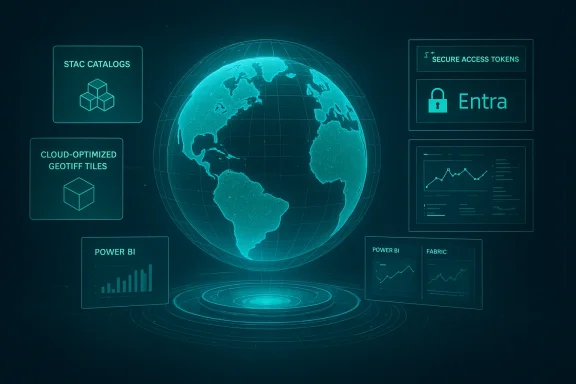
Planetary Computer Pro takes this foundation further by adding enterprise features: identity and access management via Entra, billing/pricing models suited to commercial projects, and tighter integrations with services like Microsoft Fabric, Azure AI Foundry, and Power BI for operational analytics. That positioning signals Microsoft’s intent to make geospatial data part of mainstream enterprise data + AI pipelines.
Why HLS matters in practice:
Key developer conveniences include:
At the same time, the evolution illuminates a general industry pattern: open research projects progressively productize, and enterprises must adapt not only to the technical capabilities but also to the governance and commercial dimensions that accompany productionization. Microsoft’s integrating of HLS, the STAC-first API strategy, and the Pro offering together represent a pragmatic pathway from exploratory science to operational analytics.
However, responsible adoption requires accounting for data provenance, cost modeling, operational continuity, and portability. Public research endpoints are valuable, but mission-critical systems should be built on supported contracts, validated data products, and robust fallback plans. The convenience of cloud-native access must be balanced with governance and verification processes if the outputs will inform high-stakes decisions.
Conclusion
Microsoft’s Planetary Computer journey — from TerraServer-era experiments to a modern platform hosting harmonized multisensor time-series and a product tier for enterprises — shows how cloud providers can collapse the friction between research datasets and operational AI. The opportunity is real: faster time-to-insight, easier experimentation, and closer integration between geospatial and enterprise data stacks. The caveats are equally real: provenance, availability, cost and vendor coupling demand disciplined engineering and governance. For teams that do the homework, Planetary Computer can unlock new classes of geospatial applications that were previously too expensive or too brittle to run at scale.
Source: InfoWorld Visualizing the world with Planetary Computer
 Background
Microsoft’s curiosity about mapping, scaling and serving geospatial data is not new. Two decades ago the TerraServer experiment proved the viability of serving large tile-based imagery from relational databases and demonstrated that geographic data could be delivered to millions of users over the web. That early research seeded techniques and tooling that later evolved into modern cloud GIS, and traces of that lineage are visible in today’s Planetary Computer platform.Planetary Computer began as part of Microsoft’s broader AI for Earth initiative: an open research platform exposing curated, analysis-ready environmental datasets alongside a set of standards-based APIs and open-source tooling. Over time that research environment has bifurcated: one path remained open and research-oriented, while the other — Planetary Computer Pro — is explicitly built for enterprise adoption, with integration to Azure services, security, and commercial SLAs. The split reflects a common lifecycle: research proof-of-concepts maturing into commercially supported cloud services.
Overview: what Planetary Computer is today
At its core, Planetary Computer is a platform that combines three pillars:- A catalog of large-scale, analysis-ready geospatial datasets (satellite imagery, land cover, climate and biodiversity layers).
- Standards-based APIs built around STAC (SpatioTemporal Asset Catalog) and object storage access patterns to query and retrieve data.
- SDKs and reference tools to accelerate prototyping, analytics, visualization and integration with Azure’s data and AI services.
Planetary Computer Pro takes this foundation further by adding enterprise features: identity and access management via Entra, billing/pricing models suited to commercial projects, and tighter integrations with services like Microsoft Fabric, Azure AI Foundry, and Power BI for operational analytics. That positioning signals Microsoft’s intent to make geospatial data part of mainstream enterprise data + AI pipelines.
Datasets: breadth, provenance and the HLS milestone
One of the platform’s most consequential moves in the past year has been integrating the Harmonized Landsat and Sentinel-2 (HLS) time series into Planetary Computer. HLS blends Landsat and Sentinel spectral measurements into a single, harmonized 30-meter surface reflectance product that’s optimized for trend analysis and multi-year time-series work. Making HLS directly available in Planetary Computer removes a major barrier for researchers and enterprises that previously had to ingest and harmonize the data themselves.Why HLS matters in practice:
- It provides a consistent, multi-year surface-reflectance record at 30 m resolution for global monitoring.
- Harmonization ensures measurements from different sensors can be compared across time without manual cross-calibration.
- It enables higher-frequency, robust time-series analytics for applications like forest monitoring, agricultural change detection, and disaster response.
APIs, standards and developer ergonomics
Planetary Computer embraces open standards — particularly STAC — as a way to make catalogs interoperable and searchable. The platform exposes STAC-compliant APIs for creating, querying, and reading collections, which is crucial for integrating datasets into automated pipelines. Microsoft publishes tutorials and Learn content showing how to create STAC collections and how to use the STAC API to discover and download assets programmatically.Key developer conveniences include:
- SDKs and reference clients in Python that hide storage access complexity and offer helpers for common geospatial tasks (tiling, reprojection, compositing).
- Support for cloud-native access (SAS tokens, pre-signed URLs) so compute and data plane can be securely orchestrated in Azure without massive egress costs.
- Ready-made examples that pipeline Planetary Computer datasets into Azure ML and data visualization tools.
How Planetary Computer Pro changes the calculus for enterprise adopters
Planetary Computer Pro is the productized arm of the platform designed for organizations that need private data handling, compliance, and commercial support. Its differentiators include:- Enterprise identity and governance through Microsoft Entra integration, enabling organizations to enforce fine-grained permissions on geospatial collections.
- Integrations with enterprise analytics — linking Planetary Computer assets with Microsoft Fabric, Azure AI Foundry and Power BI makes it straightforward to operationalize spatial data alongside tabular enterprise data.
- Pricing and SLAs that allow commercial projects to plan budgets and rely on supported service levels rather than research-oriented “best-effort” infrastructure. Microsoft lists Planetary Computer Pro and pricing options on the Azure marketplace and product pages.
Technical architecture: how the pieces hang together
Planetary Computer follows a cloud-native architecture optimized for scale and data interoperability.- Catalog layer: STAC collections and metadata indexes describe assets, temporal coverage, bands, and provenance to enable fast discovery and programmatic queries.
- Storage layer: Datasets are exposed as objects (Cloud-Optimized GeoTIFFs, NetCDF, etc.). The platform leverages Azure storage semantics (SAS tokens, CDN endpoints) for secure and efficient data access.
- Compute & integration: Examples and customer stories show Planetary Computer working with Azure ML, Microsoft Foundry, and third-party tools, enabling batch analytics, model training, and near-real-time monitoring pipelines.
- Open-source companions: The platform’s reference clients and tooling are available in public repos and community tutorials, helping teams move quickly from PoC to production.
Use cases and early results
Planetary Computer and its Pro variant are already being applied to real-world problems:- Forestry and conservation: Organizations are using HLS and other Planetary Computer datasets to map forest loss, monitor regrowth, and detect illegal logging activities at continental scale. Microsoft customer stories report dramatic increases in data processing throughput and reductions in time-to-insight for forest mapping projects.
- Agricultural monitoring: Crop stress detection, phenology tracking, and irrigation optimization benefit from frequent, harmonized imagery and a simple discovery API that lets agritech platforms ingest time-series data programmatically.
- Disaster response and resilience: Rapid access to pre- and post-event imagery simplifies damage assessment workflows for floods, fires and hurricanes when organizations can query the same STAC API regardless of region.
- Operational analytics in enterprise IT: By integrating Planetary Computer with existing BI and AI stacks, businesses can add geospatial context to logistics, insurance risk assessments, and supply-chain decision making.
Strengths and what Microsoft did well
- Standards-first approach: Adopting STAC and cloud-native formats makes Planetary Computer composable with other tools and services in the geospatial ecosystem, avoiding lock-in at the data format level. This is a key architectural win because it reduces integration costs for adopters.
- Enterprise alignment: Planetary Computer Pro’s Entra integration, pricing models, and Azure service tie-ins solve practical governance and procurement questions that often block enterprise pilots from becoming production systems.
- Operational data availability: Bringing HLS into a production cloud context eliminates a major friction point for time-series analysis and allows teams to run repeatable, scalable workflows without rebuilding harmonization pipelines.
- Ecosystem leverage: Microsoft’s push to integrate Planetary Computer with Azure’s ML and analytics stack means users can reuse existing cloud skills and tooling rather than learn a completely new platform. Customer case studies show substantial productivity gains when teams leverage these combined ecosystems.
Risks, limitations and areas of caution
No platform is without trade-offs. Organizations evaluating Planetary Computer (or Planetary Computer Pro) should be explicit about the following risks.- Data provenance and licensing caveats: Datasets on Planetary Computer often carry third-party provenance and different license terms. Users should carefully inspect collection metadata for usage restrictions and attribution requirements. NASA/USGS/ESA datasets may have their own terms that still apply. When operational decisions (insurance payouts, regulatory compliance) rely on derived products, verifying provenance is essential.
- Availability and operational continuity: Community reports and issue trackers have occasionally noted gaps or temporary outages in Planetary Computer’s public layers. For mission-critical workflows, organizations should plan fallback strategies (cached copies, alternate data sources) and validate SLAs for Pro subscriptions. Community threads and GitHub issue discussions illustrate that public research endpoints can experience transient data availability problems.
- Potential vendor lock-in at the platform level: While formats are open, operational integration with Azure (Entra, Fabric, Foundry) increases the cost of moving a production pipeline off the platform. Organizations should assess portability: can your processing logic and model artifacts run on another cloud if needed? If not, quantify the migration cost before committing.
- Scale and cost surprises: Large-scale Earth-observation analytics can generate significant egress, compute, and storage charges. Planetary Computer Pro provides pricing information, but precise costs depend on usage patterns. Teams should prototype expected workflows and model costs (storage class, compute hours, data egress) rather than assuming “cloud is cheap.”
- Data quality and harmonization edge cases: Even harmonized products have sensor-specific artifacts and limitations (view-angle effects, seasonal biases, and cloud contamination). Analysts need to validate algorithms on ground truth and understand algorithmic assumptions embedded in harmonized datasets. NASA and project documentation explain the algorithmic adjustments made during harmonization; these are not black-box guarantees of flawless comparability.
Practically getting started: a pragmatic checklist
If you’re a developer, data scientist, or GIS team wanting to test Planetary Computer, follow this practical sequence:- Sign up for an Azure account and evaluate the Planetary Computer free/research endpoints for exploration.
- Browse STAC collections to discover collections relevant to your use case (HLS, land cover, vegetation indices). Use the STAC API and sample queries to narrow time and spatial windows.
- Prototype locally with small AOIs (areas of interest) using the Planetary Computer Python SDK and sample notebooks; validate preprocessing, reprojection and cloud masks.
- Estimate compute and storage needs: run a dry-run workflow (e.g., five years of HLS for a 100 km^2 area) and measure CPU/GPU hours and storage to model costs.
- If governance/compliance matters, evaluate Planetary Computer Pro options: confirm Entra integration, access controls, and SLA terms with procurement and legal.
Recommendations for CIOs, data leaders and GIS managers
- Treat Planetary Computer as data infrastructure: think in terms of catalogs, access policies and long-term storage rather than one-off downloads.
- Start with hybrid architectures: stage frequently used slices in the same subscription/region that runs your compute to reduce egress costs.
- Invest in reproducible data pipelines: use code-first tooling (Terraform/ARM + CI/CD) so that data access, transformations, and model training are versioned and auditable.
- Validate key datasets against local ground truth before using them for high-stakes decisions; harmonized does not mean infallible.
- Negotiate procurement terms and SLAs up front if you plan to operationalize Planetary Computer Pro across regulatory or revenue-critical workflows.
The broader implications for geospatial AI
Planetary Computer’s maturation into a commercially supported platform is significant because it lowers a persistent barrier in geospatial AI: access to consistent, harmonized, cloud-native data with programmatic discovery. That matters not just for research labs, but for enterprises that need repeatable, governed processes to incorporate Earth-observation insights into business decisions.At the same time, the evolution illuminates a general industry pattern: open research projects progressively productize, and enterprises must adapt not only to the technical capabilities but also to the governance and commercial dimensions that accompany productionization. Microsoft’s integrating of HLS, the STAC-first API strategy, and the Pro offering together represent a pragmatic pathway from exploratory science to operational analytics.
Final assessment: opportunity vs. caution
Planetary Computer — and especially Planetary Computer Pro — offers a compelling, low-friction path to bring geospatial data into enterprise-grade AI and analytics. The platform’s strengths are its standards-first catalog architecture, the addition of analysis-ready multi-year datasets such as HLS, and the operational integrations with Azure’s broader data and identity stack. Customer case studies already show material productivity improvements for forest mapping and other geospatial workloads.However, responsible adoption requires accounting for data provenance, cost modeling, operational continuity, and portability. Public research endpoints are valuable, but mission-critical systems should be built on supported contracts, validated data products, and robust fallback plans. The convenience of cloud-native access must be balanced with governance and verification processes if the outputs will inform high-stakes decisions.
Takeaways for practitioners
- If you’re experimenting: start with the free research endpoints, learn STAC queries, and prototype on small AOIs.
- If you’re building production workflows: evaluate Planetary Computer Pro for identity, governance, and SLA guarantees; plan for portability and cost controls.
- If your work depends on consistent time-series: HLS on Planetary Computer removes a major engineering burden, but validate harmonized outputs against local ground truth and algorithmic assumptions.
Conclusion
Microsoft’s Planetary Computer journey — from TerraServer-era experiments to a modern platform hosting harmonized multisensor time-series and a product tier for enterprises — shows how cloud providers can collapse the friction between research datasets and operational AI. The opportunity is real: faster time-to-insight, easier experimentation, and closer integration between geospatial and enterprise data stacks. The caveats are equally real: provenance, availability, cost and vendor coupling demand disciplined engineering and governance. For teams that do the homework, Planetary Computer can unlock new classes of geospatial applications that were previously too expensive or too brittle to run at scale.
Source: InfoWorld Visualizing the world with Planetary Computer
