Cloudflare’s multi‑hour outage, Google’s retreat on sideloading, Microsoft’s move to make Windows 11 an “agentic” OS, a Pixel 10‑to‑AirDrop bridge, an emergency NVIDIA hotfix and a surprise awards sweep for Clair Obscur together set the tone for a week of high‑stakes engineering, platform politics and consumer convenience — each story underlining how brittle, political and consequential modern platform design has become.
The past few days produced several tightly linked tech narratives: a major edge provider’s internal bug visibly knocked large swathes of the web offline, a platform steward walked back a controversial anti‑sideloading proposal, Microsoft quietly shipped the first plumbing to let AI “agents” act inside Windows 11, Google made Quick Share and Apple AirDrop interoperable on Pixel 10 phones, and NVIDIA pushed a hotfix driver to restore gaming performance following a Windows cumulative update. Separately, indie RPG Clair Obscur: Expedition 33 dominated the Golden Joystick Awards with seven trophies, a reminder that creative, small‑team work still breaks through amid huge platform stories.
This roundup explains what happened, verifies the technical claims where possible, flags where details remain thin or unverifiable, and examines the security, privacy and business implications for Windows users, Android power users, enterprises and gamers.
Source: FileHippo November 22 Tech news roundup: Cloudflare outage was due to a bug, Android will allow power users to sideload apps, Microsoft’s plans to make Windows 11 an agentic OS have begun
 Background / Overview
The past few days produced several tightly linked tech narratives: a major edge provider’s internal bug visibly knocked large swathes of the web offline, a platform steward walked back a controversial anti‑sideloading proposal, Microsoft quietly shipped the first plumbing to let AI “agents” act inside Windows 11, Google made Quick Share and Apple AirDrop interoperable on Pixel 10 phones, and NVIDIA pushed a hotfix driver to restore gaming performance following a Windows cumulative update. Separately, indie RPG Clair Obscur: Expedition 33 dominated the Golden Joystick Awards with seven trophies, a reminder that creative, small‑team work still breaks through amid huge platform stories.This roundup explains what happened, verifies the technical claims where possible, flags where details remain thin or unverifiable, and examines the security, privacy and business implications for Windows users, Android power users, enterprises and gamers.
Cloudflare outage: bug, not attack — what we know
The incident in plain terms
On November 18 a widespread outage originating inside Cloudflare’s network caused HTTP 5xx errors and service interruptions for many high‑profile websites and services. Cloudflare states the outage began at 11:20 UTC, produced rapidly fluctuating “good” and “bad” configuration files, and was resolved after teams stopped propagation of a bad feature file and rolled back to a known‑good configuration; core traffic was largely restored by 14:30 UTC and all services declared recovered later that day. Cloudflare’s own post‑mortem attributes the cause to a change that produced duplicate rows in a ClickHouse query result, which enlarged a feature configuration file for its Bot Management system beyond an expected limit and triggered an unhandled panic in the proxy code. Independent reporting confirmed the outage’s scale: major consumer services including ChatGPT, X, Spotify and others returned error pages for many users during the outage window. Observers and some security experts quickly dismissed an external attacker hypothesis and pointed toward an internal configuration or control‑plane failure — a view Cloudflare’s post later confirmed.The technical root cause (brief, verifiable)
Cloudflare’s post explains three linked failures:- A change in the query behavior feeding the Bot Management “feature file” produced duplicate feature rows and doubled the file size.
- The routing software that consumes the feature file had an implicit size limit and failed when faced with the unexpectedly large file (a Rust panic surfaced via an unwrap on an Err).
- The bad feature file was propagated rapidly across Cloudflare’s distribution system, causing intermittent recovery/fail cycles as some nodes had the good file while others received the bad one.
Impact, failure modes and what this reveals
The outage exposed two systemic truths about modern internet architecture:- Edge centralization concentrates impact. When a provider that sits in front of many high‑traffic sites fails, the visible effect is immediate and widespread. Cloudflare routes a significant fraction of global web traffic, so its control‑plane and challenge validation subsystems are high‑leverage points. That centralization simplifies operations but raises systemic risk.
- Configuration and control‑plane errors can look like attack traffic. Early in the incident, teams misinterpreted symptoms as a hyper‑scale DDoS. Automated observability tooling and status pages can produce misleading signals when an internal component fails in unexpected ways. The cascading symptom set — status page errors, oscillating Good/Bad configurations, and the bot scoring module failing — illustrates how an internal fault can mimic external attack patterns.
Practical lessons and guidance for admins
- Assume provider dependencies will fail; test multi‑CDN and alternate routing options.
- Ensure critical services don't rely on single‑point control logic (e.g., keep fail‑open paths for authentication if possible).
- Insist on robust post‑incident reporting and meaningful SLAs — Cloudflare’s in‑depth post is a step in the right direction, but buyers should evaluate systemic resiliency guarantees.
Microsoft and the agentic Windows 11: plumbing shipped, debate ignited
What Microsoft shipped in the Insider preview
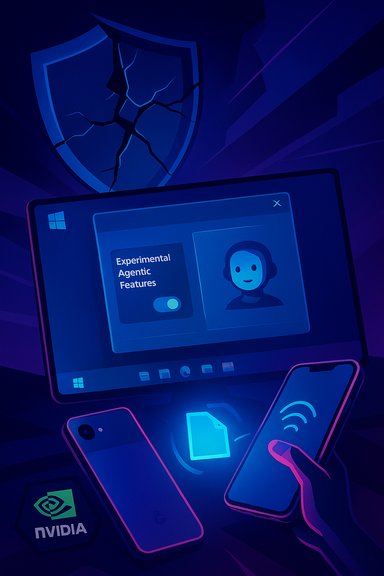
Microsoft has begun shipping the foundational platform primitives that make an “agentic OS” plausible. The company’s Windows Insider updates and support docs show an explicit, admin‑gated toggle called Experimental agentic features (Settings → System → AI Components → Agent tools) which, when enabled, permits the OS to provision agent accounts and Agent Workspaces. An Agent Workspace is a lightweight, contained Windows session where an AI agent runs under a separate, low‑privilege Windows account and can interact with apps and known folders (Documents, Desktop, Downloads, Pictures, Music, Videos). The experience is intended to be observable and interruptible: users can watch step‑by‑step progress, pause/stop agents or take control. Microsoft describes Copilot Actions as the first consumer‑visible example of this runtime. Microsoft’s support site and Windows Insider blog make three consistent points: the feature is opt‑in, it’s experimental and limited at first, and the company acknowledges the security and accuracy limits of AI models while promising controls for visibility, auditing and revocation.Why this is consequential (and why users reacted)
This is a shift from suggestive AI to agentic AI — from helpers that recommend to helpers that act. That change raises immediate questions:- Privilege and attack surface: Agents can perform UI automation (click, type, open apps), access common folders, and chain multi‑step workflows — all actions that have traditionally required human intent. Even when run under low‑privilege accounts, the ability to access file systems and automated UI interactions expands the attacker surface. Independent reporting and security firms have already highlighted novel risks such as prompt injection, UI‑level manipulation, and the need to secure agent signing and revocation.
- User consent and discoverability: Microsoft has gated the runtime behind a single, device‑wide toggle that requires an administrator to enable. That’s a sensible conservative default for enterprise control, but it also means that once enabled, a device could host agent accounts for all users — a policy decision that will need careful enterprise governance.
- Usability vs. auditability: Agent Workspaces aim to be lighter than full VMs while providing isolation. The balance between usability (fast, local automation) and auditability (comprehensive logging, tamper‑proof telemetry) will determine whether enterprises trust these agents in production. Microsoft promises audit logs and revocation, but the details matter: log integrity, remote forensic access and telemetry protection need verification.
Security and governance analysis
- Signing and revocation: Microsoft’s model requires agent signing and a revocation path. Signing helps, but revocation and timely distribution of revocation lists are classic operational challenges. Enterprises must test whether their EDR, AV and MDM systems can coherently manage agent principals.
- Telemetry and log integrity: Agent actions must be auditable and tamper‑resistant. If an agent can modify local logs or obscure its actions, audit guarantees evaporate. Microsoft will need to expose trustworthy telemetry channels that enterprises can ingest into SIEMs without blind spots. This remains an open engineering question.
- Prompt injection and UI poisoning: Agents that follow UI instructions or parse rendered content are plausible victims of malicious content that tries to trick them into unsafe actions. The initial guidance acknowledges these risks, but defensive UX and runtime mitigations will need independent evaluation.
Practical guidance for Windows users and IT
- Treat the Experimental agentic features toggle as a high‑impact control. Keep it off in production and only enable in controlled labs.
- Require signed agents only and integrate agent certificates with enterprise PKI and revocation mechanisms.
- Monitor agent action logs in your SIEM and exercise revocation and rollback procedures in tabletop drills.
Android sideloading: Google softens developer verification — “experienced users” get an escape hatch
What changed
Google’s previously announced developer verification program — a response to social‑engineering sideloading scams — would require identity verification for developers distributing apps outside the Play Store. Following intense pushback from independent developers, open‑source maintainers and power‑user advocates, Google announced an important concession: it will build an advanced flow that allows experienced users to install unverified apps after being shown clear warnings and anti‑coercion safeguards. Google clarified the move in a blog post and early access to developer verification has begun for certain markets.Why the policy was controversial
The verification scheme attempted to raise the cost for malicious actors who scale sideloading scams by tying developer accounts to verified identities. Critics argued the blanket enforcement would effectively neuter sideloading — an important freedom and development channel for hobbyists, privacy‑focused developers and alternative app stores like F‑Droid. The compromise (student/hobbyist account types + a power‑user “advanced flow”) tries to preserve access while reducing large‑scale abuse.Analysis and likely outcomes
- The advanced flow is a pragmatic design that acknowledges different user personas: mainstream users (protected by stricter constraints) and experienced users (allowed to accept risk).
- The devil is in the UX: how does Android determine “experienced”? Will it be a simple warning, or will the flow require multiple friction steps to prevent coercion? Google says the flow will be designed to resist coercion and provide clear warnings, but implementation details are still being shaped.
- Open ecosystem projects and small devs will still face costs; the hobbyist account type helps, but limits on device installs could hamper some legitimate use cases. Critics will watch whether the verification requirement becomes an indirect gatekeeping tool or actually raises the bar for abusive operators.
Pixel 10 Quick Share ↔ AirDrop: cross‑platform sharing arrives
What Google shipped
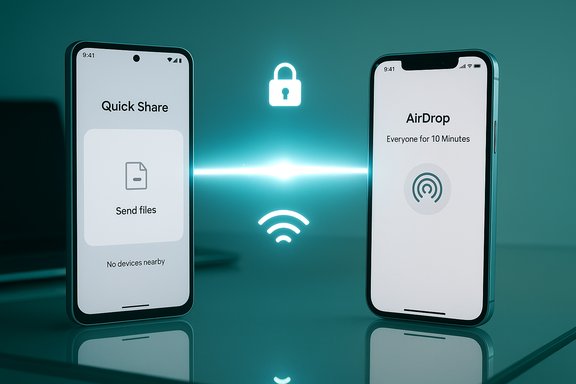
Google announced Quick Share compatibility with Apple AirDrop, first rolling out on Pixel 10 devices. The implementation uses peer‑to‑peer transfers and leverages AirDrop’s “Everyone for 10 minutes” discoverability mode; Apple devices must be set to that discoverability option to receive files from a Pixel. Google says the feature was implemented independently and vetted by internal privacy/security teams and a third‑party pentest firm. The roll‑out is currently Pixel 10 limited, with plans to expand to more Android devices.Why this matters
AirDrop compatibility removes a longstanding friction point between iPhone and Android ecosystems: quick, secure local file sharing. If widely adopted, it reduces the need for third‑party file‑transfer apps and simplifies cross‑platform workflows for consumers and families. The peer‑to‑peer design preserves privacy claims, and Google’s independent security review is a useful reassurance. Apple’s position remains unclear; the interoperability uses AirDrop’s broad “Everyone” mode and not Contacts‑Only, which limits convenience in crowded environments but avoids a need for sharing contact lists between ecosystems.Security note
The approach requires temporary open discoverability on the Apple device — a trade‑off that users should be aware of. Google emphasizes secure direct channels and pentesting but the cross‑platform interaction adds complexity and should be monitored for any emergent interoperability edge cases.NVIDIA hotfix 581.94: gamers get a fast mitigation
The problem and the patch
After the Windows 11 October 2025 cumulative update (documented as KB5066835) many gamers reported sudden drops in frame rates, frame‑pacing issues and micro‑stutters in a variety of titles. NVIDIA released a rapid GeForce Hotfix Display Driver, version 581.94, which the company states “addresses: Lower performance may be observed in some games after updating to Windows 11 October 2025 KB5066835.” The hotfix is based on Game Ready Driver 581.80 and was published as an emergency mitigation rather than a full WHQL release.Effectiveness and caveats
Independent benchmarks and community reports show significant restorations of performance in affected titles; some users reported dramatic FPS improvements after installing 581.94. However, because hotfixes necessarily have a shorter QA cycle, there are scattered reports of regressions or instability on some systems — a common trade‑off for emergency patches. NVIDIA intends to fold the hotfix into future full releases after broader testing.Guidance for gamers
- Try 581.94 if you experienced regressions after KB5066835, but keep system backups and be prepared to roll back if you encounter new instability.
- Prefer distribution via NVIDIA’s official hotfix page; avoid third‑party repacks.
- Monitor vendor channels for a full Game Ready release that includes the fix under broader QA.
Clair Obscur: Expedition 33 — indie triumph at the Golden Joystick Awards
Clair Obscur: Expedition 33, by French studio Sandfall Interactive, won seven Golden Joystick Awards including Ultimate Game of the Year, Best Soundtrack, Best Storytelling, Best Visual Design, Studio of the Year and acting awards for Jennifer English and Ben Starr. The sweep marks a rare moment where a smaller, artful RPG resonated strongly with players and critics alike. Coverage across industry outlets confirmed the multiple awards and recognized the game for its narrative, aesthetic and voice performances. This recognition underlines that despite the consolidation of platforms and attention on AI and infrastructure, original games made by focused teams can still achieve broad cultural impact.What to watch next — verification and governance checklist
- Cloudflare will implement additional controls (hardening ingestion, kill switches); enterprise buyers should require detailed resiliency plans from edge providers.
- Microsoft’s agent primitives are experimental: enterprises should pilot only in testlabs and demand signing/revocation guarantees and robust telemetry before deploying in production.
- Google’s advanced flow for sideloading will reveal UX boundaries between protection and freedom; open‑source ecosystems will watch whether hobbyist exceptions are effectively usable.
- Pixel‑to‑AirDrop interoperability will likely expand if Apple does not object — check device compatibility and discoverability tradeoffs before recommending it as a standard workflow.
- Gamers should evaluate NVIDIA’s 581.94 hotfix for immediate mitigation but expect a consolidated WHQL release with a more extensively tested fix soon.
Conclusion
This week’s stories illustrate three recurring themes in modern tech:- Engineering complexity and rapid change make mistakes systemic — a single misgenerated configuration file at Cloudflare produced an outage visible to millions.
- Platform policy is political and brittle — Google’s sideloading policy, initially framed purely as safety, meets community values and required a practical concession for power users.
- The interface between AI and operating systems is now operational, not speculative — Microsoft’s agentic primitives show the future of desktop automation arriving first as guarded plumbing and second as powerful convenience.
Source: FileHippo November 22 Tech news roundup: Cloudflare outage was due to a bug, Android will allow power users to sideload apps, Microsoft’s plans to make Windows 11 an agentic OS have begun