

Microsoft pushed a corrective update to PowerToys this cycle, and while the hotfixes patch the most disruptive regressions from the recent “big” releases, the episode crystallizes what happens when a deeply integrated, community-driven utility adds system‑level automation: small code changes can produce outsized user impact. The latest patch releases aim to restore predictable behavior — especially for the new Light Switch scheduler and a handful of shell integrations — but administrators and power users should treat the fixes as pragmatic triage rather than a comprehensive reassurance that future updates won’t introduce similar surprises.
PowerToys is Microsoft’s long-running toolkit for power users: a modular, open‑source collection of small utilities that extend Windows with productivity, accessibility, and automation features such as FancyZones, PowerRename, Color Picker, Image Resizer, Command Palette, and newer items like Light Switch and Advanced Paste. The project ships frequent releases and experimental builds on GitHub, and it is widely adopted by enthusiasts and IT pros who want lightweight, OS-adjacent tools that behave like first‑party utilities.
In the last major cycles, PowerToys expanded along two axes simultaneously: richer user-facing automation (notably Light Switch, which toggles Windows light/dark themes on a schedule) and deeper AI plumbing (Advanced Paste extended to multiple cloud and on‑device models). Those are valuable additions, but they also increased the surface area for regressions. The most visible fallout of that push was unexpected theme switching after the 0.95 rollout, which prompted a fast follow-up patch (0.95.1) focused on stability and behavior corrections.
However, the episode is a reminder that features which change global system settings deserve extra scrutiny and conservative rollout strategies. Administrators and advanced users should test before broad deployment, verify installers and checksums, and pay particular attention to AI-provider settings and clipboard governance. PowerToys is still a high‑value suite for Windows power users, but it rewards careful, informed rollout and configuration rather than blind updating.
Source: Neowin https://www.neowin.net/news/microsoft-fixes-several-powertoys-issues-following-the-big-update/
 Background
PowerToys is Microsoft’s long-running toolkit for power users: a modular, open‑source collection of small utilities that extend Windows with productivity, accessibility, and automation features such as FancyZones, PowerRename, Color Picker, Image Resizer, Command Palette, and newer items like Light Switch and Advanced Paste. The project ships frequent releases and experimental builds on GitHub, and it is widely adopted by enthusiasts and IT pros who want lightweight, OS-adjacent tools that behave like first‑party utilities. In the last major cycles, PowerToys expanded along two axes simultaneously: richer user-facing automation (notably Light Switch, which toggles Windows light/dark themes on a schedule) and deeper AI plumbing (Advanced Paste extended to multiple cloud and on‑device models). Those are valuable additions, but they also increased the surface area for regressions. The most visible fallout of that push was unexpected theme switching after the 0.95 rollout, which prompted a fast follow-up patch (0.95.1) focused on stability and behavior corrections.
What Microsoft changed — the hotfix highlights
Light Switch: default behavior, naming, and schedule logic
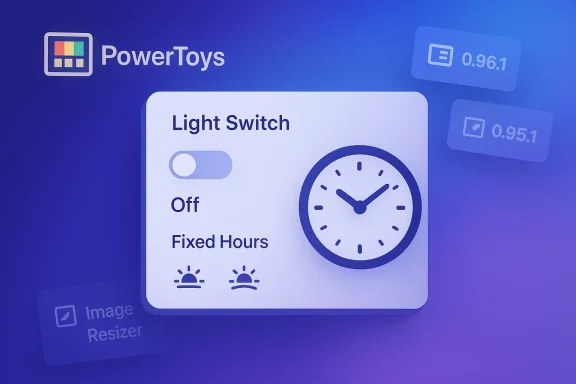
- The hotfix explicitly addresses a critical UX regression: Light Switch was unintentionally being enabled by default for some users after an update. The release notes and subsequent communications make this the primary fix in 0.95.1, restoring predictable behavior by preventing the scheduler from activating automatically.
- To reduce confusion, the team renamed the previous “Manual” schedule mode to Fixed Hours, and added a new Off mode that preserves the hotkey for manual toggles while disabling automatic scheduling. This gives users an obvious, safer path to keep the feature available without allowing it to run unattended.
- Additional correctness fixes were applied to sunset/sunrise calculations and interplay between schedule modes, where race conditions or mismatched timers could previously override manual choices. Those timing and override bugs produced the most jarring behavior for users who prefer a static theme.
Command Palette and stability patches
- Command Palette (CmdPal) had high‑value performance work in recent releases, including Ahead‑of‑Time (AOT) builds and new fuzzy matching. The hotfix addresses specific crash scenarios observed when filters were used in trimmed/AOT builds by removing fragile runtime bindings and ensuring cached window data is refreshed correctly. That lowers the crash surface for trimmed builds and makes the launcher more robust across runtime configurations.
Installer modernization and reliability improvements
- The PowerToys packaging pipeline received a modernization push — migrating from WiX v3 to WiX v5 — to reduce build times and improve packaging reliability. Installer artifacts (per-user and machine-wide) and checksums are published with releases so administrators can verify downloads and include packages in controlled deployments.
Additional module fixes
- Utilities such as Find My Mouse received polish to prevent focus-stealing or pointer-state bugs (e.g., the cursor showing an hourglass).
- The bug reporting tool and installer reliability were improved, and several small quality-of-life and telemetry patches landed across modules. The patch intentionally focused on reliability rather than adding new user-facing functionality.
The follow-up: additional patches targeting regressions (0.96.1 and small servicing updates)
After the big 0.96 feature push (with Advanced Paste expanding model support), Microsoft released targeted servicing patches to fix a few regressions that affected day‑to‑day workflows:- Image Resizer (Windows 10): The 0.96 cycle introduced packaging or sparse‑package handling that caused the Image Resizer shell integration to fail to open on some Windows 10 machines. The follow-up patch restored the context‑menu behavior on Windows 10 by removing an incompatible manifest and restoring expected launch behavior. This fix was the most visible user‑facing win for content creators and help desk workflows.
- Advanced Paste / AI plumbing: The servicing release removed deprecated OpenAI prompt execution settings and adjusted local model parameter defaults (e.g., Foundry Local) to allow longer output tokens and avoid transient “model unavailable” states after downloads. These plumbing fixes improve compatibility with newer cloud model variants and local model hosts. Administrators should still validate provider access, quotas, and regional availability before changing providers.
- Awake: Fixed a Timed Mode bug where the timer could remain active beyond its intended expiry, preventing the machine from returning to sleep. The patch corrects the timer logic to restore expected power behavior.
Deep dive: Why Light Switch created such a reaction
Light Switch is simple in concept: it writes the same registry flags (AppsUseLightTheme and SystemUsesLightTheme) that Windows uses and toggles them on a schedule or at sunrise/sunset. The implementation decision to support automatic switching made sense — many mobile platforms do this and users requested it — but the rollout path introduced a classic UX problem: a background tool that changes global personalization settings without clear opt‑in.- When the scheduler was turned on as part of an update path for some users, it effectively overrode their manual theme choice. For users who never enabled the feature, the behavior looked like Windows itself was misbehaving. That fundamentally broke the trust boundary for personalization and produced an outsized reaction compared with the underlying code change.
- Microsoft’s mitigation strategy in 0.95.1 is conservative and principled: ensure the feature is not enabled by default, make the modes clearer to avoid confusion between “Manual” and “Fixed Hours,” and add an explicit Off mode that retains the convenience of a hotkey without automatic scheduling. Those changes prioritize “explicit consent” when modifying system‑wide preferences.
Strengths revealed by this episode
- Rapid, transparent triage: The PowerToys team pushed a narrow, focused hotfix quickly and published clear release notes with issue numbers so users and admins can validate fixes. That responsiveness is essential for an open‑source project that sits close to Windows internals.
- Good telemetry of change scope: The project’s changelogs and GitHub entries map fixes to specific issues (with numbers), enabling reproducibility and verification. Publishable installer artifacts and SHA‑256 checksums also support secure deployment for managed environments.
- Mature engineering tradeoffs: The team’s decision to rename modes for clarity and to add an Off mode is a small but effective UX fix that reduces accidental opt‑ins. The migration to a modern installer toolchain (WiX v5) and consolidated build optimizations are also long‑term reliability wins.
- Community governance and transparency: Because PowerToys is developed in public, issues, PRs, and release notes are visible and verifiable — creating an implicit accountability loop that helps prevent extended regressions.
Risks, deployment considerations, and governance
The fixes do not eliminate risk; they simply narrow the immediate pain points. Administrators and advanced users should consider the following:- Update-path statefulness: Features that write system‑wide registry keys or change personalization state can persist through updates in unexpected ways. Imaging scripts, system provisioning, and configuration management need to explicitly validate PowerToys module toggles (especially Light Switch) when building or refreshing device images. If you manage images centrally, include a post‑install validation step to ensure Light Switch is disabled if you don’t want automatic theme toggling.
- AI and data governance for Advanced Paste: The expansion of Advanced Paste to support multiple cloud and local model backends introduces governance questions. Clipboard data often contains sensitive personal or corporate information. Administrators should:
- Audit Advanced Paste configuration and default providers before enabling it for end users.
- Use Group Policy or configuration management to restrict online model providers in regulated environments.
- Prefer on‑device or private-hosted models for sensitive workflows and validate model access and billing for cloud services.
- Mixed OS environments: The Image Resizer regression demonstrates that packaging changes (sparse packages, manifests) can behave differently on Windows 10 versus Windows 11. Organizations running mixed fleets should test updates on both OS families and avoid blind, broad deployment until a small pilot completes successfully.
- Installer and build chain changes: The migration to WiX v5 is positive for long‑term maintenance, but tooling changes can produce unexpected packaging or path differences (for example, changes to whether the installer adds PowerToys to PATH). Test the installer in your deployment processes and verify MSI/EXE behavior under SCCM/Intune and automated imaging.
- Perception and trust: A single UX regression that changes user-facing system behavior (like theme switching) can erode trust quickly. For a tool that sits near core system personalization, the team and administrators should err on the side of explicit opt‑in for new automation features.
Practical guidance: what to do right now
If you run PowerToys in a personal or managed environment, follow these steps to reduce risk and verify desired behavior.- Check your installed version.
- Open PowerToys Settings → About and confirm the version (e.g., 0.95.1 or 0.96.1). If you are on an older release and experiencing issues, update via the app or your preferred package manager. The GitHub release notes list installer artifacts and hashes for each tagged release.
- Validate Light Switch state.
- In Settings → Light Switch, ensure the module is disabled if you rely on a static theme. If you had issues prior to updating, toggle Light Switch Off and On once to reset internal timers as recommended by the team. Note that some users reported Light Switch remaining active after the initial patch; a manual toggle or a short restart may be necessary.
- Test Image Resizer (Windows 10 fleets).
- Right‑click images in File Explorer and invoke Image Resizer. If you previously saw a no‑op from the context menu, ensure you’re on 0.96.1 or later and validate the context‑menu flow in a pilot device. If not fixed, gather the explorer and PowerToys logs before escalating.
- Review Advanced Paste configuration and AI provider access.
- If your users plan to use cloud AI providers, confirm API key, endpoint URL, regional availability, and billing controls. For regulated data, prefer Foundry Local or other on‑device options and validate the improved token limits and model discovery behavior in the servicing patch.
- Use published hashes and verify installers.
- When deploying in enterprises, download the release package and verify the SHA‑256 checksums included in the release notes. Keep an inventory of the exact installer used and the checksum for future audits.
- Pilot before broad deployment.
- Use a small representative pilot group (10–50 devices depending on fleet size) to validate the hotfix, paying special attention to personalization, shell extensions, and any automation that writes Windows settings.
Troubleshooting checklist for IT and enthusiasts
- If themes continue to flip after 0.95.1:
- Confirm Light Switch is Off in PowerToys Settings.
- Toggle Light Switch Off → On to reset stateful timers.
- Check %LocalAppData%\Microsoft\PowerToys\LightSwitch\Service\Logs for unusual logging or repeated schedule activations (large log growth was reported in edge cases). If logs are large, update to the latest release and clear old traces.
- If Image Resizer fails on Windows 10 after 0.96:
- Ensure you have 0.96.1 or later installed; the patch removes an incompatible manifest that prevented sparse‑packaged launch on Windows 10. Reinstalling or updating the package should restore context‑menu behavior. Collect AppX sparse package logs and explorer logs if the problem persists.
- If Advanced Paste fails to discover local models:
- Update Foundry Local parameters and validate model downloads. The servicing update increased allowed output token lengths and fixed transient model-availability race conditions for newly downloaded models. If models still appear unavailable, restart PowerToys or the local model host after installation.
- For installer or MSI anomalies:
- Verify the installer hash and packaging channel (GitHub releases vs. Microsoft Store vs. winget). The move to WiX v5 changed packaging behavior in subtle ways; if your deployment scripts rely on previous assumptions (environment path insertion, sparse package identity), validate and adjust scripts accordingly.
What this means going forward
PowerToys remains one of the most useful third‑party toolsets for Windows users, and the project’s rapid triage of the Light Switch regression and other follow-up patches demonstrates a team that is responsive and aligned with the community. That said, the incident highlights enduring lessons for both upstream maintainers and downstream deployers:- For maintainers: treat any feature that writes system settings (themes, shell integrations, registry flags) as requiring explicit opt‑in, a clear UI affordance explaining the change, and a documented rollback path at install time. A small UI change (renaming “Manual” to “Fixed Hours”) and an Off mode are helpful; further guardrails like an “Enable on update” prompt could be considered.
- For deployers: include PowerToys modules and module states in configuration baselines, and test updates in a representative pilot before broad rollouts. Use the published SHA‑256 checksums and release notes to verify artifacts and changes. Also, treat AI‑backed features as tools with external dependencies and governance implications for data, billing, and regional availability.
Conclusion
Microsoft’s recent PowerToys hotfixes fix a set of disruptive regressions introduced during aggressive feature expansion. The updates — notably 0.95.1 and subsequent servicing for the 0.96 cycle — are pragmatic, transparent, and narrowly scoped to restore predictable behavior for Light Switch, Command Palette, Image Resizer, and several other utilities. That responsiveness is a clear strength.However, the episode is a reminder that features which change global system settings deserve extra scrutiny and conservative rollout strategies. Administrators and advanced users should test before broad deployment, verify installers and checksums, and pay particular attention to AI-provider settings and clipboard governance. PowerToys is still a high‑value suite for Windows power users, but it rewards careful, informed rollout and configuration rather than blind updating.
Source: Neowin https://www.neowin.net/news/microsoft-fixes-several-powertoys-issues-following-the-big-update/
