

PowerToys’ new Light Switch is one of those small, shockingly practical features that makes you wonder why Windows 11 Settings never baked it in to begin with—yet the feature’s rough rollout, unexpected default enablement for some users, and leftover platform problems mean making it a default today would be premature without a few important fixes and clearer defaults.
Windows has supported separate System and Apps appearance modes for several releases, but it historically lacked a built‑in scheduler to toggle those modes automatically on a daily rhythm. Power users filled that gap with scripts and third‑party apps (Auto Dark Mode and variants) for years. Microsoft’s PowerToys—its public, open‑source toolkit for power users—now includes Light Switch, a first‑party scheduler that flips Windows between light and dark modes on a set timetable or around local sunrise/sunset. That delivery path matters: PowerToys is where Microsoft prototypes practical desktop tools before deciding whether anything should graduate into core Settings. PowerToys’ Light Switch debuted in the 0.95 release and quickly proved both useful and sensitive: useful because it finally gives most users a supported, maintained way to automate theme changes; sensitive because the behavior touches user‑facing personalization settings and therefore needs conservative defaults and careful onboarding. The community reaction to the initial rollout—ranging from enthusiastic appreciation to heated frustration—illustrates the gulf between correct functionality and production‑ready UX.
PowerToys’ Light Switch is precisely the kind of small, targeted feature Windows needed: low complexity, immediate practical value, and an obvious pathway to broader adoption. The hiccup around default enablement was regrettable but fixable; the reaction also delivered a useful lesson about conservative defaults for user‑visible automation. Once the PowerToys team smooths the edges, adds a couple of convenience integrations, and Microsoft continues its work to darken legacy UI surfaces, Light Switch can move from a beloved PowerToy to a sensible, user‑friendly default in Windows Settings—earned, not forced.
Source: Neowin https://www.neowin.net/news/closer-look-i-wish-light-switch-was-a-default-feature-in-windows-11/
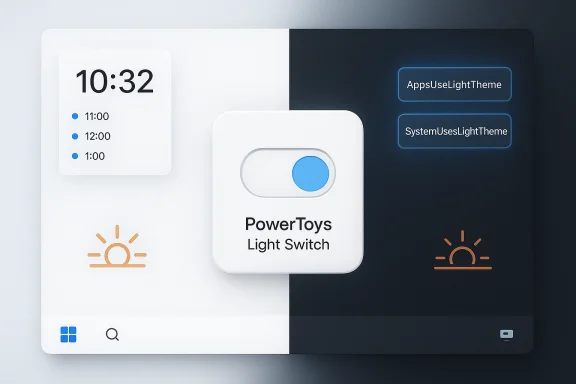 Background
Windows has supported separate System and Apps appearance modes for several releases, but it historically lacked a built‑in scheduler to toggle those modes automatically on a daily rhythm. Power users filled that gap with scripts and third‑party apps (Auto Dark Mode and variants) for years. Microsoft’s PowerToys—its public, open‑source toolkit for power users—now includes Light Switch, a first‑party scheduler that flips Windows between light and dark modes on a set timetable or around local sunrise/sunset. That delivery path matters: PowerToys is where Microsoft prototypes practical desktop tools before deciding whether anything should graduate into core Settings. PowerToys’ Light Switch debuted in the 0.95 release and quickly proved both useful and sensitive: useful because it finally gives most users a supported, maintained way to automate theme changes; sensitive because the behavior touches user‑facing personalization settings and therefore needs conservative defaults and careful onboarding. The community reaction to the initial rollout—ranging from enthusiastic appreciation to heated frustration—illustrates the gulf between correct functionality and production‑ready UX. What Light Switch actually does
Light Switch purposefully keeps scope tight: it toggles the theme flags Windows itself uses. That makes it simple, auditable, and low‑surface‑area, while leaving broader automations to other tools.- Automatically switch between Light and Dark modes on a daily schedule.
- Support Fixed Hours (manual start/end times) or Sunrise/Sunset (location‑driven with minute offsets).
- Let users choose the scope of the change: System (taskbar, Start, shell chrome), Apps, or Both.
- Expose a configurable hotkey (default can be remapped) for instant toggles.
- Run per‑user, changing the same registry values that Settings uses so the change is immediate for most modern apps.
How Light Switch implements the toggle (technical detail)
Under the hood, Light Switch updates the same per‑user personalization keys Windows exposes:- HKCU\Software\Microsoft\Windows\CurrentVersion\Themes\Personalize\AppsUseLightTheme
- HKCU\Software\Microsoft\Windows\CurrentVersion\Themes\Personalize\SystemUsesLightTheme
The rollout mishap: what happened and why it mattered
The most notable public moment in Light Switch’s early life was a rollout problem in PowerToys 0.95: in some update/install scenarios the Light Switch module was enabled by default. That caused devices to begin enforcing theme schedules on users who had previously chosen a static theme, prompting immediate reports of systems “flipping” between light and dark unexpectedly—sometimes repeatedly. Microsoft’s PowerToys team acknowledged the behavior as a bug and shipped a corrective patch (PowerToys 0.95.1) that addresses default enablement and several scheduling edge cases. Why that specific bug rose to the top of users’ attention:- Theme mode is extremely visible; a sudden bright screen at night or a jarring white dialog during a presentation is more likely to trigger alarm than a less conspicuous change.
- The scheduler writes the same registry flags users normally control manually; when those values change unexpectedly, everything that follows is immediate.
- The incident violated a common product rule: don’t change users’ visible settings without explicit opt‑in. Even a well‑intentioned automation is startling when it appears without consent.
Why the feature belongs in Windows 11—eventually
The Neowin sentiment—“I wish Light Switch were a default feature in Windows 11”—is easy to empathize with. There are clear, measurable benefits:- Convenience and ergonomics. Automatic theme switching removes a trivial but frequent friction point: toggling between modes as daylight changes reduces late‑night glare and improves comfort.
- Accessibility. For users sensitive to bright interfaces (light sensitivity, migraines), automatic dark mode at night is a real assistive improvement.
- Battery optimization (situational). On OLED panels, darker UIs can reduce power draw for certain workloads; scheduled dark mode can contribute modestly to battery savings.
- Consolidation and trust. A first‑party implementation reduces reliance on third‑party tools and simplifies management for IT teams.
The practical limits: why Light Switch shouldn’t be default today
Making Light Switch the default Windows behavior would be tempting for aesthetics, but a few solid reasons counsel caution:- Platform inconsistency. Some legacy apps and older Win32 dialogs ignore the Windows personalization flags, creating mixed appearances after a switch. Microsoft is actively darkening legacy surfaces, but full parity is still a work in progress. That inconsistency can make automatic switching jarring.
- Privacy and policy surface. Sunrise/Sunset mode relies on location data; organizations with strict privacy practices may not want location usage by default. Enterprises may also use Group Policy or MDM to enforce themes and might see conflicting behavior when a per‑user scheduler toggles values that policies aim to lock.
- Rollout UX hazards. The accidental default enablement episode shows that post‑install enabling of user‑visible automations creates support tickets and frustration. Defaulting an automation like theme switching in core Settings could produce wide‑scale user confusion unless opt‑in and well‑announced.
- Feature completeness. Many users expect wallpaper and accent color coordination when themes change. Third‑party tools often provide wallpaper swaps and per‑app rules; Light Switch focuses strictly on the theme flags. If Microsoft intends to make theme automation a default experience, users will reasonably expect the fuller, “coherent” experience (wallpaper + accent sync), not just a flag flip.
Suggested improvements before making it default
To be comfortable recommending Light Switch as a default Windows 11 feature, the following enhancements would materially reduce risk and improve the user experience:- Conservative opt‑in on update. Never enable Light Switch automatically during an update; instead present a first‑run prompt or a non‑intrusive notification that explains the feature and asks for consent.
- Wallpaper and accent sync. Let users optionally pair a wallpaper and accent color with Light/Dark modes for a visually coherent transition.
- Presentation/game suppression. Add robust suppression rules so the scheduler defers changes during full‑screen apps, presentations, or when media is playing.
- Manual override behavior. Respect a manual toggle as an immediate override with a short grace period or a cancellation of the active schedule, so users aren’t surprised when the scheduler reasserts itself seconds later.
- Quick Settings integration. Provide a Quick Settings tile or system tray toggle for discoverability and fast manual control.
- Audit trail / Diagnostics. Expose a simple log showing what last changed the personalization keys—helpful for support and transparency.
- Enterprise controls. Offer clear ADMX/Intune policy mappings so admins can pilot, audit, and flatten policies in managed environments.
How to protect yourself (practical steps for users and admins)
If you ran into abrupt theme switching or want to proactively control Light Switch, here’s a short, practical checklist.- Update PowerToys to the latest patched release (0.95.1 or newer). The official GitHub release notes document the hotfix and the Light Switch fixes.
- Open PowerToys → System Tools → Light Switch and ensure Enable Light Switch is off if you don’t want automated changes. This restores manual control immediately.
- If you need a quick manual reset, after disabling Light Switch set your preferred theme in Settings → Personalization → Colors and, if necessary, restart Windows Explorer (Task Manager → Windows Explorer → Restart) to force a shell repaint.
- Administrators: pilot PowerToys updates on a small device group before widespread rollout, or block automatic updates until you confirm behavior. Use ADMX/Intune to manage PowerToys settings where appropriate.
- Set dark for both:
Set-ItemProperty -Path "HKCU:\SOFTWARE\Microsoft\Windows\CurrentVersion\Themes\Personalize" -Name "AppsUseLightTheme" -Value 0 -Type DWord
Set-ItemProperty -Path "HKCU:\SOFTWARE\Microsoft\Windows\CurrentVersion\Themes\Personalize" -Name "SystemUsesLightTheme" -Value 0 -Type DWord
Enterprise perspective: rollout guidance
For IT teams, Light Switch is a net positive because it is maintained by Microsoft and manageable in corporate contexts, but sensible operational discipline is required:- Pilot on a small group and collect telemetry on helpdesk tickets related to unexpected theme changes.
- Document how PowerToys interacts with existing group policies that enforce personalization settings; per‑user changes may be blocked and need clear expectation management.
- Consider disabling automatic updates for PowerToys in managed catalogs until your pilot validates the desired behavior.
- Use existing PowerToys deployment mechanisms (MSI/MSIX, WinGet, or Intune) and map settings to ADMX/Intune policies where feasible.
Verdict: ready to be default? Not yet— but close
Light Switch is a near‑perfect example of how Microsoft should evolve Windows UX: start in PowerToys, iterate quickly on a small surface area, gather telemetry and community feedback, and only then consider migrating the most successful features into Settings. The feature itself is well‑targeted, low‑risk in concept, and widely useful. The unexpected default enablement served as a costly reminder that automation touching visible settings must be opt‑in, well‑explained, and accompanied by a gentle first‑run experience. If Microsoft hardens the UX (conservative defaults, better onboarding, suppression rules, wallpaper/accent sync, improved undo behavior), Light Switch should graduate into Windows 11’s default personalization surface—but only after those quality‑of‑life details are in place. Until then, the PowerToys path is the correct incubation model: it gives power users immediate value while allowing for controlled iteration and quick fixes when issues arise.Quick reference — essentials at a glance
- What it is: a PowerToys module that automatically toggles Windows between Light and Dark modes on schedule or at sunrise/sunset.
- Where it writes: per‑user registry keys under HKCU\…\Themes\Personalize (AppsUseLightTheme, SystemUsesLightTheme).
- If your PC is flipping themes: open PowerToys and disable Light Switch or update to PowerToys 0.95.1+ to get the hotfix.
- Should it be the OS default now? Not yet—improve onboarding, avoid enabling automations silently, and add wallpaper/accent sync and suppression rules first.
PowerToys’ Light Switch is precisely the kind of small, targeted feature Windows needed: low complexity, immediate practical value, and an obvious pathway to broader adoption. The hiccup around default enablement was regrettable but fixable; the reaction also delivered a useful lesson about conservative defaults for user‑visible automation. Once the PowerToys team smooths the edges, adds a couple of convenience integrations, and Microsoft continues its work to darken legacy UI surfaces, Light Switch can move from a beloved PowerToy to a sensible, user‑friendly default in Windows Settings—earned, not forced.
Source: Neowin https://www.neowin.net/news/closer-look-i-wish-light-switch-was-a-default-feature-in-windows-11/
