

Microsoft’s recent theme‑switching uproar boiled down to an experimental PowerToys feature that was accidentally turned on for many users — not a Windows 11 system bug — and a quick hotfix in PowerToys 0.95.1 corrected the behavior while raising broader questions about defaults, update paths, and how first‑party utilities should interact with system personalization.
Windows 11 has been in an ongoing effort to make dark mode consistent across legacy and modern UI surfaces. Recent Insider builds have progressively themed long‑standing bright dialogs in File Explorer and other places to reduce jarring white flashes when the system theme is dark. That work ran in parallel with PowerToys adding a new scheduling utility called Light Switch in the 0.95 release, intended to let users automatically flip between light and dark themes by fixed hours or by local sunrise/sunset. Light Switch does what many third‑party scripts and small apps have done for years: it writes the same personalization flags Windows uses for theme preference (the HKCU registry values that tell apps and system chrome whether to use Light or Dark) and broadcasts the usual change notifications so the shell and supported apps repaint immediately. Because of that low‑level interaction, any scheduled change is system‑wide and visually immediate for apps that honor those flags.
Where the product and update process failed was in defaults and communication. Turning on an automation that changes a visible, persistent user preference during an update is a user‑trust error. The PowerToys team fixed the core issues promptly in 0.95.1, added clearer UI labels and an explicit Off mode, and advised users on state reset behavior; the patch approach matched the scope of the problem. For users: update to the patched PowerToys and turn Light Switch Off if you prefer to control theme changes manually. For IT teams: treat PowerToys as an optional, pilotable install and avoid auto‑deploying optional utilities without configuration controls. For product teams everywhere: the lesson is simple and enduring — features that change a user’s visible environment should be opt‑in, transparent, and auditable.
This episode is an instructive case study in how a well‑intentioned usability feature can create a disproportionate support burden when defaults and update mechanics diverge from user expectations. The technical fix landed quickly, but the broader product and policy lessons remain salient for any team shipping tools that touch system personalization.
Source: Windows Central Windows 11’s light/dark mode glitch wasn’t Microsoft’s fault — blame PowerToys (here's why)
 Background
Windows 11 has been in an ongoing effort to make dark mode consistent across legacy and modern UI surfaces. Recent Insider builds have progressively themed long‑standing bright dialogs in File Explorer and other places to reduce jarring white flashes when the system theme is dark. That work ran in parallel with PowerToys adding a new scheduling utility called Light Switch in the 0.95 release, intended to let users automatically flip between light and dark themes by fixed hours or by local sunrise/sunset. Light Switch does what many third‑party scripts and small apps have done for years: it writes the same personalization flags Windows uses for theme preference (the HKCU registry values that tell apps and system chrome whether to use Light or Dark) and broadcasts the usual change notifications so the shell and supported apps repaint immediately. Because of that low‑level interaction, any scheduled change is system‑wide and visually immediate for apps that honor those flags. What happened — timeline and facts
- PowerToys 0.95 introduced Light Switch as a new module to schedule theme changes. Coverage and release notes made that feature public.
- After the rollout, many users reported their Windows theme unexpectedly flipping between light and dark shortly after they manually set a preference. Reports ranged from a single reversion to repeated toggles. Community troubleshooting traced the behavior to PowerToys’ Light Switch module.
- The PowerToys team acknowledged that Light Switch being active by default was not intended and called it a bug; they referenced a hotfix in review — issue number #42434 in the project’s issue tracker.
- PowerToys 0.95.1 shipped as a patch that corrected the default enablement and several scheduling and UX bugs (renaming “Manual” to “Fixed Hours,” adding an explicit “Off” mode, fixing sunset/override logic, and addressing a taskbar accent color regression). The release notes and multiple independent outlets list these fixes.
Technical deep dive — how Light Switch works and why the symptom was visible
The system hooks Light Switch touches
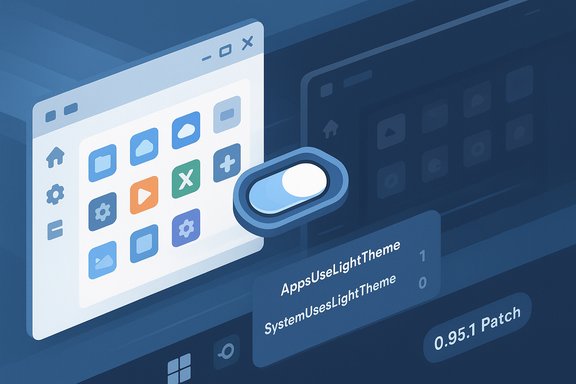
Windows stores per‑user theme preferences in registry values under:- HKEY_CURRENT_USER\Software\Microsoft\Windows\CurrentVersion\Themes\Personalize\App sUseLightTheme
- HKEY_CURRENT_USER\Software\Microsoft\Windows\CurrentVersion\Themes\Personalize\SystemUsesLightTheme
Why the flips were so visible
Because Light Switch manipulates the same authoritative flags the OS uses, the theme changes were not limited to one app; they affected the taskbar, Start menu, supported apps, and many modern WinUI surfaces. When a scheduler reasserts a theme shortly after a manual change, the user experience becomes a visible tug‑of‑war: the system appears to “ignore” the user’s choice. Some legacy components, like older Win32 dialogs or the taskbar in certain situations, may require explorer.exe to restart or repaint to reflect theme changes fully; that can make the transitions feel inconsistent or janky.The actual bug: default enablement and scheduling logic
The malfunction was not in the core scheduling code that flips registry keys, but in the update/installation path and scheduler state management:- For some users, Light Switch got enabled during the update or installation process even if they had never turned it on. That violated the principle that personalization settings should persist unless explicitly changed by the user.
- A scheduling‑mode edge case allowed sunset/sunrise calculations to override a user’s manual “fixed hours” schedule and to reassert scheduled values too aggressively, including immediately after a manual change. The hotfix addressed these timing and override behaviors.
Why this looks worse than it is — contextual analysis
PowerToys: an unusual distribution channel
PowerToys is an official Microsoft project but distributed and updated independently (GitHub/Microsoft Store). That hybrid model lets Microsoft iterate quickly and gather community feedback, but it also produces a different expectation set: many users treat PowerToys as optional tweaks, not as something that should alter systemwide personalization out of the box. When an additive tool modifies core OS settings unexpectedly, the perceived blast radius feels larger than a typical bug inside an obscure app.Staged Windows changes plus third‑party automation
At the same time Microsoft is gradually theming more File Explorer surfaces in Insider flights, PowerToys introduced a tool that directly toggles those system flags. The concurrency amplified user visibility: the same users who were seeing more consistent dark theming in newer Insider builds were also the ones most likely to notice an unwanted automatic toggle. The result: confusion about whether Windows itself or an add‑on was responsible. Community triage and developer clarification quickly resolved that ambiguity.Impact and risk assessment
Short‑term user impact
- Confusion and wasted troubleshooting time for end users who suspected Windows bugs or malware.
- Accessibility concerns for users sensitive to contrast or light changes; unexpected luminance switches can be disorienting or worse for some medical conditions.
- Support overhead for help desks and forums fielding "why did my theme switch?" tickets.
Enterprise and IT risks
- If PowerToys auto‑update is allowed in managed environments, an unwanted default could propagate across a pilot ring before admins detect it. Best practice is to pilot and stage nonessential utilities; the incident underscores that approach.
Security and privacy considerations
- Light Switch requires location data for accurate sunrise/sunset scheduling; permissive defaults for location access would be another vector for surprise. Users and admins should check what permissions are granted to PowerToys components. This is a design tradeoff: convenience vs. permission transparency.
Stability and UX regressions
- The update also introduced unrelated regressions that 0.95.1 fixed (Command Palette crashes when using filters, Find My Mouse focus issues, installer modernization). These further justify a cautious, patch‑first follow‑up rather than a feature‑heavy fast release.
What Microsoft and the PowerToys team did (and how they communicated)
- The PowerToys team acknowledged the unintended default enablement publicly and referenced the hotfix/issue #42434. That admission framed the problem as a rollout/installation bug rather than an intentional behavior change.
- PowerToys 0.95.1 corrected the default behavior, added a clear “Off” mode (so the hotkey remains available without automated scheduling), renamed "Manual" to "Fixed Hours" for clarity, and fixed sunset/override timing. Release notes and multiple independent trackers corroborate this list of fixes.
Practical guidance — what users and IT should do now
If you encountered unexpected theme switching, these steps will restore control quickly:- Open PowerToys (system tray icon or Start menu).
- Navigate to System Tools → Light Switch and toggle Enable Light Switch to Off. This prevents PowerToys from changing your theme.
- In Settings → Personalization → Colors, set your preferred theme explicitly (Light or Dark). If taskbar or shell chrome remains inconsistent, restart Explorer via Task Manager (right‑click Windows Explorer → Restart) to force a repaint.
- Update PowerToys to 0.95.1 or later. The patch removes the default enablement and contains fixes for the related scheduling logic; if you already experienced toggles before installing the patch, toggle Light Switch off and back on to reset the module’s state as advised in the release notes.
- Pilot the updated PowerToys build on a small ring before wide deployment, or block auto‑updates until the change has been validated in your environment. Consider packaging PowerToys with Light Switch set to Off by default if distributing centrally.
Design and product lessons — beyond the immediate fix
This incident surfaces recurring product design lessons that apply broadly across desktop ecosystems.- Conservative defaults matter. Features that modify persistent, system‑wide preferences should default to Off and require an explicit opt‑in. Unexpected defaults erode trust faster than most performance regressions.
- Clear first‑run and update onboarding. New capabilities added via updates need a visible, explicit first‑run dialog or changelog that explains behavior and permissions (for example, location use for sunrise/sunset). That reduces surprise and support volume.
- Auditability of personalization changes. A small system UI that indicates “last change made by: PowerToys Light Switch” would dramatically shorten triage time for users and support teams. Public apps and system processes that change personalization flags should leave an auditable trail.
- Grace periods for manual overrides. If a scheduler is active, a single manual toggle should either disable the schedule temporarily or respect a short grace period before the scheduler reasserts, avoiding the tug‑of‑war UX. The PowerToys team’s fix (tuning override behavior) aligns with this expectation.
Critical appraisal — strengths and remaining risks
What the PowerToys approach got right
- Delivering Light Switch inside PowerToys made a commonly desired automation available in a maintained, community‑backed tool instead of relying on user scripts. The feature’s grounding in the same OS hooks guarantees broad compatibility with apps that respect Windows personalization flags. The PowerToys team responded quickly and shipped conservative fixes.
What went wrong and why it mattered
- The default enablement during the update path violated user expectations and created a large perceived regression because it touched system‑wide settings. That initial mistake, not the existence of Light Switch itself, caused the largest user harm.
Residual and structural risks
- Automated utilities that need location data require careful permission design to avoid privacy surprises.
- Staged Windows feature flags and independently delivered tools like PowerToys increase the complexity of understanding "what changed" on a device; absent clear metadata, users and admins must hunt through multiple update channels.
Final assessment and takeaways
Light Switch is a legitimate, useful addition to the PowerToys toolkit — it addresses a long‑standing gap by providing a first‑party scheduler for theme changes and does so using the same system mechanisms that other utilities have relied on. The feature itself is technically sensible and, when opt‑in, harmless.Where the product and update process failed was in defaults and communication. Turning on an automation that changes a visible, persistent user preference during an update is a user‑trust error. The PowerToys team fixed the core issues promptly in 0.95.1, added clearer UI labels and an explicit Off mode, and advised users on state reset behavior; the patch approach matched the scope of the problem. For users: update to the patched PowerToys and turn Light Switch Off if you prefer to control theme changes manually. For IT teams: treat PowerToys as an optional, pilotable install and avoid auto‑deploying optional utilities without configuration controls. For product teams everywhere: the lesson is simple and enduring — features that change a user’s visible environment should be opt‑in, transparent, and auditable.
Quick FAQ (concise)
- What caused Windows 11 to flip themes unexpectedly?
PowerToys’ Light Switch module was unintentionally enabled for some users after an update, and it scheduled theme changes by writing the same registry keys Windows uses for theme preference. - Has it been fixed?
Yes — PowerToys 0.95.1 removed the unintended default enablement, fixed scheduling/override edge cases, renamed and clarified modes, and added an explicit Off mode. - What should I do if my theme still flips?
Update PowerToys to 0.95.1 or later and disable Light Switch in PowerToys settings; restart Explorer if necessary. Administrators should pilot updates and consider shipping PowerToys with Light Switch Off. - Why does this matter beyond aesthetics?
Unexpected visual changes can be more than nuisance: they degrade user trust, risk accessibility harm, and add support overhead — especially when they touch system‑wide settings.
This episode is an instructive case study in how a well‑intentioned usability feature can create a disproportionate support burden when defaults and update mechanics diverge from user expectations. The technical fix landed quickly, but the broader product and policy lessons remain salient for any team shipping tools that touch system personalization.
Source: Windows Central Windows 11’s light/dark mode glitch wasn’t Microsoft’s fault — blame PowerToys (here's why)
