

Microsoft has quietly shipped PowerToys version 0.97.2 — a targeted, stability-focused patch that fixes crashes, corrects UI and DPI glitches, and tunes several of the suite’s higher-profile utilities rather than adding new functionality.
PowerToys began life as a Windows power-user toolkit and has evolved into a modular productivity platform maintained openly on GitHub. The project’s recent cadence emphasizes rapid iteration: major capability pushes are followed by small, frequent patch releases that tighten stability and address community-reported edge cases. The 0.97 series — which introduced a major refresh to the Command Palette and a new CursorWrap utility — pushed a lot of visible UI and automation work into the product, and 0.97.2 is part of the follow-up stabilizatiicro
Key items at a glance:
The 0.97 cycle also pushed Advanced Paste further into AI-assisted workflows (support for multiple providers and image inputs) and expanded PowerToys’ scriptability. Any feature that touches permissions, networked AI providers, or app registration logic increases risk vectors that require aggressive monitoring and quick fixes when issues appear in the wild. That’s precisely the maintenance story 0.97.2 fits into.
That evolution has a few consequences:
For individual users, installing 0.97.2 from GitHub or the Microsoft Store is the recommended step; verify the installer hash if you have security requirements. For IT teams, treat this as the start of a short pilot phase: validate key workflows, confirm EDR compatibility, and document any policy or privacy implications for Advanced Paste AI providers before enterprise-wide deployment.
PowerToys continues to be an essential toolkit for many Windows power users, and the project’s transparent release cadence makes it straightforward to follow what changed and why. Keep an eye on the GitHub releases page and the Windows Command Line blog for follow-up patches; with rapid public development, the next bug-fix release is often just a few days away if new issues surface.
Conclusion: 0.97.2 is the kind of small but necessary release that signals a maturing project — the team moved fast with big ideas in 0.97, and now they’re doing the less glamorous but essential work of hardening those ideas for real-world use.
Source: Neowin PowerToys 0.97.2 is out with useful fixes for multiple tools
 Background
PowerToys began life as a Windows power-user toolkit and has evolved into a modular productivity platform maintained openly on GitHub. The project’s recent cadence emphasizes rapid iteration: major capability pushes are followed by small, frequent patch releases that tighten stability and address community-reported edge cases. The 0.97 series — which introduced a major refresh to the Command Palette and a new CursorWrap utility — pushed a lot of visible UI and automation work into the product, and 0.97.2 is part of the follow-up stabilizatiicroWhat’s in 0.97.2 — the changelog, explained
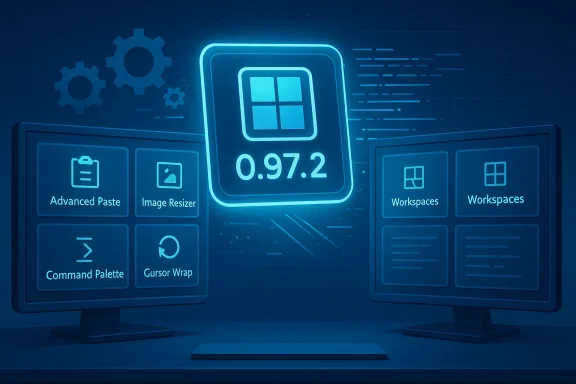
The 0.97.2 release is explicitly small on features and large on fixes. The headline items Microsoft called out (and that independent coverage reiterated) include fixes in Advanced Paste, Image Resizer, Quick Access / Measure Tool, Color Picker, Command Palette strings/localization, Cursor Wrap settings behavior, Light Switch startup logirlay positioning. In short: a bug-fix pass across modules introduced or changed in the 0.97 cycle.Key items at a glance:
- Advanced Paste: fixed a crash in the Advanced Paste settings page caused by null values during JSON deserialization. This resolves a settings-UI stability regression some users hit while configuring AI providers and custom actions.
- Image Resizer: fixed Image Resizer failing to run after upgrading PowerToys on Windows 10 by cleaning up legacy sparse app package artifacts. This addresses an upgrade-path regression that could render a widely used utility unusable after a version bump.
- Quick Access and Measure Tool: fixed a crash tied to the IsShownInSwitchers property when Explorer wasn’t running — an edge case that could manifest during fast user sessions or automated tests.
- Color Picker: corrected a UI contrast issue in the Color Picker UI so swatches and labels remain legible across themes and tints.
- Command Palette: fixed localization strings for some Command Palette PowerToys extensions so non-English users see the right text. Localization regressions are often minor but impactful for global users.
- Cursor Wrap: fixed the “Automatically activate on utility startup” setting not persisting when disabled, and added an option to disable cursor wrapping when only a single monitor is present — a pragmatic usability toggle for laptop-only users.
- Light Switch: fixed startup logic so it correctly applies the appropriate theme on launch, ensuring consistent light/dark behavior when users rely on scheduled or location-based switching.
- Workspaces: corrected overlay positioning in workspace snapshot drawing caused by DPI-aware coordinate mismatches, improving reliability on mixed-DPI multi-monitor setups.
Why this matters: stability over new toys
There are two important themes here:- PowerToys remains a fast-moving, feature-rich project. 0.97 introduced substantive user-facing changes — notably a more personal, configurable Command Palette and a new mouse utility called CursorWrap — that expanded the suite’s role beyond small helpers inktop productivity layer. Many of those changes touch Windows shell integration, UWP components, and low-level input behavior. That means complex interactions with Explorer, the shell, and display APIs can surface regressions, especially across Windows 10 / Windows 11 and mixed-DPI hardware.
- Rapid feature rollouts increase surface area for edge-case bugs. When a release adds new integrations (e.g., Command Palette shell tie-ins or AI provider support in Advanced Paste), the project must follow with targeted patches to fix crash loops, localization misses, or installer upgrade-path problems. 0.97.2 is a reaction to that natural lifecycle: add capability, then harden it.
Context: what 0.97 changed and why follow-ups were likely
0.97 was not a small update: it revamped the Command Palette with personalization (background images, tinting, blur/opacity controls), added fallback ranking for result types, and introduced a built-in PowerToys extension to control utilities from the palette itself. The release also expanded CLI support for multiple modules and added CursorWrap, which wraps the pointer around monitor edges to reduce long pointer drags on multi-monitor setups. Those are fairly deep UX changes — especially Command Palette’s shell interactions and CursorWrap’s input handling — so follow-up patches were predictable.The 0.97 cycle also pushed Advanced Paste further into AI-assisted workflows (support for multiple providers and image inputs) and expanded PowerToys’ scriptability. Any feature that touches permissions, networked AI providers, or app registration logic increases risk vectors that require aggressive monitoring and quick fixes when issues appear in the wild. That’s precisely the maintenance story 0.97.2 fits into.
Risk and safety analysis — what to watch for before upgrading
PowerToys is powerful because it hooks into the Windows experience at many levels. That power comes with trade-ofr:- Shell integration risks: Command Palette and some Explorer add-ins interact with the Windows shell. Historically, such integrations can create odd Explorer or Start menu behaviors on some builds and configurations. Conservative admins should pilot major feature releases before organization-wide deployment.
- AI provider policy and data governance: Advanced Paste’s support for cloud and local AI models is convenient, but it introduces data-routing decisions. Users and admins must evaluate provider contracts, data retention, and whether to prefer local/in-proc models to reduce exfiltration risk. Review the providers you enable and prefer on-device models where possible.
- Accessibility and input surprises: CursorWrap changes the fundamental mapping users expect from pointer motion. While many will find it helpful on ultra-wide or multi-monitor desks, it can confuse assistive tech workflows or precision tasks. Always test cursor-mode changes with the actual applications and users who rely on predictable pointer motion.
- Installer / upgrade paths: Image Resizer upgrade regressions in older builds underscore the importance of verifying in-place upgrades on representative hardware (especially older Windows 10 deployments). Keep installation logs handy if you automate upgrades at scale.
- Localization and regional testing: Command Palette extension strings not being localized in earlier builds shows that UI regressions disproportionately affect non-English locales. If you support diverse user populations, test localized builds before mass rollouts.
How to install, verify, and roll out 0.97.2 safely
Follow this practical checklist to minimize surprises:- Test locally first:
- Install 0.97.2 on one machine that mirrors a typical user configuration.
- Test utilities you rely on most (Command Palette customizations, Advanced Paste flows, Image Resizer conversions, and CursorWrap behavior).
- Reproduce common tasks: launching apps, toggling Light Switch schedule, using the Color Picker, and saving workspace snapshots.
- Verify installer integrity:
- Use the SHA-256 hashes published with the GitHub release to confirm the downloaded installer is unmodified. PowerToys publishes per-architecture installer artifacts and hashes on the releases page.
- Check policy and telemetry:
- If your org restricts outbound connections, verify Advanced Paste AI providers can be blocked or that local models are used.
- If you use EDR/AV whitelisting, test that PowerToys installers and runtime processes are not blocked or flagged.
- Pilot in a representative group:
- Select users with multi-monitor setups, a mix of Windows versions, and users who rely on accessibility features.
- Run the pilot for several business days to catch startup-time issues and background edge cases (e.g., Explorer not running, display mode changes).
- Automate with care:
- If deploying via scripts or WinGet, validate the per-user vs machine-wide installer selection for your environment and verify the exit codes on automated installs. The GitHub release notes and official docs explain the installer variants.
- Roll out wider once validated:
- Stagger the rollout and monitor help desk queues and telemetry to catch remaining regressions early.
Troubleshooting common post-upgrade problems
- If a utility fails after upgrade (Image Resizer or CursorWrap), capture and review PowerToys log files in %LOCALAPPDATA%\Temp\PowerToys*.log. Those logs often point to assemsing WebView2 runtimes.
- If the Command Palette causes Explorer or shell instability, try disabling the palette or toggling the extension integrations and then re-registering shell components. Historically, some community reports described scenarios where shell registration artifacts persisted after uninstall; in such cases, re-registering or repairing shell app registrations and clearing Start menu caches helped. If you see repeated failures, revert to the last stable build in your testing pool until a fix is available.
- For localization problems, confirm Windows display language and region settings first. Some Command Palette features (like Pinyin input support) depend on OS language variants.
The broader product direction — why PowerToys matters to Windows users and admins
PowerToys functions as a public R&D surface for desktop productivity ideas. Over the last year the project has matured from a grab-bag of small helpers into a platform-level playground: Command Palette is positioning itself as a cross-cutting launcher and control surface, Advanced Paste demonstrates how AI can be integrated into day-to-day clipboard tasks, and utilities like CursorWrap explore small ergonomics wins that matter to multi-monitor professionals.That evolution has a few consequences:
- Power users benefit: keyboard-first workflows, visual personalization, and built-in extensions compress multiple steps into a single launcher action, saving time daily.
- Admins must adapt: a tool that touches input, shell, and cloud providers requires governance around updates, whitelisting, and data routing. Plan pilot cycles accordingly.
- Windows itself is being informed: experiments in PowerToys can influence broader platform decisions, and Microsoft often uses community feedback from these releases to shape OS UX experiments (for example, the early Command Palette dock/top-bar ideas Microsoft has floated). Watch the project as a bellwether for what could later be integrated natively into Windows.
Verdict: install 0.97.2, but do it thoughtfully
PowerToys 0.97.2 is a classic maintenance release: no big new toys, but important fixes that increase reliability for the conveniences introduced in 0.97. If you experienced any of the listed problems — crashes in Advanced Paste or Quick Access, Image Resizer failing after upgrade, CursorWrap settings not persisting, or Light Switch applying the wrong theme at startup — 0.97.2 is the corrective release you want.For individual users, installing 0.97.2 from GitHub or the Microsoft Store is the recommended step; verify the installer hash if you have security requirements. For IT teams, treat this as the start of a short pilot phase: validate key workflows, confirm EDR compatibility, and document any policy or privacy implications for Advanced Paste AI providers before enterprise-wide deployment.
Quick reference — what to expect after upgrading
- Better stability in Advanced Paste, Quick Access, Measure Tool, and Image Resizer.
- Color Picker and Command Palette localization fixes for improved UI fidelity.
- CursorWrap behaves more predictably, and you can disable wrapping when only a single display is connected.
- Light Switch now applies theme state consistently on startup.
- Workspaces overlays align correctly on mixed‑DPI systems.
PowerToys continues to be an essential toolkit for many Windows power users, and the project’s transparent release cadence makes it straightforward to follow what changed and why. Keep an eye on the GitHub releases page and the Windows Command Line blog for follow-up patches; with rapid public development, the next bug-fix release is often just a few days away if new issues surface.
Conclusion: 0.97.2 is the kind of small but necessary release that signals a maturing project — the team moved fast with big ideas in 0.97, and now they’re doing the less glamorous but essential work of hardening those ideas for real-world use.
Source: Neowin PowerToys 0.97.2 is out with useful fixes for multiple tools
