

Microsoft has quietly shipped PowerToys v0.97.2 — a small but important stability-and-polish update that addresses a raft of regressions introduced during the broader 0.97 cycle, notably fixing Command Palette glitches, tuning CursorWrap behavior, and repairing several UI and upgrade-path edge cases that affected users on mixed-DPI and Windows 10 systems.
PowerToys has evolved from a grab-bag of desktop experiments into a modular productivity platform for Windows power users and IT professionals. The 0.97 release earlier in the cycle was a substantive user-facing push: the Command Palette received a major personalization and extensibility overhaul while a brand-new mouse utility, CursorWrap, introduced cursor “wrapping” behavior for wide and multi‑monitor setups. That ambitious feature set increased the suite’s integration with the Windows shell and display subsystems, and follow-up patch releases were predictable given the expanded surface area.
What landed in v0.97.2 is explicitly conservative: rather than introducing new features, Microsoft focused on stability fixes, localization corrections, DPI and overlay positioning reliability, and a handful of behavioral tweaks for CursorWrap and other recently introduced utilities. The update is distributed via Microsoft’s usual channels — GitHub releases, Microsoft Store, and package managers — and is intended as the safer candidate for users who experienced regressions after the 0.97.x cycle.
That deeper integration means the palette now touches more parts of the shell and configuration stack — icon loading, localization strings, extension discovery, and synchronous UI updates — any of which can create user-visible regressions if not handled carefully. Because the palette is invoked frequently in keyboard-driven workflows, even small freezes or missing UI elements degrade productivity noticeably.
There are limitations and residual risks. The more PowerToys integrates with shell and display APIs, the more likely subtle platform differences (EDR policies, OEM driver quirks, or unusual display topologies) will surface new edge cases. Advanced Paste’s privacy surface remains an organizational policy discussion separate from the UI stability fixes. Finally, while v0.97.2 is a necessary corrective, it is not a substitute for thorough testing in heterogeneous environments. If you manage endpoints, treat this release as a stability candidate for broader rollout only after completing the checklist above.
By balancing fast iteration with rapid stabilization, the PowerToys project continues to serve as a valuable, scriptable productivity layer for power users — but the usual caveats apply: test before you roll, audit provider configurations when networked AI features are involved, and keep rollback plans in place for managed environments.
Source: Windows Report https://windowsreport.com/powertoys...ette-issues-tweaks-cursor-wrap-behavior-more/
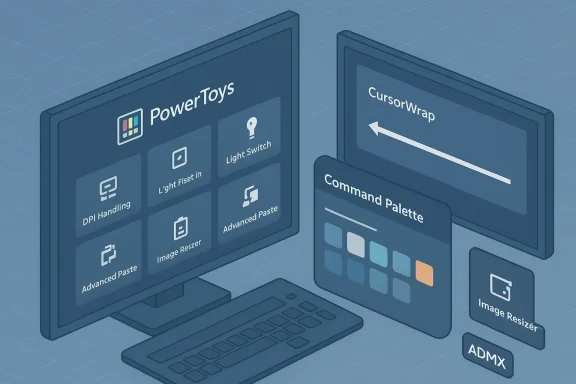 Background / Overview
PowerToys has evolved from a grab-bag of desktop experiments into a modular productivity platform for Windows power users and IT professionals. The 0.97 release earlier in the cycle was a substantive user-facing push: the Command Palette received a major personalization and extensibility overhaul while a brand-new mouse utility, CursorWrap, introduced cursor “wrapping” behavior for wide and multi‑monitor setups. That ambitious feature set increased the suite’s integration with the Windows shell and display subsystems, and follow-up patch releases were predictable given the expanded surface area.What landed in v0.97.2 is explicitly conservative: rather than introducing new features, Microsoft focused on stability fixes, localization corrections, DPI and overlay positioning reliability, and a handful of behavioral tweaks for CursorWrap and other recently introduced utilities. The update is distributed via Microsoft’s usual channels — GitHub releases, Microsoft Store, and package managers — and is intended as the safer candidate for users who experienced regressions after the 0.97.x cycle.
What’s in v0.97.2 — Quick summary
- Fixed a crash in the Advanced Paste settings UI caused by null values during JSON deserialization.
- Repaired an upgrade-path regression that left Image Resizer unusable on some Windows 10 systems by cleaning legacy sparse package artifacts.
- Patched Quick Access / Measure Tool crash conditions tied to Explorer not running.
- Corrected contrast and legibility issues in Color Picker swatches and labels.
- Fixed Command Palette localization strings and several personalization display issues.
- Tuned CursorWrap behavior: fixed the “Automatically activate on utility startup” persistence bug and added an option to disable wrapping when only a single monitor is present.
- Resolved Light Switch startup logic so theme switching applies consistently on launch.
- Corrected overlay positioning for Workspaces snapshot drawing on mixed‑DPI setups.
Deep dive: Command Palette — fixes and context
What changed in v0.97 and why it mattered
The Command Palette has been elevated from a lightweight launcher to a central, keyboard‑first control surface for PowerToys. 0.97 introduced a Personalization page with background selection (solid, blurred/desaturated layer, or full image), tint and opacity controls, fallback ranking reordering, inline Peek previews, and an embedded PowerToys control extension that lets users toggle utilities and change settings from inside the palette. These are substantive UX changes that make the palette feel like a native control plane rather than an overlay.That deeper integration means the palette now touches more parts of the shell and configuration stack — icon loading, localization strings, extension discovery, and synchronous UI updates — any of which can create user-visible regressions if not handled carefully. Because the palette is invoked frequently in keyboard-driven workflows, even small freezes or missing UI elements degrade productivity noticeably.
What v0.97.2 fixes and why it matters
v0.97.2 focuses on two practical problem classes for the palette:- Localization and extension strings — non-English users could see incorrect or missing text for some PowerToys extensions inside the palette; localization fixes restore a consistent experience for global users.
- Personalization/UI faults — personalization sections or custom icons (for example, those loaded from internet shortcut files) sometimes failed to appear in earlier builds; the release addresses these rendering and resource-loading regressions so the palette reliably displays the user’s chosen visuals.
Deep dive: CursorWrap — behavior tweaks and enterprise controls
What CursorWrap does
CursorWrap is a simple but ergonomically focused utility: when enabled, moving the mouse off an active monitor’s outer edge repositions the cursor at the opposite side of that same monitor (left→right, top→bottom). This reduces long physical pointer travel on ultrawide and multi-monitor setups, producing a snappier feel for large desktop real estate. The feature is opt‑in and designed to wrap at outer monitor edges to avoid surprising teleports between adjacent internal monitor boundaries.How CursorWrap evolved in the 0.97.x cycle
After the initial 0.97 release, the CursorWrap implementation produced several edge cases:- Unexpected teleports in complex multi‑monitor grids where internal boundaries were mistakenly wrapped.
- Failure to persist the “Automatically activate on startup” setting in some installs.
- Lack of a toggled behavior for single‑monitor users who don’t want wrapping on laptop-only sessions.
Enterprise and manageability additions
CursorWrap also received an ADMX policy definition so administrators can manage the feature via Group Policy in managed environments. That addition reflects a broader pattern: as PowerToys gains more intrusive-but-useful features, Microsoft is exposing enterprise controls to prevent surprise behavior in corporate fleets.Other notable fixes and their practical impact
Advanced Paste stability and privacy implications
Advanced Paste — PowerToys’ increasingly feature-rich clipboard transformer (now incorporating external AI providers and image inputs) — hit a settings UI crash related to JSON deserialization of null values in 0.97. v0.97.2 fixes the crash so administrators and users can reliably edit provider keys and configuration. This is not just an availability fix: because Advanced Paste can route clipboard content to third‑party providers, stability in the settings UI is essential for administrators needing to audit or lock down allowed providers in regulated environments. If you rely on Advanced Paste, validate provider settings after updating.Image Resizer upgrade-path correction
Some Windows 10 users found Image Resizer unusable after upgrading due to leftover sparse app package artifacts. v0.97.2 explicitly removes these artifacts on upgrade to restore functionality. If you manage mixed Windows 10/11 fleets, this is an important installation check: confirm that Image Resizer launches after upgrade and that installer hashes match verified artifacts.Workspaces and mixed‑DPI overlays
Workspaces snapshot drawing overlay positioning suffered from DPI-aware coordinate mismatches, producing misplaced UI or snapshot thumbnails on multi‑DPI setups. The update corrects coordinate math so Workspaces is more reliable across high-resolution external displays and laptop combos. Mixed‑DPI environments are a common source of hard-to-reproduce UI bugs; this fix reduces the support burden for users with heterogeneous displays.Color Picker contrast and Quick Access / Measure Tool crash
Small but user-visible issues were corrected: Color Picker’s swatches and labels now respect contrast requirements across tints and themes, improving legibility for accessibility and visual consistency. The Quick Access / Measure Tool fix addresses a crash condition tied to explorer not running — an important edge case for scripted or very fast interactive sessions.Risk analysis — what to watch for after upgrading
PowerToys is powerful precisely because it hooks into the operating system at many levels: shell integration, input handling, display APIs, and clipboard/networking. That means the typical trade-offs for a fast-moving open-source project apply:- Shell integration risks: Changes in the Command Palette and other Explorer-connected utilities have historically produced odd Start or Explorer behavior on some Windows builds. Test interactions with shell extensions before large rollouts.
- Mixed‑DPI and multi‑monitor edge cases: Overlay and coordinate math problems remain a primary source of instability. If your environment uses mixed-DPI displays or docks/undocks frequently, pilot widely before mass deployment.
- Data/Privacy exposure via Advanced Paste: Because Advanced Paste can route content to external AI providers, organizations concerned with data residency or compliance should audit provider configurations and consider disabling networked providers until policies are validated. Stability fixes help with configuration, but they do not change the underlying data-flow risk. Treat Advanced Paste as potentially sensitive until audited.
- Installer and upgrade path anomalies: Image Resizer’s Windows 10 regression shows that upgrade artifacts can persist and disable a module. Always validate key utilities post-upgrade in representative test images.
Practical checklist — test and validate after updating
Follow this step-by-step checklist to verify v0.97.2 on a workstation or a pilot fleet before wider deployment:- Confirm the installed version number in PowerToys Settings reads v0.97.2.
- Command Palette validation:
- Open the Command Palette and verify the Personalization page appears.
- Select a background image or tint and confirm it renders immediately.
- Search for items that rely on internet shortcut icons and confirm icons display.
- Test embedded PowerToys controls (toggle FancyZones layout, Light Switch) to ensure those commands execute as expected.
- CursorWrap validation:
- Enable CursorWrap and test the Wrap mode: choose Horizontal-only, Vertical-only, and Both to observe behavior.
- On a single-monitor laptop, verify the new single-monitor disable option prevents wrapping.
- Close/reopen a laptop lid or connect/disconnect external displays to confirm topology changes are handled without pointer loss.
- Advanced Paste: open settings and confirm provider keys, model selection, and custom actions display without crashing. If you use enterprise policies around AI providers, verify they remain enforced.
- Image Resizer: run a typical batch resize operation and confirm the tool launches correctly on Windows 10 and Windows 11 test images.
- Workspaces / overlays: test screenshot/workspace snapshot creation on mixed‑DPI monitors and confirm overlay placement is correct.
- Color Picker: sample colors with different system tints and confirm swatches and labels remain legible.
- Audit logs and EDR: if you run endpoint detection or monitoring, check for any false positives triggered by the new update and document exceptions if necessary.
Deployment guidance for administrators
- Pilot first: Deploy v0.97.2 to a representative pilot group that mirrors your fleet’s hardware diversity (laptops, docking stations, mixed‑DPI externals). The fixes in this release specifically target multi‑monitor, DPI, and upgrade-path scenarios, so diverse hardware is crucial for a valid test.
- Use policy controls: Leverage supplied ADMX templates to lock or configure CursorWrap and other utilities centrally. This prevents unexpected behavior for users who may be confused by novel cursor mechanics.
- Verify installers and hashes: When updating remotely or via package managers, validate installer artifacts and published hashes to guard against tampered distributions.
- Audit Advanced Paste: If your organization is subject to data residency or confidentiality requirements, either disable networked AI providers by policy or ensure traffic passes through approved, monitored egress points. The settings UI crash fix restores configurability, but the privacy considerations remain.
- Plan rollback: Keep rollback installers and documentation ready in case you encounter fleet-wide regressions. Test rollback on a pilot image so you know the steps and timing.
Strengths, limitations, and final assessment
v0.97.2 exemplifies pragmatic software stewardship: after a feature-heavy release (0.97), Microsoft followed with a focused stability pass to repair regressions and restore predictable user experiences. That approach is the right one for a toolset that integrates deeply with the OS and user workflows: add capability, then harden fast. The release fixes visible pain points — Command Palette localization and personalization issues, CursorWrap persistence and single-monitor behavior, mixed‑DPI overlay positioning, and upgrade regressions that broke Image Resizer on Windows 10 — and it exposes administrative controls where appropriate.There are limitations and residual risks. The more PowerToys integrates with shell and display APIs, the more likely subtle platform differences (EDR policies, OEM driver quirks, or unusual display topologies) will surface new edge cases. Advanced Paste’s privacy surface remains an organizational policy discussion separate from the UI stability fixes. Finally, while v0.97.2 is a necessary corrective, it is not a substitute for thorough testing in heterogeneous environments. If you manage endpoints, treat this release as a stability candidate for broader rollout only after completing the checklist above.
Bottom line
PowerToys v0.97.2 is a responsible, narrowly scoped update that fixes a set of regressions introduced by the larger 0.97 feature push. For individual users who experienced issues after 0.97.x, installing v0.97.2 is the recommended next step. For IT administrators and power users managing fleets, pilot the release across representative hardware, validate Advanced Paste provider policies, confirm Image Resizer behavior on Windows 10, and use the provided ADMX templates to enforce consistent CursorWrap behavior. The release doesn’t add new bells and whistles — instead, it restores and refines the user experience after a busy feature cycle, which is exactly what a mature desktop toolkit needs.By balancing fast iteration with rapid stabilization, the PowerToys project continues to serve as a valuable, scriptable productivity layer for power users — but the usual caveats apply: test before you roll, audit provider configurations when networked AI features are involved, and keep rollback plans in place for managed environments.
Source: Windows Report https://windowsreport.com/powertoys...ette-issues-tweaks-cursor-wrap-behavior-more/
