

Microsoft's PowerToys Command Palette is a quietly radical fix to a long-standing Windows problem: the default search and launcher experience is slow, noisy, and often gets in the way of productivity — and the case for folding Command Palette into Windows itself has never looked stronger. MakeUseOf’s recent write-up argues that Command Palette effectively renders Windows Search irrelevant for many users by delivering a faster, cleaner, and more extensible launcher; that assessment captures the user-facing gains, even if some technical caveats remain.
Windows has long carried the dual burden of being both ubiquitous and historically conservative in user experience choices. The Start menu and Windows Search grew features and surface area over the years — web results, ads, cloud content, and telemetry-driven suggestions — which broadened their scope but also diluted the local, keyboard‑first workflows that power users crave.
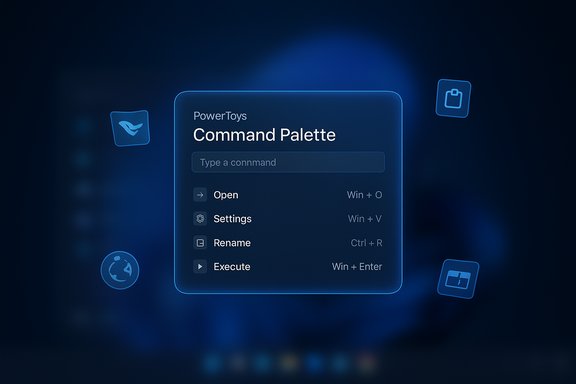
Enter PowerToys, Microsoft’s first‑party, open‑source productivity toolbox. Over recent releases the PowerToys team consolidated and modernized the classic PowerToys launcher (PowerToys Run) into a new, more capable Command Palette. Command Palette surfaces with a single hotkey (default: Win + Alt + Space) and prioritizes launching apps, running commands, and chaining lightweight tasks without surfacing web ads or forcing Edge/Bing behavior. This is not just a UI tweak — it’s a different design philosophy: local‑first, keyboard‑first, and extensible.
At the same time, the technical nuance matters: Command Palette does not yet obviate specialized indexers for extreme file search scenarios, and the extension model introduces governance and security responsibilities. The sensible, high‑value path is for Microsoft to treat Command Palette as a first‑class OS feature while simultaneously delivering enterprise controls, an extension signing model, and a clear, modern file‑index story — whether that is through integration with Everything‑style indexing, an improved native indexer, or both.
The PowerToys team has delivered a compelling tool. The question for Microsoft now is one of stewardship: take the polished, extensible Command Palette and make it the fast, secure, and enterprise‑ready launcher that Windows users have been waiting for — not just an optional power‑user toy, but a core productivity feature that finally gives the Start menu a modern, keyboard‑first complement.
Source: MakeUseOf This PowerToys feature is so good it should be built into Windows
 Background / Overview
Windows has long carried the dual burden of being both ubiquitous and historically conservative in user experience choices. The Start menu and Windows Search grew features and surface area over the years — web results, ads, cloud content, and telemetry-driven suggestions — which broadened their scope but also diluted the local, keyboard‑first workflows that power users crave.Enter PowerToys, Microsoft’s first‑party, open‑source productivity toolbox. Over recent releases the PowerToys team consolidated and modernized the classic PowerToys launcher (PowerToys Run) into a new, more capable Command Palette. Command Palette surfaces with a single hotkey (default: Win + Alt + Space) and prioritizes launching apps, running commands, and chaining lightweight tasks without surfacing web ads or forcing Edge/Bing behavior. This is not just a UI tweak — it’s a different design philosophy: local‑first, keyboard‑first, and extensible.
Why Command Palette matters now
The productivity gap Command Palette closes
For people who live on the keyboard, every extra click, slow match, or irrelevant web result is productivity tax. Command Palette solves three practical problems:- Speed: It returns results in a near‑instant, keyboard‑centric interface instead of waiting on the Windows Search Indexer or returning web-first results.
- Focus: It avoids clutter (ads, suggestions) and surfaces exactly the commands or files you need.
- Extensibility: It’s a platform, not a single-purpose search box; plugins bring package management, clipboard history, conversions, and more into one surface.
How Command Palette works — what you actually get
Invocation and basic UI
- Default hotkey: Win + Alt + Space (configurable in PowerToys settings).
- Small, centered prompt with immediate result list and peek (quick preview) support.
- Tokens and prefixes for quick mode switching (e.g., small command tokens for settings, registry navigation, shell execution).
Built-in utilities and convenience features
Out of the box, Command Palette supports:- Application and file launching
- Window switching (it has absorbed the prior Window Walker tool)
- Inline calculations and unit conversions
- Quick Windows Settings access
- Shell/terminal command execution
- URL and bookmark launching (respecting your default browser and search settings)
- Winget integration to search and install packages
- Clipboard search (via plugins)
- Bookmarks and configurable quick actions
What Command Palette does not replace (yet)
MakeUseOf’s enthusiastic framing — that Command Palette makes Windows Search “irrelevant” — is anchored in real user gains, but it glosses over a technical reality: Command Palette’s file lookups still rely on the system search/indexing pipeline in some scenarios, and the module’s default behavior isn’t a one‑to‑one replacement for a full local file indexer. Microsoft and the PowerToys team have added fallback behaviors and search improvements since launch, but for ultra‑large file collections or network shares, specialized indexers still have the edge. This nuance matters for users who keep terabytes of data across NAS or who require instant filename results across many volumes.Extensibility: the real multiplier
A platform, not just a box
Command Palette’s extension model is the most compelling design choice. Extensions can:- Add providers (e.g., Winget, GitHub, Steam)
- Surface custom commands and workflows
- Integrate with developer tools (e.g., VS Code)
- Provide converters, QR readers, RSS, and more
Developer and enterprise implications
- For developers: build an extension if you need fast access to your app or service. The template generator reduces friction.
- For IT teams: extensions are a controllable surface. Administrators can decide which extensions to allow and can distribute PowerToys centrally using Winget or traditional deployment methods. PowerToys supports enterprise deployment patterns, and Microsoft documents Winget installation paths for PowerToys distribution.
Benchmarks, performance, and resource use
What Microsoft and reviewers report
PowerToys releases have focused on Command Palette performance. Recent updates claim meaningful reductions in startup memory usage and load times due to Ahead‑Of‑Time compilation and other optimizations. One coverage noted a 15% reduction in startup memory and a 40% faster load time in certain builds; PowerToys release notes also document numerous fixes and AOT work. Those are release‑note and journalistic figures — they line up with engineering changes Microsoft rolled into releases, and they reflect genuine progress in resource use and responsiveness.The indexing tradeoff
Not all fast search is created equal. There are three dominant approaches in Windows search tooling:- Use the Windows Search Indexer (deep OS integration, broad metadata coverage, but can be heavy and complex).
- Use a custom indexer (e.g., Fluent Search’s native index) tuned for local speed and content types.
- Use a specialist indexer like Everything (Voidtools) that uses the NTFS USN Journal for near‑instant filename matches.
Alternatives and how they differ
Everything (Voidtools)
- Focus: filename indexing only, extremely fast using the NTFS USN Journal.
- Strengths: millisecond results, tiny footprint for name/path lookup.
- Limitations: not an app launcher by default, not focused on commands or settings.
Fluent Search
- Focus: all‑in‑one launcher with native indexer, OCR-driven screen search, in‑app content search.
- Strengths: searches UI elements, browser tabs, and screen text; flexible indexer choices (native, Windows Search, Everything).
- Limitations: single‑developer project, advanced features may consume more resources depending on configuration.
Flow Launcher / Raycast / Listary
- Focus: extensible launchers with community plugin ecosystems. Raycast is strong on macOS-style workflows; Flow Launcher shines in Windows through a plugin model.
- Strengths: rich plugin ecosystems, some are highly customizable.
- Limitations: ecosystem fragmentation and different tradeoffs on indexing and privacy.
Risks, caveats, and practical rough edges
Microsoft’s engineering is solid, but the community has reported a range of real‑world issues that temper the “bake it into Windows” prescription.- Hotkey and shortcut conflicts: Global hotkeys can collide with OS shortcuts or language switching behavior. PowerToys introduced a low‑level keyboard hook and conflict management UI, but edge cases still exist and require user remapping.
- Early‑release regressions: Several tracked GitHub issues and community threads reported Command Palette failing to open or extensions misbehaving in specific builds; Microsoft has been responsive with patch releases, but enterprises should pilot before mass rollout.
- Indexer and scope limits: Command Palette’s file search falls back to Windows indexing in some cases; that behavior makes it less suitable as a standalone indexer for users with massive local or network stores. Pairing with Everything or Fluent’s indexer is a practical workaround.
- Extension supply‑chain and privacy: Plugins that access clipboard history, cloud services, or browser tabs raise supply‑chain concerns. Administrators and users must audit and whitelist trusted extensions. The extensibility surface is powerful — and inherently a risk if unmanaged.
- Accessibility and elevation quirks: Running PowerToys elevated can change extension visibility or behavior; Microsoft addressed some of these issues but admins should test elevated vs non‑elevated scenarios.
Practical advice: deploying Command Palette sensibly
For individuals:- Install PowerToys from an official channel (Microsoft Store, GitHub, or Winget).
- Enable Command Palette and configure the activation hotkey to avoid collisions.
- If you need lightning‑fast filename search, install Everything and enable its plugin in PowerToys.
- Vet extensions carefully; install only those you trust.
- Pilot Command Palette on a test cohort and document the default hotkey policy.
- Approve a curated set of extensions and block or audit network‑capable plugins.
- Deploy PowerToys via Winget or your management tooling with version control and rollback plans.
- Monitor for accessibility impacts and test elevation scenarios for required integrations.
Why Microsoft should consider folding Command Palette into Windows
The argument is pragmatic and user‑centric, not merely sentimental.- First, it fixes a genuine UX problem. The Start menu and Windows Search have grown into multipurpose portals that sometimes get in the way of quick, local tasks. Command Palette restores the single hotkey, keyboard‑centric workflow that many users want.
- Second, it’s already maintained by Microsoft. PowerToys is a Microsoft project with an active team and community, so the integration path is organizationally feasible.
- Third, extensibility is future‑proofing. A built‑in Command Palette would provide a sanctioned extension surface for third‑party and OS developers, reducing the need for numerous competing launcher ecosystems.
- Fourth, it respects user defaults. Unlike some Start menu behaviors that funnel queries into specific Microsoft services, Command Palette respects user defaults for browser and search engine choices — a small but meaningful design win.
Critical analysis — strengths vs risks
Strengths
- Speed and ergonomics: A single hotkey to launch apps, run commands, and switch windows is a huge productivity multiplier for keyboard users. The interface is designed to keep you in flow and avoid distractions.
- Extensibility: A living extension ecosystem turns a launcher into a workflow engine — install only what you need and keep the core lean.
- First‑party trust and distribution: Microsoft backing means easier enterprise adoption, official documentation, and consistent updates.
- Respect for defaults: It doesn’t force Edge/Bing behavior, which matters to users who prefer alternatives.
Risks and unanswered engineering questions
- Indexer reliance and resilience: Without a first‑class, supremely fast, local indexer built into Command Palette, users will still need third‑party tools for extreme search scenarios. If Microsoft integrated its own high‑performance indexer, that would close a major gap — but doing so would bring privacy, telemetry, and battery tradeoffs to manage.
- Extension security: The plugin model increases attack surface. Enterprises will require granular policies and signing or vetting of extensions to avoid supply‑chain issues.
- Hotkey management and accessibility: Conflicts with global shortcuts and accessibility tools must be ironed out; misconfigured shortcuts can render the launcher unusable in some locales or setups.
- Versioning and QA for system integration: Folding a fast‑moving open project into the core OS increases the QA surface; Microsoft must balance release cadence with stability guarantees for enterprise customers.
Recommended roadmap if Microsoft bakes Command Palette into Windows
- Ship Command Palette as an optional, on by default feature in the next feature update while keeping it togglable for enterprise control.
- Provide an official extension store and signing model to reduce supply‑chain risk.
- Offer policy controls (Group Policy / Intune) for enabling/disabling extensions, restricting network access, and controlling the hotkey.
- Integrate a lightweight local indexer option or provide first‑class interoperability with Everything and Fluent Search for enterprise environments with high indexing needs.
- Invest in accessibility and hotkey conflict resolution before broad, default enablement.
Conclusion
Command Palette is more than a PowerToys novelty; it’s a coherent reimagination of how people should interact with Windows — fast, keyboard‑first, and extensible. For the everyday keyboard centric workflow — launching apps, switching windows, performing quick calculations, installing packages via Winget, and executing small commands — Command Palette is already a superior option to the Start menu and Windows Search front end. That’s why there’s a persuasive argument that Microsoft should make it a core part of Windows.At the same time, the technical nuance matters: Command Palette does not yet obviate specialized indexers for extreme file search scenarios, and the extension model introduces governance and security responsibilities. The sensible, high‑value path is for Microsoft to treat Command Palette as a first‑class OS feature while simultaneously delivering enterprise controls, an extension signing model, and a clear, modern file‑index story — whether that is through integration with Everything‑style indexing, an improved native indexer, or both.
The PowerToys team has delivered a compelling tool. The question for Microsoft now is one of stewardship: take the polished, extensible Command Palette and make it the fast, secure, and enterprise‑ready launcher that Windows users have been waiting for — not just an optional power‑user toy, but a core productivity feature that finally gives the Start menu a modern, keyboard‑first complement.
Source: MakeUseOf This PowerToys feature is so good it should be built into Windows
