

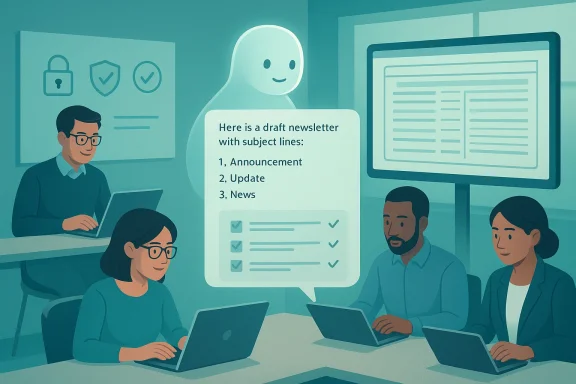
AI is becoming most useful at work not when it tries to replace expertise, but when it helps people work with more discipline, speed, and confidence. That is the central lesson from a recent AARP feature on practical AI use: the people getting the most value from tools like Microsoft Copilot and ChatGPT are using them for editing, brainstorming, research, repetitive tasks, and file conversion — then applying their own judgment before anything goes out the door. The article’s examples show a healthy pattern of intentional adoption: use AI to draft, validate, organize, and accelerate, but keep humans responsible for the final result.
Background — full context
The AARP piece frames AI at work as a productivity aid rather than a replacement for professional thinking. Elizabeth Schön Vainer, 65, uses Microsoft Copilot as an “editor and validator” for emails, newsletters, and other job writing, appreciating the instant feedback it provides even when she does not accept every suggestion. Marie O’Hara, 68, uses ChatGPT to expand career options for students by combining assessment results with prompts that generate additional ideas and explanations. John Santoleri, 63, uses AI to build a quicker high-level understanding of topics like the ethanol industry, while Rick Kahler, 70, uses custom GPTs to speed up responses to frequent information requests. Lisa Ezrol Curran, 58, uses ChatGPT to turn a messy PDF directory into a searchable spreadsheet. The common theme is not automation for its own sake, but practical leverage in everyday work.What makes these examples compelling is their modesty. None of the workers is describing a fully autonomous system that “does the job.” Instead, they are describing AI as a first-pass assistant, a brainstorming partner, a formatting engine, or a quick way to reduce friction. That distinction matters because many organizations still get stuck in a false binary: either AI is transformative, or it is gimmicky. In reality, most real gains come from boring, repeatable work — writing first drafts, extracting structure from unstructured files, summarizing information, or helping people think through options more quickly. The AARP article implicitly argues that productivity comes from specific use cases, not from generic enthusiasm.
That same logic is echoed across the broader uploaded material. Several related articles emphasize that AI creates the most value when it is embedded into workflows, governed carefully, and applied to tasks with visible return on effort. In enterprise settings, that often means document drafting, proposal assembly, workflow routing, internal search, and summary generation — all places where the human still matters, but the machine can cut down the grunt work. In public-sector examples, the benefits appear even more cautiously: drafting, summarization, transcription, and analysis of non-sensitive data, with strong guardrails around privacy and human oversight. The pattern is consistent: AI works best when it serves a process, not when it replaces a person.
There is also a deeper management lesson here. The workers in the AARP story are not asking AI to be perfect; they are asking it to be useful, fast, and reviewable. That mindset lowers adoption barriers because it sets realistic expectations. It also reduces risk because the user remains the decision-maker. In an era when many companies are rushing to deploy copilots and agents, the most sustainable path may be the least flashy one: use AI to shorten the distance between idea and first draft, then require a person to check, refine, and approve. That is not a limitation. It is the essence of responsible productivity.
The most valuable AI use cases at work
1) Editing and validation
One of the clearest practical wins is using AI as a writing partner that can spot weaknesses quickly. Vainer’s description of Copilot as an editor and validator is a good shorthand for what many knowledge workers actually need: not a poet, not a ghostwriter, but a fast second set of eyes. AI can identify unclear phrasing, suggest a tighter subject line, or turn a one-off message into a template for the future. That saves time without surrendering ownership of the message.- Draft faster, then refine manually.
- Use AI to catch awkward wording.
- Ask for subject lines, summaries, and alternatives.
- Turn repeated writing into reusable templates.
- Keep the final approval human.
2) Brainstorming and option generation
Marie O’Hara’s use of ChatGPT is a strong example of AI as an idea generator. She takes data from career assessment tools and asks the model to suggest additional career fields, entry-level roles, and personality-aligned options. In one case, the AI surfaced respiratory therapy as a strong fit for a student interested in health care, offering a rationale that included patient interaction, curiosity, procedures, demand, and salary. That kind of synthesis is useful because it broadens the possibility space.- Use AI to expand a short list into a broader set of options.
- Ask for explanations, not just answers.
- Compare AI suggestions with existing tools.
- Use AI to surface adjacent possibilities.
- Treat output as a starting point, not a verdict.
3) Research and learning
John Santoleri’s research example captures another extremely practical use case: using AI to get oriented quickly when you are entering unfamiliar territory. Rather than bouncing through a dozen websites to build a basic understanding of the ethanol industry, he sees AI as a fast way to ask broad questions, then drill down. That is a real advantage for workers who need an overview before they can ask better questions.- Ask AI for the big picture first.
- Follow up with narrower questions.
- Use it to reduce the time spent on orientation.
- Let it help you develop better questions.
- Verify important claims with primary sources.
Why AI helps repetitive work so much
4) Handling repeated requests
Rick Kahler’s use of custom GPTs for email responses is one of the clearest productivity examples in the article. He gets many “pick-your-brain” and information requests, and AI helps him identify what resources exist, draft a response, and gather links. He still customizes the result, but the repetitive parts are handled much faster.- Use AI where requests repeat with slight variation.
- Let it assemble links and boilerplate.
- Customize the response before sending.
- Build reusable workflows around common asks.
- Keep a library of approved resources.
5) Converting messy files into usable formats
Lisa Ezrol Curran’s example shows AI’s value in data cleanup and document transformation. She needed a sortable, searchable congressional directory and used ChatGPT to transform a poorly formatted PDF into a spreadsheet. Her success came not from magic prompting, but from specificity: use only the information in the file, use these column headers, leave blanks where information is missing. That is a crucial lesson. The better the instructions, the less chaotic the result.- Turn PDFs into tables.
- Extract text into structured fields.
- Standardize columns and formatting.
- Preserve blanks instead of inventing data.
- Give the model precise rules.
How to get better results from AI tools
6) Be specific about boundaries
One of the strongest takeaways from the uploaded material is that vague prompts produce vague output. Curran’s example is the best proof: when she asked too broadly, the result was “completely knotted”; when she defined the file, the columns, and the handling of missing fields, the workflow improved dramatically. The same principle applies to email drafting, research summaries, and brainstorming. Precision produces usefulness.- State exactly what the tool should use.
- Specify what it must not invent.
- Define the output format in advance.
- Tell it how to handle missing information.
- Ask for one step at a time when needed.
7) Use AI for drafts, not final authority
Across the examples, the most responsible users treat AI output as provisional. Vainer does not accept all Copilot suggestions. Santoleri double-checks information. Curran learned to tighten the instructions. That pattern is more important than any individual tool choice. The point is not to surrender judgment; it is to compress the distance between raw material and reviewable draft.- Draft, then verify.
- Brainstorm, then select.
- Summarize, then fact-check.
- Transform, then inspect.
- Automate, then audit.
Safeguards that make AI useful instead of risky
8) Double-check important facts
The article explicitly warns that AI does not always get things right. That is not a footnote; it is the central risk of workplace AI. Whether the subject is industry research, procedural guidance, or document conversion, AI can hallucinate, omit details, or present a plausible but wrong answer with great confidence. The antidote is verification.- Verify names, dates, and figures.
- Cross-check claims against trusted sources.
- Re-read AI-generated summaries for omissions.
- Confirm any legal, financial, or policy language.
- Treat confidence as a signal to inspect more, not less.
9) Protect sensitive data
Other uploaded articles reinforce a broader governance principle: AI use is only as safe as the data you allow into it. Public-sector and enterprise discussions repeatedly stress the need to avoid putting sensitive information into tools that may retain, process, or route it in ways the user does not fully control. The same caution applies in private companies, especially when staff use consumer AI accounts for work tasks without approval.- Do not paste sensitive personal data casually.
- Use approved enterprise tools where possible.
- Know what the vendor can log or retain.
- Separate public information from confidential material.
- Train staff on what is allowed.
What AI can and cannot replace
10) AI can reduce friction, not responsibility
The strongest theme across the AARP article and the related enterprise material is that AI works best when humans remain accountable. It can shorten drafts, assemble information, and suggest ideas, but it does not own the outcome. That is why the most productive users are also the most selective users. They know when to accept an AI suggestion and when to reject it.- AI can accelerate, but not absolve.
- AI can organize, but not decide.
- AI can suggest, but not certify.
- AI can summarize, but not guarantee truth.
- AI can assist, but not own the work.
Strengths and Opportunities
The practical AI story in this material is strong because it is grounded in ordinary work rather than futuristic hype. The best examples are concrete: writing help, brainstorming, research, repetitive email handling, and file cleanup. These are the places where people spend real time every day, which means even small improvements can have a noticeable effect. The opportunity is not to replace jobs wholesale, but to reduce the low-value friction that keeps skilled people from doing higher-value work.- Faster first drafts and cleaner communications.
- Better idea generation in advisory work.
- Quicker orientation on unfamiliar topics.
- Reduced time spent on repetitive email responses.
- Easier transformation of unstructured files into usable formats.
- Better consistency through templates and reusable workflows.
- More time for judgment, service, and analysis.
Risks and Concerns
The biggest risk is overtrust. AI often sounds polished even when it is wrong, and that can create a false sense of security. If users stop verifying the output, they can accidentally send incorrect information, preserve hidden errors, or make decisions based on plausible nonsense. That problem grows when AI is used for research, public-facing writing, or any workflow where accuracy matters.- Hallucinated facts.
- Confident but incomplete summaries.
- Hidden bias in suggestions.
- Over-automation of routine judgment.
- Data privacy mistakes.
- Vendor retention and logging concerns.
- User complacency after repeated “good enough” results.
A third concern is that productivity gains can be uneven. Workers who are already organized and specific may get strong results quickly, while those who want AI to do the thinking for them may get frustrating or dangerous outcomes. That means AI training should not just explain features; it should teach habits — how to prompt, how to verify, how to protect data, and how to decide when not to use the tool.
What to Watch Next
The next phase of workplace AI will likely be less about novelty and more about workflow design. The broad consumer question is no longer “Can AI help?” It clearly can. The more important question is “Where does it help most, and how do we keep it controlled?” That means organizations will increasingly focus on approval processes, data protections, auditability, and tool selection. fileciteturn0file4turn0file11- More enterprise approval of AI tools.
- Stronger safeguards for sensitive information.
- Better built-in validation and review workflows.
- Increased use of custom GPTs and reusable assistants.
- More demand for structured document conversion.
- Wider emphasis on policy training for employees.
- Clearer separation between draft assistance and final authority.
AI at work is most valuable when it behaves like a smart assistant rather than a substitute decision-maker. The people in the AARP feature are not chasing spectacle; they are using AI to save time, test ideas, and create cleaner drafts, while still relying on their own experience to decide what survives. That is a practical, sustainable model for adoption. If organizations pair that mindset with clear safeguards — especially around verification and data handling — AI can become a dependable part of the workday instead of a source of noise.
Source: aarp.org How AI Can Help You Get Ahead at Work
Last edited:
