

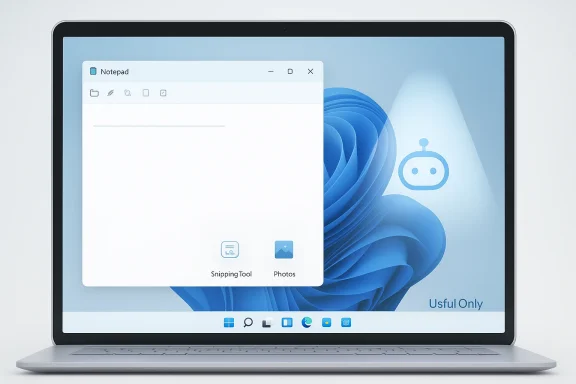
Microsoft is not exactly “removing” Copilot from Windows 11 so much as recalibrating how aggressively it shows up, and that distinction matters. The company’s own “commitment to Windows quality” post says it is reducing unnecessary Copilot entry points and becoming more intentional about where AI appears across Windows, beginning with apps like Notepad, Snipping Tool, Photos, and Widgets. Early Insider changes show the visible Copilot branding fading from some in-box apps, but the underlying AI capabilities are not disappearing wholesale. In other words, the big move is less mascot, more restraint—at least for now.
Microsoft’s Copilot story on Windows has gone through several phases in a remarkably short span. The company first introduced Copilot as a broad consumer AI companion, then pushed it deeper into Windows 11 with taskbar access, app integrations, and Copilot-branded entry points throughout the shell and built-in apps. That push accelerated through 2024 and 2025, as Microsoft framed Windows as the home for AI on the PC and shipped more Copilot-centric features in Notepad, Paint, Photos, and Snipping Tool.
The problem, from a user perspective, was not simply that AI existed. It was that Copilot began feeling omnipresent, with branding and prompts appearing in places people traditionally expect to be simple, fast, and unobtrusive. Notepad is the clearest example: once a lightweight editor, it gradually picked up formatting, spell check, markdown support, and AI assistance, turning a minimalist utility into something much busier. That evolution may be defensible on product grounds, but it also created a growing gap between Microsoft’s “modernization” narrative and what many Windows users experience as clutter.
Then came Microsoft’s March 20, 2026 Windows quality memo, which signaled a strategic reset. In that post, the company promised to improve performance, reliability, and craft, while explicitly calling out a reduction in unnecessary Copilot entry points. It also tied the work to better updates, stronger validation, and a more intentional approach to the Windows experience, suggesting the company had heard enough complaints to re-evaluate how far it had pushed AI into the OS.
That memo is important because it reframes the debate. Microsoft is no longer saying, “Windows should be more Copilot everywhere.” Instead, it is saying, in effect, “Windows should be more selective about where Copilot belongs.” That sounds modest, but it is actually a meaningful pivot because it acknowledges something the market has been hinting at for months: integration is not the same as usefulness. A feature can be technically impressive and still feel like an interruption if it appears in the wrong place or too often.
That may seem cosmetic, but cosmetics are part of product design. Users notice where Microsoft chooses to place attention, and Copilot’s branding had become impossible to ignore. A gentler presentation can reduce friction, especially for people who never wanted AI baked into the basics in the first place. Less noise is still a product improvement, even when the functionality underneath remains similar.
This is where skepticism is justified. Microsoft has often used softer framing to describe changes that, in practice, are more about optics than architecture. If the AI model, cloud dependency, or feature workflow remains intact, then the issue is not that Copilot went away; it is that Microsoft decided the Copilot label itself had become unpopular enough to hide. That is not the same thing as a philosophical reversal.
That creates a “good enough” problem for Microsoft. The company needs AI to feel compelling enough to justify its investment, but not so forceful that it alienates the people who value Windows precisely because it used to be predictable and direct. Predictability is a feature, especially in operating systems, and users are often less forgiving when that predictability is interrupted for strategic messaging.
This matters more in 2026 than it would have a few years ago because the PC market is increasingly split between premium hardware and everything else. Microsoft can showcase Copilot+ PCs with neural processing units and local AI acceleration, but a huge share of the installed base still runs conventional systems where users judge software by speed, startup behavior, and memory discipline. In that world, the optics of bloat can be almost as damaging as bloat itself.
This is why the Copilot-to-Writing-tools change matters so much. It suggests Microsoft recognizes that Notepad should not look like an AI showroom. If the app still offers the same underlying assistance, but without shouting “Copilot” from the toolbar, the company may be trying to preserve capabilities while reducing psychological resistance. That is a smart move, even if it is not the full rollback skeptics want.
At the same time, Microsoft is probably reluctant to strip back too far because Notepad now serves as a proof point for how Windows can incorporate AI in everyday workflows. The app is not just a utility anymore; it is part of the operating system’s AI identity. That makes it harder for Microsoft to separate product utility from product strategy, especially when those goals begin to conflict.
Microsoft’s current messaging appears to recognize that distinction. By saying it will be more intentional about how and where Copilot integrates, the company is implicitly admitting that some integrations have been too broad. That is a subtle but important admission because it suggests the future of Windows AI may be less about ubiquity and more about contextual precision.
This also touches trust. A screenshot tool sits close to personal and work information, so users are extra sensitive to anything that looks like data processing they did not ask for. Microsoft can keep improving Snipping Tool, but it must do so in a way that preserves the sense that the user remains in control at every step.
That also gives Microsoft a way to split the market psychologically. Casual users can see a cleaner Windows 11, while power users and Copilot+ PC owners still get access to more ambitious experiences. That sort of segmentation may be the only practical way to stop the AI story from overwhelming the platform story.
The Windows quality shift may actually help enterprise adoption if it signals more mature product discipline. Fewer surprise entry points, clearer distinctions between local and cloud actions, and a tighter relationship between feature and workflow could make Windows feel less chaotic to admins. But if Microsoft keeps oscillating between hard AI pushes and soft AI pullbacks, enterprises may conclude the platform is still in search of a stable identity.
At the same time, rivals should not overread the change as a collapse of Microsoft’s AI strategy. Microsoft remains deeply committed to Copilot across Windows, Microsoft 365, and its enterprise stack. What is changing is the product choreography, not the underlying ambition.
That could push OEMs toward emphasizing raw performance, battery life, and practical everyday improvements rather than AI jargon. In other words, Microsoft’s shift may help the market move from AI as slogan to AI as one feature among many, which is healthier for long-term adoption but less flashy for launch events.
Another concern is inconsistency. If some Windows components lean heavily into AI while others are stripped back, the platform may feel fragmented rather than refined. Microsoft has spent years trying to make Windows 11 look coherent, and mixed messaging around Copilot could undermine that effort.
The broader question is whether Microsoft can make Windows feel intentionally designed again. That means keeping the power of AI available without letting Copilot become the visual identity of every core app. The best outcome would be a Windows 11 that feels calmer, faster, and more respectful of user choice, even as it remains capable of delivering advanced AI when asked.
Source: Tom's Guide https://www.tomsguide.com/computing...tically-because-its-clearly-just-lip-service/
 Background
Microsoft’s Copilot story on Windows has gone through several phases in a remarkably short span. The company first introduced Copilot as a broad consumer AI companion, then pushed it deeper into Windows 11 with taskbar access, app integrations, and Copilot-branded entry points throughout the shell and built-in apps. That push accelerated through 2024 and 2025, as Microsoft framed Windows as the home for AI on the PC and shipped more Copilot-centric features in Notepad, Paint, Photos, and Snipping Tool.The problem, from a user perspective, was not simply that AI existed. It was that Copilot began feeling omnipresent, with branding and prompts appearing in places people traditionally expect to be simple, fast, and unobtrusive. Notepad is the clearest example: once a lightweight editor, it gradually picked up formatting, spell check, markdown support, and AI assistance, turning a minimalist utility into something much busier. That evolution may be defensible on product grounds, but it also created a growing gap between Microsoft’s “modernization” narrative and what many Windows users experience as clutter.
Then came Microsoft’s March 20, 2026 Windows quality memo, which signaled a strategic reset. In that post, the company promised to improve performance, reliability, and craft, while explicitly calling out a reduction in unnecessary Copilot entry points. It also tied the work to better updates, stronger validation, and a more intentional approach to the Windows experience, suggesting the company had heard enough complaints to re-evaluate how far it had pushed AI into the OS.
That memo is important because it reframes the debate. Microsoft is no longer saying, “Windows should be more Copilot everywhere.” Instead, it is saying, in effect, “Windows should be more selective about where Copilot belongs.” That sounds modest, but it is actually a meaningful pivot because it acknowledges something the market has been hinting at for months: integration is not the same as usefulness. A feature can be technically impressive and still feel like an interruption if it appears in the wrong place or too often.
What Microsoft Actually Announced
The core message from Microsoft is not a retreat from AI, but a refinement of its placement. The company says it is reducing Copilot entry points in Windows apps and will focus on experiences that are “genuinely useful and well-crafted.” That language matters because it implies Microsoft has accepted the criticism that not every app benefits from an AI button, and not every surface deserves a Copilot logo.A quieter Windows shell
The first visible signs are in Insider builds, where Copilot logos have begun disappearing from some app surfaces. Windows Latest reports that Notepad’s Copilot icon has been replaced by a Writing tools button and that Snipping Tool is showing fewer or no obvious Copilot touches. The important takeaway is not whether the feature is renamed, but whether the product is being made less visually aggressive.That may seem cosmetic, but cosmetics are part of product design. Users notice where Microsoft chooses to place attention, and Copilot’s branding had become impossible to ignore. A gentler presentation can reduce friction, especially for people who never wanted AI baked into the basics in the first place. Less noise is still a product improvement, even when the functionality underneath remains similar.
Renaming versus removal
One of the clearest critiques here is that Microsoft may be swapping labels rather than eliminating substance. In Notepad, the Copilot label becoming “Writing tools” suggests a repackaging rather than a real de-integration. That distinction matters because it changes perception without necessarily changing the app’s behavior, and users are usually very good at noticing when a supposed simplification is mostly a visual trick.This is where skepticism is justified. Microsoft has often used softer framing to describe changes that, in practice, are more about optics than architecture. If the AI model, cloud dependency, or feature workflow remains intact, then the issue is not that Copilot went away; it is that Microsoft decided the Copilot label itself had become unpopular enough to hide. That is not the same thing as a philosophical reversal.
Why the distinction matters
A branding change can still signal strategy, though. Microsoft does not rename features at scale unless it believes the old framing is hurting adoption, discoverability, or user trust. In that sense, the rebrand itself is evidence of feedback working, even if only incrementally. The company is clearly trying to reduce the sense that Windows 11 is being overrun by a single consumer AI umbrella.- The company is reducing visible Copilot entry points.
- The first affected apps include Notepad, Snipping Tool, Photos, and Widgets.
- Not all AI features are being removed; some are being renamed or relabeled.
- Microsoft is tying this to a broader Windows quality push, not a standalone Copilot rollback.
Why Users Pushed Back
The backlash against Copilot on Windows has never been only about AI. It has also been about control, clutter, and the feeling that Microsoft keeps making assumptions on behalf of people who just want a straightforward desktop. When a company adds features to foundational apps that were once intentionally simple, it risks turning convenience into friction.The “good enough” problem
For many users, Copilot never solved a problem they actually had. Writing assistance in Notepad, image generation in Paint, and contextual help in Windows can be handy in the right moments, but those moments are not universal. If someone is just trying to jot down a password reminder, edit plain text, or take a clean screenshot, a visible AI button can feel like overhead rather than help.That creates a “good enough” problem for Microsoft. The company needs AI to feel compelling enough to justify its investment, but not so forceful that it alienates the people who value Windows precisely because it used to be predictable and direct. Predictability is a feature, especially in operating systems, and users are often less forgiving when that predictability is interrupted for strategic messaging.
Performance anxiety is real
The other layer of frustration is resource sensitivity. Windows users have long complained about background processes, RAM usage, and what they perceive as bloat, especially on machines that are not high-end. Even if Copilot’s actual footprint varies by feature and implementation, the broader perception is that every new layer of AI makes Windows heavier and more complex.This matters more in 2026 than it would have a few years ago because the PC market is increasingly split between premium hardware and everything else. Microsoft can showcase Copilot+ PCs with neural processing units and local AI acceleration, but a huge share of the installed base still runs conventional systems where users judge software by speed, startup behavior, and memory discipline. In that world, the optics of bloat can be almost as damaging as bloat itself.
Security and trust concerns
There is also a trust issue. Features such as Recall and richer context awareness have made some users wary of AI-powered visibility into their activity, even when Microsoft frames those systems as secure or privacy-preserving. The company has emphasized responsible AI, mitigations, and security-by-default principles, but user instinct often lags behind corporate assurances.- Users often want less friction, not more cleverness.
- A simple app with an AI badge can feel less trustworthy than a simple app without one.
- Copilot’s presence raises concerns about resource use and software weight.
- Microsoft’s security messaging helps, but it does not fully solve perception problems.
Notepad: The Symbolic Battle
Notepad has become the poster child for the Copilot debate because it represents everything users think Windows should leave alone. A text editor is supposed to be instant, obvious, and unobtrusive. When Microsoft adds AI tools to Notepad, it sends a message that even the simplest functions on Windows must now participate in the company’s broader AI narrative.From utility to showcase
That transformation has been gradual. Microsoft has added formatting, markdown support, and AI-powered writing features over time, turning Notepad into a far more capable application. Those changes are not inherently bad, and in a vacuum they make the app more versatile. But when feature additions cluster around a single theme, the app stops feeling like a utility and starts feeling like a demonstration platform.This is why the Copilot-to-Writing-tools change matters so much. It suggests Microsoft recognizes that Notepad should not look like an AI showroom. If the app still offers the same underlying assistance, but without shouting “Copilot” from the toolbar, the company may be trying to preserve capabilities while reducing psychological resistance. That is a smart move, even if it is not the full rollback skeptics want.
The case for a leaner editor
There is a good argument that Notepad should remain a lean, low-drama application even if it gains optional modern features. The best software often respects user intent by staying out of the way until summoned. A thoughtfully designed tool can have advanced capabilities without visually advertising them at all times.At the same time, Microsoft is probably reluctant to strip back too far because Notepad now serves as a proof point for how Windows can incorporate AI in everyday workflows. The app is not just a utility anymore; it is part of the operating system’s AI identity. That makes it harder for Microsoft to separate product utility from product strategy, especially when those goals begin to conflict.
- Notepad used to symbolize simplicity.
- Microsoft has steadily layered in modern features.
- The new “Writing tools” label appears aimed at softening AI’s visual presence.
- The app now sits at the center of the debate over what Windows should be.
Snipping Tool and the Design of Trust
Snipping Tool is a different case because its value proposition is more tied to specific workflows. Microsoft has added features such as text extraction and richer screenshot capabilities, and those enhancements can be genuinely useful. Still, even here, the question is whether the app is becoming smarter in a way that helps users or simply becoming a vehicle for the company’s AI branding.Functional improvements versus AI theater
A screenshot tool benefits from precision, speed, and clarity. If AI improves capture, extraction, or downstream editing, that is a reasonable evolution. But if the user experience becomes dominated by branded AI entry points that are not directly tied to the screenshot task, the feature starts to feel like theater rather than tooling.Microsoft’s current messaging appears to recognize that distinction. By saying it will be more intentional about how and where Copilot integrates, the company is implicitly admitting that some integrations have been too broad. That is a subtle but important admission because it suggests the future of Windows AI may be less about ubiquity and more about contextual precision.
The importance of context
Context is the key word here. In a screenshot workflow, users care about what they captured, how quickly they can extract useful information, and whether the tool adds steps or removes them. If AI is tucked behind a meaningful action, it can feel helpful; if it is front-and-center before the user has even made a capture, it can feel presumptive. That is the difference between assistance and interruption.This also touches trust. A screenshot tool sits close to personal and work information, so users are extra sensitive to anything that looks like data processing they did not ask for. Microsoft can keep improving Snipping Tool, but it must do so in a way that preserves the sense that the user remains in control at every step.
- Snipping Tool has a legitimate path for task-specific enhancement.
- AI should assist capture and extraction, not dominate the interface.
- Microsoft’s new language about “intentional” integration is a tacit correction.
- Trust depends on whether the AI feels requested or intrusive.
Enterprise Versus Consumer Impact
For consumers, the Copilot pullback is mostly about comfort and clutter. For enterprises, though, the story is more nuanced because Microsoft has to balance user preference with deployment consistency, supportability, and the broader commercial AI roadmap. Microsoft’s business messaging around Copilot remains very strong, especially in Microsoft 365, where it continues to position Copilot as a productivity and workflow layer.Consumer Windows: less is more
On the consumer side, the likely winning strategy is restraint. Most people do not want every local app to look like an AI pilot project, and they especially do not want that look in core OS tools. If Microsoft can keep the AI features available without dominating the visual experience, it will probably reduce resistance from ordinary Windows users who just want the system to be fast and quiet.That also gives Microsoft a way to split the market psychologically. Casual users can see a cleaner Windows 11, while power users and Copilot+ PC owners still get access to more ambitious experiences. That sort of segmentation may be the only practical way to stop the AI story from overwhelming the platform story.
Enterprise Windows: governance matters
In enterprise environments, the issue is less about annoyance and more about policy. IT admins want predictable behavior, clear controls, and tools that fit within compliance and security frameworks. Microsoft has been investing heavily in control systems for Copilot and agents across its broader product stack, which suggests the company knows enterprises will not tolerate one-size-fits-all AI plumbing.The Windows quality shift may actually help enterprise adoption if it signals more mature product discipline. Fewer surprise entry points, clearer distinctions between local and cloud actions, and a tighter relationship between feature and workflow could make Windows feel less chaotic to admins. But if Microsoft keeps oscillating between hard AI pushes and soft AI pullbacks, enterprises may conclude the platform is still in search of a stable identity.
Strategic messaging
The strategic upside for Microsoft is obvious: it can say it is listening to users without abandoning AI as a business pillar. That lets the company preserve its Copilot investment while acknowledging that Windows itself should not feel like an all-AI operating system. That is a delicate line, but a necessary one.- Consumers want fewer distractions.
- Enterprises want control and predictability.
- Microsoft is trying to serve both without fully backing away from Copilot.
- The real challenge is not AI capability; it is platform coherence.
The Competitive Picture
Microsoft’s Copilot adjustment does not happen in a vacuum. The broader PC industry is still digesting what AI should mean at the operating system level, and Microsoft’s choices influence expectations for rivals as well as hardware partners. If Microsoft retreats too far, it risks looking indecisive; if it pushes too hard, it risks reinforcing the idea that Windows is bloated and overmanaged.What this means for rivals
Competitors will read this as proof that user backlash against AI sprawl is real. That opens the door for alternative desktop experiences to market themselves as simpler, quieter, and more respectful of user intent. Simplicity can be a competitive weapon when a platform leader begins to look overengineered.At the same time, rivals should not overread the change as a collapse of Microsoft’s AI strategy. Microsoft remains deeply committed to Copilot across Windows, Microsoft 365, and its enterprise stack. What is changing is the product choreography, not the underlying ambition.
Hardware and OEM implications
For PC makers, this reset may be even more important. Copilot+ branding helped Microsoft and its partners sell a vision of AI-first PCs with neural acceleration, but that pitch only works if the software feels worth the hardware premium. If Windows users increasingly view Copilot as decorative rather than essential, the value proposition of AI PCs becomes harder to defend.That could push OEMs toward emphasizing raw performance, battery life, and practical everyday improvements rather than AI jargon. In other words, Microsoft’s shift may help the market move from AI as slogan to AI as one feature among many, which is healthier for long-term adoption but less flashy for launch events.
The branding trap
There is also a broader brand risk here. If Copilot becomes associated with overexposure rather than value, Microsoft will have to work much harder to persuade users that its AI story is additive rather than extractive. That is not just a Windows issue; it affects how people perceive Microsoft’s entire consumer AI stack.- Rivals can market cleaner experiences if Microsoft overcomplicates Windows.
- Microsoft still has a large AI advantage, even while trimming visible Copilot points.
- AI PC hardware needs software that feels necessary, not merely present.
- Brand trust may matter as much as feature count going forward.
Strengths and Opportunities
Microsoft’s latest Windows 11 pivot has real upside if the company actually follows through. A better-balanced Windows can keep the useful parts of Copilot while restoring the sense that the OS is a platform first and a marketing vehicle second. That would be a win for user trust, product clarity, and long-term adoption.- A cleaner interface can make Windows feel faster and less cluttered.
- Reducing unnecessary AI branding could improve user satisfaction.
- Microsoft can preserve AI functionality while improving perceived simplicity.
- A more intentional approach may help Microsoft rebuild trust around Windows 11.
- Enterprises may welcome a clearer distinction between core OS and optional AI.
- OEMs can reframe Windows devices around performance and reliability, not just AI labels.
Risks and Concerns
The biggest risk is that this all turns out to be mostly cosmetic. If Microsoft simply renames Copilot surfaces while leaving the same AI behaviors intact, users will eventually notice, and skepticism will harden into cynicism. That would be the worst possible outcome because it would make the company look both defensive and evasive.Another concern is inconsistency. If some Windows components lean heavily into AI while others are stripped back, the platform may feel fragmented rather than refined. Microsoft has spent years trying to make Windows 11 look coherent, and mixed messaging around Copilot could undermine that effort.
- Cosmetic changes may be seen as lip service if functionality does not meaningfully change.
- Overexposure to AI branding can continue to fuel bloat concerns.
- Mixed signals may weaken the perception of platform coherence.
- Users may remain wary of privacy and visibility implications.
- Microsoft could frustrate both AI skeptics and AI enthusiasts if it lands in the middle.
- The company risks making Copilot feel like a branding project instead of a utility.
Looking Ahead
The next phase will determine whether Microsoft’s Windows quality push is substantive or merely rhetorical. If April and subsequent Insider builds bring real reductions in friction, more obvious performance gains, and genuinely quieter AI integration, then this will look like a course correction. If not, users will likely treat the whole exercise as a polished rerun of the same strategy they have already rejected.The broader question is whether Microsoft can make Windows feel intentionally designed again. That means keeping the power of AI available without letting Copilot become the visual identity of every core app. The best outcome would be a Windows 11 that feels calmer, faster, and more respectful of user choice, even as it remains capable of delivering advanced AI when asked.
- Watch for further changes in Paint, Photos, and Widgets.
- Look for evidence that Notepad’s rebrand is paired with real functional simplification.
- Monitor whether Windows updates become less disruptive and more predictable.
- Track whether Microsoft extends the same restraint to the broader Copilot app and shell surfaces.
- Pay attention to whether OEM messaging shifts from AI-first to quality-first.
Source: Tom's Guide https://www.tomsguide.com/computing...tically-because-its-clearly-just-lip-service/
