

Microsoft is quietly recalibrating one of its most visible Windows 11 bets: the push to put Copilot everywhere. In a new wave of Insider changes, the company is reducing Copilot branding and entry points inside inbox apps such as Notepad, Snipping Tool, Photos, and Widgets, while leaving the underlying AI features largely intact. That makes this less a retreat from AI than a correction in how Microsoft wants Windows to feel day to day—less noisy, less promotional, and more selective about when AI surfaces. The timing matters, because it follows Microsoft’s own pledge to reduce “unnecessary Copilot entry points” and to refocus Windows on quality, reliability, and user control.
Microsoft’s Copilot strategy in Windows has been built on a simple idea: if AI is going to matter, it has to become part of the operating system, not just an app you open when you remember it exists. That vision made sense when the company was racing to define the AI PC era, but it also created a growing problem of overexposure. When every useful utility starts looking like a Copilot demo, users stop seeing the assistant as helpful and start seeing it as invasive.
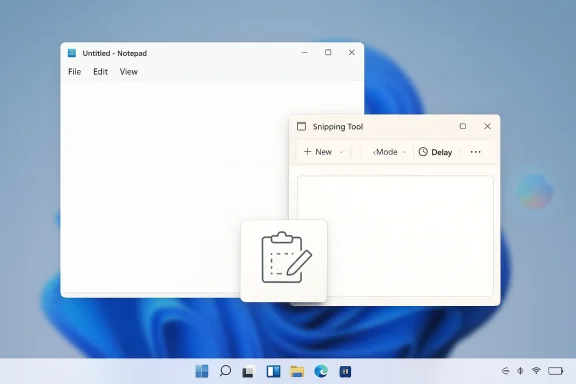
The latest changes suggest Microsoft finally recognizes that distinction. In Notepad, Copilot branding is being replaced by a more neutral writing-tools presentation, while the AI functions remain available in the background. In Snipping Tool, the visible Copilot button has reportedly been removed altogether. That is an important split: one app is being de-branded, the other de-cluttered, but neither change amounts to a full rollback of AI capability.
This is also a Windows culture story, not just a product story. Windows users tend to care deeply about control, muscle memory, and low-friction workflows. They notice immediately when a simple utility starts behaving like a marketing surface. That is why changes in Notepad or Snipping Tool attract outsized attention: these are the kinds of apps people use precisely because they are supposed to get out of the way.
There is a broader strategic backdrop as well. Microsoft has spent the last two years threading AI into Windows, Microsoft 365, and Copilot-branded experiences across the stack. But the company is now balancing two competing imperatives: keep Copilot central to its AI narrative, and avoid turning the desktop into a crowded billboard. The newest Windows 11 adjustments are best understood as an effort to preserve the first goal without sabotaging the second.
Notepad is the clearest example. In recent builds, the old Copilot icon in the toolbar has reportedly been replaced with a neutral pen-style icon labeled “Writing tools.” The functions behind it—Write, Rewrite, and Summarize—still exist, but the app now presents them as part of a normal editing experience instead of a Copilot showcase. Microsoft has also moved the option to disable those features out of the more obvious AI label area and into Advanced features, which further reduces the sense that the app is shouting “AI” at the user.
The branding change is therefore not trivial. A neutral icon and a plain “Writing tools” label tell a different story than a Copilot badge in the toolbar. Microsoft is still pushing AI-assisted writing, but it is now trying to make it feel like a natural extension of Notepad rather than an interruptive prompt. That is good UX discipline, even if some users would have preferred a stronger signal that the company is backing away from AI branding entirely.
That is why this update lands differently from a feature add in a heavyweight app. AI in Notepad only works if it feels optional and non-disruptive. If the first thing users see is a Copilot badge, some will interpret the feature as a branding exercise rather than a productivity upgrade. By changing the look and terminology, Microsoft is trying to lower the temperature without removing the functionality.
For Microsoft, this is an admission that ubiquitous branding can backfire. A feature can be technically useful and still feel like advertising if it appears too often or in the wrong place. Notepad’s new look suggests the company understands that a lighter touch may produce better adoption than a louder one.
That matters because Snipping Tool serves a different job than Notepad. People use it to capture something quickly, annotate it, and move on. The app is at its best when it is almost invisible. A Copilot button in that workflow can feel like a detour, especially if the user simply wants to finish a task that should take seconds.
There is another wrinkle here: Microsoft has been experimenting with deeper text actions and OCR-type functionality in Snipping Tool, which means the app has also become a testbed for more advanced workflows. But the company seems to have concluded that the visible Copilot layer was creating more friction than value in this context. That is a useful reminder that context matters more than feature count.
This is why the change is notable even without a full product statement from Microsoft. It suggests the company is moving from “put AI everywhere” to “put AI where it belongs.” That is a healthier principle for a desktop OS, where every added control competes with habits users have built over years.
That framing is important because it tells us how Microsoft wants this move interpreted. The company is not saying “we made a mistake.” It is saying “we are being more intentional.” That language is classic Microsoft: conservative, strategic, and designed to make a course correction sound like a refinement rather than a retreat.
There is a practical reason for that. Microsoft still wants Windows to be seen as the default AI platform on the PC. But Windows is also the place where people do ordinary work, often all day long. If the OS feels too busy, too eager, or too self-promotional, the company risks undermining the very adoption it is trying to drive.
The current shift suggests a change in philosophy. Instead of making AI omnipresent, Microsoft is trying to make it well-placed. That is a more mature approach. It acknowledges that a good desktop platform is not the one that shows users the most features; it is the one that stays out of the way when those features are not needed.
There is also a perception shift here. A visible Copilot badge can make users feel as if Microsoft is trying to sell them something inside the operating system. Replacing that with more neutral language makes the feature feel less like a campaign and more like a tool. That is a small design move with a large psychological effect.
At the same time, some consumers will be disappointed that this is not a deeper rollback. The AI features are still present, and in some cases users will still need to toggle them off manually. So while the experience is less loud, it is not necessarily less AI-heavy under the hood.
Microsoft has already documented policy controls for AI features in apps such as Notepad, and support guidance around Copilot in Windows makes it clear that governance is part of the product story. In that sense, the new changes align with what enterprises have been asking for: fewer surprises and less unwanted surface area.
That said, enterprise admins may still view the move skeptically. If Microsoft keeps shipping AI in some places while quietly reducing it in others, it can create confusion about which defaults are stable and which are not. Enterprises tend to prefer clear policy boundaries over cosmetic adjustments.
Microsoft’s new direction could help here, especially if it eventually expands policy controls or makes AI surfaces more consistent across the desktop. But trust will depend on execution. If the company continues to change app behavior piecemeal, IT teams may still feel like they are managing a moving target.
That is why the Copilot story became so emotionally charged. Windows is not a single app; it is the operating environment itself. When Microsoft adds buttons and prompts to common utilities, the changes are experienced as a change in the feel of the OS, not just the functionality.
The frustration is amplified by the fact that Windows users are often sensitive to clutter and inconsistency. Small annoyances accumulate. A button here, a prompt there, and suddenly the desktop feels heavier than it should. Copilot became a symbol of that weight.
That is where Microsoft appears to have made a miscalculation. It treated visibility as adoption. In practice, overexposure can produce the opposite effect: users ignore the feature, resent the brand, or both. That makes this recalibration overdue.
Apple has generally been more conservative about surfacing systemwide AI, and Google’s AI strategy has leaned more heavily into services than desktop integration. Microsoft has chosen the hardest path: making AI feel native on a platform that has to serve consumers, enterprises, gamers, and power users all at once.
That means restraint may actually become a competitive advantage. A quieter Windows can look more mature than a louder one. If Microsoft can make Copilot useful without making it unavoidable, it may preserve the brand while reducing the user fatigue that has built up over the last two years.
The opportunity is especially strong if the company applies this logic consistently across the shell, not just in a few inbox apps. If Microsoft keeps refining how and where AI appears, Windows could become a more credible platform for both everyday users and enterprise buyers.
There is also a communication problem. If Microsoft frames this as a pure quality improvement while users perceive it as a partial retreat, the company could create confusion about its AI strategy. Enterprises in particular will want clarity, because they need to know which features are stable, which are optional, and which are still in flux.
The real question is whether this becomes the beginning of a larger simplification effort. If Microsoft is willing to reduce unnecessary AI entry points here, it may also revisit other parts of Windows that have drawn complaints for years: update behavior, shell clutter, taskbar rigidity, and overly promotional defaults. In that scenario, Copilot is just the first visible correction in a broader effort to make Windows feel calmer.
Source: ET CIO Microsoft removes Copilot button from Windows 11 apps
 Overview
Microsoft’s Copilot strategy in Windows has been built on a simple idea: if AI is going to matter, it has to become part of the operating system, not just an app you open when you remember it exists. That vision made sense when the company was racing to define the AI PC era, but it also created a growing problem of overexposure. When every useful utility starts looking like a Copilot demo, users stop seeing the assistant as helpful and start seeing it as invasive.The latest changes suggest Microsoft finally recognizes that distinction. In Notepad, Copilot branding is being replaced by a more neutral writing-tools presentation, while the AI functions remain available in the background. In Snipping Tool, the visible Copilot button has reportedly been removed altogether. That is an important split: one app is being de-branded, the other de-cluttered, but neither change amounts to a full rollback of AI capability.
This is also a Windows culture story, not just a product story. Windows users tend to care deeply about control, muscle memory, and low-friction workflows. They notice immediately when a simple utility starts behaving like a marketing surface. That is why changes in Notepad or Snipping Tool attract outsized attention: these are the kinds of apps people use precisely because they are supposed to get out of the way.
There is a broader strategic backdrop as well. Microsoft has spent the last two years threading AI into Windows, Microsoft 365, and Copilot-branded experiences across the stack. But the company is now balancing two competing imperatives: keep Copilot central to its AI narrative, and avoid turning the desktop into a crowded billboard. The newest Windows 11 adjustments are best understood as an effort to preserve the first goal without sabotaging the second.
What Microsoft Changed
The headline change is not that Microsoft is removing AI from Windows 11. It is that the company is trimming the visibility of AI in places where users have complained about clutter. That distinction matters because the underlying features are still there. Microsoft appears to be trying to separate capability from branding, which is a subtle but meaningful product decision.Notepad is the clearest example. In recent builds, the old Copilot icon in the toolbar has reportedly been replaced with a neutral pen-style icon labeled “Writing tools.” The functions behind it—Write, Rewrite, and Summarize—still exist, but the app now presents them as part of a normal editing experience instead of a Copilot showcase. Microsoft has also moved the option to disable those features out of the more obvious AI label area and into Advanced features, which further reduces the sense that the app is shouting “AI” at the user.
Notepad’s Branding Shift
Notepad is especially sensitive because it is one of Windows’ most minimal and familiar tools. Users do not open Notepad expecting a feature tour; they open it to type quickly and leave. That makes any extra UI layer feel more intrusive than it would in a richer app like Photos or Paint.The branding change is therefore not trivial. A neutral icon and a plain “Writing tools” label tell a different story than a Copilot badge in the toolbar. Microsoft is still pushing AI-assisted writing, but it is now trying to make it feel like a natural extension of Notepad rather than an interruptive prompt. That is good UX discipline, even if some users would have preferred a stronger signal that the company is backing away from AI branding entirely.
- The AI features remain available.
- The Copilot label is being softened.
- The settings path is less front-and-center.
- The app feels quieter, even if the code underneath has not changed.
- Microsoft is signaling restraint, not abandonment.
Why Notepad Matters
Notepad may seem trivial, but it is one of the most symbolic apps in Windows. It stands for speed, simplicity, and the absence of friction. When Microsoft changes Notepad, it is not merely adjusting a utility; it is changing the emotional contract users have with the operating system.That is why this update lands differently from a feature add in a heavyweight app. AI in Notepad only works if it feels optional and non-disruptive. If the first thing users see is a Copilot badge, some will interpret the feature as a branding exercise rather than a productivity upgrade. By changing the look and terminology, Microsoft is trying to lower the temperature without removing the functionality.
The Psychology of a Neutral Interface
Interface language matters more than many product teams want to admit. “Copilot” implies a branded assistant that sits beside you. “Writing tools” implies a set of capabilities inside the app. Those are not the same thing psychologically, even if the underlying result is similar.For Microsoft, this is an admission that ubiquitous branding can backfire. A feature can be technically useful and still feel like advertising if it appears too often or in the wrong place. Notepad’s new look suggests the company understands that a lighter touch may produce better adoption than a louder one.
Snipping Tool’s More Direct Rollback
If Notepad is the soft rebrand, Snipping Tool is the more direct reversal. Microsoft has reportedly removed the Copilot button from the flow that appears after selecting an area using Quick markup. Unlike Notepad, there is no visible AI surface left in the same spot, at least for now. That makes Snipping Tool the clearest example of Microsoft choosing to eliminate an entry point rather than just rename it.That matters because Snipping Tool serves a different job than Notepad. People use it to capture something quickly, annotate it, and move on. The app is at its best when it is almost invisible. A Copilot button in that workflow can feel like a detour, especially if the user simply wants to finish a task that should take seconds.
There is another wrinkle here: Microsoft has been experimenting with deeper text actions and OCR-type functionality in Snipping Tool, which means the app has also become a testbed for more advanced workflows. But the company seems to have concluded that the visible Copilot layer was creating more friction than value in this context. That is a useful reminder that context matters more than feature count.
Why Snipping Tool Is Different
Snipping Tool is not a creative canvas. It is a utility. That distinction changes how users perceive additional controls. In an app like Photos, an AI editing shortcut can sometimes feel natural. In Snipping Tool, where speed is the whole point, a visible Copilot button can feel like a distraction from the task itself.This is why the change is notable even without a full product statement from Microsoft. It suggests the company is moving from “put AI everywhere” to “put AI where it belongs.” That is a healthier principle for a desktop OS, where every added control competes with habits users have built over years.
- Snipping Tool prioritizes capture and markup.
- Extra AI prompts can interrupt a fast workflow.
- Removing the button is a stronger statement than rebranding it.
- The change implies Microsoft is testing selective visibility.
- Users are likely to welcome fewer interruptions in this app.
The Bigger Windows Quality Push
The Copilot changes are not happening in isolation. They arrive in the middle of a broader Microsoft message about Windows quality, reliability, and user control. In a March 2026 Windows Insider blog post, Windows and Devices President Pavan Davuluri said Microsoft was reducing unnecessary Copilot entry points in apps like Snipping Tool, Photos, Widgets, and Notepad, while also focusing on reliability, update behavior, and better overall UX.That framing is important because it tells us how Microsoft wants this move interpreted. The company is not saying “we made a mistake.” It is saying “we are being more intentional.” That language is classic Microsoft: conservative, strategic, and designed to make a course correction sound like a refinement rather than a retreat.
There is a practical reason for that. Microsoft still wants Windows to be seen as the default AI platform on the PC. But Windows is also the place where people do ordinary work, often all day long. If the OS feels too busy, too eager, or too self-promotional, the company risks undermining the very adoption it is trying to drive.
Quality Over Spectacle
For years, Microsoft has tried to make Windows feel modern by adding new surfaces, new prompts, and new integrations. That strategy can work in demos. It tends to work less well in daily use, where users notice every extra click and every visual interruption.The current shift suggests a change in philosophy. Instead of making AI omnipresent, Microsoft is trying to make it well-placed. That is a more mature approach. It acknowledges that a good desktop platform is not the one that shows users the most features; it is the one that stays out of the way when those features are not needed.
Consumer Impact
For consumers, the immediate effect is likely to be relief rather than excitement. Most people do not want a lecture about AI every time they open Notepad or Snipping Tool. They want the app to be predictable, fast, and easy to ignore when they do not need anything fancy. Microsoft is betting that a quieter interface will feel more trustworthy.There is also a perception shift here. A visible Copilot badge can make users feel as if Microsoft is trying to sell them something inside the operating system. Replacing that with more neutral language makes the feature feel less like a campaign and more like a tool. That is a small design move with a large psychological effect.
At the same time, some consumers will be disappointed that this is not a deeper rollback. The AI features are still present, and in some cases users will still need to toggle them off manually. So while the experience is less loud, it is not necessarily less AI-heavy under the hood.
What Casual Users Will Notice
Most casual users will not care about version numbers or build details. They will notice whether the app looks less crowded and whether the workflow feels smoother. If the new design helps them stay focused, Microsoft will have won a small but meaningful trust dividend.- Fewer Copilot labels in everyday apps.
- Less visual clutter in basic workflows.
- A more neutral feel in Notepad.
- Potentially smoother task completion in Snipping Tool.
- A softer AI presence across the shell.
Enterprise Impact
Enterprises may see this differently from consumers. For IT departments, the issue is not branding aesthetics so much as control, predictability, and support overhead. Every extra AI entry point can become another thing to explain, policy-manage, or disable.Microsoft has already documented policy controls for AI features in apps such as Notepad, and support guidance around Copilot in Windows makes it clear that governance is part of the product story. In that sense, the new changes align with what enterprises have been asking for: fewer surprises and less unwanted surface area.
That said, enterprise admins may still view the move skeptically. If Microsoft keeps shipping AI in some places while quietly reducing it in others, it can create confusion about which defaults are stable and which are not. Enterprises tend to prefer clear policy boundaries over cosmetic adjustments.
Governance and User Trust
The enterprise case for quieter AI is straightforward. Workers should not be distracted by consumer-style prompts in tools they use for routine tasks. If the AI is there, it should have a clear business purpose and be easy to manage centrally.Microsoft’s new direction could help here, especially if it eventually expands policy controls or makes AI surfaces more consistent across the desktop. But trust will depend on execution. If the company continues to change app behavior piecemeal, IT teams may still feel like they are managing a moving target.
Why the Copilot Push Triggered Backlash
The backlash to Copilot in Windows was never just about AI in principle. It was about placement, timing, and repetition. Users generally tolerate optional automation. They do not tolerate a desktop that keeps interrupting them with features they did not ask for.That is why the Copilot story became so emotionally charged. Windows is not a single app; it is the operating environment itself. When Microsoft adds buttons and prompts to common utilities, the changes are experienced as a change in the feel of the OS, not just the functionality.
The frustration is amplified by the fact that Windows users are often sensitive to clutter and inconsistency. Small annoyances accumulate. A button here, a prompt there, and suddenly the desktop feels heavier than it should. Copilot became a symbol of that weight.
From Novelty to Fatigue
In the early AI era, Copilot had novelty on its side. It was easy to tolerate a new assistant when it still felt like a preview of the future. But novelty decays quickly when the same brand starts appearing everywhere.That is where Microsoft appears to have made a miscalculation. It treated visibility as adoption. In practice, overexposure can produce the opposite effect: users ignore the feature, resent the brand, or both. That makes this recalibration overdue.
Competitive Implications
Microsoft is not the only company trying to make AI a normal part of computing, but it is the only one doing so at the operating-system level for an enormous installed base. That gives it both leverage and risk. If Windows AI works, Microsoft controls the default. If it feels invasive, the backlash lands at the OS level.Apple has generally been more conservative about surfacing systemwide AI, and Google’s AI strategy has leaned more heavily into services than desktop integration. Microsoft has chosen the hardest path: making AI feel native on a platform that has to serve consumers, enterprises, gamers, and power users all at once.
That means restraint may actually become a competitive advantage. A quieter Windows can look more mature than a louder one. If Microsoft can make Copilot useful without making it unavoidable, it may preserve the brand while reducing the user fatigue that has built up over the last two years.
The AI Platform Race
The race is no longer about who can add the most AI labels. It is about who can make AI feel least annoying. That is a different competition, and one Microsoft now seems better positioned to fight.- Apple has an advantage in restraint.
- Google has scale across services.
- Microsoft has the desktop itself.
- Windows must balance automation with control.
- The best AI UX may be the one users barely notice.
Strengths and Opportunities
Microsoft’s current move has real upside because it responds to a very specific form of user pain without abandoning the broader AI roadmap. The company is not deleting Copilot from Windows; it is making the assistant less intrusive and more context-aware. That gives Microsoft room to keep investing in AI while reducing the risk that users mentally classify it as clutter.The opportunity is especially strong if the company applies this logic consistently across the shell, not just in a few inbox apps. If Microsoft keeps refining how and where AI appears, Windows could become a more credible platform for both everyday users and enterprise buyers.
- Reduces visible clutter in high-frequency apps.
- Preserves AI functionality while lowering friction.
- Improves trust in core Windows utilities.
- Supports a more mature, context-first AI strategy.
- Gives Microsoft room to refine Copilot without scrapping it.
- Could ease enterprise concerns about surprise UI changes.
- Strengthens the argument that Windows quality matters again.
Risks and Concerns
The biggest risk is that Microsoft will stop too soon and declare victory before users actually feel a meaningful change. Quieting Copilot in a few apps will not fix broader complaints about Windows 11 if the OS still feels overly managed, inconsistent, or intrusive in other places. Users who have been frustrated for years are unlikely to be won over by a limited cosmetic adjustment alone.There is also a communication problem. If Microsoft frames this as a pure quality improvement while users perceive it as a partial retreat, the company could create confusion about its AI strategy. Enterprises in particular will want clarity, because they need to know which features are stable, which are optional, and which are still in flux.
- The rollback may feel too limited for skeptical users.
- Mixed messaging could confuse consumers and admins.
- Some AI features remain hidden rather than removed.
- Policy and support complexity may persist.
- Slow rollouts can frustrate users who want immediate relief.
- Microsoft risks looking reactive instead of intentional.
- Overpromising on quality could backfire if other Windows pain points remain.
Looking Ahead
The next few weeks will matter because Microsoft says these changes are rolling out gradually through Insider channels before reaching broader audiences. That means the company is effectively using the Windows community as a feedback loop, testing whether less visible Copilot integration makes Windows feel better or merely less obvious. If the response is positive, expect Microsoft to apply the same logic to more surfaces.The real question is whether this becomes the beginning of a larger simplification effort. If Microsoft is willing to reduce unnecessary AI entry points here, it may also revisit other parts of Windows that have drawn complaints for years: update behavior, shell clutter, taskbar rigidity, and overly promotional defaults. In that scenario, Copilot is just the first visible correction in a broader effort to make Windows feel calmer.
What to Watch Next
- Whether the revised Notepad design reaches stable public builds.
- Whether Snipping Tool keeps the Copilot button removed.
- Whether Photos and Widgets get similarly toned-down AI entry points.
- Whether Microsoft adds stronger policy controls for enterprises.
- Whether Windows quality messaging expands beyond Copilot into the rest of the shell.
Source: ET CIO Microsoft removes Copilot button from Windows 11 apps
