

Microsoft’s Copilot reset in Windows 11 is less a retreat from AI than an admission that the company pushed too hard, too fast, and too visibly. After years of surfacing Copilot in inbox apps, shell touchpoints, and everyday utilities, Microsoft is now trying to quiet the interface, reduce unnecessary entry points, and make AI feel more contextual and less compulsory. That shift matters because it follows a wave of user backlash strong enough to turn “Microslop” into a widely used shorthand for AI bloat and overexposure. The result is a rare moment where Microsoft’s product strategy, its branding, and its relationship with Windows users are all being renegotiated at once.
Microsoft’s AI strategy in Windows has been building toward this moment for more than two years. What began as a broad Copilot vision in 2023 evolved into a platform-wide push in 2024 and 2025, with AI woven into Windows, Edge, Microsoft 365, and a growing list of inbox apps. The company’s pitch was straightforward: Copilot would become the ambient layer that made the PC smarter, faster, and more helpful. In practice, that meant more buttons, more prompts, more branding, and more reasons for users to feel that the operating system was talking at them instead of helping them.
The backlash was not mainly about AI in the abstract. It was about placement, frequency, and tone. Users could accept a useful assistant when they asked for it, but many reacted badly when Copilot appeared in Notepad, Paint, Snipping Tool, Widgets, and other places where they expected speed and simplicity. That distinction is crucial. A feature can be technically impressive and still feel like clutter if it interrupts low-friction workflows that people use precisely because they are supposed to be uncomplicated.
By early 2026, Microsoft began signaling a change in tone. The company publicly emphasized Windows quality, reliability, and user control, while Insider builds started showing fewer Copilot touchpoints in some apps. Notepad’s visible Copilot branding was replaced by a more neutral writing-tools presentation, and similar changes appeared across other parts of the shell. That does not mean the underlying AI disappeared. It means Microsoft is trying to separate capability from spectacle, which is a very different product philosophy.
This matters for both consumers and enterprises. Consumers mostly notice the emotional texture of the desktop: whether it feels calm, cluttered, or pushy. Enterprises, meanwhile, care about governance, predictability, licensing, and control. When a platform shifts from optional assistance to omnipresent branding, administrators see policy overhead, support headaches, and a loss of trust in defaults. Microsoft appears to have discovered that the hard way.
The repeated appearance of AI across basic utilities created a sense of mission creep. Notepad was supposed to be a fast text editor, not a showcase for summarization and rewriting. Snipping Tool was supposed to capture and annotate, not become a gateway to assistant features. Paint, Photos, Widgets, and the taskbar each became small stages for Microsoft’s AI story, but the cumulative effect was to make the operating system feel like a promotional surface.
The most important thing to understand is that users are not rejecting intelligence. They are rejecting interruption. There is a big difference between AI that waits for a clear signal and AI that keeps poking the user with branded prompts. Microsoft’s early deployment strategy blurred that line, and the backlash is the predictable result.
At the same time, the company’s own messaging appears to acknowledge that ubiquity is not the same as usefulness. Microsoft has been talking more about being intentional, reducing friction, and focusing on AI experiences that are genuinely useful. That is not a retreat so much as a correction. If a company keeps shipping the same brand everywhere, it eventually learns that presence alone does not create value.
That is especially risky because Windows is not a standalone app people can replace with a click. It is the environment in which people work all day. So when Microsoft changes the shell, it is not merely shifting a UI element; it is changing the emotional contract of the platform. Users notice that, even if they can’t always articulate why.
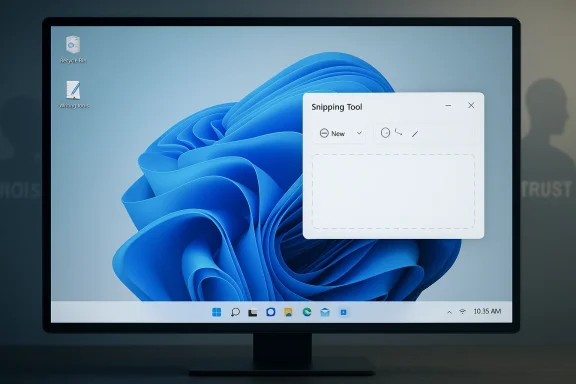
Snipping Tool appears to be following the same logic. Rather than pushing Copilot into every corner of the workflow, Microsoft is trimming visible hooks and making the app feel more capture-first. That is a healthier fit for a utility whose core value proposition is speed. Users who want AI help can still find it, but the default experience is less noisy.
That shift also reveals Microsoft’s new balancing act. The company wants less visible friction, not less AI capability. It wants users to perceive the system as calmer without surrendering the broader AI agenda underneath. In other words, Microsoft is trying to repackage the same ambition in a way that won’t trigger the same immediate backlash.
Enterprises have a more procedural complaint. They need to know what is installed, what data is used, what licensing applies, and what can be controlled centrally. When AI features arrive in inbox apps by default, administrators have to document exceptions, suppress features, and explain behavior to users who may not want them. That creates overhead, and overhead is the enemy of enterprise adoption.
A more restrained Copilot presentation could help Microsoft in both markets. Consumers would see less clutter, and enterprises would see fewer surprises. But that only works if Microsoft keeps the controls clear and the rollout consistent. Mixed messaging would do more damage than a noisy launch, because it would confirm that the company still does not fully understand what users actually objected to.
That is a meaningful correction because it reflects a different understanding of user behavior. People do not usually fall in love with software because it keeps announcing itself. They fall in love with software when it becomes useful, predictable, and almost invisible. Microsoft is starting to relearn that lesson in public.
This also explains why the company is pairing AI restraint with broader usability improvements such as better taskbar behavior and less intrusive update flows. The message is that Windows should stop fighting the user. That’s a smart strategic message, even if it comes after years of pushing in the opposite direction.
The strategic risk is that a noisy AI strategy makes the platform feel less like a stable desktop and more like a constantly changing showcase. That can be exciting for power users who want the latest features, but it can also alienate mainstream buyers who just want the machine to work. Microsoft seems to have realized that the old Windows bargain is fraying. Users will no longer tolerate rough edges in exchange for ambition alone.
That is the competitive sweet spot. Microsoft does not need to abandon Copilot to compete. It needs to make Copilot feel like a capability, not a posture. Rivals will notice the difference because users will notice the difference.
That is why the phrase “AI slop” landed so hard online. It describes more than low-quality output. It describes the feeling that AI is being layered onto everything whether it belongs there or not. In a desktop operating system, that feeling is corrosive because the platform’s main selling point is supposed to be control.
If Microsoft keeps moving in that direction, it may finally turn AI into something users experience as helpful rather than intrusive. If it slips back into the old pattern of saturation and branding, the backlash will return just as quickly. That is the risk of building a strategy on visibility: users can see it when the company gets it wrong.
The other thing to watch is how Microsoft balances ambition with restraint. The company still wants AI to define the next era of Windows, and it will not abandon that story lightly. But it now has to prove that AI can be present without being pushy, visible without being loud, and helpful without becoming a sales pitch. That is a much harder product test than simply shipping more features.
Source: Digital Trends From Microsoft to “microslop”: The AI backlash that forced a reset
 Overview
Microsoft’s AI strategy in Windows has been building toward this moment for more than two years. What began as a broad Copilot vision in 2023 evolved into a platform-wide push in 2024 and 2025, with AI woven into Windows, Edge, Microsoft 365, and a growing list of inbox apps. The company’s pitch was straightforward: Copilot would become the ambient layer that made the PC smarter, faster, and more helpful. In practice, that meant more buttons, more prompts, more branding, and more reasons for users to feel that the operating system was talking at them instead of helping them.The backlash was not mainly about AI in the abstract. It was about placement, frequency, and tone. Users could accept a useful assistant when they asked for it, but many reacted badly when Copilot appeared in Notepad, Paint, Snipping Tool, Widgets, and other places where they expected speed and simplicity. That distinction is crucial. A feature can be technically impressive and still feel like clutter if it interrupts low-friction workflows that people use precisely because they are supposed to be uncomplicated.
By early 2026, Microsoft began signaling a change in tone. The company publicly emphasized Windows quality, reliability, and user control, while Insider builds started showing fewer Copilot touchpoints in some apps. Notepad’s visible Copilot branding was replaced by a more neutral writing-tools presentation, and similar changes appeared across other parts of the shell. That does not mean the underlying AI disappeared. It means Microsoft is trying to separate capability from spectacle, which is a very different product philosophy.
This matters for both consumers and enterprises. Consumers mostly notice the emotional texture of the desktop: whether it feels calm, cluttered, or pushy. Enterprises, meanwhile, care about governance, predictability, licensing, and control. When a platform shifts from optional assistance to omnipresent branding, administrators see policy overhead, support headaches, and a loss of trust in defaults. Microsoft appears to have discovered that the hard way.
The Rise of Copilot Fatigue
Microsoft’s Copilot push initially benefited from novelty. In the early stages, many users were willing to tolerate AI entry points because the technology still felt like a preview of the future. The problem is that novelty decays quickly when the same brand starts appearing everywhere. Once Copilot became a default part of the Windows experience rather than a tool users sought out, the tone shifted from excitement to fatigue.The repeated appearance of AI across basic utilities created a sense of mission creep. Notepad was supposed to be a fast text editor, not a showcase for summarization and rewriting. Snipping Tool was supposed to capture and annotate, not become a gateway to assistant features. Paint, Photos, Widgets, and the taskbar each became small stages for Microsoft’s AI story, but the cumulative effect was to make the operating system feel like a promotional surface.
When helpful becomes irritating
That transformation is what gave rise to the “Microslop” label. The term is crude, but it captures a real sentiment: the suspicion that Microsoft was not merely adding useful tools, but mass-distributing AI whether users wanted it or not. Once that perception takes hold, even genuine improvements can feel suspect because they are interpreted through a lens of overreach.The most important thing to understand is that users are not rejecting intelligence. They are rejecting interruption. There is a big difference between AI that waits for a clear signal and AI that keeps poking the user with branded prompts. Microsoft’s early deployment strategy blurred that line, and the backlash is the predictable result.
- Users tolerate AI more readily when it is clearly optional.
- Frequent branding erodes the sense that a tool is neutral.
- Utilities lose trust when they start behaving like sales channels.
- Repetition makes even good features feel heavier than they are.
Why Microsoft Couldn’t Ignore the Backlash
Microsoft has too much invested in AI to simply walk away from Copilot. That investment is not just rhetorical; it spans Azure infrastructure, Microsoft 365, consumer apps, developer tools, and a broader strategy to make AI central to the company’s next growth phase. The company backed OpenAI heavily, integrated ChatGPT-style experiences into products, and even explored alternative model sources to strengthen Copilot’s capabilities. AI is not a side project. It is part of Microsoft’s identity now.At the same time, the company’s own messaging appears to acknowledge that ubiquity is not the same as usefulness. Microsoft has been talking more about being intentional, reducing friction, and focusing on AI experiences that are genuinely useful. That is not a retreat so much as a correction. If a company keeps shipping the same brand everywhere, it eventually learns that presence alone does not create value.
The strategic trap of “AI everywhere”
The trap Microsoft fell into is familiar. Product teams often assume that more surface area equals more adoption. In reality, more surface area can just as easily equal more annoyance. In a desktop OS, where users are already balancing notifications, updates, recommendations, and cloud prompts, every extra AI touchpoint increases the risk that the system feels less like a tool and more like a campaign.That is especially risky because Windows is not a standalone app people can replace with a click. It is the environment in which people work all day. So when Microsoft changes the shell, it is not merely shifting a UI element; it is changing the emotional contract of the platform. Users notice that, even if they can’t always articulate why.
- Microsoft cannot abandon AI without undermining its strategic story.
- It also cannot keep surfacing AI in every obvious place.
- The company’s problem is therefore not direction, but delivery.
- A quieter interface may preserve ambition while reducing resistance.
The Notepad and Snipping Tool Rebrand
The clearest sign of a reset is not that features vanished, but that branding became softer. Notepad no longer presents Copilot as loudly as before; the interface now leans on more generic writing-tools language. That may sound cosmetic, but in product design, cosmetics carry meaning. A neutral label tells users the feature is a tool, not a campaign.Snipping Tool appears to be following the same logic. Rather than pushing Copilot into every corner of the workflow, Microsoft is trimming visible hooks and making the app feel more capture-first. That is a healthier fit for a utility whose core value proposition is speed. Users who want AI help can still find it, but the default experience is less noisy.
A branding change with real behavioral consequences
This is where the story gets more interesting than a simple UI polish update. Branding changes shape user expectations. If Copilot is front and center, users assume the app is trying to sell them something or steer them toward a cloud service. If the feature is tucked into a quieter “advanced” or “writing tools” area, it feels more like an option than an instruction.That shift also reveals Microsoft’s new balancing act. The company wants less visible friction, not less AI capability. It wants users to perceive the system as calmer without surrendering the broader AI agenda underneath. In other words, Microsoft is trying to repackage the same ambition in a way that won’t trigger the same immediate backlash.
- Notepad is becoming less branded and more utility-like.
- Snipping Tool is being pulled back toward its core purpose.
- Microsoft is favoring contextual presence over constant visibility.
- The company is trying to make AI feel earned, not imposed.
Enterprise vs. Consumer Reactions
Consumer users and enterprise administrators are reacting to the same trend for different reasons. Consumers mainly want Windows to feel simple, predictable, and respectful. They may tolerate AI if it genuinely saves time, but they resent anything that looks like marketing inside the operating system. For them, the issue is largely emotional: the desktop should feel like theirs.Enterprises have a more procedural complaint. They need to know what is installed, what data is used, what licensing applies, and what can be controlled centrally. When AI features arrive in inbox apps by default, administrators have to document exceptions, suppress features, and explain behavior to users who may not want them. That creates overhead, and overhead is the enemy of enterprise adoption.
Governance matters more than hype
This is why Microsoft’s AI rollout has often created friction in managed environments. If a feature is optional but surfaces automatically, the practical effect is still coercive from an admin’s perspective. The question is not whether the user can disable it eventually; the question is how much work it takes to keep the environment predictable in the first place.A more restrained Copilot presentation could help Microsoft in both markets. Consumers would see less clutter, and enterprises would see fewer surprises. But that only works if Microsoft keeps the controls clear and the rollout consistent. Mixed messaging would do more damage than a noisy launch, because it would confirm that the company still does not fully understand what users actually objected to.
- Consumers want less intrusion and less branding.
- Enterprises want tighter policy control and clearer defaults.
- Both groups value predictability over novelty.
- Both groups dislike features that appear to assume consent.
The Quiet Change in Windows Design Philosophy
What Microsoft is doing now is bigger than a label change. It is moving from a visibility-first model to a context-first model. Under the old approach, the company seemed to believe Copilot should be seen everywhere so users would adopt it naturally. Under the new approach, the emphasis is on making AI appear only where it clearly fits.That is a meaningful correction because it reflects a different understanding of user behavior. People do not usually fall in love with software because it keeps announcing itself. They fall in love with software when it becomes useful, predictable, and almost invisible. Microsoft is starting to relearn that lesson in public.
Less noise, more trust
There is a reason the language around Windows quality has become so prominent. Reliability, flexibility, and user control are the kinds of traits that rebuild trust slowly. They are less glamorous than AI showcases, but they matter more in day-to-day computing. A calmer interface can do more for Microsoft’s reputation than another round of launch-stage demonstrations.This also explains why the company is pairing AI restraint with broader usability improvements such as better taskbar behavior and less intrusive update flows. The message is that Windows should stop fighting the user. That’s a smart strategic message, even if it comes after years of pushing in the opposite direction.
- The goal is shifting from presence to relevance.
- Windows quality is being reframed as a strategic priority.
- Reliability is becoming part of the AI story.
- Microsoft wants AI to feel native, not noisy.
Competitive Pressure and the Bigger Market
Microsoft cannot calibrate its AI strategy in isolation. The broader PC market is still fighting for relevance against tablets, phones, Chromebooks, and premium ecosystems that sell simplicity as a feature. If Windows looks cluttered and overdesigned, rivals can use that as a selling point. The company’s challenge is to defend Windows not just on compatibility, but on experience.The strategic risk is that a noisy AI strategy makes the platform feel less like a stable desktop and more like a constantly changing showcase. That can be exciting for power users who want the latest features, but it can also alienate mainstream buyers who just want the machine to work. Microsoft seems to have realized that the old Windows bargain is fraying. Users will no longer tolerate rough edges in exchange for ambition alone.
Windows 11 must now justify itself on calm, not novelty
This becomes more important as Windows 10 fades into the background and Windows 11 carries more of the platform’s reputation. If Windows 11 feels like an AI experiment, that weakens its appeal. If it feels like a mature desktop that can quietly assist without overwhelming, Microsoft gets to keep the AI story while improving the baseline experience.That is the competitive sweet spot. Microsoft does not need to abandon Copilot to compete. It needs to make Copilot feel like a capability, not a posture. Rivals will notice the difference because users will notice the difference.
- Windows must compete on trust as much as features.
- Calm UX can be a differentiator in a crowded market.
- AI has to feel integrated, not performative.
- Stability now matters as much as speed or intelligence.
What the Backlash Reveals About AI on the Desktop
The deeper lesson here is that desktop AI has a social problem as much as a technical one. Microsoft can make Copilot more capable, more context-aware, and more deeply integrated. But if users perceive it as a forced layer, the capability itself becomes harder to appreciate. The issue is not just what AI can do. It is how often, where, and why it appears.That is why the phrase “AI slop” landed so hard online. It describes more than low-quality output. It describes the feeling that AI is being layered onto everything whether it belongs there or not. In a desktop operating system, that feeling is corrosive because the platform’s main selling point is supposed to be control.
The problem is context, not just capability
Microsoft’s response suggests it has at least partially absorbed that lesson. The company is not removing AI wholesale. It is trying to put AI in the right places, while stripping away the most obvious forms of self-promotion. That is a subtle but important distinction. It acknowledges that the same feature can be welcomed in one context and rejected in another.If Microsoft keeps moving in that direction, it may finally turn AI into something users experience as helpful rather than intrusive. If it slips back into the old pattern of saturation and branding, the backlash will return just as quickly. That is the risk of building a strategy on visibility: users can see it when the company gets it wrong.
- Context determines whether AI feels useful or annoying.
- Visibility without restraint invites backlash.
- A desktop OS needs trust more than spectacle.
- Relevance is the real test of platform AI.
Strengths and Opportunities
Microsoft’s reset has real upside if the company follows through consistently. It can reduce irritation without giving up the broader Copilot roadmap, and it can make Windows 11 feel more respectful of user intent. Just as important, it can repair some of the goodwill that was lost when AI started appearing in places people considered off-limits or unnecessary.- Less visual clutter in common apps should make Windows feel calmer.
- Stronger taskbar and update controls restore familiar power-user flexibility.
- More selective AI placement could improve Copilot’s reputation.
- Enterprises may find Windows easier to manage if defaults become clearer.
- A quieter interface gives Notepad, Snipping Tool, and Photos better identity.
- Microsoft can preserve AI capability while lowering emotional resistance.
- Better alignment between features and context may improve long-term adoption.
Risks and Concerns
The biggest risk is that this becomes a cosmetic rollback rather than a real change in product philosophy. If Microsoft simply renames buttons while leaving the operating system just as saturated with prompts elsewhere, users will see through it immediately. That would reinforce the idea that the company is more interested in branding than in learning from criticism.- Partial rollbacks may not solve the broader AI clutter complaint.
- Mixed messaging could confuse users about Microsoft’s real direction.
- Enterprise skepticism will remain if policy controls stay opaque.
- Overcorrection could slow genuinely useful AI workflows.
- Repeated prompts elsewhere in Windows could revive the same frustration.
- Branding changes without behavioral change may feel performative.
- Trust damage can linger even after visible improvements.
What to Watch Next
The next few Insider cycles will reveal whether Microsoft is making a genuine product correction or simply adjusting the packaging. The key signal will be whether the company continues reducing visible Copilot surfaces beyond the most obvious apps and whether those changes are matched by broader improvements in usability. If the company keeps pairing AI restraint with real control improvements, Windows 11 may finally begin to feel more mature than defensive.The other thing to watch is how Microsoft balances ambition with restraint. The company still wants AI to define the next era of Windows, and it will not abandon that story lightly. But it now has to prove that AI can be present without being pushy, visible without being loud, and helpful without becoming a sales pitch. That is a much harder product test than simply shipping more features.
- Whether Copilot surfaces keep shrinking in inbox Windows apps.
- Whether taskbar flexibility expands beyond early Insider builds.
- Whether Windows Update becomes less disruptive during setup and shutdown.
- Whether Microsoft simplifies Copilot branding across Windows and Microsoft 365.
- Whether enterprise admins get clearer controls over AI behavior.
- Whether future apps favor context-aware tools over constant prompts.
Source: Digital Trends From Microsoft to “microslop”: The AI backlash that forced a reset
Last edited:
