

Researchers from ETH Zurich and the Università della Svizzera italiana have published a sobering analysis showing that modern cloud-based password managers — the very tools many of us rely on to keep dozens or hundreds of unique credentials secure — are vulnerable to a family of practical, server-side attacks that can downgrade guarantees, leak metadata, and, in the worst cases, recover entire vaults and reveal stored passwords. (zkae.io)
Cloud-based password managers made a persuasive promise to users over the past decade: end-to-end encryption and a marketing-friendly shorthand often called “zero-knowledge” meant that vendors could not, even in theory, read your vault. That message helped people move away from password reuse and insecure storage habits, enabling unique credentials for every service without memorization nightmares.
The new research — titled “Zero Knowledge (About) Encryption: A Comparative Security Analysis of Three Cloud-based Password Managers” — instead puts that promise under the microscope. The authors analyzed Bitwarden, LastPass, and Dashlane in detail (and additionally examined 1Password) and identified 27 distinct attacks that a malicious or compromised server could execute against users of these services. Their classification of the attacks groups them around four functional areas: key escrow and recovery mechanisms, vault encryption choices, organization/sharing features, and backwards compatibility with legacy cryptography. (zkae.io)
Short, practical takeaway: the attacks assume a malicious server (or one under attacker control), but they are not purely theoretical: the researchers produced concrete attack chains that exploit real design choices and legacy compatibility features. The authors responsibly disclosed their findings to the vendors and report that remediation work is in progress. (zkae.io)
Within forums and specialist communities, the study rekindled an old debate: does self-hosting or open-source code materially improve trust? The short answer is: it helps with auditability and control, but only if users or their auditors have the competence and will to manage upgrades and the server’s security posture. A self-hosted instance with lax ops is not more secure than a well-run vendor cloud.
Practical, immediate user rules:
In the weeks and months ahead, the community should watch for vendor patch notes, independent audits that confirm remediations, and updates to the documented threat models of each manager. For now, practical defense-in-depth — strong master passwords, hardware-backed MFA, vault segmentation, and prompt updates — will reduce risk while vendors close the gaps the researchers identified. (zkae.io)
Source: Windows Central https://www.windowscentral.com/software-apps/password-manager-security-vulnerabilities-research/
 Background
Cloud-based password managers made a persuasive promise to users over the past decade: end-to-end encryption and a marketing-friendly shorthand often called “zero-knowledge” meant that vendors could not, even in theory, read your vault. That message helped people move away from password reuse and insecure storage habits, enabling unique credentials for every service without memorization nightmares.The new research — titled “Zero Knowledge (About) Encryption: A Comparative Security Analysis of Three Cloud-based Password Managers” — instead puts that promise under the microscope. The authors analyzed Bitwarden, LastPass, and Dashlane in detail (and additionally examined 1Password) and identified 27 distinct attacks that a malicious or compromised server could execute against users of these services. Their classification of the attacks groups them around four functional areas: key escrow and recovery mechanisms, vault encryption choices, organization/sharing features, and backwards compatibility with legacy cryptography. (zkae.io)
Short, practical takeaway: the attacks assume a malicious server (or one under attacker control), but they are not purely theoretical: the researchers produced concrete attack chains that exploit real design choices and legacy compatibility features. The authors responsibly disclosed their findings to the vendors and report that remediation work is in progress. (zkae.io)
Overview: What the researchers found and why it matters
The scope of findings
- The team reports 27 attacks across the products it studied, with Bitwarden accounting for the largest share (12), followed by LastPass (7), Dashlane (6), and 1Password (2). These attacks vary in severity from metadata leakage to full vault compromise. (zkae.io)
- The affected vendors — Bitwarden, LastPass, and Dashlane — collectively serve over 60 million users and around a quarter of the password-manager market, per the researchers’ analysis. That makes the implications materially large: a flaw class that can be exploited at scale is, by definition, high impact. (zkae.io)
- The research shows multiple recurring cryptographic and architectural mistakes:
- Unauthenticated public keys used in sharing and organization flows.
- Lack of ciphertext integrity or flawed integrity checks that permit cut-and-paste or swap attacks.
- Insufficient key separation between logically distinct data items.
- Backwards compatibility that allows downgrades to older, weaker encryption schemes. (zkae.io)
Why this is not merely theoretical
The paper’s threat model intentionally assumes a malicious server: that is, a server that behaves differently from the spec, or that has been compromised by an attacker. That model is not a hypothetical niche — vendors are attractive targets, and there have been real-world incidents where password-manager servers, their code paths, or their administrative infrastructure were accessed by unauthorized parties. The researchers emphasize there’s currently no evidence these new attacks are being exploited in the wild, but the chains are practical and implementable in real infrastructure. (zkae.io)Deep dive: The main attack categories, in plain language
1) Key escrow and recovery: convenience versus confidentiality
Many managers build account recovery features so users who forget master passwords aren’t permanently locked out. Recovery typically involves some form of server-side bootstrapping or escrowed key material, and that introduces an inherent trust: if the server can supply or mediate keys, a malicious server can abuse that role.- Example: The researchers show how certain recovery or sharing implementations allow a server to reconstruct or replace a user’s key material and thereby decrypt or replace vault contents. In LastPass, the paper highlights how server-assisted recovery flows can be a trivial vector to recover entire vaults under a malicious-server model. (zkae.io)
2) Vault encryption design mistakes: field-level encryption and integrity gaps
Some managers encrypt individual fields inside vault entries (username, password, notes, URL) separately. That seems flexible, but it can create surprising opportunities:- Field-level encryption with no or insufficient integrity binding allows an attacker to swap fields (cut-and-paste attacks), leak relationships between fields, or craft ciphertexts that, when combined, produce sensitive information leaks.
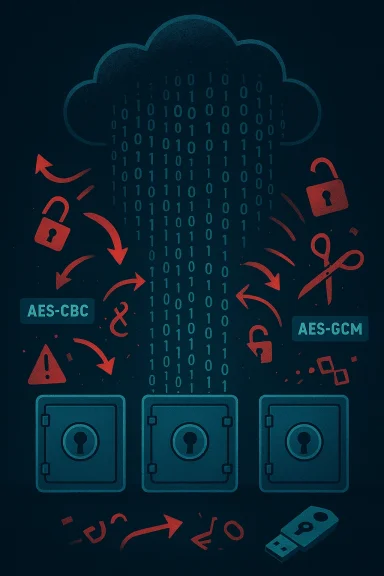
- Use of AES-CBC without proper authenticated encryption or HMAC can lead to padding-oracle-style attacks or downgrades that expose plaintext after a long but feasible compute effort. The paper describes variants of these attacks on Bitwarden and Dashlane. (zkae.io)
3) Sharing and organizational features: unauthenticated keys
Sharing passwords across users or teams requires public-key machinery. The problem arises when public keys, or public-key ciphertexts, aren’t cryptographically authenticated — meaning the client cannot verify that a public key actually belongs to the intended recipient.- Attack outline: a malicious server can substitute attacker-chosen public keys in organization or sharing flows, encrypt secrets under those keys, and then read the decrypted data. This effectively turns an otherwise end-to-end encrypted share into a server-mediated leak. (zkae.io)
4) Backwards compatibility and downgrade attacks
To avoid breaking users on old clients or preserve legacy accounts, vendors often continue to accept or provide legacy formats. The research demonstrates that these legacy paths can be abused to downgrade encryption to weaker modes, enabling confidentiality loss or making master-password hashes far easier to brute-force.- Concrete point: The researchers found that Bitwarden’s support for legacy key formats and Dashlane’s legacy CBC support could be weaponized in multi-step chains and, in one described chain against Dashlane, a full ciphertext decryption could be produced given a long, targeted effort. That chain, while time-consuming, is realistic against high-value targets or long-running targeted campaigns. (zkae.io)
Which products were specifically affected — and how vendors have reacted
- Bitwarden: The paper lists 12 distinct attacks affecting Bitwarden’s architecture, with notable concerns around item-level encryption, key recovery, and metadata leakage. Bitwarden supports self-hosting, which gives users one mitigation path, but the researchers still found problems in the default cloud flows. Bitwarden published a response and has been engaged in remediation. (zkae.io)
- LastPass: The paper calls out LastPass for AES-CBC-based encryptions without strong integrity checks in legacy flows and for a key-recovery design that — under a malicious-server assumption — yields trivial vault recovery. LastPass issued blog responses and said it’s working with the researchers and addressing the findings. (zkae.io)
- Dashlane: Researchers found paths that let an attacker downgrade to legacy CBC encryption and, through a complex attack chain, recover ciphertexts over time. Dashlane’s team publicly acknowledged the research and described remediation work in their advisory. (zkae.io)
- 1Password: Noted differently — the researchers reported two attack vectors tied to architectural limits (for instance, the RSA-OAEP wrapping not offering full ciphertext authentication in certain flows). 1Password reviewed the findings and characterized them as known architectural limitations; the company engaged with the authors and responded as part of coordinated disclosure. (zkae.io)
Practical advice for users (concrete, prioritized actions)
The research is a reminder that cryptographic design and server-side behaviors matter. For most users, a password manager remains the best option compared to password reuse or sticky notes. But adopt these practical mitigations now:- Strengthen your master password. Aim for a long passphrase (20+ characters), or use a generated high-entropy secret. A strong master password does not eliminate every risk in a malicious-server model, but it raises the cost of brute-force attacks dramatically. (zkae.io)
- Enable phishing-resistant hardware authenticators (FIDO2 / security keys) for your vault and your important accounts where available. Hardware keys isolate private credentials from device malware and are the gold standard when available. Validate your manager’s support for security keys and register multiple authenticators to avoid lockout.
- Check and, where possible, enforce KDF (key derivation function) settings. The paper highlights attacks where servers can downgrade hashing/iteration counts that make brute forcing master passwords far easier. If your manager exposes KDF parameters to users, choose the highest recommended strength (e.g., Argon2 with ample memory or high iteration counts for PBKDF2). If the vendor does not expose this, ask them for clarity. (zkae.io)
- Segregate sensitive vaults: avoid storing your most critical credentials (work admin accounts, recovery accounts) in the same single vault that contains low-value items. If your manager supports multiple, independently-encrypted vaults, use that feature to compartmentalize risk. Consider a separate, local-only manager for a tiny set of critical credentials. (zkae.io)
- Prefer hardware-backed passkeys and migrate services that support WebAuthn/FIDO2 where possible. Passkeys reduce reliance on stored symmetric secrets and move authentication to asymmetric keys bound to domains, which defends against a broad class of phishing and credential-theft attacks. Note that synced passkeys still introduce a sync service that must be trusted; device-bound passkeys (hardware keys) are the safest.
- Keep clients and extensions updated and avoid legacy/old clients. Many of the paper’s attack opportunities depend on legacy compatibility; running the latest client versions reduces exposure to legacy-format downgrades. (zkae.io)
- If you self-host (Bitwarden allows self-hosting), adopt it carefully: self-hosting reduces your reliance on a vendor’s cloud infrastructure but increases operational demands — security, backups, and updates remain your responsibility. Self-hosting reduces the “server is malicious” risk because you control the server, but it is not a silver bullet if you misconfigure or neglect it. (zkae.io)
- Monitor vendor advisories and consider interim steps such as disabling sharing features, account recovery options, or organizational vaults if you cannot validate their cryptographic bindings — until the vendor’s remediation is in place. (zkae.io)
How vendors should fix this: a short checklist for engineering teams
The research identifies recurring design issues vendors can and should address. The fixes are largely engineering and architectural, not purely marketing.- Enforce authenticated encryption consistently across all data-at-rest formats. Move away from unauthenticated AES-CBC variants and ensure AEAD primitives (AES-GCM, ChaCha20-Poly1305) are used where confidentiality and integrity are required.
- Make key-exchange and public-key bindings explicit and cryptographically verifiable. Clients must be able to detect server-substituted public keys.
- Ensure KDF parameters are enforced or cryptographically bound in a way that prevents downgrades from being silently accepted by clients.
- Avoid maintaining legacy formats in a way that a server can select them without the client’s explicit, verified consent; where possible, require client-side upgrades or provide migration utilities that preserve integrity.
- Commission third-party formal audits and publish clear, technical security notes explaining which threat models (e.g., malicious server) the product defends against and which it does not. Transparency reduces user confusion and sets accurate expectations. (zkae.io)
Critical analysis: strengths, trade-offs, and realistic risk
This research is important and well-executed: it reveals systemic patterns rather than isolated bugs, and it does so with practical exploit chains rather than hand-wavy warnings. That said, the threat model — a malicious or compromised server — deserves nuance.- Strength: The paper highlights that many convenience features (sharing, key recovery, sync) increase the trust surface. That trade-off between usability and confidentiality is real, and vendors must be explicit about it. The researchers responsibly disclosed the problems and coordinated with vendors before public release, which is the right operational stance. (zkae.io)
- Trade-off: An honest vendor faces the tension between maintaining access for legacy clients and protecting users from sophisticated server-based attacks. Compatibility and smooth user experience are high priority for businesses; the question is whether those priorities were balanced with cryptographic guarantees. The paper’s findings show that, in a number of cases, the balance favored user convenience over the strictest confidentiality assumptions.
- Realistic risk: Most consumers will never face a fully-malicious vendor or a server under complete attacker control. But nation-state actors, sophisticated threat actors, or malicious insiders could create the exact environment the paper models. High-value individuals and enterprises should evaluate their exposure carefully and apply stricter mitigations (hardware keys, split vaults, or local-only vaults). (zkae.io)
- What’s missing: the study did not analyze every product on the market (notably, it did not examine Google Password Manager or Apple iCloud Passwords in the same depth), and different vendors make different choices. It’s therefore incorrect to generalize that “all password managers are insecure” — the proper takeaway is that certain features and legacy choices introduce vulnerabilities unless implemented with cryptographic binding and enforced integrity checks. (zkae.io)
Community and industry reaction
Independent reporting and industry publications corroborated the findings and noted vendor engagement and remediation efforts. Coverage has highlighted the size of the user bases potentially affected and urged customers not to panic but to take remedial steps such as enabling hardware MFA and checking KDF settings. Vendors’ public advisories and blog posts reflect an active response plan and a commitment to remediate the specific issues identified.Within forums and specialist communities, the study rekindled an old debate: does self-hosting or open-source code materially improve trust? The short answer is: it helps with auditability and control, but only if users or their auditors have the competence and will to manage upgrades and the server’s security posture. A self-hosted instance with lax ops is not more secure than a well-run vendor cloud.
Bottom line: keep using a password manager — but be smarter about it
Password managers remain the best practical defense for most users compared to password reuse or storing secrets in browsers or notes. The ETH Zurich / USI study is a powerful reminder that the devil is in the design details — especially when convenience features give the server any kind of authoritative role in key or metadata management.Practical, immediate user rules:
- Use a password manager, but harden it: strong master password, highest KDF settings available, enable hardware FIDO2 keys, and keep clients updated.
- If you manage extremely sensitive accounts (privileged admin accounts, high-value corporate keys), consider additional isolation: dedicated vaults, self-hosting where you control the server, or keeping the most sensitive secrets in hardware-only authenticators or separate, offline stores.
- Watch vendor advisories: remediation is underway and vendors are updating their code and processes; follow their guidance and apply patches promptly. (zkae.io)
In the weeks and months ahead, the community should watch for vendor patch notes, independent audits that confirm remediations, and updates to the documented threat models of each manager. For now, practical defense-in-depth — strong master passwords, hardware-backed MFA, vault segmentation, and prompt updates — will reduce risk while vendors close the gaps the researchers identified. (zkae.io)
Source: Windows Central https://www.windowscentral.com/software-apps/password-manager-security-vulnerabilities-research/
