Bitwarden Brings Passkeys to Windows 11 Sign-In for Passwordless Security

  • Thread Author
Bitwarden’s vault can now unlock the Windows desktop: users can authenticate to Windows 11 with passkeys stored in their Bitwarden vault, moving passkey support from web and app silos into the operating system sign‑in flow and promising a phishing‑resistant, passwordless path to the Windows lock screen. ps://bitwarden.com/blog/bitwarden-launches-passkey-management/)

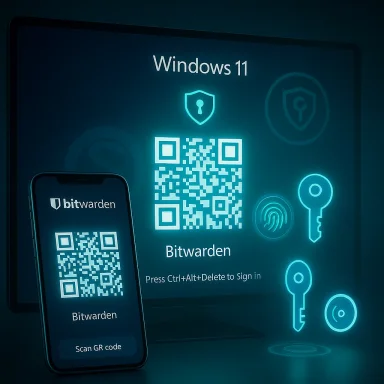
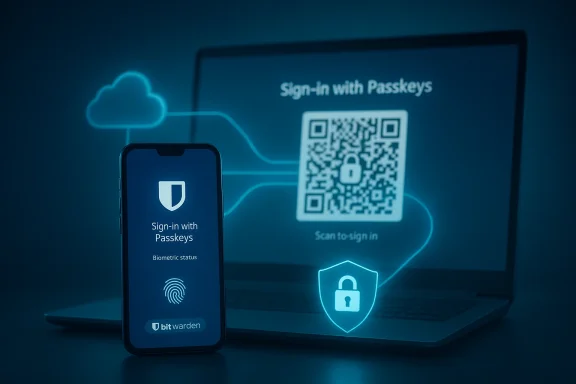
Bitwarden sign-in screen featuring passkey, fingerprint, and QR code login options.Background​

Passkeys — the FIDO2/WebAuthn‑based replacement for passwords — pair a public key held by a service with a private key kept by the user’s authenticator. That private key is unlocked locally (usually with biometrics or a PIN) and never transmitted to the service, which makes passkeys inherently resistant to credential phishing and many forms of remote account takeover. Industry standards and government guidance now treat passkeys as a strong, phishing‑resistant authentication factor, and Microsoft, Apple, Google and password managers are racing to make them a daily reality.
Windows 11 shipped support for passkeys at the platform level and, in late 2024 and through 2025, Microsoft introduced a plugin model and updated WebAuthn APIs to let third‑party passkey managers integrate at the system level. That work enables apps such as password managers to register as system passkey providers, letting Windows surface passkeys from those vaults during sign‑in flows and WebAuthn requests. Bitwarden is one of the earliest third‑party vaults to plug into that system.

What Bitwarden added — the feature in plain terms​

Bitwarden’s Windows integration extends the company’s existing passkey features (passkey creation, storage, cross‑device sync, and use inside browsers and extensions) so that a passkey saved in the Bitwarden vault can be used to sign into a Windows 11 device directly. Practically, that means:
  • When Windows prompts for credentials during sign‑in, Bitwarden can appear as a passkey provider and supply the cryptographic response instead of a typed password.
  • Windows uses its normal user‑verification mechanism (Windows Hello: PIN, fingerprint, or face) to authorize the local cryptographic operation; Bitwarden’s vault remains the origin of the private key material.
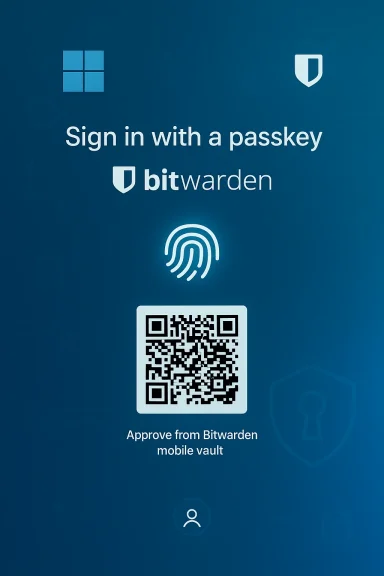
  • For cross‑device scenarios, Windows can present a QR code that you scan with a mobile device to approve the passkey held in your Bitwarden mobile vault — enabling the familiar cross‑device passkey flow while preserving centralized policy and administrative controls in enterprise environments.
Bitwarden’s public materials present this as the final step in a mostly complete passkey story for regular users: create passkeys in the vault, sync them across your devices, and use those same passkeys everywhere — including at the Windows login screen. The company also emphasizes continuity with its other passkey efforts, such as PRF WebAuthn support and passkey login to the Bitwarden web and extension apps.

Why this matters: the security and usability case​

1) Closing the OS‑level gap​

Operating system sign‑in has long been a critical attack surface: compromise the OS login and an attacker may get immediate access to files, attached networks, and cached credentials. Extending passkeys into the OS login means the first gate — the desktop lock screen — can use the same phishing‑resistant primitives as web apps. For organizations that already manage passkeys or are moving toward them, this brings consistency across authentication surfaces and reduces the number of weak links in identity flows.

2) Phishing resistance and fewer shared secrets​

Because passkeys rely on asymmetric cryptography and are tied to a site or origin, they cannot be phished in the classic sense (you can’t trick a user into handing over a plaintext password). When Windows accepts a passkey from a vault, the authentication uses cryptographic proofs rather than shared secrets, which reduces risk from credential‑theft attacks aimed at the sign‑in experience. Major standards bodies and vendors explicitly call out passkeys as phishing‑resistant; Microsoft and the FIDO Alliance frame them as a core building block for a passwordless future.

3) Centralized policy and enterprise control​

Bitwarden’s enterprise offerings and Microsoft Entra ID’s passkey profiles mean organizations can combine centralized policy with the convenience of synced passkeys. Entra ID now supports both device‑bound and synced passkey models; admins can configure passkey profiles and control which types of passkeys are permitted for different user groups. That control is a critical part of making passkeys appropriate for regulated or high‑assurance environments.

How it’s implemented (technical overview)​

WebAuthn plugin model in Windows​

Microsoft extended WebAuthn APIs with a plugin architecture that allows a third‑party process (an MSIX‑packaged vault, for example) to register as a platform authenticator. The API surface includes calls to:
  • Register a plugin authenticator so Windows lists it in Settings > Accounts > Passkeys > Advanced options,
  • Create and manage credentials on behalf of the plugin,
  • Perform user verification using Windows Hello,
  • And handle lifecycle events such as credential deletion and cancellation.
This model keeps Windows Hello as the local verification mechanism while allowing plugins to store, sync, and return passkeys. It also forwards WebAuthn messages from apps and browsers to the plugin and returns the plugin’s responses to the WebAuthn client.

Bitwarden’s side​

Bitwarden’s desktop client implements the plugin interface and the vault‑storage model. Passkeys saved in Bitwarden’s encrypted vault are synced across a user’s devices by Bitwarden’s synchronization mechanisms (or by enterprise self‑hosted configurations). When Windows requests a passkey, Bitwarden provides the necessary FIDO2/WebAuthn responses while Windows Hello performs the on‑device user verification to unlock the private key operation. For cross‑device flows the system can render a QR code to perform a remote approval using Bitwarden on a mobile device. Bitwarden’s documentation and blog posts describe PRF WebAuthn usage, vault‑unlock scenarios, and the requirements for PRF‑capable authenticators when using passkeys for vault encryption.

Strengths and clear benefits​

  • Phishing resistance at the earliest access point. By eliminating passwords at OS sign‑in, passkeys reduce a fundamental attack vector.
  • User experience parity. Users who already rely on Bitwarden for passwords and passkeys get a unified, familiar workflow that now includes the desktop login.
  • Interoperability with existing Windows security. Windows Hello, TPM protections, and Microsoft Entra ID policies remain part of the chain — the integration isn’t a replacement for platform protections, it leverages them.
  • Enterprise readiness through Entra ID. Microsoft’s passkey profiles, now moving into broader availability, let admins configure whether synced passkeys are allowed and set attestation policies — a needed toolset for larger organizations.

Risks, limitations, and deployment caveats​

No security feature is risk‑free. Administrators and security teams should weigh tradeoffs carefully.
  • Vault availability and recovery: Storing private key material (even encrypted) in a synced vault creates a central recovery and synchronization point that, if misconfigured or compromised, could become a single point of failure. Bitwarden’s zero‑knowledge model protects vault contents in transit and at rest, but recovery mechanisms, master passwords, and account recovery flows can become new attack surfaces if not hardened. Organizations should use strong account recovery controls and device attestation where possible.
  • Synced vs device‑bound security posture: Synced passkeys increase usability but reduce absolute device‑bound assurance. Microsoft and NIST guidance treat device‑bound passkeys as the higher assurance option; synced passkeys can still be phishing‑resistant but are only as secure as the cloud provider and account protections. Enterprises with stringent attestation or hardware requirements should favor device‑bound attestation or limit registration to approved authenticators.
  • Offline access and emergency scenarios: If a device cannot contact the sync service, or the vault is unreachable, users may be locked out. Windows still supports fallback authentication, but organizations must plan for outage scenarios, offline recovery, and emergency access policies (for example, alternative device‑bound passkeys or break‑glass admin keys).
  • Vault compromise and master‑password strength: If an attacker can extract an encrypted copy of the Bitwarden vault and also defeat the vault unlock protections (master password, 2FA, or device attestation), they could obtain passkeys. Proper vault hardening (strong passphrases, hardware second factors, and organizational policies) is essential.
  • Implementation bugs and attack surface growth: Adding a plugin API and a new integration surface increases code complexity and the potential for implementation mistakes. Vendors and IT teams must monitor updates, push timely patches, and validate the security posture of the plugin deployment. Microsoft’s WebAuthn APIs and Bitwarden’s desktop client should be included in endpoint vulnerability scanning and patch management programs.
  • User education and recovery UX: Replacing passwords still requires users to understand recovery options and device management. Enterprises must build clear onboarding, fallback procedures, and troubleshooting guides; otherwise help desks will see a spike in support incidents as users change devices or lose access to their synced vault.

Practical rollout checklist for IT and security teams​

  • Inventory identity posture:
  • Identify which users are Entra‑managed, which devices are Windows 11 compatible, and whether existing passkey policies exist.
  • Decide passkey posture:
  • Choose between device‑bound, synced, or hybrid models, and codify attestation and approval policies in Entra ID passkey profiles.
  • Pilot with a small cohort:
  • Deploy Bitwarden’s desktop client as a plugin on pilot machines, validate Windows Hello flows, and simulate outage and recovery scenarios.
  • Harden vault access:
  • Enforce strong master passphrases, require MFA for vault access, and restrict administrative recovery options.
  • Update incident response:
  • Add passkey/vault compromise scenarios to IR playbooks; define revocation and re‑provisioning steps for passkeys.
  • User training:
  • Provide clear guidance on recovering devices, using QR cross‑device flows, and emergency access options.
  • Monitor and iterate:
  • Track adoption, user friction, and any authentication failures; adjust policy and tool configuration accordingly.

Longer‑term implications: where this fits in the identity roadmap​

Bitwarden’s Windows passkey support is an important incremental step in a broader trend: moving passkeys from individual platform silos to an interoperable, system‑wide authentication fabric. Microsoft’s introduction of plugin passkey providers in Windows 11 signals that operating systems will soon treat external vaults as first‑class citizens, which opens opportunities and responsibilities:
  • For users: more flexibility to choose a single vault that works across web, mobile, desktop and now OS sign‑in.
  • For vendors: a race to implement secure, standards‑based plugins with strong recovery and attestation options.
  • For enterprises: the need to rework identity lifecycle, device attestation policies, and incident playbooks around new cryptographic credentials rather than passwords.
If passkeys continue to mature — and Microsoft’s Entra ID plans indicate they will — organizations should view this as a transition period. Passkeys can dramatically reduce common credential attacks, but only if paired with good policy, hardware attestation where needed, and resilient recovery patterns.

Critical notes and unverifiable or conditional claims​

  • Bitwarden’s marketing materials and press releases state the company supports “over 50,000 businesses and more than 10 million users.” Multiple Bitwarden announcements corroborate those figures, but companies routinely update such numbers; if your procurement, compliance, or vendor‑risk team needs the current customer base or exact market metrics, confirm directly with the vendor or their latest filings.
  • The QR cross‑device flow described in Bitwarden’s materials and some press coverage is a supported UX for many WebAuthn passkey scenarios. However, exact implementation details (for example, how long QR codes remain valid, what attestation is required for cross‑device approvals, and how offline recovery is handled) can vary by vendor and version. Those operational specifics should be validated against Bitwarden’s up‑to‑date documentation and your organization’s compliance needs.
  • Any claim that passkeys make every account invulnerable would be overstated. Passkeys eliminate a class of phishing and password‑replay attacks, but threat actors will adapt: endpoint compromise, vault recovery abuse, social engineering targeting recovery flows, and novel implementation bugs remain real risks. Treat passkeys as a substantial reduction in risk, not a complete elimination.

Recommendations — practical, prioritized actions​

  • For security teams: pilot device‑bound passkeys for high‑assurance groups (admins, privileged users) and use synced passkeys for broader workforces where usability gains are critical. Use attestation rules in Entra ID to prevent registration of weak authenticators for sensitive accounts.
  • For IT operations: include the Bitwarden desktop plugin in image builds only after successful pilot validation, and automate updates through your standard patch management pipeline. Monitor for vendor advisories and apply fixes promptly.
  • For identity architects: revise lifecycle procedures to include passkey provisioning, revocation, and emergency recovery; update SSO integration testing to evaluate passkey‑backed Windows sign‑ins and their interactions with PRTs and SSO tokens.
  • For executives and procurement: insist on detailed recovery and attestation SLAs from passkey vendors, and require evidence of independent security testing and secure development lifecycle practices.

Conclusion​

Bitwarden’s move to enable passkey login to Windows 11 vault‑side closes a meaningful gap between application authentication and operating‑system access. By making passkeys available at the desktop sign‑in, Bitwarden and Microsoft are converting a browser‑centric security improvement into a more pervasive, system‑level defense against credential theft and phishing. The result promises stronger, simpler authentication for end users and a clearer path for enterprises to reduce their dependence on brittle passwords.
That promise comes with caution: organizations must plan for recovery, favor attestation where needed, harden vault access, and treat this as a change to identity lifecycle rather than a plug‑and‑play silver bullet. Done right, Bitwarden’s Windows passkey integration is a practical, standards‑based step toward a passwordless future — but it accelerates a wider responsibility for security operations, policy design, and user education.

Source: The AI Journal Bitwarden Enables Passkey Login to Windows 11 | The AI Journal
 

Bitwarden’s vault can now unlock Windows 11: users can sign in to their PCs using passkeys stored in the Bitwarden vault and authenticated through Windows Hello, marking a major step in taking passkeys out of browser silos and into the operating system itself.

Blue Windows-themed illustration of Bitwarden vault with biometric login.Background: why this matters​

Passkeys are the FIDO/WebAuthn successor to passwords — asymmetric cryptographic credentials that store a private key on a device and a corresponding public key with the service. They are inherently phishing‑resistant because the private key never leaves the device and can only be used after local verification, typically via a biometric or PIN. This makes passkeys both more secure and — when implemented well — more convenient than passwords.
Microsoft’s Windows 11 passkey story evolved rapidly through 2024–2025: Microsoft added a plugin model and native platform support that lets third‑party vaults register as system passkey providers so passkeys work across apps, browsers, and the Windows sign-in surface. That platform work was exposed to partners and then shipped broadly as part of the November 11, 2025 cumulative update for Windows 11 (KB5068861). The update included OS-level improvements and a plugin API that vendors like Bitwarden and 1Password used to provide a native experience.
Bitwarden’s recent announcement (and beta release) integrates the Bitwarden desktop vault with Windows’ passkey plumbing so passkeys stored in a Bitwarden vault can be used to authenticate both websites and native apps — and crucially, to sign in to Windows itself using Windows Hello as the local verifier. Bitwarden describes this as an OS‑native passkey experience and a two‑way integration: passkeys saved in Bitwarden become available to Windows, and passkeys created via Windows can be saved back to the Bitwarden vault.

How Bitwarden’s Windows 11 passkey integration works​

The architecture in plain terms​

At a high level, Bitwarden hooks into Windows 11’s passkey provider API. When Windows prompts for a passkey during a website or app authentication flow, the user can choose Bitwarden as the passkey provider. Windows then requests cryptographic operations from Bitwarden’s desktop app; Bitwarden asks the user to unlock the vault and to confirm the operation using Windows Hello (face, fingerprint, or PIN). The Bitwarden client performs the private‑key operation (or proxies the secure action) and returns the result to Windows for verification with the relying party.
Key behavioral points reported by Bitwarden and observers:
  • Passkeys stored in Bitwarden’s vault are discoverable to Windows and can be presented across apps and browsers, even if the Bitwarden browser extension is not installed.
  • Windows Hello (or an enrolled hardware authenticator) is used to unlock and authorize use of the Bitwarden passkey, keeping biometric/PIN verification local to the device.
  • Bitwarden’s solution supports creating passkeys on Windows, storing them in the vault, and syncing them to other Bitwarden clients, so the passkey becomes available across devices that share the same vault.

Signing into Windows with a Bitwarden passkey​

What’s especially notable is that Bitwarden’s integration extends to the Windows sign‑in flow itself: you can select a Bitwarden‑stored passkey as the credential to authenticate to the Windows lock screen, using Windows Hello to validate the user. This moves passkeys from being a web-only convenience to being a first‑class mechanism for accessing the device. Bitwarden frames this as a passwordless sign‑in path for both local accounts and environments leveraging Microsoft Entra ID.

Setup and technical requirements​

Minimum OS and update requirements​

To use Bitwarden as a system passkey provider on Windows 11 you must be on a supported Windows 11 build that includes the passkey provider plugin API. Microsoft shipped the relevant support and quality improvements in the November 11, 2025 cumulative update (KB5068861), which applies to Windows 11 24H2 and 25H2. Ensure Windows Update reports that the November 11, 2025 cumulative update (or later) is installed.
Third‑party reporting and early tests documented practical build thresholds (some testers referenced builds around 26200.x), and vendors noted that the feature requires the November 2025 security update or newer. If you are an IT pro, check your organization’s update catalog and test collection images before enabling the feature widely.

Bitwarden client requirements and availability​

Bitwarden’s own blog and release notes describe the functionality being available in the desktop application and rolled out via the Bitwarden beta channel initially; corporate press messaging indicates the feature is now visible in the desktop app and that Bitwarden worked with Microsoft to enable the necessary Windows components. At the time of initial beta rollouts, Bitwarden asked Windows users to run the latest desktop app (beta or updated stable when available) to try the integration.
Important caveat: third‑party sites and early users have reported mixed behavior across browsers and sites while ecosystem integration stabilizes. That means upgrading Windows and installing Bitwarden’s desktop app are necessary but not always sufficient for a flawless experience today; you may see UI differences and temporary edge cases as the ecosystem matures.

How to enable it (high‑level steps)​

  • Confirm Windows 11 is updated to the November 11, 2025 cumulative update (KB5068861) or later.
  • Install the latest Bitwarden desktop app (the blog and community info referenced a beta release for early adopters). Enable the passkey feature in the Bitwarden desktop app’s onboarding or the Autofill > Show passkey suggestions setting.
  • In Windows go to Settings > Accounts > Passkeys > Advanced options and select Bitwarden (or your preferred third‑party provider) as the system passkey manager; Windows will prompt for Windows Hello verification to complete provider registration.
  • Create or associate passkeys with accounts in supported websites/apps; Bitwarden will save and surface passkeys through the vault and expose them to Windows for system-level sign‑ins.

What users gain — tangible benefits​

  • Phishing resistance at sign‑in. Passkeys negate the primary phishing vectors because attackers cannot trivially trick victims into handing over a reusable secret. The private key cannot be exfiltrated by a remote phishing site.
  • Unified credential surface across web, apps, and OS. Bringing third‑party managers into the OS makes passkeys available to native apps that previously could not rely on browser extensions, simplifying passwordless transitions.
  • Convenience and speed. Microsoft and industry measurements show passkeys are faster and more successful for users compared with traditional passwords and many MFA workflows, which should reduce helpdesk friction for forgotten password resets and account lockouts.
  • Cross‑device availability via Bitwarden sync. If you rely on Bitwarden sync, passkeys stored in the vault become available across devices tied to your Bitwarden account, bridging desktop and mobile experiences.

Security analysis — strengths and potential pitfalls​

Strengths​

  • Platform‑level protection with Windows Hello. Windows Hello keeps biometric data and the PIN local; unlocking a passkey still requires a local authentication step, which maintains a strong second‑factor posture even when passkeys are synced. This reduces exposure compared to simply syncing a password vault unlocked by a single master password.
  • Reduced attack surface for phishing and credential stuffing. With passkeys, stolen server‑side password databases are ineffective for account takeover, and automated credential stuffing loses its value.
  • Vendor interoperability through standards. The implementation relies on FIDO/WebAuthn standards and Windows’ plugin API; that standards basis helps ensure interoperability between vendors and reduces the risk of proprietary lock‑in.

Risks and real‑world caveats​

  • Sync and recovery tradeoffs. A syncable passkey stored in a cloud‑connected vault provides convenience but introduces a trust and recovery consideration: if your Bitwarden account is lost, you must have recovery options. Enterprises and security‑conscious users should plan how passkeys are recovered or revoked. Bitwarden’s documentation discusses export/import and future plans for passkey portability, but migration tooling is still maturing. Flagging point: some export/import and migration flows for passkeys were not fully fleshed out at launch.
  • Implementation bugs and UI edge cases. Early adopter threads and community reports have documented scenarios where the passkey flow behaved inconsistently in certain browsers or when saving passkeys to existing vault entries. Early testing and staged rollouts are prudent.
  • Policy and enterprise management complexity. Enterprises that manage identity with Microsoft Entra ID or third‑party IdPs need to evaluate how system passkey providers interact with SSO, conditional access policies, device management, and account recovery workflows. Administrative tooling for lifecycle management of passkeys is still catching up with the new model.
  • Concentration of risk in a single vault. Centralizing passkeys and passwords in the same vault is convenient but amplifies the risk if that vault is compromised or misconfigured. Strong master‑account protections, hardware MFA, and organizational controls are essential.

Enterprise considerations and deployment guidance​

For IT leaders: checklist before rollout​

  • Confirm the Windows builds and cumulative updates across the device fleet (KB5068861 or later). Test on representative hardware and virtualization images.
  • Evaluate Bitwarden’s enterprise documentation for SSO, SCIM provisioning, and Entra ID compatibility. Establish account recovery, emergency access, and passkey revocation policies.
  • Create a pilot group with standard device images and a helpdesk runbook to respond to expected support flows (e.g., new device enrollment, missing passkeys, fallback sign‑in procedures).
  • Determine compliance and audit needs: do passkeys and vault sync meet your data residency and logging requirements? If necessary, consider on‑prem or dedicated cloud tenancy for secrets managers.

User training and UX guidance​

  • Teach users that passkeys replace passwords but are not the same as traditional single‑factor authentication — they still require device possession and local verification.
  • Preserve fallback sign‑in methods and document how to use them (e.g., device recovery, alternative authenticators, or emergency access tools).

Comparison: Bitwarden vs. 1Password and other passkey providers​

Both Bitwarden and 1Password announced native support for Windows 11’s passkey plugin API around the November 2025 platform update. 1Password’s rollout leaned on an MSIX packaged Windows client and explicit UI toggles, while Bitwarden delivered a beta path through its desktop app initially; both approaches reflect vendor choices about packaging and Windows integration. Which is “first” depends on small timing differences and channel availability; practically, both major vault vendors are now available as system providers. Consumers should evaluate fit, packaging (MSIX vs. classic installer), enterprise features, and the vendor’s approach to recovery and portability rather than claiming a single vendor as the exclusive pioneer.
Key comparison points:
  • Packaging and deployment model: MSIX (1Password) vs. desktop installer/beta (Bitwarden) for early rollouts.
  • Sync and cross‑platform parity: Bitwarden emphasizes cross‑device sync via its vault across desktop and mobile; 1Password similarly touts synchronized vaults and deep OS integration. Evaluate which vault model aligns with your device mix.
  • Enterprise features: look at SSO, SCIM, admin controls, and auditability. Both vendors provide enterprise capabilities, but controls differ in detail and pricing tiers.

Practical migration advice for individuals and small teams​

  • Audit your critical accounts and prioritize moving high‑value logins (email, identity providers, banking, admin consoles) to passkeys first.
  • Keep at least one recovery method available (alternate authenticator or emergency access delegate) before deprecating passwords for any account.
  • Test Bitwarden passkey flows in a controlled environment and on multiple browsers you use daily; be prepared to fall back to password+MFA if a specific site behaves unexpectedly.
  • For Windows sign‑in migration, enroll devices in a pilot, verify Windows Hello sensors and TPM availability, and document how to recover when a device is lost or replaced.

Limitations, unanswered questions, and areas to watch​

  • Portability of passkeys across vendors. Bitwarden’s help pages and product statements indicate that passkeys are included in exports and that vendor portability support is planned, but cross‑vendor migration tooling is still evolving; treat claims of seamless migration with caution until migration workflows are routinely verified.
  • Edge case behaviors across browsers and services. Community threads have flagged oddities when saving or using passkeys in certain sites and browsers; expect initial rough edges and follow vendor issue trackers for bug fixes.
  • Regulatory and compliance clarity. Organizations with strict data residency or audit obligations should validate how cloud‑synced passkeys map to their compliance boundaries and whether vendor export and audit features meet policy needs.

The road ahead — ecosystem and standards implications​

Windows moving passkeys into the OS and exposing a plugin API for third‑party vaults is important not because it gives one vendor an advantage, but because it normalizes a platform model where passkeys are an OS-level authentication primitive. That lowers the integration barrier for native apps and gives organizations a consistent place to manage credentials. The presence of multiple third‑party vendors (Bitwarden, 1Password, and others) competing on features, recovery options, and enterprise tooling is healthy for interoperability and user choice — provided standards are respected and migration paths remain open.
Expect the next 12–24 months to bring:
  • Improved recovery and portability tooling for passkeys.
  • Deeper enterprise lifecycle controls for provisioning and revocation.
  • A smoother UX across browsers and apps as vendors reconcile early edge cases.
  • Broader adoption by major consumer and enterprise websites as passkey creation and sign‑in become routine.

Conclusion​

Bitwarden’s Windows 11 passkey integration is a consequential step for both the passkey ecosystem and everyday Windows users. By enabling the Bitwarden vault to act as a system‑level passkey provider and to participate in Windows Hello–backed sign‑ins, Bitwarden helps make passwordless authentication practical outside the browser and into the Windows sign‑in surface. That move improves phishing resistance and convenience, but it also shifts responsibility for recovery, compliance, and lifecycle management to users and administrators in new ways.
For individuals: test the feature on a secondary device, keep recovery paths in place, and be cautious when transitioning high‑value accounts until you confirm the workflow. For IT teams and security leaders: pilot early, validate update levels (KB5068861 or later), map passkey lifecycle into your identity governance, and treat passkey rollout as both a security upgrade and an operational program.
Passkeys are no longer just a browser convenience — with Bitwarden and other vaults integrating at the OS level, they are becoming the default way we access apps and devices. That’s a big win for security; it also demands disciplined rollout planning, careful recovery design, and realistic expectations during the early waves of adoption.

Source: Thurrott.com Bitwarden Brings Passkey Sign-Ins to Windows 11
 

Bitwarden has added the ability to use passkeys stored in a Bitwarden vault to sign in to Windows 11, bringing passwordless, phishing‑resistant authentication directly to the Windows lock screen and expanding the role of third‑party credential managers beyond browsers and apps into the operating system itself.

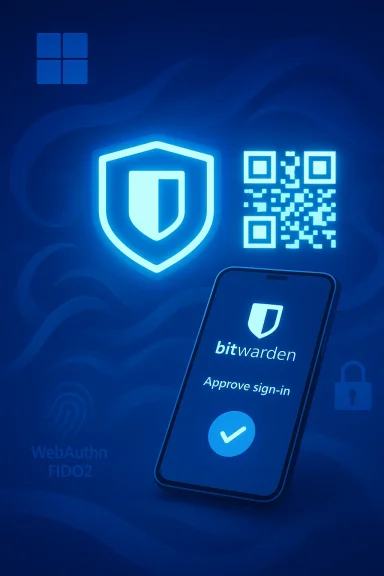
Blue neon illustration of Bitwarden approving sign-in with shield icon, QR code, and smartphone.Background​

Passkeys — FIDO/WebAuthn‑based public‑key credentials — have been the industry’s leading replacement for passwords: they are phishing‑resistant, do not transmit reusable secrets across the network, and are validated using cryptographic challenges bound to the site or service origin. Major platforms and browsers have built native passkey support in recent years, and Microsoft’s Windows Hello experience has been evolving to make passkeys a first‑class authentication method on Windows devices.
In November 2025 Microsoft shipped platform hooks that let third‑party passkey managers register as system‑level credential providers on Windows 11. That work opened the door for vendors such as Bitwarden and 1Password to expose passkeys from their vaults directly to Windows authentication flows, rather than relying only on browser extensions or platform‑specific keychains. Bitwarden’s announcement in March 2026 extends that integration to the Windows sign‑in surface, enabling passkey‑based OS logins using passkeys stored in the user’s Bitwarden vault.

What Bitwarden announced — the essentials​

  • Bitwarden now supports authenticating Windows 11 sign‑ins using passkeys saved in a user’s encrypted Bitwarden vault.
  • During the Windows sign‑in flow, a QR code can be displayed on the device; scanning that QR code with your phone running the Bitwarden app confirms access to the vault passkey and completes OS authentication. This QR/phone approval path is intended to bring mobile‑centric passkeys to the desktop sign‑in experience.
  • For enterprise deployments, devices must be joined to Microsoft Entra ID and the organization must enable FIDO2 (security keys) as a sign‑in method in Entra; users also need a passkey registered to their Entra profile that is stored in Bitwarden. Microsoft and Bitwarden frame this as building on the platform‑level passkey support Microsoft added last year.
Those are the core claims in Bitwarden’s release and the early coverage; the rollout timing is described as occurring through March (the month named by Bitwarden), but specific availability will depend on Microsoft updates and tenant configuration. Treat the timing as phased, not instant for all users.

How the new Windows 11 passkey login flow works (technical breakdown)​

1. The passkey is created and stored in Bitwarden​

  • A passkey is generated via standard WebAuthn/FIDO2 flows and stored as an item in the user’s Bitwarden vault, encrypted with Bitwarden’s end‑to‑end encryption. Bitwarden already supports creating, saving, and syncing passkeys across devices in the vault, and the desktop/mobile clients expose retrieval and use of those passkeys.

2. Windows recognizes Bitwarden as a passkey provider​

  • Windows 11’s passkey provider API allows the OS to enumerate registered credential providers. Once Bitwarden’s desktop client registers as a provider, Windows can query Bitwarden for available credentials when a passkey‑based sign‑in is required. Microsoft’s platform update in late 2025 exposed these hooks to third‑party managers.

3. User picks passkey at the lock screen (or scans a QR code)​

  • At the Windows login screen (or when an app demands a passkey), Windows can display sign‑in options. If Bitwarden is configured as the passkey provider and a corresponding passkey exists in the user’s Entra profile, the system can present a QR code to allow a mobile Bitwarden app to approve the sign‑in, or offer another discovery mechanism to surface the passkey. The Bitwarden app then prompts the user to unlock their vault (biometric or PIN) and approve the cryptographic operation, after which Windows completes the authentication.

4. Windows Hello remains the local verification step​

  • Windows Hello — biometric or PIN verification — is still the local verification mechanism for the authentication operation in many flows. When Bitwarden supplies a passkey operation to Windows, Windows Hello may be used to verify the person on the local device; the passkey itself stays protected by the Bitwarden vault encryption and the user’s device security posture.

Why this matters: the security and usability upside​

Phishing resistance at the OS level​

Passkeys eliminate the reliance on reusable passwords and shared secrets; because the private key never leaves the authenticator and signatures are valid only for the expected origin, the classic phishing vector (coaxing a user to divulge credentials) is mostly neutralized. Extending that defense from browsers and apps into the Windows sign‑in surface removes a critical attack vector for attackers seeking immediate device access.

Unified credential management across devices and apps​

With passkeys stored in a synchronized Bitwarden vault, users gain a single place to manage passkeys for websites, applications, and now OS sign‑in — reducing fragmentation between local device keys and cloud‑synced credential stores. This can reduce friction, particularly for users who need passkey access across multiple devices and operating systems.

Better recovery and portability than device‑bound passkeys​

One common complaint about device‑bound passkeys (where private keys live only in a single device’s secure enclave) is the difficulty of recovery when that device is lost. Because Bitwarden syncs encrypted passkeys with the user’s vault, it provides a recovery path: users can present passkeys stored in their Bitwarden vault from another device, provided those vaults are accessible under the user’s security model. That design choice trades device isolation for portability and recovery.

Enterprise adoption feasibility​

By aligning with Microsoft Entra ID and existing FIDO2 configuration controls, Bitwarden’s approach is designed to fit into enterprise identity and device management workflows. Administrators can manage whether FIDO2 sign‑in is permitted and control the behavior of Entra authentication methods at the tenant level, which helps with governance and compliance.

Risks, caveats, and where extra scrutiny is required​

1. Centralization and trust in a third‑party vault​

Storing passkeys in a centralized vault — even one that’s end‑to‑end encrypted — reintroduces a logical centralization point. Organizations and security teams must trust Bitwarden’s E2EE implementation, client code, update process, and recovery model. Any bug or flaw in the vault client or synchronization model could magnify impact compared with purely device‑bound passkeys. Independent review, vendor transparency, and strong cryptographic design are essential here.

2. Recovery vs. security tradeoffs​

Bitwarden’s sync and recovery model improves usability and reduces lockout risk, but it also creates additional attack surfaces: a successful vault compromise (via weak master password, leaked session token, or client vulnerability) could expose passkeys across services. Administrators should treat passkeys in vaults like any high‑value secret and require strong vault protection, hardware‑backed keys, and additional policy controls.

3. Device compromise and endpoint hygiene​

Passkeys are strong against remote phishing, but they do not eliminate the risk of a fully compromised endpoint. If an attacker controls a user’s local device or a device that can unlock the Bitwarden vault, passkeys could be used to sign in. Enterprises must maintain device management, disk encryption, anti‑tamper controls, and endpoint detection to complement passkey protections.

4. Operational complexity in Entra/Intune environments​

The solution depends on specific Entra ID settings (FIDO2 enabled, device join state) and may require Intune policies or GPOs to permit security key sign‑in. Misconfiguration can produce surprising outcomes: users could be locked out if fallback authentication and SSPR (self‑service password reset) paths aren’t properly provisioned. IT teams must pilot carefully and ensure helpdesk runbooks are updated.

5. UX and availability edge cases​

Not all websites, apps, or devices implement WebAuthn uniformly, and cross‑vendor interoperability has had rough edges in early rollouts. Users may encounter situations where the passkey provider is not discoverable or the Windows passkey dialog falls back to a platform authenticator. Expect initial hiccups in heterogeneous environments and test common user journeys (VPN, RDP, remote support tools, and kiosk scenarios).

6. QR code and out‑of‑band approval risks​

The mobile QR approval workflow is convenient, but any out‑of‑band flow deserves scrutiny: QR codes shown at lock screens must be cryptographically tied to short‑lived challenges and must not be trivially replayable. Organizations should validate how the QR pairing is performed, auditing the exchange for replay mitigation, TLS use, and strict origin binding. Where vendors don’t publish the exact binding model, treat the design with caution.

Practical guidance — what admins and security teams should do now​

  • Inventory readiness:
  • Confirm which devices are running the Windows 11 builds that include the third‑party passkey provider API and related cumulative updates. Don’t assume universal availability; test on representative hardware.
  • Validate Entra ID and FIDO2 settings:
  • Ensure Microsoft Entra ID authentication methods include FIDO2 keys and that tenant and Intune policies permit security key sign‑in for the target user groups. Configure Allow self‑service setup appropriately and test registration workflows for users.
  • Plan recovery and fallback:
  • Before disabling password sign‑ins, verify self‑service password reset (SSPR), temporary access pass (TAP) flows, and helpdesk recovery playbooks. Enforce at least two recovery methods and set up backup authenticators for critical accounts.
  • Pilot with a controlled group:
  • Run a pilot that includes remote workers, frontline devices, and privileged accounts. Monitor failed sign‑ins, helpdesk tickets, and compatibility issues across browsers and enterprise apps.
  • Enforce vault hardening:
  • Require strong master passwords, turn on hardware security (where available), enable vault re‑prompt for sensitive items, and consider enterprise policies for passkey lifecycle (creation, rotation, deletion). Audit Bitwarden client update behavior and validate the company’s security attestations.
  • Monitor and log:
  • Ensure sign‑in telemetry is collected from Windows, Entra, and from Bitwarden audit logs if available. Track anomalous registration or approval flows and integrate alerts into SIEM for rapid investigation.
  • User training:
  • Train users on the differences between device‑bound and vault‑synced passkeys, explain recovery procedures, and show how to use the QR approval flow safely. Emphasize the protection offered by passkeys, while warning that device security still matters.

How this compares to other passkey models​

  • Device‑bound passkeys (platform keychains like iCloud Keychain or platform TPM‑anchored keys) prioritize hardware isolation: keys are tied to a device’s secure enclave or TPM and offer excellent local protection but require explicit recovery mechanisms to move credentials to a new device.
  • Cloud‑synced passkeys (Bitwarden, 1Password, and platform account syncs) prioritize portability and recovery by encrypting private key material and syncing it to trusted endpoints. This is more convenient for multi‑device users and enterprises, but introduces a centralized synchronization point that must be secured.
Each model has tradeoffs. For enterprise Windows sign‑ins, Bitwarden’s vault approach reduces user lockout risk and supports cross‑platform portability — attractive for heterogeneous fleets — while device‑bound models reduce centralized risk but require robust device provisioning and recovery plans.

Threat scenarios to watch for​

  • Vault compromise: adversary gains access to a Bitwarden account (weak master password, social engineering, token theft) and can enumerate or use synced passkeys. Strong account protection and monitoring are essential.
  • Malicious update or supply‑chain attack: a compromised Bitwarden client or update mechanism could be weaponized to exfiltrate keys or approve sign‑ins. Vet the vendor’s update signing and release processes.
  • Replay or man‑in‑the‑middle in QR approval: if the out‑of‑band approval isn’t bound tightly to the authentication challenge and timestamp, attackers could attempt replay or interception attacks. Confirm the cryptographic binding and expiry semantics.
  • Endpoint takeover: physical or remote compromise of a device that can unlock Bitwarden or Windows Hello undermines the assurance of passkeys; endpoint hardening remains a priority.

Recommendations for organizations evaluating Bitwarden’s Windows passkey sign‑in​

  • Start small and measure: pick a volunteer group representing different roles and device types to collect concrete compatibility and support data.
  • Require multi‑layer vault protection: enforce hardware security, MFA, and master‑password strength policies for Bitwarden accounts that hold OS sign‑in passkeys.
  • Preserve recovery controls: do not remove password or other fallback paths until recovery flows have been validated across the organization.
  • Maintain clear inventory and lifecycle policies for passkeys: create guidance for when to revoke, rotate, or delete passkeys associated with disabled or departing employees.
  • Engage legal and compliance teams: storing OS credentials in a third‑party vault may have regulatory implications depending on your industry; document the rationale and controls.

User guidance: what end users should know and do​

  • Understand the difference: a passkey in your Bitwarden vault is not the same as a passkey tied only to a single device. Vault‑stored passkeys are synced and can be used on other authorized devices.
  • Protect your vault: use a strong master password, enable any available hardware security keys or biometric unlock, and treat your vault like a sensitive asset.
  • Register fallback authenticators: enroll a backup passkey or security key and enable SSPR so you can recover when you lose a device.
  • Be cautious with QR approvals: only approve sign‑in requests you initiated; a QR approval should correspond to a sign‑in attempt you recognize on your device.

The broader outlook — what this means for passwordless adoption​

Bitwarden’s push to make vault‑stored passkeys usable at the Windows lock screen is a meaningful step toward full‑stack passwordless experiences. When third‑party credential managers can operate as system credential providers, organizations gain flexibility: IT can standardize on a centrally managed credential model while still providing users with cross‑platform portability. That flexibility should accelerate adoption in mixed‑OS environments where device‑bound passkeys alone are not practical.
However, the move also crystallizes the fundamental tradeoff in the passwordless era: convenience and recoverability versus distributed, hardware‑anchored secrecy. The winners will be organizations that adopt passkeys while retaining robust recovery, monitoring, and device hygiene policies.

Conclusion​

Bitwarden’s Windows 11 passkey sign‑in capability makes an important practical advance: it extends the passkey model from websites and native apps into the OS sign‑in flow, enabling phishing‑resistant authentication with a vault‑synced recovery model that suits multi‑device users and enterprise fleets. The feature builds on Microsoft’s platform work to accept third‑party passkey providers and promises better cross‑device usability for passwordless authentication.
That upside comes with real operational and security considerations: third‑party vault trust, recovery vs. centralization tradeoffs, Entra/Intune configuration complexity, and endpoint hygiene remain the guardrails that will determine whether this capability strengthens or complicates enterprise security postures. Security teams should pilot, harden vault access, validate recovery flows, and update helpdesk and incident response playbooks before wide rollouts.
If implemented thoughtfully — with layered defenses, audited vendor controls, and tested recovery workflows — Bitwarden’s Windows passkey integration can be a pragmatic bridge from passwords to a more resilient, phishing‑resistant future for Windows‑centric organizations.

Source: CyberInsider Bitwarden now lets users log into Windows 11 using passkeys
 

Bitwarden’s move to enable passkey login directly into the Windows 11 desktop marks a significant step toward passwordless, phishing‑resistant authentication for millions of PC users—and it’s one that brings both real convenience and a new set of operational considerations for individuals and IT teams alike.

A computer monitor displays Bitwarden, a key icon, and Windows Hello on a blue tech background.Background​

Passkeys—FIDO2/WebAuthn credentials stored on and protected by a user’s device—are rapidly becoming the industry standard for phishing‑resistant, passwordless authentication. Major platform vendors and password managers have been adding support for passkeys over the past two years, and Microsoft’s Windows 11 has been evolving Windows Hello to act not just as a local biometric unlock but as an OS‑level passkey provider and passkey coordinator for third‑party managers.
Bitwarden, long known as a pragmatic open‑source password manager, has extended its passkey strategy beyond browser and mobile autofill: the company now integrates with the Windows 11 passkey surface so users can select Bitwarden as the passkey store and sign in to the Windows desktop and apps using Bitwarden‑managed credentials. This turns Bitwarden from a vault that holds passwords and passkeys for websites into a provider for native Windows logins where supported.

Overview: what Bitwarden’s Windows 11 passkey support means​

  • What changed: Bitwarden’s desktop app can now surface passkeys to Windows 11 via the platform’s passkey APIs, allowing Bitwarden‑stored passkeys to be used for native Windows sign‑in and for apps that accept the Windows passkey provider.
  • Why it matters: Users gain a unified passkey store synced across devices—managed with Bitwarden’s end‑to‑end encryption—while leveraging Windows Hello’s biometric and PIN protections for authentication.
  • User impact: The new capability shortens the path to passwordless access, reduces reliance on passwords for local and app logins, and lets users choose a non‑Microsoft passkey provider if they prefer.
  • Enterprise impact: IT teams need to account for policy controls, device management, and recovery workflows when passkeys become part of the endpoint authentication landscape.

How it works: the technical plumbing under the hood​

FIDO2, WebAuthn, CTAP and passkeys​

At its core, a passkey is a FIDO2/WebAuthn credential: a public/private keypair created by an authenticator (the device, security key, or platform authenticator). The website or app stores only the public key. Authentication is a challenge‑response: the relying party sends a challenge and the authenticator signs it with the private key after verifying the local user (biometrics or PIN).
This model means passkeys are fundamentally phishing‑resistant—they will not authenticate to a fraudulent site because the relying party ID (the origin) is validated as part of the protocol.

Windows Hello as a passkey host and API surface​

Windows 11’s modern Windows Hello layer exposes APIs that allow third‑party password and passkey managers to register as a passkey provider. When a user attempts a sign‑in that supports passkeys, Windows can show a selection UI where stored passkeys from the system store or from a third‑party provider like Bitwarden are listed.
Bitwarden’s integration hooks into that API: passkeys saved in the Bitwarden vault can be enumerated by Windows and presented as sign‑in options. When a user selects a Bitwarden passkey, Bitwarden’s app interacts with Windows Hello to perform the necessary user verification (for example, fingerprint or PIN) and to release the private key operation required to answer the authentication challenge.

PRF, HMAC‑SECRET and vault decryption​

There are nuances to making passkeys do more than authenticate: some passkeys can also be used to decrypt locally stored vault material when they’re PRF (Pseudo‑Random Function) capable. That requires browser and authenticator support for WebAuthn’s PRF extension and sometimes support for the HMAC‑SECRET CTAP2 extension in the authenticator.
Bitwarden’s implementation leverages PRF-capable passkeys where available to enable streamlined vault unlocking, but full PRF functionality depends on a mix of factors: the client (browser or desktop app), the authenticator (platform authenticator or hardware security key), and OS platform behavior. In short: the experience can be seamless in well‑supported environments, but there are compatibility caveats in older or fragmented setups.

The user experience: what to expect and how to get started​

Typical flow (high level)​

  • Install or update Bitwarden Desktop and link your account.
  • Create a passkey in Bitwarden (or import one) and allow it to be stored in your vault.
  • On Windows 11, enable the passkey provider integration in Bitwarden (when available) and in Windows Hello settings if required.
  • When signing in to the Windows desktop or a passkey‑enabled app, choose Bitwarden from the provider list and authenticate with Windows Hello (biometric/PIN).
  • Bitwarden and Windows coordinate the cryptographic challenge/response; on success the user is signed in.

Setup tips​

  • Use a recent Windows 11 build that includes the passkey API surface and Windows Hello updates.
  • Keep Bitwarden Desktop and browser extensions updated—passkey features are actively evolving and bugs are being fixed in point releases.
  • When possible, use platform authenticators (Windows Hello biometrics) or modern security keys (YubiKey 5 series and later) that support relevant extensions like HMAC‑SECRET and PRF.
  • Configure vault recovery options and consider keeping a fallback authentication method (master password or SSO) in case devices are lost.

Security analysis: strengths and residual risks​

Notable strengths​

  • Phishing resistance: Passkeys prevent credential capture via fake sign‑in forms because the underlying protocol validates the relying party’s origin and never sends reusable secrets to a server.
  • Elimination of password reuse risk: Using passkeys for authentication removes the risk of password reuse and credential stuffing attacks targeting accounts.
  • Strong local protection: When combined with Windows Hello, private keys are bound to device protection mechanisms—biometrics and TPM‑backed PINs—raising the bar against remote compromise.
  • Centralized management with end‑to‑end encryption: Bitwarden stores passkeys inside an encrypted vault, which can be synchronized across devices without exposing private keys to the cloud in plaintext.

Residual and operational risks​

  • Device loss and recovery: While passkeys can be synced across devices, losing every authorized device still presents a recovery challenge. Recovery workflows, whether via account password, SSO, or key escrow, must be clearly defined and secure.
  • Provider trust and vendor lock‑in: Storing passkeys in a third‑party provider (Bitwarden) introduces a trust dependency. While Bitwarden encrypts vault content, a compromise of the provider’s account recovery mechanisms or sync keys could create new attack vectors.
  • Compatibility and partial support: Not all authenticators or browsers support PRF and other WebAuthn extensions that enable vault decryption or the smoothest experience. In mixed environments, users may be prompted for master passwords unexpectedly.
  • Enterprise policy conflicts: Organizations using SSO, Key Connector, or stricter device policies may find passkey storage or usage restricted. Some enterprise configurations explicitly disallow third‑party passkey providers.
  • Attack surface for the provider client: Any native app that integrates deeply with OS authentication becomes an attractive target. Bitwarden’s desktop client must be maintained to a high security standard—and users and admins must apply updates promptly.

Comparison: Bitwarden vs. built‑in Windows and other password managers​

Bitwarden vs. Windows built‑in passkey sync​

  • Choice of provider: Windows’ native passkey store (via Microsoft Account/Edge) offers tight OS integration and cloud sync via a Microsoft Account. Bitwarden provides an alternative for users who prefer vendor independence or already rely on Bitwarden for vault management.
  • Cross‑platform continuity: Bitwarden’s advantage is cross‑platform availability—users who rely on Bitwarden across macOS, Linux, mobile, and Windows can keep one unified vault of passkeys.
  • Privacy and policy: Enterprises may prefer to centralize everything under Microsoft’s control for unified device management; others may prefer Bitwarden for open‑source roots and different privacy tradeoffs.

Bitwarden vs. 1Password and other third‑party managers​

  • Feature parity: Major password managers are converging on passkey features—1Password, Dashlane, and others support storing and autofilling passkeys, and some already integrate with Windows Hello in beta or preview channels.
  • Differentiators: Differences will come down to encryption models, enterprise features (policies, key escrow), offline access, and cross‑device transfer tools. The emerging FIDO Alliance specs for credential exchange will shift the market further toward interoperability.

Enterprise implications and deployment considerations​

Policy & compliance​

Enterprises must review policies around SSO, device enrollment, and passkey provisioning. Some organization-level controls may block third‑party passkeys (e.g., requirements to use corporate SSO only), and regulations in highly regulated sectors might require specific controls on where credentials are stored.

Endpoint management​

IT teams should account for:
  • Updating device images to Windows 11 builds with the passkey API.
  • Managing Bitwarden client deployment and patching through existing software management pipelines.
  • Defining recovery and incident response procedures that include passkey revocation and re‑enrollment.

Identity lifecycle and employee offboarding​

Passkeys should be integrated into identity lifecycle processes. When an employee leaves, managers must ensure passkey records are revoked and any sync metadata removed to prevent lingering access.

Limitations, caveats, and what to watch for​

  • Compatibility gaps remain. PRF, HMAC‑SECRET, and some WebAuthn extensions are not uniformly implemented across all browsers, OS versions, and security keys. Users with older hardware or legacy builds may see degraded behavior.
  • Recovery models vary. If you rely solely on passkeys and then lose all devices, account recovery may require fallback to password or SSO. Make sure you understand and document Bitwarden’s recovery options (e.g., master password, emergency access, or organization policies).
  • Third‑party integration complexity. Because the Windows Hello UI and its API are evolving, third‑party clients will need to update frequently. Expect early versions to be rough at edges—bug fixes and UX polish are ongoing.
  • Enterprise restrictions. Some organizations may block third‑party passkey providers or configure require‑SSO policies that preclude using vault‑stored passkeys for Windows sign‑in.
  • Legal and regulatory recognition. While NIST and other bodies have started recognizing passkeys in guidance, not all compliance frameworks have fully embraced passkeys as equivalent to multi‑factor authentication. Check relevant guidance for your industry.

Practical recommendations: for consumers and IT administrators​

For individual users​

  • Use passkeys, but keep a recovery plan. Enable passkeys for services you use frequently, but ensure you have a documented recovery path and a backup authenticator or security key.
  • Keep software updated. Update Windows 11, Bitwarden Desktop, and any relevant browser extensions regularly to benefit from bug fixes and security updates.
  • Protect your Bitwarden account. Use a strong master password, enable account‑level protections, and consider hardware security keys or SSO for added account robustness.
  • Test your workflow. Before switching fully to passkeys, test sign‑in, unlock, and cross‑device sync flows so you understand how recovery works if you lose a device.

For IT administrators​

  • Pilot before wide rollout. Start with a controlled pilot group to validate compatibility, recovery workflows, and help desk procedures.
  • Define recovery & incident playbooks. Create explicit steps for revoking passkeys, reissuing access, and performing forensic checks after suspected compromise.
  • Review compliance implications. Coordinate with security, legal, and compliance teams to ensure passkeys meet regulatory requirements; document where passkeys are used and how they’re protected.
  • Control endpoints and policies. Use endpoint management to ensure devices are at supported Windows 11 builds and that Bitwarden client updates are enforced.
  • Train help desk staff. Passkeys change support patterns; equip help desk teams to handle passkey‑related incidents and recovery.

The future: standards, portability, and the credential exchange landscape​

The FIDO Alliance and password manager vendors are working on standard formats and exchange protocols to make passkey portability and migration easier. That work aims to reduce vendor lock‑in and make it straightforward to move passkeys between trusted managers without compromising security.
Expect the ecosystem to continue evolving:
  • Standardized credential exchange will make switching providers safer and simpler.
  • Better OS integration will reduce friction and compatibility issues as platform vendors and managers refine APIs.
  • Enterprise features such as escrowed recovery keys and centralized lifecycle management will mature to meet enterprise needs.
Organizations and power users should watch standards activity closely—adoption of credential exchange specs will materially change the user experience and administrative landscape.

Conclusion​

Bitwarden’s enablement of passkey login to Windows 11 is an important milestone in the broader march toward a passwordless future. It offers real improvements in user security—most notably phishing resistance and a cleaner, biometric‑first login experience—while giving users and organizations more choice about where they store and manage passkeys.
That progress comes with operational complexity: device compatibility, recovery workflows, enterprise policy alignment, and vendor trust considerations are all real issues that must be addressed before wholesale adoption. For early adopters and security‑minded users, Bitwarden’s integration is a powerful tool that brings passkeys closer to everyday use. For enterprises, the prudent path is a measured rollout, strong recovery procedures, and clear policies that balance convenience with regulatory and security obligations.
In short: passkeys are ready for prime time in many scenarios, and Bitwarden’s Windows 11 integration is a practical step toward mainstream passwordless authentication—but success will hinge on careful deployment, ongoing maintenance, and sensible backup plans.

Source: 01net Bitwarden Enables Passkey Login to Windows 11
 

Bitwarden’s announcement that its vault can now supply passkeys for signing in to Windows 11 closes one of the most conspicuous gaps in the passwordless transition: you can now use a passkey stored in Bitwarden to authenticate at the Windows sign‑in screen, with support for Microsoft Entra ID environments and a QR‑code mobile confirmation flow that brings passwordless credentials from the Bitwarden vault into the OS login experience.

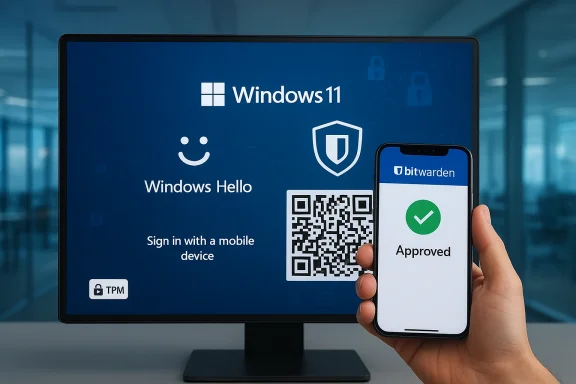
Windows 11 login via Windows Hello with mobile approval and QR code.Background​

Passkeys — public‑key credentials based on FIDO/WebAuthn standards — have steadily displaced passwords in browsers and apps because they are phishing‑resistant, bound to the device and origin, and rely on asymmetric cryptography rather than shared secrets. Major OS and browser vendors have implemented platform passkey stores, and the FIDO Alliance published portability and credential exchange workstreams to make passkeys more interoperable across vendors. What remained uneven was operating‑system level login: device sign‑in has historically relied on long‑standing credential models that put the OS lock screen among the highest‑value targets for attackers.
Microsoft began enabling third‑party passkey managers to plug into the Windows 11 platform via a plugin credential manager API, and has been working with vendors including Bitwarden and 1Password to let those managers act as system‑level credential providers. Bitwarden’s new capability leverages that system plumbing to allow passkeys saved in the Bitwarden vault to be used when Windows prompts for credentials — extending passwordless access to the point where the user first reaches the desktop.

What Bitwarden announced — the nutshell version​

  • Bitwarden now supports signing into Windows 11 using passkeys stored in a Bitwarden vault, enabling passwordless sign‑in at the OS level.
  • The integration works with compatible Windows 11 devices and supports environments interoperable with Microsoft Entra ID.
  • In some supported configurations, Windows presents a QR code during the sign‑in flow; scanning that QR with a mobile device running Bitwarden confirms access to the passkey stored in the vault and completes authentication.
  • Microsoft’s product management emphasized the company’s wider effort to make passwordless sign‑in practical and secure across Windows. Bitwarden framed the move as closing a critical gap between application‑level passkey use and device sign‑in.
Those succinct points are the core of the news — but the implications for security, enterprise deployment, and user experience deserve deeper analysis.

How the integration works (technical overview)​

The plugin model and Windows Hello verification​

Windows 11 exposes a plugin credential manager interface that allows third‑party password and passkey managers to register as system credential providers. When an app or the Windows sign‑in flow needs a passkey, that provider can present its UI and surface passkeys to Windows; Windows continues to use Windows Hello (biometrics or PIN) for local user verification before releasing the private key operation. This means the passkey is used by Windows while user verification remains handled by the platform’s protected verification model.

From vault to lock screen: the QR‑assisted flow​

Bitwarden describes a flow in which Windows, during sign‑in, can show a QR code that signals a passkey request. A mobile device with the Bitwarden app scans the code, authenticates locally (for example, with device biometrics), and signals the Bitwarden vault to release the passkey or perform the cryptographic assertion required for the Windows sign‑in challenge. Because the passkey exchange uses public‑key cryptography, the private key never leaves the vault or the secured storage backing it, and no shared secret is transmitted. This design preserves the core property of passkeys: resistance to credential phishing and replay.

Compatibility and enterprise support​

According to Bitwarden and Microsoft materials, the feature is available on compatible Windows 11 devices and in configurations supported by Microsoft Entra ID, which means enterprise identity administrators can adopt synced or third‑party passkey providers under existing identity governance controls. The Microsoft Entra ID guidance on synced passkeys clarifies administrative controls and rollout knobs for organizations planning to move toward passwordless sign‑in.

Why this matters: Security advantages​

1) Phishing resistance at the first line of defense​

The most important security improvement is the extension of true phishing‑resistant authentication to the step where attackers historically have the highest leverage: device sign‑in. Because passkeys use asymmetric cryptography and perform origin‑bound verification, an attacker cannot simply trick a user into typing a password or replay a captured secret to get into the device remotely. Requiring possession of the private key and a local user verification (biometrics/PIN) dramatically raises the bar.

2) Device‑ and origin‑bound credentials reduce lateral compromise​

A passkey bound to a particular device and relying party prevents reuse across origins. If an attacker steals a copy of a user’s credentials from elsewhere, those credentials won’t authenticate to the device sign‑in process. This reduces the window in which a remote compromise can convert into local device access, protecting files, cached tokens, and sessions that live behind the sign‑in screen.

3) Centralized policy without sacrificing portability​

Bitwarden emphasizes that passkey usage can be administered centrally (policies, enterprise controls, Entra ID integration) while maintaining passkey portability and interoperability through FIDO standards. For enterprises, that combination matters: security teams keep policy and auditing, while users gain a portable, phishing‑resistant credential that works across platforms and browsers.

Practical deployment considerations​

System and hardware requirements​

  • Windows 11 (supported build with plugin passkey support) is required. Microsoft updated Windows 11 in late 2024/2025 to expose the third‑party passkey provider API; organizations must ensure OS updates are applied.
  • Windows Hello verification (biometrics or PIN) and TPM hardware or equivalent protections are highly recommended to retain the platform‑level protections that secure the verification step. Some features (synced passkeys, device‑bound keys) rely on TPM or equivalent secure elements.
  • The Bitwarden desktop/mobile app versions that expose passkey management and the enterprise passkey features must be deployed; administrators should validate Bitwarden client compatibility with their Windows base images.

Admin controls and identity governance​

Enterprises using Microsoft Entra ID can manage passkey policies, control which passkey providers are allowed, and apply conditional access controls that still apply even when passkeys are used for sign‑in. That end‑to‑end policy coverage — from the identity provider to the OS login — is crucial for compliance and incident response. Admins will need to test onboarding, recovery, and revocation workflows for passkeys in their environment before broad rollout.

Interoperability and standards: why standards matter here​

This rollout isn’t just a single vendor playing catch‑up; it sits on the broader FIDO/WebAuthn ecosystem and recent work on passkey portability and credential exchange. FIDO’s standards for credential export/import and the WebAuthn Credential Exchange work aim to prevent vendor lock‑in and enable moving passkeys between providers securely. Bitwarden’s emphasis on open standards and platform support matters because it reduces the risk that a user becomes irreversibly tied to one vendor’s proprietary format. Still, credential migration remains operationally tricky, and enterprises must plan for recovery and migration paths.

UX and real‑world use: the good and the awkward​

The QR code + mobile confirmation flow is clever in that it bridges mobile wallets and device sign‑in without requiring the vault’s private key to live in the OS. For users who already carry a phone and use Bitwarden on mobile, the flow can be seamless: scan, biometric verify on phone, access granted. But the real world is messy:
  • Not every user will have their phone available or configured for Bitwarden; fallback options must be planned.
  • Teams that require offline or air‑gapped device access need explicit policies for how to authenticate when the vault is unreachable.
  • Some users and IT shops will prefer native Windows Hello passkeys stored directly on the device rather than relying on an external vault workflow.
These UX tradeoffs mean IT teams must decide whether the convenience of a centralized passkey vault outweighs the simplicity and offline resilience of purely local platform passkeys.

Risks and limitations — what to watch for​

1) Recovery and account continuity​

Passkeys break passwords — but they also change how account recovery works. If a user’s Bitwarden account becomes inaccessible (lost master password, vendor lockout, or account compromise), recovering OS sign‑in that depends on the Bitwarden vault can be complex. Enterprises must define recovery procedures: secondary break‑glass accounts, local admin recovery options, or hardware security keys as fallbacks. If these contingencies are not planned, a well‑intentioned security upgrade can create operational headaches.

2) Single‑point risk in third‑party vaults​

While passkeys themselves are phishing‑resistant, storing a device’s critical sign‑in passkeys in a centralized third‑party vault introduces a new risk profile: an attacker who gains administrative control of the vault provider (or an attacker who compromises a user’s vault credentials and any additional protections) may gain leverage across many resources. Bitwarden’s end‑to‑end encryption and zero‑knowledge architecture reduce this risk, but centralization always concentrates risk and must be mitigated with strong backup, segmentation, monitoring, and least‑privilege controls.

3) Compatibility and brittleness across device types​

Although the ecosystem is making progress, there are still hiccups: older Windows builds, legacy applications that do not leverage the modern credential APIs, and device images that block third‑party credential providers can break the seamlessness. Admins should expect some friction during rollout and plan pilot programs and helpdesk scripts. Public reports from users indicate passkey flows can fail in particular combinations of browsers, OS builds, or Bitwarden client versions — not surprising for a cutting‑edge integration but important to test.

4) Attack surface: QR code and man‑in‑the‑middle considerations​

The QR‑scan approach brings convenience but adds steps attackers could attempt to manipulate. The security of the QR handshake depends on proper cryptographic binding of the challenge to the target session and verification that the vault’s response is cryptographically valid for the Windows relying party. If any implementation shortcuts exist (for example, insufficient challenge binding or weak certificate validation), those could introduce new attack vectors. At the time of this writing, no such implementation issues are publicly confirmed, but they are plausible enough that security teams should demand cryptographic detail and vet the implementation. If a claim about QR behavior is not documented in fine technical detail by the vendor, treat that detail cautiously and perform your own validation.

Enterprise checklist: what IT should do before rollout​

  • Inventory and Versioning
  • Confirm Windows 11 builds across your estate support third‑party passkey providers and that Bitwarden’s Windows client version is compatible. Validate Windows Hello and TPM availability across target devices.
  • Pilot and User Acceptance Testing
  • Run a pilot group that includes typical remote, mobile, and office users. Test offline sign‑in, recovery flows, and helpdesk procedures for lost devices. Document edge cases.
  • Recovery and Break‑glass Planning
  • Define explicit break‑glass procedures (local admin accounts, hardware security keys, emergency passcodes). Ensure users and admins can access devices if the vault is unavailable.
  • Policy Integration and Conditional Access
  • Integrate passkey usage with Microsoft Entra ID conditional access and monitoring. Map out logging, alerting, and revocation workflows for compromised accounts.
  • Communication and Training
  • Prepare clear end‑user guidance about scanning the QR flow, device pairing, and recovery steps. Train helpdesk staff on the new flows and common failure modes.

What this means for consumers and power users​

For individual users, the headline is simple: Bitwarden’s support enables a broader passwordless experience that can cover both websites and the Windows lock screen, and that can be attractive if you want one vault to manage credentials across devices. For privacy‑conscious or security‑minded users, the choice remains nuanced:
  • If you prefer local, device‑only passkeys (e.g., passkeys stored in Windows Hello, Apple Passwords, or Google Password Manager), you still retain strong protections without centralization.
  • If you value portability and centralized management, a vault like Bitwarden’s simplifies using the same passkeys across platforms — but you should harden your vault account, enable multi‑factor protections, and understand recovery options.

Broader industry context: Microsoft, Bitwarden, and the passkey road map​

Microsoft’s developer and security teams have been explicit about enabling third‑party passkey providers as part of a larger passwordless push. The Windows platform update and plugin API were intended to let users choose where passkeys are stored — Microsoft Password Manager in Edge or trusted third‑party managers like Bitwarden and 1Password. Bitwarden’s work with Microsoft and its emphasis on open standards (FIDO credential exchange and portability) indicate the ecosystem is moving toward more flexible, vendor‑interoperable passkey management. That is a significant step for making passwordless practical at scale.

Verification and what’s still unclear​

Bitwarden’s press materials and blog post describe the QR flow, Entra ID support, and platform integration. Microsoft’s developer documentation and Windows security guidance corroborate the plugin‑provider model and the general architecture in which Windows Hello performs local verification while a third‑party manager supplies passkeys. These two independent sources align on the broad technical claims.
However, certain low‑level implementation details aren’t public in full technical depth in vendor marketing materials. For example:
  • The exact security properties and cryptographic bindings of the QR challenge/response handshake are described at a high level but not published in detailed protocol transcripts by Bitwarden in the blog post. Treat those details as operationally verified only after hands‑on testing or vendor technical whitepapers.
  • While Microsoft and Bitwarden claim enterprise manageability through Entra ID, organizations should validate that logging, SIEM integration, key revocation, and incident response workflows meet their compliance needs in practice. Public documentation covers policy knobs but not every enterprise edge case.
These are not show‑stoppers, but they are prudent points for any security‑conscious deployment team to validate.

Recommendations — pragmatic steps for readers​

  • If you’re an enterprise security lead: run a controlled pilot. Test recovery and revocation scenarios thoroughly. Require hardware security keys or secondary authentication for admin accounts. Integrate passkey events with SIEM and conditional access.
  • If you’re an IT admin: create playbooks for helpdesk tickets that cover common failure modes (phone not present, vault sync issues, local Hello mismatch). Communicate these procedures clearly to users.
  • If you’re an everyday user: consider whether a centralized passkey vault fits your threat model. If you store desktop unlock passkeys in Bitwarden, protect your Bitwarden account with the strongest available defenses: a high‑entropy master passphrase, device‑bound multi‑factor options, and an account recovery plan.
  • For security researchers and auditors: seek out technical documentation from vendors and ask for protocol traces or design documents to confirm the cryptographic binding of the QR handshake and the vault assertion flows. This is the most verifiable way to validate vendor claims.

Conclusion​

Bitwarden’s support for passkey sign‑in to Windows 11 marks a meaningful expansion of passwordless authentication from browsers and apps into the OS sign‑in experience. Built atop Microsoft’s plugin passkey provider APIs and the FIDO/WebAuthn standards, the integration promises a more consistent, phishing‑resistant experience that can be centrally managed in enterprise environments through Microsoft Entra ID. The design — including a QR‑assisted mobile confirmation option — cleverly balances portability with cryptographic protections, but it also concentrates new operational responsibilities around recovery, compatibility testing, and vault hardening.
For organisations and users ready to adopt passwordless at scale, this is a tangible and welcome step forward. For security teams, it signals the need to update playbooks, test failure modes, and treat third‑party credential stores as critical infrastructure. The passkey future is closer than ever; the challenge now is operationalizing it safely and sensibly across the diverse realities of devices, users, and enterprise policies.

Source: Business Wire https://www.businesswire.com/news/h...itwarden-Enables-Passkey-Login-to-Windows-11/
 

Bitwarden’s vault can now unlock Windows 11: users can sign in to their Entra ID–joined PCs using a passkey stored in Bitwarden instead of typing a password, bringing phishing‑resistant, passwordless authentication to the Windows sign‑in screen and widening the role of third‑party credential managers from browsers and apps into the operating system itself. ps://bitwarden.com/blog/bitwarden-launches-passkey-management/)

Neon Windows 11 screen displaying a Bitwarden QR code alongside a phone for secure sign-in.Background / Overview​

Passkeys—FIDO2/WebAuthn public‑key credentials—replace reusable passwords with asymmetric cryptography and a local user verification (PIN or biometric). They are designed to be phishing‑resistant because the private key never leaves the authenticator and cannot be phished by fake web forms. Microsoft’s 2025 Windows 11 updates opened a key door: Windows can now host system‑level passkey providers, allowing third‑party vaults such as Bitwarden and 1Password to act as the system credential manager. Bitwarden’s recent announcement extends that model to Windows sign‑in itself, using a QR‑code, cross‑device flow for Entra ID (work/school) scenarios.
This article explains how Bitwarden’s Windows sign‑in works, the technical and operational prerequisites, where the security gains are real, and where trade‑offs and risks remain. I cross‑checked vendor materials, Microsoft documentation, and independent reporting to validate the core technical claims and highlight areas that require cautious rollout in production environments.

How the Bitwarden Windows sign‑in flow works​

High‑level sequence​

  • At the Windows 11 lock or sign‑in screen the user selects the security key / pass Windows shows a QR code when the credential isn’t available locally. The QR encodes a WebAuthn assertion request for the Entra ID account.
  • The user opens the Bitwarden mobile app (or a Bitwarden client that supports the provider), authenticates locally (biometric or PIN), scans the QR code, and Bitwarden completes the FIDO2 assertion to Microsoft Entra ID on behalf of the Windows device.
  • Windows receives the cryptographic assertion and completes sign‑in. The password is never sent.

Who acts as the passkey provider?​

Bitwarden registers as a system passkey provider on Windows using the new plugin/credential manager API Microsoft added to Windows 11. When Windows needs a passkey, itcall to the registered provider (Bitwarden), which can return the assertion from a passkey stored inside the user’s encrypted Bitwardlets Bitwarden keep passkeys in its synchronized vault rather than tying them to a single device’s platform authenticator.

Requirements and rollout details​

Technical prerequisites (summary)​

  • The Windows device must be running a Windows 11 build that includes Microsoft’s passkey provider support (the November 2025 platform updates and later).
  • The device must be joined to Microsoft Entra ID (work or school account flow rather than a local consumer Microsoft account).
  • An organization’s Entra ID must have FIDO2 / security key sign‑in enabled in its Authentication Methods policy so passkey sign‑ins are accepted for the user/tenant.
  • The user mgistered Entra ID passkey saved in their Bitwarden vault (that is, the vault contains the necessary credential to answer Windows’ WebAuthn challenge).
Bitwarden reported a staged rollout through March (organization visibility and exact timing depend on tenant configuration and policy propagation). Independent reporting confirms the feature rollout is incremental and tenant‑dependent. Administrators should not assume immediate availability on every machine; Windows update level and enterprise policy are gating factors.

Supported user accounts and scenarios​

  • Primary target: Entra ID (Azure AD)–joined work and school accounts. Consumer Microsoft account support is not the headline scenario and depends on separate Microsoft consumer‑account features and policy.
  • Single‑device and cross‑device flows: when a passkey is stored remotely in Bitwarden, the QR cross‑device handshake is used; when the passkey is available locally (e.g., a platfod to the same device), Windows can use direct, local assertion flows.

What changes: security benefits​

1. Phishing resistance elevated to the Windows sign‑in screen​

By replacing passwords and shared secrets with cryptographic assertions, the flow removes the central attack vector exploited by phishing and credential‑stuffi the private key is not disclosed and the server verifies cryptographic proof, attackers cannot easily capture credentials by fake pages or forms. This is a substantial hardening of the OS sign‑in surface when correctly configured.

2. Unified passkey lifecycle and cross‑device convenience​

Bitwarden’s vault model makes passkeys available across devices the user owns (and where Bitwarden is provisioned), reducing the friction of single‑device device‑bound passkeys and lowering of recovery for lost devices. For many SMBs and less‑resourced IT teams, synchronized vault passkeys are a pragmatic way to get passwordless benefits without distributing hardware tokens to every user.

3. Administrative lifecycle advantages​

Enterprises using Bitwarden Enterprise gain a centralized place to record passkey metadata, audit registrations, and combine passkey management with existing identity lifecycle tools (SSO, SCIM, user provisioning). elp with incident response and deprovisioning workflows when a user leaves the organization—provided the vendor exposes the necessary logs and admin controls.

Where the trade‑offs and risks remain​

Introducing a centralized vault that synchronizes passkeys expands convenience but changes the attack surface and recovery model. Below are the most important trade‑offs IT teams must weigh.

Centralized vault = larger blast radius​

  • With passkeys synchronized in a single end‑to‑end encrypted vault, an attacker who compromises a user’s Bitwarden master password, recovery methods, or account recovery flows could potentially enumerate and misuse many passkeys. That centralization is the precise convenience being sold, but it also concentrates risk, so enterprise controls must be tight.

The master‑password / recovery vector​

  • Bitwarden’s zero‑knowledge model means Bitwarden cannot decrypt a vault without the user’s key material. That is good for privacy, but it places huge operational importance on master‑password strength, recovery processes, and admin controls (SSO‑backed accounts, strong MFA, governance of recovery tokens). Weak recovery policies or social‑engineering‑susceptible helpdesk procedures are the likely top‑risk vectors.

PRF limits and the “passwordless vs vault decryption” distinction​

  • Bitwarden’s architecture distinguishes between using a passkey to authenticate (answer a WebAuthn challenge) and using a passkey to derive a symmetric decryption key for unlocking an encrypted vault. The latter requires platform and client support for the WebAuthn PRF (pseudo‑random function) extension. Not all authenticators or platform implementations provide PRF in a way third‑party providers can use, so in some environments passkey sign‑in may authenticate the user but the vault still requires the master password to unlock. Administrators should test for PRF availability in their hardware/OS/browser combinations and document where the experience stays partially passworded.

Operational dependencies: Entra ID policy and rollout variability​

  • The sign‑in flow depends on Entra ID configuration (FIDO2/passkey registration enabled) and on Windows builds that include the passkey provider API. Different tenants and update cadences may see inconsistent behavior during a staged rollout, so expect partial availability during early deployments.

Offline and emergency access​

  • Cross‑device QR flows typically assume at least one online device and reachable vault; if the Bitwarden service is inaccessible or a mobile device is lost and no other authenticated device exists, users need a documented break‑glass or fallback sign‑in path. This is both a usability and a security requirement: emergency access controls must be safe, logged, and auditable.

Technical caveats and compatibility notes​

Platform and authenticator compatibility​

  • Platfo in features. For example, not all Windows Hello implementations expose the PRF extension or allow third‑party providers to perform vault decryption operations. Hardware security keys (FIDO2 tokens) may behave differently from platform authenticators; test each authenticator class in your fleet.

Packaging and registration requirements (for vendors)​

  • Mider registration is tied to Windows app packaging and plugin registration semantics. Some vendors ship MSIX‑packaged builds to integrate reliably with the provider API; others may use preview/beta channels at first. Thiss that restrict app packaging or block Store/MSIX installations via policy.

Browser extension vs OS p Historically, password managers operated inside browsers; Windows’ passkey provider API moves those flows to the OS level. This reduces browser fragmentation but also means some behaviors (e.g., which provider intercepts a WebAuthn request) are now orchestrated by the OS. Be prepared for mixed results across browsers and apps during early adoption. ([learn.microsoft.com](Plugin passkey manager support - Windows apps## Practical rollout checklist for IT teams (recommended)​

  • Inventory and compatibility check
  • Identify Entra ID–joined devices and ensure they are with passkey provider support installed.
  • Catalog authenticators used (platform biometrics, TPM presence, hardware FIDO keys) and verify PRF support where passwon is desired.
  • Configure Entra ID safely
  • Enable FIDO2 / passkey authentication in Authentication Methods.al access rules limiting where registration and sign‑in can occur for the pilot group (e.g., require compliant devices).
  • Harden Bitwarden accounts before enrollment
  • Require SSO for enterprise accounts where possible.
  • Enforce strong master passwords and mandatory MFA for account recovery.
  • Pilot with a small, cross‑sectional group
  • Include varied hardware, desktop resp. laptop types, and network conditions.
  • Test local assertion flows and the QR cross‑device experience; validate failure modes.
  • Train helpdesk and prepare emergency workflows
  • Document break‑glass sign‑in processes and TAP (Temporary Access Pass) or other bootstrapping flows for re‑registration.
  • Ensure logging and alerting on recovery attempts and TAP issuance.
  • Monitor telemetry, iterate policies
  • Capture enrollment and failure telemetry; iterate conditional access and device compliance rules as you uncover edge cases.

Hardening recommendations​

  • Keep hardware security keys for highly privileged or high‑risk accounts (administrators, privileged service accounts). Bitwarden’s vault sync is convenient but hardware keys remain the lowest‑blast‑radius option for the highest assurance accounts.
  • Require Single Sign‑On (SSO) for enterprise Bitwarden accounts esses to identity proofing that’s resistant to social engineering.
  • Enforce strong endpoint security controls: full‑disk encryption, tamper‑resistant boot, modern EDR, and device compliance checks in conditional access policies.
  • Audit recovery logs and TAP issuance; alert on anomalous recovery or mul the same account.

The broader identity ecosystem — where this fits​

Microsoft’s passkey provider API and Bitwarden’s support are part of a larger industry shift toward passwordless authentication. Microsoft added system provider hooks to Windows 11 (late 2025) so third‑party vaults can handle WebAuthn flows at the OS level; vendors from 1Password to Bitwarden, and other credential managers, are implementing integrations that take advantage of that API. This is a structural change: passkeys are moving from browser silos to an OS‑level authentication surface, which should simplify developer integration and user experience across apps and browsers.
For enterprises, this means passkeys can b) alongside other identity assets, and it unlocks more seamless passwordless journeys—if the necessary governance, recovery, and endpoint hardening are in place.

Known unknowns and what to watch next​

  • PRF adoption across popular authenticators and Windows Hello implementations: this will determine how often passkeys can also replace the vault master password versus just authenticate the sign‑in. Expect vendor updates over the next months.
  • Microsoft’s consumer‑account support and the precise timeline for sign‑in flows outside Entra ID: enterprise support is clear; consumer rollout remains a separate track and may arrive later or with different UX.
  • Enterprise admin tooling for passkey metadata, exportability, and logs: vendors will be pressured to surface richer administrative controls (audit logs, revocation APIs, Graph integrations) to meet compliance needs. Monitor vendor roadmaps and request SOC / compliance artifacts as part of procurement.

Conclusion — a pragmatic verdict​

Bitwarden’s ability to act as a passkey provider for Windows 11 sign‑in is a meaningful advance for passwordless authentication. It takes passkeys beyond web and app silos and places them directly into the OS sign‑in flow—where credential theft is most valuable to attackers. That move raises the baseline security for many users and organizations by introducing phishing‑resistant cryptographic verification at the lock screen.
But convenience and recoverability come with trade‑offs. Centralized, synchronized vaults increase the importance of airtight account recovery, strong master‑password and SSO policies, and robust helpdesk procedures. For high‑risk accounts, hardware FIDO2 tokens should remain part of the arsenal. Enterprises that treat this as a pilotable improvement—start small, lock down recovery, preserve hardware keys for privileged users, and instrument monitoring—will realize the benefits while keeping the new centralized risks manageable.
Bitwarden’s rollout represents a clear nudge toward a truly passwordless future, but whether that future is safer depends on how organizations implement governance, recovery, and layered protections around the new passkey lifecycle.

Source: TechRepublic Bitwarden Brings Passkey Logins to Windows 11, Expanding Passwordless Sign-Ins
 

Bitwarden’s vault can now unlock Windows 11 — letting users sign in to Entra ID–joined devices with passkeys stored in their Bitwarden vault and bringing phishing‑resistant, passwordless authentication to the Windows sign‑in screen. ps://bitwarden.com/blog/bitwarden-launches-passkey-management/)

Phone and laptop display Bitwarden passkeys sign-in with a QR code and biometric status.Background / Overview​

Passkeys are the FIDO2/WebAuthn successor to passwords: they are asymmetric public/private credentials where the private key is protected by an authenticator (platform biometrics, secure element, or hardware FIDO key) and the relying party stores only the public key. This cryptographic model is inherently phishing‑resistant because the private key never leavend cannot be copied by a malicious site.
Microsoft moved passkeys out of the browser and into Windows 11 itself by adding a system‑level passkey provider API in late 2025. That platform change lets third‑party password managers register as system passkey providers so they can manage, surface, and respond to WebAuthn requests at the OS sign‑in surface. Bitwarden’s Windows integration leverages that API to act as a provik/school) sign‑ins.
Bitwarden’s approach differs from device‑bound passkeys: instead of tying a private key strictly to a single platform authenticator, Bitwarden stores passkeys inside its end‑to‑end ynchronizes them across devices. That design prioritizes recoverability and cross‑device convenience at the cost of a different threat model and operational surface for enterprises.

How the Bitwarden Windows sign‑in flow works​

High‑level sequence​

  • At the Windows 11 lock or sign‑in screen the user chooses the Security key or Passkey sign‑in option.
  • If the required credential is not local, Windows displays a QR code that encodes a WebAuthn assertion request for the user’s Entra ID account.
  • The user opens the Bitwarden mobile app (or a Bitwarden client that supports the provider), authenticates locally (biometriche QR code.
  • Bitwarden completes the FIDO2 assertion on behalf of the Windows device and submits it to Entra ID; Windows accepts the cryptographic proof and completes sign‑in. Passwords are not transmitted during this flow.

Technical prerequisites (summary)​

To enenterprise or school environment you generally need:
  • A Windows 11 device running a build that includes Microsoft’s passkey provider support (the platform changes beginning with th (windowscentral.com)
  • The device must be joined to Microsoft Entra ID (Azure AD) for the Entra ID passkey model toosoft accounts are not the primary scenario.
  • FIDO2 / security key sign‑in must be enabled in the organization’s Entra ID Authentication Methods policy so passkey assertions are accepted.
  • A registered Entra ID passkey stored in the user’s Bitwarden vault available to the Bitwarden client. ([bitwarden.com](Bitwarden launches passkey management | Bitwarden matters: the security and productivity case

Strengths and practical benefits​

  • Phishing resistance at the OS level. Replacing passwords with cryptographic assertions removes the central attack vector that phishing and credential stuffing exploit. A WebAuthn challenge / rested by a fake site the way reusable passwords can.
  • Cross‑device convenience and recoverability. Because Bitwarden synchronizes passkeys in the encrypted vault, a user can authenticate from another device if a phone is lost — assuming they can unlock Bitwarden. This reduceioning hardware tokens to every user.
  • Unified lifecycle and administrative visibility. For organizations using Bitwarden Enterprise, passkey metadata can be consolidated with other identity lifecycle tooling (SSO, SCIM), aiding deprovisioning and audits if the vendor exposes theand APIs.
  • Easier adoption path for resource‑constrained IT teams. Not all organizations can issue hardware FIDO tokens to every user. Vault‑backed passkeys provide a lower‑cost route to passwordless benefits for larger groups while preserving high‑assurance options for critical accounts.

Trade‑offs and risks — what IT must consider​

Bitwarden’s synchronized‑vault model delivers convenience — but it also changes the attack surface and the operational model for recovery and incident response.

Centralized vault = larger blast radius​

Storing many passkeys in a single end‑to‑end encrypted vault concentrates value. If an attacker sword material or hijacks account recovery, they could enumerate and misuse synchronized passkeys across services and even the Windows sign‑in surface. This centralization demands stricter controls on recovery flows, master‑password hygiene, and administrative protections.

The PRF / vault‑decryption distinction​

Bitwarden distinguishes between two related behaviors that are sometimes conflated:
  • Using a passkey to authenticate (answer a WebAuthn assertion) — broadly supported by platform and external providers.
  • Using a passkey to derive a symmetric key that decrypts the Bitwarden vault (passwordless vault unlock) — this requires support for the WebAuthn PRF (pseudo‑random function) extension and platform/client support for exposing PRF semantics to third‑party providers.
PRF support is not universal across authenticators and platform implementations. Some Windows Hello installations and many platform authenticators do not expose PRFproviders can leverage; the result is that a passkey may authenticate a Windows sign‑in but the vault will still require the master password for decryption. Administrators should not assume passkey sign‑in will universally replace the master password.

Operational dependencies on Microsoft and tenant policies​

Because the feature relies on Windows’ passkey provider API and Entra ID settings, availability is tendent. Microsoft’s staged rollout of the provider hooks in late 2025 enabled third‑party integrations such as 1Password first; Bitwarden’s rollout is incremental and may require tenant configuration and policy propagation. Expect variability across devices and tenants during early deployments.

Offline and emergency access​

The QR cross‑device flow and some synchronization modes depend on network connectivity and device availability. IT teams must plan break‑glass procedures: local admin accounts, Temp) bootstrapping, documented recovery workflows and helpdesk playbooks that are auditable and secure.

Practical rollout guidance for otic, staged approach reduces risk while allowing organizations to evaluate usability and compatibility.​

Pilot checklist (recommended)​

  • Inventorices and Windows 11 builds; ensure passkey provider support is installed.
  • Select a small pilot group that includes varied hardplatform biometrics and hardware keys), and user skill levels.
  • Configure Entra ID: enable FIDO2 / passkey sign‑in and create Conditional Accct where registration can occur for the pilot.
  • Deploy and validate Bitwarden desktop and mobile clients (confirm they register as a Windows provider). ([bitwarden.com](Bitwarden launches passkey management | Bitwarden passkeys for Entra ID accounts and exercise both local and QR cross‑device flows. Document failure modes.
  • Validate PRF behavior on representament where vault decryption still requires master passwords.
  • Train helpdesk: recovery, TAP issuance, and logging procedures. Ensure TAP and recovery issuance ed.

Hardening steps before wider rollout​

  • Enforce strong master‑password policies and require SSO for enterprise Be possible.
  • Preserve hardware FIDO2 keys for privileged and break‑glass accounts.n the simplest lowest‑blast‑radius option for high‑assurance needs.
  • Harden endpoints: full‑disk encryption, secure boot, modern EDR, and device compliance checks in Conditional Access.
  • Audit recovery and TAP issuance and set alerts for anomalous recovery workflows.

Technical compatibility & known caveats​

Authenticator classes and PRF availability​

Not all authenticators expose the same set of WebAuthn extensions. Hardware security keys (external FIDO tokens) and platform authenticators behave differently, and PRF support varies by vendor and firmware. This means:
  • Some devices willwordless unlock of Bitwarden (when PRF is available to derive vault keys).
  • Other devices will authenticate the Windows sign‑in but still prompt for the master password to decrypt the vault. Administrators must map these behaviors across their fleet.

Application and packaging requirements for providers​

Third‑party passkey providers integrate with Windows via a provider plugin modeg and installation semantics (MSIX vs installer) can affect registration. Organizations that control app install policies should verify packaging expectations for Bitwarden’s desktop client to ensure reliable provider registration.

Consumer accounts vs Entra ID​

The initial target for Bitwarden’s Windows sign‑in capability is Entra ID–joined Consumer Microsoft account support has historically followed a separate release track and may have different UX and policy constraints; do not assume the feature is available everywhere for consumer sign‑ins.

Threat model: realistic adversary scenarios​

  • Account recovery abuse / social engineering. Attackenipulate helpdesk or account recovery controls could obtain vault access and enumerate passkeys. Harden recovery procedures and require strong secondary verification for recovery actions.
  • **Compromised endpoints with unlocked Bitwarden sessionsombined with an active unlocked vault can allow an attacker to perform passkey assertions. Protect endpoints with EDR, and reduce persistent sessions where possible.
  • Supply‑chain and browser extension attacks. Historically, password managers were attacked via malicious extensions or supply‑chain vectors; sysegration reduces some browser exposure but introduces new dependencies. Monitor vendor advisories and enforce code signing and update policies.
Hardening recommendations include SSO for entetory hardware keys for privileged staff, conditional access gating, and aggressive logging/alerting on recovery attempts.

Realistic deployment scenarios — who should adopt now?​

  • Ideal early adopters: security‑minded SMBs and mid‑market organizations that already use Bitwarden Enterprise and need a pragmatic alternative to provisioning hardware toanizations gain the most from centralized passkey lifecycle management and lower per‑user friction.
  • Who should wait or proceed cautiously: highly regulated enterprises that require non‑centralized hardware tokens for privileged accounts, or organizations lacking mature recovery and helpdesk conot on non‑privileged users first and keep hardware tokens for critical roles.

Q&A: common operational questions (short answers)​

  • Will Bitwarden passkeys replace hardware security keys? Not for high‑risk accounts. Hardware FIDO2 tokens remain the lowest‑blast‑raeged users; many organizations will run a hybrid model.
  • Does passkey sign‑in always remove the master password? No — vault decryption using passkeys depends on PRF support and client/platform compatibility. In some environments, authentication may be passwordless while vault access still rerd. Test representative hardware.
  • Is this available for consumer Microsoft accounts? The current, documented scenario centers on Entra ID (work/school). Consumer availabili’s rollout.

Where vendors and admins should watch next​

  • PRF adoption and platform updates: Wider platform support for the WebAuthn PRF extension will determine how often passkeys can also unlock vaults without a master password. Track Bitwarden and authenticator vendors for firmware and cliesoft’s platform and policy evolution: Expect refinements to Entra ID’s passkey policy schema and provider registration semantics that can affect enterprise gating and group‑based controls.
  • Administrative tooling from vendors: Enterprises will press for richer admin APIs, audit logs, and revocation controls forure vendors provide the compliance artifacts you need before wide production adoption.

Final assessment — pragmatic verdict​

Bitwarden’s ability to act as a passkey provider for Windows 11 sign‑in is a meaningful step toward a practical passwordless future. It brings passkeys — already a superior defense against phishing — to the most sensitive sign‑in surface: the Windows lock screen, and it does so in a way that prioritizes cross‑device usability and recoverability. For many organizations, especially those that cannot distribute hardware tokens at scale, Bitwpasskeys offer an attractive balance of security and convenience.
However, the convenience‑for‑centralization tradeoff is real. Enterprises must harden account recovery procedures, preserve hardware keys for privileged accounts, validate PRF behavior across their device estate, and instrument logging and monitoring to detect anomalous recovery events. When implemented as part of a layered identity strategy — pilot first, protect recovery channels, and keep break‑glass hrden’s Windows sign‑in support substantially raises the baseline security of Windows authentication while remaining operationally practical for many IT teams.

If you’re planning a pilot, treat it as an identity modernization project: verify Windows builds and Entra ID policies, catalog authenticators and PRF support, tighten Bitwarden account recovery and admin controls, and stage the rollout with clear helpdesk playbooks and audit logging. The technology moves the industry closer to passwordleity — but the safety of that reality depends on how well organizations design the recovery, governance, and monitoring that surround it.

Source: FilmoGaz Bitwarden Introduces Passkey Login Support on Windows 11
 

Back
Top