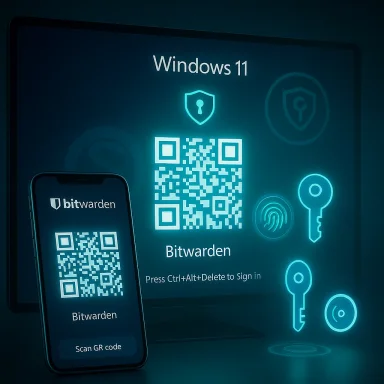
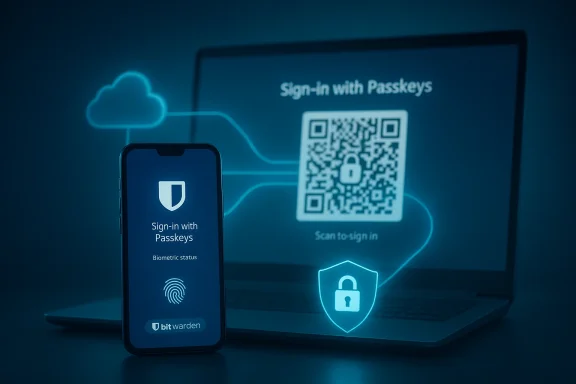
Bitwarden’s vault can now unlock the Windows desktop: users can authenticate to Windows 11 with passkeys stored in their Bitwarden vault, moving passkey support from web and app silos into the operating system sign‑in flow and promising a phishing‑resistant, passwordless path to the Windows lock screen. ps://bitwarden.com/blog/bitwarden-launches-passkey-management/)
Passkeys — the FIDO2/WebAuthn‑based replacement for passwords — pair a public key held by a service with a private key kept by the user’s authenticator. That private key is unlocked locally (usually with biometrics or a PIN) and never transmitted to the service, which makes passkeys inherently resistant to credential phishing and many forms of remote account takeover. Industry standards and government guidance now treat passkeys as a strong, phishing‑resistant authentication factor, and Microsoft, Apple, Google and password managers are racing to make them a daily reality.
Windows 11 shipped support for passkeys at the platform level and, in late 2024 and through 2025, Microsoft introduced a plugin model and updated WebAuthn APIs to let third‑party passkey managers integrate at the system level. That work enables apps such as password managers to register as system passkey providers, letting Windows surface passkeys from those vaults during sign‑in flows and WebAuthn requests. Bitwarden is one of the earliest third‑party vaults to plug into that system.
That promise comes with caution: organizations must plan for recovery, favor attestation where needed, harden vault access, and treat this as a change to identity lifecycle rather than a plug‑and‑play silver bullet. Done right, Bitwarden’s Windows passkey integration is a practical, standards‑based step toward a passwordless future — but it accelerates a wider responsibility for security operations, policy design, and user education.
Source: The AI Journal Bitwarden Enables Passkey Login to Windows 11 | The AI Journal
 Background
Passkeys — the FIDO2/WebAuthn‑based replacement for passwords — pair a public key held by a service with a private key kept by the user’s authenticator. That private key is unlocked locally (usually with biometrics or a PIN) and never transmitted to the service, which makes passkeys inherently resistant to credential phishing and many forms of remote account takeover. Industry standards and government guidance now treat passkeys as a strong, phishing‑resistant authentication factor, and Microsoft, Apple, Google and password managers are racing to make them a daily reality.Windows 11 shipped support for passkeys at the platform level and, in late 2024 and through 2025, Microsoft introduced a plugin model and updated WebAuthn APIs to let third‑party passkey managers integrate at the system level. That work enables apps such as password managers to register as system passkey providers, letting Windows surface passkeys from those vaults during sign‑in flows and WebAuthn requests. Bitwarden is one of the earliest third‑party vaults to plug into that system.
What Bitwarden added — the feature in plain terms
Bitwarden’s Windows integration extends the company’s existing passkey features (passkey creation, storage, cross‑device sync, and use inside browsers and extensions) so that a passkey saved in the Bitwarden vault can be used to sign into a Windows 11 device directly. Practically, that means:- When Windows prompts for credentials during sign‑in, Bitwarden can appear as a passkey provider and supply the cryptographic response instead of a typed password.
- Windows uses its normal user‑verification mechanism (Windows Hello: PIN, fingerprint, or face) to authorize the local cryptographic operation; Bitwarden’s vault remains the origin of the private key material.
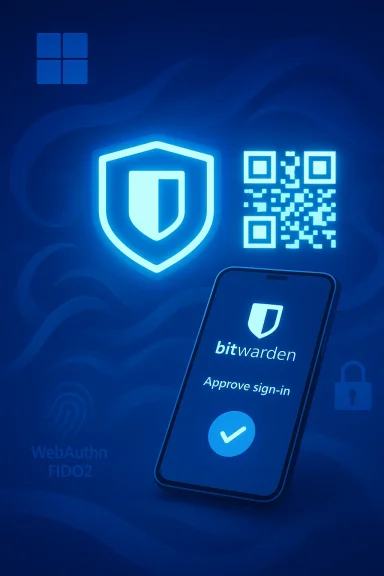
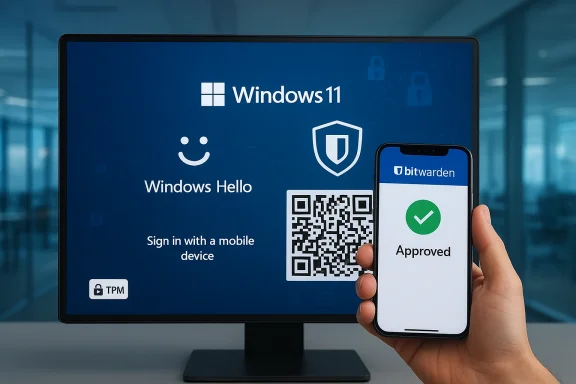
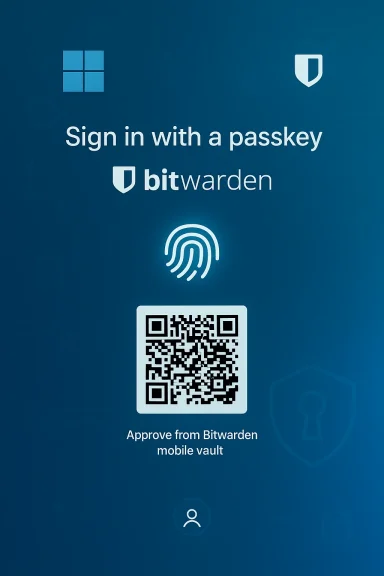
- For cross‑device scenarios, Windows can present a QR code that you scan with a mobile device to approve the passkey held in your Bitwarden mobile vault — enabling the familiar cross‑device passkey flow while preserving centralized policy and administrative controls in enterprise environments.
Why this matters: the security and usability case
1) Closing the OS‑level gap
Operating system sign‑in has long been a critical attack surface: compromise the OS login and an attacker may get immediate access to files, attached networks, and cached credentials. Extending passkeys into the OS login means the first gate — the desktop lock screen — can use the same phishing‑resistant primitives as web apps. For organizations that already manage passkeys or are moving toward them, this brings consistency across authentication surfaces and reduces the number of weak links in identity flows.2) Phishing resistance and fewer shared secrets
Because passkeys rely on asymmetric cryptography and are tied to a site or origin, they cannot be phished in the classic sense (you can’t trick a user into handing over a plaintext password). When Windows accepts a passkey from a vault, the authentication uses cryptographic proofs rather than shared secrets, which reduces risk from credential‑theft attacks aimed at the sign‑in experience. Major standards bodies and vendors explicitly call out passkeys as phishing‑resistant; Microsoft and the FIDO Alliance frame them as a core building block for a passwordless future.3) Centralized policy and enterprise control
Bitwarden’s enterprise offerings and Microsoft Entra ID’s passkey profiles mean organizations can combine centralized policy with the convenience of synced passkeys. Entra ID now supports both device‑bound and synced passkey models; admins can configure passkey profiles and control which types of passkeys are permitted for different user groups. That control is a critical part of making passkeys appropriate for regulated or high‑assurance environments.How it’s implemented (technical overview)
WebAuthn plugin model in Windows
Microsoft extended WebAuthn APIs with a plugin architecture that allows a third‑party process (an MSIX‑packaged vault, for example) to register as a platform authenticator. The API surface includes calls to:- Register a plugin authenticator so Windows lists it in Settings > Accounts > Passkeys > Advanced options,
- Create and manage credentials on behalf of the plugin,
- Perform user verification using Windows Hello,
- And handle lifecycle events such as credential deletion and cancellation.
Bitwarden’s side
Bitwarden’s desktop client implements the plugin interface and the vault‑storage model. Passkeys saved in Bitwarden’s encrypted vault are synced across a user’s devices by Bitwarden’s synchronization mechanisms (or by enterprise self‑hosted configurations). When Windows requests a passkey, Bitwarden provides the necessary FIDO2/WebAuthn responses while Windows Hello performs the on‑device user verification to unlock the private key operation. For cross‑device flows the system can render a QR code to perform a remote approval using Bitwarden on a mobile device. Bitwarden’s documentation and blog posts describe PRF WebAuthn usage, vault‑unlock scenarios, and the requirements for PRF‑capable authenticators when using passkeys for vault encryption.Strengths and clear benefits
- Phishing resistance at the earliest access point. By eliminating passwords at OS sign‑in, passkeys reduce a fundamental attack vector.
- User experience parity. Users who already rely on Bitwarden for passwords and passkeys get a unified, familiar workflow that now includes the desktop login.
- Interoperability with existing Windows security. Windows Hello, TPM protections, and Microsoft Entra ID policies remain part of the chain — the integration isn’t a replacement for platform protections, it leverages them.
- Enterprise readiness through Entra ID. Microsoft’s passkey profiles, now moving into broader availability, let admins configure whether synced passkeys are allowed and set attestation policies — a needed toolset for larger organizations.
Risks, limitations, and deployment caveats
No security feature is risk‑free. Administrators and security teams should weigh tradeoffs carefully.- Vault availability and recovery: Storing private key material (even encrypted) in a synced vault creates a central recovery and synchronization point that, if misconfigured or compromised, could become a single point of failure. Bitwarden’s zero‑knowledge model protects vault contents in transit and at rest, but recovery mechanisms, master passwords, and account recovery flows can become new attack surfaces if not hardened. Organizations should use strong account recovery controls and device attestation where possible.
- Synced vs device‑bound security posture: Synced passkeys increase usability but reduce absolute device‑bound assurance. Microsoft and NIST guidance treat device‑bound passkeys as the higher assurance option; synced passkeys can still be phishing‑resistant but are only as secure as the cloud provider and account protections. Enterprises with stringent attestation or hardware requirements should favor device‑bound attestation or limit registration to approved authenticators.
- Offline access and emergency scenarios: If a device cannot contact the sync service, or the vault is unreachable, users may be locked out. Windows still supports fallback authentication, but organizations must plan for outage scenarios, offline recovery, and emergency access policies (for example, alternative device‑bound passkeys or break‑glass admin keys).
- Vault compromise and master‑password strength: If an attacker can extract an encrypted copy of the Bitwarden vault and also defeat the vault unlock protections (master password, 2FA, or device attestation), they could obtain passkeys. Proper vault hardening (strong passphrases, hardware second factors, and organizational policies) is essential.
- Implementation bugs and attack surface growth: Adding a plugin API and a new integration surface increases code complexity and the potential for implementation mistakes. Vendors and IT teams must monitor updates, push timely patches, and validate the security posture of the plugin deployment. Microsoft’s WebAuthn APIs and Bitwarden’s desktop client should be included in endpoint vulnerability scanning and patch management programs.
- User education and recovery UX: Replacing passwords still requires users to understand recovery options and device management. Enterprises must build clear onboarding, fallback procedures, and troubleshooting guides; otherwise help desks will see a spike in support incidents as users change devices or lose access to their synced vault.
Practical rollout checklist for IT and security teams
- Inventory identity posture:
- Identify which users are Entra‑managed, which devices are Windows 11 compatible, and whether existing passkey policies exist.
- Decide passkey posture:
- Choose between device‑bound, synced, or hybrid models, and codify attestation and approval policies in Entra ID passkey profiles.
- Pilot with a small cohort:
- Deploy Bitwarden’s desktop client as a plugin on pilot machines, validate Windows Hello flows, and simulate outage and recovery scenarios.
- Harden vault access:
- Enforce strong master passphrases, require MFA for vault access, and restrict administrative recovery options.
- Update incident response:
- Add passkey/vault compromise scenarios to IR playbooks; define revocation and re‑provisioning steps for passkeys.
- User training:
- Provide clear guidance on recovering devices, using QR cross‑device flows, and emergency access options.
- Monitor and iterate:
- Track adoption, user friction, and any authentication failures; adjust policy and tool configuration accordingly.
Longer‑term implications: where this fits in the identity roadmap
Bitwarden’s Windows passkey support is an important incremental step in a broader trend: moving passkeys from individual platform silos to an interoperable, system‑wide authentication fabric. Microsoft’s introduction of plugin passkey providers in Windows 11 signals that operating systems will soon treat external vaults as first‑class citizens, which opens opportunities and responsibilities:- For users: more flexibility to choose a single vault that works across web, mobile, desktop and now OS sign‑in.
- For vendors: a race to implement secure, standards‑based plugins with strong recovery and attestation options.
- For enterprises: the need to rework identity lifecycle, device attestation policies, and incident playbooks around new cryptographic credentials rather than passwords.
Critical notes and unverifiable or conditional claims
- Bitwarden’s marketing materials and press releases state the company supports “over 50,000 businesses and more than 10 million users.” Multiple Bitwarden announcements corroborate those figures, but companies routinely update such numbers; if your procurement, compliance, or vendor‑risk team needs the current customer base or exact market metrics, confirm directly with the vendor or their latest filings.
- The QR cross‑device flow described in Bitwarden’s materials and some press coverage is a supported UX for many WebAuthn passkey scenarios. However, exact implementation details (for example, how long QR codes remain valid, what attestation is required for cross‑device approvals, and how offline recovery is handled) can vary by vendor and version. Those operational specifics should be validated against Bitwarden’s up‑to‑date documentation and your organization’s compliance needs.
- Any claim that passkeys make every account invulnerable would be overstated. Passkeys eliminate a class of phishing and password‑replay attacks, but threat actors will adapt: endpoint compromise, vault recovery abuse, social engineering targeting recovery flows, and novel implementation bugs remain real risks. Treat passkeys as a substantial reduction in risk, not a complete elimination.
Recommendations — practical, prioritized actions
- For security teams: pilot device‑bound passkeys for high‑assurance groups (admins, privileged users) and use synced passkeys for broader workforces where usability gains are critical. Use attestation rules in Entra ID to prevent registration of weak authenticators for sensitive accounts.
- For IT operations: include the Bitwarden desktop plugin in image builds only after successful pilot validation, and automate updates through your standard patch management pipeline. Monitor for vendor advisories and apply fixes promptly.
- For identity architects: revise lifecycle procedures to include passkey provisioning, revocation, and emergency recovery; update SSO integration testing to evaluate passkey‑backed Windows sign‑ins and their interactions with PRTs and SSO tokens.
- For executives and procurement: insist on detailed recovery and attestation SLAs from passkey vendors, and require evidence of independent security testing and secure development lifecycle practices.
Conclusion
Bitwarden’s move to enable passkey login to Windows 11 vault‑side closes a meaningful gap between application authentication and operating‑system access. By making passkeys available at the desktop sign‑in, Bitwarden and Microsoft are converting a browser‑centric security improvement into a more pervasive, system‑level defense against credential theft and phishing. The result promises stronger, simpler authentication for end users and a clearer path for enterprises to reduce their dependence on brittle passwords.That promise comes with caution: organizations must plan for recovery, favor attestation where needed, harden vault access, and treat this as a change to identity lifecycle rather than a plug‑and‑play silver bullet. Done right, Bitwarden’s Windows passkey integration is a practical, standards‑based step toward a passwordless future — but it accelerates a wider responsibility for security operations, policy design, and user education.
Source: The AI Journal Bitwarden Enables Passkey Login to Windows 11 | The AI Journal