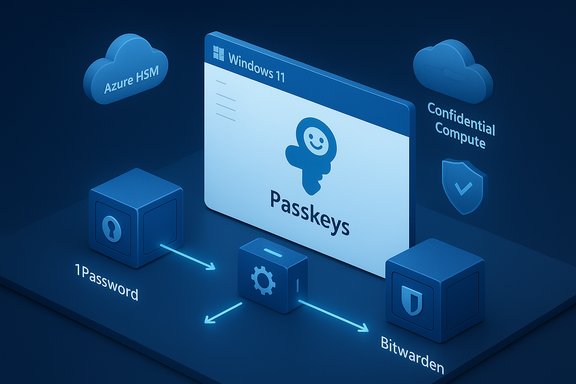
Microsoft has rolled out native, system‑level support for third‑party passkey managers in Windows 11 — and with the Windows November 2025 security update the capability is now broadly available, including built‑in integrations for 1Password and an early‑access path for Bitwarden. This change converts passkeys from a browser‑centric convenience into a first‑class authentication surface for apps, browsers and native Windows flows, while Microsoft’s own Password Manager (from Edge) becomes a native plugin backed by cloud protections such as Azure HSM and Confidential Compute.
Passkeys are the FIDO/WebAuthn‑based replacement for traditional passwords: cryptographic key pairs where the private key stays local to an authenticator and the server only stores a public key. That model eliminates password reuse, resists phishing and removes the human‑choosing‑weak‑secret problem. Microsoft has been steadily building passkey support into Windows — from Windows Hello unlocks to a built‑in passkey manager — and the latest update completes a missing piece: a plugin model / API that lets packaged credential managers register themselves as system passkey providers. That means third‑party vaults can now appear in the Windows passkey UI and participate in WebAuthn flows the same way the platform provider does. Why this matters: until now, passkeys were typically created and stored by browsers, the OS’s native provider, or mobile apps — workflows worked, but cross‑device UX and non‑browser apps were fragmented. The plugin approach unifies discovery and storage, lets password managers reuse their sync and recovery mechanisms, and preserves Windows Hello as the local authenticator that unlocks private keys.
There are operational caveats — installer packaging, enterprise deployment policies, recovery planning and the usual early‑rollout wrinkles — but these are manageable with planning and testing. Security benefits (phishing resistance, elimination of weak reusable passwords, improved UX) are immediate and substantial. For most users and organizations, the prudent path is to pilot, validate critical site compatibility, confirm deployment tooling for MSIX where needed, and update helpdesk recovery playbooks to handle device loss and cross‑provider migration scenarios. Passkeys have gone from an academic ideal to a usable, cross‑vendor reality on Windows 11 — and with Microsoft, 1Password and Bitwarden actively participating, the password era on Windows is finally starting to look like a legacy problem rather than the default.
Source: Neowin Microsoft brings native support for 1Password and Bitwarden passkeys to Windows 11
 Background / Overview
Passkeys are the FIDO/WebAuthn‑based replacement for traditional passwords: cryptographic key pairs where the private key stays local to an authenticator and the server only stores a public key. That model eliminates password reuse, resists phishing and removes the human‑choosing‑weak‑secret problem. Microsoft has been steadily building passkey support into Windows — from Windows Hello unlocks to a built‑in passkey manager — and the latest update completes a missing piece: a plugin model / API that lets packaged credential managers register themselves as system passkey providers. That means third‑party vaults can now appear in the Windows passkey UI and participate in WebAuthn flows the same way the platform provider does. Why this matters: until now, passkeys were typically created and stored by browsers, the OS’s native provider, or mobile apps — workflows worked, but cross‑device UX and non‑browser apps were fragmented. The plugin approach unifies discovery and storage, lets password managers reuse their sync and recovery mechanisms, and preserves Windows Hello as the local authenticator that unlocks private keys. What Microsoft shipped (key points)
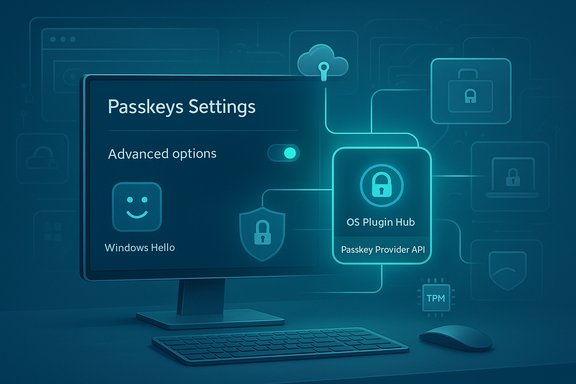
- A passkey provider plugin API in Windows 11 so packaged credential managers can register as system passkey providers and receive/answer WebAuthn requests. This enables apps and browsers to forward passkey flows to third‑party vaults.
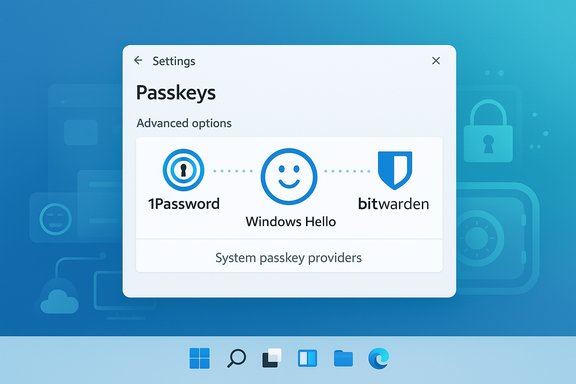
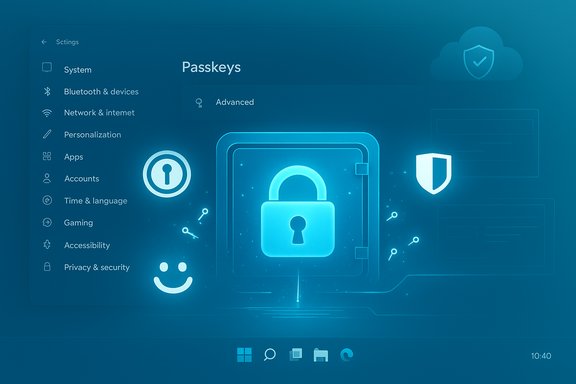
- A redesigned Passkeys area in Settings (Settings > Accounts > Passkeys) with Advanced options listing registered providers; enabling a provider requires Windows Hello verification.
- 1Password: native Windows integration is available now via an MSIX build that registers as the system passkey manager and uses 1Password’s vault and sync to manage passkeys. The MSIX packaging is required for the system integration to register reliably.
- Bitwarden: integration is available in Beta; power users can install desktop builds (preview releases / GitHub downloads) to test the system plugin path before a standard desktop install is published.
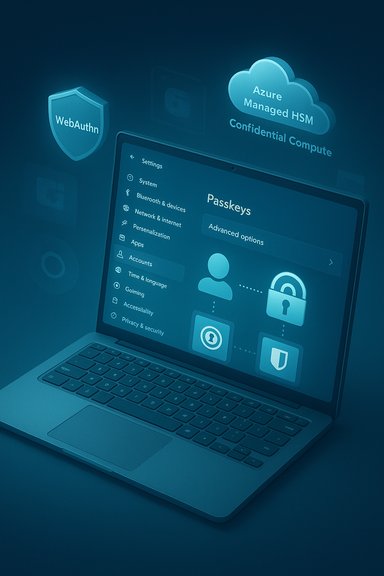
- Microsoft Password Manager (Edge) is now a native Windows plugin, with synced passkeys protected by a user PIN and cloud protections including Azure Managed HSM and Azure Confidential Compute / Confidential Ledger for sensitive operations and recovery.
How it works technically (concise)
The split responsibilities
- Windows Hello remains the local authenticator: biometric/PIN unlock happens locally and is used to authorize signing operations. The biometric template never leaves the device.
- Third‑party passkey providers handle discovery, storage and sync of the private key material (or at least its management and retrieval), and register with Windows so the OS can forward WebAuthn create/get requests to them.
WebAuthn routing to plugins
When an app or browser starts a passkey flow, the OS can route that WebAuthn request to the registered plugin. The plugin then performs the necessary operations (create or sign) and returns the response to the requesting client — with Windows Hello used locally to unlock or authorize the operation. This enables non‑browser apps and native experiences to use passkeys without browser extensions or QR/phone pairing workarounds.Step‑by‑step: enable a third‑party passkey provider (practical guide)
- Ensure your PC is updated to a Windows 11 build that includes the passkey plugin features — the Windows November 2025 security update or a recent Insider build.
- Install the vendor’s Windows client that supports the system integration:
- For 1Password, install the MSIX build (MSIX is required for registration). After install you’ll see onboarding or you can enable the setting in the app.
- For Bitwarden, install the beta/preview desktop build when testing — Bitwarden has been rolling desktop and mobile passkey capabilities through beta releases and mobile updates.
- In the password manager app enable the passkey/passkey suggestions feature (varies by product — for 1Password: Settings > Autofill > Show passkey suggestions).
- Open Windows Settings > Accounts > Passkeys > Advanced options. Authenticate with Windows Hello and flip the toggle for the provider you want to register (for example, 1Password).
- Visit a passkey‑enabled website or app. When creating or using a passkey, choose the registered provider to create/save or sign the passkey; Windows Hello will prompt you locally to confirm.
Vendor snapshots: where 1Password, Bitwarden and Microsoft stand
1Password — MSIX, vault sync and onboarding
- 1Password implemented the plugin API and shipped an MSIX build to register as a system passkey manager. The MSIX packaging is deliberate: Windows requires packaged apps to register into the system plugin registry that the Passkeys settings expose. 1Password’s rollout uses an onboarding prompt in the app and a Settings path to flip the system toggle. Early community reports indicated a brief propagation window (restart + up to 48 hours) before the toggle appears.
- Uses 1Password’s existing vault, recovery and cross‑device sync.
- Lets users keep passwords and passkeys in a single, familiar product.
- Requires the MSIX app; enterprises that block Store/MSIX installs need to plan deployment or wait for vendor enterprise channels. Community threads show some users needed manual installs or reboots to get the toggle to appear.
Bitwarden — mobile passkeys, desktop beta, GitHub previews
- Bitwarden has had mobile passkey support and browser extension support for some time, and has been pushing desktop integration on a beta timetable. Official press (company releases) and community channels show Bitwarden’s passkey features reached mobile general availability earlier in 2025 and desktop/plugin work is progressing through beta and preview builds. Early Windows plugin support may require installing preview desktop builds from GitHub before an ordinary installer ships.
- Open‑source roots and flexible hosting options (self‑host) make Bitwarden attractive for organizations with strict governance needs.
- Mobile + extension passkey flows are mature.
- Desktop integration as a system provider was initially Beta and required preview installs; UX nuances remain (extension vs. system provider interplay is still smoothing out). Community reports show cases where browser/extension combinations and site implementations affected passkey detection.
Microsoft Password Manager — native plugin with cloud enclaves
- Microsoft migrated the Password Manager in Edge into a native Windows plugin. The company states passkeys stored in its Password Manager are synced across devices with protections: a user PIN to unlock the cloud passkey vault, keys protected with Azure Managed HSM, sensitive operations inside Azure Confidential Compute, and tamper‑proof recovery mechanics (Azure Confidential Ledger used for recovery primitives). This is Microsoft’s built‑in, zero‑friction sync option for mainstream users.
- Deep Windows integration; zero extra installs if you already use Edge and a Microsoft account.
- Cloud sync convenience with hardware‑backed protections such as HSM + confidential compute.
- Some users prefer third‑party vaults for cross‑platform parity or vendor‑diversity. Enterprises with specific compliance rules will want to evaluate Microsoft’s cloud architecture vs. their policies.
Enterprise and IT implications
- Policy controls: Microsoft exposes management hooks so IT can control which passkey providers are allowed, enforce Windows Hello for Business, and manage exceptions. Rolling out passkeys at scale needs planning: enrollment, recovery flows, helpdesk procedures and fallback policies must be ready.
- Deployment packaging: The MSIX requirement for some integrations means IT teams must confirm their distribution mechanisms accept MSIX or vendor enterprise installers. AppLocker / Appx deployment policies can block MSIX installs; plan accordingly.
- Recovery and account portability: Enterprises should validate recovery flows — how to regain access if a user loses a device, or if the vendor’s sync is unavailable. Microsoft’s synced provider uses a recovery key; third‑party managers use their own recovery and account recovery processes. Evaluate these for helpdesk burden and compliance.
Security analysis — strengths and potential risks
Strengths (why this is a win)
- Phishing resistance: Passkeys massively reduce credential‑phishing attack vectors because the private key never leaves the authenticator and is cryptographically bound to the relying domain. This closes a critical, real‑world attack surface.
- Better UX across apps: System plugin support removes awkward QR/phone flows and extension‑only workarounds for native apps, lowering friction for adoption.
- Choice and portability: Users can pick a vault they trust — Microsoft Password Manager, 1Password, Bitwarden — or keep passkeys local. This reduces vendor lock‑in and keeps the ecosystem flexible.
- Hardware‑backed cloud protections (for Microsoft’s synced provider): Azure Managed HSM + Confidential Compute reduces exposure of key material and gives enterprises an auditable, tamper‑resistant sync path.
Risks and areas to watch
- Deployment friction: The MSIX requirement and staged rollouts have already caused UX wrinkles (missing toggles, delayed propagation). Organizations with restrictive install policies may see delays. Document and test deployment paths before mass rollout.
- Recovery and lockout scenarios: Passkeys are device/tied credentials by design; recovery flows need to be robust. If users lose access to both their device and their vault account, account recovery can be complex. Enterprises must ensure self‑service recovery is secure and manageable.
- Cross‑vendor interoperability: The ecosystem is still maturing — browser behavior, site WebAuthn implementations, and vendor extensions can interact unpredictably on some sites. Users and IT should test critical services to ensure compatibility across the browsers and providers they use. Community threads have reported site‑specific issues where passkeys stored with one provider aren’t surfaced by a given browser/provider combination.
- Supply‑chain and update trust: Requiring new package types (MSIX) and tight OS integration raises the bar for supply‑chain security. Attackers might target fake installers or social‑engineer users into installing malicious “passkey” apps. Vet installer sources, use code‑signing checks, and track vendor advisories.
Troubleshooting checklist (concise)
- Confirm your Windows 11 build includes the Passkeys settings (after November 2025 security update or matching Insider build).
- Use the vendor‑recommended package format (for 1Password: MSIX). EXE/MSI installers may not register as a system provider.
- After installing the vendor app, enable the vendor’s passkey/passkey suggestions setting and reboot. Wait 24–48 hours if the Windows toggle doesn’t appear immediately — staged flags are common.
- If passkeys don’t appear on certain websites: try a different browser (Chromium vs. Firefox), check extension/extension‑exclusion lists, and test with a site known to support passkeys (e.g., GitHub) to validate core flows.
Migration and export considerations
- Exporting passkeys between providers is still an evolving area; standards for passkey interchange have been improving but implementations and tools vary. If you’re migrating a corporate fleet from one provider to another, test exports/imports early and validate relied‑upon services. Community discussion shows password/passkey export and import can be limited or manual today. Flag any claims of “seamless” migration until you validate the specific vendors and sites involved.
Practical recommendations (for consumers and IT)
- For consumers who already use a password manager: update to the vendor’s recommended Windows package (MSIX for 1Password) and test the plugin flow on a secondary device first. Keep a recovery plan (backup passkeys or a recovery key) in a secure place.
- For enterprises: run a pilot group to validate critical web apps and native apps against the vendor integrations; update deployment policies to allow MSIX (or vendor enterprise installers) if required; and map out recovery/self‑service processes. Review compliance requirements before adopting cloud sync for passkeys.
- For security teams: verify vendor claims about key protection and attestation, require code‑signing checks for installers, and monitor vendor advisories for extension or plugin vulnerabilities (autofill / clickjacking risks have been discussed broadly in the ecosystem).
Where this fits in the broader passkey trend
Big tech has been moving toward passkeys for years: Apple, Google and Microsoft have all introduced syncing and passkey support across their platforms. What changed here is that Windows 11 stopped being a passive OS that only offered a native option: it became a coordinator that lets multiple trusted vaults participate natively. That keeps the ecosystem open, gives users choice, and removes many friction points that slowed passkey adoption on desktops. The result should accelerate real‑world passkey usage for both consumers and enterprises.Final analysis — a balanced verdict
Microsoft’s addition of native passkey plugin support is a meaningful, practical step toward a passwordless future. The architecture preserves the platform’s security primitives (Windows Hello + TPM), while offering users and organizations the flexibility to choose a sync model they trust. 1Password’s MSIX build and Bitwarden’s beta path show vendor commitment; Microsoft’s own Password Manager provides a convenient default with cloud protections that include Azure HSM and Confidential Compute.There are operational caveats — installer packaging, enterprise deployment policies, recovery planning and the usual early‑rollout wrinkles — but these are manageable with planning and testing. Security benefits (phishing resistance, elimination of weak reusable passwords, improved UX) are immediate and substantial. For most users and organizations, the prudent path is to pilot, validate critical site compatibility, confirm deployment tooling for MSIX where needed, and update helpdesk recovery playbooks to handle device loss and cross‑provider migration scenarios. Passkeys have gone from an academic ideal to a usable, cross‑vendor reality on Windows 11 — and with Microsoft, 1Password and Bitwarden actively participating, the password era on Windows is finally starting to look like a legacy problem rather than the default.
Source: Neowin Microsoft brings native support for 1Password and Bitwarden passkeys to Windows 11