

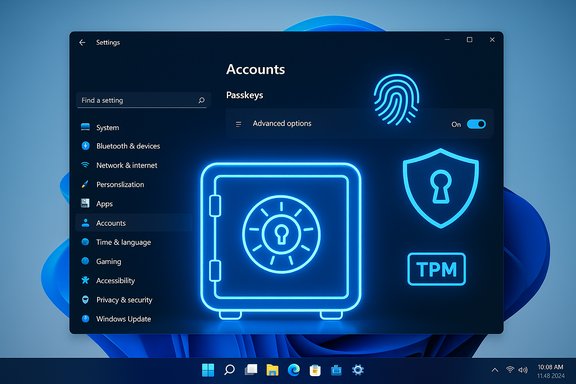
Windows 11 has taken a major step toward a true passwordless desktop by letting third‑party password managers act as system‑level passkey providers — starting with 1Password and Bitwarden — so you can create, store, sync, and use FIDO/WebAuthn passkeys through the vault you already trust while Windows Hello (PIN/face/fingerprint) continues to protect the private key operations locally. This capability arrived as part of the November 2025 cumulative/security update (the release that includes KB5068861) and exposes an “Advanced options” area under Settings > Accounts > Passkeys that lets you register and enable packaged credential manager apps as OS passkey providers.
Passkeys are the modern, FIDO‑based replacement for passwords: asymmetric credential pairs where the private key stays on a device (or inside a vault) and the relying party stores only the public key. That model removes the single biggest attack surface for credential theft and phishing because there’s no shared secret to steal or to trick a user into reusing.
Until now, desktop passkey workflows were mostly browser‑centric or stove‑piped to platform vendors: browsers or mobile ecosystems held and synced passkeys, or users relied on cross‑device pairing flows to bring mobile passkeys to a desktop. Microsoft’s OS‑level plugin API changes that by adding a system passkey provider model in Windows 11, enabling packaged credential managers to register with the OS and participate directly in WebAuthn create/get flows. In practical terms, when an app or website asks for a passkey, Windows can forward that request to the registered manager (for example, 1Password) and then gate the private‑key operation with Windows Hello.
Windows 11’s move to accept system‑level passkey providers finally lets users keep their chosen vault at the center of passwordless life on a PC. It closes the gap between modern authentication standards and everyday user workflows — while demanding careful rollout planning, vendor scrutiny, and updated governance to realize the full security and usability benefits.
Source: Digital Trends Windows 11 finally lets you use Passkeys through your own password manager
 Background / overview
Passkeys are the modern, FIDO‑based replacement for passwords: asymmetric credential pairs where the private key stays on a device (or inside a vault) and the relying party stores only the public key. That model removes the single biggest attack surface for credential theft and phishing because there’s no shared secret to steal or to trick a user into reusing.Until now, desktop passkey workflows were mostly browser‑centric or stove‑piped to platform vendors: browsers or mobile ecosystems held and synced passkeys, or users relied on cross‑device pairing flows to bring mobile passkeys to a desktop. Microsoft’s OS‑level plugin API changes that by adding a system passkey provider model in Windows 11, enabling packaged credential managers to register with the OS and participate directly in WebAuthn create/get flows. In practical terms, when an app or website asks for a passkey, Windows can forward that request to the registered manager (for example, 1Password) and then gate the private‑key operation with Windows Hello.
- The OS provides the passkey plumbing and UI flow.
- Windows Hello remains the local authenticator that verifies the user and authorizes cryptographic operations.
- The third‑party provider handles discovery, storage, and optional cloud sync of passkeys.
What changed in practical terms
Native, system‑level passkey providers
Windows 11 now supports a plugin model so packaged apps (MSIX) can register as passkey providers. Once a provider is registered and enabled under Settings > Accounts > Passkeys > Advanced options, any app or browser on the system that invokes a WebAuthn operation can surface that provider as an option for saving or using a passkey.Partners and first adopters
The initial launch is rolling out with support from major password managers. 1Password shipped a Windows client that registers as a system provider (MSIX packaging is required for reliable registration), and Bitwarden has desktop integration available in preview/beta channels. Microsoft also made its own synced passkey provider part of the system (so Microsoft Password Manager in Edge participates as a native provider).The update that enables it
This capability was included in Microsoft’s November 2025 cumulative/security release (the patching rollout that contains KB5068861). Devices that install the update and reboot should see the redesigned Passkeys page in Settings with the Advanced options toggle to enable third‑party providers.How the architecture works — technical breakdown
Role separation (why it matters)
The design deliberately separates responsibilities between platform verification and credential management:- Windows Hello (and the platform TPM when available) handles local user verification — biometrics or PIN — and performs the cryptographic gating that ensures the user is present and authenticated.
- The passkey provider (third‑party manager or Microsoft’s provider) stores the credential metadata and private key material (or the encrypted form used for sync) and responds to WebAuthn create/assert operations forwarded by Windows.
WebAuthn routing and plugin API
When an application calls WebAuthn APIs, Windows can present the Passkeys UI and route the request to whichever registered provider the user chooses. The provider then:- Unlocks its vault (in which the passkey private key is stored or wrapped).
- Performs the requested operation (create a credential or sign an assertion).
- Returns the response to Windows so the client completes the flow.
What you need to use this today
Before you try, verify these prerequisites are in place:- Windows 11 device updated to the November 2025 cumulative/security rollup (the release that contains KB5068861). Install all updates, reboot, and check Settings > Accounts > Passkeys > Advanced options.
- Windows Hello configured (PIN, fingerprint, or facial recognition) and TPM/Secure Boot enabled where possible for the best system protections.
- The passkey‑capable version of your password manager:
- 1Password: install the MSIX packaged Windows build (the MSIX package is required for system registration).
- Bitwarden: use the desktop beta/preview build that includes system provider support while stable builds roll out.
- In the password manager, enable any passkey or autofill options required by the vendor (e.g., a “Show passkey suggestions” toggle in 1Password) to trigger onboarding into Windows Settings.
- Open Settings > Accounts > Passkeys > Advanced options, authenticate with Windows Hello, and enable the provider toggle for your chosen manager.
Step‑by‑step: register 1Password (example)
- Update Windows 11 and reboot so Passkeys > Advanced options appears.
- Install the MSIX build of 1Password on the PC.
- Open 1Password and enable passkey suggestions (Settings > Autofill > Show passkey suggestions).
- Windows should redirect you to Settings > Accounts > Passkeys > Advanced options, where you authenticate with Windows Hello and toggle 1Password as a system provider.
- Visit a site that supports passkeys, choose to register a passkey, and pick 1Password as the save destination; authorize with Windows Hello to complete creation.
Security: the immediate gains
- Phishing resistance: Passkeys cannot be phished the way passwords can because challenges are cryptographically tied to the original relying party and there’s no reusable secret to harvest.
- No server‑side secret: Even if a service leaks its credential database, attackers get public keys only — useless for impersonation.
- Local biometric gate: Windows Hello verifies the user locally before allowing a passkey operation; biometrics never leave the device.
- Hardware protections: On capable devices, the private key operations are tied to TPM or platform authenticators, increasing attack cost for adversaries.
Risks, limitations, and what to watch
The system‑level passkey model is strong overall, but it changes the threat landscape and operational checklist in ways admins and users must understand.1) MSIX packaging and deployment friction
The requirement for MSIX packaging (or an equivalent registration surface) means that enterprises with locked‑down deployment models that block MSIX/Store installs may need to adjust policies or work with vendors for enterprise installers. This is a practical, operational risk that can delay adoption.2) Early availability differences across vendors
Initial support varies by vendor. 1Password shipped an MSIX build to register as a system provider; Bitwarden’s desktop integration initially appeared in preview/beta channels. That staggered rollout can create UX inconsistencies: some users will see the provider option while others on the same network won’t, depending on Windows build and vendor release channel.3) Recovery and account regain paths
Passkeys assume the user has a recoverable device or a provider‑backed recovery mechanism. How passkeys are recovered depends on the vault or sync model:- Microsoft’s sync uses account unlock PIN plus Azure protections and recovery primitives.
- Third‑party managers use their own vault recovery flows — often involving account credentials, recovery codes, or trusted device links.
4) Vendor compromise and supply‑chain risk
Moving passkeys into third‑party vaults centralizes valuable credentials. A compromise of a password manager vendor or a break in their sync encryption/keys could have significant consequences. Organizations should evaluate vendor security practices, zero‑knowledge architectures, key management, and incident response capability before migrating mission‑critical credentials.5) UX fragmentation across browsers and apps
Some legacy apps or non‑standard WebAuthn flows may still require browser extensions or fall back to mobile cross‑device pairing, causing friction. These edge cases will smooth out over time but can trip up early adopters.6) Compliance and policy complications
Enterprises often have compliance rules requiring specific data residency, auditing, or logging. Integrating third‑party passkey providers at OS level may require new policy controls, MDM settings, or group policy definitions to ensure allowed providers comply with corporate rules.Enterprise perspective: why IT teams should care
For organizations, the implications are significant:- Choice and user choice enforcement: IT can permit vetted third‑party providers for employees while maintaining centralized control through Windows Hello and MDM policies.
- Passwordless rollout at scale: System providers reduce reliance on browser features and make passkeys usable in native apps and old browser engines, easing migration from legacy SSO methods.
- Deployment planning required: Admins must account for MSIX packaging, enterprise deployment channels, and vendor‑specific installation guidance. Where MSIX is blocked, there may be technical workarounds or vendor enterprise installers to coordinate.
- Audit and recovery: Passkey creation and use will need to be logged and integrated into identity governance and incident response playbooks, including testing of vault recovery workflows.
Practical advice for users and admins
- Confirm Windows update status: if Settings > Accounts > Passkeys > Advanced options is missing, check Windows Update and install the November 2025 cumulative/security update (the release that includes KB5068861), then reboot.
- Use Windows Hello and keep a PIN configured as a backup local authenticator. Ensure TPM and Secure Boot are enabled where possible.
- Prefer vendor guidance: install the vendor build recommended for system provider registration (1Password’s MSIX package, Bitwarden’s preview where applicable). Avoid installing random third‑party packages that claim integration.
- Maintain at least one alternative recovery method for important services during migration (for example, a security key or documented recovery codes).
- Test passkey creation and signin flows on non‑critical accounts first, and confirm sync and cross‑device behavior.
- For administrators: review AppLocker, Intune and group policy settings that might block MSIX packages or packaged app registration, and update deployment plans accordingly.
UX: what users will actually experience
- When creating a passkey on a site or app, Windows will show a choice: save to your Microsoft synced passkey store or use a registered third‑party provider.
- Selecting the third‑party provider will prompt a local Windows Hello verification. After confirmation, the manager saves and/or syncs the passkey.
- Later sign‑ins show the passkey provider as an autofill option; selecting it again triggers Windows Hello and the passkey assertion completes the login.
- Native apps, not just browsers, can now use passkeys through the same system flow — a notable user experience improvement.
What’s missing or still evolving
- Wider vendor coverage: Microsoft indicated that more password managers will be supported over time; watch for additional vendors to ship MSIX (or registration) updates.
- Mobile interoperability: while mobile passkey support is mature across vendors, cross‑platform sync and seamless device linking between Windows and mobile providers will continue to improve.
- Enterprise admin controls: more granular MDM/GPO controls to restrict or allow specific providers are likely to appear as organizations request tighter governance.
- Documentation maturity: vendor and Microsoft docs are available now, but enterprise playbooks and runbooks will mature as more customers adopt the model.
Final analysis — strengths and caveats
This change is an important milestone for desktop passwordless adoption. By enabling third‑party passkey managers to register at the OS level, Windows 11:- Puts real choice back in the hands of users and IT.
- Improves the usability of passkeys across native apps and browsers.
- Preserves Windows Hello’s local verification model while allowing vaults to manage sync and recovery.
- Aligns Windows with modern FIDO/WebAuthn architectures and the broader industry move away from passwords.
What to do next (concise checklist)
- Update Windows 11 to the November 11, 2025 cumulative/security release and reboot.
- Configure Windows Hello and ensure TPM/Secure Boot are enabled where possible.
- Install the vendor client that supports system passkey registration (MSIX for 1Password; Bitwarden preview where applicable).
- Enable passkey suggestions in your password manager and register the provider under Settings > Accounts > Passkeys > Advanced options.
- Test passkey creation and sign‑in for a few non‑critical sites, verify sync across devices, and confirm recovery methods work.
- For admins: pilot with a small user group, verify deployment policies (Intune/AppLocker), and document recovery and incident response steps.
Windows 11’s move to accept system‑level passkey providers finally lets users keep their chosen vault at the center of passwordless life on a PC. It closes the gap between modern authentication standards and everyday user workflows — while demanding careful rollout planning, vendor scrutiny, and updated governance to realize the full security and usability benefits.
Source: Digital Trends Windows 11 finally lets you use Passkeys through your own password manager
