

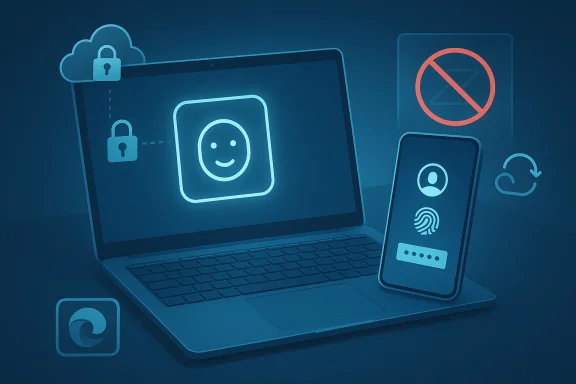
No typing, no guessing, no forgotten-password detours: passkeys are Microsoft’s answer to one of the web’s oldest headaches. Instead of relying on a memorized password, a passkey lets you sign in with a device you already trust, then confirm it with Windows Hello, Face ID, a fingerprint, or a PIN. Microsoft’s support guidance frames them as a simpler, safer, and more stress-free way to authenticate, while the broader FIDO Alliance describes them as a password replacement built on cryptographic key pairs rather than shared secrets. (support.microsoft.com)
What makes this shift important is not just convenience. Passkeys are designed to be phishing-resistant, unique to each app or website, and usable across devices when stored in a synced credential manager such as Microsoft Password Manager. That combination is why passkeys are increasingly being positioned not as a nice-to-have upgrade, but as the practical successor to passwords for both consumers and enterprises. (support.microsoft.com)
Passwords have survived for decades largely because they were simple to deploy, not because they were a good security model. Over time, organizations layered on second factors, password rules, and reset flows, but the underlying problem remained the same: users had to remember secrets, and attackers only needed to trick, steal, or reuse them. Microsoft’s passkey guidance directly addresses that pain point by removing the need to create and remember passwords at all. (support.microsoft.com)
The technical foundation behind passkeys is not new, even if the consumer-friendly naming is. The FIDO Alliance notes that passkeys use the same standards behind FIDO2, including WebAuthn and CTAP, to deliver passwordless authentication with public-key cryptography. In practice, that means the private key stays on the device while the public key is registered with the site or app, so nothing reusable is sent across the internet during sign-in.
Microsoft’s version of the story is especially relevant because Windows has become a central platform for passwordless sign-in. The company says passkeys can be used on Windows 10 and Windows 11 devices through Windows Hello, and its support documentation also points to passkey management in Edge and Microsoft Password Manager. That means the passkey transition is no longer an abstract standards discussion; it is increasingly embedded in the daily Windows experience.
There is also a broader industry context worth keeping in view. FIDO Alliance materials emphasize that passkeys are intended to replace both passwords and many legacy second-factor flows, especially when the second factor is still vulnerable to phishing or interception. That matters because the security industry has spent years trying to patch password authentication rather than replace it outright. Passkeys are the first widely deployable answer that aims to do exactly that.
That architecture is what makes passkeys fundamentally different from passwords. A password is a shared secret that must be transmitted, compared, or reset; a passkey is a proof mechanism that does not reveal the secret itself. Microsoft’s support documentation even spells out the privacy angle clearly: biometric data stays on your device and is never shared with Microsoft. (support.microsoft.com)
The most important shift is that the attacker’s favorite route becomes far less useful. With passwords, criminals can harvest credentials through phishing, stuffing, and database leaks; with passkeys, there is no reusable password to capture and replay. FIDO Alliance guidance reinforces this point by calling passkeys phishing-resistant and designed around public-key cryptography instead of shared secrets.
The first benefit is speed. A biometric prompt or PIN is faster than typing a complex password, especially on mobile devices or when users are interrupted. The second benefit is predictability: passkeys remove the awkward dance of password creation rules, confirmation boxes, and reset emails. (support.microsoft.com)
This is where a lot of people get nervous, and fairly so. If your authentication method is stored in the cloud, does that mean it becomes weaker? Microsoft and FIDO both answer that concern with a layered model: the sync process is part of a credential manager ecosystem, and the important secret remains protected rather than exposed in plain text. FIDO says passkey syncing is end-to-end encrypted, while Microsoft emphasizes device- and account-based management.
That matters because Windows Hello already taught millions of users that device-based authentication can be easier than passwords. Passkeys extend that model from the device itself to compatible websites and apps. In effect, Windows is turning the local sign-in method into a broader authentication layer. (support.microsoft.com)
The upside is substantial. Passkeys can reduce phishing risk, reduce password resets, and simplify sign-in for employees who are constantly switching between desktop, laptop, and mobile workflows. FIDO Alliance materials explicitly frame passkeys as a replacement for both passwords and some legacy multi-factor approaches, which is a strong signal that the technology is meant for serious enterprise identity use.
The biggest change for consumers is that the security burden becomes more invisible. Instead of remembering a secret, the user just unlocks a device they already know how to use. That lowers the learning curve dramatically, especially for people who are not particularly technical but still need strong account security.
There is also the practical problem of ecosystem adoption. Passkeys only help when websites and apps support them, and support remains uneven across the broader internet. Microsoft encourages users to accept passkey prompts where available, which is a reminder that we are still in the transition phase rather than the finish line. (support.microsoft.com)
Microsoft’s support pages show that the company sees passkeys as a mainstream identity path, not a niche feature. As more services accept them and more users become comfortable with device-based sign-in, the pressure on passwords will continue to grow. That transition will not be instant, but it already feels inevitable. (support.microsoft.com)
Source: Microsoft Support What are passkeys and why they matter - Microsoft Support
What makes this shift important is not just convenience. Passkeys are designed to be phishing-resistant, unique to each app or website, and usable across devices when stored in a synced credential manager such as Microsoft Password Manager. That combination is why passkeys are increasingly being positioned not as a nice-to-have upgrade, but as the practical successor to passwords for both consumers and enterprises. (support.microsoft.com)
 Background
Passwords have survived for decades largely because they were simple to deploy, not because they were a good security model. Over time, organizations layered on second factors, password rules, and reset flows, but the underlying problem remained the same: users had to remember secrets, and attackers only needed to trick, steal, or reuse them. Microsoft’s passkey guidance directly addresses that pain point by removing the need to create and remember passwords at all. (support.microsoft.com)The technical foundation behind passkeys is not new, even if the consumer-friendly naming is. The FIDO Alliance notes that passkeys use the same standards behind FIDO2, including WebAuthn and CTAP, to deliver passwordless authentication with public-key cryptography. In practice, that means the private key stays on the device while the public key is registered with the site or app, so nothing reusable is sent across the internet during sign-in.
Microsoft’s version of the story is especially relevant because Windows has become a central platform for passwordless sign-in. The company says passkeys can be used on Windows 10 and Windows 11 devices through Windows Hello, and its support documentation also points to passkey management in Edge and Microsoft Password Manager. That means the passkey transition is no longer an abstract standards discussion; it is increasingly embedded in the daily Windows experience.
There is also a broader industry context worth keeping in view. FIDO Alliance materials emphasize that passkeys are intended to replace both passwords and many legacy second-factor flows, especially when the second factor is still vulnerable to phishing or interception. That matters because the security industry has spent years trying to patch password authentication rather than replace it outright. Passkeys are the first widely deployable answer that aims to do exactly that.
Why the timing matters
The push toward passkeys is arriving at a moment when users are tired of password fatigue and security teams are tired of credential-based breaches. That combination is politically important, because security improvements usually fail when they make life harder for ordinary users. Passkeys succeed partly because they reduce friction rather than adding more of it. (support.microsoft.com)Why Microsoft’s role matters
Microsoft has a unique advantage here because it controls both the operating system and a major browser/credential ecosystem. That allows passkeys to show up in Windows, Edge, and account flows in a more unified way than many competitors can offer. In passwordless security, distribution is as important as technology, and Microsoft has both.How Passkeys Work
At a high level, a passkey is a cryptographic credential with two parts. The private key remains locked on your phone or computer, while the public key is stored by the website or app. When you sign in, your device proves it has the private key by digitally signing a challenge from the service, which then verifies the signature and lets you in. (support.microsoft.com)That architecture is what makes passkeys fundamentally different from passwords. A password is a shared secret that must be transmitted, compared, or reset; a passkey is a proof mechanism that does not reveal the secret itself. Microsoft’s support documentation even spells out the privacy angle clearly: biometric data stays on your device and is never shared with Microsoft. (support.microsoft.com)
The user experience
From the user’s point of view, the process is intentionally boring. You tap a prompt, approve with Face ID, fingerprint, or PIN, and move on. Microsoft describes the experience as simple and fast, and that’s the real strategic value: security succeeds when the normal path is easier than the risky one. (support.microsoft.com)The security model
Passkeys are also tied to the specific domain or service where they were created. That origin binding means a phishing site cannot easily reuse a credential created for the real site, because the cryptographic challenge will not match. This is the core reason passkeys are described as resistant to phishing. (support.microsoft.com)Key properties at a glance
- No password to remember
- No shared secret to steal
- Unique per website or app
- Phishing-resistant by design
- Unlockable with face, fingerprint, or PIN
- Syncable across devices through approved credential managers
Why Passkeys Matter for Security
Security teams have spent years telling users not to reuse passwords, not to click suspicious links, and not to fall for fake login pages. Passkeys reduce the burden on humans by making the credential itself harder to steal or misuse. Microsoft’s support material highlights that passkeys are unique to each service and more secure than passwords because they are resistant to phishing attempts. (support.microsoft.com)The most important shift is that the attacker’s favorite route becomes far less useful. With passwords, criminals can harvest credentials through phishing, stuffing, and database leaks; with passkeys, there is no reusable password to capture and replay. FIDO Alliance guidance reinforces this point by calling passkeys phishing-resistant and designed around public-key cryptography instead of shared secrets.
Why phishing gets weaker
A phishing page can mimic a login screen, but it cannot easily impersonate the cryptographic relationship between a passkey and the legitimate domain. That means the attack breaks at the protocol level, not just the visual level. That is a major leap forward, because most user training only tries to improve detection, while passkeys remove much of the payoff. (support.microsoft.com)Why password leaks matter less
Password databases have historically been valuable because stolen credentials could be reused elsewhere. Passkeys eliminate that class of attack by avoiding password reuse altogether. In practical terms, that means a breach at one service is less likely to become a chain reaction across many services.Security advantages summarized
- Reduced phishing exposure
- No password reuse
- No password reset dependency for routine sign-in
- Less value in credential dumps
- Lower risk from social engineering around passwords
- Better alignment with modern zero-trust thinking
Why Passkeys Matter for Usability
Usability is where passkeys may have their biggest mainstream impact. Microsoft’s own language is unusually direct here: no typing, no guessing, no “forgot password” drama. That may sound like marketing, but it captures a real usability win, especially for users who manage dozens or hundreds of online accounts. (support.microsoft.com)The first benefit is speed. A biometric prompt or PIN is faster than typing a complex password, especially on mobile devices or when users are interrupted. The second benefit is predictability: passkeys remove the awkward dance of password creation rules, confirmation boxes, and reset emails. (support.microsoft.com)
Everyday convenience
Passkeys are not just easier at login; they also reduce support friction. Fewer password resets mean fewer help desk tickets, and fewer password requirements mean fewer frustrated users abandoning sign-up flows. In consumer services, that can improve conversion; in enterprises, it can improve employee productivity. (support.microsoft.com)Cross-device simplicity
Microsoft notes that synced passkeys can travel through a cloud account and work on a different device. That matters because a good authentication system must survive the messy reality of modern device switching. If a credential only works on one device, it may be secure, but it is not yet practical enough for many people. (support.microsoft.com)What users gain
- Fewer account recovery headaches
- Less time spent typing
- Faster sign-in on phones and PCs
- A more intuitive login flow
- Less dependence on memory
- More confidence that sign-in will “just work”
How Passkey Syncing Works
One of the most important reasons passkeys are gaining traction is that they are no longer trapped on a single device. Microsoft says that if you save a passkey to a synced credential manager such as Microsoft Password Manager, the passkey can sync through your cloud account and let you sign in on another device. The FIDO Alliance similarly describes synced passkeys as securely available across a user’s devices. (support.microsoft.com)This is where a lot of people get nervous, and fairly so. If your authentication method is stored in the cloud, does that mean it becomes weaker? Microsoft and FIDO both answer that concern with a layered model: the sync process is part of a credential manager ecosystem, and the important secret remains protected rather than exposed in plain text. FIDO says passkey syncing is end-to-end encrypted, while Microsoft emphasizes device- and account-based management.
Synced versus device-bound passkeys
Not all passkeys behave the same way. Some are synced passkeys, which can travel with your account across devices, while others are device-bound, meaning they stay on a specific device or security key. That distinction matters because it helps organizations and users choose between convenience and tighter local control.Cross-device authentication
Microsoft also notes that you can use a passkey stored on one device to sign in on another through a QR code and proximity check. That is a clever middle ground for recovery and portability, because it lets the system confirm the nearby device is really yours. It is not the same as typing a backup code into a random computer, which is why the security story remains stronger. (support.microsoft.com)Syncing benefits and trade-offs
- Easier recovery when you switch devices
- Less risk of losing access after device replacement
- More practical for everyday users
- Potentially more policy complexity for organizations
- Requires trust in the passkey provider’s ecosystem
- Best used with strong account protection on the sync account
Passkeys in Windows and Microsoft Accounts
Microsoft has made passkeys part of the Windows identity story rather than treating them as a side feature. Support documents show that Windows Hello can be used for passkey sign-in on Windows 10 and Windows 11, and Microsoft also offers guidance for creating, saving, managing, and synchronizing passkeys with Microsoft account infrastructure.That matters because Windows Hello already taught millions of users that device-based authentication can be easier than passwords. Passkeys extend that model from the device itself to compatible websites and apps. In effect, Windows is turning the local sign-in method into a broader authentication layer. (support.microsoft.com)
What Windows users should know
Microsoft says some passkey features require Windows 11, and some options may be unavailable on devices managed by an organization. That is important for enterprise rollout, because it means administrators may need to coordinate policy, update levels, and identity configuration before every feature is available. Users should not assume every Windows machine will behave the same way. (support.microsoft.com)Microsoft Password Manager’s role
Microsoft Password Manager can store and sync passkeys in Edge and on Windows. That puts passkeys into a familiar place for users who already rely on Microsoft’s ecosystem for saved credentials. The result is lower adoption friction, which is often the difference between a promising security technology and a truly adopted one.Practical Windows takeaways
- Windows Hello is the familiar unlock step
- Microsoft Password Manager can sync passkeys
- Windows 11 may offer the fullest feature set
- Managed devices may have policy restrictions
- Edge is an important part of the user path
- Account recovery planning still matters
Passkeys for Enterprises
Enterprises care about passkeys for the same reason they care about MFA, conditional access, and device trust: the cost of authentication failure is high. Microsoft’s documentation points out that work or school accounts may have limited options depending on organization policy, which reflects the reality that enterprise deployment is never just a technical question. It is also a governance question. (support.microsoft.com)The upside is substantial. Passkeys can reduce phishing risk, reduce password resets, and simplify sign-in for employees who are constantly switching between desktop, laptop, and mobile workflows. FIDO Alliance materials explicitly frame passkeys as a replacement for both passwords and some legacy multi-factor approaches, which is a strong signal that the technology is meant for serious enterprise identity use.
Enterprise value proposition
The business case is not just security theater. Help desk savings, reduced account lockouts, and better user experience all have measurable value. The more an organization depends on cloud apps, remote work, and dispersed device fleets, the more attractive a passwordless model becomes.Policy and rollout considerations
That said, enterprises must think carefully about recovery, device enrollment, and account lifecycle management. If an employee loses a phone or leaves the company, the organization needs a clean way to revoke access without breaking legitimate recovery paths. Passkeys help with authentication, but they do not eliminate identity governance. (support.microsoft.com)Enterprise impacts
- Less phishing exposure
- Lower help desk pressure
- Faster employee sign-in
- Improved alignment with zero-trust policies
- Simpler user experience than traditional MFA
- Greater dependence on identity lifecycle management
- Need for careful recovery and revocation planning
Consumer Impact
For consumers, passkeys are mostly about relief. They reduce the number of passwords to manage, make logins faster, and cut down on the anxiety that comes with account recovery. Microsoft’s guidance makes the consumer pitch obvious: start using passkeys as soon as possible, and save them to a synced credential manager whenever you can. (support.microsoft.com)The biggest change for consumers is that the security burden becomes more invisible. Instead of remembering a secret, the user just unlocks a device they already know how to use. That lowers the learning curve dramatically, especially for people who are not particularly technical but still need strong account security.
Why ordinary users should care
The average person does not think in terms of credential stuffing or origin-bound authentication. They think in terms of whether a login works and whether they can get back into an account after upgrading a phone. Passkeys matter because they address both of those real-world concerns at once. (support.microsoft.com)Consumer pain points that improve
- Fewer forgotten passwords
- Less reliance on SMS or email recovery
- Faster sign-in on modern devices
- Less confusion about password rules
- A better chance of resisting fake login pages
- A more consistent experience across supported apps and sites
Limitations and Open Questions
Passkeys are better, but they are not magic. Microsoft notes that some features depend on Windows version, updates, and whether a device is managed by an organization. In other words, the experience is real today, but it is not universal in every environment. (support.microsoft.com)There is also the practical problem of ecosystem adoption. Passkeys only help when websites and apps support them, and support remains uneven across the broader internet. Microsoft encourages users to accept passkey prompts where available, which is a reminder that we are still in the transition phase rather than the finish line. (support.microsoft.com)
Recovery remains important
If users lose access to their devices or sync accounts, they still need fallback mechanisms. The promise of passwordless security only works if recovery does not quietly become the new attack surface. That is an area where organizations must stay disciplined rather than optimistic. (support.microsoft.com)Compatibility remains uneven
Some apps and sites support passkeys today; others do not. Some support desktop, some mobile, some both, and some rely on browser or OS-level flows that users do not fully understand. That fragmentation is temporary, but it is still real.Main caveats
- Not every website supports passkeys yet
- Managed devices may have policy limits
- OS version and updates can affect availability
- Recovery flows still need backup planning
- Sync-account security becomes more important
- Users still need to recognize legitimate prompts
Strengths and Opportunities
Passkeys have a rare quality in security technology: they are both better and easier. That is why their adoption curve matters so much. If organizations can translate the technical promise into smooth onboarding and recovery, passkeys could become one of the most successful security shifts in years. (support.microsoft.com)- Strong phishing resistance
- Less password fatigue for users
- Fewer help desk resets
- Better fit for mobile-first sign-in
- Works with Windows Hello and Microsoft Password Manager
- Supported by a major industry standard body
- Can reduce reliance on legacy MFA flows
Risks and Concerns
The biggest danger is not that passkeys fail technically, but that organizations deploy them incompletely. If recovery is weak, policies are inconsistent, or users are confused by prompt-driven sign-in, the ecosystem can become fragile in a new way. Security improvements only matter when they are implemented with operational discipline. (support.microsoft.com)- Recovery workflows may become the new weak point
- Device loss can create temporary access issues
- Enterprise policy sprawl can slow adoption
- Users may misunderstand synced versus device-bound credentials
- Support complexity can rise during transition
- Partial support across apps can frustrate users
- Security depends on the account protecting the synced credential manager
Looking Ahead
The key question now is not whether passkeys are technically sound. On that front, the answer is increasingly clear: the cryptographic model is stronger than passwords, and the usability story is better too. The real question is how fast the ecosystem can normalize them for everyday use across consumer, enterprise, and managed-device environments.Microsoft’s support pages show that the company sees passkeys as a mainstream identity path, not a niche feature. As more services accept them and more users become comfortable with device-based sign-in, the pressure on passwords will continue to grow. That transition will not be instant, but it already feels inevitable. (support.microsoft.com)
- Watch for broader app and website support
- Expect deeper integration with Windows 11 and Edge
- Monitor enterprise policy controls and admin tooling
- Track improvements in account recovery and migration
- Look for stronger consumer education around synced passkeys
Source: Microsoft Support What are passkeys and why they matter - Microsoft Support
