

Puerto Rico’s public school system has quietly started a transformation that other education systems will watch closely: the Department of Education is rolling Microsoft 365 Copilot into teacher workflows, device management, and learning activities with an explicit focus on accessibility, security, and teacher-centered adoption—and early accounts suggest the change is already reshaping daily practice in classrooms across the island. (microsoft.com)
Puerto Rico’s Department of Education serves a large and diverse population—more than 230,000 students and roughly 20,000 educators—and has moved to modernize both instructional practice and IT operations by adopting Microsoft 365 Copilot alongside Microsoft security and device management tools. The official customer story published by Microsoft presents Copilot as a centerpiece of a broader modernization effort that includes device management, training partners, and a formal program of teacher supports. (microsoft.com)
This is not simply a software purchase. The rollout combines:
That ecosystem of practice matters because the technology is still evolving: product features, model behavior, and platform controls will change. Puerto Rico’s emphasis on iterative training, policy engagement, and a secure device baseline positions it to adapt as Microsoft and the broader AI ecosystem iterate.
For districts contemplating the same path, the message from Puerto Rico is instructive and cautious at once: generative AI can extend teacher capacity and open new instructional possibilities, but success depends on governance, verification, and sustained support—technical upgrades alone won’t create the learning gains schools hope for. (microsoft.com)
Source: Microsoft Puerto Rico transforms education with Microsoft 365 Copilot | Microsoft Customer Stories
 Background / Overview
Puerto Rico’s Department of Education serves a large and diverse population—more than 230,000 students and roughly 20,000 educators—and has moved to modernize both instructional practice and IT operations by adopting Microsoft 365 Copilot alongside Microsoft security and device management tools. The official customer story published by Microsoft presents Copilot as a centerpiece of a broader modernization effort that includes device management, training partners, and a formal program of teacher supports. (microsoft.com)This is not simply a software purchase. The rollout combines:
- A technology stack (Microsoft 365 Copilot, Intune, Windows Autopilot, and Microsoft security tooling) to manage devices and control data flows.
- Partner-delivered professional development and on‑the‑ground support (Newtech and Truenorth are cited as primary partners). (microsoft.com)
- A community and adoption layer (a Viva Engage Copilot community reported at roughly 9,700 teacher participants) to surface best practices and peer learning. (microsoft.com)
What Microsoft 365 Copilot brings to classrooms
The capabilities teachers use most
Copilot is presented to teachers as a multi-purpose assistant embedded into the Microsoft 365 ecosystem. In practice this means teachers can ask Copilot to:- Generate standards-aligned lesson plans and rubrics.
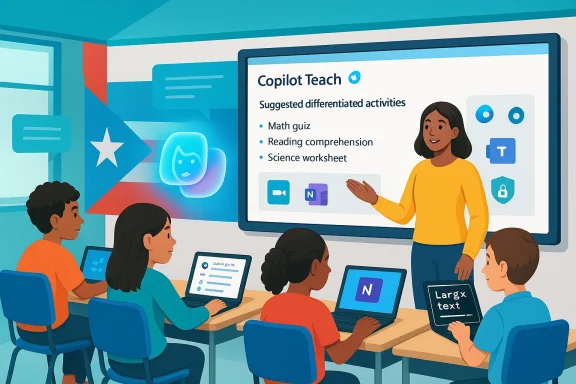
- Create differentiated activities and practice exercises adapted to reading level or learning profile.
- Convert classroom content into quizzes, flashcards, or study guides.
- Summarize long documents, synthesize Individualized Education Plans (IEPs), and speed up administrative reporting. (microsoft.com)
Teacher voices: how Copilot changes the day-to-day
Local reporting and the Microsoft case narrative quote teachers who describe immediate, practical benefits. Teachers say Copilot saves time on planning and assessment, generates new activity ideas (including gamified tasks) and helps tailor content for students with diverse needs. One teacher quoted in both Microsoft’s story and local coverage described Copilot as “my best friend,” praising the time savings and the ability to personalize instruction quickly. (microsoft.com)Implementation: partners, training, and governance
A partnership model, not a one‑click rollout
Puerto Rico paired platform adoption with partner-managed training and support. Newtech designed training around teacher workflows and classroom scenarios; Truenorth coordinated project management and service-desk support to provide a safety net as teachers adopted the tools. Those operational choices mattered: district leaders often tell a similar story—technology without training rarely sustains long-term adoption. The Microsoft narrative emphasizes that adoption stabilized after structured workshops and classroom-ready guidance were deployed. (microsoft.com)Scaled community and peer learning
The Department leveraged an internal Viva Engage Copilot community to accelerate momentum: Microsoft’s account reports nearly 9,700 teachers participating and sharing resources. Peer communities serve several critical functions in large rollouts:- Surface effective prompts, assessment templates, and local curricular fits.
- Normalize verification workflows (how teachers check Copilot outputs).
- Provide channels for rapid troubleshooting and local innovation. (microsoft.com)
Device and security governance
Crucial to the rollout was the simultaneous modernization of security and device management. Puerto Rico used Microsoft Intune and Windows Autopilot to centralize management of a large device fleet and adopted Microsoft security tools to reduce risk. The island’s security posture was also strengthened through early engagement with Security Copilot to automate detection and response tasks—an especially useful strategy for a lean IT operation managing hundreds of thousands of endpoints. These governance steps are central to enabling teacher use without exposing student data or institutional systems to unmanaged risk.Early impact in classrooms: what the evidence shows (and what remains provisional)
Microsoft’s customer story and local reporting present several early impacts:- Teacher time reclaimed — teachers report faster lesson planning and assessment workflows, with examples of minutes-to-hours saved per task. (microsoft.com)
- Personalization at scale — teachers are reportedly producing differentiated activities for neurodivergent and visual learners in far less time. (microsoft.com)
- Early gains in achievement — Microsoft’s story claims initial improvements in standardized test scores (notably math and science) and a cultural shift toward innovation. The report attributes some of these findings to an internal survey (n=118). (microsoft.com)
Accessibility, special education, and inclusion
One of the most consequential claims is that Copilot has materially improved the Department’s ability to serve students with diverse learning needs. The reported practices include:- Accelerated review and synthesis of Individualized Education Plans (IEPs).
- Rapid creation of simplified texts or scaffolded prompts for learners who need them.
- Quick generation of practice items targeted at skill gaps. (microsoft.com)
- Teacher uploads or references core content.
- Copilot drafts adapted materials (simplified text, alternate formats).
- Teacher edits and signs off on the adaptation for a student’s IEP.
Security, privacy, and regulatory context
Technical mitigation
To enable teacher-facing AI without exposing uncontrolled data flows, Puerto Rico combined Copilot with established Microsoft security controls: tenant-level provisioning, Intune device management, and modern endpoint protection. The Department’s work with Security Copilot to automate alerts and incident response reflects a recognition that AI expands both opportunity and attack surface, and requires automated defenses. These are essential steps when a system handles hundreds of thousands of student records.Policy and public debate
The adoption has coincided with growing legislative attention in Puerto Rico. Local lawmakers have introduced proposals to regulate the use of AI in schools—proposals that call for uniform policies around student privacy, equity, and algorithmic transparency. That civic and legislative scrutiny is appropriate: as districts scale generative AI, they must establish clear policies on student access, age gating, retention, disclosure, and vendor contractual terms (especially clauses that concern model training and institutional data). Puerto Rico’s policymakers are already engaging; the presence of those debates is a reminder that operational and legal frameworks must evolve in lockstep with technology deployment.What to watch in contrDistrict leaders considering similar projects should insist on:
- Clear vendor commitments on data usage and non‑training of models with sensitive student data unless explicitly agreed.
- Audit logs, DLP (data loss prevention) policies, and retention settings aligned with local law.
- Contract terms that specify responsibility for breaches and pathways for independent audits.
Strengths of Puerto Rico’s approach
- Teacher-centered rollout: Prioritizing teacher training and partner-facilitated workshops reduced friction and increased adoption. Newtech’s scenario-driven training and Truenorth’s operational coordination were important ingredients. (microsoft.com)
- Security-first posture: Pairing Copilot with Intune, Autopilot, and Security Copilot addressed a common blocker for districts—how to offer classroom AI while protecting student data.
- Community-driven scale: A large, active Viva Engage community gave teachers a place to share prompts, rubrics, and classroom-tested approaches—accelerating practical adoption. (microsoft.com)
- Focus on inclusion: Using AI to support special education workflows and differentiated instruction aligns technology with equity goals, not novelty for its own sake. (microsoft.com)
Risks and limitations — what leaders must not overlook
- Over-reliance and hallucination risk
Generative AI can produce plausible but incorrect content. For assessments or IEP-related content, teachers must verify accuracy and relevance. Adoption programs must train teachers to treat Copilot outputs as drafts that require professional judgment. - Uneven access and the digital divide
Device availability, home connectivity, and local IT capacity shape whether Copilot delivers equitable benefits. Puerto Rico’s device management work addresses device parity but does not erase connectivity or home-access disparities. - Sample-size and evaluation limits
Early outcome claims in vendor case studies are valuable but often drawn from limited samples (Microsoft cites an internal survey of 118 respondents for some findings). Independent evaluations with transparent metrics will be needed to assess impact on outcomes like test scores across regions and student groups. (microsoft.com) - Legal and ethical policy gaps
Rapid deployment without clear public policies on AI in schools invites political scrutiny and possible regulatory constraints. Puerto Rico’s legislature is already engaged, proposing a law to regulate AI use in education—an expected evolution in democratic governance where technology affects children’s learning environments. - Vendor lock-in and procurement nuance
Relying heavily on a single vendor’s ecosystem simplifies integration but can complicate bargaining over long-term costs, data portability, and future procurement flexibility. Procurement teams should negotiate explicit data protections and exit conditions.
Recommendations for districts and education IT leaders
If your district is watching Puerto Rico and considering a similar path, the following practical roadmap synthesizes lessons observed in this rollout:- Start with teachers, not tech.
- Pilot with teacher cohorts, focus on classroom scenarios, and measure time-saved and instructional changes.
- Pair AI features with security and device control.
- Centralized device management, tenant-level provisioning, and DLP are prerequisites for safe scale.
- Build an evidence plan from day one.
- Pre-register outcome metrics (attendance, formative assessment gains, teacher time-use), collect baseline data, and commission independent evaluation if possible.
- Create a responsible‑AI handbook for teachers.
- Include prompt‑checking workflows, verification steps, and a rubric for when to accept versus adapt Copilot outputs.
- Negotiate explicit contract language about data usage.
- For any vendor engagement, secure terms on model training, data retention, and audit rights.
- Invest in community and peer-led PD.
- Provide channels for teachers to share prompts, adaptations, and policy issues discovered in classrooms.
How Puerto Rico’s experience fits the broader landscape
Puerto Rico’s rollout is one node in a fast-moving global movement: districts and universities are experimenting with tenant-grounded Copilot instances to balance pedagogical benefit and governance. The technical affordances (Teach workspace, Study & Learn agents, Copilot chat embedded in Teams/Classwork) are being tested across varied contexts and scaled with differing governance postures. Practical governance models—phased student access, teacher-only pilots, centralized logging—are emerging as best practices in the field.That ecosystem of practice matters because the technology is still evolving: product features, model behavior, and platform controls will change. Puerto Rico’s emphasis on iterative training, policy engagement, and a secure device baseline positions it to adapt as Microsoft and the broader AI ecosystem iterate.
Conclusion
Puerto Rico’s Department of Education has taken a pragmatic path: pairing Microsoft 365 Copilot with modernized security, device management, and a teacher-first adoption strategy. Early narratives from teachers and the Department point to meaningful time savings, stronger personalization for diverse learners, and a cultural shift toward experimentation. Those results are promising—but still early. The most important steps going forward will be rigorous, independent evaluation of learning outcomes, transparent policy frameworks for student‑facing AI, and continued investment in teacher professional learning.For districts contemplating the same path, the message from Puerto Rico is instructive and cautious at once: generative AI can extend teacher capacity and open new instructional possibilities, but success depends on governance, verification, and sustained support—technical upgrades alone won’t create the learning gains schools hope for. (microsoft.com)
Source: Microsoft Puerto Rico transforms education with Microsoft 365 Copilot | Microsoft Customer Stories
