

Microsoft has quietly added a built‑in self‑repair lifeline to Windows 11 that can diagnose repeated boot failures, connect to Microsoft’s cloud recovery services from the Windows Recovery Environment (WinRE), fetch targeted remediations via Windows Update, and attempt to repair the system — all without you creating a recovery USB or manually applying fixes. (learn.microsoft.com) (support.microsoft.com)
The new feature—Quick Machine Recovery (QMR)—arrives as part of Microsoft’s broader Windows Resiliency Initiative and is intended to reduce the time and complexity involved when PCs fail to boot after problematic updates or system faults. QMR builds on the old Startup Repair experience but adds a cloud‑aware stage: when local recovery fails, the recovery environment can connect to Windows Update and look for known remediations that have been published centrally. (learn.microsoft.com) (windowscentral.com)
QMR began roller channels and into the Windows 11 24H2 servicing stream; testing, phased rollouts, and feedback are continuing as Microsoft refines behavior and compatibility across device generations. Early coverage and hands‑on testing from outlets and field writers show it works as a best‑effort automated repair pipeline — useful for many frequent failure modes but not a guaranteed fix for every scenario. (computerworld.com)
That said, QMR is deliberately best effort: it depends on a healthy recovery environment and network access from WinRE, and enterprises must weigh the tradeoffs between automated healing and strict change control. Keep your recovery USB, test WinRE health periodically, back up BitLocker keys, and use Intune or command‑line controls to pilot and validate QMR before broad deployment. In short: embrace QMR as a powerful first responder, but keep standard recovery tooling and governance in your toolbox. (computerworld.com)
Source: MUO Windows 11 has a built-in self-repair mode that works without a USB
 Background / Overview
The new feature—Quick Machine Recovery (QMR)—arrives as part of Microsoft’s broader Windows Resiliency Initiative and is intended to reduce the time and complexity involved when PCs fail to boot after problematic updates or system faults. QMR builds on the old Startup Repair experience but adds a cloud‑aware stage: when local recovery fails, the recovery environment can connect to Windows Update and look for known remediations that have been published centrally. (learn.microsoft.com) (windowscentral.com)QMR began roller channels and into the Windows 11 24H2 servicing stream; testing, phased rollouts, and feedback are continuing as Microsoft refines behavior and compatibility across device generations. Early coverage and hands‑on testing from outlets and field writers show it works as a best‑effort automated repair pipeline — useful for many frequent failure modes but not a guaranteed fix for every scenario. (computerworld.com)
How Quick Machine Recovery works
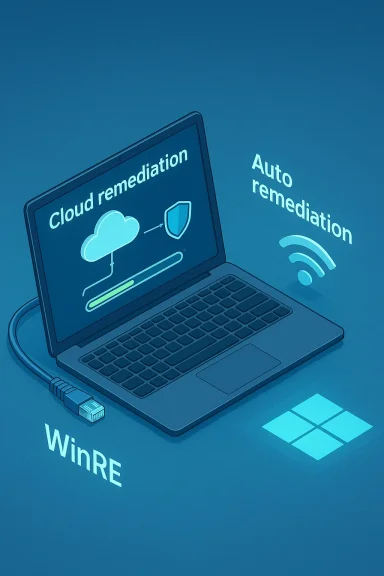
At its core, QMR is a WinRE‑based remediation pipeline that may automatically execute when Windows detects repeated startup failures. There are two primary operational modes you should understand: Cloud Remediation and Auto Remediation. Microsoft documents the flow and configuration in detail. (learn.microsoft.com)The four‑step recovery pipeline
When QMR triggers, Microsoft describes the phases as a short, repeatable sequence:- Detection — Windows notices repeated boot failures and flags the device for recovery. (learn.microsoft.com)
- Boot to WinRE — The machine reboots into the Windows Recovery Environment so repair operations can run in a controlled context. (support.microsoft.com)
- Network and cloud access — If Cloud Remediation is enabled, WinRE establishes a network connection (Ethernet or supported Wi‑Fi) and queries Microsoft’s cloud recovery service and Windows Update for remediation packages targeted to the device’s symptoms and build. (learn.microsoft.com)
- Remediation and reboot — If a remediation is found, the device downloads and applies it (often as a targeted update), then reboots. If the fix fails or none is available, the device returns to the recovery environment and falls back to traditional local recovery options (Reset, Restore, etc.). (learn.microsoft.com)
Configuration and availability: Home vs. Pro vs. Enterprise
QMR’s default behavior depends on device edition and management state, designed so consumer devices get protection while enterprise environments keep administrative control.- Windows Home: Cloud remediation is enabled by default but auto remediation (the automatic, hands‑free application of fixes) is typically off by default. Home devices will therefore be able to search Microsoft’s cloud for solutions unless the owner disables it. (learn.microsoft.com)
- Windows Pro (consumer, unmanaged): Cloud remediation may be enabled by default for unmanaged Pro devices; organizationally managed Pro devices (domain‑joined or MDM‑enrolled) fall under enterprise defaults. (learn.microsoft.com)
- Windows Pro (managed), Enterprise, Education: Cloud remediation and auto remediation are disabled by default, giving IT teams explicit control over whether devices contact Microsoft for automated remediation. Admins can enable and configure QMR centrally through Intune, CSP policies, or scripted reagentc settings. (learn.microsoft.com)
How to enable and configure Quick Machine Recovery
For most home users the Settings UI is the simplest route; IT or power users have more granular controls via Intune, CSP, or reagentc.Enable QMR from Settings (consumer path)
- Open Settings > System > Recovery.
- Select Quick machine recovery.
- Turn the Quick machine recovery toggle to On.
- If you want the system to automatically look for and apply solutions, enable Automatically check for solutions (auto remediation).
- Choose the retry/scan behavior under Look for solutions: one‑time scan or repeated retry intervals. (learn.microsoft.com)
Enterprise and management configuration
Admins can configure QMR centrally:- Use Microsoft Intune Settings Catalog policies to set cloud remediation, enable auto remediation, define retry intervals, and provision Wi‑Fi credentials that WinRE may use during recovery. (learn.microsoft.com)
- Use the RemoteRemediation CSP or OMA‑URI settings to script and deploy XML recovery settings to controlled device groups (Wi‑Fi SSID, password encryption choice, retry interval, reboot timeout, and so on). (learn.microsoft.com)
- Command‑line control is possible with reagentc.exe /setrecoverysettings and the provided XML structure to apply the desired settings, and reagentc.exe /getrecoverysettings to verify configuration. There’s also a test mode useful for validating recovery flows without creating an actual boot failure. (learn.microsoft.com)
Running Quick Machine Recovery on demand
QMR can run automatically after repeated startup failures, but you can also invoke it manually if you’re already in WinRE:- Boot into the Windows Recovery Environment.
- Choose Troubleshoot > Advanced options > Quick machine recovery.
- The same cloud remediation flow will execute: diagnosis → network → scan → remediation attempt. (support.microsoft.com)
What QMR can and cannot fix — realistic expectations
QMR is powerful for certain classes of problems but has clear technical limits. Understand where it helps and where it won’t.- QMR is well suited to:
- Rapid rollback or removal of faulty updates or packages that cause broad boot failures.
- Applying small remediation packages or targeted scripts Microsoft publishes via Windows Update.
- Reducing fleet downtime during large‑scale update regressions or third‑party update disasters (the feature was explicitly motivated by the crowdwide impact of the CrowdStrike update incident). (computerworld.com)
- QMR is less likely to help when:
- The device cannot establish a network connection from WinRE (unsupported networks, captive portals, or hardware network failure). QMR currently supports Ethernet and WPA/WPA2 password‑based Wi‑Fi only. (learn.microsoft.com)
- The failure is caused by irrecoverable hardware faults (failing storage, damaged boot firmware, corrupted recovery partition) or file system damage beyond the scope of a targeted remediation. (learn.microsoft.com)
- The remediations required are highly custom or third‑party fixes that Microsoft has not published centrally; while Microsoft can deploy targeted fixes to undo third‑party update damage, this requires the vendor or Microsoft to publish a remediation package first. (computerworld.com)
Security, privacy, and governance concerns
Automatic cloud remediation raises predictable questions: what diagnostic data leaves the deviceediation, and how can organizations audit or block it?- Diagnostic uploads: QMR’s design requires sending diagnostic data from WinRE to Microsoft so the cloud service can match symptoms to published remediations. Microsoft’s documentation and reporting note that WinRE will send diagnostic information during the cloud remediation query. Enterprises that need to avoid data exfiltration can disable cloud remediation and use local Startup Repair flows instead. (windowscentral.com)
- Administrative control: Enterprise and education SKUs default to cloud remediation disabled, giving admins the final say. Intune and CSP options let admins provide Wi‑Fi credentials and retry policies, or disallow cloud remediation entirely. This preserves compliance and auditability for regulated environments. (learn.microsoft.com)
- Update provenance and safety: Remediations are delivered through Windows Update and are applied from a trusted Microsoft channel. Microsoft frames QMR as applying updates or removal actions that IT would recognize (for example, reverting a problematic update). That trust model reduces one class of risk, but organizations with strict change control policies may prefer human review before applying even targeted remediations. (learn.microsoft.com)
- Transparency: After a remediation runs, Windows posts an alert in Notification Center and records the remediation under Windows Update history so users and admins can see what the system did. That audit trail is important for post‑event triage. (learn.microsoft.com)
Troubleshooting QMR itself
QMR depends on a functioning WinRE image and enough free space on the recovery partition; WinRE regressions or a corrupted recovery partition block the process. Recent incidents have shown administrators sometimes need to repair WinRE before QMR can run reliably. Typical remediation steps include repairing the WinRE image, applying Microsoft servicing KBs to restore WinRE functionality, or using external recovery media when WinRE is unavailable. Keep these items in your runbook:- Verify WinRE is enabled and healthy: reagentc.exe /info and reagentc.exe /getrecoverysettings. (learn.microsoft.com)
- If the recovery image is missing or corrupted, follow documented servicing steps to restore or replace winre.wim, or apply the Microsoft repair package when available. For fleets, consider a golden image refresh that includes a validated WinRE.
- Keep a bootable recovery USB (or network recovery options for managed fleets) as the final fallback. Everyone who manages Windows devices should test bootable recovery media periodically. (support.microsoft.com)
Best practices and recommended workflows
QMR is useful, but it’s not a substitute for standard recovery hygiene. Follow this checklist to get the most value while keeping risk low.- Keep regular backups and a tested recovery USB image; QMR is a first line of defense, not the only one. (support.microsoft.com)
- For enterprise fleets, use Intune/CSP to centrally control whether cloud remediation and auto remediation are allowed. Configure Wi‑Fi credentials sparingly and prefer wired recovery paths where possible. (learn.microsoft.com)
- Test QMR in a controlled lab: enable test mode and simulate the recovery sequence so you understand what remediation packages look like in update history and how notifications appear. Use reagentc.exe /SetRecoveryTestmode and reagentc.exe /BootToRe for safe validation. (learn.microsoft.com)
- Audit update history and event logs after any QMR activity to verify outcomes and capture remediation KB numbers for follow‑up. Windows logs and Update History will show what was applied. (learn.microsoft.com)
- Keep BitLocker recovery keys accessible and backed up; an inaccessible recovery key plus a nonfunctional WinRE is a data‑loss vector during any recovery incident. (support.microsoft.com)
Critical analysis — strengths, weaknesses, and systemic risks
Quick Machine Recovery is a pragmatic and timely engineering response to a real problem: fleets of Windows devices can become unusable en masse when an update or third‑party remediation goes wrong. QMR’s strengths are plain:- Reduced downtime: When it works, QMR can turn hours or days of manual remediation into minutes by applying centrally published fixes automatically. Field tests and Microsoft’s documentation show rapid recoveries in test scenarios. (learn.microsoft.com)
- Better outcomes for non‑technical users: Home users or small businesses that lack a local IT team stand to gain the most from an automated recovery path. (windowscentral.com)
- Administrative control in enterprise: By defaulting cloud remediation off for managed SKUs and providing Intune/CSP controls, Microsoft preserves enterprise governance while offering consumer resilience. (learn.microsoft.com)
- Dependency on network and WinRE health: QMR’s cloud‑first design is brittle if WinRE is missing, the recovery partition is corrupted, or the network cannot be used from WinRE. Those situations still require USB or network recovery tools. (learn.microsoft.com)
- Trust and change control: For regulated organizations, any automatic remediation pushed from the cloud creates potential conflicts with tightly controlled change‑management processes. Even though remediations come through Windows Update, enterprises may want review gates before automatic application. (learn.microsoft.com)
- Not a magic bullet: QMR is labelled best‑effort and will not fix hardware failures, deeply corrupted partitions, or every imaginable driver or firmware bug. Expect to keep manual capabilities in your toolset. (learn.microsoft.com)
Practical checklist: what to do now
- If you run Windows Home or an unmanaged Pro device, check Settings > System > Recovery > Quick machine recovery and decide whether you want cloud remediation enabled. Follow the on‑screen toggles to enable auto remediation only if you’re comfortable with automated fixes. (learn.microsoft.com)
- If you manage devices, review Intune/CSP options now and create a pilot group for QMR testing before broad deployment. Use the RemoteRemediation CSP entries and the documented OMA‑URIs to manage behavior. (learn.microsoft.com)
- Test QMR in non‑production hardware with reagentc test mode so you understand the update‑history evidence and notification flow. (learn.microsoft.com)
- Maintain offline recovery media and back up BitLocker keys and system images — QMR is a tool, not an insurance policy. (support.microsoft.com)
Conclusion
Quick Machine Recovery is a meaningful, pragmatic addition to Windows 11’s recovery toolkit. It delivers a cloud‑aware, WinRE‑based pipeline that can significantly reduce downtime for many classes of boot failures, particularly those caused by widely distributed problematic updates. Microsoft’s implementation balances consumer resilience with enterprise control through sensible defaults and management APIs, and the platform provides transparent audit trails after a remediation is applied. (learn.microsoft.com)That said, QMR is deliberately best effort: it depends on a healthy recovery environment and network access from WinRE, and enterprises must weigh the tradeoffs between automated healing and strict change control. Keep your recovery USB, test WinRE health periodically, back up BitLocker keys, and use Intune or command‑line controls to pilot and validate QMR before broad deployment. In short: embrace QMR as a powerful first responder, but keep standard recovery tooling and governance in your toolbox. (computerworld.com)
Source: MUO Windows 11 has a built-in self-repair mode that works without a USB
