Microsoft’s Ignite stage introduced a pivotal change to Windows 11 recovery: Microsoft announced two new, cloud‑aware recovery actions — Point‑in‑Time Restore (PITR) and Cloud Rebuild — that extend pre‑boot recovery, remote remediation and fleet orchestration through Intune, Autopatch and WinRE, while Quick Machine Recovery (QMR) receives deeper tooling and management integration to make large‑scale repairs faster and less hands‑on.
Microsoft framed these additions as part of the Windows Resiliency Initiative (WRI), an engineering program aimed at reducing the frequency and impact of large‑scale outages caused by bad updates, drivers or misconfigurations. The overall intent is clear: move recovery from manual imaging and technician trips to managed, auditable, cloud‑assisted flows that resume user productivity in minutes rather than hours or days. These new actions are tightly coupled with existing and expanded pre‑boot capabilities (WinRE networking and telemetry), Quick Machine Recovery (QMR) for automated remediation pre‑boot, and the Microsoft management plane (Intune, Autopatch, Autopilot, OneDrive and Windows Backup for Organizations). Microsoft says Intune will be able to trigger PITR and Cloud Rebuild for managed devices; preview waves were announced and broader rollouts are planned, with many outlets and Microsoft guidance indicating staged previews into 2026.
Microsoft’s recovery redesign is the most significant rethink of Windows recovery in years: it treats recoverability as a platform capability rather than a last‑resort manual process. When the preview waves mature and documentation fills in the remaining blanks, many organizations will find the combination of PITR, Cloud Rebuild and QMR a transformative improvement — provided they prepare the supporting operational plumbing and governance now.
Source: PCWorld Windows 11 is getting easier to fix, thanks to two new recovery tools
 Background / Overview
Microsoft framed these additions as part of the Windows Resiliency Initiative (WRI), an engineering program aimed at reducing the frequency and impact of large‑scale outages caused by bad updates, drivers or misconfigurations. The overall intent is clear: move recovery from manual imaging and technician trips to managed, auditable, cloud‑assisted flows that resume user productivity in minutes rather than hours or days. These new actions are tightly coupled with existing and expanded pre‑boot capabilities (WinRE networking and telemetry), Quick Machine Recovery (QMR) for automated remediation pre‑boot, and the Microsoft management plane (Intune, Autopatch, Autopilot, OneDrive and Windows Backup for Organizations). Microsoft says Intune will be able to trigger PITR and Cloud Rebuild for managed devices; preview waves were announced and broader rollouts are planned, with many outlets and Microsoft guidance indicating staged previews into 2026. What changed and why it matters
The headline capabilities
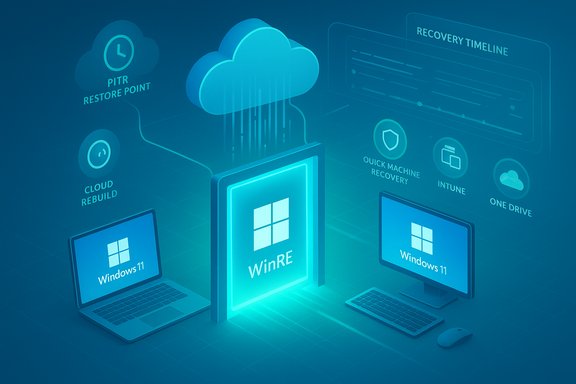
- Point‑in‑Time Restore (PITR) — A modern rollback tool that can return a Windows 11 device to a previous working state, restoring not just the OS image but apps, settings and local files where supported. Microsoft positions PITR as a fast alternative to reimaging for recent regressions like a faulty update or driver.
- Cloud Rebuild — A zero‑touch, remote reinstall/reprovision flow initiated from Intune that downloads Windows 11 installation media, performs a clean install, reenrolls the device via Autopilot and reprovisions apps and policies, then rehydrates user data and settings from OneDrive or Windows Backup for Organizations. It’s explicitly designed as the fallback when PITR or QMR can’t restore service.
- Quick Machine Recovery (QMR) — While not new at Ignite, QMR is being expanded and documented as the first‑line automated remediation in WinRE: when a device repeatedly fails to boot, WinRE can connect to the network, upload diagnostics, query a cloud remediation catalog (Windows Update) and apply targeted fixes pre‑boot. QMR’s configuration surfaces for IT (Intune, Group Policy, reagentc) and a test mode are now well documented.
Why this is different from legacy tools
Legacy System Restore primarily rolled back a limited set of system files and registry settings and rarely captured user files or installed apps. PITR aims to be broader — more akin to a short‑term snapshot/restore system that can return the entire device state (OS, apps, settings, and local data) to a prior point. That difference is crucial: it changes the expected recovery objective (RTO/RPO) for many common incidents. Microsoft’s messaging emphasizes speed, scale and manageability — particularly for IT administrators supporting large fleets.How Point‑in‑Time Restore (PITR) is described to work
Scope and intent
PITR is intended to let administrators or end users roll a single device or groups of devices back to a known‑good state with minimal troubleshooting. Microsoft describes the feature as capable of restoring the OS image, installed applications, device and user settings, and local files in the restore window — making it a far broader rollback than classic System Restore. PITR will be surfaced from WinRE as a Troubleshoot option and — critically for enterprises — triggerable from Intune for managed devices.Storage model, retention and cadence — what we know (and what is provisional)
Initial reporting and early previews (community captures and preview screenshots) show PITR operating with frequent, short‑term restore points (examples reported include snapshots at configurable intervals like every 4–24 hours and short retention windows such as 72 hours). However, Microsoft’s public Ignite and Windows Experience posts did not publish a definitive retention policy or storage architecture at launch; those operational details remain preview‑era items and are subject to change. Until Microsoft publishes formal product documentation with precise RPO/RTO numbers, retention windows and storage locations should be treated as preview defaults, not fixed guarantees. Treat the exact snapshot cadence and retention as provisional until official docs appear.Typical PITR workflow (high level)
- Device or admin identifies a problem that likely resulted from a recent change.
- From WinRE (or Intune for managed devices), select the desired restore point timestamp.
- PITR applies the snapshot, rolling back the OS, apps, settings and supported local files to that chosen point.
- Device reboots into the restored state and resumes normal operation (user files created after the restore point may be lost — PITR warns about that risk).
How Cloud Rebuild works and when to use it
Cloud Rebuild: the remote reimage
Cloud Rebuild is the “nuclear” option when a device is too corrupted to be repaired by QMR or PITR. Initiated from Intune, it will:- Select the target Windows 11 release and language via the Intune portal.
- Trigger the device to download installation media and perform a clean install from WinRE or cloud media.
- Reenroll the device using Autopilot and Intune so policies and apps are enforced automatically.
- Rehydrate user files and settings from OneDrive and Windows Backup for Organizations where these backups exist and are healthy.
Rehydration caveats
Cloud Rebuild assumes:- User data is protected by OneDrive or Windows Backup for Organizations. Local‑only files that were never synced or mirrored may be lost after a rebuild.
- Drivers needed for some OEM‑specific functionality are present in the driver catalog Windows Update or the OEM repositories; otherwise manual intervention might still be required.
- The device can reach the network and the Intune/Autopilot endpoints during provisioning.
Quick Machine Recovery (QMR): pre‑boot automation and its role
QMR is the automation layer that turns WinRE into a proactive repair channel. When Windows detects repeated boot failures, QMR:- Boots the device into WinRE.
- Establishes network connectivity (supported today for wired Ethernet and WPA/WPA2 password Wi‑Fi; enterprise 802.1X support is being expanded).
- Uploads diagnostics and queries Windows Update or Microsoft’s remediation catalog.
- Downloads and applies targeted remediation packages from pre‑boot, then reboots to verify success.
Management plane and WinRE networking: the plumbing behind the magic
Intune, Autopatch and WinRE plug‑ins
Microsoft is exposing these recovery actions through Intune and Autopatch, adding visibility into devices that enter WinRE and letting admins trigger recovery flows remotely. The WinRE plug‑in model also allows third‑party EMMs to integrate with pre‑boot recovery actions, and Azure Portal integration for server VMs is on the roadmap. These management connections are what let admins orchestrate PITR or Cloud Rebuild at scale.WinRE networking practicalities
WinRE now reuses network credentials and configuration from the installed OS when possible, which reduces the manual configuration burden in recovery. Today the supported connectivity list is conservative (wired Ethernet and WPA/WPA2 password Wi‑Fi), with enterprise certificate‑based Wi‑Fi and WPA3/802.1X expanding over time. Some Wi‑Fi adapters may require additional drivers to be available in WinRE to connect reliably; this remains an operational detail admins must validate in pilots.Practical implications — what IT teams and users must do
For IT administrators (recommended checklist)
- Inventory and pilot: Choose a representative pilot cohort of devices (different OEMs, Wi‑Fi/Ethernet mixes) to validate WinRE networking, driver coverage and BitLocker key escrow.
- Verify key escrow: Ensure BitLocker recovery keys are backed up to Azure/Entra or enterprise escrow — pre‑boot recovery is useless without accessible keys.
- Backup hygiene: Require OneDrive for Business or Windows Backup for Organizations for user data rehydration in Cloud Rebuild scenarios. Local‑only files must have separate protection.
- Governance: Configure role‑based access, approval gates and auditing in Intune for destructive flows like PITR and Cloud Rebuild. Maintain strict change control for who can trigger rebuilds.
- Test QMR: Use reagentc test mode to simulate QMR and verify remediation flows in a controlled environment before enabling auto remediation.
For consumers and small businesses
- Keep local backups or use OneDrive; do not assume cloud rehydration will restore data you never synced.
- Check where your BitLocker recovery key is stored (Microsoft account, Azure AD or a printed copy).
- Expect PITR to be a helpful rescue for recent regressions but treat it as complementary to regular backups.
Strengths: what Microsoft gets right
- Faster mean time to repair (MTTR): For many common failures (bad updates, driver conflicts, small corruptions), PITR and QMR can reduce downtime from hours to minutes. Cloud Rebuild avoids shipping devices back to a depot for reimaging in many cases.
- Centralized management and auditability: Intune and Autopatch integration provide governance, allowing enterprises to approve and log recovery actions rather than relying on ad‑hoc technician workflows.
- Extensibility: The WinRE plug‑in architecture and documented management surfaces enable third‑party EMMs and partners to adopt the approach for heterogeneous fleets.
- Real operational lessons baked in: The tooling set explicitly addresses the real pain exposed by prior large‑scale update incidents — remote, pre‑boot remediation via the cloud and fast rollback options reduce blast radius and manual work.
Risks and open questions (critical analysis)
1) Network dependence and coverage gaps
All cloud‑assisted flows assume pre‑boot network access. Many retail, branch, industrial, or air‑gapped deployments will not meet this requirement, limiting the applicability of PITR/QMR/Cloud Rebuild. Organizations must keep offline recovery paths for such environments.2) BitLocker and key escrow
Encrypted disks complicate pre‑boot recovery. If recovery keys aren’t escrowed to Azure/Entra, WinRE‑initiated restores will stall. Key management becomes non‑negotiable for safe adoption.3) Driver and OEM coverage
Devices that rely on OEM‑specific drivers unavailable in WinRE or Windows Update may fail to connect or function after a cloud reinstall. This is especially true for legacy or niche hardware. Admins must inventory driver dependencies and plan fallbacks.4) Telemetry, privacy and regulatory compliance
QMR and other flows transmit diagnostic telemetry during remediation. Organizations with strict data sovereignty or privacy rules must carefully evaluate telemetry flows, retention policies and consent requirements before enabling cloud‑assisted recovery.5) False sense of security and backup discipline
PITR and Cloud Rebuild are powerful, but not a replacement for robust backups. PITR’s likely short retention and Cloud Rebuild’s reliance on cloud backups mean local‑only data can still be lost if not proactively protected. Administrators should not rely on these features as a substitute for comprehensive backup strategy.6) Unclear GA timelines and preview caveats
Microsoft announced previews and Intune integration plans, and reporting points to preview availability and staged rollouts into 2026. Exact retention windows, storage models for PITR snapshots, licensing and edition restrictions remain to be confirmed in full product documentation. Treat timeline and feature limits as tentative until Microsoft publishes final docs.Recommended adoption strategy
- Pilot the features on a small, diverse device cohort to validate network, driver and BitLocker behavior.
- Validate OneDrive / Windows Backup health and rehydration times under load before trusting Cloud Rebuild as the primary recovery path.
- Escrow BitLocker keys for all managed devices and document restore playbooks.
- Implement RBAC and approval gates in Intune for destructive recovery actions and audit every restore event.
- Maintain offline imaging and recovery media for devices that can’t meet WinRE networking or driver prerequisites.
Final assessment — pragmatic innovation with caveats
Microsoft’s announcements at Ignite represent a pragmatic, platform‑level evolution in Windows recovery: combining pre‑boot automation (QMR), surgical rollback (PITR) and zero‑touch reprovisioning (Cloud Rebuild) into a single, manageable ecosystem changes the calculus for endpoint resiliency. For many organizations — especially those already invested in Intune, Autopilot and OneDrive backup — these tools can materially shrink downtime and operational cost. However, the promise depends on operational readiness: reliable WinRE networking, driver coverage, BitLocker key management, and cloud backup hygiene are not optional. In regulated, air‑gapped, or legacy hardware environments the new flows will be partial at best. Microsoft’s messaging and preview releases are encouraging, but several critical technical specifics (exact snapshot retention, encryption/validation guarantees, licensing limits and GA dates) remain to be nailed down in official product documentation — organizations should pilot cautiously and continue to rely on proven backup and imaging practices until GA and full documentation are available.Microsoft’s recovery redesign is the most significant rethink of Windows recovery in years: it treats recoverability as a platform capability rather than a last‑resort manual process. When the preview waves mature and documentation fills in the remaining blanks, many organizations will find the combination of PITR, Cloud Rebuild and QMR a transformative improvement — provided they prepare the supporting operational plumbing and governance now.
Source: PCWorld Windows 11 is getting easier to fix, thanks to two new recovery tools