

If you’re hunting a bargain Radeon HD 5570 to revive an old PC or to cobble together a low-cost display card for Windows 10, the good news is that the card can deliver a usable desktop and basic video playback — the hard news is that driver reality, security, and feature support are more complicated than the bargain listing implies.
The Radeon HD 5570 is a low-power, DirectX‑11 era board that was sold in multiple memory and board variants; it was designed for basic multimedia, light gaming on older titles, and single‑slot, low‑power desktop rigs. Multiple hardware databases list the HD 5570 with roughly 1 GB of memory (GDDR3 or GDDR5 depending on the board), a 128‑bit bus, and a modest shader/TMU/ROP configuration appropriate for its 2010–2011 launch window.
For Windows 10 users the practical question is not whether the card can run — it can — but whether you can obtain safe, functional, and reasonably up‑to‑date drivers that give you correct resolution, hardware acceleration where possible, and system stability. The modern reality is that AMD moved many legacy families into archival/legacy status years ago; Windows Update’s Microsoft‑signed fallback drivers are the safest route for a working desktop, while AMD’s archived Catalyst/Adrenalin ppackages remain available for enthusiasts willing to do manual installs and troubleshooting. Community and vendor guidance converge on a hierarchy of trust: Microsoft Update → OEM/vendor downloads → AMD official archives → third‑party repackagers — and explicit warnings apply to eepackaged installers.
If you depend on the machine for anything security‑sensitive or production‑critical, the best recommendation is to either:
Conclusion
The ATI / AMD Radeon HD 5570 is a capable micro‑card for its era and still delivers a usable Windows 10 desktop when treated with the right precautions. The decision to buy and install one should weigh short‑term savings against driver provenance, OS lifecycle, and security posture. Use Windows Update/OEM drivers where possible, treat archived Catalyst installers as an advanced procedure, and avoid repackaged “cheap driver” bundles — that approach balances practicality with safety for Windows 10 systems.
Source: Born2Invest https://born2invest.com/?b=style-231965312/
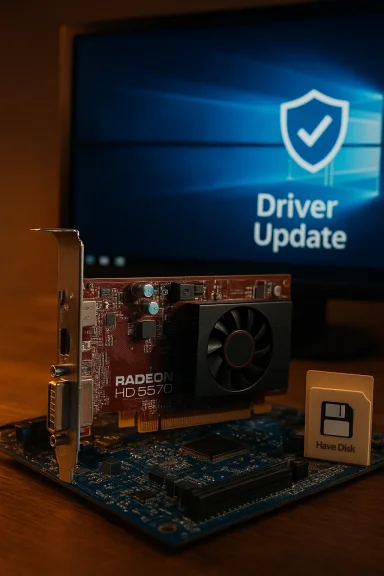 Background / Overview
The Radeon HD 5570 is a low-power, DirectX‑11 era board that was sold in multiple memory and board variants; it was designed for basic multimedia, light gaming on older titles, and single‑slot, low‑power desktop rigs. Multiple hardware databases list the HD 5570 with roughly 1 GB of memory (GDDR3 or GDDR5 depending on the board), a 128‑bit bus, and a modest shader/TMU/ROP configuration appropriate for its 2010–2011 launch window. For Windows 10 users the practical question is not whether the card can run — it can — but whether you can obtain safe, functional, and reasonably up‑to‑date drivers that give you correct resolution, hardware acceleration where possible, and system stability. The modern reality is that AMD moved many legacy families into archival/legacy status years ago; Windows Update’s Microsoft‑signed fallback drivers are the safest route for a working desktop, while AMD’s archived Catalyst/Adrenalin ppackages remain available for enthusiasts willing to do manual installs and troubleshooting. Community and vendor guidance converge on a hierarchy of trust: Microsoft Update → OEM/vendor downloads → AMD official archives → third‑party repackagers — and explicit warnings apply to eepackaged installers.
Radeon HD 5570: hardware snapshot and what it means
Core specifications (what’s verifiable)
- GPU families and board variants: The HD 5570 was released in several silicon/board variants (Redwood / Pinewood / Turks variants appear in different OEM and retail variants). Typical retail boards used a 128‑bit memory bus and 1 GB of memory.
- Memory and bandwidth: Common retail boards list 1,024 MB of GDDR3 or GDDR5 on a 128‑bit bus; bandwidth and clocks vary by OEM card.
- Power & form factor: The HD 5570 is normally single‑slot and low‑power (typical board TDP ~40 W), and does not require external PCIe power on most designs.
- API support: The card supports DirectX 11-era features (WDDM drivers originally shipped in the Catalyst era), but modern driver feature parity with current Adrenalin stacks is limited.
Driver landscape: Windows Update, AMD archives, and the “cheap driver” trap
The safe path: Microsoft‑signed drivers via Windows Update
For legacy Radeon cards the single most reliable approach on Windows 10 is to let Windows Update supply a Microsoft‑signed fallback driver to provide a stable desktop experience, correct resolutions, multiple monitor output, and basic video acceleration while avoiding unsigned or modified kernel components that threaten stability and security. Community and vendor guidance repeatedly recommend this as the first and lowest‑risk option.AMD’s archived Catalyst / Adrenalin packages
AMD maintains archives of older Catalyst and Adrenalin installers. These packages can restore more device features and the Catalyst control utilities, but they were originally built for Windows 7/8 era kernels and are archived for legacy support. In many cases these packages will still install on Windows 10 if the package’s INF explicitly lists your card’s hardware ID; where that’s true, the manual install can work. However, these installers are no longer part of AMD’s active development and may lack recent testing against later Windows 10 updates.Why third‑party “driver shop” bundles are risky
Listings, marketplace bundles, and mirrored installer packages that promise a one‑click “Windows 10 driver” for older ATI/AMD cards are frequently repackaged installers without clear provenance, missing signatures, or modified INFs. Community moderation and security logs show repackagers sometimes include unwanted software or unsigned kernel code. Treat these downloads as unverified and avoid them unless you can validate signatures and checksums and you have a robust rollback plan. The Born2Invest page referenced in your query is not a trusted driver source and should not be used as the authoritative driver download.The broader vendor picture: AMD, OEMs, and Windows 10 EOL
A complicating factor is the changing lifecycle of Windows itself. Windows 10 passed its mainstream support milestones and reached a formal end of support milestone in 2025, which changes how vendors present compatibility in release notes. AMD’s modern Adrenalin packages sometimes omit explicit “Windows 10” branding in release notes while still shipping installers that operate on Windows 10; AMD has clarified that compatibility remains in many cases, but the long‑term roadmap favors Windows 11. For practical purposes, plan for short‑term compatibility but also for increased long‑term risk when running legacy cards on an OS that is out of mainstream support.Practical, step‑by‑step safe installation workflow (recommended)
These steps are written for technically comfortable Windows users. If you are not confident, stop at Step 2 and use Windows Update / OEM drivers.- Inventory and prepare
- Record the GPU hardware ID from Device Manager → Display adapters → right‑click → Properties Ids (copy the PCI\VEN_1002&DEV_xxxx string).
- Create a System Restore point and, if possible, a full disk image. Driver changes to the display stack can leave a system unbootable.
- Try the least‑risk option first
- Open Settings → Update & Security → Windows Update → Check for updates → View optional updates → Driver updates. If WiMicrosoft‑signed Radeon driver, install it and validate basic functionality (resolution, multi‑monitor behavior, video playback). Stop here if the system behaves.
- Check OEM / branded system downloads
- If your machine is a laptop or branded desktop, prefer the OEM support page for your ackages may include vendor‑specific thermal/power and hybrid‑graphics support. Use OEM drivers over generic Catalyst packages when available.
- Advanced: prepare an AMD archived package (only if necessary)
- Download the AMD legacy Catalyst/Catalyst WHQL package from AMD’s official archive (do not use third‑party bundles).
- Let the installer extract, then inspect the extracted Display.Driver*.inf files for your recorded hardware IDu can attempt a manual install. If not, do not proceed unless you understand driver signing and re‑signing implications.
- Clean driver remnants before switching
- Boot to Safe Mode and run Display Dri or AMD Cleanup Utility to remove prior AMD/NVIDIA remnants. This reduces partial‑install problems.
- Manual “Have Disk” install
- In Device Manager: Update driver → Browse my computer → Let me pick from a list → Have Disk… → point to the extracted *.inf and install only the display driver. Reboot and validate. If Windows displays driver‑signature warnings, treat them as temporarily with signature enforcement disabled on a non‑critical machine.
- Pause Windows Update during testing
- Windows Update may auto‑replace your manual driver with a Microsoft‑signed fallback. Use the “Show or hide updates” tool or pause updates while install, then re‑enable updates after confirming stability.
- Recovery plan
- Keep the working installer, DDU, and a saved system image. If the system becomes unstable, Safe Mode + DDU + r driver is the usual recovery path.
Performance and benchmark expectations for the HD 5570 on Windows 10
Realistic performance profile
- Expect the HD 5570 to perform at the levels it was designed for: older DX11 titles at low/medium settings at 720p, basic desktop GPU acceleration, and standard-definition or modest HD video playback.
- Modern titles, Vulkan workloads, hardware‑accelerated AV1/HEVC decoding, and contemporary GPU compute workloads are outside the card’s design envelope. If you need modern gaming or hardware accelerated video at higher bitrates/resolutions, a current low‑end card or integrated GPU is ecure choice.
Why benchmarks from 2010–2012 don’t map directly to today
Benchmark numbers from the HD 5570 era reflect older games and driver stacks. On Windows 10, performance varies by which driver is actually controlling the device (Microsoft fallback versus a manually installed legacy Catalyst package), whether D3D/Vulkan paths are modernized, and the OS update level. That means raw FPS numbers from old reviews may be optimistic when applied to a Windows 10 system using a Microsoft fallback driver. Treat those reviews as historical guidance rather than modern proof of performance.Practical testing checklist
- Validate display outputs and resolutions before running benchmarks.
- Confirm whether hardware acceleration (GPU decoding / UVD features) is present under your installed driver — UVD support varied by silicon and driver era.
- Run real‑world tests at the resolutions you plan to use (e.g., 1366×768 or 1920×1080) and measure both frame rates and CPU load to understand how much the card offloads work from the processor.
Risks, security, and long‑term maintainability
Windows 10 lifecycle and vendor messaging
Windows 10 reached a formal support milestone that changes how vendors list operating system compatibility. That does not immediately make drivers unusable, but it increases long‑term risk when continuing to run an OS out of mainstream support. For production machines, consider moving to a supported platform or enrolling in extended security options where available.Driver signing, Secure Boot, and kernel security
Older Catalyst installers were built before several modern kernel and signing features were introduced. Installing unsigned or modified drivers can require disabling driver signatuure Boot — both raise serious security trade‑offs. Only perform such tests on non‑critical systems with a complete rollback plan.Third‑party downloads and supply‑chain risk
Download provenance matters. Installers from unknown marketplaces, torrent mirrors, or repackagers may contain added installers, telemetry, or unsigned kernel modules. Validate digital signatures and checksums; prefer AMD’s official archives, Microsoft’s driver catalog, or your OEM’s support page. The born‑to‑invest listing included in your initial query is not a verified driver source. Treat such pages as untrusted unless they point directly to AMD or OEM downloads.Buying advice: when a cheap HD 5570 makes sense — and when it doesn’t
Good reasons to buy a cheap HD 5570
- You need a cheap, low‑power card for a legacy desktop to run older software or to add a spare video output for office use.
- You have a vintage machine that must remain as‑built for compatibility with specialized legacy applications or hardware.
- You’re doing restoration work on an older system and you value authenticity over modern performance.
Reasons to avoid or to choose alternatives
- If you need reliable driver updates, modern codec support (HEVC/AV1), or current game compatibility, the HD 5570 is a poor long‑term choice.
- Modern integrated GPUs (recent Intel or AMD APUs) and inexpensive contemporary discrete cards offer vastly better feature sets, driver support, security, and performance per watt.
- For budget‑minded builds, small modern cards (or even a used RX 500 series / GTX 1000/16xx class card) deliver a far better experience for gaming and media than an HD 5570. Community guidanceg such upgrades rather than relying on legacy drivers for critical systems.
Quick reference: safe checklist for acquiring and installing an HD 5570 on Windows 10
- Before you buy:
- Confirm the card’s outputs and memory type on the listing (GDDR3 vs GDDR5).
- Ask the seller for a clear photo of the card and model number.
- Prefer well‑reviewed OEM boards (ASUS, MSI, Gigabyte) over anonymous no‑brand listings.
- Immediate after purchase:
- Boot the target PC and let Windows Update search for drivers first.
- If Windows Update provides a working Microsoft‑signed driver, keep it.
- If you require Catalyst features, download AMD’s official archive package and inspect INF files for your hardware ID before attempting install.
- If you must use an archived Catalyst installer:
- Create a full system image or at least a System Restore point.
- Record the GPU hardware ID.
- Boot to Safe Mode and run DDU to remove prior driver remnants.
- Extract the AMD package and verify Display.Driver*.inf lists your VID/PID.
- Perform a manual “Have Disk” install from Device Manager.
- Test thoroughly; keep DDU and the working installer in a safe place.
Final analysis and recommendation
Buying a cheap Radeon HD 5570 can be a fine short‑term solution for basic desktop tasks on Windows 10, provided you follow a cautious, security‑first workflow: prefer Microsoft‑signed drivers from Windows Update or OEM packages, be extremely careful with archived Catalyst installs, and avoid unverified third‑party “driver shop” bundles. The HD 5570’s hardware profile is stable and well documented, but driver and OS lifecycle considerations make long‑term use on a Windows 10 system a compromise.If you depend on the machine for anything security‑sensitive or production‑critical, the best recommendation is to either:
- Use the Microsoft‑signed fallback driver from Windows Update and accept limited features, or
- Invest in a low‑cost modern GPU or a recent integrated GPU with active driver support and modern codec/feature compatibility.
Conclusion
The ATI / AMD Radeon HD 5570 is a capable micro‑card for its era and still delivers a usable Windows 10 desktop when treated with the right precautions. The decision to buy and install one should weigh short‑term savings against driver provenance, OS lifecycle, and security posture. Use Windows Update/OEM drivers where possible, treat archived Catalyst installers as an advanced procedure, and avoid repackaged “cheap driver” bundles — that approach balances practicality with safety for Windows 10 systems.
Source: Born2Invest https://born2invest.com/?b=style-231965312/
