

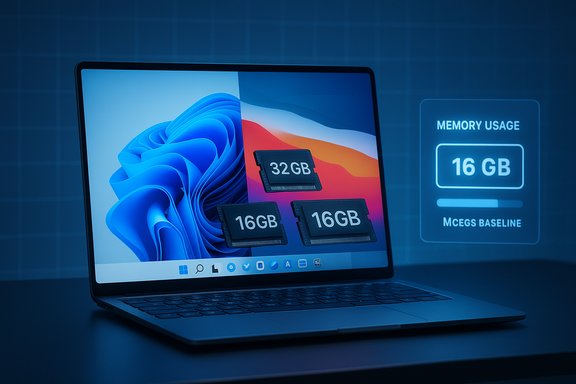
RAM still matters more than most buyers realize: in 2025 the practical baseline for most Windows users is 16 GB, Macs are increasingly shipping with 16 GB unified memory as the minimum, and professionals, gamers, and anyone running local AI or many virtual machines should seriously consider 32 GB or more for comfort and longevity.
Background / Overview
Random Access Memory (RAM) is the computer’s short-term workspace: the place the OS and active applications keep data they need right now. It’s measured in gigabytes (GB) and comes in several generations and flavors — DDR5 for many desktops and high-performance laptops, LPDDR5X for power-efficient thin-and-light designs, and the newly standardized LPDDR6 aimed at mobile and AI workloads. These differences matter because they determine memory bandwidth, latency, and power consumption, all of which affect real-world responsiveness. Official minimums are useful for compatibility checks, but they aren’t buying advice. Microsoft’s published minimum for Windows 11 remains 4 GB, which lets the OS install and run basic tasks, but it is a compatibility floor rather than a recommendation for daily productivity. Independent reviewers and buying guides in 2025 have converged on 16 GB as the practical baseline for modern Windows systems. On Apple’s side, the M‑series unified-memory architecture often makes fewer gigabytes go further, but Apple moved many base MacBook Air/Pro SKUs to 16 GB unified memory in 2025 — a meaningful shift that echoes the industry trend toward higher baseline RAM.Why RAM still matters in 2025
Short answer: software is heavier, browsers are hungrier, and on-device AI is adding background memory pressure.- Modern browsers spawn multiple processes and hold large caches; a busy Chrome/Edge session can easily consume multiple gigabytes.
- Collaboration apps (Teams, Slack, Discord), cloud sync clients, and background agents keep using memory even when you’re “not doing much.”
- On-device AI features, local inference, and noise-suppression utilities allocate memory for models, caches, and acceleration buffers — increasing baseline usage for otherwise idle systems.
The technical picture — capacity vs. bandwidth vs. architecture
- Capacity (GB) buys room for concurrent apps and caches. If your working set exceeds physical RAM, the system swaps/paginates to disk, which causes stutters and slowdowns.
- Bandwidth (speed, channels, DDR generation) matters for integrated-GPU gaming and some content workflows. Dual-channel or higher memory configurations (e.g., 2×8 GB instead of 1×16 GB) improve throughput in bandwidth-sensitive tasks.
- Architecture: Apple’s unified memory allows CPU, GPU, and NPUs to share a fast, low-latency pool, which often yields better effective performance per GB compared with separate CPU/RAM and GPU/VRAM pools in traditional PC architectures. That’s why some Apple Silicon Macs can feel more capable with fewer gigabytes — but the tradeoff is no user upgrade path in most models.
What the major platforms require and recommend
Windows: minimum vs. practical baseline
Microsoft’s public Windows 11 system requirements list 4 GB of RAM as the minimum for consumer SKUs — accurate as a technical floor but insufficient for most productive use. For everyday multitasking (dozens of tabs, Teams/Slack running, cloud sync), 16 GB is the sensible baseline; many OEMs now ship midrange Windows laptops with 16 GB as standard. If you do gaming, content creation, or local AI, 32 GB is increasingly common. Critical verification: the 4 GB minimum is an official Microsoft number; the advice to treat 16 GB as the practical baseline is consensus from reviewers and market behavior. Treat “minimum” as compatibility and “recommended” as what you should buy for a smooth experience.macOS / Apple Silicon: unified memory nuance
Apple’s M‑series uses unified memory, which changes the RAM conversation. On older M‑series Macs, 8 GB could sometimes suffice for light users thanks to that efficiency, but Apple’s 2025 lineup revision made 16 GB the starting point for many MacBook Air configurations — a practical acknowledgement that software workloads and consumer expectations have evolved. Because memory is usually soldered and non-upgradeable, erring up at purchase is the safe move.Chromebooks and ChromeOS
ChromeOS is lightweight and browser-centric; many Chromebooks run fine with 8 GB or even less for strictly web-first use. But that simplicity comes with limited access to certain native apps, and heavy web workloads will still push memory. For longer device life or heavier local tasks, 8→16 GB is the safer arc.How much RAM do you need? Role-based recommendations
These are practical, real-world targets for 2025 workflows.- Basic user — email, streaming, light web: 8–16 GB. Chromebooks and ultra-light Macs can get by on 8 GB for a while, but 16 GB buys staying power.
- Everyday multitasker / knowledge worker — dozens of tabs, Slack/Teams: 16 GB. This avoids most paging and keeps UI responsiveness.
- Gamers and streamers: 16–32 GB. Many modern AAA games work on 16 GB but streaming, capture tools, and mods push toward 32 GB for headroom.
- Creative professionals (photo, video, 3D): 32 GB+. 4K/8K timelines, Fusion nodes, big RAW libraries, or multi-app timelines often require 32–64 GB or more.
- Developers, data scientists, VM users: 32–64+ GB. Running multiple VMs, Docker containers, Android emulators, and local model experiments consumes RAM quickly.
DDR5, LPDDR5X, LPDDR6 and what they mean for buyers
- DDR5 is the mainstream choice for desktops and many Windows laptops: higher bandwidth and capacity over DDR4. For most desktop builders and gaming laptops, DDR5 DIMMs remain the practical standard today.
- LPDDR5X is common in thin-and-light laptops and mobile devices, trading raw throughput for lower power draw and better thermals. It’s what you’ll find in many ultraportables.
- LPDDR6: JEDEC released the LPDDR6 (JESD209‑6) standard aimed primarily at mobile and AI workloads, promising significant bandwidth and power-efficiency improvements; early industry tooling and vendor IP are already in play. That standard will matter first to smartphones, SoCs, and ultra-thin devices before it filters into mainstream laptop designs. Expect initial rollouts to occur across 2025–2026 in mobile and AI-edge products, with desktop DDR6 following later.
Upgrade strategy: when to add RAM and how to do it right
Signs you need more RAM:- Frequent heavy disk activity when you thought the machine was idle (swap/pagefile thrashing).
- System sluggishness when you have many browser tabs and chat apps open.
- Games that stutter or show high frame-time variance when background apps are running.
- Video editors that lag during scrubbing or run out of cache.
- Diagnose with Task Manager (Windows) or Activity Monitor (macOS) to verify memory pressure and swap usage.
- Confirm upgradeability: many ultraportables and virtually all recent MacBooks solder RAM. If memory is not user-upgradeable, buy a higher-capacity SKU now.
- For desktops, prefer matched DIMMs and dual-channel population (2×8 GB is typically better than 1×16 GB).
- Check motherboard/Laptop manual to determine supported memory types and slot configuration.
- If your board supports it, buy matched modules (same capacity, speed, timings) to enable dual-channel.
- Update BIOS/UEFI and validate memory stability with a stress tool (MemTest86 or vendor tools) after installation.
- If your laptop is soldered, consider whether a modest overprovisioning (32 GB vs 16 GB) is worth the extra cost to preserve device longevity.
Practical buying checklist (short and scannable)
- Windows laptop you’ll keep 3+ years: 16 GB + 512 GB NVMe as a balanced minimum.
- MacBook: 16 GB unified memory minimum for modern M‑series models; 24–32 GB for pro creative work. Buy up front — you cannot upgrade later.
- Chromebooks / light devices: 8 GB is often adequate for web-first workflows; choose 16 GB for longer usefulness.
- Gamers: 16 GB minimum, 32 GB recommended for streaming/modded play.
- Creators / heavy compute: 32–128+ GB depending on timeline resolution, plugin complexity, and whether you run local ML.
Costs, regrets, and ROI: the tradeoffs
Buying too little RAM on a non-upgradeable machine is the most common regret. Memory today is often soldered in thin laptops and MacBooks, making the initial purchase the only chance to get more. That argues for modest overprovisioning at purchase if you plan to keep a laptop for several years.Conversely, buying excessive RAM that you never use is a poor return on investment. For a typical office user, 32 GB will rarely provide measurable benefits over 16 GB. The right heuristic: buy for the next 2–4 years’ likely usage, not just today’s tasks.
Risks and things reviewers warn about
- Vendor minimums vs. real-world usage: official OS/app minimums are not guidance for comfortable use; they only guarantee installability. Treat published minimums with caution.
- Unverifiable single-number claims: headline statements like “Windows uses X GB while idle” are environment-dependent and vary by OEM services, background apps, and installed features. Treat such numbers as anecdotal unless produced by a controlled test on the same software image.
- Memory speed myth: small gains in memory frequency rarely change the everyday experience as much as additional capacity. Prioritize capacity over marginally faster RAM for most users.
The future: LPDDR6, DDR6 and how long your RAM choice will last
JEDEC’s LPDDR6 specification (JESD209‑6) is now published and targets mobile and AI workloads with higher bandwidth and efficiency; industry players have already announced IP and tooling to support it. That matters for thin laptops and smartphones first, not desktop DDR6 adoption. Desktop DDR6 will follow, but 2025 remains a DDR5-dominated desktop landscape. If you’re buying today, plan around DDR5/LPDDR5X while watching LPDDR6 adoption in thin-and-light and AI-focused devices. A practical rule: don’t delay an urgently needed purchase waiting for the next generation of RAM unless you’re explicitly targeting a cutting-edge platform that justifies the wait. Memory standards evolve, but platform compatibility, upgradeability, and overall system balance (CPU, GPU, SSD) matter more than marginal generation benefits for most buyers.Final analysis and recommendations
- For most Windows laptop buyers in 2025, 16 GB of RAM is the pragmatic baseline for a smooth, multitasking experience. It addresses modern browser-heavy work, collaboration tools, and modest creative tasks without frequent swapping.
- On Apple Silicon, 16 GB unified memory has become the practical entry point for new MacBook Air/Pro models in 2025; because memory is soldered, buy enough at purchase for your future needs.
- If you game and stream, do serious video work, run multiple VMs, or experiment with local AI models, 32 GB or more is the safer choice. For studio-level timelines, data science, and heavy local model training, plan for 64–128 GB+ depending on scale.
- Prioritize capacity and upgradeability over marginal memory speed increases. If your device can be upgraded later, a smaller upfront purchase with an easy upgrade path can be the best value. If it can’t, err upward at purchase.
This guidance synthesizes official platform minimums, reviewer consensus, and recent industry developments — including Microsoft’s Windows 11 minimums and Apple’s 2025 MacBook memory changes — and accounts for the new LPDDR6 standard targeting mobile and AI workloads. When recommendations involve numbers or platform behavior that vary by build or configuration, those claims are flagged as situational and should be verified on the exact hardware and software image you plan to buy.
Source: ZDNET How much RAM do you really need in 2025? A Windows and Mac expert explains
