

Razer’s long-running software headache may finally have a practical escape hatch: Synapse Web, a browser‑based beta that offloads basic device configuration from a permanently running desktop client to a lightweight, on‑demand web UI. The rollout is deliberately narrow — Razer launched the web beta for the Huntsman V3 Pro family first — but its implications are broad: if it works as advertised, gamers and LAN operators who’ve long complained about Synapse’s background processes will get a fast way to tweak lighting and keymaps without dedicating RAM and startup cycles to a native app. Razer’s own documentation, supported-device list, and independent press coverage make the case that this is an intentional, measured step toward a hybrid model: keep Synapse 4 for deep features and multi‑device Chroma sync, use Synapse Web for fast, low‑impact configuration when the full suite isn’t an option. (mysupport.razer.com) (pcworld.com)
Razer’s Synapse software has been central to the company’s peripheral ecosystem for more than a decade. The jump from Synapse 3 to Synapse 4 promised a cleaner interface, improved stability and a claimed performance boost — Razer states Synapse 4 performs roughly 30% faster on common configuration tasks than Synapse 3, an improvement they attribute to a redesigned, multi‑threaded architecture. That corporate claim is repeated in product documentation and press coverage and helps explain why Razer is positioning Synapse 4 as the “feature complete” platform even as it experiments with a web alternative.
Yet the community response to Synapse 4 has not been universally positive. Longstanding complaints — high memory usage, background processes that run on startup, intermittent crashes or device detection issues — still surface in many forums and user threads. Those real-world frustrations are the practical problem Synapse Web appears designed to address for a subset of users: give them the ability to make quick changes without installing or running the “heavy” client when they don’t need it.
Community posts have long documented the trade‑offs between convenience features and raw performance. For example, features intended to reduce configuration mistakes — like deadzone correction layers for controllers or automatic Chroma handling — can introduce extra processing steps that some competitive users prefer to avoid. Synapse Web sidesteps many of those ongoing background costs simply by not running locally. The net effect: lower runtime overhead for users who only need occasional edits.
From a product management perspective this reduces risk. Razer retains a path to keep high‑value features inside Synapse 4 (workshop, cloud profiles, advanced Chroma), while experimenting with the lower‑friction web surface to address immediate user pain points like background bloat and install friction. It’s a sensible staging strategy: address the most vocal usability complaints with a lower‑risk feature set before attempting a full migration of every device and workflow.
If you own a supported Huntsman keyboard, try the web beta for day‑to‑day lighting tweaks and keymap changes; it’s ideal for events, guest PCs, and quick edits where you’d otherwise avoid installing Synapse. If you rely on advanced Chroma workflows, cloud profile sync, or coordinated multi‑device automations, stick with Synapse 4 for now.
Two practical recommendations:
Conclusion: Synapse Web is the lightweight alternative many users have been asking for, but it’s a carefully scoped experiment rather than a finished migration. Use it where it makes sense, validate critical claims (like any UI resolution limits) against your hardware, and expect Razer to expand compatibility over time if the beta validates its core concepts. (pcworld.com)
Source: Windows Central Razer Synapse Web is the lightweight alternative we’ve been waiting for
 Background
Razer’s Synapse software has been central to the company’s peripheral ecosystem for more than a decade. The jump from Synapse 3 to Synapse 4 promised a cleaner interface, improved stability and a claimed performance boost — Razer states Synapse 4 performs roughly 30% faster on common configuration tasks than Synapse 3, an improvement they attribute to a redesigned, multi‑threaded architecture. That corporate claim is repeated in product documentation and press coverage and helps explain why Razer is positioning Synapse 4 as the “feature complete” platform even as it experiments with a web alternative. Yet the community response to Synapse 4 has not been universally positive. Longstanding complaints — high memory usage, background processes that run on startup, intermittent crashes or device detection issues — still surface in many forums and user threads. Those real-world frustrations are the practical problem Synapse Web appears designed to address for a subset of users: give them the ability to make quick changes without installing or running the “heavy” client when they don’t need it.
What is Razer Synapse Web?
Synapse Web is a browser‑based configuration tool that provides a focused subset of Synapse 4’s functionality. Razer bills it as a streamlined way to:- Access instant device configuration from a browser session without installing Synapse locally.
- Make quick changes to key assignments and Chroma RGB Quick Effects.
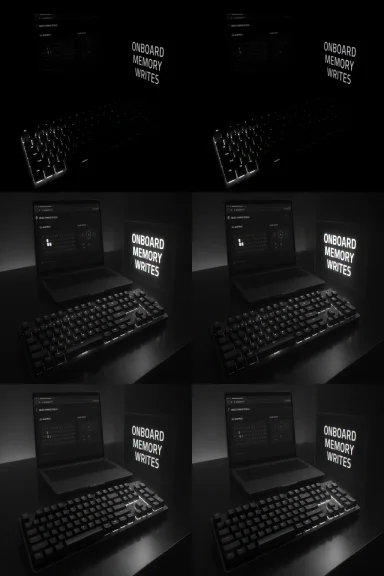
- View, edit, and save on‑board profiles directly into device memory so settings persist even after the browser session ends.
Supported devices and platforms
Initial device support — Huntsman V3 Pro family
At launch the compatibility list is intentionally small: Synapse Web supports the three keyboards in the Huntsman V3 Pro family — the full‑size Huntsman V3 Pro 8 kHz, the Huntsman V3 Pro TKL 8 kHz, and the Huntsman V3 Pro Mini. Razer’s support documentation explicitly lists those SKUs as the only devices guaranteed to work with the web beta today. That tight scope explains why keyboard owners, and particularly those who bought into the newest Huntsman hardware, are the earliest beneficiaries. (mysupport.razer.com) (pcgamesn.com)Browser and OS support
Razer verified the web app on Chromium‑based browsers: Google Chrome, Microsoft Edge, and Opera. Razer’s FAQ notes that Synapse Web may work on other desktop platforms so long as a Chromium engine is present, and it lists Windows 11 and macOS 26 as supported operating systems in the technical specifications. Razer also confirms that no extensions or drivers are necessary for detection, provided the device firmware is up to date. (mysupport.razer.com)How Synapse Web works (practical mechanics)
Synapse Web runs in your browser, detects compatible devices, then exposes a focused UI to edit and save settings that are written to the device’s onboard memory. Two practical outcomes follow from that design:- You can change settings on systems where you don’t want a persistent background app — for example, event rigs, borrowed desktops, or tournament stations.
- Because profiles are saved to the device, those settings travel with the hardware; you don’t need cloud sync or a permanent Synapse installation to keep your custom configuration.
Why this matters: performance, startup bloat, and user control
For many PC gamers the ideal setup runs as few background tasks as possible; every process counts when low‑latency performance is the goal. Synapse 4, while improved over Synapse 3, still runs background services that many users view as intrusive. Synapse Web’s primary pitch is reducing that friction: make small changes in a browser tab and avoid a running client at all. Independent outlets and Razer’s own messaging present Synapse Web as ideal for LANs, esports events, and shared machines — use cases where you want configuration without installation. (pcworld.com) (pcgamesn.com)Community posts have long documented the trade‑offs between convenience features and raw performance. For example, features intended to reduce configuration mistakes — like deadzone correction layers for controllers or automatic Chroma handling — can introduce extra processing steps that some competitive users prefer to avoid. Synapse Web sidesteps many of those ongoing background costs simply by not running locally. The net effect: lower runtime overhead for users who only need occasional edits.
Limitations and things Synapse Web does not (yet) do
Synapse Web is intentionally limited. Important constraints to understand:- No full Chroma pipeline: Synapse Web offers Chroma Quick Effects but not the full, multi‑device Chroma sync and advanced effect authoring available in Synapse 4.
- No cloud sync: edits made in the web UI are stored to the device, not to Razer’s cloud. That makes Synapse Web great for portability but not for sharing or cross‑device profile management from your Razer account. (mysupport.razer.com)
- Limited device list: at launch only the Huntsman V3 Pro models are supported; mice, headsets and older devices are excluded. Razer says more devices will be added over time, but there’s no public schedule. (mysupport.razer.com)
- Browser dependency and session semantics: Razer’s FAQ notes that Synapse Web requires internet access to load and runs in the browser session; it will continue to function offline until the browser session closes, but web sessions are by nature less permanent than a native background service. (mysupport.razer.com)
Security, privacy, and offline behavior — what to watch
A browser‑based configuration tool changes the threat model in ways users should understand:- Browser isolation limits persistence. Because Synapse Web runs in the browser, it avoids installing persistent kernel or system services that can be exploited or cause systemwide issues. Razer explicitly says no extensions or drivers are needed for supported devices. That reduces attack surface from installed software, but it also means the web session is the containment boundary. (mysupport.razer.com)
- Internet required to load: Razer’s documentation requires internet access to load the tool. Although the site says the tool continues to function offline until the browser session ends, users should be aware that the UX begins with a remote load — an area where corporate CDNs, captive portals, or network proxies can interfere. (mysupport.razer.com)
- No cloud backup: Because profiles edited in Synapse Web are saved to onboard memory and not to the cloud, there’s a different privacy trade‑off: fewer external copies of your configuration (safer from cloud breach), but also fewer backups if the device is lost or damaged. (mysupport.razer.com)
The rollout strategy: measured and cautious
Razer’s approach is deliberately incremental. The choice to launch Synapse Web as a beta for three high‑end keyboards reads like a test plan: validate device detection, onboard write reliability, and the UI experience on a limited set of hardware before expanding. Industry coverage and Razer’s FAQ both make this explicit: Synapse Web is presented as a complement to Synapse 4, not a wholesale replacement, at least for now. That gives Razer time to expand device coverage while limiting the chance of large‑scale disruption to users whose setups rely on advanced desktop features. (mysupport.razer.com) (pcgamesn.com)Use cases: where Synapse Web shines
- LAN parties and esports events where you cannot or will not install local software.
- Public or shared PCs (media centers, library or classroom machines) where admins prefer not to grant install privileges.
- Quick adjustments on a guest system or a friend’s machine without changing their installed software base.
- Users who want to avoid a persistent background process for minimal‑runtime rigs.
Installation and first steps (practical checklist)
- Confirm your device is one of the supported Huntsman V3 Pro models listed by Razer. (mysupport.razer.com)
- Update your device firmware via Razer’s firmware page so the web tool can detect and write to onboard profiles. (mysupport.razer.com)
- Use a Chromium‑based browser (Chrome, Edge, Opera) when accessing Synapse Web; Razer has verified those browsers. (mysupport.razer.com)
- Remember that edits are saved to device memory and won’t be synced to the cloud — export any important profiles elsewhere if you want backups. (mysupport.razer.com)
Critical analysis — strengths, limitations, and risks
Strengths
- Reduced runtime overhead: For users who only need occasional tweaks, Synapse Web removes the need for a constantly running desktop client, improving system cleanliness and potentially reducing background resource contention. This addresses a frequent user complaint about Synapse’s footprint.
- Portability: Saving profiles to device memory lets you carry custom setups between machines without cloud reliance or the need to reinstall software. (pcworld.com)
- Practical for specific environments: LANs, tournaments, and shared rigs benefit from a browser‑based approach where installs are restricted. (pcgamesn.com)
Limitations and risks
- Very limited initial device support: Only the Huntsman V3 Pro variants are supported at launch. That excludes the majority of Razer’s mice, headsets, and older keyboards — meaning most users won’t be able to rely on Synapse Web right now. Razer says it will add more devices, but there’s no timeline. (mysupport.razer.com)
- Feature gap with Synapse 4: Synapse Web intentionally omits deeper functionality such as multi‑device Chroma sync, cloud profile sync, and advanced workshop features. Competitive or power users will still need the full desktop client for those features. (mysupport.razer.com)
- Web session semantics: The reliance on a browser session for loading and maintaining the UI has both UX and security consequences; network issues or a browser crash can prematurely end the session. Razer notes the tool will continue to function offline until the session is closed, but that’s a session‑limited persistence model rather than a persistent background service. (mysupport.razer.com)
- Unverified UI constraints: Some outlets reported a minimum screen resolution requirement (1280×720) that can affect split‑screen workflows, but that specific claim is not documented in Razer’s official specs page and appears in press coverage without a supporting Razer reference. Treat this particular limitation as reported by press and worth testing before relying on it in constrained display setups. I could not find an explicit, Razer‑published minimum resolution specification in the official Synapse Web documentation at the time of writing; proceed cautiously. (Caveat: this is a reported item and should be validated on your rig.) (pcworld.com)
How this fits into Razer’s software strategy
Razer’s decision to keep Synapse 4 as the primary platform while introducing a web alternative signals a hybrid approach: use the desktop client for deep integration and heavier workflows; provide a browser option for fast, low‑impact tweaks. That duality mirrors how other peripheral makers have handled configuration: some vendors ship a compact web configurator for simple edits while preserving a full desktop app for advanced features.From a product management perspective this reduces risk. Razer retains a path to keep high‑value features inside Synapse 4 (workshop, cloud profiles, advanced Chroma), while experimenting with the lower‑friction web surface to address immediate user pain points like background bloat and install friction. It’s a sensible staging strategy: address the most vocal usability complaints with a lower‑risk feature set before attempting a full migration of every device and workflow.
Final verdict — what to expect and how users should act
Razer Synapse Web is a welcome addition for users who want a no‑install way to make quick keyboard changes and offload resource use from their desktops. Its narrow early focus — Huntsman V3 Pro devices and Chromium browsers — is both its strength and its constraint: it delivers a clean experience in exchange for deliberately limited scope.If you own a supported Huntsman keyboard, try the web beta for day‑to‑day lighting tweaks and keymap changes; it’s ideal for events, guest PCs, and quick edits where you’d otherwise avoid installing Synapse. If you rely on advanced Chroma workflows, cloud profile sync, or coordinated multi‑device automations, stick with Synapse 4 for now.
Two practical recommendations:
- Treat Synapse Web as a complementary tool, not a replacement, until Razer expands device support and documents any UI constraints (for example, definite screen‑resolution limitations).
- Keep device firmware updated before using the web tool and, if you need backup portability, export or snapshot your profiles outside the device since Synapse Web does not write to the cloud. (mysupport.razer.com)
Conclusion: Synapse Web is the lightweight alternative many users have been asking for, but it’s a carefully scoped experiment rather than a finished migration. Use it where it makes sense, validate critical claims (like any UI resolution limits) against your hardware, and expect Razer to expand compatibility over time if the beta validates its core concepts. (pcworld.com)
Source: Windows Central Razer Synapse Web is the lightweight alternative we’ve been waiting for
