

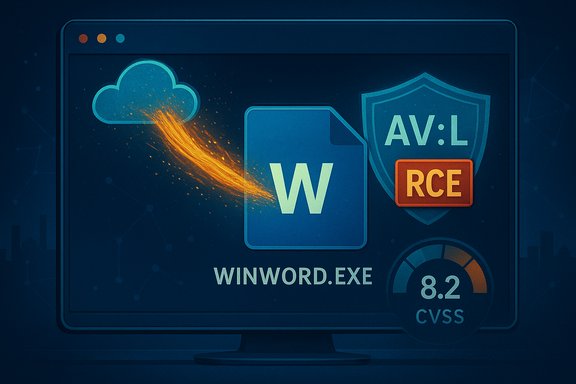
The apparent contradiction between a CVE titled “Remote Code Execution” and a CVSS Attack Vector of AV:L (Local) is not a mistake — it is a result of two different, complementary messages: one conveys impact and attacker origin, the other describes how and where the vulnerable code is actually invoked. Microsoft’s advisory language, CVE headlines, and the CVSS vector are answering different operational questions, and reading them together gives the full picture for triage and mitigation.
Vulnerability listings for Microsoft Office (and other document-processing products) frequently use the phrase Remote Code Execution (RCE) in the CVE title or advisory headline. That shorthand immediately alerts defenders and sysadmins that the flaw can lead to arbitrary code running on a compromised endpoint — a high-impact outcome that demands attention. At the same time, formal scoring under the Common Vulnerability Scoring System (CVSS) captures the exploit mechanics using the Attack Vector metric (AV), and in many document-parsing cases that metric is scored as Local (AV:L) because the vulnerable component is triggered by a local parsing action (for example, a user opening or previewing a document). This pattern — remote delivery, local execution — is common and intentional.
The core distinction is simple but often misunderstood:
 ) — are intended to reflect how remote an attacker can be when they exploit the vulnerable component itself. If a vulnerable parser is not bound to a network protocol and instead runs inside a local application when it opens a file, CVSS assigns AV:L to prevent double-counting the network delivery stage. This keeps scoring consistent across many exploitation models.
This nuance is operationally critical because many organizations use centralized services (mail servers, content-management systems, document previews) that perform server-side rendering. If any such service uses vulnerable Office components to generate thumbnails, previews, or conversions, the effective attack surface changes and the urgency for perimeter controls and hotfixes rises accordingly.
Flag any claims about low-level exploitability or in-the-wild exploitation when those details are not published by the vendor; when vendor advisories are terse or dynamically rendered, rely on the vendor’s patch mapping for remediation and assume a conservative, high-priority response until independent technical writeups are available.
Applying this reading — headline for impact, CVSS for mechanics — will prevent misprioritization and yield a focused, effective response to CVE-2025-62199 and similar Office document vulnerabilities.
Source: MSRC Security Update Guide - Microsoft Security Response Center
 Background / Overview
Vulnerability listings for Microsoft Office (and other document-processing products) frequently use the phrase Remote Code Execution (RCE) in the CVE title or advisory headline. That shorthand immediately alerts defenders and sysadmins that the flaw can lead to arbitrary code running on a compromised endpoint — a high-impact outcome that demands attention. At the same time, formal scoring under the Common Vulnerability Scoring System (CVSS) captures the exploit mechanics using the Attack Vector metric (AV), and in many document-parsing cases that metric is scored as Local (AV:L) because the vulnerable component is triggered by a local parsing action (for example, a user opening or previewing a document). This pattern — remote delivery, local execution — is common and intentional.The core distinction is simple but often misunderstood:
- CVE/advisory title: What can an attacker achieve? — e.g., run arbitrary code on the victim’s machine (impact).
- CVSS Attack Vector: How is the vulnerability actually triggered? — e.g., the exploit requires a local action by the victim (mechanics).
Why Microsoft and vendors say “Remote Code Execution” while CVSS says AV:L
Two separate but complementary signals
Vendor advisories must be succinct and actionable. The phrase Remote Code Execution is a compact way to indicate that an external attacker can cause code to run on your machine (the attacker does not need physical access). This communicates urgency and severity to operations teams. CVSS, however, is intentionally granular and standardized: the Attack Vector (AV) records the locality of the moment the vulnerable code executes. If that trigger occurs inside a local process parsing a file, CVSS maps it to AV:L, even though the malicious file may have been distributed over the network. That’s by design.The “remote delivery, local execution” model
A typical Office-document RCE chain follows these steps:- Attacker crafts a malicious Word/Excel/PowerPoint file that triggers a parsing bug (memory corruption, logic error, etc..
- Attacker delivers the file remotely — email attachment, cloud share, or web download.
- Victim opens (or previews) the file in a local Office process that parses it.
- The parsing step triggers the vulnerability; arbitrary code executes on the local host under the process/user context.
CVSS design intent and why it matters
How CVSS treats delivery vs. triggering
CVSS measures exploitability at the moment the vulnerable code is invoked. The Attack Vector values — Network (AV:N), Adjacent (AV:A), Local (AV:L), Physical (AV) — are intended to reflect how remote an attacker can be when they exploit the vulnerable component itself. If a vulnerable parser is not bound to a network protocol and instead runs inside a local application when it opens a file, CVSS assigns AV:L to prevent double-counting the network delivery stage. This keeps scoring consistent across many exploitation models.Practical reading of CVSS fields for document-parsing bugs
- AV = L (Local): the vulnerable logic runs inside a locally executed process (e.g., WINWORD.EXE, EXCEL.EXE).
- UI = R (User Interaction): the victim must act (open/preview a file) to trigger the vulnerability.
- PR = N / L (Privileges Required): often no elevated privileges are required to trigger the bug.
- S = U / C: scope may be unchanged unless privilege escalation or cross-boundary effects occur.
When the labeling does change: preview handlers and server-side parsing
The AV:L / RCE duality has an important exception: if a server-side component or mail gateway preview service uses the same vulnerable parser and that service is network-exposed, the attack vector becomes network (AV:N). In that scenario, a remote attacker could trigger the vulnerability without a user explicitly opening the file on their endpoint — file parsing occurs server-side — and the CVSS metric should reflect AV:N. Advisories will call this out when applicable because it dramatically increases exposure.This nuance is operationally critical because many organizations use centralized services (mail servers, content-management systems, document previews) that perform server-side rendering. If any such service uses vulnerable Office components to generate thumbnails, previews, or conversions, the effective attack surface changes and the urgency for perimeter controls and hotfixes rises accordingly.
Technical anatomy: how a malicious document becomes RCE
Typical bugs exploited in Office document RCEs
- Use‑after‑free: freed memory is later referenced, allowing attacker-controlled data to redirect execution flow.
- Heap overflows / out‑of‑bounds writes: corrupt control structures or function pointers.
- Type confusion / improper validation: assumptions about input shape or size are violated, causing undefined behavior.
Exploitation chain in practice
- Weaponize a crafted file targeting a specific parser path.
- Deliver at scale via email phishing or shared repositories.
- Trigger parsing locally (or via preview/server rendering).
- Use the memory corruption to redirect control flow into attacker payload.
- Payload executes under the privileges of the parsing process, enabling credential theft, lateral movement, or ransomware staging.
Operational implications for defenders
Why AV:L RCEs are still high priority
- High-impact outcome: RCE enables arbitrary code execution, which can lead to full compromise.
- Low delivery friction: Email, cloud links, and shared drives allow attackers to deliver crafted files at scale.
- Ubiquity of Office: Most users run Office clients, widening the pool of potential victims.
Prioritized mitigation checklist
- Patch promptly: deploy Microsoft updates that map to the CVE using your management tooling (WSUS, Intune, MECM).
- Enforce Protected View: require Internet-sourced files to open sandboxed/read-only until explicitly enabled.
- Disable automatic preview panes in email clients and Explorer for high-risk groups.
- Route attachments through mail gateway sandboxing / detonation chambers.
- Enable Attack Surface Reduction (ASR) and application control (AppLocker/WDAC) rules to prevent Office processes from spawning command shells.
- Reduce user privileges: avoid day-to-day administrative accounts to limit post‑exploit impact.
- Instrument EDR: hunt for Office processes spawning cmd.exe/powershell.exe or exhibiting unusual network egress.
Incident response highlights
- Isolate suspected endpoints.
- Preserve forensic artifacts (EDR traces, file metadata, email headers).
- Hunt for lateral movement and credentials harvesting.
- Apply scope-limiting controls: revoke sessions, rotate exposed credentials, and harden adjacent services.
Detection strategies and telemetry to watch
Behavior-based signals are more reliable for modern memory-safety exploits than signatures:- Office binaries spawning command interpreters (WINWORD.EXE → cmd.exe / powershell.exe).
- New persistence artifacts or scheduled tasks appearing shortly after a document open event.
- Unusual outbound connections from Office processes to suspicious C2 domains.
- Mail gateway sandbox alerts or detonation results showing malicious indicators for attachments.
Communication and triage: how to explain the nuance to stakeholders
When explaining the difference to non-technical stakeholders, use plain language:- “This vulnerability allows an attacker to run code on a user’s machine if the user opens a specially crafted Office file.” (impact = RCE)
- “Although delivery is remote, the exploit itself executes when the file is parsed locally.” (mechanics = AV:L)
- “If our mail server or document-preview service parses files on behalf of users, the exposure could be remote without user interaction — we must check those services.” (exception = AV:N)
Caveats, verification, and labeling limitations
- The CVE title’s use of “Remote” typically refers to the attacker’s origin or the delivery path and not necessarily to the network-boundness of the vulnerable component. This is an intentional communication trade-off used across many vendor advisories.
- Always read the advisory body and CVSS vector — not just the headline. The advisory contains essential details such as whether server-side components are affected, required user interaction, and mapped KBs for patching.
- Some vendor web pages are rendered dynamically and can omit details for automated scrapers; when a CVE’s low-level exploitation mechanics aren’t published, treat the vendor fix as the authoritative action item and assume the worst-case operational impact for triage. Flag unverifiable low-level claims accordingly.
Practical examples and historical context
Office document parsing vulnerabilities follow a long-standing pattern: attackers weaponize malformed documents that exploit native-code parsers (BIFF, legacy formats, embedded OLE/ActiveX), deliver them via common channels, and rely on user interaction or preview features to trigger execution. Recent patch cycles show repeated instances of RCE-labeled advisories with CVSS AV:L because delivery is remote but the parser executes locally — a pattern seen repeatedly across 2024–2025 advisories. That historical pattern underscores the need for rapid patching and the layered defensive posture described above.Actionable checklist for IT teams (step-by-step)
- Inventory: map Office and document-processing components across endpoints and server-side services.
- Patch: deploy vendor-supplied security updates immediately for affected builds.
- Harden mail and file ingestion: enable sandbox/detonation for untrusted attachments; disable automatic previews where feasible.
- Enforce Protected View and macro restrictions by policy.
- Apply application control: AppLocker/WDAC and ASR rules to restrict Office from launching child processes.
- Reduce privileges: enforce least-privilege for daily user accounts.
- Monitor & hunt: configure EDR rules and SIEM alerts for Office process anomalous behavior.
- Audit server-side renderers: verify whether any centralized service parses user-submitted documents and prioritize patching or isolating those services if necessary.
Conclusion
The title “Remote Code Execution” and the CVSS Attack Vector AV:L (Local) are not contradictory; they address different dimensions of the same vulnerability. The CVE title communicates impact and attacker origin (an external actor can cause your endpoint to execute arbitrary code), while CVSS AV:L documents the exploit mechanics (the vulnerable component must be triggered by a local parsing/execution event). Reading both together — along with the advisory narrative — is essential for correct triage, prioritization, and mitigation planning. Treat document-based RCE advisories as urgent, apply vendor patches promptly, and implement layered protections (Protected View, mail sandboxing, least privilege, application control, and detection telemetry) to reduce both the likelihood and the impact of weaponized documents.Flag any claims about low-level exploitability or in-the-wild exploitation when those details are not published by the vendor; when vendor advisories are terse or dynamically rendered, rely on the vendor’s patch mapping for remediation and assume a conservative, high-priority response until independent technical writeups are available.
Applying this reading — headline for impact, CVSS for mechanics — will prevent misprioritization and yield a focused, effective response to CVE-2025-62199 and similar Office document vulnerabilities.
Source: MSRC Security Update Guide - Microsoft Security Response Center
