

ReactOS 0.4.15 lands as one of the most consequential releases in the project’s long arc — a targeted, engineering-heavy update that pushes compatibility and driver support farther into the 21st century while finally being practical enough that a professional writer reported using it as a working desktop for real tasks.
ReactOS is an open-source reimplementation of the Windows NT architecture with one clear mission: run Windows applications and, where possible, Windows device drivers natively on a libre kernel. The project began in the late 1990s and has always been ambitious — re-creating the behavior and interfaces of a closed-source platform is technically demanding and legally sensitive, and ReactOS has proceeded cautiously as a community project ever since. The codebase remains explicitly labelled alpha, but the pace and depth of recent engineering work have changed the practical story for testers and hobbyists. ReactOS targets x86 (IA-32) and x86_64 platforms and is distributed under GPL/LGPL-style licensing, with release artifacts available as ISO and live images. The project maintains nightly builds for cutting-edge testing and periodic formal releases; 0.4.15 is the first major release since the 0.4.14/0.4.13 era and bundles thousands of commits addressed over multiple years. Official release assets are hosted on the project’s mirrors and SourceForge, with the standard installation ISO (~117 MB) and a smaller Live image (~85 MB) among the release files.
ReactOS 0.4.15 is the clearest evidence yet that the project’s incremental, clean-room approach can produce practical results: meaningful PnP improvements, audio fixes, registry resilience, and exploratory graphics-driver work that together broaden the places where an open Windows-compatible system might be useful. Those who need to run legacy Windows applications or drivers in a libre environment should evaluate it now; those seeking a polished, secure daily desktop should continue to treat ReactOS as an evolving experiment, albeit an increasingly serious one.
Source: Hackaday Jenny’s Daily Drivers: ReactOS 0.4.15
 Background
ReactOS is an open-source reimplementation of the Windows NT architecture with one clear mission: run Windows applications and, where possible, Windows device drivers natively on a libre kernel. The project began in the late 1990s and has always been ambitious — re-creating the behavior and interfaces of a closed-source platform is technically demanding and legally sensitive, and ReactOS has proceeded cautiously as a community project ever since. The codebase remains explicitly labelled alpha, but the pace and depth of recent engineering work have changed the practical story for testers and hobbyists. ReactOS targets x86 (IA-32) and x86_64 platforms and is distributed under GPL/LGPL-style licensing, with release artifacts available as ISO and live images. The project maintains nightly builds for cutting-edge testing and periodic formal releases; 0.4.15 is the first major release since the 0.4.14/0.4.13 era and bundles thousands of commits addressed over multiple years. Official release assets are hosted on the project’s mirrors and SourceForge, with the standard installation ISO (~117 MB) and a smaller Live image (~85 MB) among the release files. What’s new in ReactOS 0.4.15 — a feature snapshot
ReactOS 0.4.15 is notable because it is not a cosmetic update: it contains deep kernel and subsystem improvements that materially extend compatibility with Windows-era drivers and tools. The highlights include:- Plug-and-play subsystem fixes that broaden third-party driver support and enable booting from USB devices, including improved handling for EHCI, OHCI and UHCI controllers.
- Audio and AC’97 driver work — the project has ported an AC’97 driver from the Windows Driver Kit to improve sound on virtual machines and older motherboards.
- Registry healing and memory-management fixes, which enhance resilience to corrupted registry hives and improve caching and kernel access checks.
- User-space and shell improvements — Notepad, Paint, shell behavior, and the input method editor (IME) saw tangible updates; ZIP archives now act like virtual file systems in the file manager.
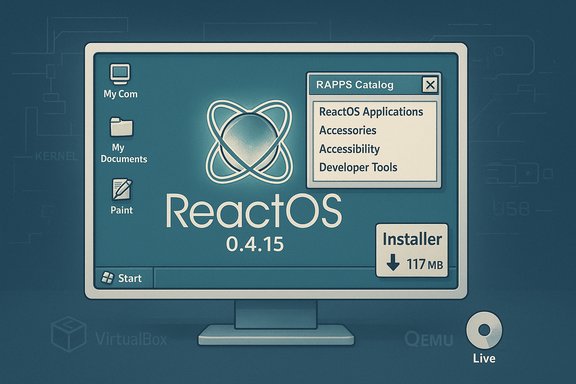
- RAPPS (Applications Manager) improvements — the built-in package manager provides an easier way to install older, compatible applications like K-Meleon and GIMP; the catalog now lists hundreds of mostly legacy Windows binaries.
- Infrastructure and tooling — the release cleans up test suites and includes many small fixes across Win32k/Win32 subsystems that make further driver and application work more stable.
Installing and using 0.4.15: the hands-on report
The installation experience remains familiar to anyone who has installed Windows from the late 1990s to early 2000s: a simple, efficient graphical installer, blue-and-yellow setup screens, and a compact footprint. The live image and ISO are deliberately small compared with modern OSes — the main installation ISO is roughly 117 MB and the LiveCD ZIP about 85 MB. That small footprint helps ReactOS be usable on older hardware and VM images, but it also reflects an intentionally narrow compatibility surface (legacy APIs, older UI subsystems), not a full modern desktop environment. Hackaday’s long-running "Jenny’s Daily Drivers" series tested ReactOS 0.4.15 as a daily environment and produced a surprisingly positive, pragmatic verdict: the writer installed a classic Windows look (Windows 95-style theme), used the bundled package manager to install K‑Meleon and GIMP, and wrote part of the article inside the ReactOS environment. The experience was usable for web-based editing tasks (WordPress backend), but not without friction — responsiveness lagged at times and contemporary web content can feel taxing on an OS whose design traces back to Windows Server 2003 / XP-era constraints. In short: it can be a daily driver for light work on modest hardware, but don’t expect a full modern desktop experience. Practical notes from that report that matter for readers:- The default browser is a WINE-based Internet Explorer instance and is ancient — users will usually want to install a more modern browser from RAPPS (K‑Meleon is a common choice in 0.4.15 tests).
- The package catalog contains old builds of Firefox/Chromium that are not safe for modern web usage; GIMP and other legacy-friendly tools are the safer bets.
- Performance can depend heavily on the host hardware and whether ReactOS runs in a VM; many testers recommend starting inside a VM for safety and convenience.
Technical deep-dive: drivers, PnP, and the graphics story
Where 0.4.15 becomes technically interesting is the kernel- and driver-level work. The team focused on subsystems that historically blocked real-world compatibility: Plug-and-Play, registry robustness, and display driver plumbing.- Plug-and-play improvements let ReactOS enumerate and initialise a broader set of third-party drivers and boot from a wider range of USB devices, making it easier to install on real hardware and on VirtualBox/QEMU environments. This involved dozens of kernel and bus manager fixes that reduce device mis-detection.
- On graphics: ReactOS developers have published experimental work to accept the Windows Display Driver Model (WDDM) display-only drivers (for example, Microsoft’s BasicDisplay.sys sample). The approach taken is pragmatic: implement a minimal subset of Dxgkrnl-style behaviors sufficient to start WDDM miniport drivers in a display-only capacity (no full 3D acceleration yet). Those experiments have shown that vendor WDDM drivers can sometimes be coaxed into producing display output at native resolutions — an encouraging step for modern monitor support. However, this is explicitly experimental and not full WDDM parity; Direct3D acceleration, scheduling, memory models, and user-mode driver stacks remain out of scope for the moment.
Where ReactOS 0.4.15 shines: real-world use cases
ReactOS has historically been a niche project, but 0.4.15 sharpens an already clear niche:- Legacy application and device compatibility — organizations or hobbyists that still rely on XP-era software, instrument controllers, or industrial equipment with Windows XP/2000 drivers can test ReactOS as a supported, open alternative to running abandonware Windows. This reduces legal and security risks tied to pirated or unsupported Windows images.
- Retro and embedded systems — the small footprint and compatibility orientation make ReactOS attractive for vintage computing projects and hardware re-use, including refurbishing older laptops for specific Windows-only tasks.
- Research, driver testing, and reverse engineering — the ability to start vendor display drivers in display-only mode provides a controlled environment for driver experimentation, testing and debugging that is otherwise difficult without Windows internals access. ReactOS can act as a sandbox for driver behavior analysis.
- Educational and preservation value — as an open reimplementation of Windows-era APIs, ReactOS is valuable pedagogically for operating systems courses and preservation-minded technologists who study old Windows behavior without using Microsoft's proprietary code.
Limitations, risks, and the “what could go wrong” list
ReactOS 0.4.15 is impressive, but several hard limits remain:- Alpha quality and stability concerns: ReactOS is officially alpha. Expect crashes, missing features, and regressions. It is not recommended for production desktops or critical systems where data loss is unacceptable.
- Driver signing and legal uncertainty: Many Windows drivers are signed and licensed for use with Microsoft kernels. Running third-party binary drivers on an independent kernel may raise compatibility checks or legal questions; readers should be cautious about deploying commercial drivers on ReactOS at scale. The community recommends clean-room reimplementation and careful testing, but legal risk cannot be asserted away without counsel.
- Incomplete modern graphics and multimedia: display-only WDDM experiments are encouraging but do not equate to modern GPU acceleration. Games, GPU-accelerated compute, DRM systems and anti-cheat engines are out of scope for now. Expect missing DirectX features and GPU acceleration gaps.
- Aged application catalog: the RAPPS repository and bundled apps are largely older builds; many modern web services and secure websites require up-to-date browsers and TLS stacks that are not available in ReactOS’ default packages. Using ReactOS as a general-purpose web workstation without isolated workflows or proxies is risky.
- Security lifecycle: ReactOS is maintained by a community and does not offer Microsoft-style coordinated security updates for Windows-era vulnerabilities. Using ReactOS to run legacy networked services or store sensitive data should be subject to strict isolation and defensive controls.
Roadmap signals: where the project is headed
The ReactOS project has publicly called out several parallel development streams that point to future improvements:- UEFI and SMP work on the main branch promises better hardware support going forward.
- NTFS and power-management updates, plus refinements to Win32k and shell components, show a focus on real hardware reliability and modern platform interactions.
- Test-suite cleanup and hired contributors: the project has invested in test automation and a small staff-level contributor to improve regression controls and quality. This is a notable maturity signal for a volunteer-driven project.
How to try ReactOS safely: advice and a short checklist
For enthusiasts and IT professionals who want to test ReactOS 0.4.15 without risk, follow these pragmatic steps:- Download the official release artifacts (ISO/Live image) from the ReactOS site or SourceForge mirrors and verify checksums. The release assets are intentionally small, making downloads fast.
- Boot and test in a virtual machine (QEMU, VirtualBox, VMware) first. This avoids hardware bricking and makes it easy to capture logs. The community shows VirtualBox Guest Additions sometimes work — but results vary by version and configuration, so expect to tinker.
- Use a snapshot/backup strategy. If you move to bare metal, create full disk images beforehand so you can rapidly revert.
- Treat ReactOS as a compatibility sandbox: install legacy tools like old Office suites, Visual Basic 6-era apps, or device utilities and observe behavior; do not run sensitive network workloads on an untrusted alpha OS.
- File clear, reproducible bug reports and test logs — the project benefits directly from well-documented upstream reports and reproduction steps. The community prioritises actionable reports.
Balanced verdict: is ReactOS 0.4.15 a usable daily driver?
ReactOS 0.4.15 is a watershed release for a project that has spent decades proving the idea can be executed. The update contains meaningful kernel-level work, broader driver support, and shell/accessory improvements that move ReactOS from purely experimental toward practical testing use. Hackaday’s on-the-ground test demonstrates a realistic, cautious win: a working environment for light editorial work, image editing with legacy-friendly GIMP, and web-based content editing — but with caveats around responsiveness, browser security, and modern workloads. Bottom line:- For enthusiasts, retrocomputing hobbyists, driver researchers, and situations where XP-era compatibility is required without using abandoned or pirated Windows images, ReactOS 0.4.15 is now a credible option.
- For general daily use on modern hardware, gaming, or secure web browsing, ReactOS remains a curiosity and a testing platform rather than a recommended replacement for Windows, Linux, or macOS.
ReactOS 0.4.15 is the clearest evidence yet that the project’s incremental, clean-room approach can produce practical results: meaningful PnP improvements, audio fixes, registry resilience, and exploratory graphics-driver work that together broaden the places where an open Windows-compatible system might be useful. Those who need to run legacy Windows applications or drivers in a libre environment should evaluate it now; those seeking a polished, secure daily desktop should continue to treat ReactOS as an evolving experiment, albeit an increasingly serious one.
Source: Hackaday Jenny’s Daily Drivers: ReactOS 0.4.15
