

Microsoft has quietly given IT administrators a real, if carefully fenced, escape hatch from the consumer Microsoft Copilot app on managed Windows 11 devices. The change matters because Copilot has become one of the most visible symbols of Microsoft’s AI push, and the company is now signaling that enterprise admins can remove the free consumer app at scale when certain conditions are met. That does not mean Windows is suddenly “Copilot-free,” however, because Microsoft’s policy is narrow, targeted, and still leaves room for reinstallation.
The timing is also telling. Microsoft has spent the past year trying to soften the backlash around AI features that many users feel were pushed into Windows 11 too aggressively, and the new uninstall policy looks like a practical concession to that criticism. For enterprises, the update is less about ideology than operational control: admins want predictable device baselines, fewer duplicate apps, and fewer surprises in managed environments. The catch is that Microsoft is not offering a blanket removal switch for every edition or every scenario.
Microsoft’s Copilot strategy in Windows has evolved from a single chatbot concept into a broad, sometimes confusing collection of branded experiences. The original Copilot app, the Microsoft 365 Copilot app, Copilot in Windows surfaces, Copilot key behavior, and related AI features in system apps have all developed on partially overlapping tracks. That has created a messaging problem as much as a technical one, because many users do not distinguish between a consumer app, a work license feature, and a system-integrated AI entry point.
For individual consumers, removal has been possible in some form for a while. The bigger issue was always managed fleets, where IT teams need to decide whether an app should exist at all, whether it should be provisioned, and whether users can bring it back through the Microsoft Store or other mechanisms. Microsoft’s updated documentation now acknowledges a targeted uninstall path for the consumer Copilot app on managed devices, but it still places the policy inside a tightly controlled enterprise framework.
That enterprise framing is important because Windows has long balanced two different philosophies: user choice and centralized policy. Consumer Windows often tolerates optional apps that can be removed later, while managed Windows typically depends on policies that prevent installation, block execution, or remove provisioned software. In that context, Copilot’s presence became contentious not only because it is AI, but because it was perceived as a feature Microsoft was eager to amplify before many organizations were ready to adopt it.
Microsoft’s own docs now explicitly separate the consumer Copilot app from Microsoft 365 Copilot-related experiences, and that distinction explains most of the current confusion. The company says the consumer app can be removed or blocked by admins through supported policy paths, while other Copilot experiences may remain tied to licensing or broader Microsoft 365 workflows. That split is the practical story here: Microsoft is not abandoning Copilot, but it is starting to concede that not every Copilot surface belongs on every work PC.
The backdrop to this decision also includes a broader reset in Microsoft’s Windows messaging. In 2026, the company has been trying to rebuild user trust around Windows 11 by promising more control over taskbar behavior, AI exposure, setup flows, and update timing. That broader pivot suggests Microsoft understands a simple reality: if AI is going to be part of Windows, it will need to be manageable, not merely present.
The policy is not universal, though. Microsoft lists the supported client SKUs as Enterprise, Education, and related managed editions, while Pro support is called out in the Insider blog guidance for the feature rollout. More importantly, the policy is intended for managed devices and is aimed at the consumer Copilot app rather than the whole universe of Microsoft AI surfaces. In other words, this is a targeted administrative lever, not a master switch for all things Copilot.
That selectivity matters operationally. IT departments hate policies that can unexpectedly remove something a user actively chose to open, especially if support desks then inherit the fallout. Microsoft appears to be trying to avoid that by preserving user agency in edge cases while still letting administrators clean up managed endpoints. It is a compromise, but a fairly classic Microsoft compromise: control first, convenience second, and user freedom only insofar as it fits the enterprise model.
A few practical implications follow:
There is also a competitive and reputational angle. Copilot is meant to showcase Microsoft as an AI platform leader, but platform leadership is not just about adding features. It is also about proving that the platform can be governed, audited, and rolled back when necessary. If Microsoft cannot convince enterprises that AI additions are controllable, those enterprises will route around them with policy blocks, app controls, or third-party alternatives.
At the same time, Microsoft is clearly not retreating from AI. The company has said it wants to improve Windows 11 sentiment in 2026, and that includes reducing the visibility of some Copilot and AI surfaces while making others more useful or less intrusive. In practice, that means Microsoft is trying to thread a needle: keep the AI roadmap intact, but lower the feeling of compulsion.
The result is a strategic reset that has to satisfy three groups at once: consumers who want simpler Windows, enterprise admins who want consistency, and Microsoft’s own product teams who need Copilot adoption to justify the investment. Those goals are not naturally aligned. The uninstall policy is one small sign that Microsoft knows it must negotiate with users, not merely announce to them.
The device still has to satisfy Microsoft’s eligibility criteria before the uninstall will happen. Those criteria are designed to prevent accidental removal in cases where the app is actively being used or has been intentionally installed by the user. That approach reduces collateral damage, but it also limits the policy’s usefulness for organizations that want hard, uniform baselines across all machines.
For consumers, the impact is more symbolic than operational. Home users can already remove the app in many cases, and this policy does not fundamentally change the consumer experience. What it does do is reinforce the idea that Microsoft now accepts removal as a legitimate outcome, not a user error. That is a meaningful tone shift, even if the underlying mechanism remains limited.
Administrators should also keep a few realities in mind:
The tension is obvious. Microsoft wants Windows 11 to feel modern, helpful, and differentiated from its predecessors. But when AI features arrive too aggressively, they can make the OS feel less like a platform and more like a product demo that never ends. That is especially risky in enterprise environments, where stability often matters more than novelty.
That confusion has two consequences. First, it makes Microsoft’s AI vision look less coherent than the company intends. Second, it increases the chance that organizations will adopt a blanket “block everything” stance because it is easier than deciphering each component. That is not a win for Microsoft, even if each individual feature is technically capable.
The more Microsoft bundles intelligence into Windows, the more important it becomes to give administrators clear levers. The new uninstall policy is one such lever, but it is only a first step toward the kind of control serious IT teams will expect if AI becomes a permanent OS layer.
That is why Microsoft’s documentation about upgrade scenarios matters. If the policy can prevent the app from returning after an upgrade, it reduces the “whack-a-mole” effect that often frustrates managed Windows environments. This is less about a single uninstall and more about making the app lifecycle deterministic across the fleet.
There is also a licensing dimension. If Microsoft 365 Copilot and consumer Copilot coexist on the same machine, organizations need to know which experience is serving which purpose. Removing one layer of duplication can simplify user support and reduce confusion around data handling, sign-in prompts, and app discoverability. The policy therefore has value even if some users can reinstall the app later.
A pragmatic admin checklist would likely include:
Still, consumers should not overread this as a full rollback. Microsoft is not saying Copilot will disappear from Windows 11, nor is it promising that every AI feature can be toggled off in one place. The company’s broader messaging still points toward more AI in the OS, even if some elements will be less prominent or more optional.
That approach mirrors a broader trend in modern Windows management: Microsoft increasingly prefers policy frameworks over hard binaries. Rather than saying “you can never have this,” it says “you can suppress it, block it, or remove it if conditions are right.” That is flexible, but it also demands more sophistication from the people managing the device estate.
What consumers should take away is simpler:
There is also a product design opportunity. Better separation between consumer Copilot, Microsoft 365 Copilot, and other AI features could make Windows easier to administer and easier to explain. Clarity is a feature, especially when the platform is evolving quickly.
There is also a communications risk. Microsoft may intend this as a sign of respect for admin autonomy, but users could read it as evidence that the company’s AI rollout was overreaching. If the company is not careful, every concession could reinforce the perception that Windows 11 is still being shaped around Microsoft’s internal AI priorities rather than customer preference.
Competitively, the move may also pressure other platform vendors to be more explicit about control surfaces. If AI features become a standard part of operating systems, then uninstallability, policy scoping, and user choice will become differentiators. Microsoft may still be early in the AI platform race, but control is becoming part of the competitive story.
The flip side is that too much fragmentation can weaken platform cohesion. If every AI feature needs its own toggle, policy path, and reinstallation logic, the experience can become difficult to explain and even harder to support. Microsoft therefore faces a balancing act between flexibility and simplicity, and that balance will shape how the market reads its AI ambitions over the next year.
The most likely near-term outcome is incrementalism. Microsoft will probably keep refining policy options, trimming some automatic AI surfaces, and watching how enterprises respond. If the feedback is positive, the company may extend similar controls to other components, or at least make the existing ones easier to deploy at scale.
The deeper lesson is that AI in Windows will succeed or fail on consent as much as capability. Microsoft has finally admitted that some customers want the right to say no, and that is a more important design principle than it may appear at first glance. The company is still moving toward an AI-first future, but now it must prove that such a future can also be an opt-in one.
Source: Windows Central Yes, your admin can fully remove Microsoft's Copilot app from your work PCs
The timing is also telling. Microsoft has spent the past year trying to soften the backlash around AI features that many users feel were pushed into Windows 11 too aggressively, and the new uninstall policy looks like a practical concession to that criticism. For enterprises, the update is less about ideology than operational control: admins want predictable device baselines, fewer duplicate apps, and fewer surprises in managed environments. The catch is that Microsoft is not offering a blanket removal switch for every edition or every scenario.
 Background
Microsoft’s Copilot strategy in Windows has evolved from a single chatbot concept into a broad, sometimes confusing collection of branded experiences. The original Copilot app, the Microsoft 365 Copilot app, Copilot in Windows surfaces, Copilot key behavior, and related AI features in system apps have all developed on partially overlapping tracks. That has created a messaging problem as much as a technical one, because many users do not distinguish between a consumer app, a work license feature, and a system-integrated AI entry point.For individual consumers, removal has been possible in some form for a while. The bigger issue was always managed fleets, where IT teams need to decide whether an app should exist at all, whether it should be provisioned, and whether users can bring it back through the Microsoft Store or other mechanisms. Microsoft’s updated documentation now acknowledges a targeted uninstall path for the consumer Copilot app on managed devices, but it still places the policy inside a tightly controlled enterprise framework.
That enterprise framing is important because Windows has long balanced two different philosophies: user choice and centralized policy. Consumer Windows often tolerates optional apps that can be removed later, while managed Windows typically depends on policies that prevent installation, block execution, or remove provisioned software. In that context, Copilot’s presence became contentious not only because it is AI, but because it was perceived as a feature Microsoft was eager to amplify before many organizations were ready to adopt it.
Microsoft’s own docs now explicitly separate the consumer Copilot app from Microsoft 365 Copilot-related experiences, and that distinction explains most of the current confusion. The company says the consumer app can be removed or blocked by admins through supported policy paths, while other Copilot experiences may remain tied to licensing or broader Microsoft 365 workflows. That split is the practical story here: Microsoft is not abandoning Copilot, but it is starting to concede that not every Copilot surface belongs on every work PC.
The backdrop to this decision also includes a broader reset in Microsoft’s Windows messaging. In 2026, the company has been trying to rebuild user trust around Windows 11 by promising more control over taskbar behavior, AI exposure, setup flows, and update timing. That broader pivot suggests Microsoft understands a simple reality: if AI is going to be part of Windows, it will need to be manageable, not merely present.
What Microsoft Actually Changed
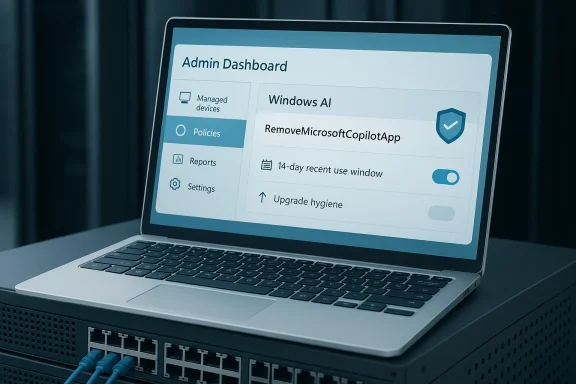
The headline change is a new policy named RemoveMicrosoftCopilotApp, which Microsoft has documented in the WindowsAI policy stack. When enabled, it uninstalls the Microsoft Copilot consumer app on qualifying managed devices, and Microsoft says it can also apply in upgrade scenarios so the app does not simply reappear after an OS refresh. The company’s own policy documentation is the clearest source here, and it makes the feature sound more like a lifecycle control than a one-time cleanup script.The policy is not universal, though. Microsoft lists the supported client SKUs as Enterprise, Education, and related managed editions, while Pro support is called out in the Insider blog guidance for the feature rollout. More importantly, the policy is intended for managed devices and is aimed at the consumer Copilot app rather than the whole universe of Microsoft AI surfaces. In other words, this is a targeted administrative lever, not a master switch for all things Copilot.
The catch in the fine print
There are also behavioral conditions that determine whether the removal will occur. Microsoft says the consumer Copilot app must not have been installed by the user, and it must not have been launched recently. The current policy documentation says the recent-use window is 14 days, while some news coverage and earlier reporting referenced a 28-day threshold; that discrepancy likely reflects either an update to Microsoft’s documentation or a phased rollout with evolving criteria. Either way, the point is the same: this is selective removal, not automatic eradication.That selectivity matters operationally. IT departments hate policies that can unexpectedly remove something a user actively chose to open, especially if support desks then inherit the fallout. Microsoft appears to be trying to avoid that by preserving user agency in edge cases while still letting administrators clean up managed endpoints. It is a compromise, but a fairly classic Microsoft compromise: control first, convenience second, and user freedom only insofar as it fits the enterprise model.
A few practical implications follow:
- The policy targets the consumer Copilot app, not every Copilot feature in Windows.
- It is aimed at managed devices, not casual home PCs.
- Devices where the app was user-installed may be exempt.
- Recent use can block removal, depending on the policy window.
- Users may still be able to reinstall the app later.
Why Microsoft Is Doing This Now
Microsoft is not offering this control out of nowhere. The company has been under sustained criticism for the way it has embedded AI into Windows 11, Office, search, and adjacent shell experiences. A lot of users do not object to AI in principle; they object to being treated as if adoption is already settled. In that light, the uninstall policy feels like a pressure-release valve, not a philosophical reversal.There is also a competitive and reputational angle. Copilot is meant to showcase Microsoft as an AI platform leader, but platform leadership is not just about adding features. It is also about proving that the platform can be governed, audited, and rolled back when necessary. If Microsoft cannot convince enterprises that AI additions are controllable, those enterprises will route around them with policy blocks, app controls, or third-party alternatives.
User sentiment is part of the product story
The public reaction to Microsoft’s AI branding has been uneven at best. Users have mocked the proliferation of “Copilot” labels across products and features, and some have argued that the company’s approach feels more like marketing saturation than product coherence. That matters because Windows is no longer just an OS; it is a battleground for trust, and trust erodes quickly when users feel features are being pushed rather than earned.At the same time, Microsoft is clearly not retreating from AI. The company has said it wants to improve Windows 11 sentiment in 2026, and that includes reducing the visibility of some Copilot and AI surfaces while making others more useful or less intrusive. In practice, that means Microsoft is trying to thread a needle: keep the AI roadmap intact, but lower the feeling of compulsion.
The result is a strategic reset that has to satisfy three groups at once: consumers who want simpler Windows, enterprise admins who want consistency, and Microsoft’s own product teams who need Copilot adoption to justify the investment. Those goals are not naturally aligned. The uninstall policy is one small sign that Microsoft knows it must negotiate with users, not merely announce to them.
How the Policy Works in Practice
In practical terms, admins enable the policy through Group Policy or the relevant management channel, and Microsoft says the policy lives under Windows AI. The Insider blog specifically points administrators to User Configuration -> Administrative Templates -> Windows AI -> Remove Microsoft Copilot App. That makes the feature feel straightforward on paper, which is often Microsoft’s way of signaling that the harder part will be enforcement, not configuration.The device still has to satisfy Microsoft’s eligibility criteria before the uninstall will happen. Those criteria are designed to prevent accidental removal in cases where the app is actively being used or has been intentionally installed by the user. That approach reduces collateral damage, but it also limits the policy’s usefulness for organizations that want hard, uniform baselines across all machines.
Enterprise vs consumer impact
For enterprise IT, the value here is predictability. A managed endpoint that silently accumulates consumer Copilot app instances becomes harder to support, harder to image, and harder to standardize. Being able to strip the app from qualifying devices is useful even if it applies only to a subset of the estate.For consumers, the impact is more symbolic than operational. Home users can already remove the app in many cases, and this policy does not fundamentally change the consumer experience. What it does do is reinforce the idea that Microsoft now accepts removal as a legitimate outcome, not a user error. That is a meaningful tone shift, even if the underlying mechanism remains limited.
Administrators should also keep a few realities in mind:
- This is a policy-based removal, not a universal uninstall command.
- Reinstallation is possible, so ongoing governance may still be needed.
- The feature is most relevant in environments with strict software baselines.
- It helps with image hygiene and post-upgrade cleanup.
- It does not eliminate Microsoft’s broader AI presence in Windows.
Copilot in the Broader Windows 11 Strategy
This story is bigger than one app because Copilot now sits inside Microsoft’s larger vision for Windows 11. The company has been experimenting with more AI entry points, more contextual assistance, and more ways to surface Copilot-like functionality in the shell. That makes every policy around Copilot feel like a referendum on how much AI Windows should expose by default.The tension is obvious. Microsoft wants Windows 11 to feel modern, helpful, and differentiated from its predecessors. But when AI features arrive too aggressively, they can make the OS feel less like a platform and more like a product demo that never ends. That is especially risky in enterprise environments, where stability often matters more than novelty.
Feature sprawl and brand confusion
One of the most confusing parts of the current Windows AI story is brand sprawl. There is the consumer Copilot app, the Microsoft 365 Copilot app, Copilot Chat, AI features inside Paint and Photos, and various Windows surface integrations that may or may not use the same underlying branding. Even experienced admins can struggle to separate what is removable, what is licensed, what is user-facing, and what is baked into the OS experience.That confusion has two consequences. First, it makes Microsoft’s AI vision look less coherent than the company intends. Second, it increases the chance that organizations will adopt a blanket “block everything” stance because it is easier than deciphering each component. That is not a win for Microsoft, even if each individual feature is technically capable.
The more Microsoft bundles intelligence into Windows, the more important it becomes to give administrators clear levers. The new uninstall policy is one such lever, but it is only a first step toward the kind of control serious IT teams will expect if AI becomes a permanent OS layer.
The Real Enterprise Story: Control, Compliance, and Image Management
In enterprise IT, small policy changes can have outsized value. A removable consumer Copilot app may sound trivial to consumers, but for endpoint managers it affects provisioning images, device compliance, help desk scripts, and upgrade behavior. Every app that ships by default creates support overhead unless it fits a clear business purpose.That is why Microsoft’s documentation about upgrade scenarios matters. If the policy can prevent the app from returning after an upgrade, it reduces the “whack-a-mole” effect that often frustrates managed Windows environments. This is less about a single uninstall and more about making the app lifecycle deterministic across the fleet.
Why admins care about determinism
Enterprise managers tend to dislike anything that reappears after patching, feature updates, or image refreshes. A device that seems clean after configuration but later repopulates with an unwanted app becomes a support and compliance problem. That is especially true in regulated environments, where software inventories must stay aligned with security baselines and audit records.There is also a licensing dimension. If Microsoft 365 Copilot and consumer Copilot coexist on the same machine, organizations need to know which experience is serving which purpose. Removing one layer of duplication can simplify user support and reduce confusion around data handling, sign-in prompts, and app discoverability. The policy therefore has value even if some users can reinstall the app later.
A pragmatic admin checklist would likely include:
- Verify the device is on a supported managed SKU.
- Confirm the user has not installed or recently launched the consumer app.
- Enable the policy through the correct Windows AI path.
- Test the result on a pilot group before broad rollout.
- Recheck post-update behavior after the next feature upgrade.
The Consumer Perspective: Freedom, Friction, and Reinstallation
For consumers, the significance of the change is mostly psychological. Microsoft is admitting, in policy form, that users and admins may want to remove Copilot rather than merely hide it. That acknowledgment matters in a market where many users feel software vendors have become overly comfortable with “opt out” design.Still, consumers should not overread this as a full rollback. Microsoft is not saying Copilot will disappear from Windows 11, nor is it promising that every AI feature can be toggled off in one place. The company’s broader messaging still points toward more AI in the OS, even if some elements will be less prominent or more optional.
Reinstallability changes the meaning of “removal”
One subtle but important detail is that users can reportedly reinstall the app if they want it back. That means Microsoft is treating removal as reversible preference management, not as a permanent restriction. In consumer terms, that is fair. In enterprise terms, it means admins will still need governance controls if they want to keep the app absent over time.That approach mirrors a broader trend in modern Windows management: Microsoft increasingly prefers policy frameworks over hard binaries. Rather than saying “you can never have this,” it says “you can suppress it, block it, or remove it if conditions are right.” That is flexible, but it also demands more sophistication from the people managing the device estate.
What consumers should take away is simpler:
- Removal is now more officially supported in managed contexts.
- The change does not eliminate all Copilot experiences.
- Microsoft still expects some users to want the app.
- The company is leaving itself room to change the policy later.
- The overall Windows AI direction remains forward-looking, not retreating.
Strengths and Opportunities
Microsoft’s move has real strengths, especially for organizations that have been asking for a cleaner way to manage AI software in Windows 11. It also creates an opening for the company to rebuild trust by proving that AI can be optional, governable, and reversible instead of unavoidable. If handled well, the policy could become a template for more nuanced control across future Windows AI components.- It gives admins a supported removal path for the consumer Copilot app.
- It helps reduce software clutter on managed endpoints.
- It supports upgrade-time hygiene in enterprise images.
- It offers a way to reduce user confusion between consumer and work AI experiences.
- It may improve Windows 11 sentiment by lowering perceived coercion.
- It reinforces Microsoft’s claim that AI can be managed, not imposed.
- It creates a cleaner baseline for compliance and support teams.
A chance to improve trust
The biggest opportunity is not technical but reputational. If Microsoft continues to refine opt-out and uninstall options, it can show that it understands a simple truth: enterprise adoption follows control, not hype. That is especially relevant in AI, where organizations are still evaluating risk, ROI, and governance maturity.There is also a product design opportunity. Better separation between consumer Copilot, Microsoft 365 Copilot, and other AI features could make Windows easier to administer and easier to explain. Clarity is a feature, especially when the platform is evolving quickly.
Risks and Concerns
The policy is useful, but it is not without risk. Microsoft’s own documentation shows that the removal is conditional, the scope is narrow, and the reinstallation path remains open. That means organizations may still face inconsistency across device populations, especially if users interact differently with the app before policy rollout.- The feature is not universal across all Windows editions.
- The removal depends on specific device and usage conditions.
- Users may still reinstall the app afterward.
- The policy does not solve broader Copilot brand confusion.
- Microsoft may change the eligibility rules again.
- Some organizations will still need parallel controls like AppLocker or Store restrictions.
- There is a risk that users interpret this as a full AI rollback when it is not.
Policy complexity can become support complexity
The more conditions a removal policy has, the more likely it is that admins will encounter edge cases. A user who launched the app once, a machine that missed a refresh, or a device that was imaged differently can all behave unexpectedly. In practice, that turns a simple uninstall feature into a troubleshooting exercise.There is also a communications risk. Microsoft may intend this as a sign of respect for admin autonomy, but users could read it as evidence that the company’s AI rollout was overreaching. If the company is not careful, every concession could reinforce the perception that Windows 11 is still being shaped around Microsoft’s internal AI priorities rather than customer preference.
Competitive Implications
Microsoft’s Copilot strategy also has market implications because Windows remains the primary enterprise desktop platform for most organizations. If Microsoft demonstrates that AI features can be removed or suppressed without breaking supportability, it could blunt some resistance to future Windows AI initiatives. That matters because enterprise buyers often judge not only what a vendor offers, but how easily they can back out of it.Competitively, the move may also pressure other platform vendors to be more explicit about control surfaces. If AI features become a standard part of operating systems, then uninstallability, policy scoping, and user choice will become differentiators. Microsoft may still be early in the AI platform race, but control is becoming part of the competitive story.
The broader platform lesson
Platform vendors tend to underestimate how much buyers value the ability to decline features. Removing an app may not be glamorous, but it sends a strong message: the vendor is willing to earn adoption rather than force it. That message is especially important in the era of AI, where skepticism about accuracy, privacy, and resource consumption remains high.The flip side is that too much fragmentation can weaken platform cohesion. If every AI feature needs its own toggle, policy path, and reinstallation logic, the experience can become difficult to explain and even harder to support. Microsoft therefore faces a balancing act between flexibility and simplicity, and that balance will shape how the market reads its AI ambitions over the next year.
Looking Ahead
What happens next depends less on this single policy than on whether Microsoft follows it with broader cleanup. If the company wants to reduce backlash, it will need to keep simplifying how Copilot is presented across Windows 11, Microsoft 365, and adjacent apps. The current fix is useful, but it still looks like one part of a much larger UX and governance problem.The most likely near-term outcome is incrementalism. Microsoft will probably keep refining policy options, trimming some automatic AI surfaces, and watching how enterprises respond. If the feedback is positive, the company may extend similar controls to other components, or at least make the existing ones easier to deploy at scale.
What to watch
- Whether Microsoft expands removal scope beyond the current consumer app.
- Whether the conditions for uninstall change again in future builds.
- Whether Microsoft makes the policy easier to manage through Intune or similar tools.
- Whether more Windows AI features gain official off-switches.
- Whether user sentiment around Copilot branding improves or worsens.
- Whether enterprise customers demand more granular AI governance across the OS.
The deeper lesson is that AI in Windows will succeed or fail on consent as much as capability. Microsoft has finally admitted that some customers want the right to say no, and that is a more important design principle than it may appear at first glance. The company is still moving toward an AI-first future, but now it must prove that such a future can also be an opt-in one.
Source: Windows Central Yes, your admin can fully remove Microsoft's Copilot app from your work PCs
