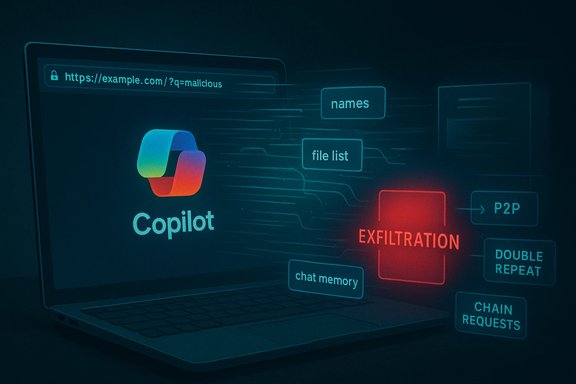
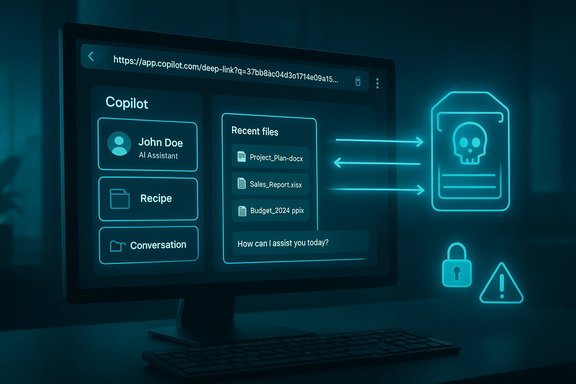
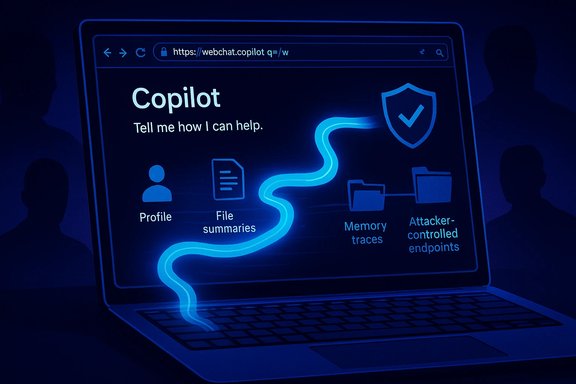
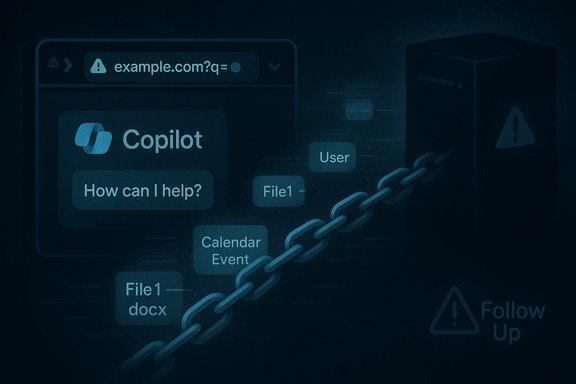
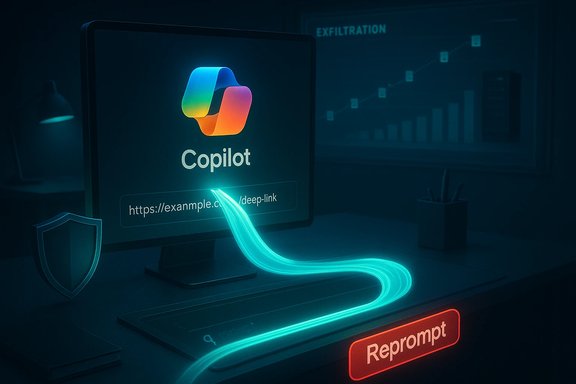
A new, deceptively simple attack named “Reprompt” has exposed a critical weakness in Microsoft Copilot Personal: with a single click on a legitimate Copilot deep link an attacker could, under the right conditions, mount a multistage, stealthy data‑exfiltration chain that pulls names, locations, file summaries and even conversation history out of a user’s Copilot session — and continue doing so even after the user closed the chat window.
Microsoft Copilot is now deeply integrated into Windows and Microsoft Edge for consumer users, offering a conversational assistant that can access local context, recent files, web content and past chat memory. That convenience depends on a set of features that let the UI pre‑fill prompts and accept external input — including the widely used URL query parameter pattern (commonly named q) that populates the Copilot input field when you open a deep link.
Researchers at Varonis Threat Labs uncovered a practical exploit chain that weaponizes that pre‑fill feature. They named the tactic “Reprompt” and demonstrated how three complementary techniques — a Parameter‑to‑Prompt (P2P) injection, a double‑request bypass and a server‑driven chain of follow‑up requests — can trick Copilot Personal into leaking sensitive data to an attacker‑controlled endpoint. Microsoft deployed mitigations as part of its January Patch Tuesday updates; the vulnerability affected Copilot Personal (consumer) and not Microsoft 365 Copilot (enterprise), but the attack model raises governance and threat‑modeling questions for every AI assistant deployment.
This feature explains how Reprompt works, what it means for Windows users and security teams, and what immediate and architectural mitigations are required to harden Copilot and other conversational agents against this class of prompt‑injection and session‑hijack exfiltration attacks.
Reprompt targeted Copilot Personal — the consumer‑bound instance of Copilot that is integrated into Windows and Edge — which lacked the tenant‑level Purview protections and DLP enforcement that Microsoft layers into its managed enterprise Copilot offering. Because the attack leverages authenticated consumer sessions and deep links, it was possible for an attacker to bypass endpoint detection and EDR signatures that were not instrumented to inspect chained, server‑driven prompt traffic in Copilot Personal flows.
This separation matters for organizations that allow or encourage employees to use consumer Copilot instances on corporate devices, or that fail to enforce a boundary between managed enterprise accounts and consumer services. A consumer Copilot compromise can yield reconnaissance data that an attacker uses for targeted follow‑on attacks against an enterprise.
1. Patch immediately
On the positive side, third‑party researchers continue to find realistic, high‑impact AI attack patterns and vendors are capable of issuing fixes when those patterns are disclosed. Vendor patching in January demonstrates that practical mitigations exist and can be rolled out.
On the cautionary side:
Short term, the best defenses are straightforward: install updates, restrict or disable Copilot Personal on managed devices, apply DLP and Purview controls for enterprise Copilot, and harden invocation vectors. Long term, AI assistants need architectural changes that treat external inputs as untrusted, persist safety checks across the entire interaction lifecycle, and provide enterprises with consistent, auditable controls that map to least‑privilege principles.
The Reprompt story should be treated as a warning and a catalyst: convenience features will continue to arrive in AI assistants, and without deliberate, security‑first design they will keep producing avenues for data leakage. Security teams, product owners and platform engineers must take this moment to harden both the client and server surfaces of Copilot and other conversational platforms — because the next reprompt variant will be only a matter of time.
Source: SecurityWeek https://www.securityweek.com/new-reprompt-attack-silently-siphons-microsoft-copilot-data/]
 Background / Overview
Microsoft Copilot is now deeply integrated into Windows and Microsoft Edge for consumer users, offering a conversational assistant that can access local context, recent files, web content and past chat memory. That convenience depends on a set of features that let the UI pre‑fill prompts and accept external input — including the widely used URL query parameter pattern (commonly named q) that populates the Copilot input field when you open a deep link.Researchers at Varonis Threat Labs uncovered a practical exploit chain that weaponizes that pre‑fill feature. They named the tactic “Reprompt” and demonstrated how three complementary techniques — a Parameter‑to‑Prompt (P2P) injection, a double‑request bypass and a server‑driven chain of follow‑up requests — can trick Copilot Personal into leaking sensitive data to an attacker‑controlled endpoint. Microsoft deployed mitigations as part of its January Patch Tuesday updates; the vulnerability affected Copilot Personal (consumer) and not Microsoft 365 Copilot (enterprise), but the attack model raises governance and threat‑modeling questions for every AI assistant deployment.
This feature explains how Reprompt works, what it means for Windows users and security teams, and what immediate and architectural mitigations are required to harden Copilot and other conversational agents against this class of prompt‑injection and session‑hijack exfiltration attacks.
How Reprompt actually works: the anatomy of a one‑click exfiltration
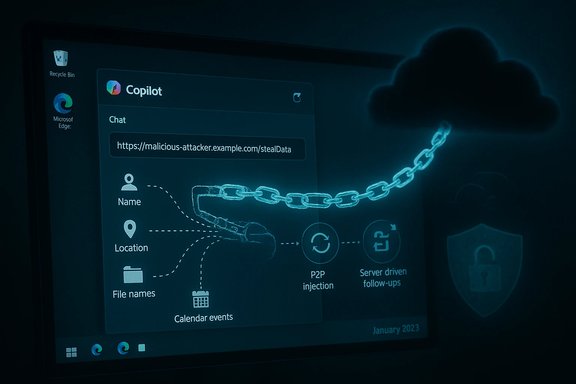
Varonis’s analysis breaks Reprompt into three building blocks. Each looks innocuous by itself, but combined they create an evasive, persistent exfiltration channel.1) Parameter‑to‑Prompt (P2P) injection
- Many AI web apps support deep links that pre‑populate the query field with a prompt using a URL parameter (e.g., copilot.example.com/?q=Summarize%20my%20last%20message).
- Reprompt abuses that legitimate convenience: an attacker crafts a legitimate Copilot URL whose q parameter contains instructions designed to run automatically when the page loads.
- Because the victim’s Copilot session is already authenticated, the injected prompt executes in the context of a valid session and has access to the session’s conversational memory and contextual data.
2) Double‑request bypass
- Copilot implements client‑side guardrails intended to prevent simple, direct exfiltration (for example, refusing to fetch arbitrary external URLs, or redacting secrets from a single request).
- Varonis found that these safeguards are applied mainly to the initial web request that Copilot issues on a prompt. If an instruction persuades Copilot to perform the same fetch or action twice, the second invocation may bypass the protective redaction or URL‑fetch check.
- Attackers can reliably turn a blocked first attempt into an effective second attempt by instructing Copilot to “do it twice” (a seemingly reasonable instruction for quality control), and the second attempt returns the sensitive data or fetches the attacker URL intact.
3) Chain‑request (server‑driven follow‑ups)
- After the initial request is accepted, the attacker’s server can reply with new instructions that drive the next stage of the interaction.
- That server‑side control lets the attacker dynamically probe for specific fields (name, location, list of files, recent calendar events) based on earlier replies.
- Because the follow‑ups are delivered from the attacker’s server after the initial, benign‑looking prompt, a static inspection of the original q parameter will not reveal the full exfiltration intent. Client telemetry and EDR tools that only inspect initial prompts or page loads will likely miss the subsequent, dynamic exfiltration chain.
What data was demonstrated as accessible
In lab proofs of concept, the exploit chain was shown to be capable of retrieving:- The authenticated user’s display name or username.
- Location data inferred from the user profile or device context.
- Aggregated or itemized lists of recently accessed files (file names and summaries).
- Conversation memory entries — summaries of previous chat topics and details stored in Copilot’s session history.
- Derived personal information (vacation plans or calendar events) based on Copilot’s access to calendar/context.
Why enterprise protections were not sufficient — and why that matters
Microsoft 365 Copilot is a different product line from Copilot Personal: enterprise Copilot deployments run within robust governance surfaces (Purview auditing, tenant DLP, admin controls, sensitivity labels and tenant‑level restrictions). Those enterprise protections are designed to log and block suspicious Copilot interactions and to prevent Copilot from returning or sending out protected data.Reprompt targeted Copilot Personal — the consumer‑bound instance of Copilot that is integrated into Windows and Edge — which lacked the tenant‑level Purview protections and DLP enforcement that Microsoft layers into its managed enterprise Copilot offering. Because the attack leverages authenticated consumer sessions and deep links, it was possible for an attacker to bypass endpoint detection and EDR signatures that were not instrumented to inspect chained, server‑driven prompt traffic in Copilot Personal flows.
This separation matters for organizations that allow or encourage employees to use consumer Copilot instances on corporate devices, or that fail to enforce a boundary between managed enterprise accounts and consumer services. A consumer Copilot compromise can yield reconnaissance data that an attacker uses for targeted follow‑on attacks against an enterprise.
Timeline and remediation — what happened, and when
- Varonis Threat Labs disclosed Reprompt in a public technical write‑up and PoC demonstration that describes the P2P, double‑request, and chain‑request techniques and shows the exploitation flow.
- Multiple independent technology outlets reported that Microsoft released an update to address the issue in its January security updates (Patch Tuesday), and that the fix was included in the January 13, 2026 update stream.
- Verifying the precise internal disclosure date that Varonis used when notifying Microsoft is harder to confirm in official vendor advisories; some public reporting cites a late‑August 2025 disclosure to Microsoft. Microsoft’s public security update notes do not always cite the specific research name used by a third party, and Microsoft did not publish a separate advisory titled “Reprompt” at the time of remediation. For that reason, the exact disclosure timeline and cadence of internal patches should be treated cautiously unless Microsoft publishes a dedicated advisory.
Assessment: strengths, limitations and risk profile
Notable strengths of the research and response
- The Reprompt PoC exposes a realistic attack surface — deep links and prefilled prompts are an everyday convenience and likely to be abused at scale.
- The attack model requires minimal social engineering sophistication: a single click on a legitimate, plausible Copilot link embedded in email or chat is sufficient.
- The chain‑request pattern demonstrates the risk of server‑driven dynamic interactions that static policy controls cannot easily inspect.
- Microsoft’s mitigation in the January security update demonstrates that vendor fixes can be deployed once the threat is understood and appropriately scoped.
Critical risks and gaps that remain
- Persistent session state: the fact that an authenticated Copilot session remains valid even after the UI is closed allows background follow‑ups. That architectural choice creates an attack surface not fully covered by endpoint controls.
- Visibility and telemetry: because exfiltration steps can be dynamically supplied by an external server after an innocuous initial prompt, defenders need higher‑fidelity telemetry of outbound LLM requests and the ability to correlate session interactions against network flows and DNS/HTTP requests.
- Consumer vs enterprise divergence: gaps between consumer Copilot security and enterprise Copilot governance mean many users on corporate devices may still be exposed unless policies are enforced.
- Detection fidelity: current EDR and DLP tooling are not built to parse the semantics of AI assistant follow‑ups or to detect a chain of seemingly benign requests that, combined, leak sensitive data.
Immediate remediation: what every Windows user and admin should do right now
Short actionable checklist for defenders and users, ordered by priority.1. Patch immediately
- Ensure Windows and Microsoft Edge are fully patched with the latest January 2026 updates (install updates from Windows Update or centralized patch management). Installing the vendor’s January security rollups is the fastest way to block known Reprompt variants.
- For organizations: use GPO, Intune or AppLocker to disable or remove Copilot Personal where it is not required. Group Policy paths and OMA‑URI CSPs exist to turn off Windows Copilot; AppLocker or SRP can block the Copilot package and ms‑copilot: URI handlers.
- For individuals: if you don’t use Copilot Personal, disable the taskbar Copilot button and consider removing the Copilot app.
- Block or restrict ms‑copilot: and ms‑edge‑copilot: URI protocol handlers where possible.
- Use firewall or host DNS redirects to prevent legacy or untrusted Copilot endpoints from being reached by unmanaged apps if blocking is not feasible.
- Treat any link that opens an AI assistant or that pre‑fills a prompt with caution. Train users to inspect prefilled prompts and to never assume that a pre‑populated prompt is safe.
- Ensure Microsoft Purview DLP policies and Copilot governance controls are enabled, configured, and monitored. Use sensitivity labels and restrict Copilot access to sensitive content via Purview policies where possible.
- Centralize Copilot control and auditing with Microsoft’s Copilot Control System and Purview tools to monitor oversharing and suspicious activity.
- Augment endpoint monitoring to include outbound HTTP(S) requests from Copilot‑related processes and correlate requests to suspicious domains controlled by untrusted parties.
- Add detection rules for repeated identical requests from Copilot clients and small incremental outbound payloads that may indicate staged exfiltration.
- Prepare an incident response playbook for AI‑assistants: include steps for isolating the device, collecting Copilot session logs, preserving network captures, and pivoting to tenant-level auditing if enterprise accounts were involved.
Recommended configuration steps (practical how‑to)
- Windows Update (quick)
- Open Settings → Windows Update.
- Click Check for updates and install all available quality/security updates.
- Reboot if required.
- Disable Copilot via Group Policy (for domain/Pro/Enterprise)
- Open Group Policy Editor (gpedit.msc) or use GPO on the domain controller.
- Navigate to User Configuration → Administrative Templates → Windows Components → Windows Copilot.
- Enable the “Turn off Windows Copilot” policy.
- Reboot clients or force policy refresh to enforce.
- Block Copilot via AppLocker or SRP (for absolute prevention)
- Create an AppLocker executable rule denying the Copilot.exe path (system path varies by build).
- Optionally block the ms‑copilot protocol by restricting the relevant registry keys or using AppLocker URI rules where supported.
- Purview (enterprise)
- Enable Microsoft Purview DLP policies targeted at Copilot interactions.
- Configure the default Copilot DLP simulation policy, then progressively move to block mode for sensitive types.
- Enable Copilot auditing and dashboarding in the Copilot Control System.
Broader implications for AI security and platform design
Reprompt is an instructive case study that exposes systemic weaknesses in how AI assistants are integrated into user agents and operating systems.- Treating external inputs as first‑class citizens is risky. Prefilling prompts via URL parameters or embedding prompts in documents is convenient, but that convenience expands the trust boundary and creates opportunities for malicious redirection.
- Safeguards that are only applied to an initial invocation are fragile. The double‑request bypass shows that safety checks must be persistently enforced across the entire interaction lifecycle, not just the first roundtrip.
- Session persistence must be bounded. Long‑lived, background‑continuing authenticated sessions are a feature for usability but a liability for security. System designers must weigh convenience against the attack surface and consider reauthentication or ephemeral tokens for sensitive operations.
- Defense‑in‑depth matters. Detecting and blocking semantic exfiltration requires combining endpoint telemetry, network inspection, content context controls, and server‑side validation. Traditional antivirus or signature‑based EDR is insufficient when the attack lives in the language layer.
- Auditable, server‑side policy enforcement is essential. AI platforms must integrate server‑side validators and content redactors that can reason about data flows, ensure least privilege across agent responses, and provide robust audit trails for every request and follow‑up.
Critical analysis: vendor response, disclosure cadence and future risk
The Reprompt disclosure underscores both progress and continuing shortcomings in AI security.On the positive side, third‑party researchers continue to find realistic, high‑impact AI attack patterns and vendors are capable of issuing fixes when those patterns are disclosed. Vendor patching in January demonstrates that practical mitigations exist and can be rolled out.
On the cautionary side:
- The architectural choices that make Copilot Personal convenient — session persistence, deep links, prefilled prompts and dynamic follow‑ups — are the same features that enable Reprompt. Fixing the symptoms without addressing the root design choices risks recurring variants.
- There is a persistent asymmetry between consumer and enterprise controls. Many users operate consumer Copilot instances on corporate devices or in mixed environments; ensuring consistent protections across these contexts is nontrivial.
- Attribution of discovery and the disclosure timeline can be opaque. Public reporting indicates a responsible disclosure to Microsoft months before the patch, but vendor advisories do not always adopt the researcher’s naming or timeline, leaving defenders to stitch together the chronology from multiple reports.
- The dynamic, server‑driven control pattern is highly reusable. Any AI assistant that fetches external instructions or that accepts dynamic content from remote endpoints is at risk unless the platform treats those external inputs as untrusted and enforces policy end‑to‑end.
Long‑term defenses: architecture and policy changes that should follow
- Eliminate or constrain deep‑link prefilled prompts for high‑privilege operations by default. Require explicit user confirmation for prompts that ask the agent to access sensitive resources.
- Enforce persistent, server‑side policy checks that validate every follow‑up action generated by an external server, not only the initial prompt.
- Introduce ephemeral session tokens and reauthentication for actions that request external fetches or that request extraction of user data beyond simple, low‑risk metadata.
- Extend DLP semantics into the AI assistant stack: label and tag data across sessions, and require explicit EXTRACT permissions for any content the agent is permitted to summarize or ship externally.
- Build semantic detection engines that can analyze conversational flows and detect multi‑stage exfiltration patterns such as the double‑request and chain‑request behaviors described in Reprompt.
- Standardize disclosures and timelines for AI security research to improve clarity for operators and to reduce the confusion defenders face when reconciling multiple reports.
Conclusion
Reprompt is a clarifying incident for the state of AI security in consumer ecosystems: it shows how modest usability features — URL prefilled prompts and persistent agent sessions — can be repurposed into low‑effort, high‑impact exfiltration tools. The fix delivered in January mitigates the concrete Reprompt workflow, but the underlying class of vulnerabilities — chained prompt injection, session persistence and server‑driven follow‑ups — will remain a priority for defenders and platform engineers.Short term, the best defenses are straightforward: install updates, restrict or disable Copilot Personal on managed devices, apply DLP and Purview controls for enterprise Copilot, and harden invocation vectors. Long term, AI assistants need architectural changes that treat external inputs as untrusted, persist safety checks across the entire interaction lifecycle, and provide enterprises with consistent, auditable controls that map to least‑privilege principles.
The Reprompt story should be treated as a warning and a catalyst: convenience features will continue to arrive in AI assistants, and without deliberate, security‑first design they will keep producing avenues for data leakage. Security teams, product owners and platform engineers must take this moment to harden both the client and server surfaces of Copilot and other conversational platforms — because the next reprompt variant will be only a matter of time.
Source: SecurityWeek https://www.securityweek.com/new-reprompt-attack-silently-siphons-microsoft-copilot-data/]