

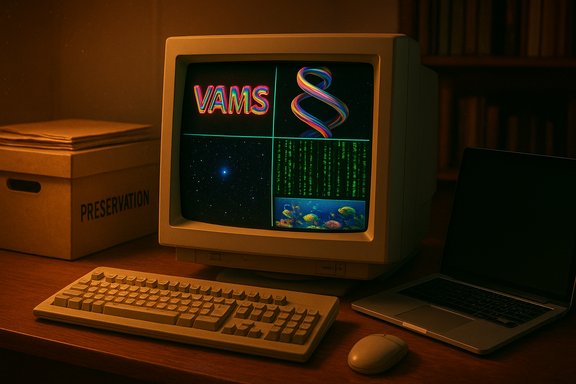
The 1990s gave birth to a small but unforgettable set of Windows screensavers — compact, clever demos that showed off early 3D, OpenGL tricks and a healthy dose of whimsy — and many of those same screensavers can still be installed and run on modern Windows PCs today, letting owners relive the era of CRTs, floppy disks and borderline-magical desktop flourishes.
The screensavers that shipped with early Windows releases were designed for two purposes: to protect CRT phosphors from burn‑in and to act as short technical demos that showcased the platform’s graphics capabilities. Many of the most famous modules — 3D Text, 3D Pipes, 3D Maze, Mystify Your Mind, Underwater (Marine Aquarium) and the like — originated in Windows 3.x, Windows 95 and Windows 98, and were later recycled, updated or lovingly preserved by hobbyists and archives. These small, self-contained .scr modules have survived not because they were necessary, but because they were memorable and technically tidy.
In recent years a combination of community archives, preservation projects and vendor updates has made it possible to run many of these classics on modern Windows 10 and Windows 11 systems — sometimes unmodified, sometimes through modern reimplementations or safe wrappers. That preservation effort has spawned a lively subculture of nostalgia, technical restoration and cautious experimentation.
Strengths:
The screensavers discussed here are small artifacts of a larger cultural and technical story: they show how constraints breed creativity, how simple effects can become cultural touchstones, and how community preservation keeps software history accessible. Whether you want a faithful recreation of the 3D Maze, a soothing school of fish from Marine Aquarium, or a little green Matrix rain to remind you of late‑night computing sessions, the classics are still a click away — if you take the right precautions.
Source: How-To Geek 8 classic Windows screensavers from the 1990s you can still use today
 Background
The screensavers that shipped with early Windows releases were designed for two purposes: to protect CRT phosphors from burn‑in and to act as short technical demos that showcased the platform’s graphics capabilities. Many of the most famous modules — 3D Text, 3D Pipes, 3D Maze, Mystify Your Mind, Underwater (Marine Aquarium) and the like — originated in Windows 3.x, Windows 95 and Windows 98, and were later recycled, updated or lovingly preserved by hobbyists and archives. These small, self-contained .scr modules have survived not because they were necessary, but because they were memorable and technically tidy.In recent years a combination of community archives, preservation projects and vendor updates has made it possible to run many of these classics on modern Windows 10 and Windows 11 systems — sometimes unmodified, sometimes through modern reimplementations or safe wrappers. That preservation effort has spawned a lively subculture of nostalgia, technical restoration and cautious experimentation.
Overview of the eight classic screensavers still usable today
This section examines each screensaver’s origin, what makes it distinctive, how you can get a working copy today, and practical notes for modern usage.1) 3D Text
- Origin: Debuted with Windows 95 as a flashy demonstration of the system’s 3D text rendering and animation capabilities.
- Why it mattered: It was configurable (custom text, fonts, motion settings) and impressive for the time, letting users personalize the saver with names, messages and a variety of animation styles.
- Today’s experience: Modern Windows (including Windows 11) includes an updated 3D Text saver that preserves the original behavior while rendering at higher resolution and integrating with contemporary settings dialogs. The nostalgia factor is strong even if the effect no longer feels cutting edge.
- Practical notes:
- The built‑in Windows versions are the safest option. If you download older installers, verify signatures and checksums before installing.
- Use the saver’s options to set text, textures, and motion; on high‑DPI displays you may want to increase the font size or render scale.
2) Underwater → Marine Aquarium
- Origin: The original Underwater screensaver shipped with Windows 95; it was a simple scene with fish and plants.
- Evolution: A developer named Jim Sachs reworked the concept into Marine Aquarium, a much richer commercial package released later that added physics, better models and sound. Marine Aquarium remains available for purchase and is a polished upgrade over the original.
- Where to get it today:
- The original Underwater module can be found in long‑term archives and community repositories; enthusiasts recommend grabbing both the screensaver file and any companion DLLs if the archive splits them.
- Marine Aquarium is available from commercial vendors and still sells as a standalone product for users who want a higher‑fidelity, actively supported version.
- Modern tips:
- If you run the original module, be aware older builds may expect obsolete runtimes. Prefer archived packages that include any needed legacy DLLs.
- For a stable, full‑featured experience on modern hardware, the commercial Marine Aquarium or a modern recreation is preferable.
3) 3D Pipes
- Origin: A beloved demo that first appeared in early NT builds and Windows 95/98 era sets — the maze of pipes that grow and twist in 3D is pure ’90s charm.
- Notable quirks: Community‑documented Easter eggs (for example, a teapot appearing as a pipe joint under a specific “Mixed” joint style) are part of the lore around the saver.
- How to run it now:
- Original .scr files can still be downloaded from reputable archives; after unzipping, right‑clicking the .scr and choosing Install is the typical, immediate route to adding it to Windows’ screensaver list.
- Customization:
- You can substitute textures for pipe surfaces to give seasonal or thematic looks (candy cane textures for Christmas, for example).
- Keep an eye on GPU usage on modern high‑refresh or multi‑monitor setups; these simple 3D demos are usually light, but odd driver edge cases can surface.
4) Flying Through Space (Flying Windows)
- Origin: Variants of the starfield and “flying windows” animations were common; some builds featured the Windows logo as an object instead of generic stars.
- Modern availability:
- Community recreations and official reissues (including store re-creations) are available, and archives hold the original Windows 95 versions for purists.
- Why it still works:
- Its simple geometry and animation make it compatible with modern rendering pipelines; the effect scales well to high resolutions, preserving the hypnotic sense of motion.
5) 3D Maze
- Origin: Released around the Windows 95/NT era alongside other 3D demo screensavers, 3D Maze placed the user in an auto‑navigating first‑person walk through a randomly generated brick maze.
- Cultural footprint: The maze’s oddities — a roaming “rat” sprite, sudden world flips when colliding with certain objects and a mini‑map in options — made it an instant classic and a staple of ’90s nostalgia.
- Modern preservation and experiments:
- The original ssmaze.scr can still be found in archives; hobbyists have created playable mods that add keyboard control to the original binary by injecting a small shim to accept user input, turning the passive demo into an interactive curiosity. These reverse‑engineered efforts preserve the authentic rendering while adding controls, but they come with technical and security caveats.
- Caution:
- Because some modern projects use DLL injection or binary patching to add functionality, they may trigger antivirus heuristics or run afoul of modern runtime expectations. Run such experiments in a VM or sandbox, and verify checksums and community reviews before executing.
6) Mystery
- Origin: The Mystery screensaver stood out in the late‑1990s for its moody, photorealistic sequences: a house at night, creaking doors, a bat flitting by, stars and uneasy sound effects. For kids at the time, it often looked more realistic than many 3D games of the era.
- Preservation: The original Mystery files are preserved in Windows 98 archives; installers and companion DLLs are sometimes split across multiple files in archive collections.
- Modern notes:
- Because the saver used richer assets and audio, running the original may require extra runtime DLLs; archived packages that include all necessary components are the recommended path.
- If you prefer a plug‑and‑play approach, modern recreations or themed ambient screensaver packages often replicate Mystery’s atmosphere without legacy runtime dependencies.
7) Mystify Your Mind (Mystify)
- Origin: First appearing with Windows 3.1 under the name Mystify Your Mind, later iterations shortened the name to Mystify. Its simple, evolving geometric lines are a textbook example of hypnotic minimalism.
- Modern usage:
- Reimplementations and modern recreations exist (for Windows 11 there are GitHub projects that recreate the effect with additional options and multi‑monitor support).
- Why it endures:
- The visual is timeless: it’s low on system demands, hypnotic and customizable. For users who value subtle ambient motion over heavy 3D, Mystify is ideal.
8) The Matrix
- Origin: A late‑’90s cultural cross‑pollination after the release of The Matrix (1999) spawned a cascade of “rain” style screensavers that emulated the film’s falling code.
- Popularity and modern life:
- It became an instant favorite among teens and students, and variations survive in archives and modern recreations that let you tweak character density, color and speed.
- Practical notes:
- Modern Matrix savers are lightweight and work well on all modern hardware — they’re a low‑risk way to add retro sci‑fi flair to your setup.
How to install and enable classic .scr screensavers on Windows 11
Windows 11 still supports the classic screensaver mechanism, but the setting is tucked away behind Personalization and Lock Screen menus rather than in the old Display dialog boxes. The typical steps are:- Open Settings (Win + I) and go to Personalization > Lock screen.
- Under the Lock screen page, find Related settings and click Screen saver.
- Alternatively, search for “screensaver” in the Windows Search box and launch the legacy Screen Saver Settings dialog directly.
- To install a downloaded screensaver, right‑click the .scr file and choose Install; this will register it with the screensaver dialog.
- Use the Screen Saver Settings dialog to choose the saver, set timeout, and access its Settings button for per‑saver options.
- If a screensaver comes as a plain .scr, the simple right‑click → Install route is often sufficient. Some older archives may split the saver across files or require legacy DLLs; follow archive readme notes carefully.
- For multi‑monitor support, many original savers were single‑display by design. Community mods and modern recreations may add multi‑monitor capability; verify the presence of multi‑monitor flags or use wrappers that explicitly support multiple displays.
- If the saver requires older runtimes or produces errors, consider running it in a VM or looking for a modern reimplementation that reproduces the look without legacy dependencies.
Safety, compatibility and preservation considerations
Reviving retro screensavers is fun, but it comes with real technical and security tradeoffs. These are the practical points every user should weigh:- Verify provenance: Download only from reputable archives or vendor pages. If you’re using an archive that splits files (common for Windows 95/98 packages), ensure you download all listed components.
- Check checksums and scan binaries: When available, verify SHA‑256 or MD5 fingerprints and scan the files with a multi‑engine scanner before installation.
- Watch for obsolete runtimes: Some late‑90s savers expect DLLs or runtime environments that modern Windows no longer includes; archives sometimes include these DLLs, but adding legacy system DLLs can create system fragility.
- Avoid unverified binary patches on production machines: Playable mods that add joystick/keyboard control to an original saver often rely on runtime injection or binary patches. Those techniques can trigger antivirus alerts and carry security risk — run such experiments in a sandboxed VM and revert snapshots after testing.
- Performance and power: Animated screensavers use GPU and CPU resources. While classic savers are light by modern standards, high‑resolution multi‑monitor displays can increase load. Configure pause‑on‑fullscreen or battery‑saver rules if the tool supports them, or simply choose lightweight options on laptops.
- Legal and licensing: Some original assets may be unlicensed for redistribution. When downloading community repackages, prefer redistributions that clearly document permissions or use vendor reissues (like Marine Aquarium) that are commercially supported.
Preservation and community efforts: why this matters
The renewed interest in classic screensavers is not just nostalgia; it’s software preservation. Small demos like ssmaze.scr or the Mystery saver capture the interaction design, engineering constraints and user expectations of a particular era. Preservationists have pursued three parallel strategies:- Archival preservation: collecting original installers, DLLs and README files in long‑term archives so future users can reproduce the original experience.
- Reimplementation: recreating the visuals and behavior in modern code so that the effect is safe and compatible with today’s stacks.
- Binary‑level restoration: applying minimal shims or DLL injections to original binaries to unlock new behavior (for example, turning the 3D Maze into a playable experience). These projects maximize authenticity but can carry security and compatibility tradeoffs, and they should be handled with caution.
Quick reference: recommended approach for everyday users
- If you want nostalgia without risk: use the built‑in Windows 3D Text or modern reissues and store offerings. They’re safe, signed and updated to integrate with current settings.
- If you want the authentic original: download from a reputable archive, verify all parts are included and run the installer on a secondary machine or VM. Keep checksums and scan results.
- If you want a high‑fidelity, supported experience: buy a commercial rework like Marine Aquarium instead of relying on decades‑old binaries that might require patched runtimes.
- If you’re experimenting with community mods: test inside a snapshot VM, expect antivirus alerts, and don’t install injected or patched binaries on a primary machine.
Final analysis: why these screensavers still matter — and what to watch for
The classic Windows screensavers of the 1990s endure not because they solved a pressing modern problem, but because they captured a moment in computing history where small, efficient demos could teach, delight and become cultural touchstones.Strengths:
- Simplicity: Many have tiny codebases and clear, single‑purpose behavior that make them easy to understand and preserve.
- Aesthetic longevity: Minimal, geometric and looping visuals scale well to modern resolutions and still look good.
- Educational value: They show how graphical effects used to be achieved with limited resources, a useful lesson for students of graphics and software engineering.
- Security and compatibility hazards: Long‑forgotten binaries and community shims can carry real risk if installed thoughtlessly on production systems. The 3D Maze playable mod is a good example of a creative project that nonetheless requires advanced precautions.
- Maintenance: Not all community projects are actively maintained; links die, APIs change and some archives can become stale. Prefer established archives or actively supported reissues for long‑term use.
The screensavers discussed here are small artifacts of a larger cultural and technical story: they show how constraints breed creativity, how simple effects can become cultural touchstones, and how community preservation keeps software history accessible. Whether you want a faithful recreation of the 3D Maze, a soothing school of fish from Marine Aquarium, or a little green Matrix rain to remind you of late‑night computing sessions, the classics are still a click away — if you take the right precautions.
Source: How-To Geek 8 classic Windows screensavers from the 1990s you can still use today
