

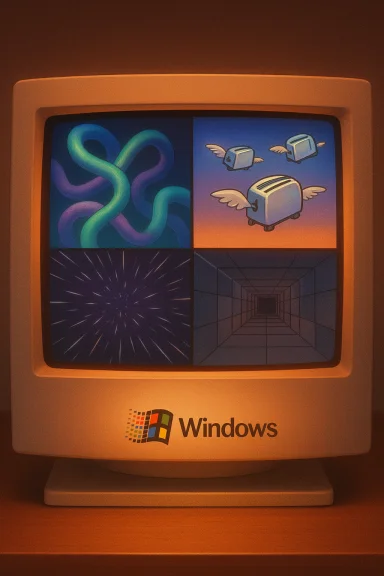
Classic Windows screensavers were more than idle animations — they were tiny theatrical performances that turned a vacant monitor into a moment of wonder, humor, or calm, and those moments still resonate with users who remember the machines and the slow, joyful pause they inspired. From the twisting corridors of 3D Pipes to the hypnotic streaks of Mystify, these compact demos shaped early PC aesthetics, introduced people to 3D motion and procedural effects, and survive today as nostalgia, preservation projects, and lightweight ambient visuals for modern desktops. This feature revisits the top classic Windows screensavers, verifies their origins and claims where possible, assesses how to run them safely on modern Windows systems, and analyzes why these tiny programs matter — technically, culturally, and as preservation targets for software history.
Screensavers were originally technical tools, created to prevent CRT phosphor burn‑in when static images were displayed for long periods. Over time they evolved into short technical demos bundled with Windows and other platforms, designed to show off early 3D rendering, animation timing, and playful design within tiny code footprints. Many of the best‑remembered modules — 3D Text, 3D Pipes, Mystify (a.k.a. Mystify Your Mind), Starfield, and the oddly compelling 3D Maze — were included with Windows releases from the early 1990s through the Windows 9x era. Preservationists and hobbyists have since kept these artifacts alive, either by running original .scr files, creating faithful reimplementations, or using wrappers that make them compatible with modern systems.
Why they endured:
FAQs (brief, practical)
Source: Analytics Insight Top Classic Windows Screensavers of All Time
 Background: why screensavers existed and why they endured
Screensavers were originally technical tools, created to prevent CRT phosphor burn‑in when static images were displayed for long periods. Over time they evolved into short technical demos bundled with Windows and other platforms, designed to show off early 3D rendering, animation timing, and playful design within tiny code footprints. Many of the best‑remembered modules — 3D Text, 3D Pipes, Mystify (a.k.a. Mystify Your Mind), Starfield, and the oddly compelling 3D Maze — were included with Windows releases from the early 1990s through the Windows 9x era. Preservationists and hobbyists have since kept these artifacts alive, either by running original .scr files, creating faithful reimplementations, or using wrappers that make them compatible with modern systems.Why they endured:
- They were compact demonstrations of what a PC could render with limited CPU/GPU resources.
- Visual designs were minimalist and geometric, so they scale well to higher resolutions.
- Many contained Easter eggs and small surprises that invited repeated viewing and discussion.
- They captured the playful culture of computing in the 1990s — a time when small, clever software touches mattered.
Overview of the classics covered here
This article covers the screensavers most commonly cited as the era’s icons:- 3D Pipes
- Flying Toasters (from After Dark)
- Starfield Simulation (a.k.a. Starfield / Flying Through Space)
- Mystify / Mystify Your Mind
- 3D Maze (ssmaze.scr)
- Flying Windows / Windows logo animations
3D Pipes — the procedural spectacle
What it looked like and why it mesmerized
When 3D Pipes starts, the screen fills with colorful tubular segments that grow, turn, and branch as if a tiny mechanical organism is assembling itself in real time. Each run is procedurally generated, so no two sessions look identical; that unpredictability made it hard to tear yourself away. The effect balanced smooth 3D motion with vivid materials and lighting that read well on CRTs and modern LCDs alike.Origins and lore
3D Pipes surfaced in the Windows 95 / Windows NT era as a demonstration of the OS’s ability to perform real‑time 3D-like rendering within a compact screensaver module. Community lore also points to a playful Easter egg — a tiny teapot shape occasionally appearing in pipe joints under certain settings — which has been documented and circulated among preservationists. That teapot is best described as an anecdotal Easter egg supported by community writeups rather than an official product claim.Modern availability and compatibility
Original .scr modules still exist in community archives and redistributions. Modern Windows (including Windows 10/11) can register legacy .scr files via right‑click → Install or by placing them in C:\Windows\System32 and selecting them from the Screen Saver Settings dialog. Because the effect is simple geometry and procedural texture work, it generally scales well to high resolutions, but users should watch for odd GPU driver interactions on multi‑monitor or very high refresh setups.Risks and recommended approach
- Use vendor reissues or modern reimplementations where available if you want convenience and security.
- If you install an archival .scr, verify checksums and run file scans first; prefer a sandbox or secondary machine for experimentation.
Flying Toasters — whimsy that became pop culture
The visual and cultural appeal
Flying Toasters began its life in the After Dark screensaver collection and became one of the most evocative and memetic visuals of the 1990s. Shiny toasters with tiny wings glide across the screen, trailing slices of toast in slow, calming motion. Its absurdity — a household appliance taking flight — caught the public imagination and turned the module into a pop‑culture symbol of the era’s lighthearted software creativity.Provenance and reach
After Dark was a third‑party screensaver suite that sold widely, and Flying Toasters was the standout module that spread beyond its original commercial packaging into mainstream awareness and parody. While Flying Toasters itself was not an official Microsoft module, it became as recognizable as any built‑in saver and contributed to how people thought about desktop entertainment. Community archives and retrospectives consistently list Flying Toasters as emblematic of 1990s screensaver culture.Can you run it today?
Yes, versions of Flying Toasters survive in archive collections and some modern recreations. Because the original belonged to a commercial collection, redistribution can carry licensing questions; prefer licensed reissues or community recreations that clearly state permissions. As always, validate installer provenance and consider running older binaries in a VM.Starfield Simulation — the hypnotic flight through space
The effect and why it still works
The Starfield screensaver uses tiny white points moving toward the viewer against a black background to create the illusion of warp speed. It’s a study in minimalism: no complex geometry, just carefully timed scaling and movement that convincingly simulates forward motion. For many, this was the first time a PC felt like a window to another place.History and lineage
Starfield variations appeared in early Windows builds (including Windows 3.x era packages) and persisted as a staple demo effect. Its simplicity made it easy to preserve and reimplement, and it remains a common demo effect in modern recreations and ambient packages.Practical notes
Starfield consumes negligible resources compared with rich 3D scenes, and modern reimplementations can add multi‑monitor awareness and configurable star density. It’s a good choice for users who want a calming, low‑CPU background motion.Mystify (Mystify Your Mind) — hypnotic minimalism
Visual description and emotional effect
Mystify draws thin, glowing lines that move, bend, and morph into flowing patterns while colors shift smoothly. It’s a lesson in how constraint breeds charm: a small set of moving lines combined with soft color transitions is enough to create a perpetually interesting image.Origins and longevity
Mystify first appeared under the name Mystify Your Mind in the Windows 3.x era and was later included in Windows 95/98 and subsequent releases in various forms. Its clean, hypnotic visuals have led to numerous faithful reimplementations and community ports that add multi‑monitor support and configuration options. Its endurance is owed to the timelessness of the effect and its extremely low system demands.Why it remains practical for modern systems
Because Mystify is geometric and shader‑light, it scales naturally to 4K and multi‑monitor setups when reimplemented correctly. Many open source projects on code hosting sites reproduce the effect with modern APIs, preserving the original feel while avoiding legacy runtime dependencies.3D Maze — stepping into an early first‑person world
What made it memorable
The 3D Maze (ssmaze.scr) thrust the viewer into an auto‑navigating first‑person tour through randomly generated brick corridors. It included eccentric props — a roaming rat sprite, occasional world‑flip triggers, and a mini‑map in the options — which made it feel like a tiny, uncanny game.Origin and unusual afterlife
Bundled with Windows 95 and later 9x builds, 3D Maze was an early example of a screensaver that blurred the line between cinematic demo and interactive environment. In the last few years, hobbyists have taken it further: a preservation‑minded project patched the original binary to accept keyboard input, effectively turning the passive maze into a playable nostalgia piece. That approach used DLL injection and binary shims to add interactivity while preserving the original rendering logic — a technically elegant but security‑sensitive technique.Preservation tradeoffs and guidance
- Authenticity: Binary‑level mods offer a very authentic feel because they reuse Microsoft’s original rendering and assets.
- Security: DLL injection and binary patching can trigger antivirus heuristics and create runtime instability on modern OSes.
- Practical advice: If you want the true original, run it inside a VM or sandbox and verify checksums and community reviews before executing. Alternatively, look for modern reimplementations that reproduce the aesthetic without legacy runtime risk.
Flying Windows — branding as animation
The modules
The Flying Windows screensaver family used the Windows logo (or a stylized window sprite) drifting, flipping, and flying across the screen. It’s visually simple but emotionally resonant: seeing a brand emblem gently rotate and drift gave a sense of official identity and novelty during the early PC era.Why it stuck
For many users it was their first screensaver, and the effect remains a touchstone of brand design meeting simple kinetic animation. Variants that used the older Windows logos are especially nostalgic for users of Windows 3.x/95 era machines.How to run classic Windows screensavers on modern Windows safely
Below is a practical, step‑by‑step checklist to add classic .scr modules to Windows 10/11, plus best practices and caveats.- Download from a reputable archive or use built‑in/official reissues where available.
- Verify the file: check MD5/SHA checksums when provided and run a multi‑engine scan (upload to a reputable scanner before executing).
- Install with caution: Right‑click the .scr file and choose Install to register it with Windows, or place the file in C:\Windows\System32, then open Settings > Personalization > Lock screen > Screen saver to choose it.
- Prefer reimplementations for day‑to‑day use: If an effect has a modern reimplementation or store reissue, prefer that to an unpatched 20+ year old binary.
- Test in a VM for risky archives: If an installer requires legacy DLLs or uses binary patches or injections, run it in a sandboxed VM first.
- Consider power and multi‑monitor settings: Classic savers were written for single CRTs; they may not support multi‑monitor displays or battery‑friendly rules. Use lightweight options on laptops and configure pause‑on‑fullscreen to avoid interruptions.
Preservation, legal and security notes
Preservation of classic screensavers sits at the intersection of technical archaeology, community enthusiasm, and legal/operational caution. Three preservation paths are common:- Archival preservation of original binaries (for research and authenticity).
- Reimplementation in modern code (safer long‑term usage).
- Binary‑level restoration or shims that patch original files for added features (highest authenticity, higher security risk).
- Some original assets belonged to commercial suites (e.g., After Dark) and may raise redistribution questions.
- Binary patches and DLL injection trick OS defenses and often trigger AV heuristics; these should be confined to VMs or test systems and accompanied by checksums and community verification.
Cultural impact: small demos, big memories
These tiny pieces of software mattered because they were often people’s first encounter with animated graphics and procedural visuals on a personal computer. They:- Helped shape early expectations of what GUIs could do beyond static windows.
- Created shared visual memories (the teapot rumor, the brown rat in 3D Maze, the flying toasters) that still surface in online nostalgia.
- Inspired hobbyist reverse engineering and preservation communities that treat small binaries as important artifacts of software history.
Strengths and risks — an analytical summary
Strengths- Simplicity and efficiency: Many classic savers are tiny, single‑purpose programs that still run well on modern hardware.
- Aesthetic longevity: Geometric and procedural visuals scale naturally to modern displays.
- Educational value: They illustrate clever techniques for drawing motion and 3D with very limited resources.
- Security/compatibility: Old binaries can depend on obsolete runtimes or require practices (DLL injection) that create security flags. These are genuine operational risks for primary machines.
- Licensing and provenance: Not all archived modules are cleared for redistribution, particularly third‑party commercial suites like After Dark.
- False memories / unverifiable lore: Some colorful claims (hidden teapots, secret animations) have strong oral tradition but limited formal documentation; present them as community lore rather than indisputable fact.
Practical recommendations for readers
- For casual nostalgia: use modern reimplementations or built‑in Windows saver modules (3D Text, Mystify) that ship with recent Windows versions.
- For preservationists: prefer archival copies from reputable repositories and run originals inside VMs. Keep checksums and document the provenance.
- For experimenters: avoid running binary patches or injected loaders on production machines — treat them as research artifacts and test in controlled environments.
Conclusion
Classic Windows screensavers are tiny engineering marvels packed with personality. They capture a formative era of personal computing when small demos could become cultural icons, and when stepping away from the keyboard briefly felt like stepping into a miniature show. Whether you’re drawn to the kaleidoscopic curves of 3D Pipes, the surreal calm of Flying Toasters, the gentle tunnel of Starfield, the ethereal lines of Mystify, or the uncanny corridors of 3D Maze, there are safe ways to revisit these artifacts today. Preservation efforts ensure these visuals remain accessible, but they also remind us to balance authenticity with caution: verify files, prefer maintained reissues, and use sandboxing when reviving truly vintage binaries. The screensavers endure because they turned downtime into a small, repeatable delight — and because good design, even in 64KB packages, still has the power to stop a busy day and make you simply watch.FAQs (brief, practical)
- Why were screensavers created? To prevent CRT burn‑in by displaying motion instead of static images.
- Can I still use classic Windows screensavers today? Yes — many still run, and reimplementations exist; install .scr files carefully and verify provenance.
- Did any screensavers include Easter eggs? Community reports document Easter eggs (for example, teapot lore in 3D Pipes), though some claims are better described as community lore than Microsoft documentation.
- Which Windows first included built‑in screensavers? Screensavers like Starfield and Flying Windows trace back to the Windows 3.x era, and several classic modules were bundled throughout Windows 95 and Windows 9x.
- Why do modern systems use sleep mode rather than screensavers? Contemporary flat panels and power management make sleep mode more efficient; screensavers now serve primarily aesthetic or ambient roles.
Source: Analytics Insight Top Classic Windows Screensavers of All Time
