

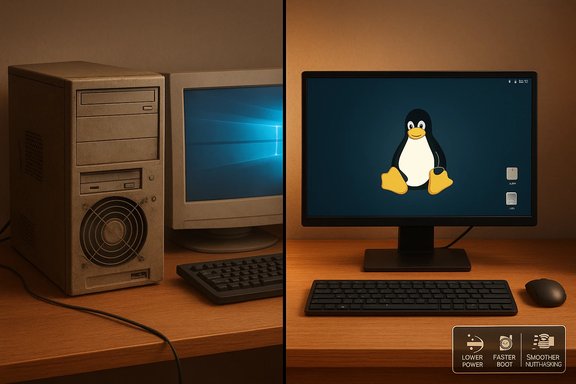
Older PCs that choke on modern Windows releases can often be brought back to life — and kept that way — by switching to a lightweight Linux distribution, a practical shift that reduces idle CPU and memory use, cuts fan noise, and limits long-term software bloat that drags performance down. Recent community reports and hands‑on writeups show the improvements are immediate and persistent: machines become quieter, idle memory footprints fall dramatically, and daily tasks feel snappier — not as a temporary boost but because Linux’s architecture avoids many of the background costs Windows accumulates over time.
For owners of older hardware facing Windows 11’s stricter baseline and the practical end-of-life timeline for Windows 10, Linux has re‑emerged as a compelling alternative for extending device life without hardware replacement. Windows 11 enforces checks such as UEFI, TPM 2.0, and a minimum memory baseline that rule out a substantial portion of PCs built earlier this decade; at the same time, many Windows images ship with background services and bundled components that consume resources even when idle. Linux distributions, by contrast, let users choose a minimal runtime footprint and avoid many of those default obligations.
This article examines why Linux often restores performance on older systems, verifies the core technical claims with cross‑checked community and documentation sources, and gives a measured migration plan and risk analysis for readers considering the change. The goal is practical: explain what improves, why it improves, and where Linux still needs caution.
In short: reviving an older PC with Linux is not a hacky, temporary trick — it’s a repeatable engineering choice grounded in how modern Linux distributions manage services, updates, and storage. When applied thoughtfully — choose the right distro, validate hardware with a live USB, use snapshots, and plan updates — the switch restores speed, keeps it stable long term, and usually costs far less than buying a replacement.
Source: gHacks Technology News Linux Restores Performance on Older PCs and Keeps Them Fast - gHacks Tech News
 Background / Overview
For owners of older hardware facing Windows 11’s stricter baseline and the practical end-of-life timeline for Windows 10, Linux has re‑emerged as a compelling alternative for extending device life without hardware replacement. Windows 11 enforces checks such as UEFI, TPM 2.0, and a minimum memory baseline that rule out a substantial portion of PCs built earlier this decade; at the same time, many Windows images ship with background services and bundled components that consume resources even when idle. Linux distributions, by contrast, let users choose a minimal runtime footprint and avoid many of those default obligations.This article examines why Linux often restores performance on older systems, verifies the core technical claims with cross‑checked community and documentation sources, and gives a measured migration plan and risk analysis for readers considering the change. The goal is practical: explain what improves, why it improves, and where Linux still needs caution.
Why Linux often restores responsiveness
Lower baseline operating‑system overhead
A fresh, lean Linux desktop or window manager typically boots with far fewer background services and a much smaller resident memory footprint than many default Windows installs. That lower baseline means less swapping, fewer disk I/O bursts, and reduced thermal output — the practical reasons fans quiet and systems feel faster after a migration. Community testing and distro documentation repeatedly report idle RAM for lightweight Linux setups measured in the hundreds of megabytes to around 1–2 GB, whereas Windows installations commonly show several gigabytes in use at idle because of preinstalled components, telemetry, and store services.- What that delivers in practice: shorter app launch times, fewer stutters during tab-heavy browsing sessions, and longer sustained CPU clocks before thermal throttling.
- Why it matters on constrained systems: on machines with 2–4 GB of RAM, the OS’s own footprint can consume most of the usable memory; reducing that baseline restores headroom for real applications.
Centralized package management and reduced software rot
Linux distributions use centralized package managers (APT, Pacman, DNF, etc. that track which files belong to which packages and manage dependencies. That single governance model makes installs and removals auditable and clean; orphaned dependencies and scattered background agents are far less likely to accumulate compared with a Windows environment where diverse installer binaries can leave services and registry entries behind. The result is a system that resists long‑term performance drift.- Practical benefit: a well‑maintained Linux system rarely needs the kind of repeated “deep cleaning” Windows users resort to after years of installs and uninstalls.
- Caveat: package managers don’t magically remove user dotfiles or manually installed binaries; housekeeping still helps.
Rolling updates without the disruption
Rolling‑release distributions — most notably Arch Linux and derivatives — deliver continuous updates rather than periodic “feature upgrades.” A single package‑manager command updates the entire system and typically does so without taking the GUI hostage; updates run while the system remains usable, and major version jumps are uncommon because packages are incremental. This model reduces the risk of large, disruptive upgrades that sometimes regress performance on Windows.- How that matters long term: regular incremental updates prevent the deferred accumulation of big “catch‑up” upgrades, and snapshot/rollback tools (Timeshift, Btrfs snapshots) act as a safety net.
Filesystems, fragmentation, and sustained speed
One often‑overlooked contributor to long‑term sluggishness is filesystem behavior. Common Linux filesystems such as ext4, Btrfs, and XFS use allocation strategies (extents, delayed allocation, multi‑block allocation) that reduce fragmentation compared with older allocation models. ext4 supports extent‑based allocation and includes utilities (e4defrag) for on‑demand defragmentation; modern SSDs and Linux’s allocation heuristics make fragmentation much less of a long‑term performance drag.- On spinning disks: fewer seeks and smarter allocation translate into lower latency and faster load times.
- On SSDs: the biggest gains still come from replacing a hard drive with any SSD — software tweaks matter less than hardware changes here.
Lower OS overhead: concrete numbers and expectations
Measured differences vary with distro, desktop environment, and installed services, but patterns are consistent:- Lightweight Linux environments (Xfce, LXQt, minimal tiling WMs) can idle comfortably under 1 GB of RAM on carefully trimmed installs.
- A typical full Windows 11 install commonly shows multiple gigabytes of idle RAM usage because of background services and shell components.
Choosing the right Linux approach for older hardware
Lightweight distributions and environments
Not all Linux installs are created equal. For reviving older machines, choose a distribution and desktop aligned to the hardware:- Very low‑spec systems (sub‑1 GB RAM): antiX, Puppy Linux, Tiny Core.
- Low to moderate systems (1–4 GB RAM): Lubuntu, Linux Lite, Peppermint, Xfce/MATE editions of mainstream distros.
- For users who want a Windows-like transition: Linux Mint (Cinnamon, MATE, or Xfce) or Kubuntu (KDE Plasma tuned for familiarity) are common choices.
When to pick rolling vs LTS
- Rolling release (Arch and derivatives)
- Pros: immediate access to new packages; no big reinstallation cycles.
- Cons: requires update discipline; occasional breakages without snapshots.
- Best for: users comfortable with frequent updates and snapshot/rollback tools.
- LTS releases (Ubuntu LTS, Linux Mint based on LTS)
- Pros: predictable maintenance windows, vendor‑style stability, less hands‑on updating.
- Cons: software versions age until the next LTS; less bleeding‑edge.
- Best for: users who want stability and minimal maintenance overhead.
Hardware compatibility and driver realities
Linux compatibility is strong for mainstream components, but there are persistent edge cases. Wi‑Fi chips, OEM fingerprint readers, and vendor‑specific power utilities sometimes lack out‑of‑the‑box drivers or require kernel module signing and Secure Boot tweaks. Testing a live USB session before committing is essential: it validates Wi‑Fi, audio, display, and peripherals without touching the disk.- NVIDIA GPUs: driver experience on Linux can be uneven; vendor‑supplied proprietary drivers exist but are not always as frictionless as AMD open drivers.
- Peripherals: printers and scanners usually work, but manufacturer utilities and advanced features may be Windows‑only.
Realistic benefits: what you should expect after switching
- Quieter, cooler operation: lower background CPU use reduces fan duty cycles on thermally challenged systems.
- Lower idle RAM and fewer spontaneous I/O bursts: more headroom for browsers and office apps.
- Sustained performance over months and years: because Linux avoids the Windows-style accumulation of background agents, the restored responsiveness tends to persist.
Risks, caveats, and edge cases (critical analysis)
Linux delivers measurable wins, but these are not universal or risk‑free.Application compatibility
If workflows depend on Windows‑only professional apps (some Adobe CC features, specialized engineering suites, or kernel‑level anti‑cheat for certain multiplayer games), native Linux may not be viable. Options include maintaining a dedicated Windows partition, using virtualization (if hardware allows), or leveraging Wine/Proton and cloud/hosted Windows apps — but each is a compromise and requires careful testing.Driver and OEM feature gaps
Some vendor features and utilities are Windows‑first. Fingerprint readers, OEM power tuning, advanced webcam controls, or RGB utilities may be limited or absent on Linux. Live USB testing reduces surprise, and in many cases community drivers or generic drivers exist, but advanced vendor features can remain Windows‑exclusive.Rolling releases require discipline
Rolling distributions offer current software but need regular updates to avoid large, riskier jumps. Users who update rarely increase their chance of encountering breakage; using snapshot tools in combination with a disciplined update cadence (daily/weekly) mitigates this. For users who prefer “set and forget,” an LTS distro is a safer choice.Not a cure for failing hardware
Linux can’t reverse physical degradation. If a hard drive is failing, thermal paste is dried out, or the battery is at end‑of‑life, an OS swap improves perceived performance but won’t repair failing components. Upgrading to an SSD and replacing bad thermal paste or a weak battery are often required companion fixes.Security posture differences
Switching to Linux changes the security model. Some Windows features (TPM‑anchored protections, vendor integrated secure services) won’t carry over, although Linux offers its own robust options (LUKS full‑disk encryption, active upstream patching). For devices that require vendor TPM‑based attestation features, evaluate coverage loss before migrating.A practical migration workflow (technician’s checklist)
- Back up everything: files, browser profiles, mail stores, and any exportable application data.
- Create a live USB of the candidate distro and boot it to test hardware compatibility (Wi‑Fi, audio, display, webcam, scanning, printing).
- Choose an install strategy:
- Full disk wipe for cleanest experience.
- Dual‑boot if occasional Windows apps are mandatory.
- Persistent USB if you only need an occasional Linux environment.
- If possible, swap an HDD for an SSD and add RAM (4 GB+ recommended for modern browsing), which yields the most visible performance gains.
- After install:
- Enable snapshot tooling (Timeshift or Btrfs snapshots).
- Install only required services; disable unneeded autostarts.
- Choose lightweight apps (for example, simpler editors instead of full office suites where disk/RAM is tight).
- Harden and teach:
- Configure automatic security updates where appropriate or create an update cadence for rolling distros.
- Demonstrate basic recovery using snapshots and bootable live USBs.
Benchmarks, evidence, and where claims need caution
Community benchmarks and independent testing often show Linux matching or exceeding Windows on certain CPU‑bound tasks and I/O patterns, especially when the kernel and driver stack are well‑tuned for the hardware. However, benchmarks vary by workload, driver maturity, and the specific scene tested; single‑scene averages are directional, not definitive. Anecdotal dual‑boot comparisons and Phoronix benchmarks have repeatedly shown Linux advantages in specific scenarios, but results are hardware‑dependent and should be validated on the target machine. Treat hands‑on reports as strong signal — but confirm with a live USB and simple timing tests for your use case.- What to measure yourself: boot time, idle RAM, 1% lows for gaming (if relevant), application startup times, and battery life under a typical workload.
- Why testing matters: some tasks (proprietary Windows encoders, vendor hardware accelerators) can still favor Windows due to optimized drivers or vendor SDKs.
Long‑term maintenance: updates, snapshots, and housekeeping
- Use snapshotting: Timeshift (rsync or Btrfs modes) or filesystem snapshots give a near‑instant rollback path when updates misbehave.
- Automate safe updates: on rolling systems, keep a short update window (daily/weekly) to minimize jump sizes. Combine updates with a snapshot prior to the first update of the day.
- Periodic cleanup: remove orphaned packages, purge unneeded configs when appropriate, and clear caches — package managers and tools make this straightforward.
Final assessment — strengths, trade‑offs, and recommendations
Linux is not a universal fix, but for many devices that are slow primarily because of software overhead rather than hardware failure, it offers a practical, sustainable way to restore responsiveness and keep systems useful for years. The strongest, repeatable benefits are:- Lower idle resource usage and reduced background I/O leading to quieter, cooler machines.
- Cleaner software lifecycle through centralized package management that reduces inadvertent cruft.
- Modern software compatibility even on hardware that lacks a path to Windows 11, because distributions and package ecosystems continue to support older platforms.
In short: reviving an older PC with Linux is not a hacky, temporary trick — it’s a repeatable engineering choice grounded in how modern Linux distributions manage services, updates, and storage. When applied thoughtfully — choose the right distro, validate hardware with a live USB, use snapshots, and plan updates — the switch restores speed, keeps it stable long term, and usually costs far less than buying a replacement.
Source: gHacks Technology News Linux Restores Performance on Older PCs and Keeps Them Fast - gHacks Tech News
