

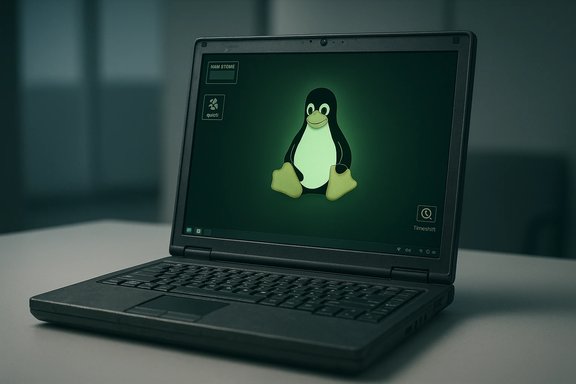
Older PCs that feel hot, noisy, and sluggish under modern Windows builds can often be revived and kept responsive for years by switching to a lightweight Linux distribution — not as a one‑off speed trick, but because of measurable architectural differences in how Linux handles services, updates, filesystems and system overhead. The practical result is quieter fans, lower idle RAM and CPU footprints, and fewer long‑term slowdowns; the technical causes are traceable and repeatable.
For many hobbyists, technicians, and small organizations the pressing problem in 2026 is not just "my PC is slow" but "my PC can no longer be securely updated under Windows." Microsoft ended free mainstream support for Windows 10 on October 14, 2025; after that date security updates and standard technical assistance ceased, pushing many owners of older hardware to consider alternatives. Microsoft recommends upgrading eligible devices to Windows 11 or enrolling in Extended Security Updates for limited timeframes. At the same time, Windows 11 enforces a higher baseline of hardware features than Windows 10 did — including a minimum of 4 GB of RAM and platform checks such as UEFI and TPM 2.0 — which leaves a large installed base of older PCs functionally unsupported for a direct upgrade. Those constraints make Linux a practical and sometimes necessary option to extend device life without buying new hardware. This article summarizes the performance claims in recent coverage that shows Linux restoring responsiveness to older PCs, verifies the technical points with primary documentation, and offers a practical, measured migration strategy for readers who want to try it. The analysis highlights where the gains are strongest, the real risks and edge cases to watch, and how to plan for long‑term maintenance.
(If you plan to try this on a device you depend on, the recommended first step is a live USB test and a full backup; that keeps risk low while you confirm compatibility and feel for the new environment.
Source: gHacks Technology News Linux Restores Performance on Older PCs and Keeps Them Fast - gHacks Tech News
 Background / Overview
For many hobbyists, technicians, and small organizations the pressing problem in 2026 is not just "my PC is slow" but "my PC can no longer be securely updated under Windows." Microsoft ended free mainstream support for Windows 10 on October 14, 2025; after that date security updates and standard technical assistance ceased, pushing many owners of older hardware to consider alternatives. Microsoft recommends upgrading eligible devices to Windows 11 or enrolling in Extended Security Updates for limited timeframes. At the same time, Windows 11 enforces a higher baseline of hardware features than Windows 10 did — including a minimum of 4 GB of RAM and platform checks such as UEFI and TPM 2.0 — which leaves a large installed base of older PCs functionally unsupported for a direct upgrade. Those constraints make Linux a practical and sometimes necessary option to extend device life without buying new hardware. This article summarizes the performance claims in recent coverage that shows Linux restoring responsiveness to older PCs, verifies the technical points with primary documentation, and offers a practical, measured migration strategy for readers who want to try it. The analysis highlights where the gains are strongest, the real risks and edge cases to watch, and how to plan for long‑term maintenance.Why Linux often restores speed to older systems
1. Lower baseline operating‑system overhead
One of the most consistent, repeatable observations from community testing and hands‑on experience is that a fresh, lean Linux desktop (or window manager) idles with far fewer active services and a smaller resident memory footprint than many default Windows installs. The practical consequence is less swapping, lower disk I/O, and cooler, quieter hardware under light loads. Recent first‑hand writeups report idle RAM usage for trimmed Linux desktops in the low hundreds of megabytes to around 1–2 GB, whereas typical Windows 11 installs can show several gigabytes consumed by background services, caching, and preinstalled components immediately after boot. These differences are not magic: they come from design choices. Linux desktops let you choose minimal service trees and compositors; lightweight distributions and window managers ship with few background daemons. In contrast, Windows ships a richer default service set, store apps, telemetry pieces, and a visual shell that assumes modern hardware; that richer default experience increases the baseline system cost even at idle. The effect is especially visible on machines with 2–4 GB of RAM where the operating system's own footprint substantially reduces headroom for applications.2. Centralized package management reduces “software rot”
Linux distributions use centralized package managers (APT, Pacman, DNF, etc. that record which files belong to which package and manage dependencies. That produces a tidy, auditable install/uninstall model: removals typically remove binaries, libraries, and metadata, and package managers can be scripted to clean orphaned dependencies. That governance reduces the accumulation of stray services, untracked files, and scattered background agents that — on some Windows systems — contribute to long‑term performance drift. The contrast is sometimes described as “no global registry to bloat indefinitely” on Linux. This is a practical advantage for long‑running systems: updates and software additions are less likely to leave behind hidden, CPU‑consuming agents, and snapshot tools (Timeshift, Btrfs/ZFS snapshots) provide quick rollback points if an update causes trouble. That combination is why many technicians prefer a controlled Linux package+snapshot workflow for older devices they expect to maintain for years.3. Rolling releases and explicit update control
Some distributions (notably Arch Linux and its derivatives) follow a rolling‑release model: there is no major re‑installation for feature upgrades, only continuous package updates delivered via the package manager. On Arch the common update command sudo pacman -Syu updates the entire system to current upstream packages. This model gives access to modern software without "big version jump" upgrades and the occasional regressions that can accompany those jumps; it also leaves update timing in the user's control. Rolling updates are not risk‑free — they require an update discipline and safety nets (regular updates plus snapshots) — but for many experienced users they prevent the accumulation of legacy components and staged, disruptive feature upgrades that can impact responsiveness over time.Filesystems, fragmentation and perceived speed
Fragmentation behaviour and file allocation strategies are frequently cited as a practical factor on HDD‑based laptops. Modern Linux filesystems such as ext4, Btrfs and XFS use extent‑based allocation, delayed allocation and multi‑block allocators; those design choices reduce fragmentation compared with older allocation strategies. ext4 includes an on‑demand defragmentation tool, e4defrag, which can calculate a fragmentation score and compact files when necessary — a useful maintenance operation for HDDs. For many older, spinning‑disk systems, fewer seeks translates to faster application launches and snappier desktop performance. Caveat: swapping an HDD for even a modest SATA SSD usually yields a larger and more immediate performance improvement than any filesystem tweak. On SSDs fragmentation is far less of a user‑visible problem; the biggest wins still come from lowering OS overhead and using faster storage where possible.Measured evidence and community reports
- How‑To Geek’s recent hands‑on piece describes converting a non‑Windows‑11 laptop to an Arch‑based distro with the Hyprland compositor and documents immediate reductions in fan noise, lower idle memory, and persistent responsiveness after months of use. That writeup highlights the practical steps — fresh install, choice of a lightweight compositor, and a disciplined update routine — that produced durable gains.
- Independent benchmark collections (Phoronix and aggregated test sets) have repeatedly shown Linux distributions outperforming Windows 11 on many compute and throughput workloads; while these are workload‑dependent, the trend underscores that Linux can be more efficient in CPU scheduling and driver stacks for some hardware. These benchmark suites also document real improvements in multi‑threaded and I/O‑heavy tasks and offer data points that match the anecdotal responsiveness reports.
- Community testing and migration guides (forums, distro docs) converge on the same practical tactics: test hardware in a live USB session, pick an appropriately lightweight DE or WM, use snapshots (Timeshift/Btrfs) before updates, and prefer SSD upgrades where possible. Those steps are repeatedly validated in community case reports.
Where Linux's advantages are strongest — and where they aren’t
Strengths
- Low idle RAM/cpu overhead: Lightweight distros and minimal window managers deliver the most dramatic improvements on machines with 1–4 GB of RAM. That translates to less swapping and reduced thermal stress.
- Control over updates: Users decide when and how to apply updates; rolling‑release users can stay current without large OS transitions, and snapshot workflows reduce update risk.
- Revival of unsupported hardware: Laptops that shipped with Windows 7 or earlier can often run modern browsers and productivity apps under Linux, enabling continued secure use without a replacement purchase.
- E‑waste reduction and cost savings: Reusing working hardware reduces financial and environmental costs of premature device replacement, a repeatedly cited benefit in migration case studies.
Limits and realistic caveats
- Hardware drivers and vendor features: Vendor‑specific components (some Wi‑Fi chipsets, fingerprint readers, embedded controllers) may lack kernel drivers or require kernel module signing / Secure Boot workarounds. Always test from a live USB before committing.
- Windows‑only applications: Certain professional, industry or anti‑cheat software (some Adobe CC components, CAD suites, games with kernel‑level anti‑cheat) may not run natively. Workarounds — VMs, Wine/Proton, cloud‑hosted Windows apps — exist but require planning and hardware capacity.
- Update discipline on rolling releases: Rolling distributions reward frequent updates; long gaps between updates can create larger, riskier upgrade windows. Using snapshots and a predictable cadence mitigates this.
- Not a cure for hardware failure: Linux does not reverse mechanical wear (failing HDDs, dying batteries, thermal paste degradation) — hardware upgrades (SSD, RAM, battery) are still the single best investment for perceived speed when components are genuinely worn.
Practical migration checklist (technician’s playbook)
- Backup everything first — full disk image if possible (Clonezilla, dd), and copy documents/media to external storage or cloud.
- Create a live USB for candidate distros (Lubuntu, Linux Mint/LMDE, antiX, Tiny Core, or an Arch‑based rolling distro if you’re comfortable). Boot the live USB and confirm Wi‑Fi, audio, display, and peripherals.
- Decide installation mode: single‑boot (cleanest, fastest), dual‑boot (keep Windows), or persistent live USB (for low‑risk trials).
- After install: enable snapshots (Timeshift or Btrfs snapshots) before major changes, install only required drivers (NVIDIA proprietary only if necessary), configure zram/zswap for machines <2 GB RAM, and disable unneeded autostart items.
- If using an Arch‑based rolling distro: adopt a cadence (daily or several times weekly) for sudo pacman -Syu and create snapshots prior to big updates. If you prefer low‑touch maintenance, pick an LTS or fixed‑release distro (Ubuntu LTS, Debian stable) instead.
- Consider hardware tweaks that yield outsized returns: moving an HDD to a SATA SSD, upgrading RAM where slots permit, or replacing a tired battery in a laptop. These changes often produce greater immediate gains than software tweaks alone.
Hands‑on examples and how the numbers add up
- A community test that installed lightweight Linux on older Dell and Lenovo machines documented immediate drops in idle RAM from multiple gigabytes to under 2 GB and dramatic reductions in fan duty cycles; users reported the machines stayed quiet and responsive even after months of regular use. That’s a consistent pattern across multiple live‑USB trials and full installs.
- Benchmarks comparing modern Linux distros and Windows 11 across CPU‑heavy suites frequently show Linux ahead by margins that vary by workload and hardware. Those gains reflect kernel scheduler behavior, driver optimizations (for certain hardware), and the lower system services overhead typical of a tuned Linux installation. While raw bench results won’t capture every user’s workload, they corroborate the real‑world responsiveness reports.
Security, updates and long‑term maintenance
Linux distributions continue to receive security updates for supported releases, and rolling distros provide up‑to‑date packages without major OS reinstalls. However, pick the maintenance model that matches your tolerance for hands‑on work:- Low maintenance: Ubuntu LTS, Debian stable, Linux Mint LTS — infrequent major changes, regular security patches.
- Active, current: Arch/Arch derivatives — continuous updates, more current packages, requires backup/snapshot discipline.
- Ultra‑light / aged hardware: antiX, Puppy, Tiny Core — minimal service sets and small memory footprints; usually used for single‑purpose devices or when hardware constraints are strict.
Risk matrix — what to test before you commit
- Test live USB for Wi‑Fi, audio, camera, and any specialized peripherals (printers, scanners, fingerprint readers).
- Confirm any Windows‑only app dependencies (license keys, activation tools, firmwares) and whether they can be moved to a VM, cloud host, or alternative Linux application.
- If you rely on gaming with kernel‑level anti‑cheat, test each title — some anti‑cheat systems block Linux or Proton.
- For enterprise environments, verify compliance needs (EOL policies, audit reporting) before migrating endpoints.
Critical analysis: strengths, measurable wins, and potential pitfalls
Linux delivers consistent wins where the bottleneck is the operating‑system baseline: idle memory footprint, background service churn, update model, and filesystem allocation strategy. Those wins are measurable and persistent if the chosen distro and update discipline match the user’s skill level. Hands‑on writeups, benchmark suites, and distro documentation all back the claim that Linux can restore and maintain responsiveness on hardware that Windows treats as obsolete. However, the claim that “Linux will always be faster” is too broad. Performance depends on:- the exact workloads (e.g., Windows‑only enterprise apps or proprietary drivers can tilt the decision);
- driver support for vendor‑specific hardware (some devices have better Windows drivers); and
- the administrator’s ability to maintain rolling updates or to pick a stable LTS release.
Practical recommendations (quick reference)
- If you need the least friction and a Windows‑like UX: try Linux Mint (Cinnamon or XFCE) or Lubuntu.
- If your laptop has <2 GB RAM or is extremely old: try antiX, Puppy, or Tiny Core.
- If you want cutting‑edge packages and are comfortable with updates: choose an Arch‑based rolling distro and use sudo pacman -Syu regularly with snapshots enabled.
- Arch update (full): sudo pacman -Syu.
- Check ext4 fragmentation: sudo e4defrag -c /dev/sdXN (reports fragmentation score).
- Create a Timeshift snapshot before updates on Debian/Ubuntu‑based systems.
Conclusion
For many older laptops and desktops that feel bogged down by modern Windows editions or face support‑end deadlines, Linux is a realistic and well‑documented option to restore and sustain responsiveness. The improvements arise from concrete architectural choices — lean default services, centralized package management, rolling or LTS update models at the user's discretion, and modern filesystem allocation strategies — and these choices produce observable improvements in idle resource use, thermal behaviour, and perceived snappiness. The route is not without trade‑offs: hardware driver edge cases, Windows‑only application needs, and update discipline on rolling distributions are real considerations. But for home users, students, schools, and small offices seeking to extend device life without buying new hardware, a tested Linux migration remains one of the most cost‑effective, sustainable strategies available.(If you plan to try this on a device you depend on, the recommended first step is a live USB test and a full backup; that keeps risk low while you confirm compatibility and feel for the new environment.
Source: gHacks Technology News Linux Restores Performance on Older PCs and Keeps Them Fast - gHacks Tech News
