

The NVIDIA Quadro FX 880M is a decade‑old mobile workstation GPU that still appears in HP and other OEM spare listings, and while it can be made to run on modern Windows 10 systems, the compatibility and driver story is complex: OEM‑tuned drivers or archived NVIDIA Quadro/R340 family packages are usually required, Windows Update may only provide a basic signed adapter, and relying on third‑party repackagers carries real security and stability risks. This article verifies the Quadro FX 880M hardware specs, explains which Windows 10 drivers are realistic to use, walks through a safe installation workflow for HP/other OEM laptops, and points out the support, security, and performance tradeoffs you must accept when restoring or repurposing systems with this legacy MXM module.
The Quadro FX 880M debuted as a mobile workstation GPU built on NVIDIA’s GT216 architecture and targeted at 2010‑era professional laptops. It’s commonly sold today as used OEM MXM modules for HP EliteBook and other precision mobile workstations. For anyone who finds a Quadro FX 880M listing — sometimes labeled with HP part numbers like 598040‑001 / 599059‑001 — the first questions are: what are the real specifications, which Windows 10 driver will work, and how risky is it to proceed with an install?
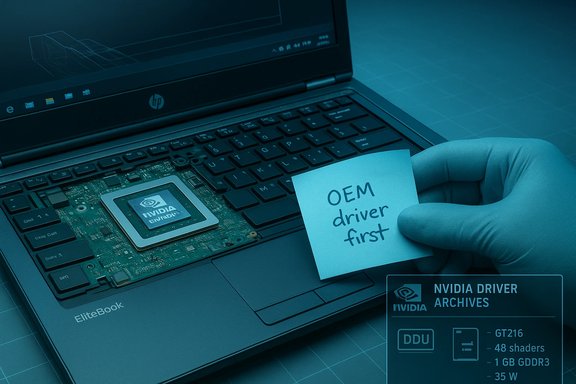
Independent hardware databases list the Quadro FX 880M as a 1 GB GDDR3, 128‑bit mobile GPU with 48 shading units and a 35 W TDP, and they show the card’s practical memory bandwidth in the mid‑25 GB/s range — numbers that match multiple independent entries.
Important practical points verified across community guides and driver archives:
From an archival perspective, the R340/R341 Quadro notebook packages are the realistic target for the FX 880M on Windows 10, but expect the driver packages to be older builds (circa 2014–2016 age) and to lack modern feature support.
If your objective is to maintain or repair an older HP mobile workstation or to run legacy pro applications, a careful OEM‑first driver approach and a conservative install/test plan will give you the best chance of success. If you seek modern performance, prolonged vendor support, or strong driver security guarantees, plan for a hardware refresh instead — the Quadro FX 880M remains useful, but only within the clear limits documented above.
Source: Born2Invest https://born2invest.com/?b=style-230012812/
 Background / Overview
The Quadro FX 880M debuted as a mobile workstation GPU built on NVIDIA’s GT216 architecture and targeted at 2010‑era professional laptops. It’s commonly sold today as used OEM MXM modules for HP EliteBook and other precision mobile workstations. For anyone who finds a Quadro FX 880M listing — sometimes labeled with HP part numbers like 598040‑001 / 599059‑001 — the first questions are: what are the real specifications, which Windows 10 driver will work, and how risky is it to proceed with an install?Independent hardware databases list the Quadro FX 880M as a 1 GB GDDR3, 128‑bit mobile GPU with 48 shading units and a 35 W TDP, and they show the card’s practical memory bandwidth in the mid‑25 GB/s range — numbers that match multiple independent entries.
What the Quadro FX 880M actually is: verified technical specifications
The most load‑bearing hardware facts about the Quadro FX 880M are well documented across archival GPU databases. Key verified specifications:- GPU architecture: GT216 (mobile variant).
- CUDA / shader processors: 48 shading units (often listed as 48 CUDA cores in consumer‑facing summaries).
- Memory: 1 GB GDDR3, 128‑bit memory bus.
- Memory bandwidth: approximately 25.2–25.6 GB/s (depending on the listed memory clock).
- Core clock: commonly reported near 550 MHz (shader clocks and exact vendor tuning vary).
- TDP: roughly 35 W (MXM mobile module power envelope).
- API support: DirectX up to 11.1 feature level 10_1, OpenGL ~3.3, OpenCL 1.1 — modern API support (Vulkan, recent OpenGL) is absent.
Driver reality: Windows 10 compatibility and which driver families to trust
There are two separate but related driver questions:- Which official NVIDIA driver family supports the Quadro FX 880M?
- What is the safest way to get a working driver on an HP / OEM laptop running Windows 10?
Important practical points verified across community guides and driver archives:
- Windows Update frequently provides a Microsoft‑signed, baseline display driver that will restore basic 2D acceleration and desktop display, but it is not feature complete and may not expose full power management and 3D acceleration.
- If an OEM (HP) driver is not available for your laptop + Windows 10 combination, a carefully chosen archived Quadro notebook package from NVIDIA’s R340 family is the next best option — but expect to use DDU (Display Driver Uninstaller) and a clean install procedure in many cases.
- Be cautious of third‑party driver repackagers and “driver packs” — they often alter INFs or bundle extras and have been flagged repeatedly by community threads as unsafe or unstable. Always prefer NVIDIA’s archive or OEM pages.
HP and OEM considerations: matching modules, part numbers, and BIOS whitelists
A common marketplace listing will show the Quadro FX 880M with HP part numbers (for example, the board sticker or listing SKU). Real‑world resale listings and community advice emphasize verifying the module’s DP/N, serial sticker, and MXM form factor before purchase.- HP and Dell sometimes use BIOS whitelists or OEM firmware behaviors that can block non‑matching MXM modules or produce odd behavior after installation. Confirm your laptop model supports MXM module swaps and that the module’s DP/N is known to be compatible with your chassis.
Safe workflow: how to prepare, install, and verify a Quadro FX 880M driver on Windows 10 (HP notebook)
Follow this conservative, technician‑grade sequence to minimize risk:- Backup and prepare
- Create a full disk image or at least a Windows System Restore point. Save your current working driver installer and note the current Device Manager driver version.
- Confirm the hardware ID
- Boot the laptop with the card installed (or if replacing, note old device IDs). In Device Manager → Display adapters → Properties → Details → Hardware Ids, copy the VEN and DEV strings. This allows INF matching later if you must do a manual install.
- Try OEM driver first
- Visit HP’s official support site, enter your laptop model, and download the Windows 10 display driver listed for that model. For many HP workstations, the OEM package is the safest choice.
- If no OEM driver exists, pick NVIDIA’s archived Quadro notebook package
- Download the R340/R341 Quadro notebook driver from NVIDIA’s official driver archive that explicitly lists Quadro FX 880M or the GT216 family. Avoid third‑party mirrors when possible.
- Clean driver removal (optional but recommended)
- If you’re replacing or updating drivers that have caused trouble, use Display Driver Uninstaller (DDU) in Safe Mode to completely remove previous NVIDIA artifacts. Community guides recommend this before installing legacy packages on modern Windows.
- Install with “Custom → Perform a clean installation”
- Run the NVIDIA installer as Administrator, choose Custom, and check “Perform a clean installation.” Uncheck GeForce Experience and other optional telemetry components if you prefer driver‑only installation. Reboot when prompted.
- If the installer reports “no compatible hardware”
- Extract the NVIDIA package (it self‑extracts to a temporary folder) and inspect the INF for your hardware ID. If the INF contains the device ID you recorded, you may attempt a manual “Have Disk” install via Device Manager → Update driver → Browse my computer → Let me pick → Have Disk… Use this only as a fallback and with caution.
- Validate
- Confirm the driver version in Device Manager → Driver tab and run representative workloads (CAD viewport, hardware‑accelerated video playback) to ensure stability. If problems occur, roll back or use your image backup.
Where to download drivers safely
Always prefer these channels, in order:- HP / the laptop OEM support page for your exact model and OS version (first choice for notebooks).
- NVIDIA’s official driver archive (search by product family and OS; use the Quadro / Notebook driver section for mobile Quadro parts).
- Microsoft Update Catalog for signed packages where NVIDIA pages or OEM pages are not available.
From an archival perspective, the R340/R341 Quadro notebook packages are the realistic target for the FX 880M on Windows 10, but expect the driver packages to be older builds (circa 2014–2016 age) and to lack modern feature support.
Common installation problems and practical fixes
- Problem: Installer refuses to recognize the GPU (error: “no compatible hardware found”)
- Likely cause: INF/device‑ID mismatch or OEM‑signed INF blocking the generic package.
- Fix: Check the INF for your hardware ID, try the OEM package, or use the manual “Have Disk” install if the INF matches. If nothing works, use the Microsoft Basic Display Adapter temporarily and research OEM alternatives.
- Problem: Black screen or boot hang after installing driver
- Fix: Boot to Safe Mode, run DDU to remove the driver fully, and reinstall a vetted candidate. Keep a system image as your fastest rollback option.
- Problem: Hybrid graphics (Intel + NVIDIA) or Optimus no longer switches correctly
- Fix: Prefer OEM drivers that include vendor INF customizations. If you installed a generic package, reinstall the OEM driver to restore switching behavior or consult the laptop vendor’s support steps.
- Problem: Telemetry or unwanted components installed
- Fix: Reinstall using Custom → driver only and disable NVIDIA telemetry services and scheduled tasks. Community guides outline exact service names and tasks to disable if privacy is a priority.
Security and lifecycle risks to consider
Installing decade‑old driver packages on modern Windows introduces several non‑trivial risks:- Legacy driver code may not incorporate modern kernel mitigations and could expose a larger attack surface than current drivers. Community advisories repeatedly note that running ancient drivers on an internet‑connected, security‑sensitive machine is riskier than using a current GPU with maintained drivers. If the machine is used in a production or security‑sensitive role, consider a hardware or OS refresh instead.
- Microsoft formally ended mainstream Windows 10 support in October 2025; vendor policies and cadence for driver security updates are affected by that broader lifecycle change. For legacy GPUs, expect driver updates to be infrequent or to cease entirely. If you must remain on Windows 10, plan a validation/segregation strategy for legacy systems.
- Third‑party or repackaged drivers are a common vector for altered INFs or bundled malware — prefer vendor archives and verify file hashes when available. Community posts repeatedly flag repackagers as a recurring source of trouble.
Practical performance expectations and use cases
The Quadro FX 880M’s hardware ceilings are clear: small shader count, GDDR3 memory, and older API support. Realistic use cases:- Restoring or maintaining legacy workstations that run older CAD, DCC, or ISV‑certified applications which were originally validated against Quadro FX hardware.
- Hobbyist or lab environments where exact hardware replication matters (for testing or archival use).
- Low‑intensity 2D/office workloads where a basic display adapter with some GPU acceleration suffices.
- Modern gaming or GPU‑accelerated ML workloads.
- Production environments that demand up‑to‑date security patches and driver support.
Special note on the Born2Invest link and unverifiable claims
The prompt included a Born2Invest URL and a block of privacy‑style text. Community verification efforts show that specific third‑party links like the Born2Invest page referenced may be unavailable, unverified, or incomplete; unique claims drawn only from that link should be treated cautiously until a working, verifiable URL or quoted excerpt is provided. Rely on OEM and NVIDIA archive pages as the authoritative driver/download sources.Quick checklist (copy/paste) — safe path for HP/NVIDIA Quadro FX 880M on Windows 10
- Save a full disk image and create a System Restore point.
- Record GPU hardware IDs from Device Manager.
- Download OEM (HP) driver first if available.
- If OEM driver is not available, download the R340/R341 Quadro notebook driver from NVIDIA’s official archive.
- Use DDU in Safe Mode to fully remove stale drivers if you expect conflicts.
- Install with Custom → Perform a clean installation; uncheck GeForce Experience.
- Validate with Device Manager and a representative workload; be ready to roll back.
Conclusion: when the Quadro FX 880M makes sense — and when it doesn’t
The Quadro FX 880M is a genuine, verifiable piece of legacy workstation hardware whose specs are well documented across multiple independent databases. It can be returned to service on Windows 10 systems, but the driver path is nontrivial: prefer HP’s OEM driver for notebooks, otherwise target NVIDIA’s archived Quadro R340/R341 notebook drivers and use a cautious, DDU‑backed clean installation workflow. The benefits are primarily in restoring legacy workstation capability or preserving an ISV‑certified environment; the downsides are limited performance, reduced modern API support, and real security and stability tradeoffs tied to running decade‑old driver code on a modern OS.If your objective is to maintain or repair an older HP mobile workstation or to run legacy pro applications, a careful OEM‑first driver approach and a conservative install/test plan will give you the best chance of success. If you seek modern performance, prolonged vendor support, or strong driver security guarantees, plan for a hardware refresh instead — the Quadro FX 880M remains useful, but only within the clear limits documented above.
Source: Born2Invest https://born2invest.com/?b=style-230012812/
