

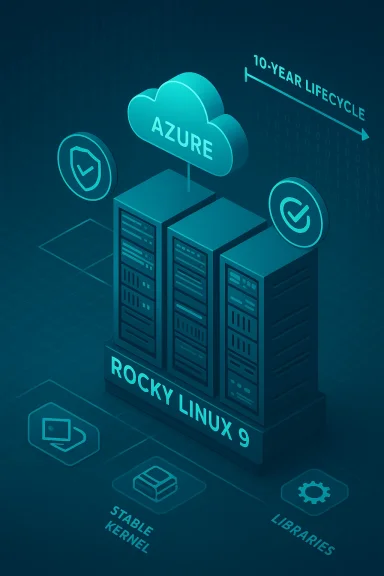
Rocky Linux 9 arrives in enterprises and clouds as a pragmatic choice: it promises RHEL‑equivalent stability and a predictable, decade‑long lifecycle while letting organizations run RHEL‑compatible workloads in Microsoft Azure without vendor subscription lock‑in. This article cuts through the marketing shorthand to explain exactly what “RHEL compatibility” means in practice, how Rocky Linux 9’s lifecycle maps to Red Hat’s lifecycle rules, and what Azure operators must plan for when building long‑lived VM images, scale sets, and governance pipelines. It draws on the community and vendor lifecycle documents, Azure marketplace signals, and the TechBullion briefing you supplied to deliver a technical, operational, and risk‑aware playbook for adopting Rocky Linux 9 in Azure. g]
Background / Overview
Enterprise Linux distributions are infrastructure foundations: they determine update cadence, supported kernel interfaces, and runtime ABIs that upstream packages and third‑party vendors certify against. Rocky Linux grew specifically to provide a free, community‑driven rebuild of Red Hat Enterprise Linux (RHEL) that tracks RHEL’s releases and lifecycle guarantees. The project’s stated goal is binary compatibility with RHEL, which lets organizations use RHEL‑targeted packages, container images, operator bundles, and vendor certifications unchanged on Rocky Linux.Red Hat’s product lifecycle for modern RHEL releases (RHEL 8/9/10) is structured into phases — Full Support, Maintenance Support, and an Extended Life phase — and spans roughly ten years for a major release, with controlled rules for minor release support and EUS variants. Rocky Linux 9 aligns its release and support timing to those RHEL 9 lifecycle milestones so that enterprises can plan upgrades and compliance windows predictably.
What Rocky Linux 9 Is — and What It Is Not
Downstream, binary‑compatible rebuild
- Definition: Rocky Linux 9 is a downstream rebuild of RHEL 9 produced by rebuilding RHEL source packages and republishing them under the Rocky Linux project. That rebuild process preserves library versions, ABI/SONAME links, and package dependency graphs so binaries built for RHEL 9 run unchanged on Rocky Linux 9.
- Practical result: Applications, middleware, containers, and vendor drivers certified for RHEL 9 should run on Rocky Linux 9 without recompilation in the vast majority of cases. The Rocky Linux project explicitly positions itself as a RHEL clone rather than a feature‑driven fork.
What Rocky Linux does not provide
- Commercial support subscriptions from Red Hat.
- A different feature roadmap intended to diverge from RHEL; Rocky’s value proposition is stability and parity, not disruptive innovation.
- Guarantees about third‑party certified support — vendor certifications typically name RHEL explicitly, and support contracts should be validated if a vendor ties support to a Red Hat subscription.
The Rocky Linux 9 Lifecycle — Concrete Dates and Phases
Ten‑year alignment with RHEL 9
Rocky Linux 9’s lifecycle follows the RHEL 9 lifecycle: major release date, the five‑year Full Support window, then five years of Maintenance Support focused on critical fixes, with varying extended support options as RHEL defines them. Rocky’s release and EOL planning is public in its release guide: Rocky 9 went GA in mid‑2022 and is projected to reach end‑of‑life in line with RHEL 9’s timetable (RHEL9 EOL ≈ May 2032 in vendor tables). That alignment gives operators a clear, decade‑long runway for planning.Minor releases and EUS nuance
- Rocky Linux mirrors RHEL’s minor release cadence (9.1, 9.2, …). Each minor release bundles cumulative fixes and is the basis for point‑in‑time images.
- Enhanced Update Support (EUS) exists at the RHEL level for select even‑numbered minor releases and provides extended minor‑release stability. While Rocky will rebuild the same sources, organizations relying on EUS semantics (e.g., to stay on 9.2 for 24–48 months) should confirm how Rocky’s community and any third‑party service providers will support that same pattern operationally. The vendor RHEL documentation explains EUS mechanics and dates and remains the authoritative schedule for the upstream timeline that Rocky follows.
How Binary Compatibility Is Achieved and What It Means
The technical mechanics
Binary compatibility is more than matching package names — it requires:- ABI stability for libc, key libraries, and kernel syscall behavior.
- Consistent symbol versions and SONAME preservation.
- Package dependency graphs that match what RHEL consumers expect.
Rocky Linux accomplishes this by rebuilding the exact RHEL source packages and preserving versioning and symbol metadata so that a binary compiled on RHEL 9 can link and run on Rocky Linux 9. That is the core promise of Rocky’s “RHEL‑compatible” branding.
Kernel and backport behavior
While release strings and vendor kernel tags may differ, the approach is to keep kernel behavior, configuration, and backported fixes aligned with RHEL 9’s intent. This is important for:- Hypervisor integrations and paravirtual drivers (critical in Azure VMs).
- Filesystem and storage semantics that enterprise DBs expect.
- Observability agents and third‑party kernel modules that rely on stable kernel interfaces.
Operators should not expect Rocky to provide different kernel APIs; the aim is parity. Still, always validate low‑level kernel modules and vendor kernel‑dependent appliances in a staging cluster before production rollout.
Rocky Linux 9 in Microsoft Azure — Practical Realities
Marketplace and gallery images
Rocky Linux 9 images are available in Azure Marketplace and Community/Shared Image Gallery offerings by third‑party publishers and the Rocky community effort. Microsoft Marketplace listings and publisher signals show Rocky 9 images (including hardened variants) appearing alongside RHEL and other enterprise Linux offerings. However, image discoverability, publisher names, and region replication vary; community gallery images often provide the fastest refresh cadence while Marketplace snapshots can be static. Operators must validate the publisher and image metadata before adopting.Image governance and region parity
- Marketplace and Community Gallery availability may differ by region and publisher; an image version available in East US may lag in West US or other regions.
- Rocky Linux project announcements and Azure community posts underscore the need to rely on a reproducible, internal image pipeline (Packer or Azure Image Builder → Shared Image Gallery) rather than ad‑hoc Marketplace images for production fleets. This avoids unexpected image drift or deprecation surprises.
Azure ons that matter
- Use Azure Compute Gallery (Shared Image Gallery) to version and replicate golden images across regions.
- Enroll VMs in Azure Update Manager for centralized patch coordination, or adopt an immutable re‑bake + reimage pipeline to converge fleets to known images.
- Integrate with Azure Policy and the CIS machine‑readable assessment capability for audit visibility; the preview built‑in CIS mapping supports multiple enterprise Linux distributions, including Rocky 8/9 — meaning teams can assess Rocky Linux instances with the same policy mechanics they use for RHEL.
Security, Patch Cadence and Support Expectations
Security advisories and timing
Rocky Linux aims to release security errata in close alignment with RHEL disclosures. That means when a RHEL RHSA is published, Rocky rebuilds relevant packages and publishes aligned advisories. In practice:- Security fixes for kernel and core libraries are prioritized.
- The window between RHEL disclosure and Rocky rebuild varies (community bandwidth, QA, and publisher processes influence timing).
For high‑assurance workloads, teams must define SLAs (e.g., deploy a critical RHSA within X days) and validate actual Rocky advisory timing in pilots rather than assuming parity to the hour.
Support model caveats
- Rocky is community governed. This provides transparency but differs from Red Hat’s paid support model that includes vendor engineering SLAs and account escalation channels.
- If support contracts or vendor appliances explicitly require RHEL with a Red Hat subscription, moving to Rocky may impact your vendor support entitlements; check contracts before switching. In many cases, software that is certified for RHEL will technically run on Rocky, but vendors may restrict official support to customers running RHEL under subscription.
Migration and Upgrade Considerations
Upgrading from Rocky 8 → Rocky 9
- This is a major upgrade that changes base libraries, SELinux defaults, and kernel behavior.
- Validate application compatibility (glibc, systemd units, SELinux expectations), cryptographic defaults, and third‑party agents.
- Recommended approach: staged canaries, automated regression tests, and rollouts in waves with rollback images ready.
Migrating from RHEL → Rocky Linux
- Confirm binary compatibility for your critical stack (databases, drivers, kernel modules).
- Validate support commitments: vendor support contracts may require RHEL; confirm whether your vendors accept Rocky Linux for support cases or whether you’ll retain support under RHEL subscriptions (BYOS conversions, etc.).
- Operational steps:
- Create golden images in a test subscription.
- Run functional and performance smoke tests.
- Use Azure Update Manager and Shared Image Gallery to orchestrate controlled rollouts.
Binary compatibility reduces friction, but governance and contractual issues remain the main migration blockers.
Governance, Compliance, and Operational Best Practices in Azure
Build a defendable image pipeline
- Bake images with Packer or Azure Imagmated hardening (CIS L1 baseline), telemetry validation, and boot probes in CI.
- Publish immutable, versioned images to Azure Compute Gallery and replicate by region.
This reduces image sprawl and ensures your production fleet is traceable and reproducible. Community guidance and Azure patterns converge on this as the recommended approach.
Use Azure native compliance tooling
- Assign the Official CIS Security Benchmarks for Linux Workloads policy (preview features and azure‑osconfig) to get continuous audit evidence across RHEL and RHEL‑compatible distributions including Rocky 9.
- Keep policies in audit mode during pilots and use runbooks for remediation until auto‑remediation is available and validated for your environment.
Patch strategy options
- Immutable image rebuilds: ideal for high‑assurance fleets; schedule regular rebuild cadence and emergency re‑bakes for urgent CVEs.
- Centralized patching via Azure Update Manager: quicker for urgent fixes but riskier for drift; combine with periodic reimage to converge state.
- Live patching solutions (where available) can reduce downtime but must be validated for kernel module compatibility and vendor requirements.
Strengths, Trade‑offs and Risks — A Critical Assessment
Strengths
- Predictability: Rocky’s alignment to RHEL lifecycle gives a clear, long runway (10 years) for planning major migrations and compliance cycles.
- Cost flexibility: Rocky eliminates OS subscription fees, improving TCO on cloud platforms where OS subscription costs scale quickly.
- Operational parity: For most application stacks certified on RHEL 9, Rocky Linux 9 behaves identically at runtime, simplifying CI/CD and container pipelines.
Trade‑offs and risks
- Support contract mismatch: Vendors that require RHEL subscriptions for official support may withhold support for Rocky deployments. This is contractual, not technical, and must be validated before a migration.
- Community vs. commercial SLAs: While community governance fosters transparency, it lacks the formal SLAs and backlog prioritization that a commercial vendor provides.
- Image distribution and publisher variability in Azure: Marketplace vs Community Gallery differences, region replication delays, and publisher account changes have created operational friction in the past; treat Marketplace images as convenience artifacts, not canonical golden images. ()
- Timing of advisories: Rocky aims to publish security fixes rapidly after RHEL disclosures, but rebuild and QA windows can introduce slight delays — for very short exposure‑window policies you must plan mitigations (WAF, compensating controls) rather than rely on instantaneous parity.
Actionable Checklist for Running Rocky Linux 9 on Azure
- Inventory and classification
- Map workloads to criticality, kernel dependency, and vendor‑support constraints.
- Golden image pipeline
- Implement Packer/Azure Image Builder → Shared Image Gallery; bake CIS L1, telemetry, and agent validation into the pipeline.
- Pilot and test
- Validate application behavior (DBs, middleware), SELinux policies, and kernel modules on a pilot fleet. Use performance and soak tests.
- Compliance and policy
- Assign Azure Policy CIS baseline in audit mode; reconcile differences to your existing CIS scanner outputs.
- Patch and rollout plan
- Choose immutable reimage cadence + Update Manager for out‑of‑band fixes. Maintain rollback images and disaster playbooks.
- Vendor and contract validation
- Confirm vendor support for Rocky or plan for compensating support arrangements.
- Monitoring and telemetry
- Centralize logs to Log Analytics / SIEM, and instrument agent health and agent update channels.
- Documentation and runbooks
- Document upgrade windows, EUS expectations, and thedure for critical RHSA handling.
Conclusion
Rocky Linux 9 is a practical, enterprise‑grade choice for Azure deployments that need RHEL parity without subscription fees. Its value lies in predictability — lifecycle alignment to RHEL 9 gives teams a clear support horizon — and in operational parity — binaries and containers certified for RHEL 9 will generally run unchanged on Rocky Linux 9. However, technical equivalence does not eliminate the non‑technical risks: vendor support contracts, community vs commercial SLAs, Azure image publisher mechanics, and the operational discipline required to maintain a secure fleet remain the deciding factors for production adoption.Adopt Rocky Linux 9 on Azure with an engineering‑grade plan: bake and sign golden images, validate vendor support entitlements, pilot upgrades, and use Azure’s policy and update tooling for continuous compliance and rapid remediation. Treat Rocky as a predictable platform foundation — but one that still requires traditional enterprise engineering rigor to make it production‑safe.
Source: TechBullion Understanding the Rocky Linux 9 Lifecycle and RHEL Compatibility on Microsoft Azure
