

Running AlmaLinux on Microsoft Azure is an increasingly pragmatic choice for organizations that want a RHEL-compatible, long‑support Linux base without the vendor licensing tax — and when paired with Azure’s global infrastructure and native services it becomes a flexible, enterprise‑grade platform for modern workloads. The combination supports traditional lift‑and‑shift migrations as well as cloud‑native redesigns, and it rewards teams that invest in automation, immutable images, and observability from day one.
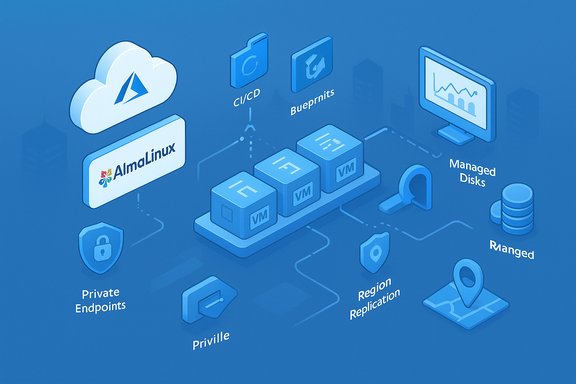
AlmaLinux is published as a free, community-controlled RHEL‑binary compatible distribution with a predictable lifecycle and an emphasis on enterprise stability. Official AlmaLinux images are available in Azure Marketplace and Community Galleries, covering x86_64 and AArch64 architectures and offering options like Trusted Launch and cloud-init for secure, automated provisioning. The AlmaLinux Foundation and marketplace publishers maintain the images used to boot production VMs and VM Scale Sets. Microsoft Azure supplies the core building blocks — Virtual Machines (VMs), Managed Disks, Virtual Networks, Load Balancers, and Platform services — while features such as Azure Compute Gallery (Shared Image Gallery), Virtual Machine Scale Sets (VMSS), Azure Update Manager, and Managed Identities give teams the tools needed to operate AlmaLinux at scale. The architectural patterns that govern success are the same for AlmaLinux as for any hardened Linux OS on Azure: pick the right VM SKU for the workload, bake hardened images, automate deployment with Infrastructure as Code (IaC), and centralize telemetry and patching.
Source: TechBullion AlmaLinux on Microsoft Azure: Architecture, Automation, and Real-World Use Cases
 Background
AlmaLinux is published as a free, community-controlled RHEL‑binary compatible distribution with a predictable lifecycle and an emphasis on enterprise stability. Official AlmaLinux images are available in Azure Marketplace and Community Galleries, covering x86_64 and AArch64 architectures and offering options like Trusted Launch and cloud-init for secure, automated provisioning. The AlmaLinux Foundation and marketplace publishers maintain the images used to boot production VMs and VM Scale Sets. Microsoft Azure supplies the core building blocks — Virtual Machines (VMs), Managed Disks, Virtual Networks, Load Balancers, and Platform services — while features such as Azure Compute Gallery (Shared Image Gallery), Virtual Machine Scale Sets (VMSS), Azure Update Manager, and Managed Identities give teams the tools needed to operate AlmaLinux at scale. The architectural patterns that govern success are the same for AlmaLinux as for any hardened Linux OS on Azure: pick the right VM SKU for the workload, bake hardened images, automate deployment with Infrastructure as Code (IaC), and centralize telemetry and patching.Architecture: compute, storage, networking, and security
Compute layer: choosing VM series and sizing
Azure offers a broad range of VM series suitable for AlmaLinux workloads. Common pairings include:- D‑series and D_v4/D_v5 for general‑purpose workloads and balanced CPU/memory needs.
- E‑series for memory‑optimized workloads (large caches, in‑memory DBs).
- F‑series for CPU‑bound compute tasks like batch processing.
These SKUs are widely documented by Azure and should be validated per region before procurement because SKU availability and naming conventions can change. Right‑sizing must be driven by telemetry to avoid cost waste.
Storage strategy: managed disks and I/O patterns
Azure Managed Disks (Premium SSD, Standard SSD, Ultra Disk) are the recommended disk types for production AlmaLinux workloads. For database and other I/O‑sensitive applications, Premium or Ultra Disks provide lower latency and predictable IOPS. Use OS‑disk and data‑disk separation, and consider striping multiple data disks at the OS level for extreme I/O demands while validating throughput in load tests. Managed Disks simplify replication and lifecycle management compared with classic storage accounts. Encryption options include platform‑managed keys and customer‑managed keys (CMK) via Azure Key Vault. Note that Azure Disk Encryption (ADE) documentation contains important deprecation and migration guidance — teams should prefer encryption‑at‑host for new deployments and plan ADE migration where necessary. Always align encryption choices with corporate compliance controls.Networking and isolation
Azure Virtual Networks (VNets), subnets, and Network Security Groups (NSGs) provide the same segmentation primitives familiar to on‑prem architects. Combine these with:- Azure Firewall or third‑party virtual appliances for egress control.
- Private Endpoints for managed services (Storage, Database) to remove public exposure.
- Accelerated Networking (where supported) to lower latency and CPU overhead on NICs.
Place compute and stateful services in the same region and availability zone when possible to reduce latency, and design cross‑region replication with eventual‑consistency patterns where required.
Identity and access
SSH key‑only access with JIT windows for privileged tasks, combined with role‑based access via Azure Active Directory (Entra) and managed identities for service authentication, reduces risk from static credentials. Integrating application and service identities with Key Vault centralizes secret management and auditing. These are best practices supported natively by Azure and recommended for AlmaLinux environments.Automation: provisioning, configuration, images, and scaling
Automation is a force multiplier when running AlmaLinux on Azure. The recommended approach is an image‑first, IaC‑driven pipeline that bakes security and configuration into immutable artifacts.Infrastructure as Code (IaC)
Use Bicep or ARM when you need native Azure semantics and Terraform for multi‑cloud portability. IaC modules should be small, composable, and tested in CI. Keep environment differences to parameter files and secure values in Key Vault-backed pipelines. Cloud‑first organizations embed deployment gating, drift detection, and policy checks into CI/CD to make infrastructure changes auditable and reversible.Image management and standardization
Baking a hardened AlmaLinux image ensures repeatability:- Build images with Packer or Azure Image Builder.
- Publish to Azure Compute Gallery (Shared Image Gallery) for versioning and regional replication.
- Sign and attest images where compliance requires cryptographic assurance.
Configuration management and runtime state
After bootstrapping with cloud‑init, enforce desired state using Ansible, Chef, or Puppet. Azure Automation and Update Manager provide platform integrations for scheduled patching and controlled rollouts. For critical fleets, prefer image updates with staged rollouts to live patching where regulatory constraints or uptime SLAs demand it.Scalability and orchestration
Azure Virtual Machine Scale Sets (VMSS) support both autoscaling via metrics and scheduled scaling for predictable load patterns. VMSS integrates with Azure Load Balancer and supports automatic instance repairs and rolling upgrades, allowing AlmaLinux‑based services to scale horizontally in response to CPU, memory, or custom application metrics. For containerized microservices, pair VMSS with AKS or consider container instances for ephemeral tasks.Real‑world use cases: where AlmaLinux + Azure shines
Web and application hosting
AlmaLinux makes a familiar platform for LAMP/LEMP stacks and modern web runtimes. It pairs well with Azure services:- Application Gateway or Azure Front Door for web routing, WAF and TLS termination.
- Azure Database for MySQL/PostgreSQL to offload HA, backups and scaling.
- Storage and CDN integration for static assets.
Combined, these services let teams build resilient web tiers on AlmaLinux VMs while minimizing operational overhead.
Databases and analytics
AlmaLinux runs efficiently with MariaDB, MySQL, and PostgreSQL, especially when backed by Premium SSDs and availability zones. For analytics, AL VMs can be the compute plane that ingests and pre‑processes data into Azure Data Lake, Event Hubs, or Synapse, or they can host heavier ETL workloads before handing off to managed analytics services. Use VMSS for scale-out analytic nodes and Azure Backup/ASR for recovery plans.DevOps, CI/CD, and build farms
AlmaLinux is a common choice for CI runners, artifact servers, and build hosts. Container registries and GitLab/ Jenkins agents run well on AlmaLinux, and image‑based workflows (build → test → bake → publish SIG) create a clean, auditable pipeline for both VM and container images. Leverage spot/low‑priority VMs for non‑critical build workloads to reduce costs while checkpointing long runs.Containers and hybrid microservices
For teams adopting microservices, AlmaLinux VMs can host container runtimes or act as builder/CI nodes that support AKS. They also serve hybrid roles where legacy services coexist with containerized front ends. AlmaLinux images are compatible with container runtimes and can be the base for building container images that are consistent across dev and prod.Enterprise modernization and cost optimization
Organizations migrating from RHEL or CentOS frequently choose AlmaLinux to avoid subscription costs while retaining RHEL‑compatible tooling and libraries. On Azure, this migration lowers direct OS licensing spend and aligns with Azure’s hybrid offerings for identity, governance, and monitoring, making AlmaLinux an economical modernization path — but due diligence on compatibility and vendor support is still mandatory.Implementation patterns and a practical deployment checklist
Deploying AlmaLinux in Azure benefits from a repeatable template. The following checklist distills operational best practices into actionable steps.- Build the golden image pipeline:
- Use Packer / Azure Image Builder to create AlmaLinux images.
- Bake in security agents, logging, and hardening (CIS profile).
- Publish versioned images to Azure Compute Gallery.
- Define IaC modules:
- Create Bicep/ARM/Terraform modules for VNets, subnets, NSGs, VMSS, and load balancers.
- Parameterize environment specifics and store secrets in Key Vault.
- Bootstrap instances:
- Use cloud‑init for first‑boot configuration (users, SSH keys, package sources).
- Install and configure Azure Linux Agent if not preinstalled.
- Enforce configuration:
- Apply Ansible/Chef/Puppet runs post‑bootstrap for final hardening and application deploys.
- Verify telemetry exports to Azure Monitor and Log Analytics.
- Patch and lifecycle:
- Enroll VMs in Azure Update Manager or use image re‑bakes for critical updates.
- Schedule canary rollouts and VMSS reimage operations rather than manual patching where possible.
- Backup and DR:
- Use Azure Backup for VM snapshots and site recovery for cross‑region failover.
- Define RTO/RPO and test failover with non‑disruptive drills.
- Observability & security:
- Centralize logs with Azure Monitor / Application Insights.
- Enable Defender for Cloud and set up runbooks for common incidents.
Cost, governance, and compliance considerations
Running AlmaLinux on Azure reduces OS licensing costs, but cloud TCO depends on sizing, reserved instances, storage tiering, and egress patterns. Use tagging and Azure Cost Management to track spend, and institute automated rightsizing based on Azure Monitor telemetry. For regulated workloads, use customer‑managed keys in Key Vault, private endpoints, and enforce image and resource policies with Azure Policy. These governance guardrails prevent unapproved image sprawl and accidental public exposure.Operational readiness: observability, incident playbooks, and security posture
Operational maturity requires centralized telemetry and practiced incident response. Instrument AlmaLinux hosts with the Azure Monitor agent or Prometheus exporters, centralize logs in Log Analytics, and wire application traces to Application Insights. Build playbooks for disk‑full, high‑CPU, SSH compromise, and kernel panic incidents; automate safe remediation steps where possible and maintain human overrides for potentially destructive actions. Regular DR drills and security scanning reduce surprises during outages or incidents.Critical analysis: strengths, trade‑offs, and risks
Notable strengths
- Cost efficiency: AlmaLinux eliminates subscription fees while preserving RHEL compatibility for enterprise applications, delivering immediate TCO gains on OS licensing.
- Familiar operational model: Teams experienced with RHEL/CentOS can migrate without extensive application refactoring, reducing migration friction.
- Azure native integrations: Marketplace images, VMSS, Update Manager, Compute Gallery, and managed services allow tight operational integration and automation.
- Scalability and resilience: VMSS, availability zones, and managed disk options give engineers a path to build resilient, scalable architectures.
Potential risks and mitigations
- Image drift and patch inconsistencies: Without an immutable image pipeline, fleets diverge. Mitigation: implement Packer/CI pipelines and SIG distribution to enforce image consistency.
- Operational assumptions about marketplace images: Some Marketplace or community images may include vendor agents or defaults incompatible with internal hardening policies. Mitigation: validate images in staging and prefer your internally curated images published via Shared Image Gallery.
- Region and SKU variability: VM SKU availability and feature flags differ by region and change over time. Mitigation: perform region‑specific capacity verification and include fallback SKUs in provisioning modules.
- Encryption and future deprecation: Azure Disk Encryption has migration guidance and a deprecation timeline; teams must plan migration to encryption‑at‑host for long‑term resilience. Mitigation: follow Microsoft’s ADE migration path and test unlock behavior before committing to ADE for new services.
- False economy from underprovisioning: Aggressive cost optimization (spot VMs, undersized disks) risks performance and availability. Mitigation: use telemetry‑led right‑sizing and reserve capacity for critical workloads.
Example: a minimal automated pipeline (high level)
- Source: AlmaLinux official image as the base in a staging subscription.
- Build: Packer image pipeline to install monitoring, hardening scripts, and sign the image.
- Publish: Upload signed image versions to Azure Compute Gallery and replicate to target regions.
- Provision: Bicep modules deploy VMSS or single VMs referencing the Signed Image URN; pipelines store secrets in Key Vault and use managed identities.
- Manage: Enroll instances in Azure Update Manager and Azure Monitor; enforce policies via Azure Policy and gate production promotion via CI approvals.
Conclusion
AlmaLinux on Microsoft Azure is a practical, enterprise‑grade pairing that delivers RHEL‑compatibility without licensing fees, while tapping Azure’s broad set of platform services for automation, security, and scalability. The technical building blocks — image pipelines, VM Scale Sets, Managed Disks, Update Manager, and Azure Monitor — combine to create a durable operating foundation when used with solid IaC and image governance. The real returns come to teams that treat AlmaLinux on Azure as a managed platform: bake images, automate everything, instrument continuously, and test recovery and scaling regularly. That discipline converts a stable, cost‑effective OS choice into a predictable, resilient production platform.Source: TechBullion AlmaLinux on Microsoft Azure: Architecture, Automation, and Real-World Use Cases
