

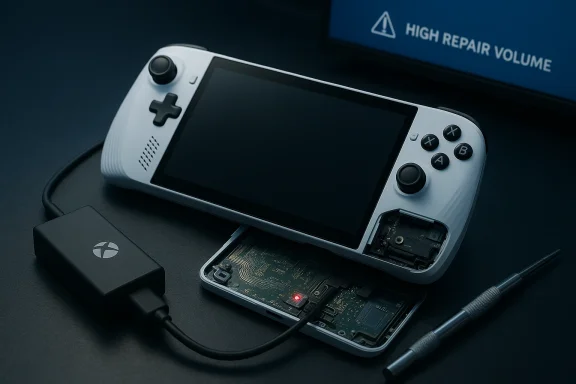
I bought my Xbox-branded ROG Ally X in September 2025 and, five months later, it stopped responding — no power LED, no charging indicator, nothing — forcing me to box it up and start an RMA with ASUS after an unsatisfying runaround with the retailer. rview
The ROG Xbox Ally X arrived in October 2025 as ASUS’s premium Windows‑handheld in partnership with Xbox: a 7‑inch, 1080p/120Hz device built around the AMD Ryzen AI Z2 Extreme APU, with up to 24 GB LPDDR5X, a 1 TB M.2 SSD and an 80 Wh battery. It was marketed as a high‑end, dockable handheld for people who wanted console‑style ergonomics with full Windows openness. Early reviews praised the hardware but flagged software rough edges and onboarding friction — a pattern that matters when devices start failing in the field.
This piece looks atfrom purchase to dead device, evaluates the technical and customer‑service patterns behind these failures, and outlines practical steps and expectations for other Ally X owners facing boot or power failures. I cross‑checked community reports, the ASUS support forum, and retailer return policies to separate what’s verifiable from what’s anecdote.
What happened: a first‑hand account and how it maps to wider reports
The owner’s timeline is straightforward and painfully familiar: the unit worked for months, then one day would not wake from storage; no LED when plugging in the official charger; attempts to force‑restart (hold power for 30 seconds) and common troubleshooting produced nothing; retailer directed the owner to ASUS after the 30‑day window; ASUS’ RMA portal warned of “high repair volume,” adding uncertainty to the repair timeline.That narrative is not unique. Community icial forums show multiple users reporting Ally X units that simply won’t power on and that display no charging indicator even when fed a known good charger. ASUS support staff often respond with standard troubleshooting steps (battery/power cycle, hold power button, test another charger), but thread follow‑ups reveal many cases where the device remained dead until an inspection or repair.
Reddit threads and user reports mirror that pattern: after normal use, a device won’t take a charge or show any LED, and community helpers point to a handful of recurring causes (connector/battery seating issues, chassis‑intrusion sensors, and fragile USB‑C ports). Several owners report success after re‑seating the internal battery connector or covering a chassis sensor that prevents boot when the backplate is open. Others report outright hardware faults requiring service.
Technical anatomy: why some Ally X units become “bricks”
A handheld is a complicated marriage of tight thermals, battery management, and sensor interlocks. In the Ally X’s case, several small technical design choices amplify failure modes:- Chassis intrusion / light sensors: community threads describe a safety sensor that prevents the unit from charging/powering on if the device detects the back cover is off or if light switches a “open” state. If that sensor misbehaves (or remains in the wrong state after a fast battery swap), the device may refuse to show a charge LED or boot. Covering or reseating the sensor has restored power in some community fixes.
- Battery connector seating and fragile cabling: multiple owners who opened their Ally/Ally X for upgrades or service later found loose or misaligned battery cables. A poorly latched internal connector can produce intermittent power symptoms — charging lights when pressure is applied, then complete death when the battery isn’t recognized. DIY reconnections helped several users, but this requires careful disassembly and is not risk‑free.
- USB‑C port reliability and power negotiation quirks: handheld makers often tune USB‑C PD behavior tightly. Some owners reported the device appearing to accept data over USB‑C while refusing to charge — a sign the port or the charging controller chip could be damaged or that PD negotiation fails with certain chargers. Testing with the official charger is a repeated recommendation.
- Firmware/Bios interactions with standby and charging logic: aftermarket patches and early firmware shipped to fix resume and standby behavior. On devices with complex Modern Standby logic, a bad firmware state could leave the device in a non‑charging, unresponsive power state until a BIOS/firmware recover occurs at service. ASUS has released iterative Armoury Crate and firmware fixes that address resume/reliability problems, which suggests software can be part of the failure mix as well.
Customer service and RMA realities: what to expect and where the system breaks
When a device dies outside the retailer’s return window, the path forward is usually warranty service through the manufacturer. That’s standard, but execution matters — and that’s where owners consistently feel friction.- Retailer handoffs: many retailers, including large UK chains, treat devices older than a month as outside easy returns and funnel customers to the manufacturer warranty instead. Currys — the retailer in the case reported — enforces a faults window (usually 30 days for faulty items) that pushes customers to ASUS for repairs after that period. Currys’ guidance notes that manufacturer warranty channels apply beyond their immediate returns window. That step can feel like a dead end for customers who expected more retailer support.
- ASUS RMA volume and routing: the ASUS RMA portal message warning of “high repair volume” and redirected routing to overseas repair facilities is real and meaningful: when a vendor’s local repair centers are saturated, lead times blow out. A pumping queue of repairs can add weeks to a diagnosis and repair timeline, and overseas routing can introduce customs, longer shipping legs, and slower tracking updates — all of which compound frustration. ASUS’s public forum and some owner reports show service centers acknowledging heavier loads and longer waits in late‑2025 and into 2026.
- Support competence and scripted replies: some owners report being given troubleshooting advice that misses key context (e.g., “turn it off and on” when the device will not turn on at all). That pattern indicates a gap in frontline troubleshooting training or poorly surfaced knowledge base articles for a specific device family. When support directs owners to the manufacturer without providing realistic interim options (diagnostic centers, loaner programs, escalation paths), trust erodes quickly.
- Warranty region restrictions: moving devices between regions complicates service. ASUS’ forum shows at least one user locked out of local service because the unit’s warranty was registered in another territory, despite them offering to pay for out‑of‑warranty service. That regional fragmentation is common in OEM warranties but is a poor customer experience for mobile owners or those who purchased abroad.
What the evidence says: how widespread is this problem?
You should treat the current evidence as indicating a nontrivial number of early owners seeing power/boot failures — but it does not yet prove a large‑scale manufacturing recall or systemic hardware defect.- Community and official forums show multiple, independent reports of Ally X units refusing to power on with no charging LED; many of those reports describe similar symptoms (no LED, dead device, charger tested on other devices). That pattern points to real, repeatable failure modes, not isolated user error.
- At the same time, fora also show many units operating problem‑free for months, and build‑up of firmware and driver patches from ASUS indicates software and firmware are being actively iterated — which can both fix and introduce edge failure modes. In short: there is a cluster of user reports, and a plausible set of technical causes, but no public data indicating a majority‑level failure rate or a recall as of this writing.
Practical troubleshooting checklist for owners (step‑by‑step)
If your Ally X shows the same symptoms (no power LED, no charge indication), follow this checklist before you ship the device for repair. Note: some steps require opening the device — only attempt those if you are comfortable and aware you may void some warranty conditions; where possible, escalate to an authorized repair center instead.- Confirm the charger and outlet:
- Use the official charger and plug into a known working wall outlet.
- Try the charger on another USB‑C device to confirm output.
- Test alternate ports:
- If your Ally X has two USB‑C ports, try both for a charge LED.
- Force discharge / power cycle:
- Disconnect all external devices, press and hold the power button for 20–30 seconds (sometimes longer), then reconnect power and try to boot. This can clear residual states.
- Inspect USB‑C port for debris:
- Use a flashlight and compressed air to clean ports; debris can prevent reliable contact.
- Observe for chassis status:
- If you’ve opened the backplate before, ensure it is fully reassembled and all screws are seated — some users report the device won’t charge if the chassis intrusion sensor thinks the shell is off. Covering the sensor temporarily restored charging for a few owners. Do not attempt to bypass safety features permanently.
- Check battery connector (advanced / optional):
- With the device powered off and unplugged (and after grounding yourself), open the backplate and confirm the battery connector is seated. Re‑seat gently if it looks loose. This step has restored power for several community members, but it’s invasive and carries risk.
- Capture evidence:
- Photograph the charger, port, and any visible connector condition. Document dates and times of troubleshooting calls with retailer/manufacturer. These assets speed up RMA processing and disputes.
How to handle the RMA and advocacy tips
- Document everything: you will need order numbers, serial numbers, and a clear timeline. Include photos and evidence that you tried the official charger and basic troubleshooting.
- Use the retailer’s customer service first when within their fault window: large retailers like Currys typically accept faulty returns within 30 days. Beyond that, they direct you to the manufacturer. Check the retailer terms as they vary — Currys documents this policy clearly.
- Prepare for longer lead times when OEM warns of “high repair volume”: ASUS’ portal message about high repair volume is not just a canned phrase; it often means longer wait and routing to overseas facilities. Ask for a time estimate and a local escalation contact if available.
- Escalate smartly: if frontline support is unhelpful, ask for a supervisor or an authorized service center contact. If your device is still under warranty and you paid a premium for the Ally X, be explicit about the value lost to downtime; sometimes customer recovery teams can offer loaner hardware or expedited diagnostics (not guaranteed).
- If you paid with a credit card, check chargeback and consumer rights options: depending on your jurisdiction, payment providers or consumer protection laws can sometimes help when neither retailer nor OEM provide timely remedy.
Wider implications for owners and buyers: what this episode reveals
- Hardware comfort vs. reliability tradeoff: the Ally X is engineered to be powerful in a small chassis; that design pushes the limits of connectors, sensors, and power management. Small mechanical fragilities become big customer problems when they fail in the wild.
- Service and software are as important as silicon: the Alliance between ASUS and Xbox produced great hardware but a software stack and support pathway that must scale to the product’s installed base. Firmware updates and Armoury Crate iterations are positive evidence, but they also show that launch devices will need follow‑up to achieve consumer expectations.
- Retailer policies matter: purchasing from the biggest available retailer may offer stock but also introduces variable post‑purchase support experiences. The 30‑day “faults” window is a decisive threshold — know it before you buy.
- Community troubleshooting can save a device — but at a cost: forums and Reddit offer practical fixes (re‑seat battery, cover intrusion sensors), yet these are user‑driven, not manufacturer guarantees. Relying on community fixes is pragmatic, not ideal.
Recommendations for ASUS, retailers, and buyers
- For ASUS:
- Improve frontline troubleshooting scripts to include device‑specific checks (intrusion sensor behavior, battery connector seating) and ensure customer‑facing agents can escalate quickly.
- Publish a clear RMA lead‑time dashboard while “high repair volume” conditions persist, and offer customers optional paid expedited diagnostics or loaners in key markets.
- For retailers:
- Offer an extended technical hold period or assisted RMA facilitation for premium devices to bridge the 30‑day fault window.
- Make dedicated phone and escalation contacts for complex warranty claims obvious at point‑of‑sale.
- For buyers:
- Keep receipts and unbox carefully; test new handhelds in the first two weeks while retailer fault returns still apply.
- Consider extended warranty or accidental damage plans for high‑value handhelds, especially if you travel or plan internal upgrades.
- If you are not comfortable opening your device, prioritize authorized service to avoid voiding warranty.
Conclusion
The story of one owner’s dead ROG Ally X is an instructive microcosm of what happens when ambitious hardware meets the messy reality of logistics, firmware maturity, and post‑sale service. The hardware itself is impressive on paper — the Ally X legitimately pushes what a handheld PC can do — but early failures like unexplained no‑power states expose the fragile seams in product delivery: fragile connectors and chassis sensors, complex firmware interactions, and patchwork support experiences.Owners who encounter a dead unit should take a methodical approach: exhaust the safe troubleshooting steps, document everything, and prepare for a potentially long RMA process if the manufacturer is experiencing high repair volume. Retailers and ASUS both have room to improve how they triage and communicate in these cases — clearer RMA timelines, better frontline scripts, and accessible escalation channels would reduce customer anxiety and preserve trust.
If your Ally X is still running fine, enjoy it — but keep receipts and test thoroughly in the retailer’s return window. If you’re already at the point of an RMA, be persistent, gather evidence, and expect a wait. The device’s hardware is promising; the follow‑up of firmware, service, and retail policy will determine whether that promise becomes a durable ownership experience or a cautionary tale.
If you own an Ally or Ally X and are facing similar symptoms, the community and official threads contain both practical advice and clear warnings about risks; use them, but weigh DIY repair against warranty and service considerations.
Source: Windows Central https://www.windowscentral.com/gami...s-admits-its-experiencing-high-repair-volume/
