

Halo: Campaign Evolved can clear the 60 FPS bar at 4K with Ultra settings on an NVIDIA GeForce RTX 5090, at least in an early-access firefight benchmark using an AMD Ryzen 9 7950X3D system. The reported result—64 FPS minimum and 68 FPS average at 3840×2160—is encouraging for enthusiasts chasing uncompromised image quality, but it also illustrates how narrow the margin can be when a modern remake leans heavily on Unreal Engine 5-era rendering techniques.
That is the short answer. The longer answer is more useful: the RTX 5090 appears capable of delivering a stable console-style 60 FPS experience at 4K/Ultra without lowering the internal render resolution, yet DLSS Quality is the more compelling way to play. It reportedly improves both frame rate and image clarity compared with the game’s native Temporal Super Resolution path, pushing performance above 90 FPS before Frame Generation enters the picture.
For a flagship graphics card paired with one of the fastest gaming CPUs available, that is a good first showing—but not an invitation to declare the PC version fully understood. These figures come from a single early-access test area rather than a repeatable in-game benchmark, and Halo: Campaign Evolved is arriving with the usual launch-window variables: evolving drivers, patches, shader compilation behavior, mission-to-mission performance swings, and potential stability issues. The RTX 5090 has the horsepower, but the final verdict on consistent native 4K/60 performance across the full campaign needs broader testing.
The benchmark configuration is about as high-end as a current Windows gaming PC gets:
That distinction matters. A quiet corridor or a cinematic can flatter performance numbers. An open battle with AI, weapon fire, effects, environmental visibility, and active enemies is much closer to the load players care about. If Halo: Campaign Evolved can sustain the mid-60s in that scenario, the RTX 5090 is clearly not overwhelmed by the game at 4K.
Still, a 68 FPS average is not the same as ample performance headroom. It means the RTX 5090 is operating close enough to the target that tougher encounters could still dip below 60 FPS. A more punishing mission, denser geometry, heavier weather effects, a large vehicle battle, or an especially demanding cinematic could change the picture quickly.
The result is therefore best understood as a qualified success. It confirms that native 4K/Ultra is playable on NVIDIA’s top GeForce GPU. It does not prove that every level, every fight, and every future patch will remain locked above 60 FPS.
The new game is designed around a much higher visual baseline. Higher-density assets, larger environmental detail, improved lighting, modern post-processing, and more complex animation all carry a meaningful GPU cost. The original campaign may be more than two decades old, but the rendering workload is very much contemporary.
This is why a result around 68 FPS at 4K/Ultra on an RTX 5090 should not automatically be framed as disappointing. Ultra settings are rarely intended as a performance-neutral preset, particularly in a newly released Unreal Engine 5 game. They are often designed to showcase the maximum available fidelity, sometimes at settings with limited visible benefit during normal play.
For the Windows PC audience, the more important finding is that the game appears scalable:
The test describes the native presentation as TSR at Native, referring to Unreal Engine’s Temporal Super Resolution. This is an important detail. TSR is not equivalent to turning off all temporal processing and rendering a completely untouched frame. It is a reconstruction-oriented anti-aliasing and upscaling framework that can operate at native output resolution.
In practical gaming terms, selecting TSR at Native is a reasonable representation of a native 4K mode. It is the game’s full-resolution baseline, not a performance preset rendering dramatically below 4K. But it also means that the comparison is really between two advanced temporal image pipelines:
This is not magic, and it will not look better in every frame or on every display. But it is entirely plausible that DLSS Quality can outperform a game’s native TSR option in distant geometry, terrain definition, foliage stability, and fine-detail reconstruction.
That is an excellent outcome when the technology works as intended. DLSS Quality is generally the sensible quality preset for a 4K display because it starts with a relatively high internal resolution and focuses on preserving detail rather than maximizing raw performance. On an RTX 5090, it gives the GPU enough room to turn a borderline 60 FPS native result into a much more comfortable experience.
The claimed visual improvements were especially noticeable in:
At around 60 FPS, Halo: Campaign Evolved should remain responsive and perfectly enjoyable for a single-player campaign. At 90 FPS or higher, motion appears smoother, controller input feels more immediate, mouse aiming benefits from more frequent frame updates, and VRR displays have a wider range in which to operate smoothly.
That additional performance buffer also helps protect against momentary drops during heavier encounters. A system averaging 90 FPS can absorb a demanding scene and still stay comfortably above 60 FPS. A system averaging 68 FPS has much less room before it crosses the line.
For that reason, the recommendation to use DLSS Quality at 4K/Ultra is sound. It appears to offer a better balance of image quality, smoothness, and resilience than the native TSR route.
However, Frame Generation numbers need to be read correctly. Generated frames improve displayed motion smoothness, but they do not replace the importance of the underlying, traditionally rendered frame rate. They are most effective when the base frame rate is already high enough to provide responsive input and stable image data.
In this case, the base performance with DLSS Quality was reportedly above 90 FPS. That is exactly the sort of scenario where Frame Generation can work well. The GPU is already delivering a strong conventional frame rate, and frame generation can increase the apparent fluidity without relying on a weak foundation.
The result should be a smoother experience on high-refresh-rate displays, especially at 120 Hz, 144 Hz, or above. It can also be useful on a 4K OLED or premium LCD panel where maintaining a high refresh rate improves motion clarity.
That does not make Frame Generation a gimmick. It simply means the technology should be used intelligently.
For Halo: Campaign Evolved, the ideal hierarchy looks like this:
The notable omission is support for the newest DLSS Multi Frame Generation path associated with NVIDIA’s latest Blackwell GPUs. The RTX 5090 is built to support NVIDIA’s newest AI rendering features, but the game apparently does not expose that advanced option at launch.
That may disappoint RTX 5090 owners who expect every major new PC release to showcase the card’s full feature set. Yet it should not overshadow the actual performance result. When DLSS Quality alone is already delivering more than 90 FPS at 4K/Ultra, the absence of Multi Frame Generation is not preventing the game from being highly playable.
In fact, there are good reasons to be cautious about pursuing maximum generated-frame counts in a single-player shooter. Extremely high displayed FPS can look impressive, but the gains become less meaningful if the base rate is already strong and the monitor cannot fully take advantage of it.
The more meaningful concern is driver maturity and game profiling. Launch-day games frequently receive tailored Game Ready driver support shortly after release. If a future NVIDIA driver improves shader compilation, stability, frame pacing, upscaling behavior, or profile-level settings, the RTX 5090’s native 4K result may improve slightly without any hardware change.
But that possibility remains speculative. The numbers available now should be judged as they are, not as a promise of an imminent performance breakthrough.
The early release documentation also identifies several technical issues relevant to PC players, including potential cinematic stutter under certain refresh-rate conditions and specific driver-related concerns. That does not invalidate the RTX 5090 benchmark, but it reinforces the need to separate raw average performance from the total play experience.
A performance chart cannot reveal every issue that matters during a campaign:
That does not mean the benchmark is invalid. The game clearly ran, and the performance figures remain informative. But it means the results were collected on an operating system outside the stated support target. That introduces an avoidable variable when evaluating early-access stability and performance.
For prospective players, the safest course is to use the current supported operating system, current chipset drivers, and a vetted NVIDIA driver version. An unsupported OS can complicate troubleshooting and make it harder to determine whether a crash, stutter issue, or inconsistent frame pacing is game-related, driver-related, or platform-related.
This is especially relevant for a game built around contemporary APIs and advanced rendering features. Windows 11 is the intended baseline, and enthusiasts pursuing a premium 4K experience should treat it as part of the recommended configuration.
Even so, the test offers several useful signals.
First, Halo: Campaign Evolved is not trivial to run at Ultra settings. If NVIDIA’s fastest GeForce GPU averages only 68 FPS at native 4K in a busy combat sequence, less powerful cards will need realistic expectations. That may mean using DLSS, lowering selected settings, accepting lower frame rates, or choosing a lower output resolution.
Second, the test confirms that the game benefits substantially from modern reconstruction technology. This is not a title where upscaling should be seen as an emergency fallback. At 4K, DLSS Quality appears to be the preferred quality setting, not merely the performance setting.
Third, the 1440p and 1080p figures indicate that high-refresh-rate play is attainable on flagship hardware. If the RTX 5090 can exceed 100 FPS at 1440p/Ultra and surpass 130 FPS at 1080p/Ultra, competitive-minded players who prioritize response time over pixel density have viable options.
The most likely sweet spots, based on these preliminary results, are:
The trade-off is simple: native rendering appears to provide less visual detail than DLSS Quality in the tested scenes and costs enough performance to reduce the average frame rate to the high 60s. In a game where the reconstruction solution is visibly superior, there is little practical reason to sacrifice smoothness for the native option.
The only compelling reason to use TSR at Native is personal preference after inspecting the game on a specific display. Image quality is not purely mathematical. Some players are more sensitive to reconstruction artifacts than others, while others will prioritize the additional frame-rate headroom without hesitation.
But native 4K is not the optimal RTX 5090 experience. DLSS Quality reportedly improves the image over the game’s TSR-at-native presentation while raising performance beyond 90 FPS. With Frame Generation enabled, the game can exceed 150 FPS at 4K/Ultra, provided the player understands that generated frames complement rather than replace a strong base frame rate.
The real takeaway is positive: Halo: Campaign Evolved appears capable of looking excellent and running smoothly on a flagship Windows gaming PC. The RTX 5090 has enough power to make 4K/Ultra a realistic target, and DLSS Quality turns that target into a far more comfortable, high-refresh experience.
Early-access performance should still be treated as provisional. More missions, more graphics cards, updated drivers, and post-launch patches will determine whether the game holds this level of performance across the entire campaign. For now, however, the answer is clear: yes, the RTX 5090 can achieve 60 FPS at 4K/Ultra—and DLSS Quality is the setting that makes the result truly compelling.
That is the short answer. The longer answer is more useful: the RTX 5090 appears capable of delivering a stable console-style 60 FPS experience at 4K/Ultra without lowering the internal render resolution, yet DLSS Quality is the more compelling way to play. It reportedly improves both frame rate and image clarity compared with the game’s native Temporal Super Resolution path, pushing performance above 90 FPS before Frame Generation enters the picture.
For a flagship graphics card paired with one of the fastest gaming CPUs available, that is a good first showing—but not an invitation to declare the PC version fully understood. These figures come from a single early-access test area rather than a repeatable in-game benchmark, and Halo: Campaign Evolved is arriving with the usual launch-window variables: evolving drivers, patches, shader compilation behavior, mission-to-mission performance swings, and potential stability issues. The RTX 5090 has the horsepower, but the final verdict on consistent native 4K/60 performance across the full campaign needs broader testing.
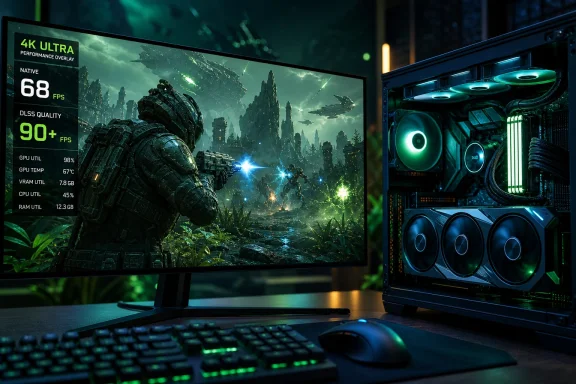 The Early Verdict: Yes, but With Little Room to Spare
The benchmark configuration is about as high-end as a current Windows gaming PC gets:- AMD Ryzen 9 7950X3D
- 32 GB DDR5-6000 memory
- NVIDIA GeForce RTX 5090
- Ultra graphics settings
- 4K, 1440p, and 1080p test passes
- Current GeForce driver at the time of testing
That distinction matters. A quiet corridor or a cinematic can flatter performance numbers. An open battle with AI, weapon fire, effects, environmental visibility, and active enemies is much closer to the load players care about. If Halo: Campaign Evolved can sustain the mid-60s in that scenario, the RTX 5090 is clearly not overwhelmed by the game at 4K.
Still, a 68 FPS average is not the same as ample performance headroom. It means the RTX 5090 is operating close enough to the target that tougher encounters could still dip below 60 FPS. A more punishing mission, denser geometry, heavier weather effects, a large vehicle battle, or an especially demanding cinematic could change the picture quickly.
The result is therefore best understood as a qualified success. It confirms that native 4K/Ultra is playable on NVIDIA’s top GeForce GPU. It does not prove that every level, every fight, and every future patch will remain locked above 60 FPS.
Halo: Campaign Evolved Is a Modern Remake, Not a Lightweight Remaster
Halo: Campaign Evolved revisits the original Halo: Combat Evolved campaign with reconstructed visuals, revised cinematics, updated audio, expanded combat options, and additional campaign content. That makes it fundamentally different from simply running the older Halo: Combat Evolved Anniversary release at a high resolution.The new game is designed around a much higher visual baseline. Higher-density assets, larger environmental detail, improved lighting, modern post-processing, and more complex animation all carry a meaningful GPU cost. The original campaign may be more than two decades old, but the rendering workload is very much contemporary.
This is why a result around 68 FPS at 4K/Ultra on an RTX 5090 should not automatically be framed as disappointing. Ultra settings are rarely intended as a performance-neutral preset, particularly in a newly released Unreal Engine 5 game. They are often designed to showcase the maximum available fidelity, sometimes at settings with limited visible benefit during normal play.
For the Windows PC audience, the more important finding is that the game appears scalable:
- At 4K/Ultra, the RTX 5090 stays around the 60 FPS threshold.
- At 1440p/Ultra, performance reportedly moves beyond 100 FPS.
- At 1080p/Ultra, the frame rate rises beyond 130 FPS.
Why “Native 4K” Requires a Small Technical Asterisk
The phrase native 4K has become more complicated in modern PC games. In the traditional sense, it means the game renders its primary image at 3840×2160 with no reconstruction technique lowering the internal resolution. However, current engines frequently use temporal accumulation and reconstruction systems even when the selected resolution matches the display output.The test describes the native presentation as TSR at Native, referring to Unreal Engine’s Temporal Super Resolution. This is an important detail. TSR is not equivalent to turning off all temporal processing and rendering a completely untouched frame. It is a reconstruction-oriented anti-aliasing and upscaling framework that can operate at native output resolution.
In practical gaming terms, selecting TSR at Native is a reasonable representation of a native 4K mode. It is the game’s full-resolution baseline, not a performance preset rendering dramatically below 4K. But it also means that the comparison is really between two advanced temporal image pipelines:
- TSR at Native 4K
- NVIDIA DLSS Quality at a 4K output
This is not magic, and it will not look better in every frame or on every display. But it is entirely plausible that DLSS Quality can outperform a game’s native TSR option in distant geometry, terrain definition, foliage stability, and fine-detail reconstruction.
DLSS Quality Looks Like the Best 4K Setting
The most significant finding from the early RTX 5090 test is not the native 4K number. It is that DLSS Quality reportedly raises 4K/Ultra performance beyond 90 FPS while also improving the image.That is an excellent outcome when the technology works as intended. DLSS Quality is generally the sensible quality preset for a 4K display because it starts with a relatively high internal resolution and focuses on preserving detail rather than maximizing raw performance. On an RTX 5090, it gives the GPU enough room to turn a borderline 60 FPS native result into a much more comfortable experience.
The claimed visual improvements were especially noticeable in:
- Terrain texture definition
- Distant rock detail
- Fine environmental sharpness
- Reduced blur in far-away geometry
- Overall scene clarity
The Practical Advantage of 90 FPS Instead of 68 FPS
The move from an average of 68 FPS to performance over 90 FPS is not merely a bigger benchmark number. It changes the feel of the game.At around 60 FPS, Halo: Campaign Evolved should remain responsive and perfectly enjoyable for a single-player campaign. At 90 FPS or higher, motion appears smoother, controller input feels more immediate, mouse aiming benefits from more frequent frame updates, and VRR displays have a wider range in which to operate smoothly.
That additional performance buffer also helps protect against momentary drops during heavier encounters. A system averaging 90 FPS can absorb a demanding scene and still stay comfortably above 60 FPS. A system averaging 68 FPS has much less room before it crosses the line.
For that reason, the recommendation to use DLSS Quality at 4K/Ultra is sound. It appears to offer a better balance of image quality, smoothness, and resilience than the native TSR route.
Frame Generation Can Push the Experience Beyond 150 FPS
With DLSS Quality and Frame Generation enabled, the reported RTX 5090 result exceeded 150 FPS at 4K/Ultra. That is a striking number for a modern Unreal Engine 5 title at such a demanding resolution and preset.However, Frame Generation numbers need to be read correctly. Generated frames improve displayed motion smoothness, but they do not replace the importance of the underlying, traditionally rendered frame rate. They are most effective when the base frame rate is already high enough to provide responsive input and stable image data.
In this case, the base performance with DLSS Quality was reportedly above 90 FPS. That is exactly the sort of scenario where Frame Generation can work well. The GPU is already delivering a strong conventional frame rate, and frame generation can increase the apparent fluidity without relying on a weak foundation.
The result should be a smoother experience on high-refresh-rate displays, especially at 120 Hz, 144 Hz, or above. It can also be useful on a 4K OLED or premium LCD panel where maintaining a high refresh rate improves motion clarity.
Frame Generation Is Not a Substitute for Optimized Base Performance
It is important not to interpret 150 FPS with Frame Generation as identical to 150 FPS rendered natively by the GPU. The game is not producing every displayed frame through conventional rendering. Input latency, CPU limits, simulation updates, and responsiveness still depend heavily on the pre-generation frame rate.That does not make Frame Generation a gimmick. It simply means the technology should be used intelligently.
For Halo: Campaign Evolved, the ideal hierarchy looks like this:
- Achieve a strong base frame rate with settings and upscaling.
- Enable Frame Generation if the display refresh rate and personal preference justify it.
- Use a sensible frame-rate cap to avoid unnecessary power draw and erratic frame pacing.
- Keep latency-reducing features enabled where available.
The Missing DLSS Multi Frame Generation Support Matters Less Than It Might Seem
The early test notes support for NVIDIA DLSS, AMD FSR, and Intel XeSS, giving PC players a welcome range of upscaling options. The game appears to default to DLSS on compatible NVIDIA hardware, while Frame Generation is available through supported technologies.The notable omission is support for the newest DLSS Multi Frame Generation path associated with NVIDIA’s latest Blackwell GPUs. The RTX 5090 is built to support NVIDIA’s newest AI rendering features, but the game apparently does not expose that advanced option at launch.
That may disappoint RTX 5090 owners who expect every major new PC release to showcase the card’s full feature set. Yet it should not overshadow the actual performance result. When DLSS Quality alone is already delivering more than 90 FPS at 4K/Ultra, the absence of Multi Frame Generation is not preventing the game from being highly playable.
In fact, there are good reasons to be cautious about pursuing maximum generated-frame counts in a single-player shooter. Extremely high displayed FPS can look impressive, but the gains become less meaningful if the base rate is already strong and the monitor cannot fully take advantage of it.
The more meaningful concern is driver maturity and game profiling. Launch-day games frequently receive tailored Game Ready driver support shortly after release. If a future NVIDIA driver improves shader compilation, stability, frame pacing, upscaling behavior, or profile-level settings, the RTX 5090’s native 4K result may improve slightly without any hardware change.
But that possibility remains speculative. The numbers available now should be judged as they are, not as a promise of an imminent performance breakthrough.
Early-Access Caveats Are More Than a Footnote
Halo: Campaign Evolved is in Early Access ahead of its broader release, and that status materially affects any performance recommendation. The game may receive patches that alter rendering behavior, memory use, stability, and performance. GPU vendors may also update their drivers specifically for the title.The early release documentation also identifies several technical issues relevant to PC players, including potential cinematic stutter under certain refresh-rate conditions and specific driver-related concerns. That does not invalidate the RTX 5090 benchmark, but it reinforces the need to separate raw average performance from the total play experience.
A performance chart cannot reveal every issue that matters during a campaign:
- Shader compilation stutter can occur outside the benchmark path.
- Cutscenes may behave differently from gameplay.
- VRR interactions can affect smoothness.
- Co-op can introduce a different CPU, network, or streaming load.
- Individual missions can have substantially different visual complexity.
- Driver versions can change results, stability, or image quality.
Windows 10 Is an Unsupported Variable
One element of the test configuration deserves special attention: it was conducted on Windows 10 64-bit. The game’s listed PC requirements identify Windows 11 as the required operating system.That does not mean the benchmark is invalid. The game clearly ran, and the performance figures remain informative. But it means the results were collected on an operating system outside the stated support target. That introduces an avoidable variable when evaluating early-access stability and performance.
For prospective players, the safest course is to use the current supported operating system, current chipset drivers, and a vetted NVIDIA driver version. An unsupported OS can complicate troubleshooting and make it harder to determine whether a crash, stutter issue, or inconsistent frame pacing is game-related, driver-related, or platform-related.
This is especially relevant for a game built around contemporary APIs and advanced rendering features. Windows 11 is the intended baseline, and enthusiasts pursuing a premium 4K experience should treat it as part of the recommended configuration.
What the RTX 5090 Results Mean for Other PC Builds
An RTX 5090 paired with a Ryzen 9 7950X3D represents the extreme high end of the PC hardware spectrum. Its performance cannot be directly translated to RTX 5080, RTX 5070-class, RTX 4090, RTX 4080, or older graphics cards.Even so, the test offers several useful signals.
First, Halo: Campaign Evolved is not trivial to run at Ultra settings. If NVIDIA’s fastest GeForce GPU averages only 68 FPS at native 4K in a busy combat sequence, less powerful cards will need realistic expectations. That may mean using DLSS, lowering selected settings, accepting lower frame rates, or choosing a lower output resolution.
Second, the test confirms that the game benefits substantially from modern reconstruction technology. This is not a title where upscaling should be seen as an emergency fallback. At 4K, DLSS Quality appears to be the preferred quality setting, not merely the performance setting.
Third, the 1440p and 1080p figures indicate that high-refresh-rate play is attainable on flagship hardware. If the RTX 5090 can exceed 100 FPS at 1440p/Ultra and surpass 130 FPS at 1080p/Ultra, competitive-minded players who prioritize response time over pixel density have viable options.
The most likely sweet spots, based on these preliminary results, are:
- RTX 5090, 4K/Ultra, DLSS Quality: Best blend of visual quality and high base FPS.
- RTX 5090, 4K/Ultra, DLSS Quality plus Frame Generation: Best choice for very high-refresh 4K displays.
- RTX 5090, 1440p/Ultra: Strong option for consistently high refresh without leaning as heavily on upscaling.
- RTX 5090, native 4K/Ultra: Fully playable, but less advisable than DLSS Quality due to the smaller performance cushion.
Settings Strategy for a Premium Halo PC Experience
Players with RTX 5090-class hardware do not need to overcomplicate the initial setup. The reported data points toward a clear configuration strategy.Recommended 4K Settings
For a 4K display, start with:- Resolution: 3840×2160
- Preset: Ultra
- Upscaling: DLSS Quality
- Frame Generation: Optional, but recommended for high-refresh displays
- V-Sync: Adjust according to VRR support and display behavior
- Frame-rate cap: Set near the monitor refresh rate or a sensible target
- Display refresh rate: Prefer 60 Hz, 120 Hz, 144 Hz, or 240 Hz where available
Native 4K Purists Still Have a Valid Option
For players who prefer avoiding upscaling on principle, the benchmark shows that native 4K/Ultra is viable on the RTX 5090. The tested minimum remained above 60 FPS, which is a meaningful achievement.The trade-off is simple: native rendering appears to provide less visual detail than DLSS Quality in the tested scenes and costs enough performance to reduce the average frame rate to the high 60s. In a game where the reconstruction solution is visibly superior, there is little practical reason to sacrifice smoothness for the native option.
The only compelling reason to use TSR at Native is personal preference after inspecting the game on a specific display. Image quality is not purely mathematical. Some players are more sensitive to reconstruction artifacts than others, while others will prioritize the additional frame-rate headroom without hesitation.
The Bottom Line
The NVIDIA GeForce RTX 5090 can run Halo: Campaign Evolved at native 4K with Ultra settings above 60 FPS in the early combat benchmark tested. A 64 FPS minimum and 68 FPS average are enough to establish that the game is playable at the settings many high-end PC users will want to select first.But native 4K is not the optimal RTX 5090 experience. DLSS Quality reportedly improves the image over the game’s TSR-at-native presentation while raising performance beyond 90 FPS. With Frame Generation enabled, the game can exceed 150 FPS at 4K/Ultra, provided the player understands that generated frames complement rather than replace a strong base frame rate.
The real takeaway is positive: Halo: Campaign Evolved appears capable of looking excellent and running smoothly on a flagship Windows gaming PC. The RTX 5090 has enough power to make 4K/Ultra a realistic target, and DLSS Quality turns that target into a far more comfortable, high-refresh experience.
Early-access performance should still be treated as provisional. More missions, more graphics cards, updated drivers, and post-launch patches will determine whether the game holds this level of performance across the entire campaign. For now, however, the answer is clear: yes, the RTX 5090 can achieve 60 FPS at 4K/Ultra—and DLSS Quality is the setting that makes the result truly compelling.
References
- Primary source: DSOGaming
Published: 2026-07-24T00:35:00+00:00
Loading…
www.dsogaming.com - Related coverage: support.halowaypoint.com
Loading…
support.halowaypoint.com - Related coverage: store.steampowered.com
Pre-purchase Halo: Campaign Evolved on Steam
Pre-purchase Halo: Campaign Evolved and get the Foundry Armory Pack, featuring legendary looks for the Master Chief’s iconic Mark V Mjolnir armor.store.steampowered.com
- Related coverage: halowaypoint.com
Loading…
www.halowaypoint.com - Related coverage: nvidia.com
NVIDIA GeForce RTX 5090 Graphics Cards
The most powerful GeForce GPU ever made, bringing game-changing capabilities to gamers and creators, powered by the NVIDIA Blackwell architecture.www.nvidia.com