

Windows 11 can run many PC games from the 1980s and 1990s today by using DOSBox or related emulators to recreate the MS-DOS, sound-card, CD-ROM, and early Windows environments those games expected on original IBM-compatible PCs. That plain fact is more interesting than nostalgia makes it sound. The modern Windows desktop has become powerful enough, and abstract enough, that its best route to the past is often not compatibility but simulation. The old games survive because the PC’s messiest era has been bottled.
Microsoft has spent decades selling the idea that Windows carries its past forward. In broad strokes, that is true: a shocking amount of old Win32 software still launches on modern Windows with little more than a compatibility-mode nudge. But the 1980s and early 1990s sit on the other side of a hard architectural border.
The problem is not merely that old games are old. It is that many of them were written for MS-DOS, 16-bit Windows, real-mode drivers, Sound Blaster assumptions, VGA timing quirks, and storage layouts that no modern Windows installation is obliged to honor. Windows 11 is not a museum; it is a secure, 64-bit, driver-signed, constantly serviced operating system. That makes it a poor host for software that expected to own the machine.
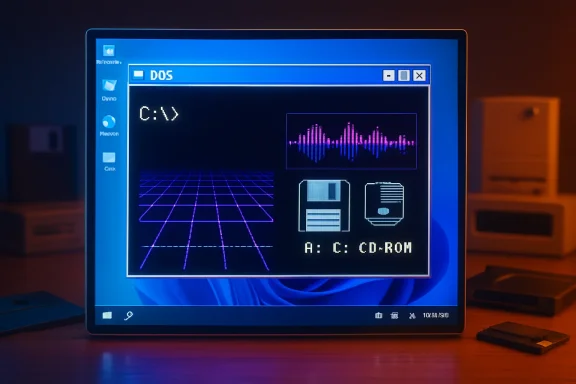
DOSBox succeeds because it does not ask Windows 11 to become MS-DOS. It creates a convincing little world inside a window, complete with virtual drives, x86 behavior, keyboard input, mouse capture, joystick support, CD-ROM mounting, and old sound hardware. The result is not compatibility in the Windows sense. It is a stage set, and the actors still know their lines.
That distinction matters because it explains why a game like Maniac Mansion, King’s Quest, The Dig, or Shadowlands can feel less broken inside DOSBox than a supposedly newer Windows 95-era title does on actual Windows 11. DOS games often targeted a small, stable set of expectations. Emulate those expectations well, and the past becomes strangely dependable.
A typical setup begins with a working directory on the host PC, perhaps something like
The same idea applies to physical media. A USB floppy drive can be presented to DOSBox as drive A:, and an optical drive can be mounted as a CD-ROM. Once mounted, old installers behave as if they are back in 1992, asking for files, copying data, and leaving behind folders with names that still obey the eight-character discipline of DOS.
There is a wonderful bluntness to this. Modern software installation is often a negotiation among identity providers, package managers, background services, telemetry endpoints, and digital licenses. DOS installation is a pile of files moving from one place to another, followed by an executable with a name like
The catch is that the user must accept DOSBox on its own terms. Mounted folders do not magically refresh in the way a modern desktop user expects. Exit the emulator and you may need to mount drives again. Copy files into a host folder while DOSBox is running and you may need to unmount and remount to make the change visible. The experience is forgiving once learned, but it is not pretending to be Windows.
That is why the guide’s scenario involving original disks is both charming and precarious. If a USB floppy drive can read the disk, DOSBox can usually be made to see it. From there, a game such as Shadowlands can be installed into a mounted directory and started much as it was in the early 1990s. The emulator can provide the mouse and sound environment the game expects, while Windows 11 quietly does the unglamorous work underneath.
The situation is worse for 5.25-inch disks. Modern PCs do not include the necessary controllers, external USB options are rare to nonexistent for ordinary users, and working drives have become specialist equipment. For many games and applications from the early DOS era, the original disk is less a practical installation source than a collectible token of legitimacy.
That reality pushes users toward disk images. An image of a floppy or CD preserves the contents in a form DOSBox can mount, copy, or install from. It also moves the conversation into murkier legal territory, because preservation culture and copyright law have never fully agreed on what should happen when commercial software is unavailable, unsupported, and historically important.
Here the ethical and legal advice is boring but necessary: owning original media is the cleanest starting point, and downloading commercial software because it is “abandonware” does not magically place it in the public domain. Some old games are sold on GOG, Steam, publisher stores, or bundled with official emulation. Some have been released as freeware. Many others sit in a gray zone where enforcement is rare but rights still exist.
Installing Windows 3.1 inside DOSBox is conceptually simple: mount the installation media, run setup, feed the installer its disks or disk images, and let it create a Windows directory inside the mounted DOS environment. Once installed, Windows starts with the beautifully literal
This matters because a large part of PC nostalgia is not only games. It is Microsoft Works, Lotus SmartSuite, Aldus PhotoStyler, early educational software, shareware collections, clip-art tools, greeting-card makers, MIDI utilities, and strange little programs that made the 386 and 486 era feel like the future. Many of those applications were designed for Windows 3.x, not pure DOS, and DOSBox gives them a plausible home.
There is a deeper lesson here about software dependency. A 1991 graphics application did not merely require “a PC.” It required a particular stack of assumptions: the right Windows version, the right display model, enough conventional memory, compatible input, and file paths short enough not to offend the era. Recreating that stack is preservation by reconstruction.
DOSBox-X and other emulator variants have pushed further into this territory, offering broader support for Windows 3.x and, in some cases, experiments with Windows 9x environments. That does not mean every 1990s Windows game is solved. It means the community has accepted that the Windows past is not one thing; it is a series of platforms wearing the same brand name.
Speed alone can break old games. Some DOS titles tied timing to CPU cycles or assumed that a loop would take a certain amount of time on a 286, 386, or 486. Run them unmediated on modern hardware and they may become unplayable, unstable, or absurdly fast. DOSBox’s adjustable emulated CPU speed is not a gimmick; it is a compatibility feature.
Sound is another classic failure point. The Sound Blaster became a de facto standard because so many games targeted it directly or through setup menus that asked users to choose IRQ, DMA, and port settings. Modern Windows audio bears almost no resemblance to that model. DOSBox’s emulated sound hardware lets a game believe it is speaking to the old card while Windows 11 receives ordinary audio output.
Graphics add yet another layer. VGA, EGA, Mode 13h, VESA modes, and early SVGA expectations were not just resolutions; they were programming targets. Games were tuned to them, sometimes in ways that exposed quirks of particular hardware. A modern GPU can render billions of pixels, but that does not mean it naturally behaves like a 1993 display adapter.
This is why emulation can be more stable than raw backward compatibility. It narrows the target. Instead of asking every old game to adapt to the full complexity of Windows 11, DOSBox asks Windows 11 to run one well-understood emulator, and then asks the old game to run inside a carefully controlled illusion.
Mounting a folder as C: teaches the central abstraction. Changing to A: or E: makes clear that drive letters were not decorative; they were the geography of the machine. Running
For Windows enthusiasts, that is part of the appeal. The exercise is not just to run Leisure Suit Larry or The Dig. It is to remember a version of personal computing in which the user was expected to know where files lived, what an executable was, and why a program might need to be installed from one drive to another. The friction is educational.
That said, the friction also explains why this will never become mainstream. Most people do not want to mount drives by hand. They do not want to remember that
The good news is that the barrier is lower than it looks. Once the pattern clicks, it applies broadly: mount storage, inspect files, run installer, start program. The old PC ecosystem was chaotic, but it was also repetitive. Learn the ritual once and a surprising number of doors open.
The legal side remains stubbornly unresolved. Copyright terms outlast the commercial life of most games by decades. Publishers disappear, rights are sold, contracts are lost, and source code is misplaced. A game can be culturally significant, commercially unavailable, technically fragile, and still not legally free to distribute.
This is where the word abandonware does too much emotional work. It describes a real phenomenon: software abandoned by the market, by support channels, and sometimes by its own owners. But it is not a license. It is a folk category invented by users to describe the gap between preservation need and legal permission.
The result is a peculiar moral economy. A user with a boxed copy of an old game, a dead floppy disk, and a clean disk image from the internet may feel they are restoring access to something they already own. A rights holder may see unauthorized copying. An archivist may see cultural rescue. All three perspectives can exist at once because the law was not designed around the practical lifespan of DOS games.
Commercial rereleases solve part of the problem, but not all of it. GOG-style packages are convenient, legal, and often tuned for modern systems. Yet they can also alter the historical object through bundled configurations, patches, removed content, or launcher wrappers. For most players that is a fine trade. For preservationists, authenticity remains its own demand.
DOSBox gives the user permission to experiment. If a configuration goes wrong, the host OS survives. If a game crashes, it crashes inside the emulator. If a Windows 3.1 installation becomes messy, the directory can be copied, archived, or deleted. The dangerous intimacy of DOS is replaced with disposable simulation.
That makes retro computing more accessible, but it also changes the texture of the experience. The original PC era was defined by scarcity: limited disk space, limited RAM, limited documentation, limited patience. Running the same software on a modern Windows 11 machine, with terabytes of storage and instant backups, turns scarcity into aesthetics.
The best retro setups acknowledge that difference rather than pretending it away. They preserve the constraints that matter for software behavior while removing the constraints that merely made users miserable. Nobody needs to relive a dying hard drive or a corrupted boot disk to appreciate King’s Quest. But understanding why conventional memory mattered can deepen the experience.
This is where DOSBox is philosophically elegant. It is not a perfect recreation of a beige desktop under a flickering CRT. It is a practical compatibility machine. It lets the user decide how much of the old pain to invite back.
That is a profound upgrade over the original experience. A 1990s PC was a unique accumulation of drivers, hardware quirks, autoexec edits, config files, and half-remembered fixes. Rebuilding it was often archaeology conducted under deadline. A DOSBox environment can be duplicated, versioned, backed up to cloud storage, or moved to another machine.
For enthusiasts, this turns curation into the main work. The question becomes how to organize the library, preserve manuals, store serial numbers, document configuration choices, and distinguish legally owned media from downloaded convenience copies. The emulator solves the execution problem; the user still has to solve the archive problem.
There is also a security benefit. Old software from random internet archives should not be trusted on a production Windows system. Running it inside DOSBox is not the same as a hardened sandbox for all threats, but it is a narrower and more predictable environment than installing unknown legacy executables directly into modern Windows. Caution still applies, especially with installers, archives, and disk images from untrusted sources.
The smartest retro PC gaming setup is therefore not the most elaborate one. It is the one that is understandable six months later. Short paths, separate folders, clean disk images, notes on mount commands, and backups of working configurations matter more than decorative CRT shaders or perfect MIDI reproduction.
The healthiest version of this hobby keeps those paths distinct. If you own the original media, try to image it while it still works. If a game is sold commercially, buy the modern release when possible. If you rely on community archives, understand that availability is not the same as permission. If you care about preservation, keep metadata, manuals, and context, not just executables.
The technical ecosystem is generous enough to support different levels of ambition. A casual player may want a preconfigured release from a digital store. A tinkerer may prefer DOSBox with hand-written mount commands. A preservationist may choose DOSBox-X, PCem, or 86Box to chase more exact behavior. None of those approaches invalidates the others.
What has changed is that Windows 11 no longer has to be judged by whether it can natively run every artifact from the Reagan and Clinton years. That battle is over. The better question is whether the modern PC remains open enough to host the tools that can. For now, it does.
Source: PCWorld Windows 11 can still run the PC games you grew up with. Here's how
 The PC’s Backward Compatibility Myth Needed an Emulator
Microsoft has spent decades selling the idea that Windows carries its past forward. In broad strokes, that is true: a shocking amount of old Win32 software still launches on modern Windows with little more than a compatibility-mode nudge. But the 1980s and early 1990s sit on the other side of a hard architectural border.The problem is not merely that old games are old. It is that many of them were written for MS-DOS, 16-bit Windows, real-mode drivers, Sound Blaster assumptions, VGA timing quirks, and storage layouts that no modern Windows installation is obliged to honor. Windows 11 is not a museum; it is a secure, 64-bit, driver-signed, constantly serviced operating system. That makes it a poor host for software that expected to own the machine.
DOSBox succeeds because it does not ask Windows 11 to become MS-DOS. It creates a convincing little world inside a window, complete with virtual drives, x86 behavior, keyboard input, mouse capture, joystick support, CD-ROM mounting, and old sound hardware. The result is not compatibility in the Windows sense. It is a stage set, and the actors still know their lines.
That distinction matters because it explains why a game like Maniac Mansion, King’s Quest, The Dig, or Shadowlands can feel less broken inside DOSBox than a supposedly newer Windows 95-era title does on actual Windows 11. DOS games often targeted a small, stable set of expectations. Emulate those expectations well, and the past becomes strangely dependable.
DOSBox Turns the Command Line Into a Time Machine
The PCWorld guide’s practical lesson is refreshingly old-fashioned: make folders, mount drives, change directories, and run setup programs. That sounds quaint only if you forget that this was how PC gaming worked before launchers, libraries, cloud saves, and update manifests. The ritual is part of the machine.A typical setup begins with a working directory on the host PC, perhaps something like
C:\Oldies, and a second folder for the software itself. DOSBox then maps those modern folders into its own fictional DOS drive letters. The command mount C C:\Oldies\DOSSoft tells the emulator that a Windows folder should behave like the C: drive of an old DOS computer.The same idea applies to physical media. A USB floppy drive can be presented to DOSBox as drive A:, and an optical drive can be mounted as a CD-ROM. Once mounted, old installers behave as if they are back in 1992, asking for files, copying data, and leaving behind folders with names that still obey the eight-character discipline of DOS.
There is a wonderful bluntness to this. Modern software installation is often a negotiation among identity providers, package managers, background services, telemetry endpoints, and digital licenses. DOS installation is a pile of files moving from one place to another, followed by an executable with a name like
INSTALL.EXE, SETUP.EXE, or simply the title of the game.The catch is that the user must accept DOSBox on its own terms. Mounted folders do not magically refresh in the way a modern desktop user expects. Exit the emulator and you may need to mount drives again. Copy files into a host folder while DOSBox is running and you may need to unmount and remount to make the change visible. The experience is forgiving once learned, but it is not pretending to be Windows.
The Floppy Disk Is Now the Weakest Link
The most fragile part of this revival is not Windows 11, and not DOSBox. It is the media. A 3.5-inch floppy from 1992 is a physical artifact that has had three decades to demagnetize, warp, mold, or simply become unreadable at the worst possible moment.That is why the guide’s scenario involving original disks is both charming and precarious. If a USB floppy drive can read the disk, DOSBox can usually be made to see it. From there, a game such as Shadowlands can be installed into a mounted directory and started much as it was in the early 1990s. The emulator can provide the mouse and sound environment the game expects, while Windows 11 quietly does the unglamorous work underneath.
The situation is worse for 5.25-inch disks. Modern PCs do not include the necessary controllers, external USB options are rare to nonexistent for ordinary users, and working drives have become specialist equipment. For many games and applications from the early DOS era, the original disk is less a practical installation source than a collectible token of legitimacy.
That reality pushes users toward disk images. An image of a floppy or CD preserves the contents in a form DOSBox can mount, copy, or install from. It also moves the conversation into murkier legal territory, because preservation culture and copyright law have never fully agreed on what should happen when commercial software is unavailable, unsupported, and historically important.
Here the ethical and legal advice is boring but necessary: owning original media is the cleanest starting point, and downloading commercial software because it is “abandonware” does not magically place it in the public domain. Some old games are sold on GOG, Steam, publisher stores, or bundled with official emulation. Some have been released as freeware. Many others sit in a gray zone where enforcement is rare but rights still exist.
Windows 3.1 Is the Bridge to the Stranger Half of the 1990s
DOSBox is often discussed as a game emulator, but the more interesting trick is that it can host Windows 3.1. That opens the door not just to DOS adventures and role-playing games, but to a whole class of early graphical applications that lived between DOS and the modern Windows API.Installing Windows 3.1 inside DOSBox is conceptually simple: mount the installation media, run setup, feed the installer its disks or disk images, and let it create a Windows directory inside the mounted DOS environment. Once installed, Windows starts with the beautifully literal
win command. It is less like booting an operating system than opening a historical exhibit that still responds to clicks.This matters because a large part of PC nostalgia is not only games. It is Microsoft Works, Lotus SmartSuite, Aldus PhotoStyler, early educational software, shareware collections, clip-art tools, greeting-card makers, MIDI utilities, and strange little programs that made the 386 and 486 era feel like the future. Many of those applications were designed for Windows 3.x, not pure DOS, and DOSBox gives them a plausible home.
There is a deeper lesson here about software dependency. A 1991 graphics application did not merely require “a PC.” It required a particular stack of assumptions: the right Windows version, the right display model, enough conventional memory, compatible input, and file paths short enough not to offend the era. Recreating that stack is preservation by reconstruction.
DOSBox-X and other emulator variants have pushed further into this territory, offering broader support for Windows 3.x and, in some cases, experiments with Windows 9x environments. That does not mean every 1990s Windows game is solved. It means the community has accepted that the Windows past is not one thing; it is a series of platforms wearing the same brand name.
The Emulator Wins Because the Real PC Changed Too Much
The irony of DOSBox on Windows 11 is that it works because modern PCs have stopped behaving like old PCs. The processor is too fast, the audio path too abstract, the display pipeline too different, and the security model too strict. The old software expected a machine it could understand, and the modern machine refuses to be that simple.Speed alone can break old games. Some DOS titles tied timing to CPU cycles or assumed that a loop would take a certain amount of time on a 286, 386, or 486. Run them unmediated on modern hardware and they may become unplayable, unstable, or absurdly fast. DOSBox’s adjustable emulated CPU speed is not a gimmick; it is a compatibility feature.
Sound is another classic failure point. The Sound Blaster became a de facto standard because so many games targeted it directly or through setup menus that asked users to choose IRQ, DMA, and port settings. Modern Windows audio bears almost no resemblance to that model. DOSBox’s emulated sound hardware lets a game believe it is speaking to the old card while Windows 11 receives ordinary audio output.
Graphics add yet another layer. VGA, EGA, Mode 13h, VESA modes, and early SVGA expectations were not just resolutions; they were programming targets. Games were tuned to them, sometimes in ways that exposed quirks of particular hardware. A modern GPU can render billions of pixels, but that does not mean it naturally behaves like a 1993 display adapter.
This is why emulation can be more stable than raw backward compatibility. It narrows the target. Instead of asking every old game to adapt to the full complexity of Windows 11, DOSBox asks Windows 11 to run one well-understood emulator, and then asks the old game to run inside a carefully controlled illusion.
The Command Prompt Is a Feature, Not a Failure
There is a temptation to treat DOSBox’s command-line setup as a usability problem waiting to be solved. Front ends exist, and for large libraries they are useful. But the command line is also a kind of documentation. It forces the user to understand what the old software thinks a computer is.Mounting a folder as C: teaches the central abstraction. Changing to A: or E: makes clear that drive letters were not decorative; they were the geography of the machine. Running
dir before setup is not nostalgia theater. It is the simplest possible way to ask, “What does this disk contain?”For Windows enthusiasts, that is part of the appeal. The exercise is not just to run Leisure Suit Larry or The Dig. It is to remember a version of personal computing in which the user was expected to know where files lived, what an executable was, and why a program might need to be installed from one drive to another. The friction is educational.
That said, the friction also explains why this will never become mainstream. Most people do not want to mount drives by hand. They do not want to remember that
cd .. climbs a directory level. They do not want to troubleshoot why a game sees a folder as DOSSOF~1 because the host path violated old naming expectations. Retro PC gaming remains a hobbyist domain because it asks users to participate in the illusion.The good news is that the barrier is lower than it looks. Once the pattern clicks, it applies broadly: mount storage, inspect files, run installer, start program. The old PC ecosystem was chaotic, but it was also repetitive. Learn the ritual once and a surprising number of doors open.
Preservation Is Winning Technically and Losing Legally
The technical side of retro PC preservation has never looked better. DOSBox, DOSBox-X, ScummVM, PCem, 86Box, source ports, fan patches, GOG installers, and browser-based emulation have made it easier than ever to experience old software on new machines. The software culture of the 1980s and 1990s is no longer trapped entirely on failing magnetic media.The legal side remains stubbornly unresolved. Copyright terms outlast the commercial life of most games by decades. Publishers disappear, rights are sold, contracts are lost, and source code is misplaced. A game can be culturally significant, commercially unavailable, technically fragile, and still not legally free to distribute.
This is where the word abandonware does too much emotional work. It describes a real phenomenon: software abandoned by the market, by support channels, and sometimes by its own owners. But it is not a license. It is a folk category invented by users to describe the gap between preservation need and legal permission.
The result is a peculiar moral economy. A user with a boxed copy of an old game, a dead floppy disk, and a clean disk image from the internet may feel they are restoring access to something they already own. A rights holder may see unauthorized copying. An archivist may see cultural rescue. All three perspectives can exist at once because the law was not designed around the practical lifespan of DOS games.
Commercial rereleases solve part of the problem, but not all of it. GOG-style packages are convenient, legal, and often tuned for modern systems. Yet they can also alter the historical object through bundled configurations, patches, removed content, or launcher wrappers. For most players that is a fine trade. For preservationists, authenticity remains its own demand.
Windows 11 Makes the Past Feel Safer Than It Was
One subtle pleasure of running old games on Windows 11 is that the old PC becomes safer in retrospect. In the actual DOS era, changing drivers, editing configuration files, juggling memory managers, and installing games from mystery disks could destabilize the machine you depended on for school, work, or everything else. Today, the chaos is boxed in.DOSBox gives the user permission to experiment. If a configuration goes wrong, the host OS survives. If a game crashes, it crashes inside the emulator. If a Windows 3.1 installation becomes messy, the directory can be copied, archived, or deleted. The dangerous intimacy of DOS is replaced with disposable simulation.
That makes retro computing more accessible, but it also changes the texture of the experience. The original PC era was defined by scarcity: limited disk space, limited RAM, limited documentation, limited patience. Running the same software on a modern Windows 11 machine, with terabytes of storage and instant backups, turns scarcity into aesthetics.
The best retro setups acknowledge that difference rather than pretending it away. They preserve the constraints that matter for software behavior while removing the constraints that merely made users miserable. Nobody needs to relive a dying hard drive or a corrupted boot disk to appreciate King’s Quest. But understanding why conventional memory mattered can deepen the experience.
This is where DOSBox is philosophically elegant. It is not a perfect recreation of a beige desktop under a flickering CRT. It is a practical compatibility machine. It lets the user decide how much of the old pain to invite back.
The Best Retro PC Is Now a Folder You Can Back Up
The most modern thing about running DOS games on Windows 11 is that the resulting “old PC” can be a portable directory. Once you have a DOSBox configuration, installed games, saved files, and disk images arranged in a sensible structure, the whole environment becomes something you can copy like any other data.That is a profound upgrade over the original experience. A 1990s PC was a unique accumulation of drivers, hardware quirks, autoexec edits, config files, and half-remembered fixes. Rebuilding it was often archaeology conducted under deadline. A DOSBox environment can be duplicated, versioned, backed up to cloud storage, or moved to another machine.
For enthusiasts, this turns curation into the main work. The question becomes how to organize the library, preserve manuals, store serial numbers, document configuration choices, and distinguish legally owned media from downloaded convenience copies. The emulator solves the execution problem; the user still has to solve the archive problem.
There is also a security benefit. Old software from random internet archives should not be trusted on a production Windows system. Running it inside DOSBox is not the same as a hardened sandbox for all threats, but it is a narrower and more predictable environment than installing unknown legacy executables directly into modern Windows. Caution still applies, especially with installers, archives, and disk images from untrusted sources.
The smartest retro PC gaming setup is therefore not the most elaborate one. It is the one that is understandable six months later. Short paths, separate folders, clean disk images, notes on mount commands, and backups of working configurations matter more than decorative CRT shaders or perfect MIDI reproduction.
The Real Upgrade Is Choice
The PCWorld walkthrough is strongest when it treats original media and disk images as two paths to the same goal. That is the reality of retro computing in 2026. Some users have the floppies. Some have the CDs. Some have only a memory, a title screen burned into childhood, and a web search.The healthiest version of this hobby keeps those paths distinct. If you own the original media, try to image it while it still works. If a game is sold commercially, buy the modern release when possible. If you rely on community archives, understand that availability is not the same as permission. If you care about preservation, keep metadata, manuals, and context, not just executables.
The technical ecosystem is generous enough to support different levels of ambition. A casual player may want a preconfigured release from a digital store. A tinkerer may prefer DOSBox with hand-written mount commands. A preservationist may choose DOSBox-X, PCem, or 86Box to chase more exact behavior. None of those approaches invalidates the others.
What has changed is that Windows 11 no longer has to be judged by whether it can natively run every artifact from the Reagan and Clinton years. That battle is over. The better question is whether the modern PC remains open enough to host the tools that can. For now, it does.
The Old Games Survive When We Treat Them Like Systems
The practical lesson is simple, but the broader lesson is sharper: classic PC games were never just files. They were systems of assumptions. DOSBox works because it revives enough of those assumptions to make the software feel at home.- Windows 11 can run many DOS-era games reliably, but the real work is done by emulators that recreate the older PC environment rather than by Windows compatibility mode.
- Original floppy disks and CD-ROMs remain useful when readable, but disk imaging is becoming essential as magnetic media continues to fail.
- Windows 3.1 inside DOSBox expands the project beyond games and into early graphical applications, productivity suites, and creative software.
- “Abandonware” describes market neglect, not legal permission, so users should prefer owned media, official rereleases, freeware releases, and clearly licensed archives where possible.
- A well-organized DOSBox folder with documented mount commands and backups is often a better retro PC than aging original hardware for everyday play.
- The command-line friction is part of the education, because it teaches how older PC software understood drives, paths, memory, and hardware.
Source: PCWorld Windows 11 can still run the PC games you grew up with. Here's how
