

Overview
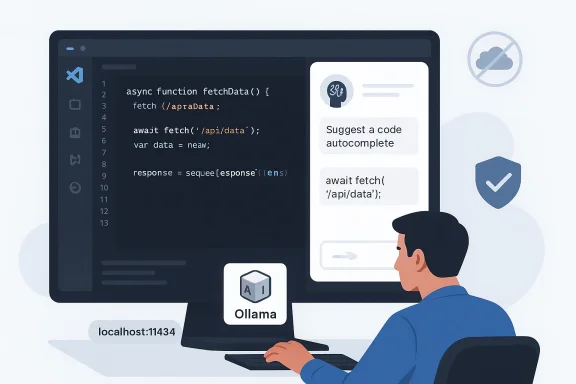
The appeal of local coding assistants has grown steadily as cloud-based AI tools became more capable and more expensive. That combination created a familiar tradeoff: the best assistants often lived behind paywalls, while the cheaper alternatives were either too limited or too disconnected from the editor to feel seamless. The new wave of local tooling changes that equation by collapsing the assistant, the model, and the editor integration into a private workflow that can run on ordinary consumer hardware. Ollama’s current documentation frames that model as a way to run LLMs locally on macOS, Windows, and Linux, with a default API on localhost:11434 and a simple model-download flow.
Continue.dev sits in the middle of that stack and makes the experience feel like a product rather than a collection of scripts. Its official docs describe a VS Code extension that can work with Ollama, support chat, autocomplete, edit and apply roles, and even run in offline-first setups when configured with local models. Continue also explicitly documents local Ollama integration, including model suggestions like Qwen2.5-Coder 1.5B for autocomplete and Llama3.1 8B for chat. That matters because the assistant only feels useful if it is fast enough to stay in your flow.
The MakeUseOf article you shared is essentially a field report from that shift. Its author landed on a familiar three-part recipe: run Ollama locally, connect it to VS Code through Continue, and choose a coding model that balances speed, size, and quality. The attraction is obvious: no API keys, no usage metering, and no doubt about where the code is going. That is a strong pitch for solo developers, but it is even more compelling for people handling client work, prototypes, proprietary systems, or security-sensitive codebases.
What is notable here is that the stack is not dependent on a single vendor’s entire ecosystem. Ollama provides the runtime, Continue provides the editor layer, and the model can be swapped based on the task. That modularity is a big part of the story, because local AI is no longer just about “can I run it?” but “can I build a usable daily workflow around it?” The answer, increasingly, is yes.
Why Local Coding Assistants Matter Now
The core motivation is privacy, but privacy is only part of the story. For a long time, local AI was framed as a compromise: you gave up quality and convenience in exchange for keeping data on-device. That framing is starting to break down because local coding models have improved enough to cover many everyday development tasks, while editor integrations have become much smoother. The result is a workflow that feels less like a technical stunt and more like a reasonable default for certain jobs.
There is also a budget argument that is hard to ignore. Subscription fatigue has become a real pain point for developers who already pay for editors, cloud hosts, CI services, source control, and design tools. A local assistant that is free after the initial hardware investment changes the economics of experimentation, pair-programming, and routine refactors. It does not have to be perfect to be valuable; it only has to be “good enough” often enough to justify the setup.
Privacy as a Workflow Feature
For sensitive work, privacy stops being an abstract virtue and becomes a practical requirement. If you are working on client code, unreleased product logic, incident response, compliance-sensitive systems, or personal projects you do not want inspected by a third party, local execution removes a major source of anxiety. Ollama’s local API is explicitly served from [url]http://localhost:11434[/url], and its local usage does not require authentication, which reinforces the idea that the model is living on your machine rather than in a vendor cloud.
That said, privacy is not the same as perfection. A local assistant still runs software you must trust, and any indexing or telemetry choices in the editor layer deserve scrutiny. Continue’s documentation acknowledges offline operation and also calls out the need to disable anonymous telemetry if you want a truly air-gapped workflow. So the privacy story is strong, but it still depends on configuration discipline.
Subscription Fatigue and Vendor Lock-In
Cloud copilots have trained developers to expect convenience at a monthly cost. The downside is that the more integrated the assistant becomes, the harder it is to leave. Local tooling reduces that lock-in because it separates the editor experience from a single SaaS contract. In practical terms, that means the user can change models without rewriting their workflow.
It also changes the psychology of experimentation. When every completion is not being metered, people are more willing to try different prompts, compare models, and let the assistant help with mundane tasks like test generation or explanation. That kind of usage pattern is exactly where local AI can be especially attractive.
The Big Idea in One Sentence
The local assistant model works because it gives you control without sacrificing daily usability. That combination is rare, and it is the reason the current stack feels less like a backup plan and more like a serious alternative.
The Three-Part Stack
The MakeUseOf setup is built around three moving parts, and each one plays a distinct role. Ollama handles model serving and local management. Continue.dev handles the editor integration. The model choice determines whether the experience feels snappy and helpful or sluggish and frustrating. Remove any one of those pieces and the workflow gets less compelling.
What makes this stack powerful is that none of the tools is trying to own the entire developer experience. Ollama’s documentation emphasizes a broad local model platform and a clean API. Continue focuses on being the editor-native interface. The model is just the intelligence layer, which can be swapped as hardware and needs change. That separation is exactly what makes the system maintainable.
Ollama as the Local Runtime
Ollama is the part that turns model files into something your editor can actually use. Its official docs describe an easy quickstart on macOS, Windows, and Linux, with local API access at localhost:11434 and a terminal-first model workflow. The key point is not just that Ollama runs models, but that it wraps the tedious operational chores that otherwise make local inference annoying.
That matters for normal developers. Most people do not want to think about serving, sockets, or manual API wiring just to get code completions. Ollama’s role is to make local model hosting feel like a consumer-grade application rather than a research project.
Continue.dev as the Editor Layer
Continue is what makes the local model usable inside VS Code instead of merely accessible from a terminal. Its docs describe chat, autocomplete, and editing workflows, plus configuration support for Ollama-backed local models. It also supports offline use and gives you a clear path to wire the assistant into your day-to-day coding habits.
That editor integration matters more than people expect. Switching contexts between browser, terminal, and IDE is a hidden tax on productivity. If the assistant lives in the sidebar, responds quickly, and can act on highlighted code directly, it becomes part of the toolchain rather than an interruption.
The Model Is the Bottleneck and the Differentiator
The model is where local setups succeed or fail. Ollama and Continue can be excellent, but if the model is too small, too slow, or poorly tuned for coding, the whole stack feels underwhelming. That is why model selection deserves more attention than most beginners give it.
The good news is that the model landscape is better than it was even a year ago. Continue’s docs now recommend specific Ollama-backed coding models for different roles, and the Qwen family has become a frequent recommendation for code-oriented local use. That is a sign that the ecosystem is maturing, not just growing.
Why Qwen2.5-Coder Stands Out
The article’s author chose Qwen2.5-Coder, and that is not a random pick. Qwen’s official materials say the family supports up to 128K tokens of context and is proficient in 92 programming languages, which is exactly the kind of breadth a local coding assistant needs. That combination of context window and language coverage makes it suitable for a wide range of everyday software tasks.
Another reason it stands out is that Qwen has built a reputation for strong code reasoning relative to its size. The model family is positioned for multi-language coding tasks, repair, and generation rather than broad conversational fluff. In plain English, that means it is more likely to help you fix a bug or write a function than to waste time sounding clever. That distinction matters a lot in editor-native use.
Size Versus Capability
The practical question is never just “What is the best model?” It is “What is the best model for my hardware?” Continue’s docs recommend Qwen2.5-Coder 1.5B for autocomplete, which tells you something important: smaller models can be preferable when the task demands low latency. For more complex edit or chat workflows, larger variants become more attractive if your machine can handle them.
This is where local AI becomes a hardware strategy as much as a software decision. A 7B model on a machine with modest VRAM can be very usable, while a larger model may improve reasoning at the cost of responsiveness. The sweet spot is different for everyone, but the principle is universal: if the assistant feels laggy, people stop using it.
Benchmarks, But Read Them Carefully
Qwen’s official pages highlight benchmark strength across coding tasks and multiple languages, and the 32B variant is presented as competitive with leading proprietary systems on a range of evaluations. Those claims are impressive, but they should be read as model-family marketing rather than a guarantee of your specific local experience. Benchmarks matter, yet editor workflow quality also depends on prompt style, latency, and context handling.
The important editorial point is this: the gap between open local models and premium cloud assistants is narrowing fast. That does not mean local always wins, but it does mean the default assumption has changed.
Practical Model Takeaways
- Qwen2.5-Coder is attractive because it balances size, coding focus, and language breadth.
- Smaller variants are better for autocomplete and quick edits.
- Larger variants are better for refactors, generation, and debugging.
- Hardware limits still matter more than model hype.
- Fast enough often beats smarter but sluggish in day-to-day use.
Setting It Up Without the Drama
One of the best parts of the MakeUseOf setup is how unglamorous the installation path is. You install Ollama, pull a model, install Continue in VS Code, and point the extension at the local API. That is not trivial, but it is dramatically simpler than assembling a self-hosted AI stack from scratch. Ollama’s official quickstart and API docs back up the basic flow: install, run, and talk to a model via the local endpoint.
There is a subtle but important distinction between ollama run and ollama serve, though. Continue’s docs specifically note that you should use ollama serve for a proper background service in some setups, while the Ollama docs describe a quickstart that lets you launch models and interact with them directly. In other words, there are several valid paths, but the editor integration works best when the service is stable and discoverable.
The Basic Flow
- Install Ollama for your platform.
- Pull a coding model that matches your hardware.
- Install Continue.dev in VS Code.
- Configure Continue to use the local Ollama endpoint.
- Restart the editor and verify autocomplete or chat works.
That sequence looks simple because, compared with the old way of doing things, it is simple. The hard part is not wiring the tools together; it is choosing the right model and tuning expectations.
Configuration Details That Matter
The MakeUseOf article uses a YAML config that names the model, sets the provider to ollama, and points to [url]http://127.0.0.1:11434[/url]. That aligns with Continue’s own documentation, which explains how to configure local models and, when needed, how to set a remote apiBase for Ollama. The docs also note that Continue can operate offline when configured correctly.
The fact that the configuration is so small is itself a meaningful product advantage. If a local AI assistant required fifty steps and a weekend of debugging, most developers would never persist long enough to get value from it.
Why “It Just Works” Is a Big Deal
Tooling that “almost works” is usually worse than tooling that does not exist. Developers can tolerate complexity if they can predict it, but they hate invisible friction. A local assistant that hooks into VS Code, respects your workflow, and stays out of the network path gets a lot of forgiveness for being less fancy than a cloud model. That forgiveness is earned by reducing cognitive overhead.
Setup Takeaways
- Keep the model tag aligned with what Continue expects.
- Confirm the local Ollama service is reachable at the expected endpoint.
- Prefer a model that is optimized for the task you care about most.
- Do not overcomplicate the first pass.
- Simple enough to maintain beats clever but fragile.
Inside VS Code: What the Workflow Feels Like
The real test of a local coding assistant is not whether it boots; it is whether it changes your habits. According to the MakeUseOf piece, the difference is most obvious in speed, fewer context switches, and the fact that everything happens inside the editor. That is exactly where a good assistant should live, because the best coding help is the help you do not have to go looking for.
Continue’s documented features reinforce that experience. It supports inline autocomplete, chat in the sidebar, and code-focused actions like explanation, refactoring, and test generation. That set of capabilities is enough to create a genuine “pair programmer” feel without requiring you to leave VS Code.
Autocomplete Versus Chat
Autocomplete is the feature you will notice first because it changes the rhythm of typing. A decent completion engine can remove a surprising amount of boilerplate and repetitive structure. Continue’s docs explicitly treat autocomplete as a role distinct from chat, and that separation is smart because the latency and quality expectations are different.
Chat is slower but more flexible. It is where you ask for explanations, architectural suggestions, or a deeper refactor. In practice, the best local setup uses a lighter model for autocomplete and a stronger one for larger transformations, which keeps the interaction responsive without giving up too much quality.
Refactoring and Test Generation
This is where local assistants begin to feel like force multipliers. You can highlight a block of code, ask for a cleanup, and get suggestions without jumping to a separate web app. That keeps your mental model intact, which is especially useful when you are juggling unfamiliar code or trying to reduce risk in a deadline-driven environment.
The more you use these features, the more the assistant becomes a workflow accelerator rather than a novelty. It will not replace your judgment, but it can cut down the number of repetitive decisions you have to make.
Why Context Switching Matters
Every time you leave the editor, you pay a tiny tax in attention. Those taxes add up over a day. Local in-editor AI is valuable because it minimizes that tax while preserving privacy and control. The convenience is not just about speed; it is about staying in the same cognitive lane long enough to finish the task.
Workflow Takeaways
- Inline completion reduces repetitive typing.
- Sidebar chat is useful for explanation and planning.
- Highlight-and-refactor keeps the editor as the center of gravity.
- Model switching lets you optimize for speed or depth.
- Less context switching often means better code decisions.
Performance, Hardware, and Realistic Expectations
A local coding assistant is only as good as the machine behind it. This is where the conversation gets more nuanced than “local good, cloud bad.” If your hardware is underpowered, a local model can feel slower than a cloud service and may produce lower-quality answers. The point is not that local is universally superior; it is that the tradeoff is often better aligned with privacy, budget, and offline work.
The article’s claim that Qwen2.5-Coder 7B runs comfortably on 8GB of VRAM reflects the broader reality that smaller code models can be practical on consumer hardware. Continue’s own docs also recommend modest models for autocomplete and note that at least 8GB of RAM is a minimum starting point, with 16GB or more preferred.
Latency Is the Hidden Killer
People often focus on raw benchmark scores, but latency is what determines whether you keep using the assistant. A model that is technically stronger but slow to respond will frustrate you during routine coding. That is why the local assistant sweet spot often comes from the “good enough and instant” category.
This is also where hardware upgrades become rational. More VRAM, more system memory, and better GPU support can turn a merely okay local assistant into a genuinely pleasant one. If the assistant is part of your daily flow, the machine that powers it starts to look like a productivity investment.
Offline Use Changes the Failure Mode
When cloud AI fails, it often fails by being unreachable, rate-limited, or expensive. When local AI fails, it usually fails by being too slow, too small, or poorly configured. Those are annoying problems, but they are also your problems, which means they are fixable on your terms. That is a meaningful shift in control.
Offline use also makes the setup more resilient for travel, flaky connections, or restricted environments. Developers in enterprise settings will recognize the value immediately.
Model Choice as Performance Tuning
The best local workflow is not necessarily one model forever. A smaller autocomplete model and a larger reasoning model can coexist. Continue’s configuration model is built around that idea, and that makes the stack feel more like a toolbox than a monolith.
Performance Takeaways
- Hardware determines how far local AI can go.
- Latency matters more than benchmark bragging rights.
- Offline capability is a real operational advantage.
- Smaller models often win for day-to-day autocomplete.
- The right model for the right job is the whole strategy.
Enterprise and Consumer Impact
For consumers, the appeal is easy to understand. A local coding assistant can be cheaper, easier to control, and less invasive than cloud AI. It makes experimentation more affordable, especially for hobbyists and indie developers who do not want another recurring bill. It also reduces the friction of trying AI in the first place, which may be the biggest adoption driver of all.
For enterprises, the stakes are higher. Local AI can help address data handling concerns, support air-gapped or restricted environments, and reduce policy friction around external code sharing. Continue’s offline documentation and Ollama’s local API model both fit a world where developers need assistant capabilities without pushing code or prompts to a third-party service.
Consumer Value Proposition
The consumer case is about control and affordability. If you are working on side projects, learning to code, or simply trying to avoid another subscription, local AI has a very clean pitch. It also lets you experiment with different models without changing your account plan or vendor relationship.
There is a cultural element too. A lot of developers simply like owning the stack they depend on. Local assistants appeal to that instinct in a way that SaaS products rarely do.
Enterprise Value Proposition
The enterprise case is more strategic. Local assistants can support internal coding help without exposing proprietary source material to an external provider. That can reduce policy complexity, especially in industries where code confidentiality and auditability matter. It also creates room for more controlled rollouts, where teams can evaluate model quality without opening a new data pathway.
The challenge is governance. Local does not automatically mean compliant. Enterprises still need rules around model provenance, update cadence, and device security.
Market Implications
Local assistants pressure cloud copilots in two ways. First, they force a conversation about pricing and value. Second, they normalize the idea that useful coding AI does not have to come from a single hosted product. That is a serious competitive shift because it makes the market less sticky and more modular.
Impact Takeaways
- Consumers get lower cost and more control.
- Enterprises get stronger data-handling options.
- Vendor lock-in weakens when local setups improve.
- Governance still matters in regulated environments.
- Good enough locally is becoming a credible alternative.
Strengths and Opportunities
The biggest strength of this stack is that it is not trying to be magical. It is trying to be useful, private, and fast enough to stay in your workflow. That combination is exactly why so many developers are starting to take local coding assistants seriously, even if they still keep a cloud model around for special cases.
- Privacy by default keeps code and prompts on your machine.
- No recurring API bill makes long-term use easier to justify.
- VS Code integration keeps the assistant close to the work.
- Model flexibility lets you adapt to hardware and tasks.
- Offline capability helps in restricted or unreliable network environments.
- Open tooling reduces dependence on a single vendor.
- Low-friction setup makes adoption realistic for ordinary developers.
The Opportunity Is Bigger Than Coding
A local coding assistant can become a gateway to broader local AI use. Once a developer has a private runtime and a trusted editor integration, it becomes easier to experiment with documentation, code review, debugging helpers, and even internal knowledge workflows. The assistant is the entry point; the private AI workspace is the larger opportunity.
Risks and Concerns
Local AI is better than it used to be, but it is not a free lunch. The obvious risk is that people overestimate what a smaller model can do and start trusting it too much. The less obvious risk is that they underestimate the maintenance burden of keeping the local stack healthy, updated, and properly configured.
- Hallucinations can still produce wrong or dangerous code.
- Smaller models may miss architectural context.
- Latency spikes can ruin the “just use it” feel.
- Hardware requirements can exclude weaker machines.
- Configuration drift can break the workflow over time.
- Telemetry and indexing settings may surprise privacy-conscious users.
- Local does not automatically mean secure or compliant.
The Human Risk
The most serious failure mode is not technical; it is behavioral. If developers start treating AI suggestions as authoritative, they can ship subtle bugs faster than before. The assistant should be a force multiplier, not a substitute for understanding.
That is why the best local stack is still one that encourages verification. The model helps you move faster, but you remain responsible for correctness.
Looking Ahead
The direction of travel is pretty clear. Local coding assistants will keep improving as models get smaller, faster, and better aligned with real development tasks. The editor integrations will likely become smoother too, which matters because the assistant only wins if it stays invisible enough to be useful.
The other major shift will be in expectations. Once people realize they can get respectable code help without sending source material to a cloud service, the bar for paid assistants rises. Cloud tools will still matter, especially for frontier models and heavier workloads, but local AI is no longer the poor cousin in the room.
What to Watch Next
- Better small coding models optimized for autocomplete and refactoring.
- Tighter editor integrations that reduce setup and maintenance.
- More explicit offline and privacy controls in local AI tools.
- Smarter model routing between lightweight and heavyweight tasks.
- Wider enterprise adoption driven by data governance needs.
The MakeUseOf setup lands because it is not trying to solve everything. It solves the everyday problem of wanting AI help inside your editor without giving up control, privacy, or budget discipline. That is enough to make it compelling now, and it is likely to make it even more relevant as local models continue to close the gap with hosted copilots.
In the end, that is the real story here: not that local AI is a quirky alternative, but that it is becoming a sensible default for a growing slice of modern software development. The best part is that it does not ask you to believe in a future that has not arrived yet. It just asks you to open VS Code, point it at your own machine, and let the assistant live where your code already does.